Good Sudoku+
Sudoku that loves you
How much does Good Sudoku+ cost?
Prices are current as of 16 Oct 2026.
Good Sudoku+ has no in-app products on record in the United States.
10+ alternatives to Good Sudoku+
| Good Sudoku+ |   Sudoku by MobilityWare+ Sudoku by MobilityWare+ |   Flow Free+ Flow Free+ |   tint. tint. |   Water Sort Puzzle: Get Color+ Water Sort Puzzle: Get Color+ |   Disney Getaway Blast+ Disney Getaway Blast+ |   Zookeeper World Zookeeper World |   Super Monsters Ate My Condo+ Super Monsters Ate My Condo+ |   Dear Reader Dear Reader |   Cornsweeper Cornsweeper |   Nekograms+ Nekograms+ | |
|---|---|---|---|---|---|---|---|---|---|---|---|
| Rating / 5 | 4.1 | 4.8 | 4.7 | 4.7 | 4.5 | 4.8 | 4.7 | 4.8 | 4.6 | 4.0 | 4.5 |
| Reviews | 1.5K | 63K | 33K | 18K | 13K | 13K | 11K | 2.4K | 1.3K | 687 | 302 |
| Released | 2021 | 2021 | 2026 | 2019 | 2026 | 2023 | 2021 | 2024 | 2019 | 2024 | 2023 |
Good Sudoku+ reviews
4.1 out of 5, based on 1,471 reviews.
What people like
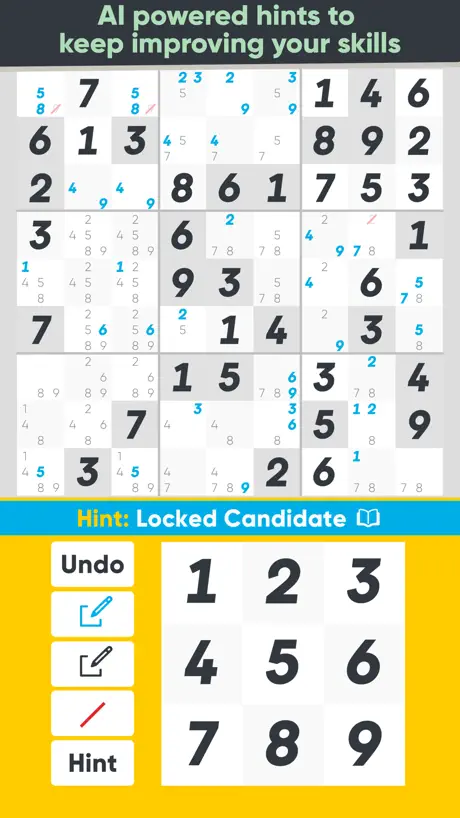
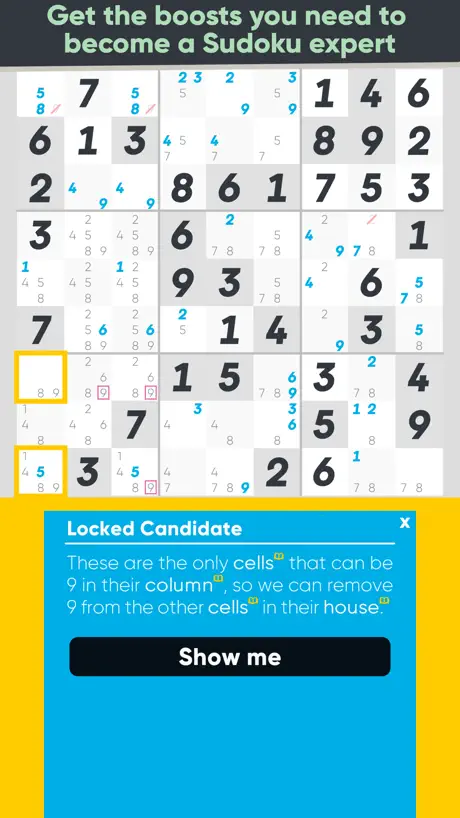
- Teaches you real solving techniques effectively.
- Has plenty of challenging puzzles for experts.
- Clean interface that focuses on the game.
What they complain about
- Crashes constantly and loses your progress.
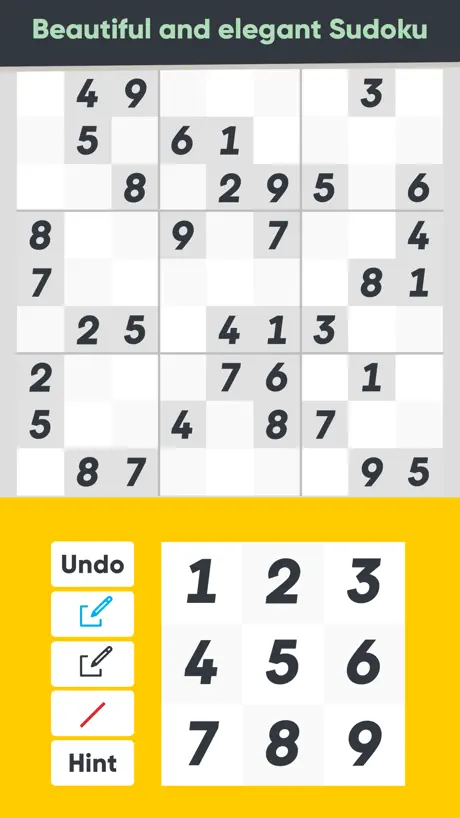
- Hint button is too close to other buttons.
- Low contrast makes it hard to see at night.
- Bugs cause accidental wrong moves or lost streaks.
Guest sudoku app
It’s great, get it. However, the HINT button is too close to the others, which makes it easy to occasionally misclick and use a hint when you don’t mean to.
Horrible
Hate that this is advertised as “pen and paper” and has way to many options and auto tells u what potential numbers can fill boxes without the option of turning it off. Deleted immediately and even decided to just pay $14 on a dif app with no adds. Why do all sudoku apps overcomplicate things.
Love it, but it crashes a lot
It’s testament to how much I enjoy this app that I’m still considering paying for it when my Arcade trial runs out even though it crashes all the time. I can only safely play a single game at a time before reloading the app, starting it can take a number of tries, and it won’t tolerate switching between apps or even pulling a phone menu into focus, like to skip back in a podcast if I didn’t quite catch something. True to its name, it’s good enough that other phone sudoku disappoints. I just wish it loved me enough to be reliable.
Constant crash
I’m mostly just playing good mode, impossible - core. I’m at around 400 games, and now every game would crash at some point, whether is saving, winning, or swiping down to adjust screen brightness. Most of the time no progress is saved and I have to start over. This doesn’t happen as frequently in other modes. Is it a memory management issue b/c I have too many unfinished/finished games?
Recent Issue
I used to be a daily player until about a week ago. The app no longer loads past the loading screen, and remains black. Really missing the daily puzzles.
GOAT Sudoku
I love coming back to this game over and over throughout the years! It’s always such a pleasure! The last update was four years ago so I’m not holding my breath BUT it would be nice to add a game mode that advances the difficulty after several games. Like start out beginner eternal and work your way up. Either way! Beautifully made game!
Crashes all the time
Game crashes all the time, if you close out, complete a puzzle
Please move hint button
Great Sudoku app, but please move the Hint button. I’ve accidentally hit it numerous times when trying to tap the red slash button instead. It’s disappointing when trying to complete the puzzles without using Hint until I absolutely have to resort to using it.
Bug fix
Lots of crashes.
Riddled with bugs and a strange “teaching style”
I liked the concept of this a lot. The problem is that with some of the lessons they show you how but not why. So it’s more pattern recognition than understanding. And there are definitely some annoying bugs. Sometimes if you exit a learning tutorial and re enter then complete it won’t mark it as completed till you start the app again. Sometimes when leaving and quickly rejoining the menu music and the puzzle music play at the same time.
😀😀😀😀😀😀😀😀😀🎉🎉🎉🎉🎉🎉🎉🎉🎊🎊🎊🎊🎊
Very good sudoku game I like it
Color schemes not ADA complaint
The color choices in places are very low contrast light blue text on light green background (might have been reverse). Could not figure how to progress in note taking tutorial. Need an option to turn off the various colors put into cell background or explain them. Very frustrating to play.
Almost great
Mostly wonderful app, but (1) the most difficult techniques are taught in a very confusing way, and (2) many techniques rely on knowing what was or wasn’t pre-filled on the board, but there’s no way to tell once you’ve started the game. There should be a different font for items we’ve filled vs items that came pre-filled. Would be a very easy fix.
Authors have big pick me energy
The game itself is decent. Unfortunately it is absolutely plagued by the authors. You cannot even start the game without dealing with them whining as the literal first screen. Then the hints are at best condescending and at worst completely meaningless. There is genuinely a hint in this game that just tells you an answer isn’t correct because it’s not the answer the puzzle wants. It’s not that the answer broke the rules, it’s just not the answer the app wanted.
Double Taps Killing Me
Love just about everything about the game but I hate the double tap features. They really tank the game experience for me. At least once a game I accidentally double tap when trying to edit an empty square. This automatically switches me from adding a note to adding a number. I end up losing a heart and getting an unwanted hint. Any way to turn this off would make this a 5 star app for me.
Color contrast is really hard to see. Especially in dark mode or if you are colorblind
At night in dark mode I literally can’t see the lines between the boxes. Can you make them lighter? Some text is very hard to read with poor contrast or being very thin. I wish there was a black and white mode or high contrast. Thank you.
Gives away the answers
Removes the thought from the puzzle. Click on a box and it tells you what numbers are available and removes all thought from the game and over simplifies the puzzles.
Best current Sudoku app I can find, by far
Since Sudoku 401 stopped being updated for new iOS versions, I’ve looked for a replacement in vain, using a clumsy non-mobile-friendly web app whenever I wanted to solve a Sudoku. Until now. This game has actual challenging puzzles that require nontrivial techniques, and tools nicely designed to help you apply those techniques. It looks nice, and has a UI that seems to have been designed for mobile, and for extensive use. And it even has some nice uncommon UX, like a way to quickly rewind to before you made it unsolvable. While it has some unnecessary gamification, there’s not enough to get in the way. I haven’t gotten too far into the tutorial or the hint system, but what I’ve seen so far looks great. Still, as unfair as it is to compare this to a game you can no longer even play (that also benefited from years of me getting used to its quirks), it doesn’t make me stop missing 401. The biggest problem is that the UI is significantly busier, making it harder for the stuff you care about to jump out at you. Most notably, you rarely care about the difference between a 1-3-8 and a 1-3-red4-8, but that red crossed-out 4 is highly visible, preventing you from noticing that it’s one of three 1-3-8s. Also, the auto-complete is weird, the way it jumps in as soon as you pause (with singles to be automated) but then stops after doing a single block. On a mobile app, you want even more automation than a PC or web app once you’ve done all the challenging bits (or once you’ve done one challenging bit and want to fast-forward to the next); 401 wasn’t as good at this as some of the desktop apps, but this one seems to be even less so.
Promising but doesn’t always work.
Sometimes it only lets me enter the number 2??? And nothing else. Pretty frustrating.
Notes and hints
My one complaint about this app is the app forces you to cross out notes as opposed to just going into notes mode and deleting notes which I prefer bc it makes for a cleaner screen. All the red crossed out notes becomes visually overwhelming. On top of that if I delete notes as opposed to crossing them out then the hint button doesn’t register this and won’t give me relevant hints going forward.
Worst sudoku ever
The puzzles are ment to be hard not the interface
Casual Players Punished
It’s insulting that I’m periodically reduced to beginner just because I have a life and can’t always finish puzzles. It will literally let you advance to expert and then demote you to beginner if you go a few days too busy to play. This is terrible design.
Almost perfect
There is an issue with auto note. Some numbers sometimes are not show. Like I see that 8 is only available in a single spot, but it’s wrong. 2nd one just has no annotation. Also issue with hints, very often they quite useless.
Hints are useless for intermediate to advanced players
The app isn’t great for anyone who isn’t very new to sudoku. When I’d like a hint, it just shows me things I’ve already pointed out in my own notes. I have to ask for four to five hints to get something I haven’t already noticed since all the first hints are incredibly obvious. It seems like the app can’t “see” my notes and respond to them, which other sudoku apps have the ability to do.
Room for improvement
TLDR: Aesthetically, Good Sudoku is great. It’s easy on the eyes and intuitive to navigate. But practically, the app feels clunky. Pros - nice color palettes - good hint system which teaches helpful techniques Cons - You cannot access dailies from previous days. This is just silly and arbitrary. - Also, if you start a daily, leave before finishing, and come back the next day, the app does not allow you to continue/complete your game. - The leaderboard scoring system is not transparent. - There are hundreds of people cheating their scores on the leaderboards by either messing with their system clock or pre-playing the puzzle on another device. This makes the leaderboards effectively meaningless. - when you tap on a number to highlight all occurrences of that number on the board, it should stay highlighted when you go to add candidates. Right now, there’s an extra tap after every notation to get back to the same highlighted number. - nitpicking- Sometimes, the UI glitches out. For example, the “Play” button may remain dark even after releasing. Or the huge bright and bold “resume” button doesn’t actually do anything when you press it.
真的很好玩
每天都玩,最喜欢的数独
Bad game
Stopped my game and said the puzzle was unsolvable when it was clearly easy to solve.
Best sudoku so far, but with some issues
This is the best sudoku game I’ve played so far, especially the learning part, I can actually learn more complex skills and play really hard puzzles. However there are a few things I noticed: 1. There seems to be conflicts with the techniques. Especially there have been flippable boards, basically two numbers occupy the corners of a square. And using techniques to avoid flippable boards will lead me to a wrong solution. Quite frustrating. I think one other time using X wing also led me to issues. Would like to know why. 2. Something when I try to click on the “remove note” button, I would accidentally click on the hint as they sit very close to each other. Maybe from a UI/UX standpoint, moving the hint far enough away from other functional buttons would better.
Clunky at best.
I love sudoku. I like the more advanced play. This app is awkward. I like that there are many customizations. This game is probably a better choise for NOVICE players. They have expert levels, but if you are an avid sodium player you will not like this interface. Here are a few things that caught me off guard: 1. The shading of the different boxes. Makes it way too busy. But if I turn it off I lose a key clue tool, with the numbers on the bottom. 2. When you click a number and it highlights them , love it. But, the minute I click a box to add that number, the highlighting goes away!!???? This makes it very difficult to continue placing numbers as I have to hit the number after placing 1 number. Every time. This extra clicking is why, I rated this so low. 3. Add more than just 9x9. Add overlapping grids too. This will entice more advanced players.
Unstable on ios18
It crashes frequently on ios18. It loses progress sometimes if you close the app. Quite frustrating for what is a well designed game.
Best sudoku app out there
The interface is great, very minimalist and sleek. I like that it teaches the techniques. Only issue I have is with visibility- when I play at night the contrast on the app is too low, especially in dark mode so I can't use it.
Unplayable
Low contrast makes it impossible to play for more than a couple of minutes.
Love this game!
It would be nice to have some updates to address some stability issues … But on iOS 26, who can say whether stability issues are even the app’s fault?
Best sudoku but…….
Crashes all the time. This app is so buggy.
Conflicted
Overall the app’s UI & Gameplay is satisfying but it quickly becomes boring personally, due to certain quality of life features coming across more as cheats than simple helpful features. While highlighting every number seems like a possible accessibility feature, personally it just ruins the mental aspect of the challenge. The hardest challenges in the game can be completed while listening to a podcast, rendering this app nothing more than something you can do with your hands while you listen to your actual entertainment. It’s a shame, because the design and UI feels amazing, but it just doesn’t pan out.
Hands down, best sudoku app
This app has taught me a lot of techniques and makes it a joy to play. I can’t play with other apps because this one is so feature rich. I love how the annotations work and that it will automatically do a lot of the grunt work for you, leaving you with just the thinking to do. There’s also a zillion puzzles so it will keep you busy for a long time.
Developers out to lunch
Signed up for Apple Arcade just to play this game, which was only necessary because the non-Apple Arcade version I paid full price for was bricked over summer 2025. Played for a couple months and it worked fine, but over the past week or so the daily results have just stopped syncing with Game Center. App hasn’t had an update in years. Unclear why the developers won’t give it the time of day, or why Apple allows an effectively defunct product to remain part of their subscription game service.
Keyboard feature NOT WORKING AT ALL
Keyboard feature doesn’t work I’ve tried everything and I’m on an IPad Air with the Apple Magic Keyboard and it still doesn’t work just fix the keyboard feature im begging you D:
Good but deleted
Good game, well made, but I just opened the app and it’s deleted all of my progress. So that’s awesome.
Disabling sounds doesn’t disable sounds
Same for music
Perfect for people actually trying to learn
I’ve always loved the idea of sudoku but I’ve never gotten into it. The hints in other games made it less challenging but didn’t teach me how they came to that conclusion. On this game they show you why the number should be “x” instead of just filling in one or two spots to make it easier. I’ve learned what to look for now and I’ve progressively been able to do more difficult puzzles without the hints. It’s been really fun! Thank you dev team for a genuinely fun game.
Bad name
Good sudoku? More like, “how the flip do I do this” sudoku.
It’s good sudoku!
I love the no-nonsense design choices and documentation the app provides to help players get better. Although this app isn’t as flashy as other options out there, that’s where it shines. I migrated to this app after I exhausted the sudoku puzzles available within News+, and I can never go back! It also works much more efficiently than the Apple News Sudoku, which would make my phone overheat. It took me about two puzzles to understand the tools available. I only wish that I could see the clock and battery level from within the app!!!
Great app, keeps freezing!
This is a great app but even on an iPhone 14 Pro it’s freezing and stuttering when opening or saving a puzzle.
Love this and learned a lot!
I do genuinely love this app and I’ve learned that I am better at sudoku than I thought I’d be however the UI and lack of autosave are drawbacks too big to ignore to be honest. Too many instances of hitting the wrong button or filling the boxes with the wrong tool/pencil, especially on my relatively small iPhone SE screen. The ability to check techniques without exiting the entire puzzle would be amazing for someone like me who has ADHD and needs quick little reminders quite frequently and also hates using hints. Would be an instant 5 stars for me if these were to be implemented anytime soon! Thanks for the great experience regardless!
The Perfect Sudoku App
I’ve tried plenty of Sudoku apps and this is the best one. The app’s creators did a great job with giving you the option to remove tedium so you can focus on solving the puzzles.
Really a terrible version of sudoku
It doesn’t give you the option to select any kind of difficulty level, or help level that you would like. It forces you into training wheels mode where there are tiles you click on that only have one option, even though by looking at the board, you wouldn’t have been able to limit your options to one number yet without significant work. This does not help teach you the game, all it does is make it a number fill in. It’s like word fill in vs a crossword puzzle but worse, because it tells you any time it’s the only option and there is zero thinking required, completely eliminating the point of the game.
Please oh please please please!! move the hint button!
I came here to complain about this because I’ve been struggling through a level 100 Pro skull game to get the achievement and just accidentally touched the stupid button and got a hint I didn’t want and now my hard work is ruined. Sometimes the other buttons act weird, I guess. Like sometimes you can cross out multiple numbers and sometimes it turns off after crossing out one. I’ve accidentally filled in a square instead of crossing out on arcade games for this reason and then have to undo. Otherwise it’s a great game. UPDATE May 29: I’ve been working on Pro Eternal run achievements. When I previously complained about the broken button logic, I didn’t even know what eternal mode was. Now instead of losing a single game because of the broken button logic, I can lose a whole 9-game streak and waste hours of my life! I’m on my third attempt now. Six games in, only one heart left, and not a single error that wasn’t caused by the game randomly deciding I wanted to fill a cell instead of crossing out. It’s maddening. On a happy note, I found the setting to require confirmation that I want a hint, so at least that isn’t an issue anymore (although moving the button would have made more sense from a UX/UI perspective).
There’s just too much going on
You can dial down some of the visual things and whatever, but I just want a simple sudoku game.
Good effort but room for improvement
Generally a good game with a fresh look at how things are done. I'm always eager to check a new sudoku implementation. After playing a bit though I started coming across to some UI bugs that take away from the experience. From the harmless overlapping text on the menu (iPhone 8 Plus, Core menu) to the more important and slightly unreproducible ones around locking and unlocking the note taking (sometimes it works one way, sometimes another - and I'm not changing Prefs). What's also annoying is that there's Undo but not Redo (!!!), please add. Most of the UI bugs I found on an iPad pro and what worries me is that they seem to be not straightforward to reproduce. This needs a proper round of testing. I feel also that the game needs a UX review: to deselect a number from the smart numpad you have to click outside... Why not just toggle it? The note taking needs a clear state machine: enter a particular mode, exit it. Sometimes I feel I'm clicking around just to figure out which way the game engine works. Otherwise, the game deserves credit for the amount of work gone into the help text and guides. Well done!
Good Sudoku+ FAQ
- Is Good Sudoku+ free?
- Yes. The app is free, in all 172 countries it sells in, and it sells nothing inside it.
- Does Good Sudoku+ have a free trial?
- No. None of its offers (US) come with a free trial.
- What are the best alternatives to Good Sudoku+?
- Sudoku by MobilityWare+ (4.8 from 62,685 reviews), Flow Free+ (4.7 from 33,060 reviews) and tint. (4.7 from 17,995 reviews).
Good Sudoku+ download
Last updated 5 years ago.
Good Sudoku+ sells in 172 countries. It was released 5 years and 6 months ago, on 2 Apr 2021. It holds a 4.1 rating from 1,471 reviews.
Supports 1 language: English.
How much does Good Sudoku+ make?
Third-party estimates for the last 30 days, worldwide — not the store's own figures, which Apple publishes for nobody.