
instax Link WIDE
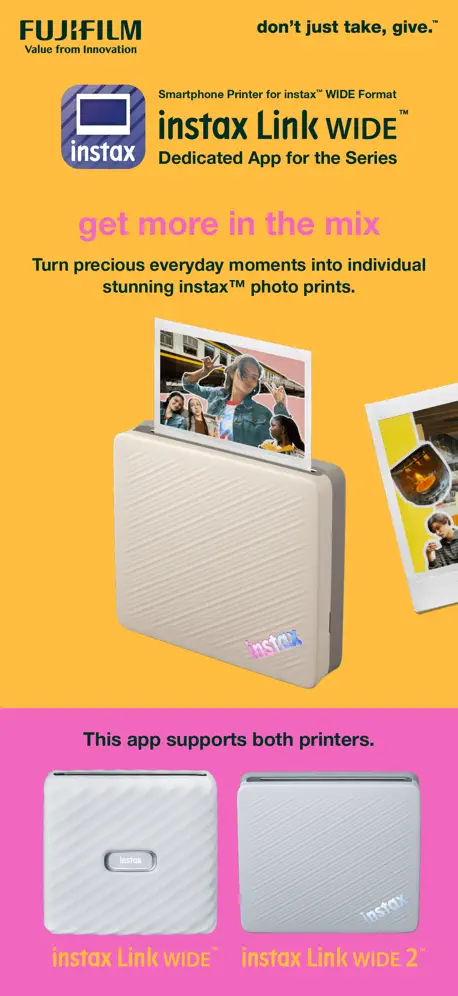
How much does instax Link WIDE cost?
Prices are current as of 7 Nov 2026.
instax Link WIDE has no in-app products on record in the United States.
10+ alternatives to instax Link WIDE
| instax Link WIDE |   Canon Mini Print |   SELPHY Photo Layout |   HP Sprocket |   Polaroid |   Polaroid Hi·Print |   Sony | Creators' App |   Leica FOTOS |   Labbet: Photo & Video Editing |   Capture One |   Fuji X Weekly — Film Recipes | |
|---|---|---|---|---|---|---|---|---|---|---|---|
| Rating / 5 | 4.7 | 4.8 | 4.7 | 4.7 | 4.9 | 4.8 | 4.2 | 4.6 | 4.7 | 3.3 | 4.2 |
| Reviews | 5.1K | 176K | 137K | 121K | 45K | 37K | 23K | 16K | 2.9K | 1.5K | 793 |
| Released | 2021 | 2018 | 2018 | 2016 | 2018 | 2020 | 2022 | 2018 | 2022 | 2022 | 2020 |
| Monthly price | — | — | — | — | — | — | $4.99 | — | $12.99 | $10.99 | — |
| Annual price | — | — | — | — | — | — | — | — | $29.99 | $109.00 | $19.99 |
The going rate for each plan in United States, in its own currency, shaded from the cheapest price on the row to the dearest. Plans fewer than four in ten of the priced apps sell are left out.
instax Link WIDE reviews
4.7 out of 5, based on 5,089 reviews.
What people like
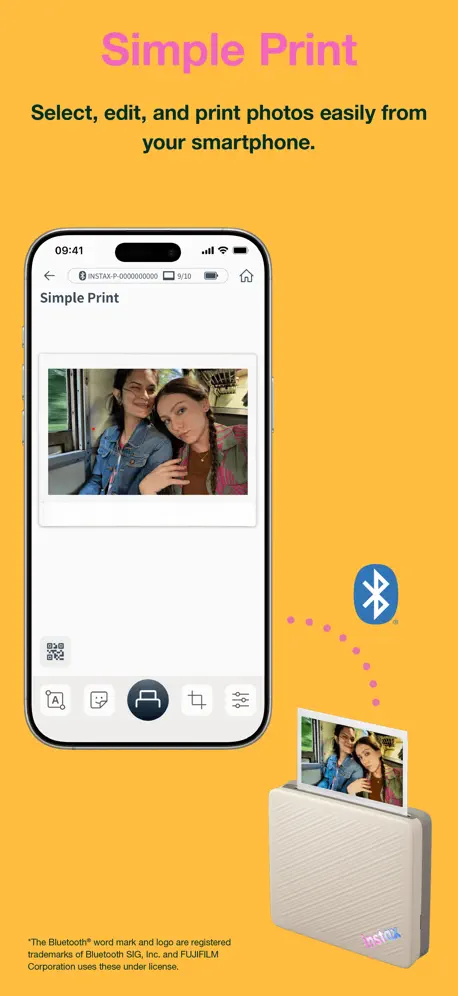
- Easy to use for most people.
- Fun for parties and quick prints.
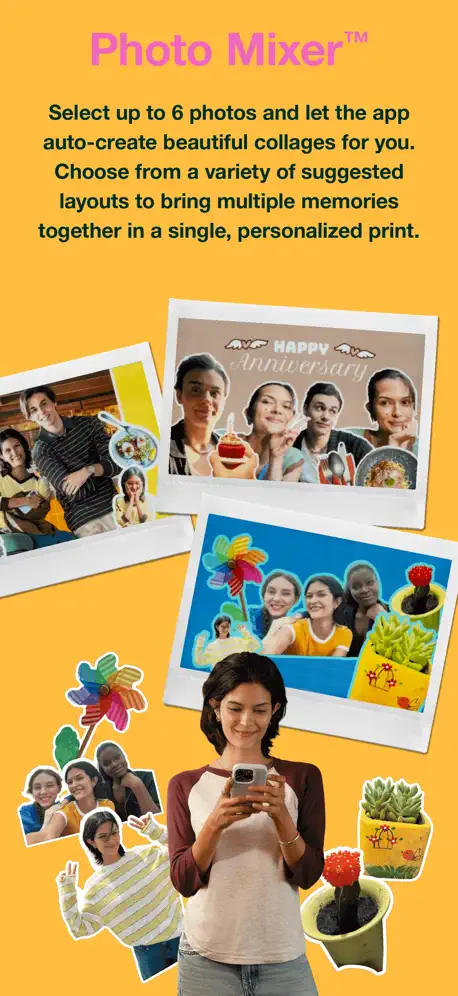
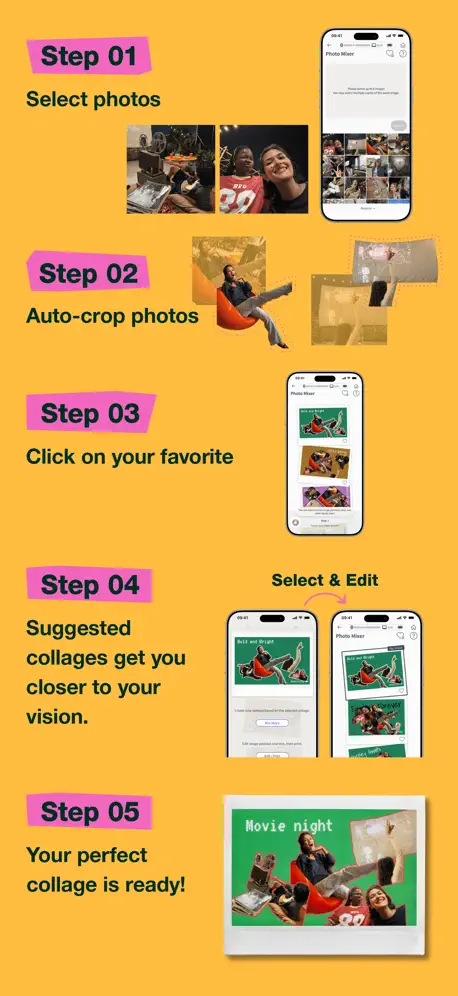
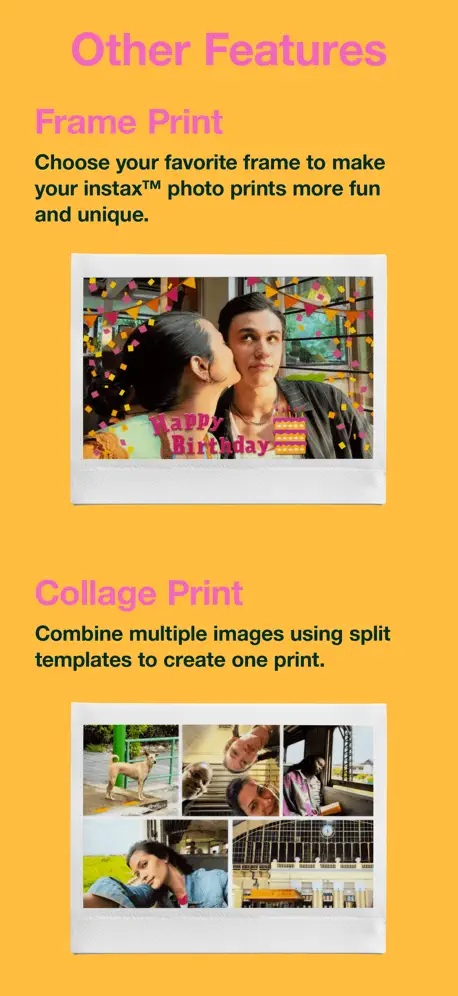
- Great templates and collage options.
What they complain about
- Colors look wrong or too yellow.
- App ignores your photo placement choices.
- Bluetooth connection fails often and randomly.
Unhappy with changes
They took away the original features .
Terrible Printer
Just made a print and there’s black lines across the whole thing just terrible waste of money and I’m afraid to print anything anymore because I’ll just waste more money if I put another pack in
Fun printer
I really wish it printed deeper colors but otherwise a fun printer.
Need more controls.
Lotta wasted pictures trying to get the right exposure. Normal exposure is not normal. You have to tweak it to go darker to make it look normal. Where is the font size adjuster? It seems Fuji doesn’t give a hoot about making nice pictures. It’s just selling their film and they’re inferior cameras.
When Can I Downlaod A USB C Charging Port?
Come on Fujifilm. You saved 50 cents per unit? Prints and connects fine otherwise. 3 stars is for the product.
Great picture
People rave about getting picture
App keeps crashing
Every time I print pictures download from my Fujifilm GFX 100II, the App will crash. Again again and again. Please fix it!
Would be 5 stars with minor UX improvements
Good product but would benefit from some very simple UX updates. The app should allow users to easily add date stamps, and the move/rotate/crop edit feature should allow users to (1) snap the photos to certain grid points (center, left aligned, right aligned, top aligned, bottom aligned), (2) zoom in without having to pinch (so the photos stay perfectly flat), (4) show grid lines so users can align the photo’s horizon line to be flat, and (4) undo/redo the last edit. Further, the app should allow users to select the last photo printed but then edit it (currently the app only allows you to reprint the last photo without any edits, making it cumbersome to create different versions of the same photo for different people).
Shocking
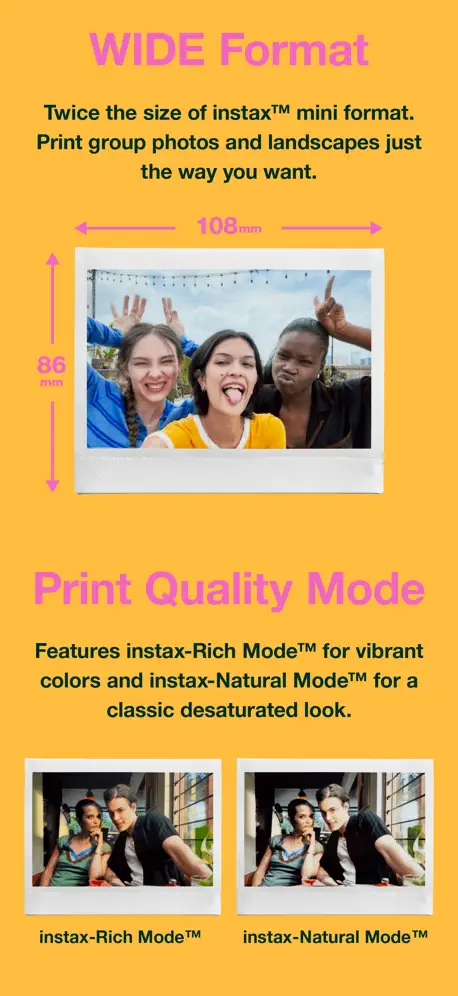
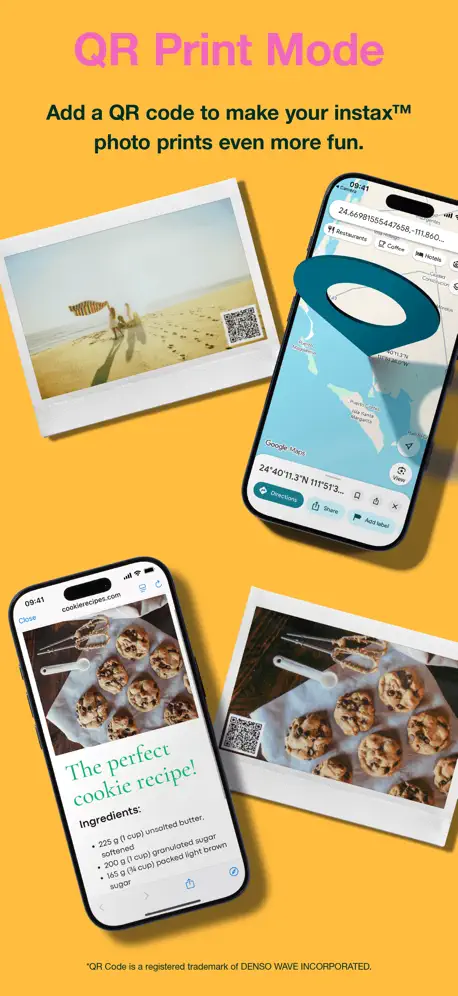
The app only get 2 stars because of the customisable add on such as QR code and sketch, edit and print. There’s only 4 filter options compared to mini so you can’t make the picture sharper - the rich mode is not bad but not great. There seems to be tons more filters in mini app to help accentuate the pictures compare to this one? Is it not possible to copy what’s in mini? Is the wide’s printers only selling point is the bigger (but rubbish) picture?
Good app
This is a good app for Instax. What would make it better would be a search feature. Search for a date, search for people, search for place, some of us have multiple pictures and want to print out all their pictures not just the most recent ones and it’s very hard to look them up with this app. It is very hard to look pictures up in this app special if you have more than 1000 pictures which most of us have in our phones.
Works as advertised
Although I wish all the instax apps weren’t all separate. This has a ton of template and options to write your own. I love that I can import to the instax up app without scanning now.
This application keeps asking me to review it
It will not stop asking me to review it. Between every print it’s asking for a rating…
More templates?
I love my printer and spent a lot of money with film, but I noticed the lack of more/new templates since I started using this more than 2 years ago, it’s really complicated to add new features or different templates for this?
In-app editing controls could be improved
The app functions fine but leaves a lot to be desired. Rotation: when I rotate a photo using the in-app controls, why does the photo become more zoomed in? Default zoom/crop: it’s frustrating that the photos are always zoomed in by default, cropping out edges of photos. This requires the user to add a border around photos to counteract this behavior. Latency: tapping on “Recents” to open other albums is quite slow. Sometimes I double tap and this causes the other album area to briefly “load” and animate its upwards movement and then dip back down. It would also be nice if the photo selection could check for new photos without having to exit an album and then re-enter it. Sometimes my editing flow has me add a photo, dislike how it looks on the preview, edit in another app and export it to the same album. However, then I have to use the slow album selector to exit and reload the album to retrieve the new export. Collage controls: this is a feature ask, but for collages, it would be great if there were controls to more easily swap photos between the various collage locations. Ie some sort of drag and drop, or select 2 photos to switch their positions. Editing controls: it’d be nice if the reset button on the contrast/brightness/sat panel could reset individual settings instead of doing a full reset. Another feature ask: preview the print quality. Obviously instant photos are not meant to print with the most minute detail, but it would be nice to know before printing whether small text will be readable in the print itself.
Listening to user?
I’m reading this to help decide if I want to buy this or a different wide format printer, or even purchase a new Instax Wide Evo. I’m wondering why all but one update in three years are simply bug fixes when users clearly pointed out features which are on other editions of the printing utility, but missing on the wide version? Makes me wonder how far I want to invest in Fuji….
A must have !
Awesome Portable Printer for life memories
Does not allow live photos. Only can print from gallery.
It can only print from the photo galley of photos already taken. It does not have a live photo like the mini has. The Business version of the app allows live photos, but it does not keep a digital copy.
Great Product!
iPhone+This=Perfect Instant Photography!
Don’t work
When I stopped using the app for a month the app stoped working and it isn’t letting me print photos
Prints well but the app doesn’t match size
The app prints well and stays connected, but the ratio doesn’t match in the app as what ends up printing.
Fun & Practical
Easy to use. No problems and lots of impressive fun at parties, youth sports and practical photos to document right away. 😍love it.
⭐️ 1 Star – Powerful printer crippled by a terrible app
The Instax Link Wide app offers almost no meaningful control over image placement, cropping, or orientation. You cannot zoom out enough to print a full image, borders always print if added, and edge-to-edge printing requires cropping your photograph to fit the app’s demands. Even worse, the app frequently ignores orientation metadata and snaps images back into place when you try to rotate or adjust them. Fujifilm’s own response suggests users change how they shoot to accommodate the app, rather than fixing the app itself. That says everything. Fine for casual phone snapshots. Completely unsuitable for serious photographic printing.
Need Qr Code improvements
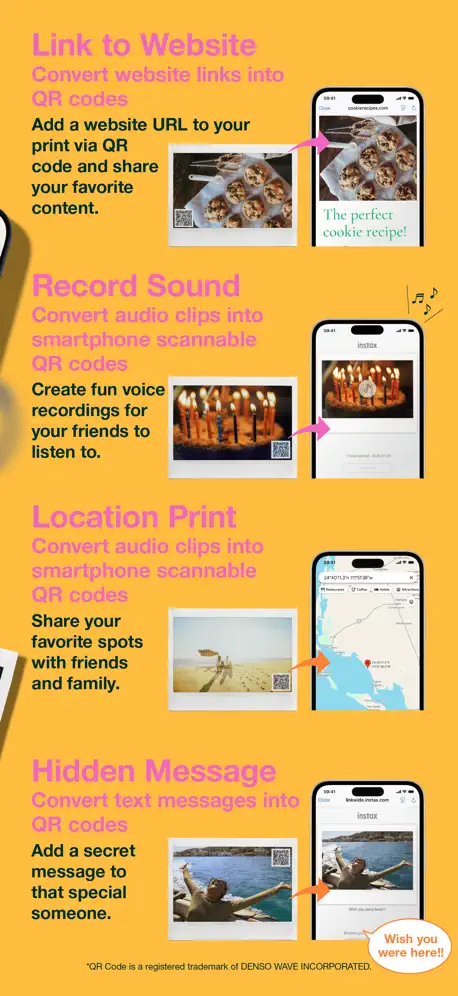
Hi I have been a Fujifilm user for a long time from X series to Gfx. Some Instax cameras and printers as well. Tonight I just tested the QR code with an audio message since I would like to use it for conference invitations. But when I tested the code the page that showed up was an image of my actual print with a download link below the image. When you click on the link you believe it’s the voice message link but it prompt you to load the instax wide printer app instead. Useless. In fact the link/button to my voice message was in my image overlapping text in my image that was on a white background. You can only miss it. The hyperlink to the app should be the voice message link. Adding it should also create trust making sure audience doesn’t confuse it for a spam link. Could you ask you developer team to improve this feature. It’s a cool feature and would like to use it without confusing my customers. Haven’t tested the additional QR code feature but just hope it lead to seamless links. Thx.
Bad UI, somewhat functional app, force update
the App itself only does very minimal functionality. 95% of the filters are…not good looking. At least it can print photo as it is marketed, but do not expect anything more than that.
Fonctionnel mais crop les images
L’application est fonctionnelle, et accompagne bien l’imprimante, mais a un défaut majeur : tout les bords des photos sont coupées. Une photo de base bien cadrée ne le sera pas une fois imprimée. L’application permet pourtant le recadrage, mais impossible d’inclure les bords, l’application revient à son cadrage précédent. Ce problème m’empêche d’imprimer certains photos car les têtes seront coupées. Dommage pour un produit censé imprimer des souvenirs.
Wow
Perfect combo between convenience and vintage feel
Glitchy Collage
You can't place photos where you want to place them in collage, it's very glitchy and just move them around to a crop you don't want to use.
The colour
The final printing picture colour doesn’t turn out as bold or crisp as it looks like it will on the app.☹️
Chinese app asking for log data
Right at the start the app stated it was a Chinese company but I installed it anyway. I enjoyed using it to print. Unfortunately after a week it wanted me to grant it access to my log in data? That’s when I knew I had to remove it from my phone. Why is Fuji using a Chinese company to create its app? Why do they need access to my log in data?
Functional, but quirky
Unlike computer printers, it does not give the option of white letterboxing should your cropped area not fit an 8:5 ratio within the larger image. This DQs a significant number of photos. Less importantly (but still a bit of a bug), I had a slightly rotated and zoomed image which printed fully zoomed in. Such a glitch pushed me to edit a copy of my shots and save to a dedicated folder. Would also be nice to be able to connect to a computer, but, now that I know the ratio, I can just save an edit in 8:5 and share it to my phone. It works, mostly. Could be a lot better.
Good Purchase!
It’s been so fun to break memories to life with this printer! Easy to use and has great collage options.
HORRIBLE APP
The app doesn’t even show up on my phone - the only way I can find it is by using the search bar. The app won’t recognize that my bluetooth is ALREADY ON! And it won’t connect to the device because it thinks my bluetooth is turned off! What a waste of money with this printer when the app is absolute trash!
Works well with one exception
I bought an Instax WIDE Link printer and of course downloaded this app to use it. Overall, it works well although it lacks several features that the Instax SQUARE Link app has. I don’t use those features anyway. However, when I use Simple Print with an iPhone photo, I cannot frame any area of the photo even though it would not result in white bands. It seems that I should be able to do that. I realize the Instax Wide format is essentially 16x10 while the iPhone camera app only allows for 16x9, 3x4, and 1x1 (square). So this will result in some cutoff when printing to Wide film. Still, the Fuji algorithm should allow for more flexibility than the app provides. Perhaps adding the Camera feature to the Wide app would help with this. Keep developing this app, please.
INSTAX Link WIDE
The picture quality is rubbish, it comes out too yellow or orange tone, very different from the uploaded photo quality so all the filter options seem pointless right now, very disappointed
I really wish it had “photobooth” mode.
This app is good overall, but it could use a lot more funky retro filters. Apart from that, I really wish it had a “photobooth” mode. For example, with your phone on a stand in selfie mode, you would be able to take 1 to 4 photos before the app asks you if you want to print immediately or not. You could set the collage style and other features beforehand, for example. A photobooth mode would add a lot to the fun this app could provide.
Awesome
Easy to use, highly recommend!
It’s ok
Got it a year ago and was able to print 20 pictures that came with the printer. Used it 2 months ago to print out a couple cheat pictures and had 3 left in the roll. I printed 1 picture and then got printer error 180, wasted two packs of film trouble shooting, it will spit out the blank test film but not actually print , if your in warranty great product once your year is up your out of luck.
Nice Print-outs
Really like the whole experience of printing. Haven’t had an issue with the app itself so far. But what I noticed is when printing directly from the share menu the Rich-mode I set in the app is not taken and the pictures are printed in the Normal-mode. This is something I’d like to change and use the setting set in the app
Not working as it should
I don’t see the pictures when trying to select for print, even though i see them in my gallery and also on the overall folders view, but when selecting Recents for example, It’s not there. I tried restarting the app several times, no avail. Also, i don’t see a simple feature where i could just type something and have it printed on the picture. I don’t want those fancy frames and all that other stuff.
Works but….
It centers and crops the image on your phone. It has a crop function but does allow you to move from the center position. Pretty basic tool missing.
awesome
awesome photo printer very nostalgic! Love it!
Bugs!!
New bug made my photo print upside down and uncropped. Fix this, now!
Ci siamo quasi
Tante possibilità di edit, ma andrebbe aggiunta la possibilità di salvare e ri-editare un progetto/template personalizzato, e di eliminare la cornice alla casella di testo.
App needs a refresh.
For something that’s been out a while. The app doesn’t seem to have evolved much from its early stages of development. Has a lot of haptics that need work. For such a big company and a device that has so much potential. Not a lot of effort has been put into the app that runs this device.
Could be improved
It is nice to be able to edit photos and print them directly from your phone but needs improvement because if you for example choose collage and change your mind the photos you have chosen and everything you done to them will not be saved and you need to start from the beginning so need to look for photos again and redo everything which sometimes takes very long if you have a lot of photos. Also the app doesn’t always allow you to crop and position the photo the way you want so on certain photos the head is cropped. I think the app could be easier therefore if you choose a photo and then decide to do collage you should be able to stay on that photo and just choose another instead of restarting the whole process and could be more filters or edit options ;)
Instax Wide Printer - The Bomb!
This is such a handy and fun printer. I wish there were creative framing options available to make them more “artistically presentable.” Live it!
No longer sync
Even after much troubleshooting, my printer will not appear as a Bluetooth option to pair. So, it’s useless.
Needs improvement
Seems to connect and print ok but the preview of what the image will look like doesn’t match the final result. Even an image with the correct aspect ratio will appear to overlap the printing area, so you can’t be sure about what you’re actually going to get. If you try and drag an image so that the edge of it lines up with the edge of the printing area it will ‘bounce’ back out so that it appears out of frame. This brings an element of guesswork to the printing process, which though it might make it easy to use in some instances, adds frustration in others.
Da migliorare
Oltre ai consigli di altre recensioni aggiungerei che sarebbe bello poter accedere anche alle foto conservate in servizi cloud come OneDrive, Google drive etc.
instax Link WIDE FAQ
- Is instax Link WIDE free?
- Yes. The app is free, in all 172 countries it sells in, and it sells nothing inside it.
- Does instax Link WIDE have a free trial?
- No. None of its offers (US) come with a free trial.
- What are the best alternatives to instax Link WIDE?
- Canon Mini Print (4.8 from 176,117 reviews), SELPHY Photo Layout (4.7 from 136,931 reviews) and HP Sprocket (4.7 from 120,704 reviews).
instax Link WIDE download
Last updated 2 months ago.
instax Link WIDE sells in 172 countries. It was released 5 years and 1 month ago, on 11 Oct 2021. It holds a 4.7 rating from 5,089 reviews.
Supports 9 languages: English, French, German, Italian, Japanese, Korean, Portuguese, Chinese, Spanish.
How much does instax Link WIDE make?
Third-party estimates for the last 30 days, worldwide — not the store's own figures, which Apple publishes for nobody.