
Kanban - Doneit
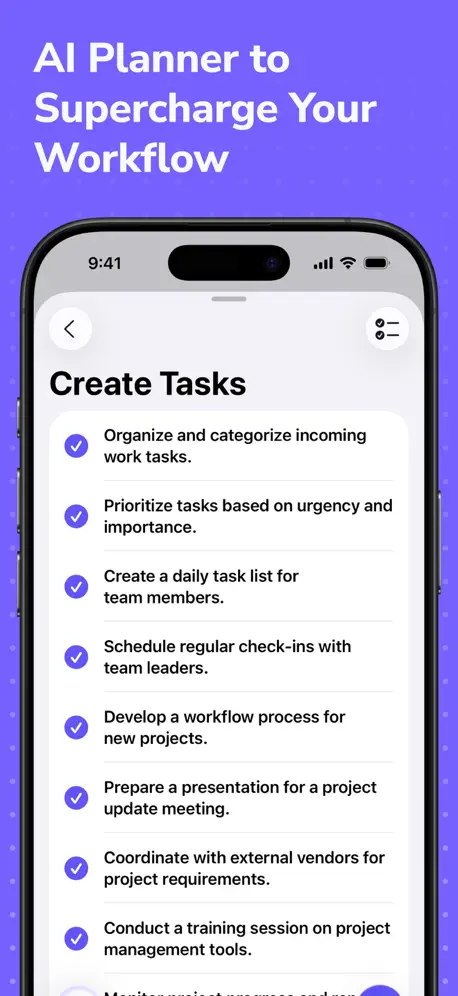
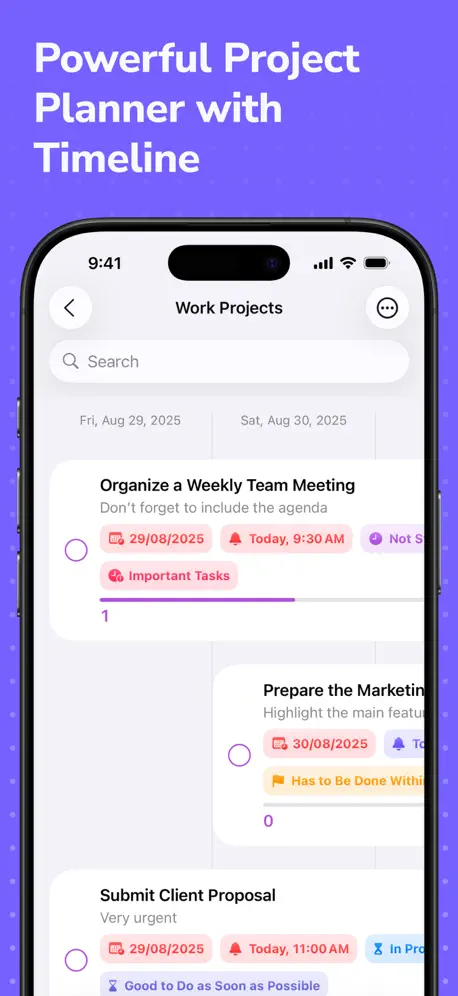
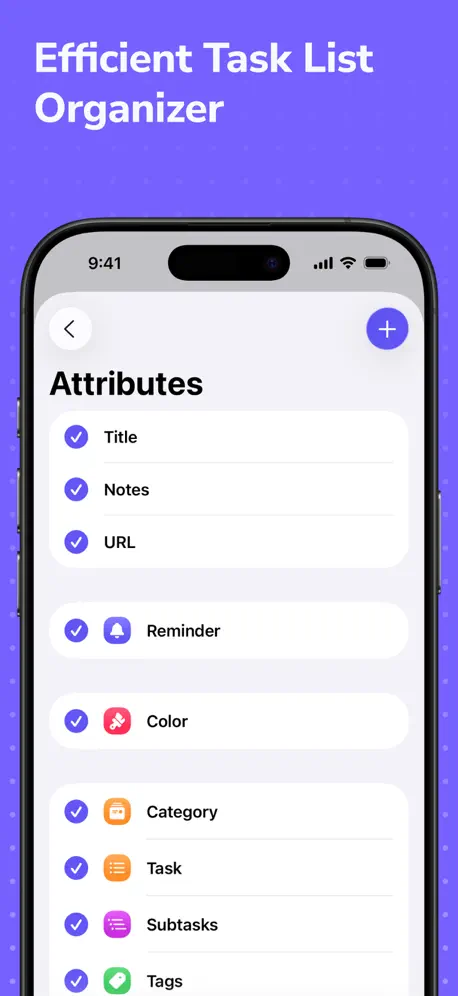
AI task manager, to do app
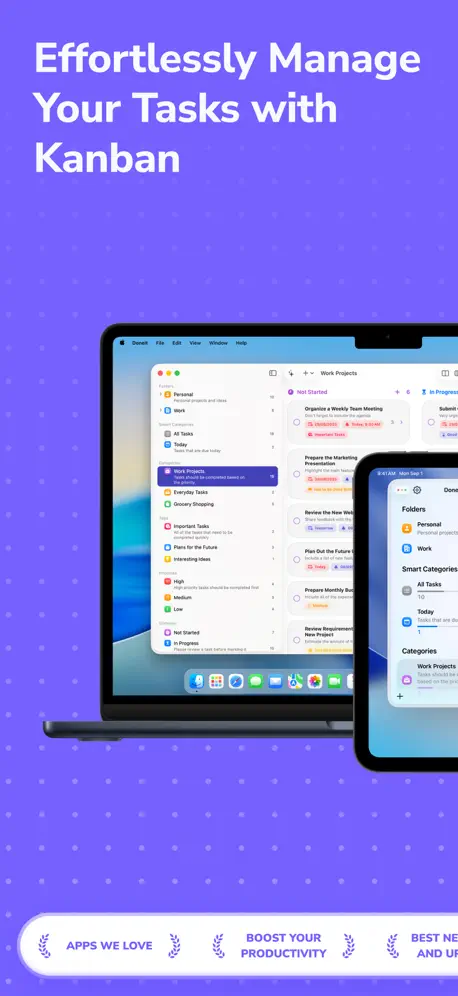
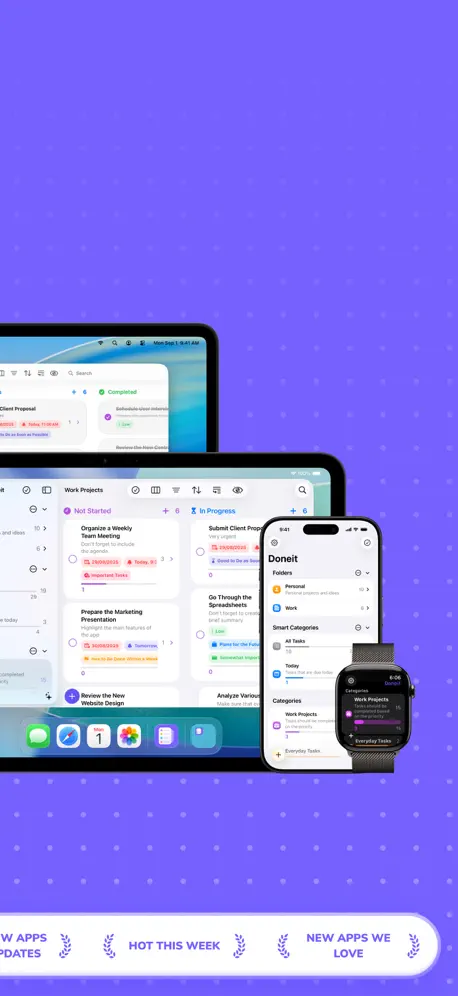
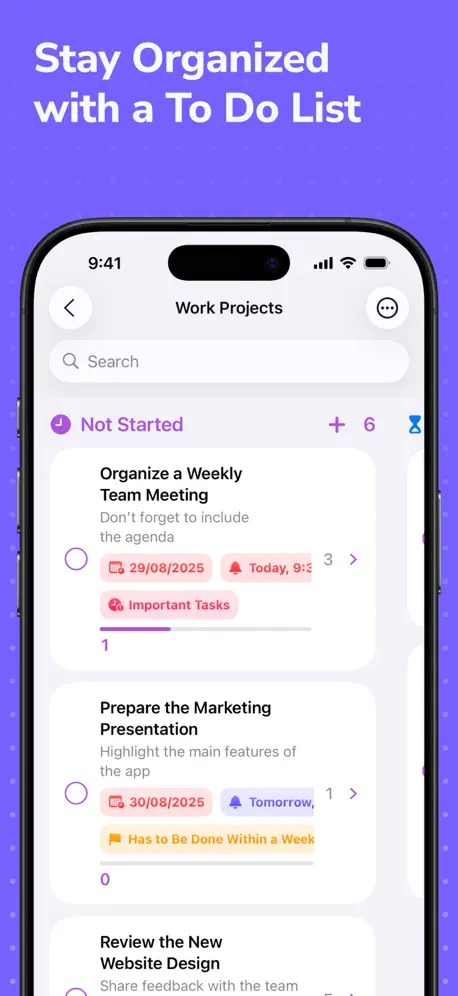
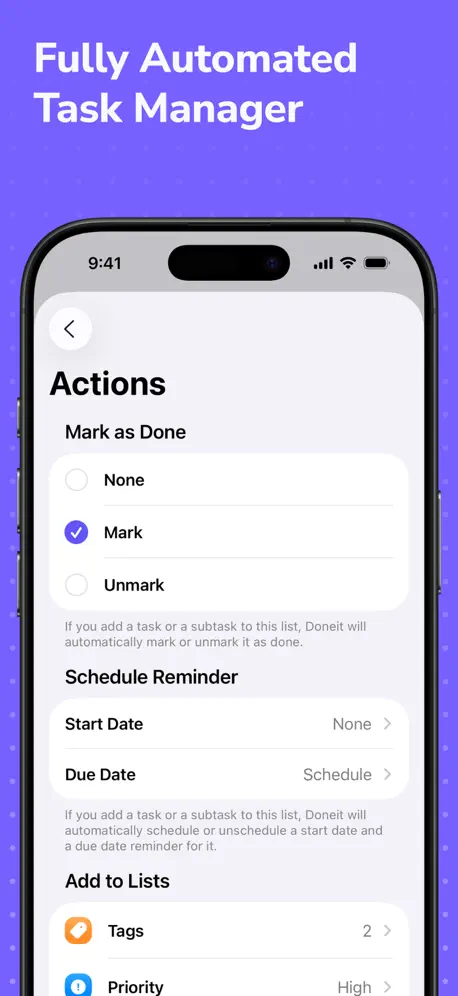
How much does Kanban - Doneit cost?
Prices are current as of 1 Oct 2026.
2 subscriptions from $3.99
In the United States, Kanban - Doneit has 2 subscriptions priced $3.99 – 14.99. Free trials run 3 days or 7 days.
| Subscription | Period | Price |
|---|---|---|
| Monthly | MonthlyTrial: 3 days | $3.99 |
| Yearly | AnnualTrial: 7 days | $14.99 |
2 one-time purchases from $29.99
In the United States, Kanban - Doneit has 2 one-time purchases priced $29.99.
| Product | Price |
|---|---|
| Doneit Premium | $29.99 |
| Premium Lifetime | $29.99 |
10+ alternatives to Kanban - Doneit
| Kanban - Doneit |   Actions: To Do List Organizer Actions: To Do List Organizer |   GoodTask: To Do List & Planner GoodTask: To Do List & Planner |   Tasks - To Do Lists & Reminder Tasks - To Do Lists & Reminder |   NotePlan - To-Do List & Notes NotePlan - To-Do List & Notes |   Notedrafts: Note Taking Notedrafts: Note Taking |   SupaTask - Daily Planner, Todo SupaTask - Daily Planner, Todo |   Super To-Do's Super To-Do's |   Time Blocking Planner — Arcush Time Blocking Planner — Arcush |   Tiny Planner - Daily Organizer Tiny Planner - Daily Organizer |   bypassgpt and humanizer bypassgpt and humanizer | |
|---|---|---|---|---|---|---|---|---|---|---|---|
| Rating / 5 | 4.5 | 4.6 | 4.6 | 4.6 | 4.7 | 4.8 | 4.8 | 4.5 | 4.7 | 4.7 | 4.6 |
| Reviews | 1.4K | 23K | 5.9K | 4.8K | 3.5K | 3.2K | 2.4K | 2K | 1.4K | 634 | 557 |
| Released | 2021 | 2018 | 2016 | 2020 | 2020 | 2025 | 2023 | 2017 | 2023 | 2021 | 2024 |
| Monthly price | $3.99 | $3.99 | — | $3.99 | $11.99 | — | $1.99 | — | $3.99 | — | $14.99 |
| Annual price | $14.99 | $29.99 | $19.99 | $39.99 | $99.99 | — | $9.99 | — | $9.99 | — | $29.99 |
| One-time price | $29.99 | $129.99 | $19.99 | $69.99 | — | $39.99 | $29.99 | — | $24.99 | — | $59.99 |
The going rate for each plan in United States, in its own currency, shaded from the cheapest price on the row to the dearest. Plans fewer than four in ten of the priced apps sell are left out.
Kanban - Doneit reviews
4.5 out of 5, based on 1,434 reviews.
What people like
- Beautiful and clean user interface
- Developers reply fast and help out
- Great value for the price paid
- Flexible enough for complex project management
What they complain about
- Sync fails between your devices
- Setup is confusing and hard to learn
- Deleting things deletes tasks too by mistake
- App crashes or glitches often
Kanban Board Needs Work
I really appreciate the UI and simplicity of this app when making tasks for many different things. It allows you to sort all your tasks with tags, folders, and categories. I find that having to add tasks to a folder after making them outside of the folder is inconvenient, especially when I’m trying to make a folder for programming projects or school work. The biggest flaw to me though is that the Kanban Board just isn’t intuitive when making custom areas to put tasks in. I want to be able to make a task and have it go in the starting category I make. For example, “Brainstorm Project Ideas” would go in “to-do” and not “uncategorized.” I also would love the tasks to go the next category, for example “Clean Up styles.css” in “almost done,” instead of just getting a strike-through and staying in that category when checked. Overall it’s a really great app for task management, but the whole reason I got this app was for keeping up with tasks mainly with the Kanban board. I would recommend!
Really wanted to like
Critical bad design—deleting a tag *also* deletes associated tasks. Very. Bad. Design. Basic database skills. Would not use this for anything beyond a grocery list—and not really for that either. It also deletes the wrong items! Create a folder name it “Test”. Create a category with the same name “Test”. Delete the folder—it will delete the category too!! How aweful. That means the title is also the ID or there’s some really bad decisions being made. Like, why would I be able to have the same titles then? Either way it’s bad. Nobody could possibly be using this seriously. There is NO undo so it’s all gone forever. Scary thing is…what else behaves like this. And this is with version THREE?!?! Peace out.
Mac 版怎么同步iPhone啊
Mac版一点开啥也没有
The imports from my Apple Reminders App Didn’t Work Right
After I imported everything from my Apple Reminders app I spent 2 hours organizing and creating folders. When I went to my reminders app I noticed that I had already put almost everything into folder. But there weren’t any folders that came thru to Doneit. I wasted 2 hours and this Doneit app seems just to be the same thing as what the Reminders App does. Also, I can’t find any way to send an email to ask the developers about this so I wouldn’t have to put a negative review for the app.
แอพเด้งออก
ระหว่างใช้งาน แอพชอบเด้งออกเวลากดปุ่มยืนยัน, น่าจะมี overview วิธีใช้งานสำหรับการเข้าใช้งานครั้งแรก
More than I need but…
I’ve had this app for a few months now and didn’t consistently use it due to it not being feature specific for my needs. However, I looked beyond it being more capable than what I was looking for and treated it like any other product and focused on my requirements since it is designed to be used in this manner. I’m pleased with it just as much as I am with their other app Accountit.
Didn’t last 2 minutes
Downloaded, opened it, looked around, try to add something, deleted it. Elapsed time about 3 minutes total. This app has lots of overlapping features, and no obvious method for how you might use it. Do yourself a favor and stay away. Use a todo list app written by people who want to help you do things instead.
Very extensive and customizable
It’d be nice if I can also adjust the groups themselves (e.g put smart categories below categories) in addition to the already existing option of adjusting within groups (e.g creating subgroups low, medium, high within priorities group and moving them around within the group)
Needs Work
Documentation is lacking and the app is not intuitive to use. I could not get it to sync with iCloud either on my Mac or iPad.
AI features
Hi there. How can I use AI features? I don’t see any button on toolbar.
Well thought out & continuously updated
Love developers that are open to suggestions. Application offers allot. Definitely worth a try.
Kanban features don’t work on free app
The free version of this app is essentially useless. There are many other free versions that will not prompt me to pay for them whenever I want to do anything. Uninstalled immediately.
Useful Tool but Slow Start
Unless you know how you want to structure everything right off the bat this tool will be a little frustrating at the start until you understand how everything is connected. I think a very helpful feature to add would be ‘Sample Templates’ which would allow the new user to work with a pre-built kanban/ other board and learn the app faster.
Sync issue across devices😑
I am already a premium member, purchased the app on my iPad but it doesn’t sync with my iPhone and shows that i have to purchase it again
不好用
1、添加任务功能太繁琐,影响效率以及直观性。 2、添加任务必须“强制”添加分类,分类这功能没有存在的必要性。 3、设置在锁屏小程序后,只显示分类名称,却看不到任务,导致小程序形同虚设。
Excellent App
I’m an indie iOS developer and I use this app to manage my projects. It’s well thought out and the UI is so nice I just want to use it more. Keep up the good work.
How is there no tutorial
I am 30 years old and know how to code in python, sql and have advanced excel skills. I could not figure out how to use this app for the life of me. I spent 30 entire minutes trying to figure out how to make a board with 3 columns “To Do”, “In Progress” and “Completed”. I never figured out how. This app is harder to figure out than calculus.
Great Potential But not for the newbie
First great app, with a great concept. As folks are moving away from the standard task list. t his tool offers plenty of flexibility. For some folks like myself, we would like to see more examples of best to use the tool so that we don't go off the deep end trying to figure things instead of 'getting up and running'. It is not very intuitive and may need a bit more documentation for those who would like to see how it's done rather having to figuring it out. For the power users who are trying to find the best tool this looks great, but again not much guidance on how to get the most out of it. The flexibility of creating attributes, categories etc is great but again not much folks would know what 'values' are unless they do... I. have not seen this before in anyother tools.. One key thing is how to import from other similar tools or even a csv file... this would be 'awesome'. .... OF4 just came out and I am evaluating them both.. So far the Kanban feature is winning ... :) Looking forward to the improvements.
Looks nice, but needs work
I agree with @Doing_Dirty_Work I thought I could find something that would replace ToDoist because the aesthetic on their website looks amazing, but it has zero shortcuts, and its not intutive, its got potential but its not there yet and I rushed to buy it regretfully. To much requirements to use your mouse. Which makes it clunky.
Nur der Entwurf einer Anwendung
Mac-Version: Mit Apple-Erinnerungen nur schlecht zu verwenden. Versteht die Unteraufgaben von Apple- Erinnerung nicht, zeigt alle einzeln an. Kann aber eigene Unteraufgaben anlegen?!?! Termine sind nur zu setzen, wenn der Rechner „pling“ machen darf. Möchte ich aber nicht. Erinnern soll mich ausschließlich das Telefon über die Apple-Erinnerung-App. …. plus weitere Bedienungs-Unklarheiten. Daher keine brauchbare Ergänzung zu Apple-Erinnerungen.
Just Downloaded
I like things the way they should be. Good job
Disappointed
Initially the App interface and features looked great, and the way they offered the monthly subscription for $10 versus a lifetime options for $20 made me purchase it, now I totally regret it after I found that the app is full of bugs and unstable. I just started filling it with my work tasks and it happened 5 times that the tasks or subtasks suddenly disappear or gets moved under another task!! Such a waste of money.
Outlook integration
Hi Team, The application boasts an intuitive user interface, making it accessible to users of all tech-savviness levels. Its functionality is diverse, ranging from productivity tools to entertainment options. Performance is smooth, with minimal lag or glitches. However, a minor drawbacks include integration with outlook with an add-in feature. this feature would have got a 5 star ration for the application. Overall, this application is a must-have for those seeking a versatile, secure, and user-friendly digital tool.
Complicated
trying to like this app. The interview is complicated and not user friendly. The Mac Desktop version is worthless. can only use folders to assign categories, No tasks. Needs alot of work.
Great app but sadly unreliable
It has some bugs especially when it comes to syncing. The usp for me is that I can use it together with Apple reminders but I can’t trust it. For example when I display tasks as kanban grouped by priority I suddenly get each priority twice (2 columns named „high“ etc). And moving tasks between them does not always save their status. This app has great potential, but those kinds of bugs are a no go unfortunately.
Customer service is awesome
I’ve been using “Things” for my task management system for 13 years. It’s a great system but started to get a little cumbersome for me. I realized I needed a new system, one that offered a “Kanban”‘system where my tasks can flow and I can see them progress from one category to the next. Based on that, I downloaded Doneit. It wasn’t working on my iPad 100%, a little glitch here or there. I emailed Doneit, they fixed any issue I brought to them with an update. I almost felt like the update was just for me🤔. Every time I email them, they get back to me within the next day. I have NEVER received customer service like this on any app in the App Store. I can use this app as a CRM for my construction projects, it’s that robust. The $9.99 per year is definitely worth it and I’m about to buy the lifetime for $14.99. Great app, great customer service.
Not reliable. bad sync
Not work at all.
Falls a bit short
What I really enjoy about this app is its simplicity and how similar it is to reminders. However, despite paying for the lifetime version because I despise subscriptions, the iCloud sync is lacking. How it looks on my phone is different from how it looks on my iPad app or mac app. I like the board/grid view and how quick and easy it is to organize everything I need to. But the lack of proper syncing is slowing me down and making me regret purchasing this app to begin with.
Steady improvements but still ways to go
Not going through in details, but a few annoying things is that the complex user interface: creating tasks and assigning them to boards is complicated, and creating subtasks is also unusually complicated. The purpose of Kanban boards is not only seeing all your tasks organized in to do, doing and done but the simplicity of adding and moving tasks. Some othetr annoying issues: By default there is only doing and done boards. If I add to do board it shows up after the other two boards, and adding "some day" board shows up to the right of "to do". Unlike other apps, you cannot reorder the boards by dragging them to the positions you want. You can, however, sort them alphabetically, descending order .. but not so that you have "some day" board on the left followed by "to do" then "doing" then "done". There other issues that I will leave off for now.
No puedes probarla
Con la versión gratis no puedes hacer NADA, está bien que haya funciones de pago, y está INCREÍBLE que sea un pago único, pero literalmente todo está bloqueado y es imposible valorar si vale la pena o no ya que no puedes hacer ni lo mínimo. (No, la prueba de 7 días no sirve de nada). Tiene potencial, pero no se puede usar para probarla.
GNX BERTHOLL
I emailed the developer with a question about a future function and the next day I got a reply. I have tried many of the 2Do apps, tasks apps etc, but I find this one to be perfect for me. Additionally, I don't no future plans, but they've been quick to begin introducing journaling.
Expensive and limited use
Tried it for a bit and decided not worth the money asked. Very limited software.
this version did it
~ kaban ~ the kaban board view is something I like to see my todos. It also has list view and grid view, which is grid for those who just want to keep it basic. improvement suggestion - i believe when adding attachment, users should be able to see it in the task. instead, it is hidden until you tap to view the task. also, probably in a future update, i hope to see them take it to icloud collaboration or at least be able for others view it in a exported format or make use of appclips feature (not sure how many people actually use this though). what i think is a bug here - to attach a photo because you cant slide to select and when selected, the selector closes and there is no photo attached. ~ navigation and ui ~ to switch the views aren’t so smooth, convenient and quick because it requires a lot of tapping around and it pops an unnecessary window to choose and then you get the action done. it’s pretty much a hassle, other apps (not just todos) have the submenu dropdown for quicker access to get the job done faster. to open the task is also strange, you have to tap on the text title to open the view it. if you tap on the blank space of the task bar, it doesn’t open. ~ final word ~ doneit has improved a lot, i tried their app when it first appeared on the app store during the time i was switching a lot between tasks, apple reminders and pocketlist. since this update, i finally made the purchase because i prefer improving functionality first, aesthetic visual second. i can definitely recommend this app, not just because of my use case, but i always like when developers try their best to improve it.
A complete mess – but with potential
I really had high hopes, but this is an app that really isn’t very well thought through – or atleast really, really doesn’t match my way of thinking… Also, it seems to be riddled with bugs and inconsistencies – from a hanging sync at first install to subtasks that seem to live a random life of their own. I wanted to like it. I wanted to go all-in on kanban. And this app certainly has a great design and good cross-platform integration and lots of settings to tweak. But it made me feel stupid and uncertain and I felt I had to click and click without ever really knowing what would happen. Often, nothing would happen… I’ll be checking in with DoneIt for sure, but for now it’s really not ready for (my) prime time…
Très bonne application mais avec de grosses lenteurs
Enfin une app qui me convient et qui permet de faire beaucoup de choses. Un peu diffice de s'y retrouver au début, mais toutes les options présentes sont parfaites. Le seul gros problème ce sont les lenteurs sur Mac (pas sur iOS et pas sur iPadOS). Avec un M2 Pro le CPU arrive à plus 90% quand on interagit avec l'interface (déplacement de tâche, edition de tâche, etc ...). Vraiment dommage, j'attendrais que ce soit résolu avant de l'utiliser (ou alors je trouverais une autre application).
Great app
I don’t write reviews. Ever. But this app has saved my cluttered existence. Doneit enables you to sift through long term projects and break down daily tasks. Multiple views allow you to see the big and biggest pictures. The only downside is that it crashes often. No data is lost but it’s a little glitchy. Overall though, this is a 9 out of 10. Worth the $
Archives are lost
After building out two projects, and accidentally archiving one with NO WAY to retrieve it, I'm done with the app and I had high hopes. Why would a simple 'restore' feature not be built in? DELETE should not be the same as ARCHIVE, but it essentially is so far. If I'm missing how to do this, it's not for lack of trying to find it in a somewhat bleak UX and very limited user documentation.
Fetch from iCloud is not working
Fetch from iCloud is not working and change of status doesn’t get update when you come back from charge status screen. You have to go all the way to home page and then again to task to see the update status. UI is great though
too many issues
It was better 3 updates ago and now it has too many issues, UI is pretty good but the app can´t sync between devices, dont recommend
Great Potential
03/05/23 Update Still waiting for this app to truly sync and/or share between all apple devices - most importantly desktop to laptop to ipad to phone. The lack of sharing between desktop/laptop and mobile verisons have kept me from using it. I want to love this app. At first glance it has everything I would want - epecially because I've a very visual person. However, the issues with the sharing feature (which the developer has been very diligent trying to help with) makes it a no go for me. I NEED to be able to sync back and forth between desktop/taptop/phone and share with my work apple ID so I can keep my tasks and projects up to date across the board. It would be great to be able to drag and drop an email, pdf, and things of the like. This format is so much better than some of the other "notebook" apps out there. I'm not looking to hand write pretty planner notes. I'm looking for pure seamless functionality that I haven't found elsewhere. This app is close. I look foward to seeing how they continue to improve.
Fixing what’s not broken
Please bring back the pure black widgets or at least make it an option to have pure black widgets.
Waste of $
After excitedly spending hours setting everything up in this app it just disappeared. All the hard work was gone. The app is GARBAGE!😡
What kanban board!
There is no kanban board on iPhone. Maybe iPad? Are there docs that explain this? Could be a nice task list if that’s what you’re looking for. [edit: developer kindly replied and shared how to get the board view. It does not work the way I expect kanban to function however it does exist. Updated to 4 stars ]
iCloud sync is broken on iPadOS
The app is nice overall and it neatly handles great amount of metadata fit to most of use cases. When it comes to inter-device connectivity, Reliability and Consistency become critical issues. If the user data among devices bears discrepancy, productivity plummets inhibitting the session. Though I had made some changes on macOS 13.4 version app, the iPadOS 15.5 version app is not synced at all with minutes of waiting and force upload/fetches on setting tab. I am anxious about my mind might getting messed up because of the inconsistent contents among the independent devices I have.
The UX could be improved
I love how the UI of the product, but the UX need some improvement.
I think I found my task app!
Love it so far. Any chances of adding live activities in the near future?
How does this app work?
All I can do is set up folders. They are empty because I don’t know how to put anything in them.
Add task due date & time information in widgets
I really love this app… its totally worth for what i paid.. After I change my ratings to 5 stars once the requested feature is coming.. Please add task due date & time deadline information in widget section. Currently its only shows task titles only. If you add the task due date & time info in widgets it would helps easily remain the actual deadlines.. Hope to see this feature soon..
Not complete function
- The attached file could not be downloaded. - Timeline file - Widgets on iphone are hard to use. - Edit task is just an input field, difficult to use. Other than that it's ok.
Needs Improvement
I got this in hopes to replace Todoist because I needed something simpler and more straightforward. If you just need one dedicated todo app, this is the one. But if you want to start integrating the todo app with anything else, or if you wanna be able to start a task on your phone and load it on your mac, you're out of luck. I regret paying for the premium so quickly when the app didn't quite fit my needs. Now I'm going back to todoist.
Kanban - Doneit price by country
A monthly subscription costs $3.47 in France and $5.92 in Denmark — 1.7× more for the same thing. Below is the going rate for each plan in every country that sells it — the middle price of what the app charges there, in the country's own currency with the dollar equivalent beneath it.
| Country | Monthly | Annual | One-time |
|---|---|---|---|
| Afghanistan | $3.99 | $14.99 | $29.99 |
| Albania | $4.99 | $17.99 | $34.99 |
| Algeria | $3.99 | $14.99 | $29.99 |
| Angola | $3.99 | $14.99 | $29.99 |
| Anguilla | $3.99 | $14.99 | $29.99 |
| Antigua And Barbuda | $3.99 | $14.99 | $29.99 |
| Argentina | $3.99 | $14.99 | $29.99 |
| Armenia | $4.99 | $17.99 | $34.99 |
| Australia | A$5.99$4.19 | A$22.99$16.08 | A$49.99$34.96 |
| Austria | €3.99$4.52 | €17.99$20.40 | €34.99$39.67 |
| Azerbaijan | $4.99 | $17.99 | $34.99 |
| Bahamas | $3.99 | $14.99 | $29.99 |
| Bahrain | $3.99 | $14.99 | $29.99 |
| Barbados | $4.99 | $17.99 | $34.99 |
| Belarus | $4.99 | $17.99 | $34.99 |
| Belgium | €3.99$4.52 | €17.99$20.40 | €34.99$39.67 |
| Belize | $3.99 | $14.99 | $29.99 |
| Benin | $4.99 | $17.99 | $34.99 |
| Bermuda | $3.99 | $14.99 | $29.99 |
| Bhutan | $3.99 | $14.99 | $29.99 |
| Bolivia | $3.99 | $14.99 | $29.99 |
| Bosnia & Herzegovina | €3.99$4.52 | €17.99$20.40 | €34.99$39.67 |
| Botswana | $3.99 | $14.99 | $29.99 |
| Brazil | R$24.90$4.77 | R$99.90$19.14 | R$199.90$38.30 |
| British Virgin Islands | $3.99 | $14.99 | $29.99 |
| Brunei Darussalam | $3.99 | $14.99 | $29.99 |
| Bulgaria | €3.99$4.52 | €17.99$20.40 | €34.99$39.67 |
| Burkina Faso | $3.99 | $14.99 | $29.99 |
| Cambodia | $3.99 | $14.99 | $29.99 |
| Cameroon | $4.99 | $17.99 | $34.99 |
| Canada | CA$4.99$3.51 | CA$19.99$14.08 | CA$39.99$28.16 |
| Cape Verde | $3.99 | $14.99 | $29.99 |
| Cayman Islands | $3.99 | $14.99 | $29.99 |
| Chad | $3.99 | $14.99 | $29.99 |
| Chile | CLP 4,990$5.16 | CLP 17,990$18.60 | CLP 34,990$36.17 |
| China | CN¥28.00$4.17 | CN¥98.00$14.58 | CN¥198.00$29.46 |
| Colombia | COP 19,900$5.91 | COP 69,900$20.76 | COP 129,900$38.58 |
| Congo | $3.99 | $14.99 | $34.99 |
| Congo, Democratic Republic | $3.99 | $14.99 | $29.99 |
| Costa Rica | $3.99 | $14.99 | $29.99 |
| Cote Divoire | $4.99 | $17.99 | $34.99 |
| Croatia | €3.99$4.52 | €17.99$20.40 | €34.99$39.67 |
| Cyprus | €3.99$4.52 | €17.99$20.40 | €34.99$39.67 |
| Czech Republic | CZK 99.00$4.60 | CZK 399.00$18.53 | CZK 799.00$37.11 |
| Denmark | DKK 39.00$5.92 | DKK 129.00$19.58 | DKK 249.00$37.78 |
| Dominica | $3.99 | $14.99 | $29.99 |
| Dominican Republic | $3.99 | $14.99 | $29.99 |
| Ecuador | $3.99 | $14.99 | $29.99 |
| Egypt | EGP 199.99$3.84 | EGP 799.99$15.36 | EGP 1,499.99$28.80 |
| El Salvador | $3.99 | $14.99 | $29.99 |
| Estonia | €3.99$4.52 | €17.99$20.40 | €34.99$39.67 |
| Fiji | $3.99 | $14.99 | $29.99 |
| Finland | €3.99$4.52 | €17.99$20.40 | €34.99$39.67 |
| France | €2.99$3.47 | €9.99$11.60 | €22.99$26.70 |
| Gabon | $3.99 | $14.99 | $29.99 |
| Gambia | $3.99 | $14.99 | $29.99 |
| Georgia | $4.99 | $17.99 | $34.99 |
| Germany | €3.99$4.52 | €17.99$20.40 | €34.99$39.67 |
| Ghana | $4.99 | $17.99 | $34.99 |
| Greece | €3.99$4.52 | €17.99$20.40 | €34.99$39.67 |
| Grenada | $3.99 | $14.99 | $29.99 |
| Guatemala | $3.99 | $14.99 | $29.99 |
| Guinea-bissau | $3.99 | $14.99 | $29.99 |
| Guyana | $3.99 | $14.99 | $29.99 |
| Honduras | $3.99 | $14.99 | $29.99 |
| Hong Kong | HK$32.00$4.08 | HK$118.00$15.03 | HK$228.00$29.04 |
| Hungary | HUF 1,790$5.53 | HUF 6,990$21.60 | HUF 12,990$40.15 |
| Iceland | $4.99 | $17.99 | $34.99 |
| India | ₹399.00$4.15 | ₹1,499.00$15.60 | ₹2,999.00$31.22 |
| Indonesia | IDR 69,000$3.84 | IDR 249,000$13.87 | IDR 599,000$33.37 |
| Iraq | $3.99 | $14.99 | $29.99 |
| Ireland | €3.99$4.52 | €17.99$20.40 | €34.99$39.67 |
| Israel | ₪14.90$4.85 | ₪49.90$16.25 | ₪99.90$32.54 |
| Italy | €3.99$4.52 | €17.99$20.40 | €34.99$39.67 |
| Jamaica | $3.99 | $14.99 | $29.99 |
| Japan | ¥600$3.81 | ¥2,500$15.88 | ¥5,000$31.77 |
| Jordan | $3.99 | $14.99 | $29.99 |
| Kazakhstan | KZT 2,490.00$5.67 | KZT 8,990.00$20.45 | KZT 17,990.00$40.93 |
| Kenya | $4.99 | $17.99 | $34.99 |
| Kosovo | €3.99$4.52 | €17.99$20.40 | €34.99$39.67 |
| Kuwait | $3.99 | $14.99 | $29.99 |
| Kyrgyzstan | $3.99 | $14.99 | $29.99 |
| Lao Peoples Democratic Republic | $3.99 | $14.99 | $29.99 |
| Latvia | €3.99$4.52 | €17.99$20.40 | €34.99$39.67 |
| Lebanon | $3.99 | $14.99 | $29.99 |
| Liberia | $3.99 | $14.99 | $29.99 |
| Libya | $3.99 | $14.99 | $29.99 |
| Lithuania | €3.99$4.52 | €17.99$20.40 | €34.99$39.67 |
| Luxembourg | €3.99$4.52 | €17.99$20.40 | €34.99$39.67 |
| Macao | $3.99 | $14.99 | $29.99 |
| Macedonia | $3.99 | $14.99 | $29.99 |
| Madagascar | $3.99 | $14.99 | $29.99 |
| Malawi | $3.99 | $14.99 | $29.99 |
| Malaysia | MYR 19.90$4.88 | MYR 69.90$17.13 | MYR 129.90$31.84 |
| Maldives | $3.99 | $14.99 | $29.99 |
| Mali | $3.99 | $14.99 | $29.99 |
| Malta | €3.99$4.52 | €17.99$20.40 | €34.99$39.67 |
| Mauritania | $3.99 | $14.99 | $29.99 |
| Mauritius | $4.99 | $17.99 | $34.99 |
| Mexico | MX$89.00$4.94 | MX$299.00$16.59 | MX$599.00$33.24 |
| Micronesia | $3.99 | $14.99 | $29.99 |
| Moldova | $4.99 | $17.99 | $34.99 |
| Mongolia | $3.99 | $14.99 | $29.99 |
| Montenegro | €3.99$4.52 | €12.99$14.73 | €29.99$34.00 |
| Montserrat | $3.99 | $14.99 | $29.99 |
| Morocco | $3.99 | $14.99 | $34.99 |
| Mozambique | $3.99 | $14.99 | $29.99 |
| Myanmar | $3.99 | $14.99 | $29.99 |
| Namibia | $3.99 | $14.99 | $29.99 |
| Nauru | $3.99 | $14.99 | $29.99 |
| Nepal | $4.99 | $17.99 | $34.99 |
| Netherlands | €3.99$4.52 | €17.99$20.40 | €34.99$39.67 |
| New Zealand | NZ$6.99$3.95 | NZ$29.99$16.94 | NZ$49.99$28.24 |
| Nicaragua | $3.99 | $14.99 | $29.99 |
| Niger | $3.99 | $14.99 | $29.99 |
| Nigeria | NGN 6,900.00$5.20 | NGN 24,900.00$18.76 | NGN 49,900.00$37.60 |
| Norway | NOK 49.00$5.10 | NOK 199.00$20.73 | NOK 399.00$41.56 |
| Oman | $3.99 | $14.99 | $29.99 |
| Pakistan | PKR 1,100$3.97 | PKR 3,900$14.09 | PKR 7,900$28.53 |
| Palau | $3.99 | $14.99 | $29.99 |
| Panama | $3.99 | $14.99 | $29.99 |
| Papua New Guinea | $3.99 | $14.99 | $29.99 |
| Paraguay | $3.99 | $14.99 | $29.99 |
| Peru | PEN 17.90$5.20 | PEN 69.90$20.32 | PEN 129.90$37.76 |
| Philippines | ₱249.00$3.98 | ₱999.00$15.96 | ₱1,990.00$31.79 |
| Poland | PLN 19.99$5.19 | PLN 69.99$18.18 | PLN 129.99$33.76 |
| Portugal | €3.99$4.52 | €17.99$20.40 | €34.99$39.67 |
| Qatar | QAR 14.99$4.12 | QAR 49.99$13.73 | QAR 99.99$27.47 |
| Romania | RON 19.99$4.30 | RON 79.99$17.20 | RON 149.99$32.26 |
| Russia | RUB 349.00$4.15 | RUB 1,290.00$15.35 | RUB 2,490.00$29.62 |
| Rwanda | $3.99 | $14.99 | $29.99 |
| Sao Tome & Principe | $3.99 | $14.99 | $29.99 |
| Saudi Arabia | SAR 17.99$4.80 | SAR 59.99$16.00 | SAR 129.99$34.66 |
| Senegal | $4.99 | $17.99 | $34.99 |
| Serbia | €3.99$4.52 | €17.99$20.40 | €34.99$39.67 |
| Seychelles | $3.99 | $14.99 | $29.99 |
| Sierra Leone | $3.99 | $14.99 | $29.99 |
| Singapore | SGD 5.98$4.67 | SGD 19.98$15.61 | SGD 39.98$31.23 |
| Slovakia | €3.99$4.52 | €17.99$20.40 | €34.99$39.67 |
| Slovenia | €3.99$4.52 | €17.99$20.40 | €34.99$39.67 |
| Solomon Islands | $3.99 | $14.99 | $29.99 |
| South Africa | ZAR 79.99$4.87 | ZAR 299.99$18.28 | ZAR 599.99$36.56 |
| South Korea | ₩6,600$4.88 | ₩25,000$18.47 | ₩49,000$36.20 |
| Spain | €3.99$4.52 | €17.99$20.40 | €34.99$39.67 |
| Sri Lanka | $3.99 | $14.99 | $29.99 |
| St. Kitts and Nevis | $3.99 | $14.99 | $29.99 |
| St. Lucia | $3.99 | $14.99 | $29.99 |
| St. Vincent & The Grenadines | $3.99 | $14.99 | $29.99 |
| Suriname | $3.99 | $14.99 | $29.99 |
| Swaziland | $3.99 | $14.99 | $29.99 |
| Sweden | SEK 39.00$4.07 | SEK 129.00$13.47 | SEK 249.00$25.99 |
| Switzerland | CHF 3.00$3.71 | CHF 10.00$12.36 | CHF 18.00$22.25 |
| Taiwan | NT$120.00$3.77 | NT$490.00$15.39 | NT$990.00$31.09 |
| Tajikistan | $3.99 | $14.99 | $29.99 |
| Tanzania | TZS 11,900.00$4.55 | TZS 39,900.00$15.26 | TZS 89,900.00$34.38 |
| Thailand | THB 149.00$4.44 | THB 499.00$14.86 | THB 999.00$29.76 |
| Tonga | $3.99 | $14.99 | $29.99 |
| Trinidad and Tobago | $3.99 | $14.99 | $29.99 |
| Tunisia | $3.99 | $14.99 | $29.99 |
| Turkey | TRY 199.99$4.08 | TRY 799.99$16.32 | TRY 1,499.99$30.60 |
| Turkmenistan | $3.99 | $14.99 | $29.99 |
| Turks and Caicos | $3.99 | $14.99 | $29.99 |
| Uganda | $4.99 | $17.99 | $34.99 |
| Ukraine | $4.99 | $17.99 | $34.99 |
| United Arab Emirates | AED 14.99$4.08 | AED 59.99$16.35 | AED 119.99$32.69 |
| United Kingdom | £2.99$4.04 | £9.99$13.50 | £19.99$27.01 |
| United States | $3.99 | $14.99 | $29.99 |
| Uruguay | $3.99 | $14.99 | $29.99 |
| Uzbekistan | $3.99 | $14.99 | $29.99 |
| Vanuatu | $3.99 | $14.99 | $29.99 |
| Venezuela | $3.99 | $14.99 | $29.99 |
| Vietnam | ₫119,000$4.59 | ₫499,000$19.24 | ₫999,000$38.52 |
| Yemen | $3.99 | $14.99 | $29.99 |
| Zambia | $4.99 | $17.99 | $34.99 |
| Zimbabwe | $4.99 | $17.99 | $34.99 |
Kanban - Doneit FAQ
- Is Kanban - Doneit free?
- Yes. The app and its basic features are free, in all 175 countries it sells in. Premium features are paid: they start from $3.99 (US), across 2 subscriptions and 2 one-time purchases.
- How much does Kanban - Doneit cost per month?
- Monthly is $3.99 (US). The annual plan works out cheaper per month: $14.99 a year.
- Does Kanban - Doneit have a free trial?
- Yes — free trials of 3 days or 7 days (US), depending on the plan.
- Where is Kanban - Doneit cheapest?
- A monthly subscription costs €2.99 (≈$3.47) in France and DKK 39.00 (≈$5.92) in Denmark, its cheapest and dearest countries.
- What are the best alternatives to Kanban - Doneit?
- Actions: To Do List Organizer (4.6 from 23,242 reviews, premium from $3.99), GoodTask: To Do List & Planner (4.6 from 5,861 reviews, premium from $9.99) and Tasks - To Do Lists & Reminder (4.6 from 4,797 reviews, premium from $3.99).
Kanban - Doneit download
Last updated 7 days ago.
Kanban - Doneit sells in 175 countries. It was released 5 years and 8 months ago, on 16 Jan 2021. It holds a 4.5 rating from 1,434 reviews.
Supports 10 languages: English, French, German, Italian, Korean, Norwegian Bokmål, Portuguese, Russian, Chinese, Spanish.
How much does Kanban - Doneit make?
Third-party estimates for the last 30 days, worldwide — not the store's own figures, which Apple publishes for nobody.
Revenue by plan
- One-time 42%
- Annual 32%
- Monthly 27%
Revenue by country
- United States 33%
- Germany 6%
- France 4%
- Canada 3%