UltraNotes - Note Taking & PDF
ProductivityUtilities

UltraNotes - Note Taking & PDF
Skyjos Co., Ltd. · released 20 Aug 2024 · Open in App Store ↗

Revenue 30d not estimated
Downloads 30d not estimated
Rating 4.63 738 reviews

No in-app products collected for this app.

Rating
United States22%1644.55
China21%1544.80
Germany8%624.45
South Korea8%594.81
Taiwan6%434.70
India5%374.62
Vietnam4%314.77
Hong Kong2%174.12
Canada2%164.50
United Kingdom2%154.33
Australia1%114.82
Philippines1%104.80
France1%94.44

The store shows a different set in every country

Description

UltraNotes is a powerful note-taking app and writing app that supports handwriting with Apple Pencil, typing with a keyboard, and annotating PDFs.

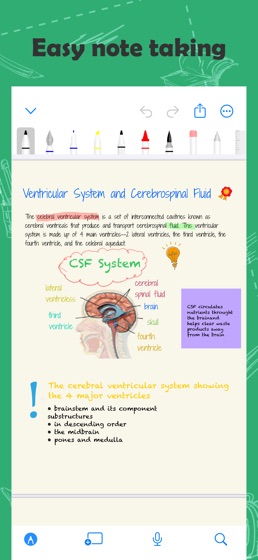
Handwritten Notes

Create notes with covers and paper templates. Built-in 19 covers and 17 templates. And you could also import your own covers and templates.

10+ Pens and Brushes: Ball Pen, Fountain Pen, Marker, Crayon, Water Color, Laser, Scribble, Tape etc.

Adjust the thickness and color of the pen tip

Draw perfect shapes and lines.

Write with scribble tool by using Apple Pencil, and it will convert to text instantly.

Use tape tool to help you memorize learning content.

Squeeze Apple Pencil Pro to show contextual palette.

Add text box, stickers and images to make your note more beautiful.

Export note to PDF and image

Rich Text Notes

Set headings to make TOC(Table of Contents).

Format text with bold, italics, strikethrough, underline

Highlight text with colors

Bullet List, Numbered List and To-Do List.

Set your own font, font size, line spacing, paragraph spacing, and more

Attach files and images on note.

Templates: Resume, Essay, Shopping List, To-Do List, Weekly Planner etc.

Export note to PDF, RTF, HTML and Plain TXT

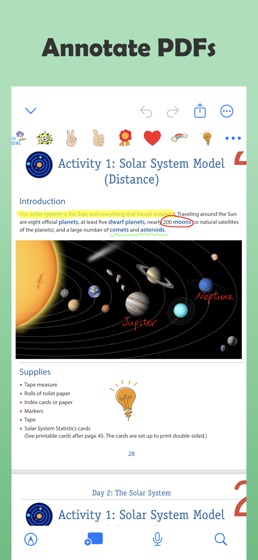
Annotation

Mark up PDFs.

Sign documents

Search

Search text and handwritting in notes and PDFs.

Multi-task

Work with two notes side-by-side on iPad and Mac.

Drag & Drop handwriting, typed text, and images between notes.

Presentation

Present your notes on TV screen via AirPlay or HDMI cable.

3 Presentation Modes: Entire Screen, Current Page and All Pages.

Use laser tool to point out the content what you’re presenting.

More

Record audio while you’re taking note.

Set reminder on note.

Organize notes into categories and folders.

Move, copy and delete notes and folders.

Show notes in grid view and list view.

Sort notes by name, date etc.

Scan physical documents and import to UltraNotes.

Import PDFs and images.

Lock app with password or Face ID.

Synchronization & Backup

Synchronize notes among your iPhone, iPad, and Mac via iCloud.

Backup notes to Google Drive.

===== CONTACT US =====

Email: [email protected]

Twitter: @SkyjosApps

Facebook: @SkyjosApp