Minimalist Whiteboard
For handwritten notes
How much does Minimalist Whiteboard cost?
Prices are current as of 16 Nov 2026.
1 one-time purchase from $4.99
In the United States, Minimalist Whiteboard has 1 one-time purchase priced $4.99.
| Product | Price |
|---|---|
| Additional whiteboards | $4.99 |
10+ alternatives to Minimalist Whiteboard
| Minimalist Whiteboard | 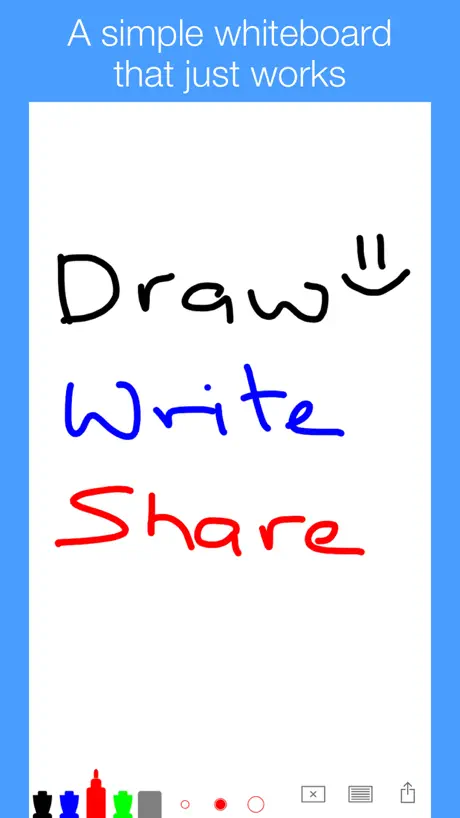  Simple Whiteboard by Qrayon | 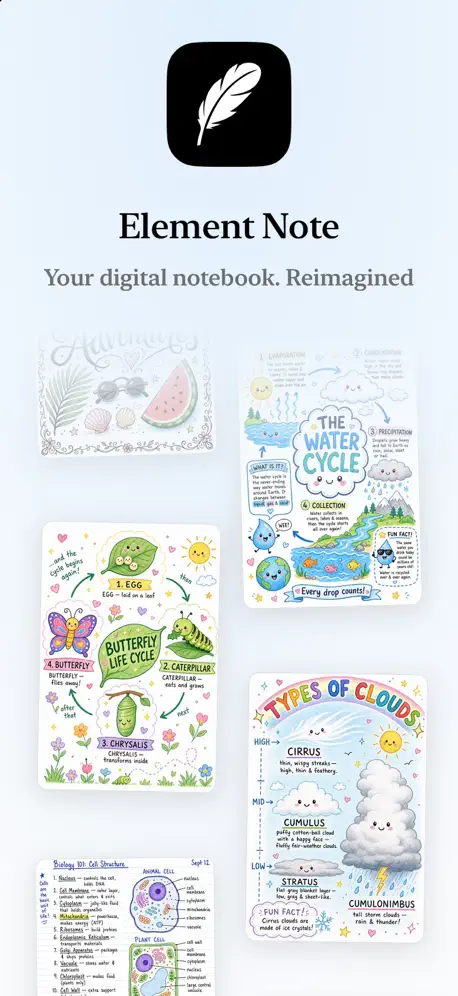  Element Note |   QuickNotes X: Notes, AI & PDF |   Whiteboard - Infinity Canvas |   Chalk Draw -writing Blackboard |   Scribble Together whiteboard |   SuperNotes Note Taking App |   Notewise - AI Notes, PDF, Docs |  Endless Paper | 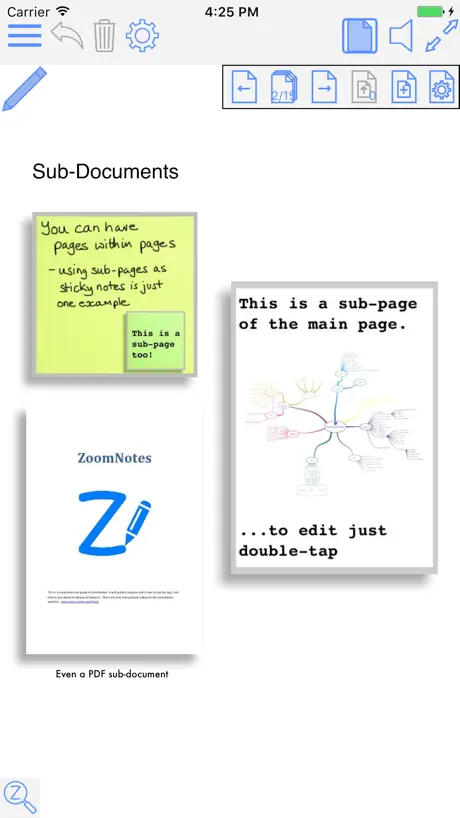  ZoomNotes Lite | |
|---|---|---|---|---|---|---|---|---|---|---|---|
| Rating / 5 | 4.5 | 4.5 | 4.6 | 4.3 | 4.4 | 4.5 | 4.6 | 4.7 | 4.5 | 3.4 | 4.3 |
| Reviews | 895 | 16K | 12K | 8.7K | 8.6K | 5.5K | 4.7K | 4K | 1.7K | 1.1K | 1K |
| Released | 2020 | 2018 | 2022 | 2015 | 2012 | 2020 | 2017 | 2023 | 2024 | 2019 | 2013 |
| Monthly price | — | — | — | — | $1.99 | — | $4.99 | $4.99 | $6.99 | $5.99 | — |
| Annual price | — | — | $3.49 | — | $12.99 | — | $49.99 | $19.99 | $36.99 | $29.99 | — |
| One-time price | $4.99 | $7.99 | $14.99 | $2.99 | $17.99 | $1.99 | — | — | $5.99 | $1.99 | $0.99 |
The going rate for each plan in United States, in its own currency, shaded from the cheapest price on the row to the dearest. Plans fewer than four in ten of the priced apps sell are left out.
Minimalist Whiteboard reviews
4.5 out of 5, based on 895 reviews.
What people like
- Simple and distraction-free interface.
- Smooth response with Apple Pencil.
- Unlimited canvas space for work.
What they complain about
- No eraser tool available.
- Work disappears after crashes.
- Hard to find basic features.
Mi pizza
Buena
役に立たない
シンプルにしているせいか、使い方が全くわからない。
Pls add lasso
I just bought the app for more boards and realized it’s missing lasso, I can’t move mind maps, and stuff around. Would also appreciate the gradient color pens and the apple feature that auto detects shapes and lines and refines it. That’ll really make this app a 10/10.
No eraser
App is fast, responsive but no eraser available.
No puedo -elegir color de fondo
Me gustaría que la pizarra fuese blanca es más agradaste para escribir y no hay mucho para elegir
Brown is missing.
Brown is missing
Unusable
I tried every tool option, deleted and redownloaded, went through all the settings - no matter what I did, it wouldn’t write anything or show any marks on the whiteboard whether I tried to use my apple pencil or finger.
needs more
This is a great whiteboard game, the only thing i don’t like is how there is so little slots for the markers, pen, or pencil you want to use, 4stars
Outdated
It’s great, however I wish Apple Pencil features were incorporated. I am unable to switch to my eraser with just a tap on my pencil, nor am I able to view my toolkit with a squeeze.
Months of hard work gone in a second
I used the app for a long time and it worked perfectly, but then one day when I opened the app to draw all of my previous drawings had gone away. I draw daily on this app, so I was so sad to see all of my progress had disappeared,now whenever I want to draw something and then I reopen the app it disappears again and I don’t know why.
simple and perfect
I use this as a student in the IB programme to teach myself the fundamentals and it’s so smooth, tysm 🤍
What the heck is this
so I downloaded this and I, well you should know from the stars, HATE IT. Here are the reasons: 1. It’s not infinite. It’s just not infinite. Not endless. 2. 1 of the other reviews 1 of the other reviews have 1 star so read that before reading this one. that’s it. Fix the first and the one on the other reply and boom! Your app is susessful.
Love this! Minimalist and gets things done
My only complaint is how the actual feature in the title, “Unlimited” whiteboard, is hid behind a paywall. Not saying you should completely drop the price, but with this feature more manageable this app would be exponentially better.
Limited to 1 board only
Have to pay to get more than 1 board
Ganz gut, aber verbesserungswürdig.
I. Eingeschränkte Möglichkeiten beim Schreiben: - keine Formen möglich - keine Einstellung der Radierergröße - wenige Einstellungsmöglichkeiten für die Stifte (Größe..) II. Abstürze & Nicht-Speicherungen Ab einer gewissen Größe eines Whiteboards speichert er nicht mehr regelmäßig und stürzt ständig ab. Der Kauf der Pro-Version macht wenig Sinn, es geht mir ja eben darum ein einziges „unlimited Whiteboard“ zu nutzen, und nicht viele verschiedene erstellen zu müssen. Nach nur zwei (fairerweise intensiven) Tagen, habe ich wohl das Maximum aus einem Whiteboard rausgeholt. Trotzdem ist das einfache Design und die zumindest theoretische Unendlichkeit des Whiteboards zu loben. Wenn genannte Punkte behoben werden, sind es von mir sicherlich 5 Sterne und eine regelmäßige Nutzung!
R I never [email protected]
"vermi
non mi fa salvare i pdf
Sfortunatamente ogni volta che provo a esportare la mia pagina in pdf, mi caccia dall’app e dopo gli innumerevoli tentativi non funziona comunque: questo di per sé non sarebbe un problema però qualche giorno fa stavo creando uno schema e dato che la lavagna è “infinita”, ora non lo riesco più a trovare. Volevo perlomeno esportare il file per localizzare un attimino il mio schema ma pare non funzionare… Quindi se riuscite a risolvere questo bug o a creare un qualche sistema di localizzazione sono disposta a togliere la recensione negativa e dare 5 stelle perché per il resto l’applicazione funziona bene.
Great app, needs minor QoL improvement
Overall, this is a great app. One thing that I find immediately problematic is no apparent way to rotate your selection. When I write, I tend to write diagonally. I love using this for brainstorming and webs, but the inability to rotate my lists so I can clean them up and make them nicer is a bummer. Please consider adding rotation. If it exists, it’s buried and I can’t find it. To that end, a tutorial would be nice. I didn’t realize for 2 hours you could customize your brushes. And if you could, adding auto smoothing as an option to brushes would be great because my arrows and lines look a bit janky. Great app.
Nur die allernötigsten Funktionen
Der Funktionsumfang der App ist wirklich auf das Allernötigste beschränkt. Zumindest eine anpassbare Linienstärke und das Zeichnen perfekter Formen wären wünschenswert.
More colors
Hello, this is the best app I found regarding white board. But can you please add the tool that lets you select the color you desire and highlighters too unlimited? That would make the app complete!
Wow, finally! Been looking for this so long
I looove this app. I tried the free version and upgraded to the paid app in less than 10 minutes (one time payment, super cheap). I'm using the iPad and apple pencil and it's the perfect combo for this. The response on the canvas is so much better and more accurate than what I was getting with other apps. It's so intuitive. You can easily teach concepts using this app, and it's UI is less cluttered, much more useful. Hats off to the developers of this, because I've been looking for this for years, no exaggeration. I've had decent alternatives, but this is the first where I knew after testing it that it was a no brainer. Thank you!
All my work is gone
Recently started using the app and really enjoyed it at first. Not having a tutorial was a bit difficult but I was able to figure most of it out and after trying so many different apps this was quickly becoming my favorite. However after spending hours and hours on outlining a project and even paying to have multiple white boards I opened the app to find all my work is gone. The whiteboards are there but all the writing is completely gone. I made sure I was at the start of the page and even scrolled all over just incase but its not there. It was all there last night when I closed the app and now its gone. If you use this app please be careful…
I am confused
I don’t know why but I can’t draw am I doing something wrong or is it just a glitch
使い方教えて
使い方がわからん
BedienElemente kaum sichtbar
Hi, ich dachte zuerst, das ist genau das schöne einfache Kitzel Tool. Aber dann fand ich fast nichts von den Bedienelemente, zum Beispiel Farben, warum bei einzelnen Farben unterschiedlich, und was die unteren Zeichen alle bedeuten, ich weiß es nicht. Ich leide etwas unter Augenproblemen. (AMD), komme aber meistens gut zurecht mit dem iPad. Aber hier sind wirklich Verbesserungen erforderlich. Ich kann diese App nicht benutzen. Sorry.
Write a Review
I love it it gives me a lot of space to work & it helps my sis out when we are working. Thanks!!!!!!
Нет ластика
Без ластика серьезно пользоваться приложением не получается
Great but has flaws
The app is great but I wish it had the option to let people choose their own colors on something like a color grid instead of being given a certain amount of colors. I wish it didn’t have a limit of how far you can zoom in. But all together I think it’s a great app to use
Keeps on crashing
I usually don’t write reviews, but the app is nice to write with but after a week of using it, it began to randomly crash. Please fix and update as soon as possible.
Fantastic
Exactly what it says on the tin. Two finger tap to undo would be a great addition for those with an Apple Pencil, just like how Procreate does it.
Lavagna nera
Cerco una lavagna nera
As practical as it gets
The app is really minimalistic and super easy to work with
앱 튕김현상
잘 써서 앱 내 구매를 했는데, 이후로 튕김 빈도수도 점점 심해지고 튕겨서 다시 들어가면 필기한 부분들이 자꾸 삭제됩니다 도움 부탁드려요
Almost perfect, please add folders
I have used countless apps trying to find an app that meets my particular needs as a microbiology student who takes their work very seriously. I love this app, it’s got a great and simple interface, and it comes with a variety of pens without it being overwhelming. The only thing I’m missing is FOLDERS!!!!! If I was able to add folders this would easily become my only note taking app; although I’d love a gel pen in the toolbar, I can’t go without folders!!! Please add folders my iPad storage is begging you lol
Где активировать рукописный текст?
В каком «левом нижнем углу»?
Love it and….
The app is almost perfect simple to understand , unlimited space and very useful. As it is an unlimited canvas To developers , consider adding features like folders to organize boards in groups and the ability to press and hold lines to make shapes and straight lines which is useful when connecting ideas and last add a pencil with pressure sensitivity for quick sketching and ability to add pictures/ media Then just ask for my money no subs please
오류 개선 부탁드려요
기능 좋아서 결제하고 적당히 파일 나누어가며 사용 중입니다. 그런데 갈수록 버벅거리면서 꺼지거나, 글씨 쓰는 도중에 갑자기 손닿은 부분까지 선이 그어지는 오류가 잦아져서 쓰기 힘드네요… 개선 부탁드립니다. 앱 기능 자체는 정말 좋아요.
Wonderful, Clean and to the point
This is a fantastic Whiteboard app without too many distractions. You get right to the point. The only small detail that I wish the developer could implement is the ability for the app to convert my horizontal lines into a perfectly straight line. I like to underline the main headingsor categories and I spotted this feature in another Whiteboard app and I really enjoyed it. That is the only thing that I can see is missing in this app.
Pessima
Stavo studiando per un esame e avevo scritto tutto su una lavagna (premetto di avere la versione di prova) a un certo punto è sparito tutto quello che avevo scritto. Ho provato a riavviare l’iPad a togliere e riscaricare l’app niente. Ho buttato due giorni di lavoro
'
How to erase is so annoying. And more option’s for the apple pen pls.
Another thing
Where the Kantt onepager app, I liked that app and it’s now unavailable in the App Store
everything I needed
simple & straight to the point, it’s all u need for notes/practice!
사용불가
환불 부탁 해요, 예전에 잘 사용해서 구매복원 했는데 사용할 수 없습니다. 작동되지 않아요
Add clear page option in tool bar
Please add a clear page option in the bottom tool bar instead of going to options then selecting erase all
다 좋은데 너무 불편해요
지우려면 지우개 도구 선택하는 게 너무 불편합니다 다른 앱처럼 손가락 두 개 탭하면 실행 취소 할 수 있는 기능이 필요해요 그리고 펜 압력 인식도 조정이 필요한 것 같아요 글씨가 엄청 굵었다가 얇았다가..ㅜ 좋은데 너무 심한 게 문제가 되네요
Minimalist Whiteboard price by country
A one-time purchase costs $4.56 in Taiwan and $7.51 in Colombia — 1.6× more for the same thing. Below is the going rate for each plan in every country that sells it — the middle price of what the app charges there, in the country's own currency with the dollar equivalent beneath it.
| Country | One-time |
|---|---|
| Albania | $5.99 |
| Armenia | $5.99 |
| Australia | A$7.99$5.40 |
| Austria | €5.99$6.60 |
| Bahrain | $4.99 |
| Belarus | $5.99 |
| Belgium | €5.99$6.60 |
| Bosnia & Herzegovina | €5.99$6.60 |
| Bulgaria | €5.99$6.60 |
| Cameroon | $5.99 |
| Canada | CA$6.99$4.89 |
| Chile | CLP 5,990$6.02 |
| Colombia | COP 24,900$7.51 |
| Croatia | €5.99$6.60 |
| Cyprus | €5.99$6.60 |
| Czech Republic | CZK 129.00$5.83 |
| Denmark | DKK 39.00$5.76 |
| Estonia | €5.99$6.60 |
| Finland | €5.99$6.60 |
| France | €5.99$6.60 |
| Georgia | $5.99 |
| Germany | €5.99$6.60 |
| Greece | €5.99$6.60 |
| Hungary | HUF 1,990$6.01 |
| Iceland | $5.99 |
| India | ₹499.00$5.29 |
| Indonesia | IDR 99,000$5.43 |
| Ireland | €5.99$6.60 |
| Italy | €5.99$6.72 |
| Japan | ¥800$5.01 |
| Kenya | $5.99 |
| Kosovo | €5.99$6.60 |
| Latvia | €5.99$6.60 |
| Lithuania | €5.99$6.60 |
| Luxembourg | €5.99$6.60 |
| Malaysia | MYR 22.90$5.60 |
| Malta | €5.99$6.60 |
| Mexico | MX$99.00$5.34 |
| Moldova | $5.99 |
| Netherlands | €5.99$6.60 |
| Nigeria | NGN 7,900.00$5.84 |
| Norway | NOK 59.00$6.17 |
| Poland | PLN 24.99$6.25 |
| Portugal | €5.99$6.60 |
| Romania | RON 29.99$6.20 |
| Russia | RUB 449.00$5.44 |
| Saudi Arabia | SAR 19.99$5.33 |
| Serbia | €5.99$6.60 |
| Singapore | SGD 6.98$5.41 |
| Slovakia | €5.99$6.60 |
| Slovenia | €5.99$6.60 |
| South Africa | ZAR 99.99$5.91 |
| South Korea | ₩7,700$5.76 |
| Spain | €5.99$6.60 |
| Sweden | SEK 69.00$6.85 |
| Switzerland | CHF 4.00$4.77 |
| Taiwan | NT$150.00$4.56 |
| Tajikistan | $4.99 |
| Thailand | THB 199.00$5.87 |
| Turkey | TRY 249.99$4.96 |
| Ukraine | $5.99 |
| United Arab Emirates | AED 19.99$5.45 |
| United Kingdom | £4.99$6.59 |
| United States | $4.99 |
| Uzbekistan | $4.99 |
| Zimbabwe | $5.99 |
Minimalist Whiteboard FAQ
- Is Minimalist Whiteboard free?
- Yes. The app and its basic features are free, in all 66 countries it sells in. Premium features are paid: they start from $4.99 (US), across 1 one-time purchase.
- Does Minimalist Whiteboard have a free trial?
- No. None of its offers (US) come with a free trial.
- Where is Minimalist Whiteboard cheapest?
- A one-time purchase costs NT$150.00 (≈$4.56) in Taiwan and COP 24,900 (≈$7.51) in Colombia, its cheapest and dearest countries.
- What are the best alternatives to Minimalist Whiteboard?
- Simple Whiteboard by Qrayon (4.5 from 16,245 reviews, premium from $7.99), Element Note (4.6 from 11,796 reviews, premium from $3.49) and QuickNotes X: Notes, AI & PDF (4.3 from 8,717 reviews, premium from $0.99).
Minimalist Whiteboard download
Last updated 8 months ago.
Minimalist Whiteboard sells in 66 countries. It was released 6 years and 4 months ago, on 25 Jun 2020. It holds a 4.5 rating from 895 reviews.
Supports 25 languages: English, Croatian, Czech, Danish, Dutch, Finnish, French, German, Hindi, Hungarian, Indonesian, Italian, Japanese, Korean, Norwegian Bokmål, Polish, Portuguese, Romanian, Russian, Chinese, Slovak, Spanish, Swedish, Turkish, Ukrainian.
How much does Minimalist Whiteboard make?
Third-party estimates for the last 30 days, worldwide — not the store's own figures, which Apple publishes for nobody.
Revenue by plan
- One-time 100%
Revenue by country
- United States 26%
- Germany 16%
- Japan 9%
- Italy 9%