
Everyone's Vertical Calendar
Share with a Vertical Calendar


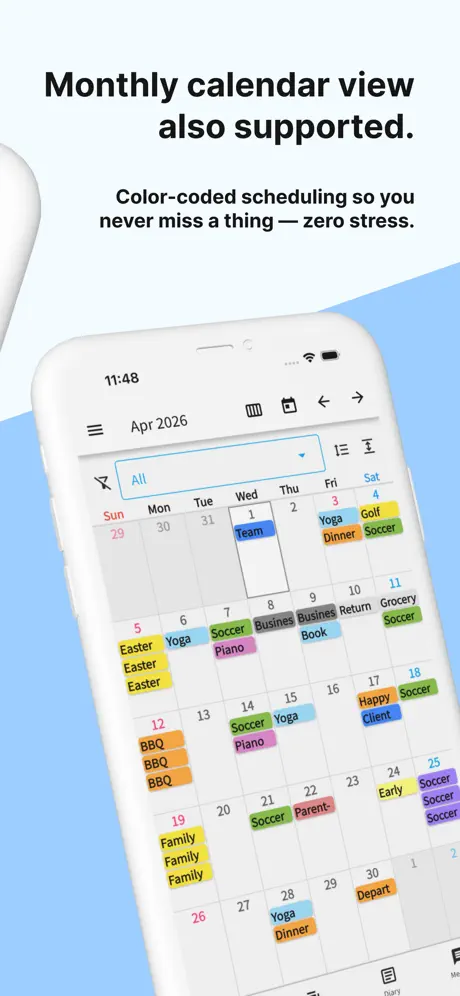
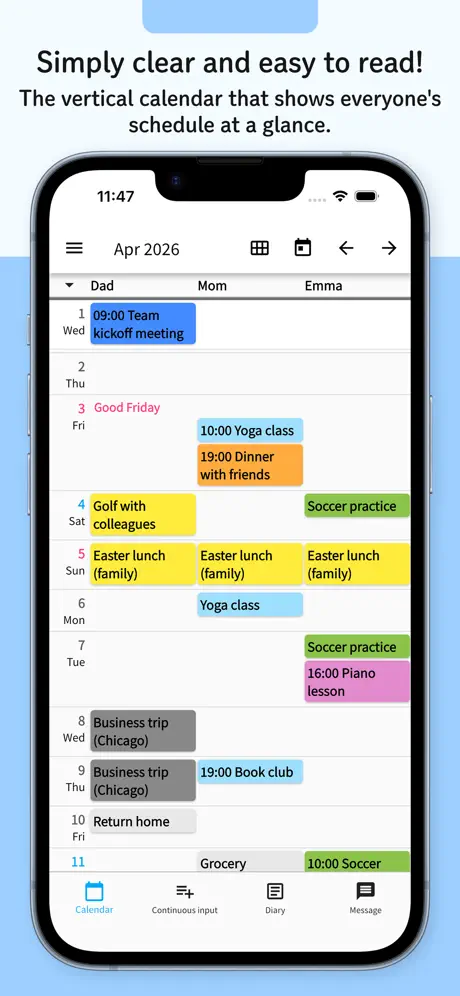


How much does Everyone's Vertical Calendar cost?
Prices are current as of 12 Sept 2026.
10 subscriptions from $2.99
In the United States, Everyone's Vertical Calendar has 10 subscriptions priced $2.99 – 299.99. It comes with a 1 month free trial.
| Subscription | Period | Price |
|---|---|---|
| Family 1 | MonthlyTrial: 1 month | $2.99 |
| Family 2 | Monthly | $5.99 |
| Family 3 | Monthly | $9.99 |
| Pro 1 | Monthly | $9.99 |
| Pro 2 | Monthly | $19.99 |
| Pro 3 | Monthly | $29.99 |
| Business 5 | Monthly | $149.99 |
| Business 7 | Monthly | $199.99 |
| Business 8 | Monthly | $249.99 |
| Business 10 | Monthly | $299.99 |
See what Everyone's Vertical Calendar costs in all 175 countries →
10+ alternatives to Everyone's Vertical Calendar
| Everyone's Vertical Calendar |   Simple Calendar Daily Planner Simple Calendar Daily Planner |   minical - Planner & Calendar minical - Planner & Calendar |   Cute Calendar - Daily Planner Cute Calendar - Daily Planner |   FirstSeed Calendar FirstSeed Calendar |   Sticky Notes: Notepad Widget Sticky Notes: Notepad Widget |   Chouchou Calendar | Cute Vibes Chouchou Calendar | Cute Vibes |   もくもくちゃんカレンダー もくもくちゃんカレンダー |   ColumnCalendar and Memo ColumnCalendar and Memo |   Jorte Calendar Jorte Calendar |   GroupCal - Shared Calendar GroupCal - Shared Calendar | |
|---|---|---|---|---|---|---|---|---|---|---|---|
| Rating / 5 | 4.6 | 4.6 | 4.8 | 4.7 | 4.5 | 4.5 | 4.6 | 4.7 | 4.5 | 3.8 | 4.6 |
| Reviews | 14K | 486K | 135K | 42K | 32K | 25K | 21K | 19K | 15K | 9.1K | 4.8K |
| Released | 2020 | 2018 | 2021 | 2021 | 2018 | 2020 | 2018 | 2019 | 2017 | 2012 | 2019 |
| Monthly price | $19.99 | — | — | $6.99 | $2.99 | $1.99 | $2.49 | — | — | $1.99 | $14.99 |
| Annual price | — | — | — | $22.99 | — | $12.99 | $24.99 | — | — | $3.99 | $119.99 |
| One-time price | — | $8.99 | $3.99 | $4.99 | $9.99 | $5.00 | $8.99 | — | — | $0.99 | — |
The going rate for each plan in United States, in its own currency, shaded from the cheapest price on the row to the dearest.
Everyone's Vertical Calendar reviews
4.6 out of 5, based on 14,383 reviews.
非常好
画面简洁一目了然,是我想要的界面
Everyone's Vertical Calendar price by country
A monthly subscription costs $11.67 in Japan and $32.07 in Colombia — 3× more for the same thing. Below is the going rate for each plan in every country that sells it — the middle price of what the app charges there, in the country's own currency with the dollar equivalent beneath it.
| Country | Monthly |
|---|---|
| Afghanistan | $19.99 |
| Albania | $22.99 |
| Algeria | $19.99 |
| Angola | $19.99 |
| Anguilla | $19.99 |
| Antigua And Barbuda | $19.99 |
| Argentina | $19.99 |
| Armenia | $22.99 |
| Australia | A$29.99$21.58 |
| Austria | €22.99$26.79 |
| Azerbaijan | $22.99 |
| Bahamas | $19.99 |
| Bahrain | $19.99 |
| Barbados | $22.99 |
| Belarus | $22.99 |
| Belgium | €22.99$26.79 |
| Belize | $19.99 |
| Benin | $22.99 |
| Bermuda | $19.99 |
| Bhutan | $19.99 |
| Bolivia | $19.99 |
| Bosnia & Herzegovina | €22.99$26.79 |
| Botswana | $19.99 |
| Brazil | R$129.90$25.42 |
| British Virgin Islands | $19.99 |
| Brunei Darussalam | $19.99 |
| Bulgaria | €19.99$23.30 |
| Burkina Faso | $19.99 |
| Cambodia | $19.99 |
| Cameroon | $22.99 |
| Canada | CA$24.99$17.98 |
| Cape Verde | $19.99 |
| Cayman Islands | $19.99 |
| Chad | $19.99 |
| Chile | CLP 22,990$24.99 |
| China | CN¥148.00$21.96 |
| Colombia | COP 99,900$32.07 |
| Congo | $19.99 |
| Congo, Democratic Republic | $19.99 |
| Costa Rica | $19.99 |
| Cote Divoire | $22.99 |
| Croatia | €22.99$26.79 |
| Cyprus | €22.99$26.79 |
| Czech Republic | CZK 499.00$24.08 |
| Denmark | DKK 179.00$27.88 |
| Dominica | $19.99 |
| Dominican Republic | $19.99 |
| Ecuador | $19.99 |
| Egypt | EGP 999.99$19.90 |
| El Salvador | $19.99 |
| Estonia | €22.99$26.79 |
| Fiji | $19.99 |
| Finland | €22.99$26.79 |
| France | €22.99$26.79 |
| Gabon | $19.99 |
| Gambia | $19.99 |
| Georgia | $22.99 |
| Germany | €22.99$26.79 |
| Ghana | $22.99 |
| Greece | €22.99$26.79 |
| Grenada | $19.99 |
| Guatemala | $19.99 |
| Guinea-bissau | $19.99 |
| Guyana | $19.99 |
| Honduras | $19.99 |
| Hong Kong | HK$148.00$18.88 |
| Hungary | HUF 8,990$28.74 |
| Iceland | $22.99 |
| India | ₹1,999.00$20.91 |
| Indonesia | IDR 349,000$19.67 |
| Iraq | $19.99 |
| Ireland | €22.99$26.79 |
| Israel | ₪69.90$23.54 |
| Italy | €22.99$26.79 |
| Jamaica | $19.99 |
| Japan | ¥1,800$11.67 |
| Jordan | $19.99 |
| Kazakhstan | KZT 11,990.00$25.84 |
| Kenya | $22.99 |
| Kosovo | €22.99$26.79 |
| Kuwait | $19.99 |
| Kyrgyzstan | $19.99 |
| Lao Peoples Democratic Republic | $19.99 |
| Latvia | €22.99$26.79 |
| Lebanon | $19.99 |
| Liberia | $19.99 |
| Libya | $19.99 |
| Lithuania | €22.99$26.79 |
| Luxembourg | €22.99$26.79 |
| Macao | $19.99 |
| Macedonia | $19.99 |
| Madagascar | $19.99 |
| Malawi | $19.99 |
| Malaysia | MYR 99.90$24.79 |
| Maldives | $19.99 |
| Mali | $19.99 |
| Malta | €22.99$26.79 |
| Mauritania | $19.99 |
| Mauritius | $19.99 |
| Mexico | MX$399.00$23.51 |
| Micronesia | $19.99 |
| Moldova | $22.99 |
| Mongolia | $19.99 |
| Montenegro | €19.99$23.30 |
| Montserrat | $19.99 |
| Morocco | $19.99 |
| Mozambique | $19.99 |
| Myanmar | $19.99 |
| Namibia | $19.99 |
| Nauru | $19.99 |
| Nepal | $22.99 |
| Netherlands | €22.99$26.79 |
| New Zealand | NZ$39.99$23.80 |
| Nicaragua | $19.99 |
| Niger | $19.99 |
| Nigeria | NGN 29,900.00$22.31 |
| Norway | NOK 249.00$26.69 |
| Oman | $19.99 |
| Pakistan | PKR 4,900$17.64 |
| Palau | $19.99 |
| Panama | $19.99 |
| Papua New Guinea | $19.99 |
| Paraguay | $19.99 |
| Peru | PEN 89.90$26.84 |
| Philippines | ₱1,290.00$20.83 |
| Poland | PLN 99.99$26.88 |
| Portugal | €22.99$26.79 |
| Qatar | QAR 69.99$19.23 |
| Romania | RON 99.99$22.17 |
| Russia | RUB 1,790.00$20.85 |
| Rwanda | $19.99 |
| Sao Tome & Principe | $19.99 |
| Saudi Arabia | SAR 89.99$24.00 |
| Senegal | $22.99 |
| Serbia | €22.99$26.79 |
| Seychelles | $19.99 |
| Sierra Leone | $19.99 |
| Singapore | SGD 29.98$23.61 |
| Slovakia | €22.99$26.79 |
| Slovenia | €22.99$26.79 |
| Solomon Islands | $19.99 |
| South Africa | ZAR 399.99$25.02 |
| South Korea | ₩29,000$20.99 |
| Spain | €22.99$26.79 |
| Sri Lanka | $19.99 |
| St. Kitts and Nevis | $19.99 |
| St. Lucia | $19.99 |
| St. Vincent & The Grenadines | $19.99 |
| Suriname | $19.99 |
| Swaziland | $19.99 |
| Sweden | SEK 249.00$26.16 |
| Switzerland | CHF 20.00$24.88 |
| Taiwan | NT$690.00$21.78 |
| Tajikistan | $19.99 |
| Tanzania | TZS 59,900.00$22.67 |
| Thailand | THB 399.00$12.14 |
| Tonga | $19.99 |
| Trinidad and Tobago | $19.99 |
| Tunisia | $19.99 |
| Turkey | TRY 899.99$18.69 |
| Turkmenistan | $19.99 |
| Turks and Caicos | $19.99 |
| Uganda | $22.99 |
| Ukraine | $22.99 |
| United Arab Emirates | AED 79.99$21.80 |
| United Kingdom | £19.99$27.16 |
| United States | $19.99 |
| Uruguay | $19.99 |
| Uzbekistan | $19.99 |
| Vanuatu | $19.99 |
| Venezuela | $19.99 |
| Vietnam | ₫599,000$23.00 |
| Yemen | $19.99 |
| Zambia | $22.99 |
| Zimbabwe | $22.99 |
Everyone's Vertical Calendar FAQ
- Is Everyone's Vertical Calendar free?
- Yes. The app and its basic features are free, in all 175 countries it sells in. Premium features are paid: they start from $2.99 (US), across 10 subscriptions.
- How much does Everyone's Vertical Calendar cost per month?
- Business 10 is $2.99 – 299.99 (US).
- Does Everyone's Vertical Calendar have a free trial?
- Yes — a 1 month free trial (US).
- Where is Everyone's Vertical Calendar cheapest?
- A monthly subscription costs ¥1,800 (≈$11.67) in Japan and COP 99,900 (≈$32.07) in Colombia, its cheapest and dearest countries.
- What are the best alternatives to Everyone's Vertical Calendar?
- Simple Calendar Daily Planner (4.6 from 486,348 reviews, premium from $8.99), minical - Planner & Calendar (4.8 from 134,736 reviews, premium from $0.99) and Cute Calendar - Daily Planner (4.7 from 42,358 reviews, premium from $0.99).
Everyone's Vertical Calendar download
Last updated 27 days ago.
Everyone's Vertical Calendar sells in 175 countries. It was released 6 years and 4 months ago, on 14 May 2020. It holds a 4.6 rating from 14,383 reviews.
Supports 8 languages: English, French, German, Japanese, Korean, Portuguese, Spanish, Chinese.
How much does Everyone's Vertical Calendar make?
Third-party estimates for the last 30 days, worldwide — not the store's own figures, which Apple publishes for nobody.
Revenue by plan
- Monthly 100%
Revenue by country
- Japan 100%
- United States 0%
- United Kingdom 0%
- South Korea 0%