
FirstSeed Calendar
Calendars and widgets
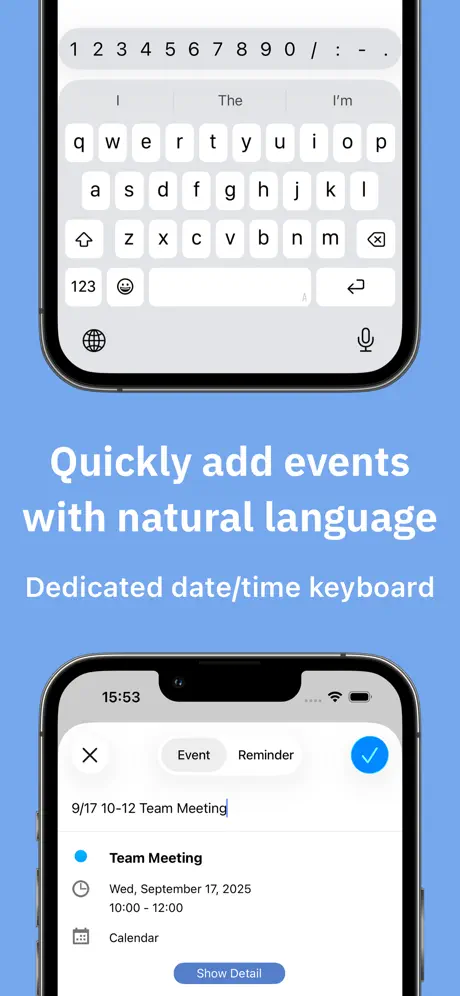
How much does FirstSeed Calendar cost?
Prices are current as of 28 Sept 2026.
1 subscription from $2.99
In the United States, FirstSeed Calendar has 1 subscription priced $2.99.
| Subscription | Period | Price |
|---|---|---|
| Monthly Donation | Monthly | $2.99 |
1 one-time purchase from $9.99
In the United States, FirstSeed Calendar has 1 one-time purchase priced $9.99.
| Product | Price |
|---|---|
| Pro Version | $9.99 |
10+ alternatives to FirstSeed Calendar
| FirstSeed Calendar |   Daily Planner with Calendar Daily Planner with Calendar |   Simple Calendar・Schedule app Simple Calendar・Schedule app | 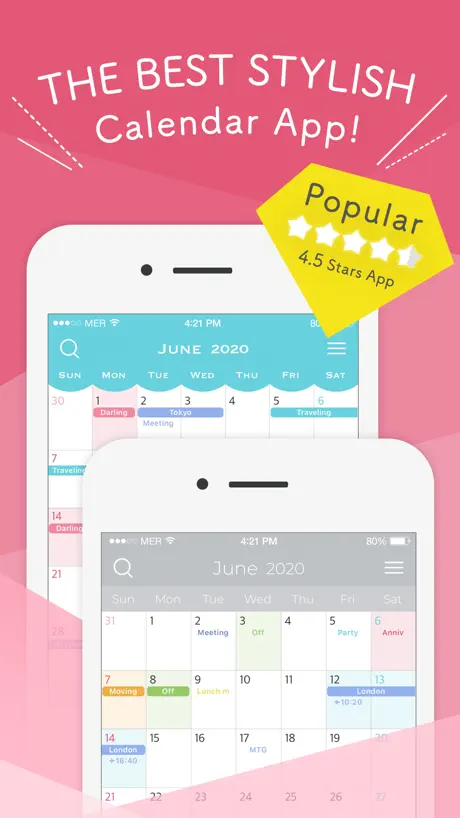  Chouchou Calendar | Cute Vibes Chouchou Calendar | Cute Vibes |   ColumnCalendar and Memo ColumnCalendar and Memo |   Everyone's Vertical Calendar Everyone's Vertical Calendar |   Ermine - Calendar & Widgets Ermine - Calendar & Widgets |   Jorte Calendar Jorte Calendar |   N Calendar - Planner & Agenda N Calendar - Planner & Agenda |   My Calendar: Planner & Agenda My Calendar: Planner & Agenda |   Calendar Z Calendar Z | |
|---|---|---|---|---|---|---|---|---|---|---|---|
| Rating / 5 | 4.5 | 4.7 | 4.6 | 4.6 | 4.5 | 4.6 | 4.6 | 3.8 | 4.7 | 4.7 | 4.1 |
| Reviews | 32K | 48K | 22K | 21K | 15K | 14K | 10K | 9.1K | 9K | 8.1K | 3K |
| Released | 2018 | 2020 | 2021 | 2018 | 2017 | 2020 | 2020 | 2012 | 2021 | 2022 | 2015 |
| Monthly price | $2.99 | $4.49 | — | $2.49 | — | $19.99 | — | $1.99 | $1.99 | $1.99 | — |
| Annual price | — | $44.99 | — | $24.99 | — | — | — | $3.99 | $17.99 | $17.99 | — |
| One-time price | $9.99 | — | — | $8.99 | — | — | $2.99 | $0.99 | $8.99 | $8.99 | $1.99 |
The going rate for each plan in United States, in its own currency, shaded from the cheapest price on the row to the dearest.
FirstSeed Calendar reviews
4.5 out of 5, based on 31,603 reviews.
What people like
- No annoying monthly subscription fees
- Very clear and customizable views
- Regular updates add new features
- Works smoothly without bugs
What they complain about
- Widgets often stop working or crash
- Support never replies to your emails
- You must pay extra for iPad version
- Color coding for events is broken
Sehr schöner Kalender
Bin sehr zufrieden mit diesem Kalender. Schön wäre es aber wenn man auf Termin klickt sofort auf Bearbeiten kommt. War früher schon mal so. Da spart man ein Klick. Evtl. kann man das ja auch über eine Option im Einstellungsmenü steuern, falls jemand die jetzige Einstellung mag. Andreas
가격 비쌉니다.
필요한 부분이 있어 피드백해도 듣지 않습니다. 다른 어플 쓰세요.
Great customizability
The views are very customizable. One of the best calendar apps out there. Only reason I switched back to Apple Calendar is that it does not support displaying future occurrences of repeating reminders yet.
First Seed Calender
Die Optik und Übersichtlichkeit gefällt mir. ABER: Habe mir extra die Vollversipn gekauft, weil auch damit geworben wird, dass Termine in verschiedenen FARBEN angelegt werden können. Das funktioniert aber NICHT! Sehr ärgerlich. Auf meine SupportMail an den Hersteller wurde auch nicht geantwortet. Noch ärgerlicher.
Newest version keeps crashing
Nice google Integration. Unfortunately the new version keeps crashing. Newest ios on 17 pro
Excellent
So much functionality
주기적으로 기록을 없애나요????
최악이에여
Wegzeit fehlt
Ich bin fast vollständig zufrieden. Ich liebe die fließende Monatsansicht. Um die Kindertermine in meinem Kalender mit wenigen Zeichen darzustellen und so auch sprechend in der Monatssicht für mich zu sein, nutze ich Symbole. Was mir fehlt, sind die Wegzeiten. Das ist für einen eng getakteten Familienalltag wichtig.
애플워치에서 미리알림이 안뜨네요
워치에서 미리알림이 안 보여서 프로버전 구매했는데도 안 보이네요. 인터넷 찾아보니 다른 분은 미리알림도 보이던데요. 확인 부탁합니다.
Suche für WeekCal eine Alternative
… und eigentlich sollte es diese App hier werden, allerdings habe ich ein paar Wünsche: Kann man in der Monatsansicht die Tag-Nummer und Tag-Namenkürzel weg machen so dass dadurch nicht so viel Platz verschwendet wird? Man sieht ja schon oben in der Monatsansicht welcher Tag gewählt ist und wie der Tag heißt, das braucht man ja nicht doppelt 😉 Uhrzeiten Start & Ende evtl. kleiner und dafür untereinander? Man sieht einfach zu wenig Text von den Terminen selbst. Das Gleiche gilt auch für die Widgets. Ich hätte gerne eins wo man wie oben beschrieben die Infos nicht sieht, weil selbsterklärend, so dass mehr Platz für die eigentlichen Termine übrig ist. Quasi so wie bei den alten WeekCal Versionen. Landscape Möglichkeit beim Drehen des iPhones wäre natürlich auch noch top! Automatische Farben & automatische Symbole wären ebenso sehr wünschenswert (so wie bei WeekCal) Dann wäre die App hier meine Alternative und ich kann WeekCal endlich löschen. Falls das ein oder andere bereits mit irgendeiner Option möglich ist wäre ich für eine Info dankbar, denn gefunden habe ich diese Möglichkeiten nicht. Vielen Dank! Falls die Frage aufkommt wieso ich dann nicht einfach bei WeekCal bleibe, hier die Gründe: - überteuertes Abo Model (obwohl ich es damals mit diversen Features gekauft! habe, wurden die mit dem Verkauf der App und neuen Versionen wieder weggenommen, man darf sie also nochmal kaufen bzw. abonnieren) - voller Bugs: es funktioniert etliches nicht korrekt, ständig neue Features aber vorhandenes wird nicht gefixt) - uneinsichtige Entwickler
Kein Abo, danke
Auch ohne Abo kann eine App aktuell gehalten werden. Das neue IOS wird perfekt unterstützt
Widget funktioniert nicht mehr
Leider funktionieren die Widgets nicht mehr richtig
PERFEKT❗️
EXTREM ÜBERSICHTLICH: Alles Wichtige auf 1 Blick (mehr als die mir bekannten Kalender)… bereits in der Basisversion! Optimal ist die PRO-Version zu einem angemessen fairen Preis von 9,99€ als Einmalzahlung. *Klare Kaufempfehlung*
Leider gibt es keinen Support
Vorbildlich ist, dass die App einen Einmalkauf und kein Abo hat. Wenn man aber mal eine Frage hat, es ist bedauerlich, dass es anscheinend keinen Support gibt - zumindest antwortet dieser auch auf mehrere Anfragen per E-Mail nicht.
Top anpassbarer Kalendar📆 💪
Update: für mich noch immer der Beste Kalender‼️ Durch eine Empfehlung in einem Kommentar bin ich auf die Kalender App FirstSeed aufmerksam geworden. Die Kalendar App gefällt mir sehr gut: - Schnellauswahl der Kalendar Ansichten! - sehr anpassbar / viele Optionen - große Widget Auswahl Ich kann sie jedem empfehlen. Ich habe die Pro Version gekauft, Um den Entwickler zu unterstützen 👍✌️
Whats wrong with you at firstseed
Have to pay two times, one for ipad one for iphone. Why that. That app is not so superspecial. No deal. Zero stars.
Jedenfalls besser als der von Apple
Man sollte denken, es ist keine große Kunst, dem nervigen Apple-Kalender Konkurrenz zu machen. Aber ich habe jetzt vielleicht schon die sechste oder siebte Kalender App, und auch diese ist bei weitem noch nicht perfekt, aber immerhin ist sie flüssig und intuitiv genug, um damit einigermaßen vernünftig zu arbeiten.
Bislang sehr gut
Ich nutze den Kalender schon sehr lange, leider ist seit dem Update nicht ein deutscher Feiertag mehr im Kalender. Nur noch US Holidays. Wäre schön wenn man auswählen kann welche Feiertage man sehen möchte. Sonst bin ich bestens Zufrieden
Super App
Die App gefällt mir super, meine liebste Kalender App. Jedoch: seit neuestem Update (3.4.0) sind die Widgets kaputt, bitte Service Release bauen! 😊
Buggy seit dem letzten Update
Ich habe mir die App zugelegt, um Termine mit verschiedenen Farben zu kennzeichnen. Seit dem letzten Update ist es ein Glücksspiel, ob die richtige Farbe angezeigt wird und wenn es eine falsche ist, lässt sie sich auch nicht ändern. Dadurch leider unbrauchbar.
Durchdacht. Monatsansicht gut. Prima.
Farbige Ereignisse in der Monatsansicht, denen man sofort ihre Bedeutung entnehmen kann. Deswegen habe ich diese App gekauft. Mehrere Alarme pro Ereignis automatisiert. Sehr praktisch. Einen Layout Wunsch habe ich: wenn man in der Monatsansicht „Heute“ drückt, sollte der betreffende Tag farblich ca. 3 - 4 Sekunden länger leuchten, und vielleicht auch etwas auffälliger, damit man ihn optisch, also mit den Augen suchend, besser finden und erfassen kann.
👍
Endlich einen Kalender gefunden bei dem man intern die Schriftgröße ändern kann. Viele Widgets ebenfalls anpassbar. Direkt Pro Version gekauft. Was ich mir noch wünsche ist ein Zeilenumbruch in der Monatsansicht. 1 Stern Abzug weil der Entwickler für das Ipad eine weitere kostenpflichtige App erstellt hat. Man bezahlt also doppelt 🙄 hätte ich das vorher gewusst.........
Seit Jahren Favorit
Nach langen ausprobieren bin ich hier gelandet und vollauf zufrieden. Ich lege besonders Wert auf eine gute Wochenansicht wie in einem Papierkalender.
위젯 이용불가(Widget is unusable)
어느 순간부터 홈 화면에 위젯을 사용할 수가 없습니다. 위젯 검색해도 찾을수가 없어요.. 수정 부탁드립니다 I can't not only use widget at home screen from some point in time but can't search widget.. Plz modify it
Nur auf dem Iphone brauchbar.
Ich habe die App schon länger auf dem Iphone - da finde ich sie super! Aber auf dem IPad geht’s leider garnicht! Lediglich eine Minaturansicht im Telefonformat. Echt Schade!! Ich würde schon gern die gleiche Kalenderapp auf allen Geräten nutzen. Die aktuelle Darstellung ist echt eine Zumutung. Schade.
Geil
Ich habe schon viel ausprobiert: Fantastical, Butleroy, mical, und wie sie alle heißen… Die Premium Qualität zeigt sich in den vielen durchdachten Details. Was mir persönlich am meisten gefällt, ist dass mir die Software nicht ständig bei meinen Einträgen reinredet (Stichwort AutoKorrektur, selbstständige Ergänzungen und anderes). Aber auch die Geschwindigkeit und Zuverlässigkeit der Synchronisierung. Von mir eine klare Kaufempfehlung.
Wieder Top
Ein Kalender den man nicht missen möchte.
Werbetracking ohne Ende!
Ich benutze die App seit Jahren und war immer sehr zufrieden damit. Besonders die Wochenansicht gefällt mir gut. Aber jetzt das: Heute soll ich plötzlich der Übermittlung persönlicher Daten an hunderte von fremden Unternehmen zustimmen! Man kann die Zustimmung durch zwar durch zig Schalter für jedes Unternehmen verweigern, aber mein Vertrauen in den Anbieter ist nachhaltig beschädigt. Ich habe die App heute gelöscht.
Guter Kalender mit Potenzial
Ein guter Kalender. Schön wäre es, wenn man im Wochenkalender (4+4) innerhalb des Tages scrollen könnte, wenn mehr anzuzeigen ist. Derzeit steht dann unten rechts eine Zahl der nicht dargestellten Termine.
Top
Seit Jahren in Verwendung und zufrieden
넘기는 위젯 어디갔어요?
그거때문에 쓰는건데 왜 없앴냐구요
Ich würde gerne jedem Termin eigene Farben geben
Perfekter Kalender, jedoch würde ich jedem Termin gerne eigene Farben noch vergeben können.
Gute Kalender App
Funktioniert gut und stabil. Keine Probleme.
ios 16 홈화면에서 월별 일정 안보임
ios 16 홈화면에서 월별 일정 안보임. 업데이트 되면 다시 써보러 오겠습니다.
Kalender
Moin, bei der Suchansicht könnte noch unterteilt werden vergangen und zukünftig, und den nächsten Termin Fett Darstellen
Kalender mit top Funktionen
Ich hatte den Kalender schon mal vor längerer Zeit. Jetzt wiederentdeckt-neue Funktionen und klasse Widgets. Funktionell ein sehr ausgereifter Kalender. Regelmäßige Updates mit neuen Funktionen sind Top. Für die Farben für einzelne Termine habe ich folgenden Trick gefunden: hexacode in Notizen eintragen, Bsp. [!63DA37!]=grün
Top - nur leider keine Wegzeit
Wenn die noch kommt, gebe ich gerne 5 Sterne! Aber da ich viel unterwegs bin, ist die Reisezeit zur Terminplanung echt wichtig. Beim nächsten Update? ;-)
FirstSeed Calendar price by country
A monthly subscription costs $2.22 in Japan and $4.65 in Hungary — 2× more for the same thing. Below is the going rate for each plan in every country that sells it — the middle price of what the app charges there, in the country's own currency with the dollar equivalent beneath it.
| Country | Monthly | One-time |
|---|---|---|
| Afghanistan | $2.99 | $3.99 |
| Albania | $3.99 | $4.99 |
| Algeria | $2.99 | $3.99 |
| Angola | $2.99 | $3.99 |
| Anguilla | $2.99 | $3.99 |
| Antigua And Barbuda | $2.99 | $3.99 |
| Argentina | $2.99 | $3.99 |
| Armenia | $3.99 | $4.99 |
| Australia | A$4.99$3.51 | A$9.99$7.04 |
| Austria | €2.99$3.41 | €3.99$4.54 |
| Azerbaijan | $3.99 | $4.99 |
| Bahamas | $2.99 | $3.99 |
| Bahrain | $2.99 | $3.99 |
| Barbados | $3.99 | $4.99 |
| Belarus | $3.99 | $4.99 |
| Belgium | €2.99$3.41 | €3.99$4.54 |
| Belize | $2.99 | $3.99 |
| Benin | $3.99 | $4.99 |
| Bermuda | $2.99 | $3.99 |
| Bhutan | $2.99 | $3.99 |
| Bolivia | $2.99 | $3.99 |
| Bosnia & Herzegovina | €2.99$3.41 | €3.99$4.54 |
| Botswana | $2.99 | $3.99 |
| Brazil | R$14.90$2.87 | R$24.90$4.80 |
| British Virgin Islands | $2.99 | $3.99 |
| Brunei Darussalam | $2.99 | $3.99 |
| Bulgaria | €3.49$3.97 | €3.99$4.54 |
| Burkina Faso | $2.99 | $3.99 |
| Cambodia | $2.99 | $3.99 |
| Cameroon | $3.99 | $4.99 |
| Canada | CA$3.99$2.83 | CA$7.99$5.67 |
| Cape Verde | $2.99 | $3.99 |
| Cayman Islands | $2.99 | $3.99 |
| Chad | $2.99 | $3.99 |
| Chile | CLP 2,990$3.10 | CLP 4,990$5.18 |
| China | CN¥22.00$3.27 | CN¥18.00$2.67 |
| Colombia | COP 14,900$4.57 | COP 19,900$6.11 |
| Congo | $2.99 | $4.99 |
| Congo, Democratic Republic | $2.99 | $3.99 |
| Costa Rica | $2.99 | $3.99 |
| Cote Divoire | $3.99 | $4.99 |
| Croatia | €2.99$3.41 | €3.99$4.54 |
| Cyprus | €2.99$3.41 | €3.99$4.54 |
| Czech Republic | CZK 79.00$3.70 | CZK 99.00$4.63 |
| Denmark | DKK 29.00$4.42 | DKK 39.00$5.95 |
| Dominica | $2.99 | $3.99 |
| Dominican Republic | $2.99 | $3.99 |
| Ecuador | $2.99 | $3.99 |
| Egypt | EGP 149.99$2.90 | EGP 199.99$3.86 |
| El Salvador | $2.99 | $3.99 |
| Estonia | €2.99$3.41 | €3.99$4.54 |
| Fiji | $2.99 | $3.99 |
| Finland | €2.99$3.41 | €3.99$4.54 |
| France | €2.99$3.41 | €7.99$9.10 |
| Gabon | $2.99 | $3.99 |
| Gambia | $2.99 | $3.99 |
| Georgia | $3.99 | $4.99 |
| Germany | €2.99$3.41 | €9.99$11.38 |
| Ghana | $3.99 | $4.99 |
| Greece | €2.99$3.41 | €3.99$4.54 |
| Grenada | $2.99 | $3.99 |
| Guatemala | $2.99 | $3.99 |
| Guinea-bissau | $2.99 | $3.99 |
| Guyana | $2.99 | $3.99 |
| Honduras | $2.99 | $3.99 |
| Hong Kong | HK$22.00$2.81 | HK$48.00$6.12 |
| Hungary | HUF 1,490$4.65 | HUF 1,790$5.58 |
| Iceland | $3.99 | $4.99 |
| India | ₹299.00$3.12 | ₹399.00$4.16 |
| Indonesia | IDR 49,000$2.74 | IDR 79,000$4.41 |
| Iraq | $2.99 | $3.99 |
| Ireland | €2.99$3.41 | €3.99$4.54 |
| Israel | ₪9.90$3.26 | ₪12.90$4.24 |
| Italy | €2.99$3.41 | €6.99$7.96 |
| Jamaica | $2.99 | $3.99 |
| Japan | ¥350$2.22 | ¥1,500$9.53 |
| Jordan | $2.99 | $3.99 |
| Kazakhstan | KZT 1,490.00$3.36 | KZT 2,490.00$5.62 |
| Kenya | $3.99 | $4.99 |
| Kosovo | €2.99$3.41 | €3.99$4.54 |
| Kuwait | $2.99 | $3.99 |
| Kyrgyzstan | $2.99 | $3.99 |
| Lao Peoples Democratic Republic | $2.99 | $3.99 |
| Latvia | €2.99$3.41 | €3.99$4.54 |
| Lebanon | $2.99 | $3.99 |
| Liberia | $2.99 | $3.99 |
| Libya | $2.99 | $3.99 |
| Lithuania | €2.99$3.41 | €3.99$4.54 |
| Luxembourg | €2.99$3.41 | €3.99$4.54 |
| Macao | $2.99 | $3.99 |
| Macedonia | $2.99 | $3.99 |
| Madagascar | $2.99 | $3.99 |
| Malawi | $2.99 | $3.99 |
| Malaysia | MYR 14.90$3.65 | MYR 19.90$4.88 |
| Maldives | $2.99 | $3.99 |
| Mali | $2.99 | $3.99 |
| Malta | €2.99$3.41 | €3.99$4.54 |
| Mauritania | $2.99 | $3.99 |
| Mauritius | $2.99 | $4.99 |
| Mexico | MX$69.00$3.90 | MX$89.00$5.03 |
| Micronesia | $2.99 | $3.99 |
| Moldova | $3.99 | $4.99 |
| Mongolia | $2.99 | $3.99 |
| Montenegro | €2.99$3.41 | €3.99$4.54 |
| Montserrat | $2.99 | $3.99 |
| Morocco | $2.99 | $4.99 |
| Mozambique | $2.99 | $3.99 |
| Myanmar | $2.99 | $3.99 |
| Namibia | $2.99 | $3.99 |
| Nauru | $2.99 | $3.99 |
| Nepal | $3.99 | $4.99 |
| Netherlands | €2.99$3.41 | €3.99$4.54 |
| New Zealand | NZ$4.99$2.82 | NZ$6.99$3.95 |
| Nicaragua | $2.99 | $3.99 |
| Niger | $2.99 | $3.99 |
| Nigeria | NGN 4,900.00$3.69 | NGN 6,900.00$5.19 |
| Norway | NOK 39.00$4.10 | NOK 49.00$5.15 |
| Oman | $2.99 | $3.99 |
| Pakistan | PKR 900$3.25 | PKR 1,100$3.97 |
| Palau | $2.99 | $3.99 |
| Panama | $2.99 | $3.99 |
| Papua New Guinea | $2.99 | $3.99 |
| Paraguay | $2.99 | $3.99 |
| Peru | PEN 12.90$3.79 | PEN 17.90$5.26 |
| Philippines | ₱179.00$2.87 | ₱249.00$3.99 |
| Poland | PLN 14.99$3.90 | PLN 19.99$5.21 |
| Portugal | €2.99$3.41 | €3.99$4.54 |
| Qatar | QAR 9.99$2.74 | QAR 14.99$4.12 |
| Romania | RON 14.99$3.24 | RON 19.99$4.32 |
| Russia | RUB 249.00$2.95 | RUB 349.00$4.14 |
| Rwanda | $2.99 | $3.99 |
| Sao Tome & Principe | $2.99 | $3.99 |
| Saudi Arabia | SAR 12.99$3.46 | SAR 17.99$4.80 |
| Senegal | $3.99 | $4.99 |
| Serbia | €2.99$3.41 | €3.99$4.54 |
| Seychelles | $2.99 | $3.99 |
| Sierra Leone | $2.99 | $3.99 |
| Singapore | SGD 3.98$3.11 | SGD 5.98$4.67 |
| Slovakia | €2.99$3.41 | €3.99$4.54 |
| Slovenia | €2.99$3.41 | €3.99$4.54 |
| Solomon Islands | $2.99 | $3.99 |
| South Africa | ZAR 59.99$3.68 | ZAR 79.99$4.90 |
| South Korea | ₩4,400$3.24 | ₩8,800$6.48 |
| Spain | €2.99$3.41 | €6.99$7.96 |
| Sri Lanka | $2.99 | $3.99 |
| St. Kitts and Nevis | $2.99 | $3.99 |
| St. Lucia | $2.99 | $3.99 |
| St. Vincent & The Grenadines | $2.99 | $3.99 |
| Suriname | $2.99 | $3.99 |
| Swaziland | $2.99 | $3.99 |
| Sweden | SEK 39.00$3.94 | SEK 49.00$4.94 |
| Switzerland | CHF 3.00$3.62 | CHF 3.00$3.62 |
| Taiwan | NT$90.00$2.83 | NT$190.00$5.98 |
| Tajikistan | $2.99 | $3.99 |
| Tanzania | TZS 9,900.00$3.73 | TZS 11,900.00$4.48 |
| Thailand | THB 99.00$3.01 | THB 149.00$4.53 |
| Tonga | $2.99 | $3.99 |
| Trinidad and Tobago | $2.99 | $3.99 |
| Tunisia | $2.99 | $3.99 |
| Turkey | TRY 129.99$2.66 | TRY 199.99$4.09 |
| Turkmenistan | $2.99 | $3.99 |
| Turks and Caicos | $2.99 | $3.99 |
| Uganda | $3.99 | $4.99 |
| Ukraine | $3.99 | $4.99 |
| United Arab Emirates | AED 12.99$3.54 | AED 14.99$4.08 |
| United Kingdom | £2.99$4.04 | £5.99$8.09 |
| United States | $2.99 | $9.99 |
| Uruguay | $2.99 | $3.99 |
| Uzbekistan | $2.99 | $3.99 |
| Vanuatu | $2.99 | $3.99 |
| Venezuela | $2.99 | $3.99 |
| Vietnam | ₫79,000$3.04 | ₫119,000$4.59 |
| Yemen | $2.99 | $3.99 |
| Zambia | $3.99 | $4.99 |
| Zimbabwe | $3.99 | $4.99 |
FirstSeed Calendar FAQ
- Is FirstSeed Calendar free?
- Yes. The app and its basic features are free, in all 175 countries it sells in. Premium features are paid: they start from $2.99 (US), across 1 subscription and 1 one-time purchase.
- How much does FirstSeed Calendar cost per month?
- Monthly Donation is $2.99 (US).
- Does FirstSeed Calendar have a free trial?
- No. None of its offers (US) come with a free trial.
- Where is FirstSeed Calendar cheapest?
- A monthly subscription costs ¥350 (≈$2.22) in Japan and HUF 1,490 (≈$4.65) in Hungary, its cheapest and dearest countries.
- What are the best alternatives to FirstSeed Calendar?
- Daily Planner with Calendar (4.7 from 48,478 reviews, premium from $4.49), Simple Calendar・Schedule app (4.6 from 22,474 reviews) and Chouchou Calendar | Cute Vibes (4.6 from 20,810 reviews, premium from $2.49).
FirstSeed Calendar download
Last updated 13 days ago.
FirstSeed Calendar sells in 175 countries. It was released 8 years and 7 months ago, on 14 Feb 2018. It holds a 4.5 rating from 31,603 reviews.
Supports 9 languages: English, French, German, Italian, Japanese, Korean, Portuguese, Chinese, Spanish.
How much does FirstSeed Calendar make?
Third-party estimates for the last 30 days, worldwide — not the store's own figures, which Apple publishes for nobody.
Revenue by plan
- One-time 85%
- Monthly 15%
Revenue by country
- Japan 86%
- Germany 5%
- United States 2%
- South Korea 2%