Sticky Notes: Notepad Widget
Home & Lock Screen To-Do List
How much does Sticky Notes: Notepad Widget cost?
Prices are current as of 11 Sept 2026.
3 subscriptions from $1.99
In the United States, Sticky Notes: Notepad Widget has 3 subscriptions priced $1.99 – 12.99.
| Subscription | Period | Price |
|---|---|---|
| Ad Hiding | Monthly | $1.99 |
| Monthly Plan | Monthly | $2.49 |
| Yearly Plan | Annual | $12.99 |
4 one-time purchases from $1.00
In the United States, Sticky Notes: Notepad Widget has 4 one-time purchases priced $1.00 – 19.99.
| Product | Price |
|---|---|
| Tip | $1.00 |
| Generous Tip | $5.00 |
| Greatest Tip | $10.00 |
| Lifetime Plan | $19.99 |
See what Sticky Notes: Notepad Widget costs in all 175 countries →
10+ alternatives to Sticky Notes: Notepad Widget
| Sticky Notes: Notepad Widget |   ToDo List - Daily Task Planner ToDo List - Daily Task Planner |   Daily Planner with Calendar Daily Planner with Calendar |   Simple Notes - Notepad Manager Simple Notes - Notepad Manager |   ToDo List Widget & Tabs ToDo List Widget & Tabs |   Cahoメモ帳 - 可愛い手書きフォントで日記や手紙も書ける Cahoメモ帳 - 可愛い手書きフォントで日記や手紙も書ける |   FirstSeed Calendar FirstSeed Calendar | 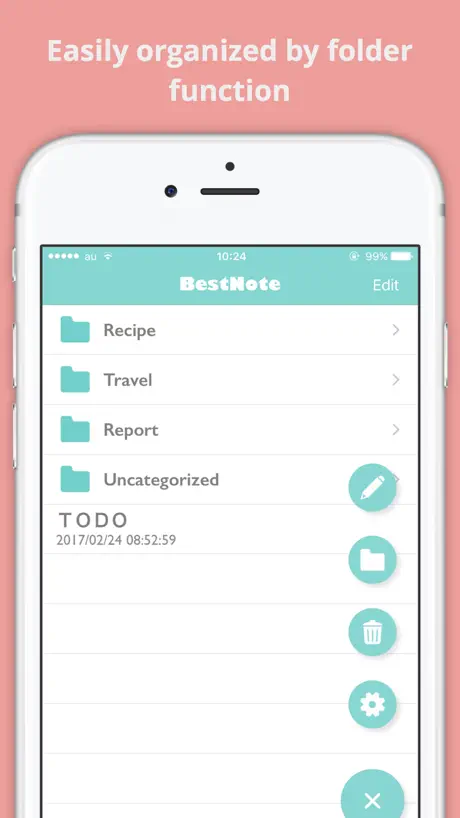  Simple Notepad -BestNote- Simple Notepad -BestNote- |   ColumnCalendar and Memo ColumnCalendar and Memo | 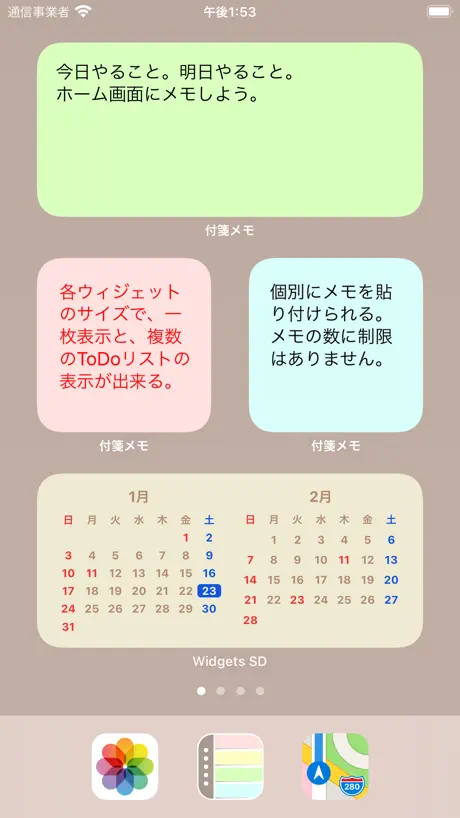  付箋メモ帳型ToDoリスト - メモ ウィジェット 付箋メモ帳型ToDoリスト - メモ ウィジェット |   IROGAMI: Beautiful Sticky Note IROGAMI: Beautiful Sticky Note | |
|---|---|---|---|---|---|---|---|---|---|---|---|
| Rating / 5 | 4.5 | 4.6 | 4.7 | 4.6 | 4.7 | 4.8 | 4.5 | 4.5 | 4.5 | 4.4 | 4.5 |
| Reviews | 25K | 81K | 48K | 48K | 43K | 36K | 32K | 19K | 15K | 11K | 7.7K |
| Released | 2020 | 2016 | 2020 | 2019 | 2016 | 2020 | 2018 | 2017 | 2017 | 2019 | 2019 |
| Monthly price | $1.99 | — | $4.49 | $4.99 | $1.99 | $2.49 | $2.99 | $3.99 | — | — | — |
| One-time price | $5.00 | $7.99 | — | $39.99 | — | $1.99 | $9.99 | — | — | $4.99 | $7.99 |
The going rate for each plan in United States, in its own currency, shaded from the cheapest price on the row to the dearest. Plans fewer than four in ten of the priced apps sell are left out.
Sticky Notes: Notepad Widget reviews
4.5 out of 5, based on 25,118 reviews.
What people like
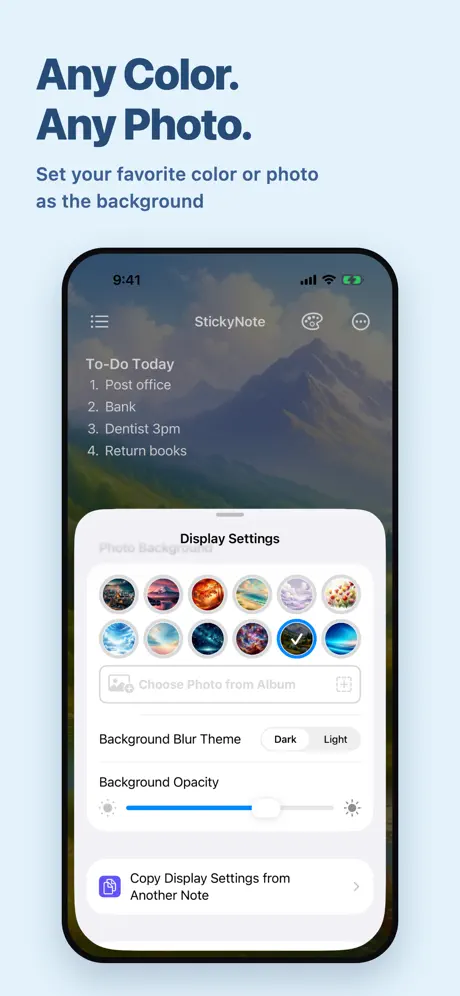
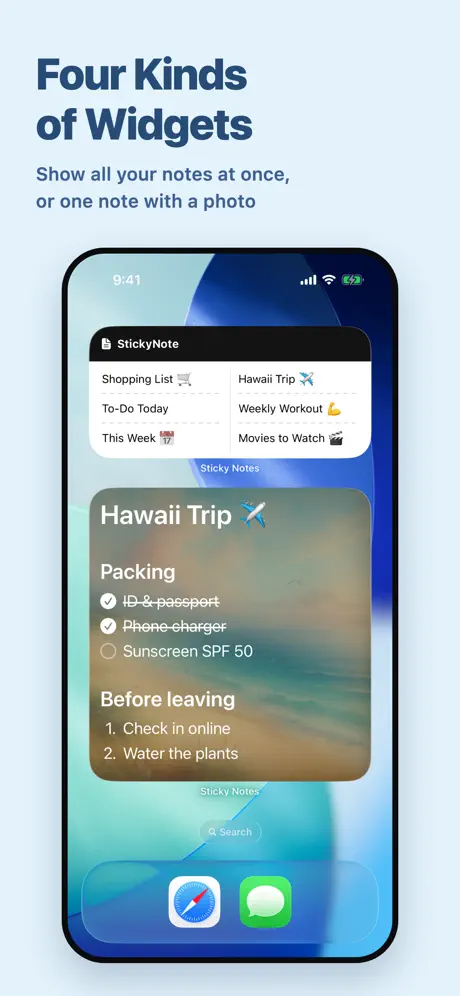
- Beautiful customizable backgrounds and widgets
- Simple and easy to use
- Great for daily mantras and quotes
What they complain about
- Help guides are in Chinese or Japanese
- Notes do not sync across devices
- Ads interrupt you constantly
- You cannot format text within notes
Found a bug
Hey great app, been using it for so many years. So when you select the palette icon, you can switch between “character” and “display settings” but the clear bubble does not do it, it always stays on character but display settings are on. I was so tired searching for the font option when I realised that the option is selected but the UI is not changed, hope you fix that but its not a deal breaker once the user knows about it
stopped working with recent update
this was useful for a while but unfortunately it’s recently stopped working / showing up on my home screen. i’ve switched to using an app called “WidgetNotes” which i’d now highly recommend instead of this one - it works better, is completely free, and never tries to upsell features like Sticky Note Widget does.
I’d give it 5 stars if…
Would be a great app if they simply added rich text formatting within each note. Crazy that only a single font, color or size are applied to the entire note. I use Sticky Note for help with memorization. Would be awesome if I could format keywords with a note. I thought maybe the paid version might have this, but alas, no.
広告が増えた
ちょっとしたメモに便利で使っていましたが、広告が増えました。 使おうとするといきなり広告。 今すぐにメモしておきたいのにそれができないのがもどかしい。 せめて10秒でいいから先に書かせて!と、思う。 アプリそのものの使い勝手などは良いのに残念。 その後! 先に広告を見ておいたら1週間表示しない設定が!! ですが、男性の局部を大きくしたい人は…っていきなり出てきて… 電車に乗ってる時だったので、誰かに画面見られていないか恥ずかしかったです。 文句ばかりすみません。
24時間表示させてほしい
ライブアクティビティでロック画面に表示出来るのは見やすくて良いが、8時間経過で勝手に消えてしまうのは非常に不便である。
Great but please make font size smaller
Great, but please make font size smaller!
Really? Pay a subscription for THIS APP? Use the Post-it notes app. It’s much better and it’s free!
“We are planning to increase the price of the Pro version of StickyNote by about twice as much as the current price to accommodate future functional enhancements and the introduction of a new subscription function that will start in June.” I am constantly amazed that people actually pay a subscription for a mediocre little app (like this one) that a smart person could have created in a few hours. Monthly payment, unbelievable. But I guess they are just capitalizing on the proverb "A fool and his money are soon parted".
Beautiful
I love the simplicity. And I love how beautiful it is. There is just one thing I’d like to add — alerts. Alerts attached to the memos.
Stopped updating widgets
This was a great app, but with recent updates it appears to have stopped working. I am a pro user (paid).
重宝はしてるが..
開くのに時間がかなりかかる。 課金もしてるのに
my favorite app
i write down absolutely everything. and this app help me keep track of everything. last year, i even bought the full version because i loved is so much. this is a staple in my everyday life so buying it was worth it to me. i can change colors, fonts, sizing, etc. i have different memos for different categories and i love it.
No Search Bar
A search bar is essential, but this app does not have one. In the Age of Information, anything should have a search bar. Disappointing. May need to find another note app.
It’s good but…
It’s good but I wish it would sync on both the iPad and iPhone with the same notes.
TERRIBLE
FIND HOW MAKE WORK FOR ME! GOOGLE AD, COULD NOT FIND HOW TO RESIZE NOTEPROBABLY ME.
ホーム画面
日によって自動で変わるようにして欲しい
Simple
Love the simplicity of this app / widget. Would love to see some basic text formatting options (bold, italicize, strike-trough, etc.) in the app soon. Especially strikethrough, for when I complete a task :) Cheers.
Cr app
Zionist app deleted it
Love -but-
Love this app however with the paid version I cannot get a second app to appear. Have turned my phone off and on, followed all instructions and the note that appears is not accurate to the one I created. It’s a mixture of my 1st and second notes…
Bullet Colors Disappeared :(
Before the update the bullet points were colored, now the bullet points have been removed. Please bring back the bullet points as it helps me organize the topic by color (work, school, home etc…)
3つのメモを作っても
更新すると全て同じ内容になります!どうしたら別々の内容いれられるようになりますか?だれか助けてくださいー!
Pleas help
Can someone tell me how to transfer my totes to Apple Watch
Japanese
Why am I getting the info in Japanese? I can’t seem to change it to English?
Really handy user friendly love it
I love sticky notes app it’s almost perfect. I’m just wondering would it be possible to have the function in the widget can shuffle the sticky notes that would be really cool!
Sync notes
2 star for mac 4 star for iPhone When they have sync notes between the 2 i'll change my review to 4 stars
Cloud sync
Please add cloud sync between devices
Need help
How do you make a template? In other words, how can I make all notes a default color and text size permanently so when I go add new note the color and text size are already preselected? I was able to do this a long time ago but cannot figure it out now lol
Language
When trying to get instructions and utube, EVERYTHING is in Japanese!
Lock note feature and iCloud sync
Today i purchase sticky notes app. Please add lock note feature with passcode or face id and iCloud sync feature.
Sweet developer
So I downloaded this app so I could use the widget to put a self hating note on my Home Screen to remind myself how worthless I am (I’m in a really horrible place in life; dealing with abuse and this was a way for me to cope with being treated so badly) … well oneday it changed to a sweet message opposite to what I had originally written. None in my household did it… possibly the developer changed it? It made me cry in a good way, like someone out there actually cared about me. Thank you developer if that was you.
Photos
We need to be able to put screenshots on our memos
Great App with 1 Flax
Overall great app, but what it does lack isbasic ability to format sperate text. It would be great to be able to Underline my headers, and or make some text a different size or bold that others. Adding in the future would be cool. Still good overall.
Waste of time
Installed app. Added widget to Home Screen. Wrote notes. Notes don’t appear… just a non-English, partially blurred out image. Open the help, and it’s in Chinese with no option for English. Uninstalled.
ENGLISH
PLEASE ADD English IF YOU ARE GOING TO MAKE THESE APPS AT LEAST ADD (ENGLISH TOO) LIKE THE APPS HOWEVER NEED TO BE ABLE TO Understand THEM TO USE THEM 😊
Widget wishes
Would like to show more than one note in the widget on Lock Screen with color variations… the entire point of having a sticky reminder for me. I don’t know why this is a limitation on nearly all sticky note apps.
Larger
Love my sticky note for my daily mantras, but it could be larger on home screen to make all of my lines visible without opening
Great App
I love this app. I post positive quotes and Bible verses on my phone and can see them as soon as I unlock my screen. I do have two requests. 1. You can select a portion of your text edit font and make a portion of your text bold, underlined, or italics as well as being able to change the size of a portion of your font. 2. You allow ab option that scrolls or rotates though all of your postered notes of at least the ones you select in your rotation. Other than that great app. I use and appreciate everyday. :). Thank you!
no English
The instructions are in Chinese the how to use videos are in Chinese, troubleshooting is in Chinese very poor considering the rest is in English & all the options are also in English till you click them & get presented with Chinese. The last problem you expect to encounter is Chinese to come up when you press “ troubleshooting “ in English.
Awesome app
Great app. Very simple and intuitive. Only wish that multiple font sizes could be used, so some text would be larger than others
Confusing
It would be helpful if there were a user guide in various languages, such as English.
Please remove
Why have the sticky note label on the bottom of the widget? Ruins the aesthetic. My phone background is black along with the widget background and with white letters it would be seamless..but that logo is an eye sore. Please put an option to remove.
Great app! Cute Widgets! So customizable!
I love this app and just upgraded to pro version! I love all the background options we get to to have which helps my phone not look as boring as the standard iphone sticky notes do. I am a visual person but if the notes dont stand out as a widget, they blend in with the background. They just added photos to be a background on your apps and its great! My one request is if we can pick text colors for photo backgrounds so i can pick a color thats more suited and/or stands out more for my notes. Right now its just letting me pick a dark (black text) or light (white text) mode for the background. My other request is if a little to-do feature could be added where i could check things off in my notes. Would be nice but definitely does not hinder this app at all. Thats why it still gets a 5 stars for me :)
Japanese instructions
Installed it, couldn’t figure out how to use it as the instructions are only in Japanese, so deleted it again.
Like - but instructions are not in English
I can’t figure out some of the features because all of the tutorials are written in Japanese (?). I downloaded another of their apps, but it’s even harder to decipher. That said, I still purchased the paid version, because it really is a good app and supports family sharing. Yay!
No Syncing
I set up several lists ore I realized the app does not sync! Worthless purchase!
Seems very useful , but …
Whenever I try to layer lists it will only duplicate the same list / color - trying to change it afterwards changes both lists … huh No matter what i have duplicate lists I had set up the lists ahead Added one widget , closed, swapped the open list - but when i go to add the same/ duplicate list is only available I think it will be a very helpful app, if i can get past this glitch.
Sync with other devices
Is it possible to sync my notes from one device to the other?
English please?
Instructions are not in English language.
Really good
It’s really good because if you need to do something it’s right on your phone soon my opinion it’s a good app Hope you guys have fun with it☀️😁😉☺️
Devil spawn app
Devil spawn app
English version?
Say to use app and gets the job done, but if you need any assistance (how to keep notes on your Home Screen) all the directions are Chinese. 👎🏻
Sticky Notes: Notepad Widget price by country
A monthly subscription costs $0.65 in Japan and $1.99 in the United States — 3× more for the same thing. Below is the going rate for each plan in every country that sells it — the middle price of what the app charges there, in the country's own currency with the dollar equivalent beneath it.
| Country | Monthly | Annual | One-time |
|---|---|---|---|
| Afghanistan | $0.99 | $12.99 | $5.00 |
| Albania | $0.99 | $14.99 | $6.00 |
| Algeria | $0.99 | $12.99 | $5.00 |
| Angola | $0.99 | $12.99 | $5.00 |
| Anguilla | $0.99 | $12.99 | $5.00 |
| Antigua And Barbuda | $0.99 | $12.99 | $5.00 |
| Argentina | $0.99 | $12.99 | $5.00 |
| Armenia | $0.99 | $14.99 | $6.00 |
| Australia | A$1.99$1.43 | A$19.99$14.38 | A$8.00$5.76 |
| Austria | €0.99$1.15 | €14.99$17.43 | €6.00$6.98 |
| Azerbaijan | $0.99 | $14.99 | $6.00 |
| Bahamas | $0.99 | $14.99 | $5.00 |
| Bahrain | $0.99 | $14.99 | $5.00 |
| Barbados | $0.99 | $14.99 | $6.00 |
| Belarus | $0.99 | $14.99 | $6.00 |
| Belgium | €0.99$1.15 | €14.99$17.47 | €6.00$6.99 |
| Belize | $0.99 | $12.99 | $5.00 |
| Benin | $0.99 | $14.99 | $6.00 |
| Bermuda | $0.99 | $12.99 | $5.00 |
| Bhutan | $0.99 | $12.99 | $5.00 |
| Bolivia | $0.99 | $12.99 | $5.00 |
| Bosnia & Herzegovina | €0.99$1.15 | €14.99$17.47 | €6.00$6.99 |
| Botswana | $0.99 | $12.99 | $5.00 |
| Brazil | R$4.90$0.96 | R$79.90$15.67 | R$29.90$5.86 |
| British Virgin Islands | $0.99 | $12.99 | $5.00 |
| Brunei Darussalam | $0.99 | $12.99 | $5.00 |
| Bulgaria | €0.99$1.15 | €14.99$17.47 | €6.00$6.99 |
| Burkina Faso | $0.99 | $12.99 | $5.00 |
| Cambodia | $0.99 | $14.99 | $5.00 |
| Cameroon | $0.99 | $14.99 | $6.00 |
| Canada | CA$0.99$0.71 | CA$17.99$12.94 | CA$7.00$5.04 |
| Cape Verde | $0.99 | $12.99 | $5.00 |
| Cayman Islands | $0.99 | $12.99 | $5.00 |
| Chad | $0.99 | $12.99 | $5.00 |
| Chile | CLP 990$1.08 | CLP 14,990$16.29 | CLP 5,990$6.51 |
| China | CN¥8.00$1.19 | CN¥88.00$13.08 | CN¥38.00$5.65 |
| Colombia | COP 4,900$1.57 | COP 59,900$19.23 | COP 24,900$7.99 |
| Congo | $0.99 | $12.99 | $5.00 |
| Congo, Democratic Republic | $0.99 | $12.99 | $5.00 |
| Costa Rica | $0.99 | $12.99 | $5.00 |
| Cote Divoire | $0.99 | $14.99 | $6.00 |
| Croatia | €0.99$1.15 | €14.99$17.47 | €6.00$6.99 |
| Cyprus | €0.99$1.15 | €14.99$17.47 | €6.00$6.99 |
| Czech Republic | CZK 29.00$1.39 | CZK 349.00$16.75 | CZK 129.00$6.19 |
| Denmark | DKK 9.00$1.40 | DKK 99.00$15.42 | DKK 39.00$6.07 |
| Dominica | $0.99 | $12.99 | $5.00 |
| Dominican Republic | $0.99 | $12.99 | $5.00 |
| Ecuador | $0.99 | $12.99 | $5.00 |
| Egypt | EGP 49.99$0.99 | EGP 699.99$13.93 | EGP 249.99$4.97 |
| El Salvador | $0.99 | $12.99 | $5.00 |
| Estonia | €0.99$1.15 | €14.99$17.47 | €6.00$6.99 |
| Fiji | $0.99 | $12.99 | $5.00 |
| Finland | €0.99$1.15 | €14.99$17.47 | €6.00$6.99 |
| France | €0.99$1.15 | €14.99$17.47 | €6.00$6.99 |
| Gabon | $0.99 | $12.99 | $5.00 |
| Gambia | $0.99 | $12.99 | $5.00 |
| Georgia | $0.99 | $14.99 | $6.00 |
| Germany | €0.99$1.15 | €14.99$17.47 | €6.00$6.99 |
| Ghana | $0.99 | $14.99 | $6.00 |
| Greece | €0.99$1.15 | €14.99$17.47 | €6.00$6.99 |
| Grenada | $0.99 | $12.99 | $5.00 |
| Guatemala | $0.99 | $12.99 | $5.00 |
| Guinea-bissau | $0.99 | $12.99 | $5.00 |
| Guyana | $0.99 | $12.99 | $5.00 |
| Honduras | $0.99 | $12.99 | $5.00 |
| Hong Kong | HK$8.00$1.02 | HK$98.00$12.50 | HK$38.00$4.85 |
| Hungary | HUF 499$1.60 | HUF 5,990$19.15 | HUF 1,990$6.36 |
| Iceland | $0.99 | $14.99 | $6.00 |
| India | ₹99.00$1.04 | ₹1,299.00$13.66 | ₹499.00$5.25 |
| Indonesia | IDR 19,000$1.07 | IDR 229,000$12.91 | IDR 89,000$5.02 |
| Iraq | $0.99 | $12.99 | $5.00 |
| Ireland | €0.99$1.15 | €14.99$17.43 | €6.00$6.98 |
| Israel | ₪2.90$0.98 | ₪49.90$16.80 | ₪17.90$6.03 |
| Italy | €0.99$1.15 | €14.99$17.43 | €6.00$6.98 |
| Jamaica | $0.99 | $12.99 | $5.00 |
| Japan | ¥100$0.65 | ¥1,200$7.81 | ¥500$3.26 |
| Jordan | $0.99 | $12.99 | $5.00 |
| Kazakhstan | KZT 499.00$1.08 | KZT 7,990.00$17.22 | KZT 2,990.00$6.44 |
| Kenya | $0.99 | $14.99 | $6.00 |
| Kosovo | €0.99$1.15 | €14.99$17.47 | €6.00$6.99 |
| Kuwait | $0.99 | $12.99 | $5.00 |
| Kyrgyzstan | $0.99 | $14.99 | $5.00 |
| Lao Peoples Democratic Republic | $0.99 | $14.99 | $5.00 |
| Latvia | €0.99$1.15 | €14.99$17.47 | €6.00$6.99 |
| Lebanon | $0.99 | $12.99 | $5.00 |
| Liberia | $0.99 | $12.99 | $5.00 |
| Libya | $0.99 | $12.99 | $5.00 |
| Lithuania | €0.99$1.15 | €14.99$17.47 | €6.00$6.99 |
| Luxembourg | €0.99$1.15 | €14.99$17.47 | €6.00$6.99 |
| Macao | $0.99 | $12.99 | $5.00 |
| Macedonia | $0.99 | $12.99 | $5.00 |
| Madagascar | $0.99 | $12.99 | $5.00 |
| Malawi | $0.99 | $12.99 | $5.00 |
| Malaysia | MYR 4.90$1.22 | MYR 59.90$14.86 | MYR 22.90$5.68 |
| Maldives | $0.99 | $12.99 | $5.00 |
| Mali | $0.99 | $12.99 | $5.00 |
| Malta | €0.99$1.15 | €14.99$17.47 | €6.00$6.99 |
| Mauritania | $0.99 | $12.99 | $5.00 |
| Mauritius | $0.99 | $12.99 | $6.00 |
| Mexico | MX$19.00$1.12 | MX$299.00$17.69 | MX$99.00$5.86 |
| Micronesia | $0.99 | $12.99 | $5.00 |
| Moldova | $0.99 | $14.99 | $6.00 |
| Mongolia | $0.99 | $12.99 | $5.00 |
| Montenegro | €0.99$1.15 | €11.99$13.97 | €5.00$5.83 |
| Montserrat | $0.99 | $12.99 | $5.00 |
| Morocco | $0.99 | $12.99 | $5.00 |
| Mozambique | $0.99 | $12.99 | $5.00 |
| Myanmar | $0.99 | $12.99 | $5.00 |
| Namibia | $0.99 | $12.99 | $5.00 |
| Nauru | $0.99 | $12.99 | $5.00 |
| Nepal | $0.99 | $14.99 | $6.00 |
| Netherlands | €0.99$1.15 | €14.99$17.47 | €6.00$6.99 |
| New Zealand | NZ$1.99$1.18 | NZ$22.99$13.68 | NZ$9.00$5.36 |
| Nicaragua | $0.99 | $12.99 | $5.00 |
| Niger | $0.99 | $12.99 | $5.00 |
| Nigeria | NGN 1,500.00$1.12 | NGN 19,900.00$14.85 | NGN 7,900.00$5.90 |
| Norway | NOK 9.00$0.96 | NOK 179.00$19.19 | NOK 59.00$6.32 |
| Oman | $0.99 | $12.99 | $5.00 |
| Pakistan | PKR 300$1.08 | PKR 3,500$12.60 | PKR 1,300$4.68 |
| Palau | $0.99 | $12.99 | $5.00 |
| Panama | $0.99 | $12.99 | $5.00 |
| Papua New Guinea | $0.99 | $12.99 | $5.00 |
| Paraguay | $0.99 | $12.99 | $5.00 |
| Peru | PEN 2.90$0.87 | PEN 59.90$17.88 | PEN 22.90$6.84 |
| Philippines | ₱49.00$0.78 | ₱799.00$12.78 | ₱299.00$4.78 |
| Poland | PLN 4.99$1.35 | PLN 59.99$16.17 | PLN 24.99$6.74 |
| Portugal | €0.99$1.15 | €14.99$17.47 | €6.00$6.99 |
| Qatar | QAR 2.99$0.82 | QAR 49.99$13.73 | QAR 19.99$5.49 |
| Romania | RON 4.99$1.11 | RON 69.99$15.52 | RON 29.99$6.65 |
| Russia | RUB 99.00$1.16 | RUB 999.00$11.71 | RUB 449.00$5.26 |
| Rwanda | $0.99 | $12.99 | $5.00 |
| Sao Tome & Principe | $0.99 | $12.99 | $5.00 |
| Saudi Arabia | SAR 4.99$1.33 | SAR 59.99$16.00 | SAR 19.99$5.33 |
| Senegal | $0.99 | $14.99 | $6.00 |
| Serbia | €0.99$1.15 | €14.99$17.47 | €6.00$6.99 |
| Seychelles | $0.99 | $12.99 | $5.00 |
| Sierra Leone | $0.99 | $12.99 | $5.00 |
| Singapore | SGD 0.98$0.77 | SGD 19.98$15.73 | SGD 6.98$5.50 |
| Slovakia | €0.99$1.15 | €14.99$17.47 | €6.00$6.99 |
| Slovenia | €0.99$1.15 | €14.99$17.47 | €6.00$6.99 |
| Solomon Islands | $0.99 | $12.99 | $5.00 |
| South Africa | ZAR 19.99$1.25 | ZAR 249.99$15.63 | ZAR 99.99$6.25 |
| South Korea | ₩1,100$0.82 | ₩19,000$14.19 | ₩7,700$5.75 |
| Spain | €0.99$1.15 | €14.99$17.47 | €6.00$6.99 |
| Sri Lanka | $0.99 | $12.99 | $5.00 |
| St. Kitts and Nevis | $0.99 | $12.99 | $5.00 |
| St. Lucia | $0.99 | $12.99 | $5.00 |
| St. Vincent & The Grenadines | $0.99 | $12.99 | $5.00 |
| Suriname | $0.99 | $14.99 | $5.00 |
| Swaziland | $0.99 | $12.99 | $5.00 |
| Sweden | SEK 9.00$0.94 | SEK 179.00$18.72 | SEK 69.00$7.22 |
| Switzerland | CHF 1.00$1.24 | CHF 10.00$12.38 | CHF 4.00$4.95 |
| Taiwan | NT$30.00$0.95 | NT$390.00$12.39 | NT$150.00$4.77 |
| Tajikistan | $0.99 | $14.99 | $5.00 |
| Tanzania | TZS 2,900.00$1.10 | TZS 39,900.00$15.10 | TZS 14,900.00$5.64 |
| Thailand | THB 29.00$0.88 | THB 499.00$15.18 | THB 199.00$6.05 |
| Tonga | $0.99 | $12.99 | $5.00 |
| Trinidad and Tobago | $0.99 | $12.99 | $5.00 |
| Tunisia | $0.99 | $12.99 | $5.00 |
| Turkey | TRY 39.99$0.83 | TRY 699.99$14.53 | TRY 249.99$5.19 |
| Turkmenistan | $0.99 | $12.99 | $5.00 |
| Turks and Caicos | $0.99 | $12.99 | $5.00 |
| Uganda | $0.99 | $14.99 | $6.00 |
| Ukraine | $0.99 | $14.99 | $6.00 |
| United Arab Emirates | AED 2.99$0.81 | AED 49.99$13.62 | AED 19.99$5.45 |
| United Kingdom | £0.99$1.35 | £12.99$17.65 | £5.00$6.79 |
| United States | $1.99 | $12.99 | $5.00 |
| Uruguay | $0.99 | $12.99 | $5.00 |
| Uzbekistan | $0.99 | $14.99 | $5.00 |
| Vanuatu | $0.99 | $12.99 | $5.00 |
| Venezuela | $0.99 | $12.99 | $5.00 |
| Vietnam | ₫29,000$1.11 | ₫399,000$15.32 | ₫149,000$5.72 |
| Yemen | $0.99 | $12.99 | $5.00 |
| Zambia | $0.99 | $14.99 | $6.00 |
| Zimbabwe | $0.99 | $14.99 | $6.00 |
Sticky Notes: Notepad Widget FAQ
- Is Sticky Notes: Notepad Widget free?
- Yes. The app and its basic features are free, in all 175 countries it sells in. Premium features are paid: they start from $1.99 (US), across 3 subscriptions and 4 one-time purchases.
- How much does Sticky Notes: Notepad Widget cost per month?
- Ad Hiding is $1.99 – 2.49 (US). The annual plan works out cheaper per month: $12.99 a year.
- Does Sticky Notes: Notepad Widget have a free trial?
- No. None of its offers (US) come with a free trial.
- Where is Sticky Notes: Notepad Widget cheapest?
- A monthly subscription costs ¥100 (≈$0.65) in Japan and $1.99 in the United States, its cheapest and dearest countries.
- What are the best alternatives to Sticky Notes: Notepad Widget?
- ToDo List - Daily Task Planner (4.6 from 81,437 reviews, premium from $7.99), Daily Planner with Calendar (4.7 from 48,478 reviews, premium from $4.49) and Simple Notes - Notepad Manager (4.6 from 47,822 reviews, premium from $4.99).
Sticky Notes: Notepad Widget download
Last updated 1 month ago.
Sticky Notes: Notepad Widget sells in 175 countries. It was released 6 years ago, on 17 Sept 2020. It holds a 4.5 rating from 25,118 reviews.
Supports 46 languages: English, Arabic, Bangla, Bulgarian, Catalan, Croatian, Czech, Danish, Dutch, Finnish, French, German, Greek, Gujarati, Hebrew, Hindi, Hungarian, Indonesian, Italian, Japanese, Kannada, Kazakh, Korean, Lithuanian, Malay, Malayalam, Marathi, Norwegian Bokmål, Odia, Polish, Portuguese, Punjabi, Romanian, Russian, Chinese, Slovak, Slovenian, Spanish, Swedish, Tamil, Telugu, Thai, Turkish, Ukrainian, Urdu, Vietnamese.
How much does Sticky Notes: Notepad Widget make?
Third-party estimates for the last 30 days, worldwide — not the store's own figures, which Apple publishes for nobody.
Revenue by plan
- One-time 46%
- Monthly 44%
- Annual 10%
Revenue by country
- Japan 95%
- United States 3%
- Taiwan 0%
- South Korea 0%