
UK Immigration: ID Check
How much does UK Immigration: ID Check cost?
Prices are current as of 6 Nov 2026.
UK Immigration: ID Check has no in-app products on record in the United States.
10+ alternatives to UK Immigration: ID Check
| UK Immigration: ID Check |   MyLebara |   GOV.UK ID Check |   Three |   giffgaff |   White Calling |   United Utilities: Your Water |   Lyca Mobile UK | |
|---|---|---|---|---|---|---|---|---|
| Rating / 5 | 2.6 | 4.7 | 4.7 | 4.4 | 4.7 | 4.4 | 4.7 | 2.5 |
| Reviews | 5.7K | 343K | 245K | 195K | 111K | 37K | 21K | 1.9K |
| Released | 2020 | 2016 | 2022 | 2010 | 2012 | 2014 | 2017 | 2023 |
UK Immigration: ID Check reviews
2.6 out of 5, based on 5,672 reviews.
What people like
- Removing your phone case helps the scanner work.
- Support team helped fix a typo quickly.
- You can upload photos via website if app fails.
What they complain about
- App locks you out after failed scans.
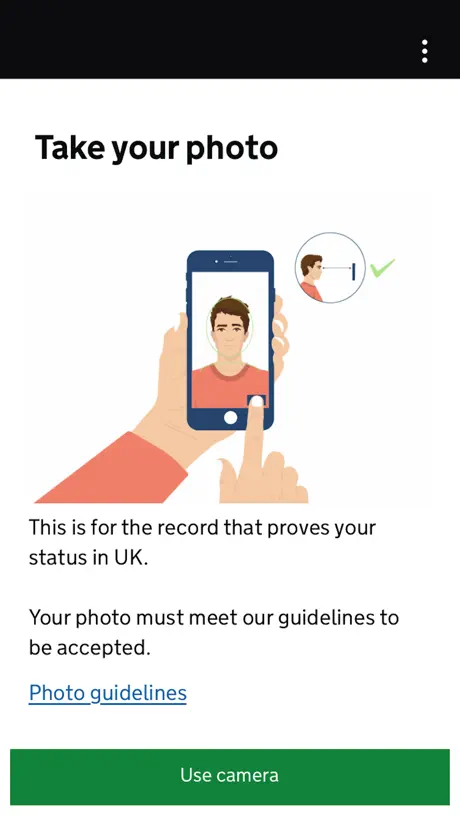
- Camera rejects photos due to glare or movement.
- Passport chip scanning is unreliable and finicky.
Worked absolutely as intended
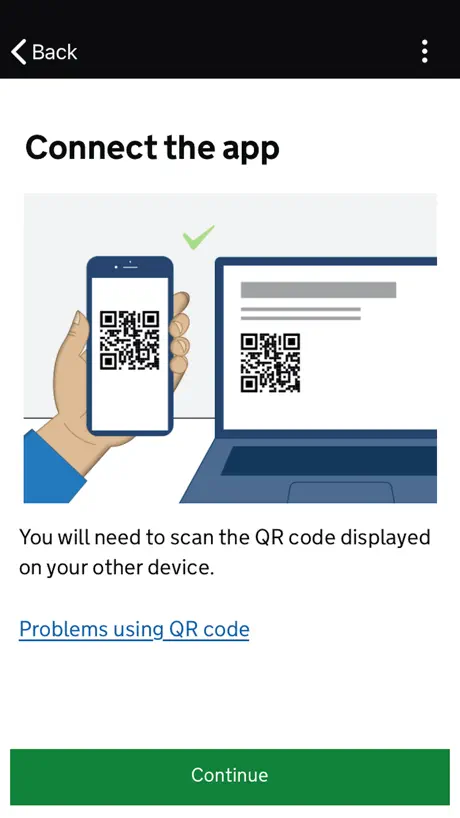
Loads of negative reviews for little reason. Used the QR code function and everything went fine.
fix your app
Doesnt let me scan my passport FOR DAYS (still bugged) and now it locked me out for 1 hr BRUH Fix your UI and UX as well
Could be clearer
I managed to scan my BRP chip the third time I tried. Take your phone case off, place the TOP of the PHONE halfway down the brp, not the other way around (I messed this up once, as this is how my phone prefers contactless payments). I found it didn’t like to be touching the brp, so I laid the card on the ground and spaced the phone away with my pinky. Hold your breath so you won’t move a millimeter, then scan. Maybe the instructions have been updated, but when I followed them carefully it wasn’t too much of an issue.
MJ
AMERICAN PASSPORT HOLDERS! I had a hard time scanning my passport and finding the correct positioning. I finally found it after opening my passport to the page above my passport ID with my photo, etc. on the page above, I held my phone a little over halfway up the page vertically, the page number being at the bottom left hand corner. Hope this helps. I had to hit ‘try again’ many times. Again, I did not scan the page with my photo in the passport but the page above with my signature.
It worked!
Ok, tips for iPhone 13 Pro users with US Passports: 1) the NFC chip reader is near to top of the rear part of the phone 2) the NFC chip in the passport seems to be easier to read by opening the BACK cover and scanning that SLOWLY 3) once it picks up the signal, the app will display a green progress bar - once that starts showing DON’T move either the phone nor the passport until it tells you it’s completed This is what we did and it worked on our first session (4th attempt with the first two scans on the front cover, 3rd moving too fast).
Worked as Intended; No Issues
(American, iPhone 15pro) I was actually very happy with the experience of using this app. I had one minor hiccup, but that was only owing to a typo that I had made. UKVI was able to help me every step of the way, and I experienced no delays. From what I’d read, I thought the verification would be really temperamental, but it wasn’t. It worked exactly as advertised without issue. Again, the only problem I had was because of my own typo, and UKVI helped me to find and fix it pretty quickly. Overall, I feel very safe having three factors of authentication tied to my eVisa use, and I’m happy with the implementation. Maybe it was a new update, or maybe it’s because I’m running a newer phone, but it just worked.
The worst app
Complete rubbish, not working at all — shameful
Scan is tough but possible
I tried 10 times to get the scan to work. Finally, I realized the chip in the US passports is in the BACK cover. Open up your passport and hold the top of your iPhone near the top of the back cover. The app will show green. Hold it steady for a couple seconds and it finally works. I was about to give up and try an Android, but I did get it to work. I hope this helps!
Use your BRP if you can!
After many attempts and trying different methods mentioned in the reviews, I could not get my passport chip to scan. I started over using my BRP and it worked very easily. If you can, use your BRP!
App seems fine now
I know a lot of people have had an issue with the app but I was able upload and scan in one go. Maybe they have updated it
Visa
The app is very slow to load, and it often stops working half way when you are trying to load information. Very frustrating.
it‘s fine.
There‘s a lot of doom and gloom in these reviews and I don‘t want to discount everyone‘s bad experiences but do I wanna balance them out with mine if it can lessen your anyiety about this process. My use of this app was easy and completely uneventful. The BRP chip reading worked on the second try, once I had removed my phone case. good luck chat
Frustrating but finally got it to work!
I was ready to give up on the scan BRP/passport chip function after *many* failed attempts - & the awful reviews convincing me it just doesn’t work (on iPhones at least). But have *finally* managed to get it to scan by placing the phone directly on my BRP & keeping it steady (rather than moving it around as the app instructs). I lined it up with the top of the phone. Good luck to all of you struggling! Hopefully it will work eventually!
Worked initially, but not for adding new passport to eVisa
I had a name change and got a new passport after my eVisa had been approved on the old one. The app worked fine to add my old passport. I should be able to add the new identity document in a similar way: going through the flow brings me back to this app. But although it seemingly scans the new chip fine and gathers all my new info correctly, when I submit to the server the new passport number never appears in their system. My options are (1) a new biometrics appointment at my expense, which I find offensive, or (2) post documents to an office in Liverpool after arriving in the UK. Meanwhile I had to get a standard ETA on the new passport, even though I shouldn’t require one, because the airline could refuse me a boarding pass if the new document isn’t connected to a valid visa. Infuriating. If the system only worked, I could avoid so much hassle.
QR code
Cómo puedo obtener el código QR?
iPhone users, I solved it!
After many attempts at scanning my passport what finally worked was opening the back cover and setting my iPhone on it, it scanned immediately with no issues.
Impossible to take proper image
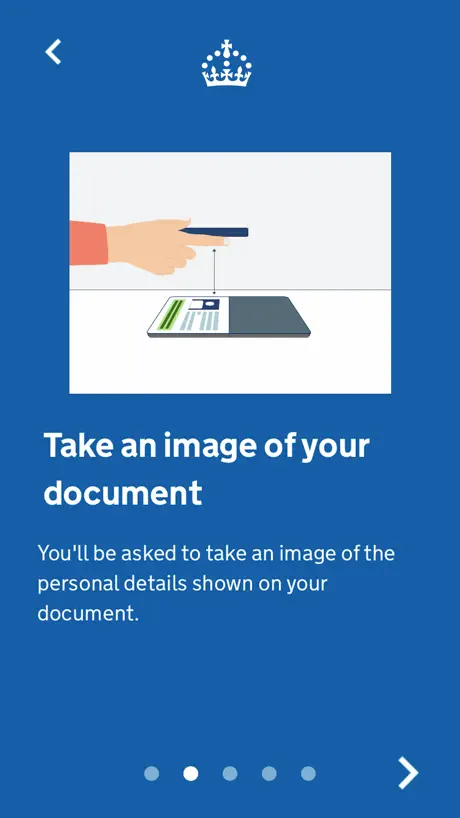
This is unbelievably bad. The automatic capture of the document image is completely broken. Why is there no way to manually capture the image rather than having the app automatically capture a photo then telling me there’s too much glare or that there’s something else wrong with the photo?! Unusable, locked out for an hour because the app can’t take picture.
Doesn’t scan passports
I don’t know what’s up with this app, but its “scan passport” functionality just doesn’t seem to work. Went back and did verification using my BRP and it worked fine, but that doesn’t really help if you don’t have a BRP.
Bad
Bad
Only works on Android not Apple!
I tried to scan over 20 times from 2 different Apple iphones (current iOS etc) and every time it said I had moved the card or the phone and so it didn’t scan. I had not! My friend luckily had an Android and that worked first time. Everything else was the same. Apple said to contact the Home Office and tell them to fix it (what a terrible response - really disappointed Apple!!). Don’t stress yourself. Borrow an Android and you can get through this. (One other caveat - if says you can finish from the email it sends. Don’t count on it. I never did get one and completed on friend’s phone). Apple and Home Office - fix this. There’s a reason Reddit and Google say it isn’t working on Apple!
Ridiculous
Non-EU passport holders are required to verify with a BRP card. Unfortunately, the app does not scan BRP cards reliably, so after several days of multiple attempts, I need to pay additional fees to have my document verified physically because UK immigration cannot design a functional app. Applying for visas are stressful enough, the app adds to it all.
Rubbish
Doesn’t work and is too complicated.
USE THE WEBSITE INSTEAD
if you fail a couple of times you can go back to the ukvi website through your phone and just take pictures through there… wayyyy easier
Crushing
All crushing after the nfc
UK Immigration: ID Check FAQ
- Is UK Immigration: ID Check free?
- Yes. The app is free, in all 175 countries it sells in, and it sells nothing inside it.
- Does UK Immigration: ID Check have a free trial?
- No. None of its offers (US) come with a free trial.
- What are the best alternatives to UK Immigration: ID Check?
- MyLebara (4.7 from 343,265 reviews), GOV.UK ID Check (4.7 from 244,937 reviews) and Three (4.4 from 195,013 reviews).
UK Immigration: ID Check download
Last updated 3 months ago.
UK Immigration: ID Check sells in 175 countries. It was released 6 years and 1 month ago, on 30 Sept 2020. It holds a 2.6 rating from 5,672 reviews.
Supports 1 language: English.
How much does UK Immigration: ID Check make?
Third-party estimates for the last 30 days, worldwide — not the store's own figures, which Apple publishes for nobody.