EasyLetter: Write a Letter
Write a letter and send it
How much does EasyLetter: Write a Letter cost?
Prices are current as of 3 Oct 2026.
3 subscriptions from $1.99
In the United States, EasyLetter: Write a Letter has 3 subscriptions priced $1.99 – 24.99.
| Subscription | Period | Price |
|---|---|---|
| EasyLetter PRO Discount | Weekly | $1.99 |
| EasyLetter PRO | Weekly | $2.99 – 5.99 |
| EasyLetter PRO | Annual | $24.99 |
3 one-time purchases from $3.99
In the United States, EasyLetter: Write a Letter has 3 one-time purchases priced $3.99 – 9.99.
| Product | Price |
|---|---|
| 2 standard letters (b&w) | $3.99 |
| 2 standard letters (color) | $4.99 |
| EasyLetter PRO | $3.99 – 9.99 |
See what EasyLetter: Write a Letter costs in all 175 countries →
10+ alternatives to EasyLetter: Write a Letter
| EasyLetter: Write a Letter |   Forma: PDF Document Editor Forma: PDF Document Editor |   PDFMaker: JPG to PDF converter PDFMaker: JPG to PDF converter |   Resume Maker Professional Resume Maker Professional |   AI Keyboard Assistant - Keybot AI Keyboard Assistant - Keybot |   TextMaker TextMaker | 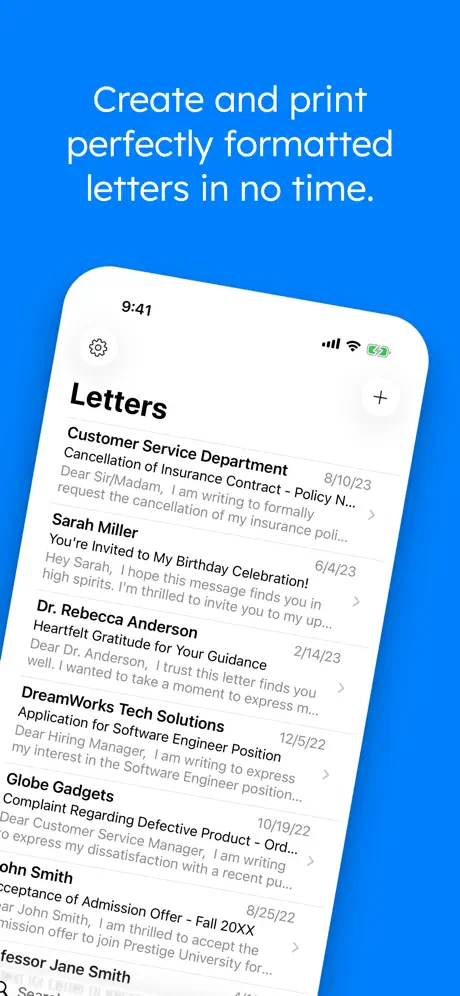  Letter: just write letters Letter: just write letters | 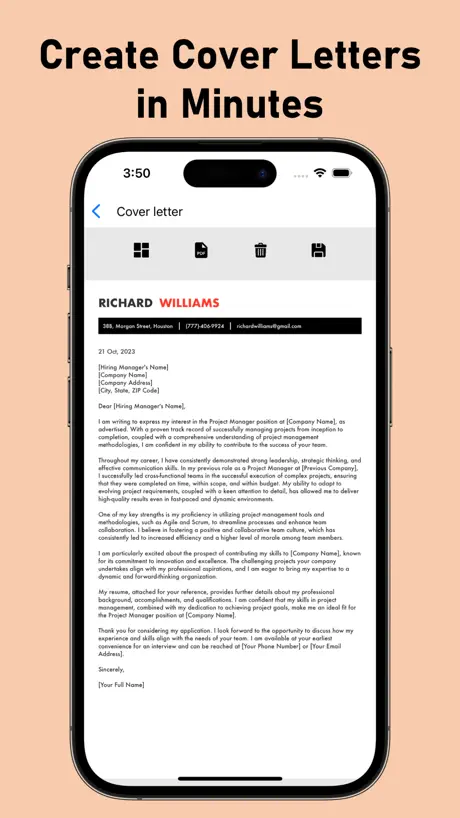  Cover Letter Creator with AI Cover Letter Creator with AI | 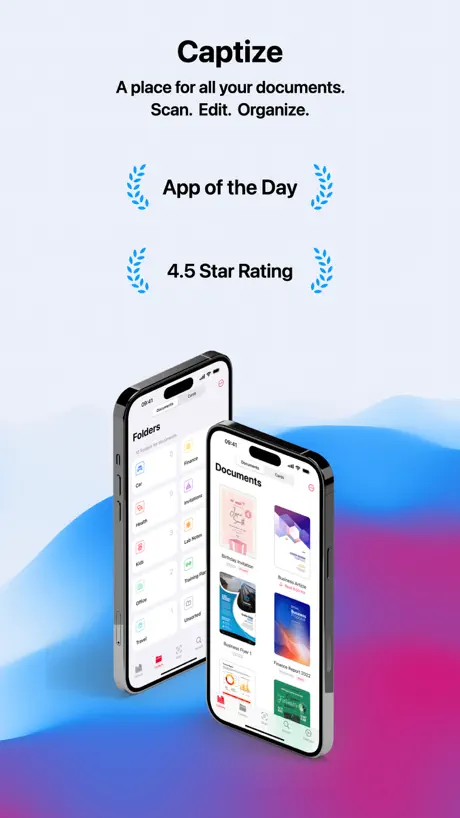  PDF Document Scanner - Captize PDF Document Scanner - Captize |   Paraphrase Tool Paraphrase Tool |   PDF Editor Docs files scanner PDF Editor Docs files scanner | |
|---|---|---|---|---|---|---|---|---|---|---|---|
| Rating / 5 | 4.6 | 4.7 | 4.7 | 4.2 | 4.4 | 4.6 | 4.6 | 4.8 | 4.6 | 4.7 | 4.0 |
| Reviews | 1.8K | 69K | 28K | 11K | 7.8K | 4.1K | 3K | 2.1K | 1.8K | 648 | 237 |
| Released | 2020 | 2023 | 2019 | 2017 | 2023 | 2022 | 2012 | 2023 | 2020 | 2024 | 2020 |
| Weekly price | $2.99 | $5.99 | — | $4.99 | $5.99 | — | $0.99 | $4.99 | $1.49 | — | — |
| Monthly price | — | $9.99 | — | $12.99 | $3.99 | $1.49 | $2.99 | — | $2.99 | — | — |
| Annual price | $24.99 | $24.99 | — | $39.99 | $24.99 | $13.49 | $14.99 | $24.99 | $22.99 | — | — |
| One-time price | $3.99 | — | $3.99 | — | $12.99 | — | $69.99 | — | $29.99 | — | — |
The going rate for each plan in United States, in its own currency, shaded from the cheapest price on the row to the dearest. Plans fewer than four in ten of the priced apps sell are left out.
EasyLetter: Write a Letter reviews
4.6 out of 5, based on 1,757 reviews.
What people like
- Saves time writing letters
- Syncs across all devices well
- Easy to use for everyone
- Good for sending letters directly
What they complain about
- Support never actually helps
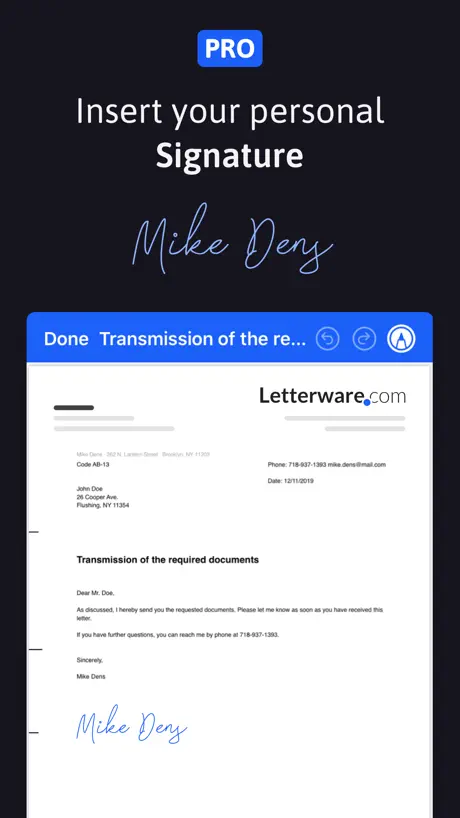
- Missing logo and signature features
- Layout settings reset randomly
- Lost all my text after one change
Top
Macht was es soll auch ohne premium tiptop
Brief ist leer
Leider ist in der aktuellen Version der Brief leer/komplett weiß beim Export. --- Die Idee ist simpel, aber toll. So kann man mal eben einen Brief erstellen, ohne sich mit dem Finger um Formatierungen oder Positionen auseinandersetzen zu müssen. Natürlich haben wir Anwender allerlei Wünsche. So sind wir eben. Mein Wunsch wäre es zunächst, dass die Textfelder im Vollbild dargestellt werden, wenn man diese editiert. Außerdem wäre es auf dem iPhone toll, die Tastatur über einen Button ausblenden zu können, statt irgendwo hintippen zu müssen. Wichtiger ist jedoch die Unterschrift, die man einfügen können sollte. Das ist häufig notwendig. Fazit: Mit den Briefen gewinnt man sicherlich keinen Designwettbewerb, aber die DIN erfüllen Sie und so kann man auch seriöse Geschäftsbriefe (privater Natur) erstellen. Bewerbungen sollte damit natürlich niemand schreiben...
Nützliche App
Verbesserungsvorschlag: Es wäre gut, wenn der Brief Hintergrund standardmäßig für alle neuen Briefe festgelegt werden könnte und man das nicht für jeden Brief wieder manuell einrichten müsste. Oder besser… verschiedene Standard Layouts abspeichern lassen und vor einem neuen Brief auswählen lassen.
Das geht noch besser
Wesentliche grundlegende Einstellmöglichkeiten fehlen leider.
Schade
Gutes Schreibprogramm aber mit 2,99/Woche für Vollversion leider viel zu teuer.
Die App zum Briefe senden 👍
Ich nutze die App seit Jahren und bin froh meine Briefe direkt aus der App heraus versenden zu können …
Doesn’t work but will take your money
Here is another example of why there should be some scrutiny and elimination of junk apps! I have to agree with the actual humans that have reviewed this app that this is a non-functioning waste of time in a minute Apple starts forcing apps to have a identifier to locate them on the store so they can be reviewed properly apps like this will be taken off of the App Store
Good App
Easy to use
Überarbeitungsbedarf
Die App ist leider sehr unübersichtlich…wenn man eine Unterschrift oder andere Features nutzen möchte braucht man die Pro Version. Nichts für ungut aber holt euch Briefomat die App ist viel besser. 2 Sterne nur weil der Brief wirklich angekommen ist…
Verfeinerungen sind notwendig
Da ich mit Mac OS in meiner Muttersprache (Russisch) arbeite, werden die Wörter in diesem Programm auch automatisch auf Russisch geschrieben. Zum Beispiel ist das Wort "Datum des 07. Februar" in Russisch und nicht in Deutsch geschrieben, aus irgendeinem Grund gibt es keine Möglichkeit, das Datum selbst zu entfernen, ich will nicht immer das Datum haben. Auch der untere Teil der Seite ist in kyrillischen Buchstaben geschrieben, nicht in Deutsch, und auch hier gibt es keine Möglichkeit, dies zu ändern, nur ausschalten.
Carta
Muy útil la app
Horrible
Worthless app. Not user-friendly and impossible to mail a letter with this.
Nahezu perfekt
Ich bin sehr zufrieden mit dieser App, ich kann verschiedenen Firmen eine Information zukommen lassen. Jedoch ist es möglich auch zu jeder Firma eine Kundennummer zukommen zu lassen? Diese Funktion wäre perfekt. Beispiel: Ich möchte meine Adresse ändern, aber meine bereits erhaltene Kundennummer mit angeben. Für jede Adresse eine andere Information.
Bitte Funktion nachreichen!!
Liebes Entwickler-Team! Leider ist es mit der App nicht möglich den Absender untereinander anzuzeigen sondern nur nebeneinander, was sehr unübersichtlich und unprofessionell aussieht. Ich habe mir die Pro Version gekauft und bin sehr unzufrieden weil es auch hierbei keine deartige Funktion gibt. Beispiel, so schaut der Absender im Brief dann aus: Max Mustermann . Muserstraße 1 . 1100 Wien und so sollte er aussehen: Max Mustermann Musterstraße 1 1100 Wien Bitte die Funktion nachreichen, das wäre wirklich wichtig weil es ansonsten nicht professionell ausschaut! Vielen Dank!
Absender
Links und rechts werden Absender und Empfänger eingetragen. Jetzt steht es bei mir auf der linken Seite untereinander.
Super klasse, sehr einfach und gut zu händeln
Sehr gut Sache , nur zu empfehlen
I cannot even log into my EasyLetter Account!
After IPhone updates I cannot even log into my account! I will have to find another app to do what I thought this would do.
Verbesserungsvorschläge
Die App ist super, ich wünsche mir allerdings mehr Möglichkeiten zur Individualisierung und die Möglichkeit, mehr Vorlagen anzulegen, sowie Briefe mit mehr als 3 Seiten und Einschreiben über die App zu versenden.
Naja… bin doch eher enttäuscht
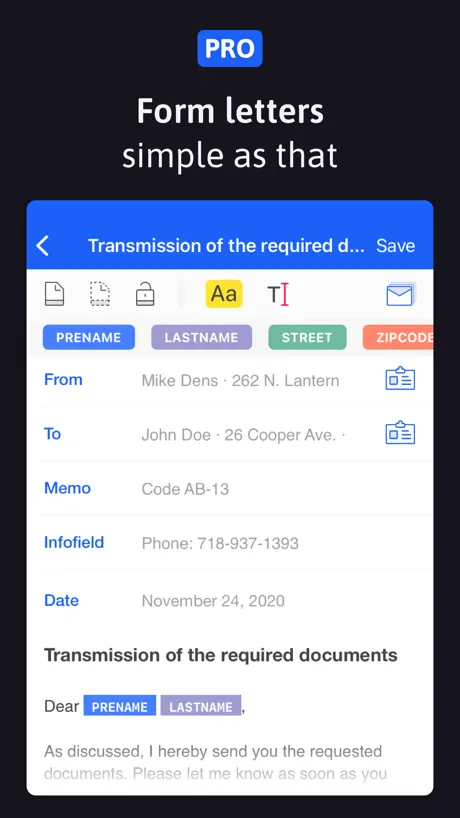
Ich habe mir die Pro Version (V 1.9.4) gekauft, bin dann aber doch enttäuscht. Beim Öffnen der App werden bei mir die bunten Serienbrieffelder mit den Formatierungsmöglichkeiten übereinander in einer Zeile dargestellt. Das Bild 5 hier im Store zeigt das Ganze zweizeilig. Dieser Zustand ist zwar erreichbar, aber erst nachdem die Serienbrieffunktion manuell aktiviert bzw. deaktiviert wurde. Da ich keine Serienbriefe schreibe, würde ich es gerne bei deaktivierter Serienbriefeinstellung belassen… Leider wird beim nächsten Start der App wieder alles in einer Zeile übereinander dargestellt. Den Support, wenn es denn einen gibt, habe ich vor drei Tagen angeschrieben, bis heute aber noch keine Antwort erhalten. Ein weiteres Manko ist meiner Meinung nach die Tatsache, dass ich zwar Text vergrößern kann, dies aber generell alle Felder betrifft. Also werden gleichzeitig auch Absender, Empfänger etc. mit vergrößert, auch wenn ich nur den eigentlichen Briefinhalt ausgewählt habe. Dies führt dann ggf. dazu, dass der Text zum Beispiel im Adressfeld nicht mehr komplett dargestellt wird.
Super Leistung
Perfekt und easy
Bad App
Doesn't work!
Gute App mit Entwicklungspotenzial
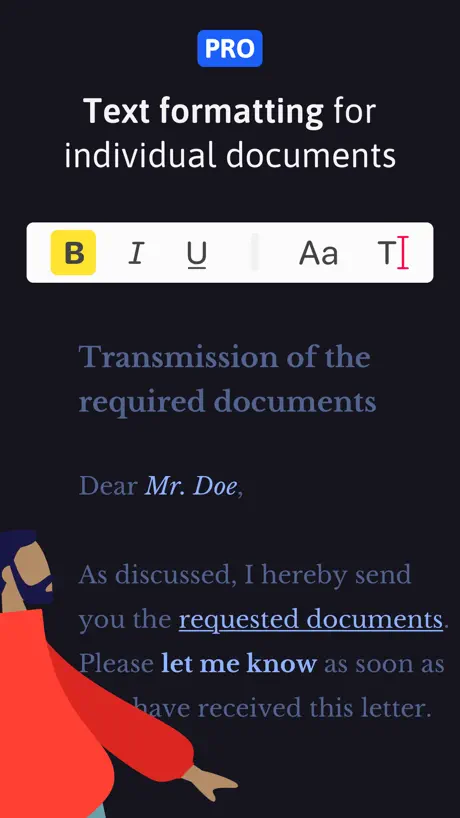
Habe die App auf iPhone📱 iPad und iMac 🖥 installiert. Was mich anspricht, ist das Einfache zum Genialen zu machen. Dass die App via iCloud auf allen Geräten zugänglich ist, macht sie genial. Und dass in wenigen Schritten ein ansehnlicher Brief erstellt werden kann, finde ich top! Ausbaufähig im kleinen Schritt sehe mit der der Wahl der Schrift und dem Ausdruck (Fett, Kursiv, Unterstreichen), so wie wir es beim MailApp auch kennen. GUTER ANSATZ -- weiter so …
Viel Luft nach oben
Ich vermisse die Einbindung eines Logos sowie einer Unterschrift ohne Bilder einfügen zu müssen. Auch ein Feld für elektronische Briefmarken der Post wären toll - #PORTO.
einfach perfenkt!
unkompliziert, gut gebaut. einfach zu benutzen
I think it worked?
There’s no sign up. Can not view credits. Can not see that my letters was sent. I have no confirmation that my letter actually sent or on what day it was sent. Constant advertisements and pretty much constantly asks to upgrade to the Pro version. I have no interest in continuing using this app. Unlike this review that I’m 100% sure posted.
Gauter Grundgedanke
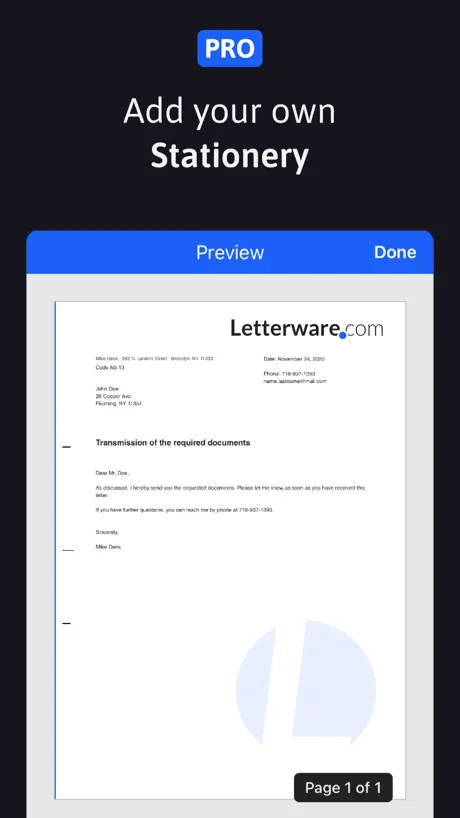
Mir fehlen leider einige Funktionen, weshalb ich EasyLetter (trotz der PRO Variante) noch nicht nutzen kann. Auch ich habe den Entwickler eine E-Mail mit Verbesserungsvorschlägen und Fragen zugesandt und bis heute keine Antwort erhalten. Schade. Jedenfalls vermisse ich die Möglichkeit, ein Logo im Briefbogen zu integrieren. Genauso verhält es sich mit der Unterschrift. Jedes mal Bilder einzufügen ist keine adäquate Lösung. Außerdem wäre ein Feld für elektronisch generiertes Porto bei der Post genial - #PORTO. Andererseits könnte es Probleme mit der Kooperation (PIN AG) geben.
Großartiges Tool
Nachdem ich viel unterwegs bin und oft länger im Ausland - ein großartiges Tool um die Migration zwischen alten "Briefformat" und neuer digitalem Email zu überbrücken. Von USA einfach ein Brief schreiben -- deutscher formaler Ablauf erledigt! Der optionale, integrierter Briefversand funktioniert super
Unbelievably frustrating
I wrote a huge long letter in the app that I was excited to send. The app informed me I needed to add a page break. As soon as I did, I cut about 95% of my letter out and I was unable to retrieve it. Thanks for wasting an hour of my life. Terrible.
Gut, aber ausbaufähig
Prinzipiell eine gute und solide App, die sich auch stetig weiterentwickelt. Leider gibt es keine Möglichkeit die Anordnungen anzupassen. Und das Datum hängt leider fast mittig im Brief halb versetzt zu meiner Adresse. Aktuell leider daher nicht Produktiv anwendbar.
Tolles Tool, mit kleinem Verbesserungspotential
Top Tool, insbesondere das Briefe auch direkt versandt werden können. Wunsch: individuelle Schriften nutzen. Aktuell werden die zusätzlich bei iOS installierten Schriften leider ignoriert.
Worst app that Ive ever used/Die schlechteste App, die ich je verwendet habe
The app has no sign up. You will pay for a letter to be delivered to an address outside German, they collected the money but wouldnt do anything about sending letters. No customer service to contact, nobody to answer your questions. Useless app. Wasted my money and time. Die App hat keine Anmeldung. Sie müssen dafür bezahlen, dass ein Brief an eine Adresse außerhalb Deutschlands zugestellt wird. Sie haben das Geld eingezogen, aber nichts unternommen, um Briefe zu versenden. Kein Kundenservice, den man kontaktieren kann, niemand, der Ihre Fragen beantwortet. Nutzlose App. Habe mein Geld und meine Zeit verschwendet.
Sehr gut gemacht 👍
Mir gefällt alles an dieser App. Das einzige, was dringend geändert werden muss, ist die Position des Datums. Es sollte unterhalb der Absenderadresse positioniert werden. Ansonsten ist die Bief-App sehr zu empfehlen.
Easy leter is anything but easy!
Can't believe I actually had top pay for this trash. I wish someone would pay me for the time I wasted trying to use this app. Don't waste your money on it.
Erst Versuchs, dann Pro
Es geht schnell, einen Brief zu schreiben, so dass man Lebenszeit spart.
Unable to edit letter format
For the price this app is extremely poor. You cannot customise any of the letter layout other than the font and the font size. Poor
EasyLetter: Write a Letter price by country
A one-time purchase costs $3.62 in Switzerland and $12.85 in Poland — 4× more for the same thing. Below is the going rate for each plan in every country that sells it — the middle price of what the app charges there, in the country's own currency with the dollar equivalent beneath it.
| Country | Weekly | Annual | One-time |
|---|---|---|---|
| Afghanistan | $2.99 | $24.99 | $6.99 |
| Albania | $3.99 | $29.99 | $7.99 |
| Algeria | $2.99 | $24.99 | $6.99 |
| Angola | $2.99 | $24.99 | $6.99 |
| Anguilla | $2.99 | $24.99 | $6.99 |
| Antigua And Barbuda | $2.99 | $24.99 | $6.99 |
| Argentina | $2.99 | $24.99 | $6.99 |
| Armenia | $3.99 | $29.99 | $7.99 |
| Australia | A$4.99$3.47 | A$39.99$27.77 | A$7.99$5.55 |
| Austria | €2.99$3.36 | €29.99$33.73 | €9.99$11.24 |
| Azerbaijan | $2.99 | $29.99 | $7.99 |
| Bahamas | $2.99 | $29.99 | $7.99 |
| Bahrain | $2.99 | $29.99 | $7.99 |
| Barbados | $3.99 | $29.99 | $7.99 |
| Belarus | $3.99 | $29.99 | $7.99 |
| Belgium | €2.99$3.36 | €29.99$33.73 | €9.99$11.24 |
| Belize | $2.99 | $24.99 | $6.99 |
| Benin | $2.99 | $29.99 | $7.99 |
| Bermuda | $2.99 | $24.99 | $6.99 |
| Bhutan | $2.99 | $24.99 | $6.99 |
| Bolivia | $2.99 | $24.99 | $6.99 |
| Bosnia & Herzegovina | €2.99$3.36 | €29.99$33.73 | €7.99$8.99 |
| Botswana | $2.99 | $24.99 | $6.99 |
| Brazil | R$14.90$2.85 | R$149.90$28.72 | R$49.90$9.56 |
| British Virgin Islands | $2.99 | $24.99 | $6.99 |
| Brunei Darussalam | $2.99 | $24.99 | $6.99 |
| Bulgaria | €3.49$3.93 | €24.99$28.11 | €7.99$8.99 |
| Burkina Faso | $2.99 | $24.99 | $6.99 |
| Cambodia | $2.99 | $29.99 | $7.99 |
| Cameroon | $3.99 | $29.99 | $7.99 |
| Canada | CA$3.99$2.81 | CA$34.99$24.64 | CA$12.99$9.15 |
| Cape Verde | $2.99 | $24.99 | $6.99 |
| Cayman Islands | $2.99 | $24.99 | $6.99 |
| Chad | $2.99 | $24.99 | $6.99 |
| Chile | CLP 2,990$3.04 | CLP 29,990$30.54 | CLP 7,990$8.14 |
| China | CN¥22.00$3.28 | CN¥168.00$25.04 | CN¥68.00$10.13 |
| Colombia | COP 17,900$5.40 | COP 119,900$36.20 | COP 29,900$9.03 |
| Congo | $2.99 | $24.99 | $7.99 |
| Congo, Democratic Republic | $2.99 | $24.99 | $6.99 |
| Costa Rica | $2.99 | $24.99 | $6.99 |
| Cote Divoire | $2.99 | $29.99 | $7.99 |
| Croatia | €2.99$3.36 | €29.99$33.73 | €7.99$8.99 |
| Cyprus | €2.99$3.36 | €29.99$33.73 | €7.99$8.99 |
| Czech Republic | CZK 79.00$3.64 | CZK 699.00$32.18 | CZK 199.00$9.16 |
| Denmark | DKK 29.00$4.36 | DKK 199.00$29.92 | DKK 59.00$8.87 |
| Dominica | $2.99 | $24.99 | $6.99 |
| Dominican Republic | $2.99 | $24.99 | $6.99 |
| Ecuador | $2.99 | $24.99 | $6.99 |
| Egypt | EGP 99.99$1.91 | EGP 1,299.99$24.87 | EGP 399.99$7.65 |
| El Salvador | $2.99 | $24.99 | $6.99 |
| Estonia | €2.99$3.36 | €29.99$33.73 | €7.99$8.99 |
| Fiji | $2.99 | $24.99 | $6.99 |
| Finland | €2.99$3.36 | €29.99$33.73 | €7.99$8.99 |
| France | €2.99$3.36 | €29.99$33.73 | €4.99$5.61 |
| Gabon | $2.99 | $24.99 | $6.99 |
| Gambia | $2.99 | $24.99 | $6.99 |
| Georgia | $3.99 | $29.99 | $7.99 |
| Germany | €2.99$3.36 | €29.99$33.73 | €4.99$5.61 |
| Ghana | $3.99 | $29.99 | $7.99 |
| Greece | €2.99$3.36 | €29.99$33.73 | €7.99$8.99 |
| Grenada | $2.99 | $24.99 | $6.99 |
| Guatemala | $2.99 | $24.99 | $6.99 |
| Guinea-bissau | $2.99 | $24.99 | $6.99 |
| Guyana | $2.99 | $24.99 | $6.99 |
| Honduras | $2.99 | $24.99 | $6.99 |
| Hong Kong | HK$22.00$2.80 | HK$188.00$23.95 | HK$58.00$7.39 |
| Hungary | HUF 1,490$4.55 | HUF 9,990$30.51 | HUF 2,990$9.13 |
| Iceland | $3.99 | $29.99 | $7.99 |
| India | ₹299.00$3.10 | ₹2,499.00$25.93 | ₹999.00$10.37 |
| Indonesia | IDR 49,000$2.74 | IDR 399,000$22.31 | IDR 149,000$8.33 |
| Iraq | $2.99 | $24.99 | $6.99 |
| Ireland | €2.99$3.36 | €29.99$33.73 | €7.99$8.99 |
| Israel | ₪9.90$3.25 | ₪89.90$29.48 | ₪19.90$6.52 |
| Italy | €2.99$3.36 | €29.99$33.73 | €9.99$11.24 |
| Jamaica | $2.99 | $24.99 | $6.99 |
| Japan | ¥400$2.53 | ¥4,000$25.35 | ¥1,100$6.97 |
| Jordan | $2.99 | $24.99 | $6.99 |
| Kazakhstan | KZT 1,490.00$3.36 | KZT 14,990.00$33.76 | KZT 3,990.00$8.98 |
| Kenya | $3.99 | $29.99 | $7.99 |
| Kosovo | — | — | €4.99$5.61 |
| Kuwait | $2.99 | $24.99 | $6.99 |
| Kyrgyzstan | $2.99 | $29.99 | $7.99 |
| Lao Peoples Democratic Republic | $2.99 | $29.99 | $7.99 |
| Latvia | €2.99$3.36 | €29.99$33.73 | €7.99$8.99 |
| Lebanon | $2.99 | $24.99 | $6.99 |
| Liberia | $2.99 | $24.99 | $6.99 |
| Libya | $2.99 | $24.99 | $6.99 |
| Lithuania | €2.99$3.36 | €29.99$33.73 | €7.99$8.99 |
| Luxembourg | €2.99$3.36 | €29.99$33.73 | €9.99$11.24 |
| Macao | $2.99 | $24.99 | $6.99 |
| Macedonia | $2.99 | $24.99 | $6.99 |
| Madagascar | $2.99 | $24.99 | $6.99 |
| Malawi | $2.99 | $24.99 | $6.99 |
| Malaysia | MYR 14.90$3.65 | MYR 119.90$29.39 | MYR 29.90$7.33 |
| Maldives | $2.99 | $24.99 | $6.99 |
| Mali | $2.99 | $24.99 | $6.99 |
| Malta | €2.99$3.36 | €29.99$33.73 | €7.99$8.99 |
| Mauritania | $2.99 | $24.99 | $6.99 |
| Mauritius | $2.99 | $24.99 | $7.99 |
| Mexico | MX$69.00$3.79 | MX$499.00$27.40 | MX$149.00$8.18 |
| Micronesia | $2.99 | $24.99 | $6.99 |
| Moldova | $3.99 | $29.99 | $7.99 |
| Mongolia | $2.99 | $24.99 | $6.99 |
| Montenegro | €1.99$2.24 | €24.99$28.11 | €6.99$7.86 |
| Montserrat | $2.99 | $24.99 | $6.99 |
| Morocco | $2.99 | $24.99 | $7.99 |
| Mozambique | $2.99 | $24.99 | $6.99 |
| Myanmar | $2.99 | $24.99 | $6.99 |
| Namibia | $2.99 | $24.99 | $6.99 |
| Nauru | $2.99 | $24.99 | $6.99 |
| Nepal | $2.99 | $29.99 | $7.99 |
| Netherlands | €2.99$3.36 | €29.99$33.73 | €9.99$11.24 |
| New Zealand | NZ$4.99$2.80 | NZ$49.99$28.08 | NZ$12.99$7.30 |
| Nicaragua | $2.99 | $24.99 | $6.99 |
| Niger | $2.99 | $24.99 | $6.99 |
| Nigeria | NGN 1,500.00$1.13 | NGN 39,900.00$29.99 | NGN 9,900.00$7.44 |
| Norway | NOK 39.00$4.05 | NOK 299.00$31.08 | NOK 89.00$9.25 |
| Oman | $2.99 | $24.99 | $6.99 |
| Pakistan | PKR 900$3.25 | PKR 6,900$24.93 | PKR 1,900$6.86 |
| Palau | $2.99 | $24.99 | $6.99 |
| Panama | — | — | $3.99 |
| Papua New Guinea | $2.99 | $24.99 | $6.99 |
| Paraguay | $2.99 | $24.99 | $6.99 |
| Peru | PEN 12.90$3.75 | PEN 99.90$29.04 | PEN 29.90$8.69 |
| Philippines | ₱179.00$2.86 | ₱1,290.00$20.60 | ₱449.00$7.17 |
| Poland | PLN 14.99$3.85 | PLN 129.99$33.42 | PLN 49.99$12.85 |
| Portugal | €2.99$3.36 | €29.99$33.73 | €7.99$8.99 |
| Qatar | QAR 9.99$2.74 | QAR 99.99$27.47 | QAR 24.99$6.87 |
| Romania | RON 14.99$3.16 | RON 129.99$27.42 | RON 39.99$8.44 |
| Russia | RUB 249.00$2.98 | RUB 2,290.00$27.43 | RUB 599.00$7.17 |
| Rwanda | $2.99 | $24.99 | $6.99 |
| Sao Tome & Principe | $2.99 | $24.99 | $6.99 |
| Saudi Arabia | SAR 12.99$3.46 | SAR 99.99$26.66 | SAR 29.99$8.00 |
| Senegal | $2.99 | $29.99 | $7.99 |
| Serbia | €2.99$3.36 | €29.99$33.73 | €7.99$8.99 |
| Seychelles | $2.99 | $24.99 | $6.99 |
| Sierra Leone | $2.99 | $24.99 | $6.99 |
| Singapore | SGD 3.98$3.11 | SGD 34.98$27.33 | SGD 9.98$7.80 |
| Slovakia | €2.99$3.36 | €29.99$33.73 | €7.99$8.99 |
| Slovenia | €2.99$3.36 | €29.99$33.73 | €7.99$8.99 |
| Solomon Islands | $2.99 | $24.99 | $6.99 |
| South Africa | ZAR 59.99$3.60 | ZAR 499.99$30.01 | ZAR 149.99$9.00 |
| South Korea | ₩4,400$3.27 | ₩33,000$24.49 | ₩11,000$8.16 |
| Spain | €2.99$3.36 | €29.99$33.73 | €4.99$5.61 |
| Sri Lanka | $2.99 | $24.99 | $6.99 |
| St. Kitts and Nevis | $2.99 | $24.99 | $6.99 |
| St. Lucia | $2.99 | $24.99 | $6.99 |
| St. Vincent & The Grenadines | $2.99 | $24.99 | $6.99 |
| Suriname | $2.99 | $29.99 | $7.99 |
| Swaziland | $2.99 | $24.99 | $6.99 |
| Sweden | SEK 39.00$3.88 | SEK 299.00$29.78 | SEK 69.00$6.87 |
| Switzerland | CHF 3.00$3.62 | CHF 25.00$30.16 | CHF 3.00$3.62 |
| Taiwan | NT$90.00$2.82 | NT$790.00$24.80 | NT$220.00$6.91 |
| Tajikistan | $3.99 | $29.99 | $7.99 |
| Tanzania | TZS 6,900.00$2.61 | TZS 69,900.00$26.40 | TZS 19,900.00$7.51 |
| Thailand | THB 99.00$2.95 | THB 999.00$29.77 | THB 249.00$7.42 |
| Tonga | $2.99 | $24.99 | $6.99 |
| Trinidad and Tobago | $2.99 | $24.99 | $6.99 |
| Tunisia | $2.99 | $24.99 | $6.99 |
| Turkey | TRY 69.99$1.42 | TRY 999.99$20.35 | TRY 499.99$10.18 |
| Turkmenistan | $2.99 | $24.99 | $6.99 |
| Turks and Caicos | $2.99 | $24.99 | $6.99 |
| Uganda | $3.99 | $29.99 | $7.99 |
| Ukraine | $3.99 | $29.99 | $7.99 |
| United Arab Emirates | AED 12.99$3.54 | AED 99.99$27.25 | AED 24.99$6.81 |
| United Kingdom | — | — | £3.99$5.28 |
| United States | $2.99 | $24.99 | $3.99 |
| Uruguay | $2.99 | $24.99 | $6.99 |
| Uzbekistan | $2.99 | $29.99 | $7.99 |
| Vanuatu | $2.99 | $24.99 | $6.99 |
| Venezuela | $2.99 | $24.99 | $6.99 |
| Vietnam | ₫79,000$3.04 | ₫699,000$26.93 | ₫199,000$7.67 |
| Yemen | $2.99 | $24.99 | $6.99 |
| Zambia | $2.99 | $29.99 | $7.99 |
| Zimbabwe | $3.99 | $29.99 | $7.99 |
EasyLetter: Write a Letter FAQ
- Is EasyLetter: Write a Letter free?
- Yes. The app and its basic features are free, in all 175 countries it sells in. Premium features are paid: they start from $1.99 (US), across 3 subscriptions and 3 one-time purchases.
- Does EasyLetter: Write a Letter have a free trial?
- No. None of its offers (US) come with a free trial.
- Where is EasyLetter: Write a Letter cheapest?
- A one-time purchase costs CHF 3.00 (≈$3.62) in Switzerland and PLN 49.99 (≈$12.85) in Poland, its cheapest and dearest countries.
- What are the best alternatives to EasyLetter: Write a Letter?
- Forma: PDF Document Editor (4.7 from 68,765 reviews, premium from $4.99), PDFMaker: JPG to PDF converter (4.7 from 28,135 reviews, premium from $3.99) and Resume Maker Professional (4.2 from 10,701 reviews, premium from $4.99).
EasyLetter: Write a Letter download
Last updated 3 months ago.
EasyLetter: Write a Letter sells in 175 countries. It was released 6 years and 5 months ago, on 11 Apr 2020. It holds a 4.6 rating from 1,757 reviews.
Supports 16 languages: English, Danish, Dutch, Finnish, French, German, Italian, Japanese, Korean, Polish, Portuguese, Russian, Chinese, Spanish, Swedish, Turkish.
How much does EasyLetter: Write a Letter make?
Third-party estimates for the last 30 days, worldwide — not the store's own figures, which Apple publishes for nobody.
Revenue by plan
- Weekly 56%
- One-time 39%
- Annual 4%
Revenue by country
- Germany 71%
- United States 11%
- France 6%
- Switzerland 6%