
WebToon Reader - WebComic File
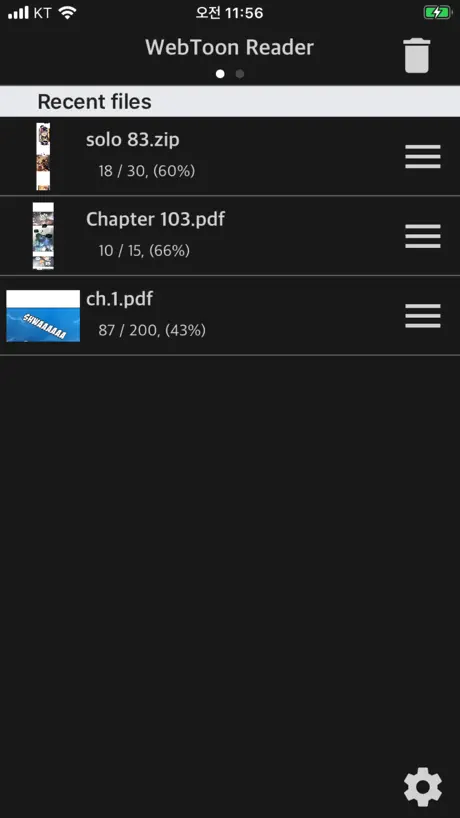
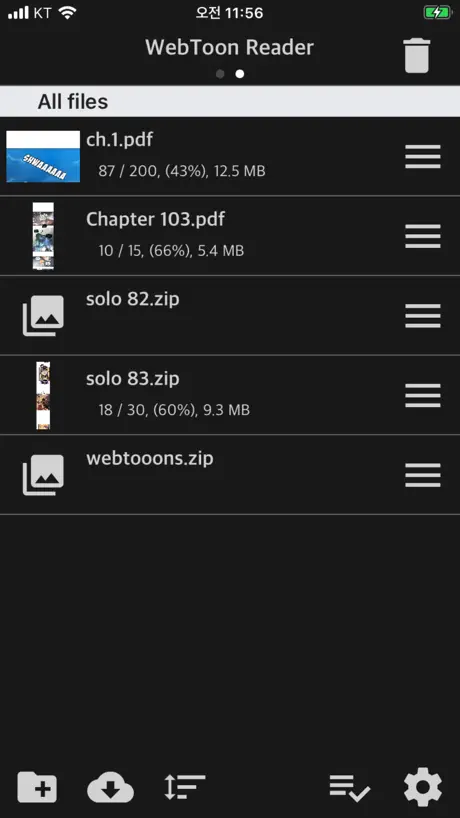
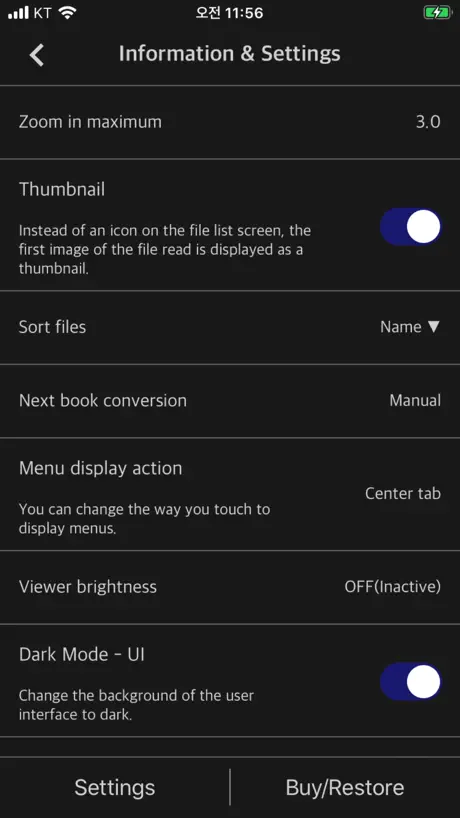
WebToon & Manga Files Viewer

How much does WebToon Reader - WebComic File cost?
Prices are current as of 7 Oct 2026.
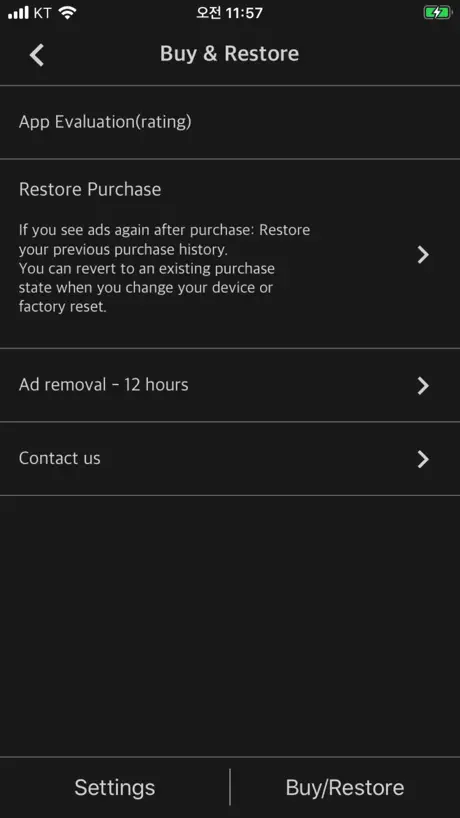
1 one-time purchase from $1.99
In the United States, WebToon Reader - WebComic File has 1 one-time purchase priced $1.99.
| Product | Price |
|---|---|
| WebToon Reader Remove Ads | $1.99 |
See what WebToon Reader - WebComic File costs in all 173 countries →
10+ alternatives to WebToon Reader - WebComic File
| WebToon Reader - WebComic File |   Panels - Comic Reader Panels - Comic Reader |   KedaReader KedaReader |   SideBooks SideBooks |   WoWo Comics - Local Reader WoWo Comics - Local Reader |   Comic Reader CBR, CBZ & PDF Comic Reader CBR, CBZ & PDF |   TTReader - Text Reader, OCR TTReader - Text Reader, OCR |   Lalatoon - Comics & Webtoon Lalatoon - Comics & Webtoon |   bloopworm - comic book reader bloopworm - comic book reader |   Comick: Comic & eBook Reader Comick: Comic & eBook Reader |   CBZ, CBR Comic Reader: Uncover CBZ, CBR Comic Reader: Uncover | |
|---|---|---|---|---|---|---|---|---|---|---|---|
| Rating / 5 | 4.5 | 4.8 | 4.6 | 3.9 | 4.5 | 4.7 | 4.6 | 3.4 | 4.3 | 2.4 | 3.3 |
| Reviews | 180 | 44K | 3K | 1.8K | 279 | 231 | 199 | 105 | 60 | 22 | 14 |
| Released | 2020 | 2017 | 2021 | 2010 | 2023 | 2024 | 2022 | 2020 | 2024 | 2024 | 2023 |
| Monthly price | — | $1.49 | — | — | — | $2.99 | — | — | — | — | — |
| Annual price | — | $14.99 | — | — | — | $17.99 | — | — | — | — | — |
| One-time price | $1.99 | $19.99 | $3.99 | $0.99 | — | $22.99 | — | — | — | — | — |
The going rate for each plan in United States, in its own currency, shaded from the cheapest price on the row to the dearest.
WebToon Reader - WebComic File reviews
4.5 out of 5, based on 180 reviews.
What people like
- Vertical scroll is perfect for webtoons
- One-time fee removes ads cheaply
- Best reading experience among similar apps
- Simple file management system works well
What they complain about
- Images show up in wrong order
- App crashes when scrolling to bottom
- White bar shows over the notch
- Must add folders one by one
문의드립니다ㅜㅜ
정말 잘 쓰고 있는데 가로 스크롤이 아닌 새로만 지원됩니다ㅜㅜ 설정 어디서 변경하는 걸까요..?
Trop de publicité
L’application n’est pas utilisable
I love this app but…
I really love this it works for everything I’ve tried to read so far (I’ve been using for about 6 months) but recently I have been having the images show up out of order, and I’m not sure why.
Absolutely Wonderful
I have used this app for YEARS to read manga and comic books. I love reading things on my iPhone and iPad, but something I could not find on ANY of the manga and comic reader apps was the ability to read as an “infinite scroll”. Maybe that has changed over the last few yeas, I’m not sure. I used different comic reader apps in the past, but I didn’t like having to adjust the size of the page and then have to READJUST the page each time I swiped from one page to the next. This app solves that very small but significant problem for me! It may not have a beautiful looking user interface like other popular comic apps, but the file management system is simple and easy to understand, and the actual ACT OF READING COMICS is SO GOOD! For me, THIS is what matters most of all. Love it 100%, all comic readers should have this app. Not a subscription, you just pay a few bucks to get rid of ads, which has been MORE than worth it for me.
ios15
스크롤 최하단으로 내리면 어플이 강제종료되는 현상이 있습니다. 정상적으로 다음 파일이 열리는 경우도 간혹 있으나 대부분의 경우 그냥 꺼집니다.
Just a little bit needed for this great app
Hard to find an app for scrolling downloaded webtoons, but this is it… nearly. The next thing (and this would be a massive time saver) is the option to download folders containing the files… and folders with folders containing the files. Am I missing something? I feel like I have to do every chapter folder individually… that takes truck loads of time. I just want to connect to my computer and rip multiple folders in one hit. Please tell me this is possible?
Simple and worth it
I have been using this app for years to read manga as well as some webtoons on my iPhone and iPad. Being able to scroll rather than turn the page and have to zoom in is SUCH a game changer, it makes this app an absolute no brainer for comic nerds. Also more than worth it to pay the extra money to get rid of ads.
어떻게 쓰라는 건지 1도 모르겠음
1200원 결제까지 했는데 써보지도 못하고 한시간 넘게 헤매다 결국 포기. 개빡쳐 진짜.
잘사용중입니다.
komiviewer 때부터 잘 사용 중인데요 파일 넣고 볼 때 화질이 komiviewer에서 선명하게 효과를 킨 거처럼 나오더라고요 파일을 komi로 옮겨서 선명하게 킨 것과 안 킨 것 확인해 보니 이 앱에선 켜져 있는 거 같은데 키고 끄는 옵션이 없는 게 너무 불편합니다. 다음 업데이트에서 관련 옵션이 나오면 좋겠습니다.
로딩시 화면 밝기 개선 요청
앱 잘쓰고 있는데요, 회차 넘어갈때 꼭 흰 바탕으로 해서 넘어가더라고요. 밝기가 넘 밝아서 혹시 로딩할때 어두운 화면으로 해주실수는 없나요
What I was looking for
Crashes constantly. Cannot enjoy reading
Best webtoon viewer app
I am so enjoying this app. Highly recommended. I think it worth over $9.99. I hope developer keep supporting this app in future.
Does exactly what you need it to. Awesome app.
As someone who has recently started reading Webtoons, this app in combination with hakuneko and a lightning to usb connector is fantastic. The 99¢ purchase to remove ads is so so worth it. I have experience with Panels as well and I honestly like this app more. If this app could do .cbz for manga, then I’d honestly just use this app for everything. Panels is just way too overpriced (subscription service 🙄) for what it is.
The best webcomic reader you can find to date
Just purchased the app and want to say thank you authors for such a great web comic reader. I’ve been tried a lot of webtoon readers on my phone. Each of them has their own problem either on sizing or rendering. And I will say ur app has the best experience among all. Thanks for all the hard work and appreciate the contribution for making the old school readers to read web comics on ur local phone possible!
Best app for reading WebToon
I’ve looked and tried a lot of WebToon reading app and this is by far the best. Easy UI although some English translation could be hard to understand what exactly the function is. Hope there’ll be something done for the notch. It shows as a white bar even though it’s set in “dark mode” in settings 5/5
Good for WebToons
To be clear: despite the description, this app is good for *vertical* scrolling. The first app I’ve found that is intended for the very specific purpose of reading side-loaded Korean-style manhwa, aka webtoons, which is actually a very tricky thing to find. Has a decent file organisation/folder system, and a useful “automatically proceed to next chapter” option. The only missing feature is a “mark as unread” option, for when you want to re-read a series.
works as intended
plus the $1 add removal is fair
WebToon Reader - WebComic File price by country
A one-time purchase costs $1.66 in Indonesia and $3.20 in Hungary — 1.9× more for the same thing. Below is the going rate for each plan in every country that sells it — the middle price of what the app charges there, in the country's own currency with the dollar equivalent beneath it.
| Country | One-time |
|---|---|
| Afghanistan | $1.99 |
| Albania | $1.99 |
| Algeria | $1.99 |
| Angola | $1.99 |
| Anguilla | $1.99 |
| Antigua And Barbuda | $1.99 |
| Argentina | $1.99 |
| Armenia | $1.99 |
| Australia | A$2.99$2.17 |
| Austria | €1.99$2.31 |
| Azerbaijan | $1.99 |
| Bahamas | $1.99 |
| Bahrain | $1.99 |
| Barbados | $1.99 |
| Belarus | $1.99 |
| Belgium | €1.99$2.31 |
| Belize | $1.99 |
| Benin | $1.99 |
| Bermuda | $1.99 |
| Bhutan | $1.99 |
| Bolivia | $1.99 |
| Bosnia & Herzegovina | €1.99$2.31 |
| Botswana | $1.99 |
| Brazil | R$12.90$2.53 |
| British Virgin Islands | $1.99 |
| Brunei Darussalam | $1.99 |
| Bulgaria | €1.99$2.31 |
| Burkina Faso | $1.99 |
| Cambodia | $1.99 |
| Cameroon | $1.99 |
| Canada | CA$2.99$2.17 |
| Cape Verde | $1.99 |
| Cayman Islands | $1.99 |
| Chad | $1.99 |
| Chile | CLP 1,990$2.15 |
| Colombia | COP 9,900$3.19 |
| Congo | $1.99 |
| Congo, Democratic Republic | $1.99 |
| Costa Rica | $1.99 |
| Cote Divoire | $1.99 |
| Croatia | €1.99$2.31 |
| Cyprus | €1.99$2.31 |
| Czech Republic | CZK 49.00$2.35 |
| Denmark | DKK 19.00$2.95 |
| Dominica | $1.99 |
| Dominican Republic | $1.99 |
| Ecuador | $1.99 |
| Egypt | EGP 99.99$1.95 |
| El Salvador | $1.99 |
| Estonia | €1.99$2.31 |
| Fiji | $1.99 |
| Finland | €1.99$2.31 |
| France | €1.99$2.31 |
| Gabon | $1.99 |
| Gambia | $1.99 |
| Georgia | $1.99 |
| Germany | €1.99$2.31 |
| Ghana | $1.99 |
| Greece | €1.99$2.31 |
| Grenada | $1.99 |
| Guatemala | $1.99 |
| Guinea-bissau | $1.99 |
| Guyana | $1.99 |
| Honduras | $1.99 |
| Hungary | HUF 999$3.20 |
| Iceland | $1.99 |
| India | ₹199.00$2.09 |
| Indonesia | IDR 29,000$1.66 |
| Iraq | $1.99 |
| Ireland | €1.99$2.31 |
| Israel | ₪7.90$2.62 |
| Italy | €1.99$2.31 |
| Jamaica | $1.99 |
| Japan | ¥300$1.95 |
| Jordan | $1.99 |
| Kazakhstan | KZT 999.00$2.20 |
| Kenya | $1.99 |
| Kosovo | €1.99$2.31 |
| Kuwait | $1.99 |
| Kyrgyzstan | $1.99 |
| Lao Peoples Democratic Republic | $1.99 |
| Latvia | €1.99$2.31 |
| Lebanon | $1.99 |
| Liberia | $1.99 |
| Libya | $1.99 |
| Lithuania | €1.99$2.31 |
| Luxembourg | €1.99$2.31 |
| Macao | $1.99 |
| Macedonia | $1.99 |
| Madagascar | $1.99 |
| Malawi | $1.99 |
| Malaysia | MYR 9.90$2.43 |
| Maldives | $1.99 |
| Mali | $1.99 |
| Malta | €1.99$2.31 |
| Mauritania | $1.99 |
| Mauritius | $1.99 |
| Mexico | MX$39.00$2.31 |
| Micronesia | $1.99 |
| Moldova | $1.99 |
| Mongolia | $1.99 |
| Montenegro | €1.99$2.31 |
| Montserrat | $1.99 |
| Morocco | $1.99 |
| Mozambique | $1.99 |
| Myanmar | $1.99 |
| Namibia | $1.99 |
| Nauru | $1.99 |
| Nepal | $1.99 |
| Netherlands | €1.99$2.31 |
| New Zealand | NZ$3.99$2.33 |
| Nicaragua | $1.99 |
| Niger | $1.99 |
| Nigeria | NGN 3,200.00$2.41 |
| Norway | NOK 29.00$3.15 |
| Oman | $1.99 |
| Pakistan | PKR 500$1.80 |
| Palau | $1.99 |
| Panama | $1.99 |
| Papua New Guinea | $1.99 |
| Paraguay | $1.99 |
| Peru | PEN 9.90$2.96 |
| Philippines | ₱129.00$2.06 |
| Poland | PLN 9.99$2.69 |
| Portugal | €1.99$2.31 |
| Qatar | QAR 7.99$2.20 |
| Romania | RON 9.99$2.21 |
| Russia | RUB 199.00$2.33 |
| Rwanda | $1.99 |
| Sao Tome & Principe | $1.99 |
| Saudi Arabia | SAR 9.99$2.66 |
| Senegal | $1.99 |
| Serbia | €1.99$2.31 |
| Seychelles | $1.99 |
| Sierra Leone | $1.99 |
| Singapore | SGD 2.98$2.37 |
| Slovakia | €1.99$2.31 |
| Slovenia | €1.99$2.31 |
| Solomon Islands | $1.99 |
| South Africa | ZAR 39.99$2.49 |
| South Korea | ₩3,300$2.46 |
| Spain | €1.99$2.31 |
| Sri Lanka | $1.99 |
| St. Kitts and Nevis | $1.99 |
| St. Lucia | $1.99 |
| St. Vincent & The Grenadines | $1.99 |
| Suriname | $1.99 |
| Swaziland | $1.99 |
| Sweden | SEK 29.00$3.02 |
| Switzerland | CHF 2.00$2.47 |
| Taiwan | NT$60.00$1.91 |
| Tajikistan | $1.99 |
| Tanzania | TZS 5,900.00$2.23 |
| Thailand | THB 79.00$2.40 |
| Tonga | $1.99 |
| Trinidad and Tobago | $1.99 |
| Tunisia | $1.99 |
| Turkey | TRY 99.99$2.06 |
| Turkmenistan | $1.99 |
| Turks and Caicos | $1.99 |
| Uganda | $1.99 |
| Ukraine | $1.99 |
| United Arab Emirates | AED 7.99$2.18 |
| United Kingdom | £1.99$2.70 |
| United States | $1.99 |
| Uruguay | $1.99 |
| Uzbekistan | $1.99 |
| Vanuatu | $1.99 |
| Venezuela | $1.99 |
| Vietnam | ₫59,000$2.28 |
| Yemen | $1.99 |
| Zambia | $1.99 |
| Zimbabwe | $1.99 |
WebToon Reader - WebComic File FAQ
- Is WebToon Reader - WebComic File free?
- Yes. The app and its basic features are free, in all 173 countries it sells in. Premium features are paid: they start from $1.99 (US), across 1 one-time purchase.
- Does WebToon Reader - WebComic File have a free trial?
- No. None of its offers (US) come with a free trial.
- Where is WebToon Reader - WebComic File cheapest?
- A one-time purchase costs IDR 29,000 (≈$1.66) in Indonesia and HUF 999 (≈$3.20) in Hungary, its cheapest and dearest countries.
- What are the best alternatives to WebToon Reader - WebComic File?
- Panels - Comic Reader (4.8 from 43,907 reviews, premium from $1.49), KedaReader (4.6 from 2,978 reviews, premium from $0.99) and SideBooks (3.9 from 1,825 reviews, premium from $0.99).
WebToon Reader - WebComic File download
Last updated 20 days ago.
WebToon Reader - WebComic File sells in 173 countries. It was released 6 years and 9 months ago, on 8 Jan 2020. It holds a 4.5 rating from 180 reviews.
Supports 3 languages: English, Japanese, Korean.
How much does WebToon Reader - WebComic File make?
Third-party estimates for the last 30 days, worldwide — not the store's own figures, which Apple publishes for nobody.
Revenue by plan
- One-time 100%
Revenue by country
- South Korea 27%
- United States 24%
- France 7%
- Canada 6%