
Chargeway
EV Charging Simplified
How much does Chargeway cost?
Prices are current as of 3 Oct 2026.
2 subscriptions from $2.99
In the United States, Chargeway has 2 subscriptions priced $2.99 – 24.99.
| Subscription | Period | Price |
|---|---|---|
| Monthly | Monthly | $2.99 |
| Annual | Annual | $24.99 |
10+ alternatives to Chargeway
| Chargeway | 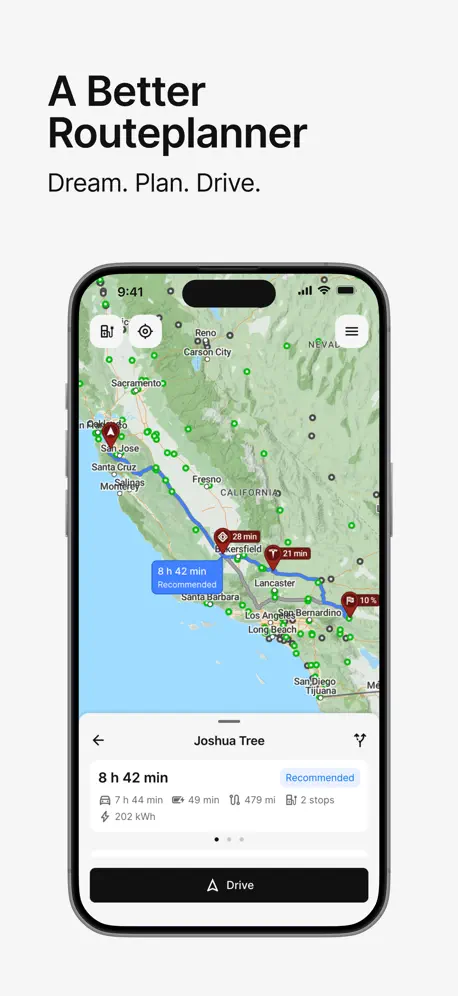  A Better Routeplanner (ABRP) A Better Routeplanner (ABRP) | 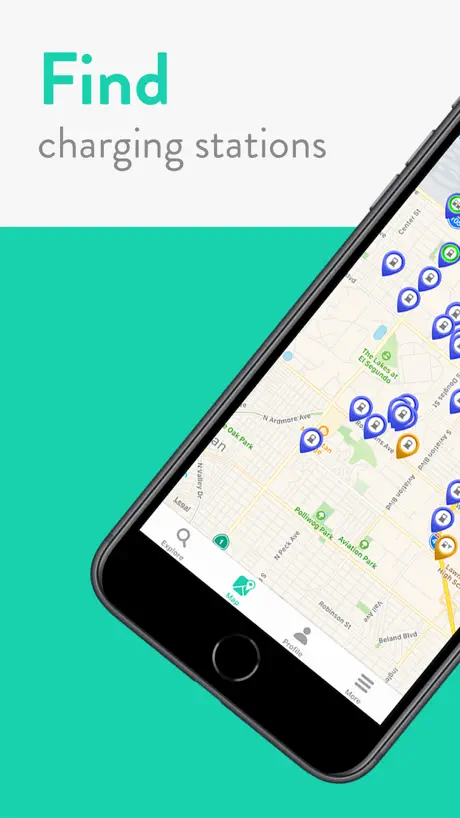  ChargeHub EV Charge Point Map ChargeHub EV Charge Point Map | 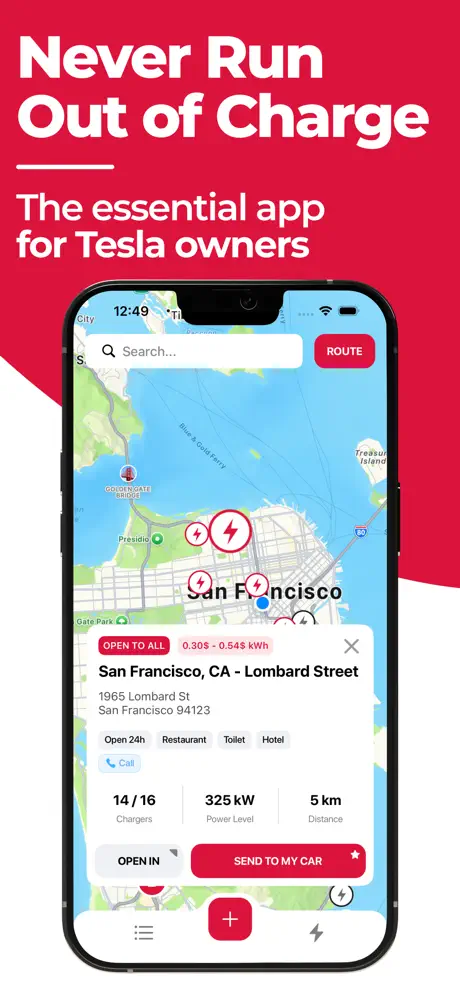  Charger Map for Tesla Charger Map for Tesla |   EV Connect EV Connect |   ViaLynk by Lynkwell ViaLynk by Lynkwell |   EV Companion EV Companion |   bp pulse: EV Charging bp pulse: EV Charging |   EVCS EVCS |   Red E Charge Red E Charge |   Applegreen Fast Charge US Applegreen Fast Charge US | |
|---|---|---|---|---|---|---|---|---|---|---|---|
| Rating / 5 | 4.6 | 4.7 | 4.7 | 4.7 | 4.5 | 4.5 | 4.2 | 4.5 | 2.8 | 2.6 | 1.9 |
| Reviews | 2.6K | 36K | 24K | 20K | 6.8K | 3K | 720 | 505 | 116 | 81 | 61 |
| Released | 2018 | 2019 | 2012 | 2019 | 2017 | 2021 | 2021 | 2023 | 2023 | 2023 | 2023 |
| Monthly price | $2.99 | $4.99 | $2.99 | $14.99 | — | — | $9.99 | — | — | — | — |
| Annual price | $24.99 | $49.99 | $29.99 | $49.99 | — | — | $59.00 | — | — | — | — |
The going rate for each plan in United States, in its own currency, shaded from the cheapest price on the row to the dearest. Plans fewer than four in ten of the priced apps sell are left out.
Chargeway reviews
4.6 out of 5, based on 2,593 reviews.
What people like
- Shows clear pricing for almost all chargers.
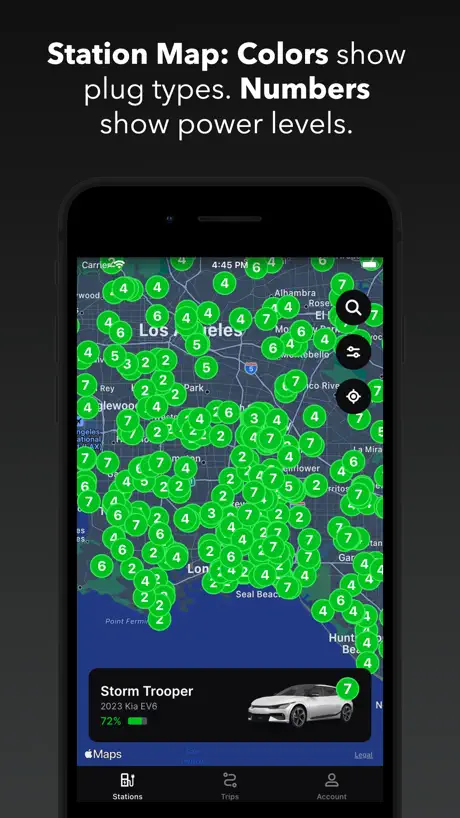
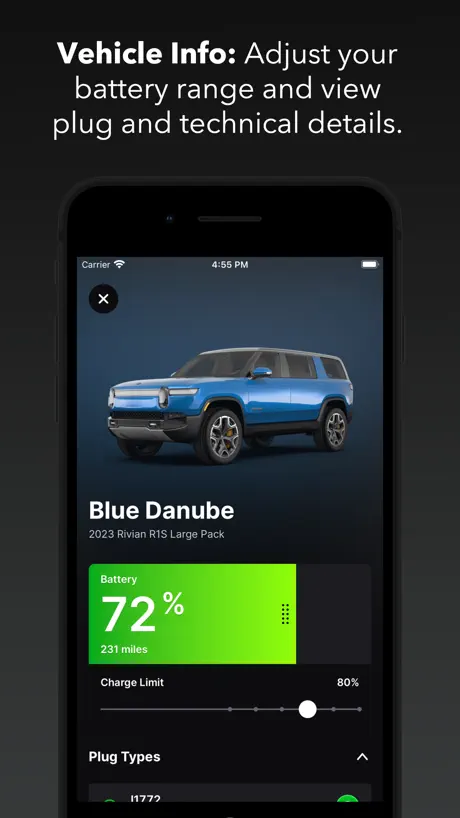
- Easy visual system for connector types and speed.
- Support team solves problems quickly and nicely.
- Clean interface that is simple to use.
What they complain about
- Route planning often suggests stopping with low battery.
- Requires an account and phone number to use.
- You must leave the app to navigate.
- Trip planner lacks important customization options.
Best charge and trip planner app out there
The quality and care put into the utility and experience here is obvious and very appreciated. However there are some hurdles needing to be overcome in terms of breadth of charger listings and trip planning CarPlay integration. So much potential can’t wait to see it grow and mature.
Garbage
Doesn’t work
Good for pricing and availability, but mediocre route planning
This app is great for finding chargers. It shows real-time pricing and availability, filters chargers that are compatible with your car. However, when route planning I cannot specify the minimum state of charge at charger arrival and maximum charge limit. Or, as I prefer, time limit, like charge for 5 minutes. Instead it plans a route with minimum charging stops. For example on a 595 mile trip it will charge plan three stops with arrival SOC of 10% and a charge duration of about 30 minutes. While I could manually add more stops this is not ideal. Finally, you can’t navigate within the app. You must individually navigate each stop in Apple Maps, Google Maps, or Waze. Sorry, but my subscription will go to ABRP.
Decent idea
I like the numbering system of chargers, but trips don’t allow customization, or navigation— you have to bump out to Apple Maps and that’s kind of crazy, I’d love to be able to chose a different charging station, and have guidance appear on my CarPlay
Good but devs can do better
I’m now recommending this to friends who are new to EVs. Pricing comparison and easy fo figure out UI that helps folks figure out charging for their vehicle are the two big standout features. Two big letdowns are the poor rout planing and lack of family sharing for subscribers. I recommend ABRP (a better route planner) for that specifically. So many features missing in this app for route planning compared to competitors. 2 in particular that I think can get users in a spot of trouble if they are new to EVs, such as not being able to set my desired lower limit for in route chargers stops not just final destination limit. The app constantly gives me routes that are slowing reaching the in route chargers at only 10% or less main battery. My users manual specifically says not to go below 20%. I can not easily change charger stops via their route tool either… imo their route tool needs a LOT of work before I would use it. The lack of family sharing for subscribers ensures they will only ever get one sub from our family while the other members in my family will probably not use the app as much if at all due to not having the same pricing perks our one sub account gets. Great way to make others in the family NOT want to use the app…
Made long distance travel easier
Took our Kia EV6 to travel from Oregon to Arizona and used Chargeway to route and reroute when needed very easy to use and accurate information to help with planning.
Why require phone number?
Had heard good things about the app, so decided to give it a shot. However it’s absolutely garbage to require a phone number/create an account *just to map out a trip*. Would love to give the app another look if/once that stupid requirement is fixed.
Great app! I wish performance was better
This is the perfect app to recommend to people who aren’t EV nerds. They just need to know “bigger number is better” and it’s super easy to use. I do wish the performance was more optimized. For example, on my iPhone 16, there is a noticeable lag when new stations are loaded in. Also, the battery usage of the app seems to be twice as much as other apps after a similar amount of screen time.
App stalls
Tried to upgrade and app won’t let me pass the login page to connect my vehicle
Decent but missing nav features
As an EV planner it works well but you can’t set guidance avoidances like toll roads, ferry or highways. You can’t set fastest time or most energy efficient. You also can select charging points at best convenience as it defaults to charging near your destination (rather than en route or at best convenience, charge rate or rank and bias to a preferred provider). You can’t alter your drive beyond temperature to include towing or roof rack. It’s a good basic trip navigation app with a live link to your vehicles current charge state. Should be more given the monthly subscription costs.
Easily find charging and plan routes
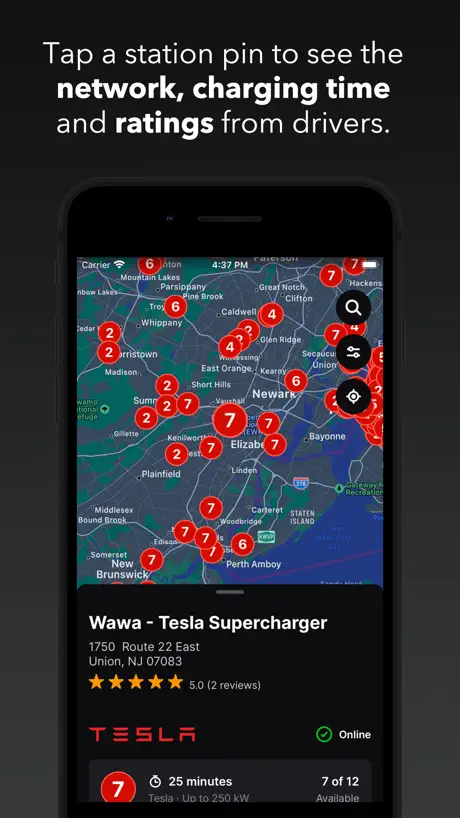
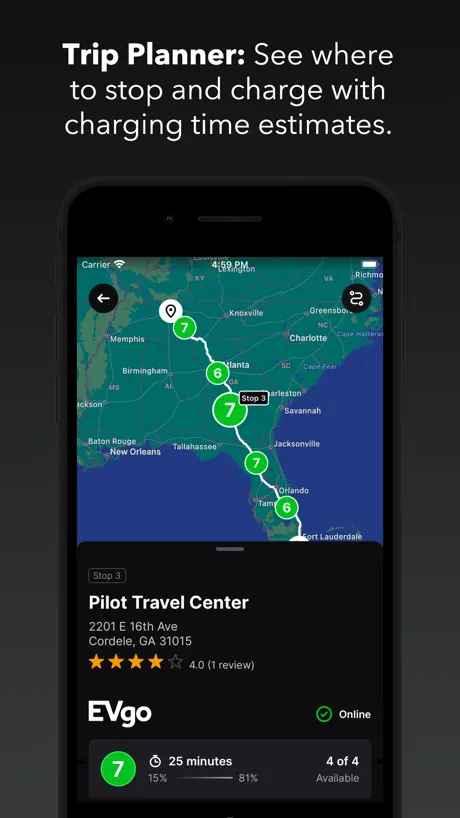
Chargeway makes finding and planning EV charging simple and intuitive. I particularly like how it uses a clear numbering system for charging speed and color-coded connector types, so I can instantly tell which stations will work with my vehicle. Real-time availability, pricing, and estimated total charge cost (with the Chargeway+ subscription) are very helpful. The trip planning feature is excellent for road trips. It factors in useful inputs like your average speed, current temperature, and starting charge level to give realistic stop suggestions along your route. On my recent road trip from Los Angeles to Portland, it helped me avoid unnecessary stops and plan charging that fit my schedule. The interface is clean and easy to navigate, and filters make it fast to find compatible chargers. I have tried other charging apps, and Chargeway’s visual system and trip planner have become my go-to tools for planning EV travel. Overall, it makes EV charging less stressful.
Phone number? Hard pass.
App requires your phone number to create an account. They claim it’s a security measure, but I value not getting spam calls more than I value whatever marginal security benefit a phone number might provide over an email address. And they say they don’t sell your information, but 1) that’s just a privacy policy update away from changing, and 2) the existing privacy policy already says they can share your information with “affiliates” and anyone they ever negotiate a sale or merger with. Plenty of other options; I don’t need this app. And, judging by their replies to similar reviews over the past 6 years, they clearly feel they don’t need privacy-conscious people as customers.
Really good EV nav App
These people have done something right. They’ve kept engineerings main rule in mind, KISS. Beautiful work! Excellent user service too. Three thumbs up👍🏼👍🏼👍🏼😁
Pricing info is inaccurate
Basically no pricing information is available in this app; neither tesla supercharger, blink, etc. information is available.
Meh
Needs to add a SoC for when arriving at chargers, getting to a charger at 4 percent is insane
The Best
They make charging and planning trips so easy, it’s like all the things ABRP wanted to do but didn’t! Also they are so receptive to feedback (granted mine was all positive) and make road trips so easy! Kind of in love with this app, and feel like I can delete all the others! ❤️❤️❤️
Can’t find stations without account
Can’t do anything in the app without an account. Creating an account using a phone number is a non-starter for me.
App is easier to use than a certain other popular app
Much easier to quickly see what stations are faster than others. App just needs more users so that there are more reviews of the stations within it.
Issues getting real time data from car
Was able to connect one time to the MyHundai account but majority of the time it errors out trying to login. It’s a real shame because I think it has great potential. It would be awesome if it could connect directly to the vehicle using the OBD2 port and diagnostics dongle
Great idea!
I’m trying out Chargeway+ and love how you can tap on the map to see cost for each station to get you to your charge limit from your current state of charge! That’s very well implemented. Feature request: give me a “share to” option so I can send the location directly to my car through the Tesla app. For those of us who don’t have CarPlay/AA in our cars this would be extremely nice - find the charger you want to go to, tap share, select Tesla and, boom, you are navigating and taking advantage of preconditioning. My only other complaint is the reviews are sparse. Couldn’t you pull in Google reviews, or even better, PlugShare reviews? Trip planning in the app is not baked yet. Would not use for a trip. Nice start though! Thanks for all the work to get here.
Super Impressed
This app is CLEAN and it’s the easiest way I’ve found to see clear pricing for almost any kind of charging, including supercharging. Great work developers!
Missing Cadillac Vistiq
No option to select a 2026 Cadillac VISTIQ
Nice design, mediocre functionality
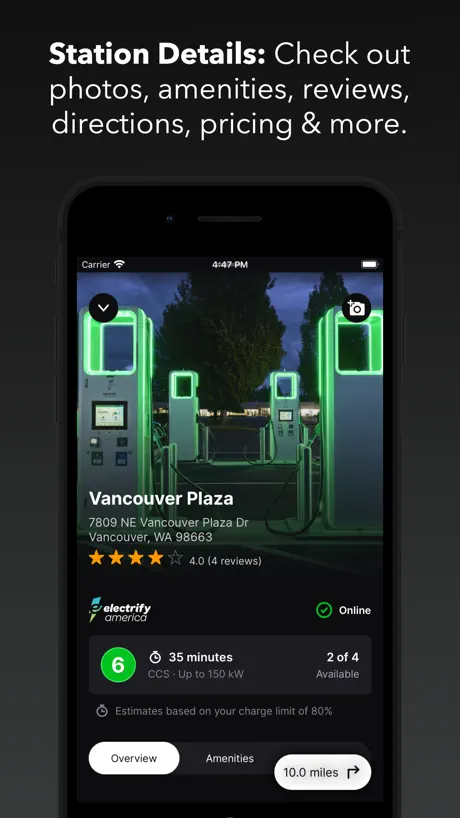
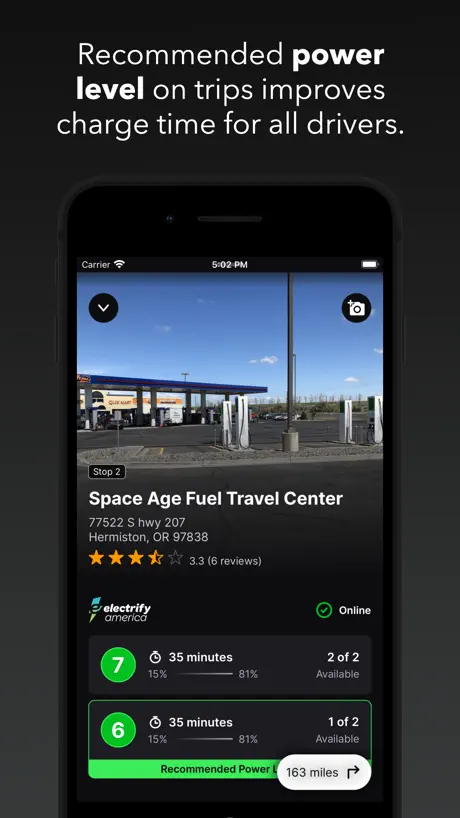
Love the new design of the Chargeway app - Selecting my car with a beautiful image and all the site location photos are helpful. I don’t think the route planning works very well, however. It takes forever to load and several times, I’ve mapped a route with 1 charging stop when I really needed 2 or more. Drivers rarely go at a consistent speed, and I’m not sure if this app accounts for elevation change or other variables yet that impact driving range. I love the attempt at a numbering system, but it kinda feels like a new language instead of communicating in miles per kWh or miles per hour. Also, I see many drivers look for the highest number charger when their EVs can’t accept more than 50 kW! A faster charge isn’t always better. It needs to fit the car and intended visit time.
Need to be able to sort or show price
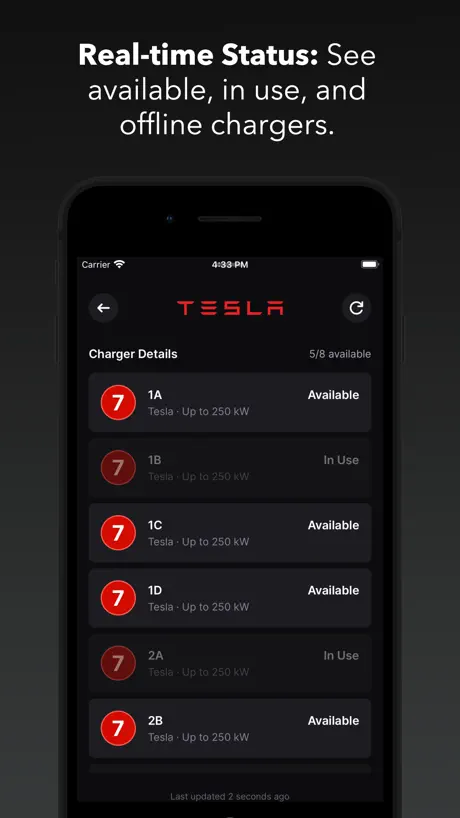
I decided to retry this app after seeing the review on StateOfCharge podcast. The app has def improved since I last tried it. However, what I really wanted to see was a map w the prices similar to Gas Buddy does for price of unleaded. I think the numerical system of charging speeds is nice and a nice evolution for people who want to simplify that information. The prices are in each station and the total price to charge is a nice touch. But, I want to be able to display the price on the map or at least filter stations based on the prices.
Chargeway
I had a problem with Chargeway and contacted their support. And the problem was solved right away. The problem was with my vehicle app, not Chargeway app. Chargeway is outstanding and is the best.
Requires phone number to use
You have to give them your phone number just to use the app. There are other apps out there that you can look at maps of charger locations without giving them your phone number.
Use to reverse trip simple
I used to be able to flip the trip to see my soc when after arriving to my destination to see what my soc is before heading back. Bring this feature back. Why did you take it away? Dumb.
Integration Issues
Good app. The color system takes a bit of getting used to. Unable to connect Ford account.
Great Experience
Just found the Chargeway app in time for a 500 mile trip. It was super user friendly, included Apple CarPlay, and looks beautiful. All making my first long drive in the EV much less stressful.
Please stop making a habit of pestering.
No nagging for ratings, please.
Don’t tell it car type!
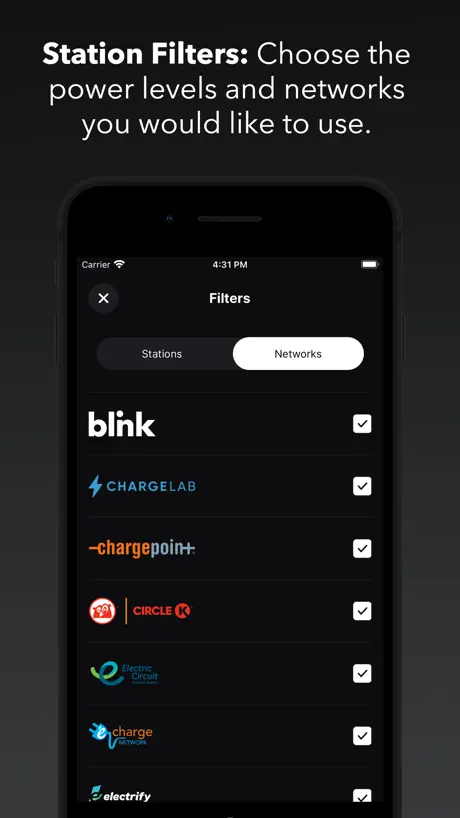
After I told the app I drove a Tesla model Y it would not show me any of the other charging stations, only Tesla. However, I have a J1772 adapter and it will not give me the option to use those plugs or stations.
Better suggestions
I have 9 EV charging apps on my phone because each app is excellent at one or more aspects of the experience but no one app is good at all aspects. In my opinion, an excellent app has to: 1) show me the eligible chargers at my current location and display how long/fast the charging will be at each unit. Also display which units are being currently used. 2) plan several routes of a trip, show the best charging options along each route and again delineate how long/fast I’ll be charging at each station then let me choose which route works best for me. 2a) understand that the best EV route is not always the google maps route. 3) Show amenities, food, activities, shopping around the EV charger where time can be occupied while charging. 4) offer user reviews of the charging station. This app comes close but doesn’t perform 2 very well. On a trip a recently took, one of the stops it recommended for all three routes recommended I charge for 4.5 hours. I don’t do these trips often but no way am I turning an 8 hour trip to one of 12+. So I use another app to plan my route and this one for other things.
Best EV app hands down
Chargeway is the best tool out there for planning hassle free road trips. It does all of the thinking for you! Love that I can glance at the map to see the connector type and power level at a station. If you drive an EV this app is a must have!
Not user friendly
Only has dark mode.
Great resource
If you drive an EV, this is a great aggregator of options.
Lame
There is no way to enter selected or r preferred networks. No way to add waypoints. No way to remove a charge stop and replace it with another.
Waiting for In-APP route planning!
Great app! I will be testing it in the last week of December 2024 and will provide more feedback after that. From what I’ve seen so far, I’m looking forward to the possibility of version that offers in-app navigation. The app allows you to plan your trip, showing where to stop and providing all the necessary details. It even fetches real-time data if your EV is connected. Ideally, you should be able to start the trip by simply clicking "GO." Currently, however, you have to select the first charger, choose Apple, Google, or Waze for navigation, and then leave the app to use those map services. You would do the same for each subsequent charger until you reach your destination. I understand that this requires a lot of development and testing, but Chargeway is very close to achieving this feature. Great work :-)
Mostly irrelevant to EV drivers
I’ve never understood this app or its usefulness. I’ve been driving EVs since 2017 and I’ve never needed all the numbers and colors and stickers on stations. It feels like they are over complicating charging and making it more confusing for drivers.
Chargeway price by country
A monthly subscription costs $2.81 in Canada and $2.99 in the United States — 1.1× more for the same thing. Below is the going rate for each plan in every country that sells it — the middle price of what the app charges there, in the country's own currency with the dollar equivalent beneath it.
| Country | Monthly | Annual |
|---|---|---|
| Canada | CA$3.99$2.81 | CA$34.99$24.64 |
| United States | $2.99 | $24.99 |
Chargeway FAQ
- Is Chargeway free?
- Yes. The app and its basic features are free, in all 2 countries it sells in. Premium features are paid: they start from $2.99 (US), across 2 subscriptions.
- How much does Chargeway cost per month?
- Monthly is $2.99 (US). The annual plan works out cheaper per month: $24.99 a year.
- Does Chargeway have a free trial?
- No. None of its offers (US) come with a free trial.
- Where is Chargeway cheapest?
- A monthly subscription costs CA$3.99 (≈$2.81) in Canada and $2.99 in the United States, its cheapest and dearest countries.
- What are the best alternatives to Chargeway?
- A Better Routeplanner (ABRP) (4.7 from 36,224 reviews, premium from $4.99), ChargeHub EV Charge Point Map (4.7 from 24,348 reviews, premium from $2.99) and Charger Map for Tesla (4.7 from 19,556 reviews, premium from $4.99).
Chargeway download
Last updated 12 days ago.
Chargeway sells in 2 countries. It was released 8 years ago, on 24 Sept 2018. It holds a 4.6 rating from 2,593 reviews.
Supports 1 language: English.
How much does Chargeway make?
Third-party estimates for the last 30 days, worldwide — not the store's own figures, which Apple publishes for nobody.
Revenue by plan
- Monthly 85%
- Annual 15%
Revenue by country
- United States 95%
- Canada 5%