
Channels: Whole Home DVR
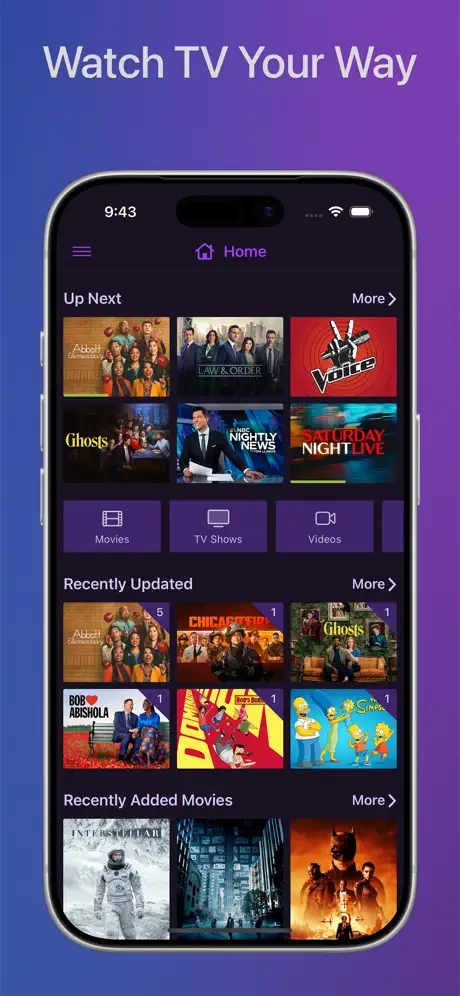
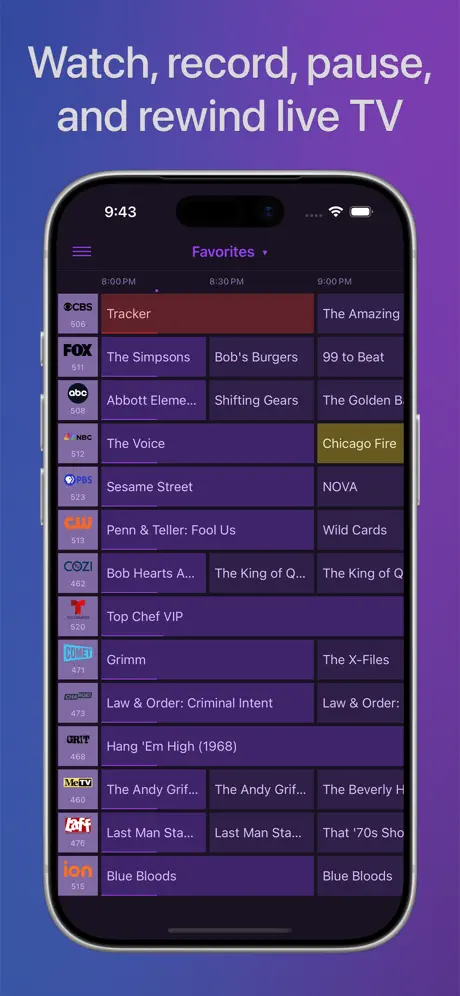
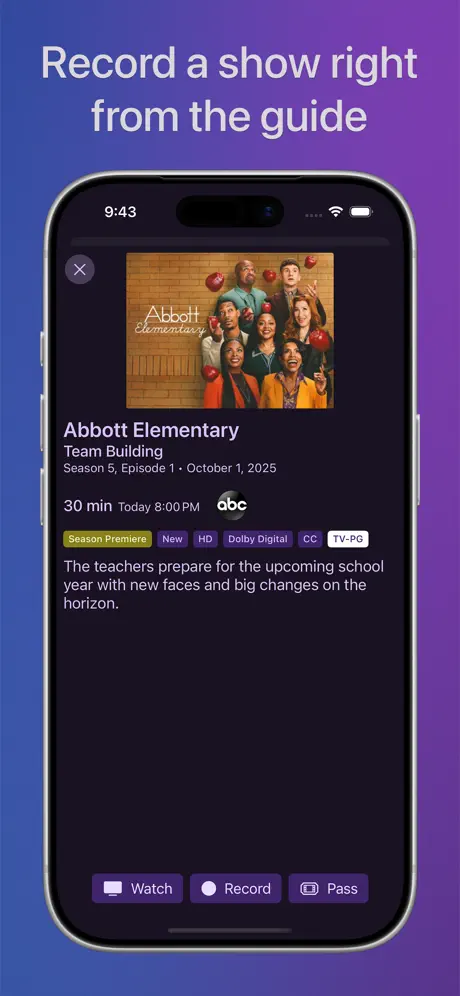
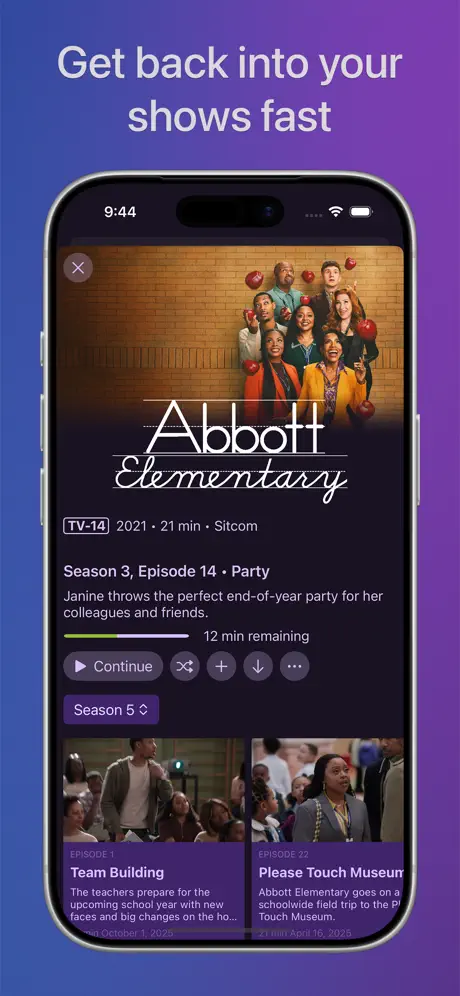
Live TV & DVR on your devices
How much does Channels: Whole Home DVR cost?
Prices are current as of 14 Nov 2026.
Channels: Whole Home DVR has no in-app products on record in the United States.
10+ alternatives to Channels: Whole Home DVR
| Channels: Whole Home DVR | 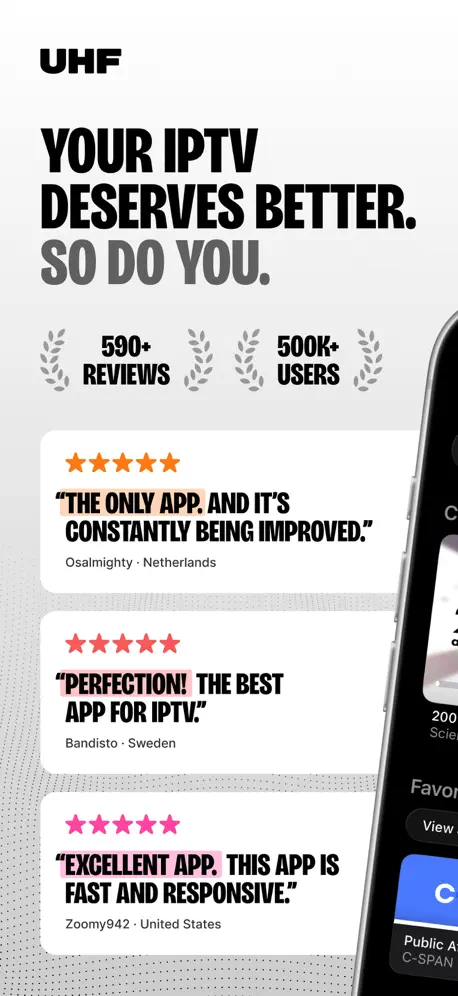  UHF - Love your IPTV | 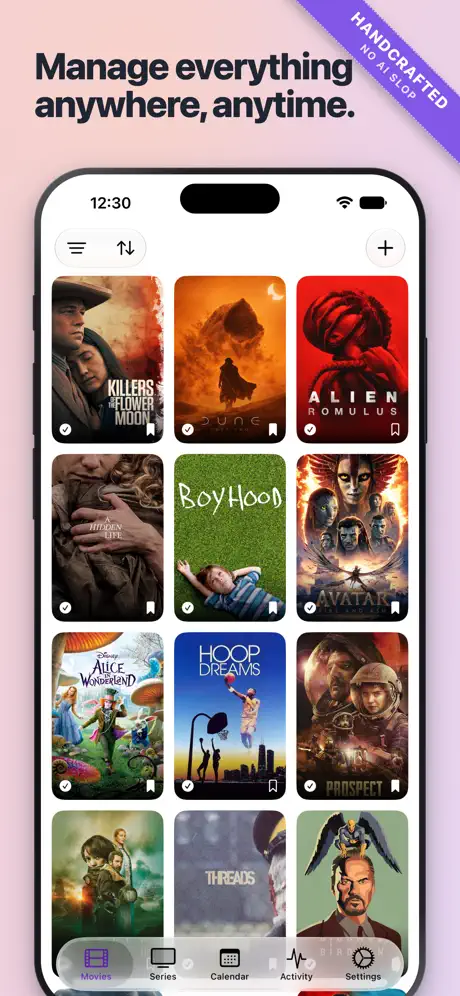  Ruddarr |   Swiftfin |   SWIPTV - IPTV Player |   HDHomeRun |   STIRR TV |   Tivimax IPTV Player (Lite) |   Moonfin |   FreeCast: TV Shows & Movies |   Multiview App | |
|---|---|---|---|---|---|---|---|---|---|---|---|
| Rating / 5 | 4.7 | 4.6 | 4.9 | 4.1 | 4.4 | 2.5 | 3.1 | 2.0 | 4.4 | 3.0 | 4.5 |
| Reviews | 717 | 9.9K | 2.1K | 1.2K | 752 | 648 | 466 | 355 | 235 | 130 | 30 |
| Released | 2018 | 2023 | 2024 | 2022 | 2023 | 2017 | 2019 | 2022 | 2026 | 2022 | 2025 |
| Monthly price | — | $1.99 | — | — | $1.99 | — | — | — | — | — | — |
| Annual price | — | $17.99 | $5.99 | — | $17.99 | — | — | — | — | — | — |
The going rate for each plan in United States, in its own currency, shaded from the cheapest price on the row to the dearest. Plans fewer than four in ten of the priced apps sell are left out.
Channels: Whole Home DVR reviews
4.7 out of 5, based on 717 reviews.
What people like
- Fluid pause and rewind live TV
- Developers respond quickly to issues
- Stable server records shows flawlessly
- Saves money by cutting cable bills
What they complain about
- iPad app often shows empty library
- Apple TV app crashes frequently
- Setup requires technical computer knowledge
- Deleting recordings is painfully slow
Thanky ou for Multi-Device Support!
I love this app. This has been a great platform for my home DVR having pulled the plug on cable. And being able to use the app on my M4 Mac Mini is just one more reason this app is a no-brainer. It’s stable, your site/community has great support, I simply have no notes. Thank you!
IT IS NOT FREE TV !
You need to pay for a TV streaming service. This is misleading. Its not an app to watch free Live TV
Excellent
Does what it says on the tin. I have been using this now for over 12 months and found it easy to use and very reliable. It would have gotten 5 stars if the guide search was improved. If I want to pick a day a week ahead I have to troll through day after day until I get to the day I want.
Need native Mac version - bad video issues
There are major scaling issues which prevent the app from playing video on secondary screens. I have three monitors, all of which are "retina" / HiDPI and video only plays properly on whatever display is set to be the primary. Once you drag the window onto a secondary monitor, the video zooms into so much that is is unwatchable. This prevents me from watching content while still using my main display since it only works on my main display.
Not great on a Mac
Because the app is native to iPads, and thus touch control, it’s poorly constructed for mice. Scrollbars don’t respond to mouse clicks or drags, which means you have to open the primary window large enough to accommodate any popup menus fully extended.
Great piece of software
I’ve been using Channels almost every day for years. This app has allowed me to get rid of two cable boxes, saving almost $30 a month. Admittedly the setup can be complex, but I am experienced in software. The main features DVR, pausing and rewinding live tv, and being a media server serve all my non streaming media needs. Plus in the years of using it, I have only encountered a couple of bugs. This company should advertise this app more. Everyone always talks about Plex and Kodi. I know they are not 100% equivalent, but they share the same space.
Continual problems
Repeated error messages that file is corrupted. I continually report problems but nothing is done to correct the problem. Audio goes in and out. This has been a problem for weeks.
Great Single App for everything
I was hoping this app could be the one and only app for all Contant although it is fantastic and it is my go to app or watching personal content. The streaming is still questionable when away from home constant transporter errors and it can only stream for five seconds. if you are local, everything works perfectly. I was trying to see if this could replace Plexes and so far it’s doing very well, but there are reservations that keep me from fully moving over to this app.
Not ready for prime time!
DVR does not record all programming. This was my main consideration. 😞
Still a bit buggy
The Apple TV app gets into a state where it is stuck on a show from the “TV Shows” sidebar. I finally figured out how to force quit the app to restart it, instead of rebooting the Apple TV, but it is still quite annoying. I suspect there is a memory leak. If the app was rewritten in Rust (at least the parts that could be), the issue of memory leaks might go away.
Love it
Everything is great except that I’m paying for this and my PiP is blocked by you guys having a “Rate our App” popup over the picture. Hopefully this goes away now…
Terrible
Never works.
Still no recordings on ipadOS
Been using this for years and although it works well on tvOS and using a browser, the iPad version still does not allow you to watch recordings (library is always empty). Apparently, this was fixed in a test (beta) version last year however it still hasn’t been released to live. New features are great but lets get the basics working first.
Better than HD Homerun DVR
Works a lot better than the stock app with HD Homerun. I have much better success with using the app on FireTv than Apple Tv. Apple Tv app keeps crashing and I get the " can't connect to server" message making it unusable on that platform.
Great product and company
Product works great and support is terrific.
Channels DVR
This keeps on getting connection lost and tuner not available I moved my CDVR server to a NAS but still getting Connection Lost and Tuner not available
Doesn’t let me choose channels
Odd name for an app bc doesn’t let me opt out of recording supposedly “new” episodes on other channels not running current episodes. But I love the skip commercials facet! Great way to bypass instead of just fast forwarding!
Better than Jellyfin…but not by much.
I like Channels. But, for a subscription product, it has an odd stubbornness to it. For example, you cannot forward the guide by date because the devs believe that search is better. TiVo, the gold standard in DVRs, elegantly enables managing the guide by date. In addition, ATSC 3.0 live playback from Silicon Dust network tuners can take either less than a second or up to 15 depending on whatever Channels is doing. When there are both ATSC 1.0 and 3.0 simulcasts available, there’s no obvious way to prefer the 3.0 broadcast when creating a pass. Pass management is also stubborn, like guide management, with fewer recording options than the one provided by Silicon Dusts DVR, which nobody should use. I also wish it was possible to pause live playback on one Apple device and resume it on another. Still, playback quality is good and other than being stubborn, Channels is pretty reliable. I’d place it above SD’s DVR and Jellyfin bit below TiVo.
BEST DVR server
This is the BEST DVR server hands down and not to mention the developers are Top class! Thank you sooo much and keep up the great work. You guys ROCK!
Too Expensive for full version.
Your service is way too expensive, I have changed to Plex and installed it on my Nass, does the same, play, pause record watch anywhere but only $40 per year, I paid for lifetime pass only $120. They are constantly introducing new products, Plexamp to play my music collection is just great also Plex Dash to monitor my system they are included with lifetime pass.
Works well but uses too much storage
Channels works nicely with my older iPad. But I cleared disk cache and it is still using more disk space then any other app besides iPhoto.
Decent but disappointing
I purchased this application today for my Apple TV and my iOS devices. After a complicated setup that included addressing issues on my NAS drive and spending money for a subscription to the “plus" service, I learned that the main feature for which I undertook this effort, picture and picture (PIP) on Apple TV, does not work as at least I had expected - perhaps I misunderstood, but I don’t think it is clear. When the application puts the source video into the PIP box, the video stops when another video application on the device starts playing video. THAT IS NOT PICTURE IN PICTURE. True Picture in Picture permits watching two video sources at once. For example, watching a game in the PIP box while watching a movie full screen. All you can do is navigate the device and run non-video apps (e.g., read email) while watching the video in the PIP box. I can do this already with my spectrum tv app on my iPad so what does Channels actually do for me that I couldn’t do already? While I am disappointed, this application works as advertised by playing tv from my server to numerous devices.
I’ve been looking for this for years.
Fluid pause, rewind, fast forward. Can setup sophisticated DVR searches. Can handle multiple playlists flawlessly. I flipping love this software.
Gross
First off I payed $25 for the regular app but I don’t get the money’s worth on a regular basis. But asking me to pay $8 a month on top of NOT allowing me to use my own HDD is absolutely absurd!. I’ll be asking Apple for my money back.
Good app. Responsive dev.
12/2020 They resolved the issues below. Update 9/26/19 deleting recordings is still a terrible process. Why can’t one swipe to delete? This isn’t the 80s. Previous review: The app is okay. Deleting recordings is a painful 4 step process with many screens. Why not just swipe on the recording and delete it, like mail in your mailbox? It takes FOREVER to manage recordings.
Fantastic app and service!
The Channels app and the Channels DVR service is top notch! The price is very reasonable. What an amazing job by the developers. The UI is slick and very easy to navigate. The app hardly crashes. The DVR does its job and records new seasons. It’s like set once and forget. It quietly and flawlessly does its job. Love it and highly recommended!!!
Customer service sub par
Software works fine but customer support is not willing to work with clients which is very important for any apps that make it to the apple eco system.
Really Good for Cord Cutters!
Super Happy. It is simple and It works!
Amazing App & Product
The Channels app and DVR are amazing. It’s the perfect solution to bring cable channels into the 21st century. It enables me to get my favorite news, network and cable shows at home and anywhere else I want to watch.
Can’t make it work.
Can’t get it to work.
One year in...
A year ago I ditched all my cable boxes and dvr (thus saving $100 per month) but kept the cable subscription with a single cable card. The key to making it all work was the ChannelsDVR software. Despite a few glitches, most of which were due to me not having correctly configured the software, the overall experience has been outstanding. It has enabled us to put a tv anywhere in the house without regard to cables, to record multiple channels simultaneously, and to watch both live tv and recordings from anywhere. I’m a local sports junkie. The ability to watch local broadcasts of NFL, NHL and college sports remotely from our vacation home in another state is nothing short of fantastic. I initially had ChannelsDVR software running on a Windows laptop. But after several months of trial (and the desire to use the laptop for other things) I moved ChannelsDVR over to an old 2011 MacMini which is now dedicated to this one duty. Still works great. I appreciate the consistent user interface across different OS platforms which substantially lessens the learning curve. Overall, a great experience. My only caveat, this software needs to be correctly configured on a pc or NAS. That means the user has to get their hands a little dirty and learn the basics of how the software works, how it interacts with tv tuners or tuner substitutes, etc. [you cannot plug an antenna directly into your computer and expect it to work. It will require a device such as one of the many HD Homerun products that convert your tv source to a digital signal that will run on your home network.]. But you don’t need a computer degree from M.I.T. to set it up. A basic understanding of computer home networks and wifi is about the level of skill needed. All-in-all, this is an impressive piece of software.
Amazing developers
I had a slight problem and wrote about it in their forums and the developers responded within the hour. The problem was on my end, but they were able to help me get it resolved that evening.
Doesn’t include channels we downloaded it for
Supposedly includes local channels. We signed up so we could record one show on one channel included with our basic cable, and Channels doesn’t include that channel—or any other local channels. Will cancel it ASAP.
Better than cable!
Hardest part of setup due to pc-nas security issues. Other than that pretty much plug-n-play. Works great on firestick. Highly recommend.
Do not install server on Windows machine
This software does not provide a working method to uninstall once you find out what a rip off the service cost, when free view is free. Be prepared to use other software and delete folders manually, registry checks etc and firewall rules to get rid of this disgrace of a software. BEWARE
Channels: Whole Home DVR FAQ
- Is Channels: Whole Home DVR free?
- Yes. The app is free, in all 174 countries it sells in, and it sells nothing inside it.
- Does Channels: Whole Home DVR have a free trial?
- No. None of its offers (US) come with a free trial.
- What are the best alternatives to Channels: Whole Home DVR?
- UHF - Love your IPTV (4.6 from 9,906 reviews, premium from $1.99), Ruddarr (4.9 from 2,055 reviews, premium from $5.99) and Swiftfin (4.1 from 1,181 reviews).
Channels: Whole Home DVR download
Last updated 2 months ago.
Channels: Whole Home DVR sells in 174 countries. It was released 8 years and 3 months ago, on 15 Aug 2018. It holds a 4.7 rating from 717 reviews.
Supports 1 language: English.
How much does Channels: Whole Home DVR make?
Third-party estimates for the last 30 days, worldwide — not the store's own figures, which Apple publishes for nobody.