Bob HR
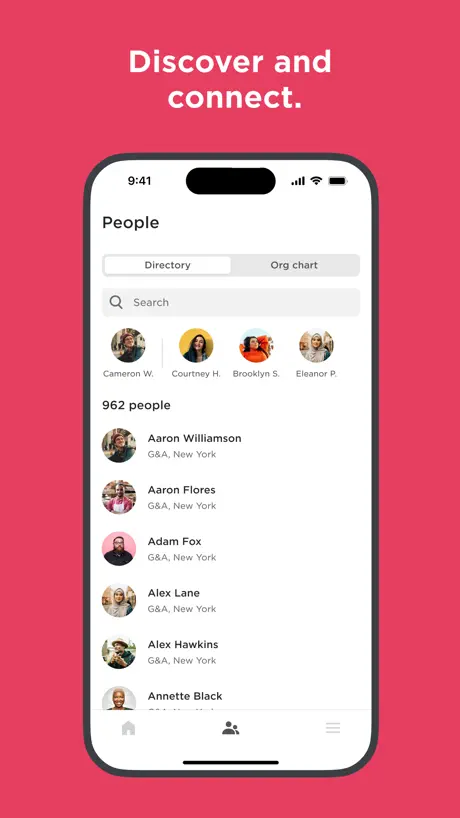
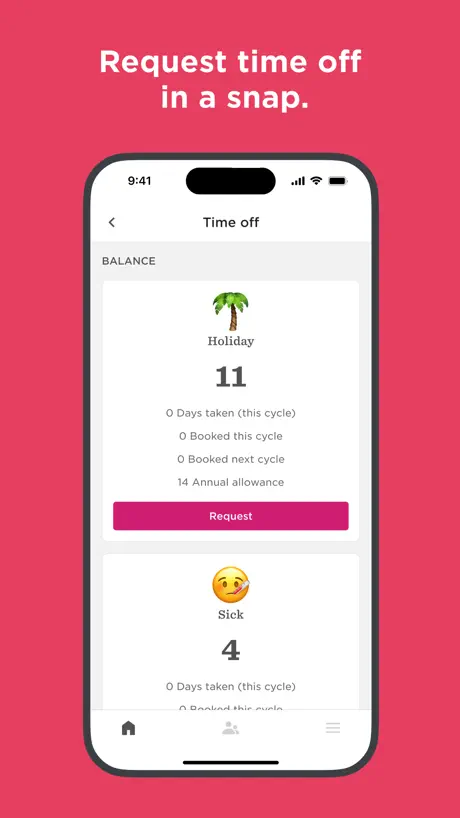
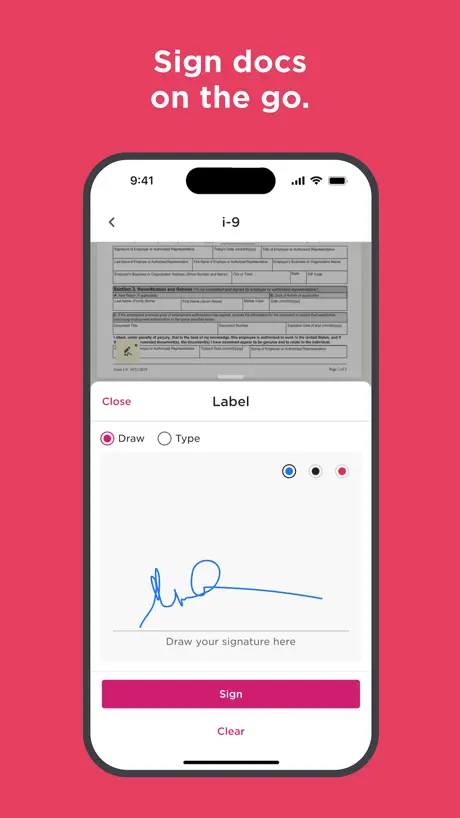
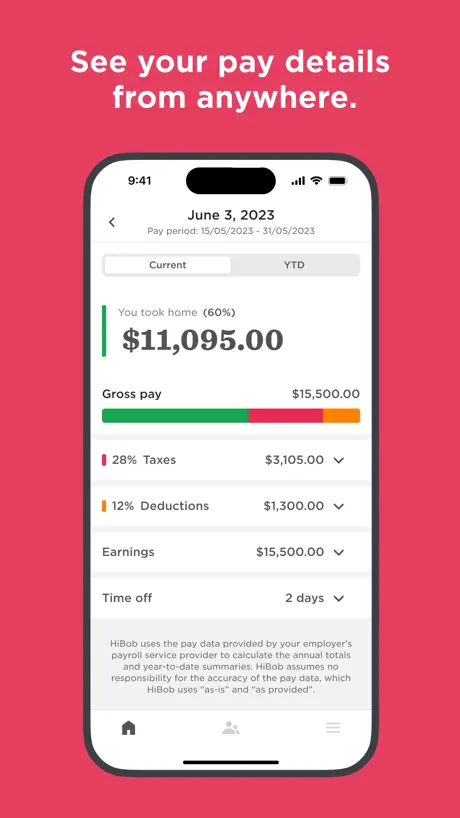
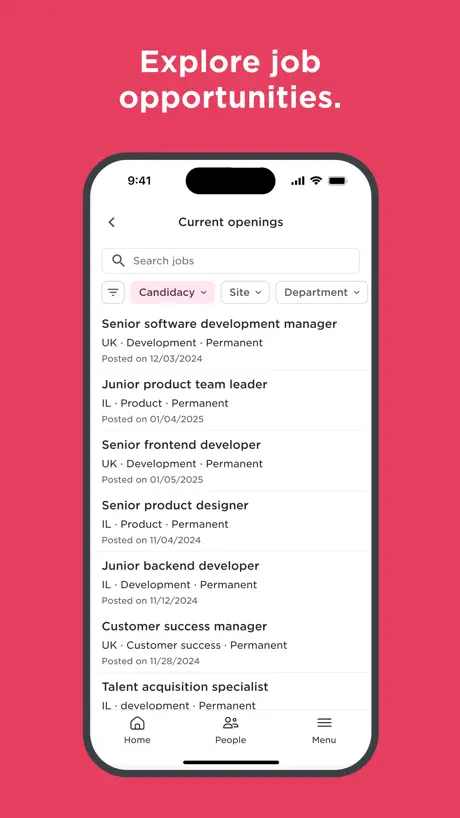
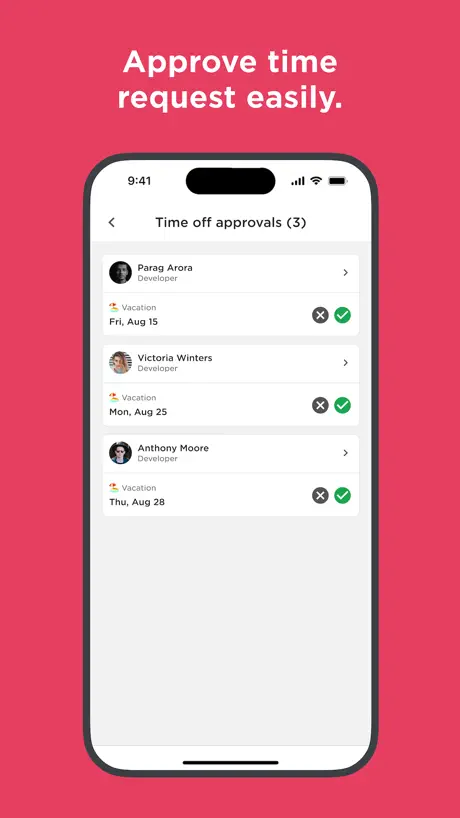
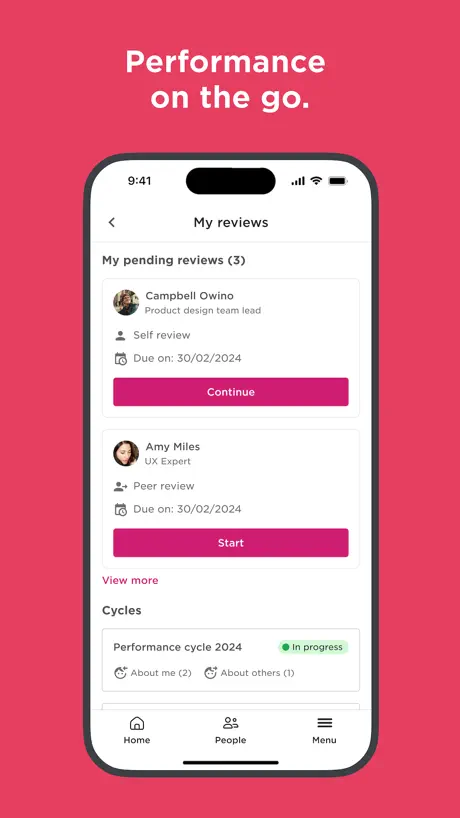
Bob on mobile
How much does Bob HR cost?
Prices are current as of 9 Sept 2026.
Bob HR has no in-app products on record in the United States.
10+ alternatives to Bob HR
| Bob HR |   Deel: Global Payroll & HR Deel: Global Payroll & HR |   Rydoo Rydoo |   Confluence Cloud Confluence Cloud |   Spendesk Spendesk |   Pleo Pleo |   Perk Perk |   Payhawk Payhawk |   Welcome to the Jungle (Otta) Welcome to the Jungle (Otta) |   Gong.io Gong.io |   Teamtailor Teamtailor | |
|---|---|---|---|---|---|---|---|---|---|---|---|
| Rating / 5 | 4.7 | 4.8 | 4.9 | 4.6 | 4.7 | 4.7 | 4.7 | 4.7 | 4.8 | 4.0 | 2.9 |
| Reviews | 16K | 20K | 14K | 12K | 11K | 8.6K | 8.1K | 3.5K | 1.3K | 169 | 86 |
| Released | 2018 | 2024 | 2012 | 2016 | 2017 | 2016 | 2020 | 2019 | 2023 | 2017 | 2018 |
Bob HR reviews
4.7 out of 5, based on 16,254 reviews.
What people like
- Very easy to use and navigate
- Great for quick time off requests
- Good user interface and clear design
What they complain about
- Missing features found on the website
- No calendar to see team holidays
- Forces you to use the app
Bob is great
Easy to use, great UI
Lacks granularity.
Allow custom hours as a time slot not a number of hours, allow minute based
Widget für iOS
Hallo zusammen findet man ein Widget für das iOS um das ein und ausloggen oder die Pause jeweils mit einem Klick direkt zu lösen es besteht aktuell kein Widgets
Asaf
Very difficult to navigate in Bob
Attachments
Everything works almost ok. I noticed that when I attach screenshots they are never visible. It seems like only PDF’s can be viewed when attached when medical appointment or sick leave are requested.
Bob
Easy to use and stress free
1star
Dnt msg me after 2pm
Not bad but has weakness logging times
So my company has been using Bob HR for a while now and I have to log my times which will then be used to calculate my overtime etc. A couple of annoying things 1) when I stop logging travel then go to log work on site I will have to wait for a clock change otherwise when I try to complete time on site it glitches 2) when I log in late travel that passes through midnight it becomes annoying as I have to end one lot of travel at 23:59 then start a new entry at 00:00…. Impossible to do whilst driving 3) probably how my employer has it set up but as above if my travel passes into a non working day it will not allow me to log it. 4) if travelling through time zone changes it will elongate working days travelling east and shorten working days travelling west. Difficult to know what’s best for that one I guess!! Fortunately for now we still use a manual override but could be an issue in the future.
Not a great app
It’s not a great app. It could do with a better calendar to view holidays and you can’t even view documents on it either. Good for booking holidays and viewing the feed but that’s about it
More info needed
Would be good to see when other staff members are off when putting in holiday requests so we can see if there are any clashes.
Bob
Brilliant app
Won’t open, crashes every time
Useless app at this point. Please fix!
Good but a bit clunky
It’s better than some other HR apps but still clunky UX. For example booking time off for multiple days takes at least 10 presses – and that’s after you get to the time off screen. This could be streamlined considerably. I also didn’t find it that easy to find what I needed generally. But overall it’s pretty solid.
No iPad support
Maybe a 6" version suffices for someone who just wants to approve an absence on the go (and doesn't have it integrated to Slack) but for getting much else done it would be excellent to have iPad support.
Needed Update
Though this app helps with holiday requests and communication, I believe it would be better if there were an option to stop the information that is not needed at the individual departmental level. Moreover, there should be live work calendars so that when we book holidays, they automatically appear on the work calendar, allowing employees to keep track of their schedules and holidays in the app.
Game changer
This is a brilliant app - as an employer and a manager of people. Absolute game changer for quick and handling easy time off requests!
Director
Total rubbish app. So concerned with GDPR that you can’t see what anyone else is doing in the company is doing ever. No calendar view worth a damn. Previous system 10 times better.
Need app for iPad and macOS
Having this app on ipad and macOS for convenience is needed
Not as good as it could be
Misses some important functionality you’d get on the web version.
Notifications prompt
PLEASE for the love of God take that notification prompt away. I'm just trying to clock in/out. It's annoying every time I open the app!!!!!!!!
Easy
Very easy to use and navigate
Accessibility needs work
This app is not accessible with the voiceover screen reader so if you’ve got any blind employees they won’t be able to use this app as buttons are not labelled or accessible
Almost perfect
App is good in general, but doesn’t provide all functionality as web version. I would like to see my colleagues’ time offs in mobile app as well
Doesn’t allow changes in mobile
Can’t be a seamless HR experience if you can’t process employee changes from your phone.
Good overall
The app is good and the UI is also good. But the new update introduced a very annoying bug which restricts us to view docs. Please fix this bug asap. Need to see some docs which i need urgently. This is the reason for 3 stars or else I would have given a 5 star.
Great app
So easy to use.
Awful UX, basic stuff broken/missing
Microsoft SSO never works, every time I go to use the app it refuses to load until I update , and even worse despite the app missing most of the functionality of the website it FORCES you to use the app instead.
Cool app, could use one cool feature
Like the app 😊 Please add support for shortcuts on iphone. Both auto-attend and auto document submission using shortcuts would make life even more comfortable for those who already automate their day to day with apple’s ecosystem. You could also make it optional for an organization to enable it, or add indication that a shortcut was used for a report. Many apps trust shortcuts for very sensitive actions. Thanks!
No team time off view? POINTLESS
What is the point of an HR app that cannot show you who in your organisation is off and when? Lacking this feature makes this almost entirely useless if you need to log into desktop to access. PLEASE add this as a feature asap!
Ok
I think hi Bob in general is okay however feel it is very limited on the app in comparison to what I can view when I’m on a PC. Just for an example, I am able to view my teams holidays and timetable on the PC version whereas on the app I can’t see anything to do with my team, I feel like I’m basically limited to just requesting my own time off?
Brilliant
So very easy to navigate
Log in issues
Once logged in its fine, trying to get logged in is nightmare. First time in 3 weeks i ve been able to access
שמוליק
אחלה אפליקציה. יש פער של כ 10 ימי חופש בין מה שמופיע ב bob למה שמופיע בתלוש.
Frustrating app, lacking functionalities
I’m not able to access full functionalities on the mobile device, the app is so limited, and the website doesn’t load on mobile
Menu buttons
The app is generally good but the buttons at the bottom screen are greyed out. This gives the impression that they are disabled. Most apps will show them in black and then go to grey when they are selected. I was trying to find the holiday link, but as they are greyed out I thought they were disabled.
Extremely addictive as a work app
Great for interaction documents sharing and reviewing task completing or making with clear information adding
Useless
iOS 26 app refuses to let you select a half day morning/afternoon - move the selection and all you can do is “close” and it’s remains set to all day!
Please fix the crashing issue!
Such a great app, so handy for managing my work schedule and staying in the loop with my team. BUT it’s been crashing every time I open it for months now. Please fix this!! I want to use it again!
Limited function
Could do with having more capabilities on the App rather than requiring web access for key functions.
Bob
Fab
Bob is a terrible app
needs a proper calendar view so u can see who else is off before you book holiday. the worst app i have ever come across. not fit for purpose
White screen after login
Please fix this bug
App is currently too basic
The service itself is great, but the app is not. You cannot view anything important about your reports, such as if they are out of office or check in with their goals. What’s worse is on mobile, you can’t access the site from your browser as it will force you into the app.
Bob
User-friendly and very clear!! Very happy with it, so useful!
Review
Waste of time
Doesn't stay signed in, sign in is difficult
Every time I get a notification the app requires a fresh sign in as if it never saw me. Okta integration is annoying as the dialog requires you to type in your email because it doesn't use username designation for the field so iOS can't autofill.
App crashes when requesting time off
I need a holiday.
Bob HR FAQ
- Is Bob HR free?
- Yes. The app is free, in all 175 countries it sells in, and it sells nothing inside it.
- Does Bob HR have a free trial?
- No. None of its offers (US) come with a free trial.
- What are the best alternatives to Bob HR?
- Deel: Global Payroll & HR (4.8 from 20,277 reviews), Rydoo (4.9 from 14,133 reviews) and Confluence Cloud (4.6 from 11,513 reviews).
Bob HR download
Last updated 0 months ago.
Bob HR sells in 175 countries. It was released 8 years and 8 months ago, on 17 Jan 2018. It holds a 4.7 rating from 16,254 reviews.
Supports 11 languages: English, French, German, Hungarian, Italian, Polish, Portuguese, Russian, Chinese, Spanish, Turkish.
How much does Bob HR make?
Third-party estimates for the last 30 days, worldwide — not the store's own figures, which Apple publishes for nobody.