
Canvas Teacher
Mobile teaching companion
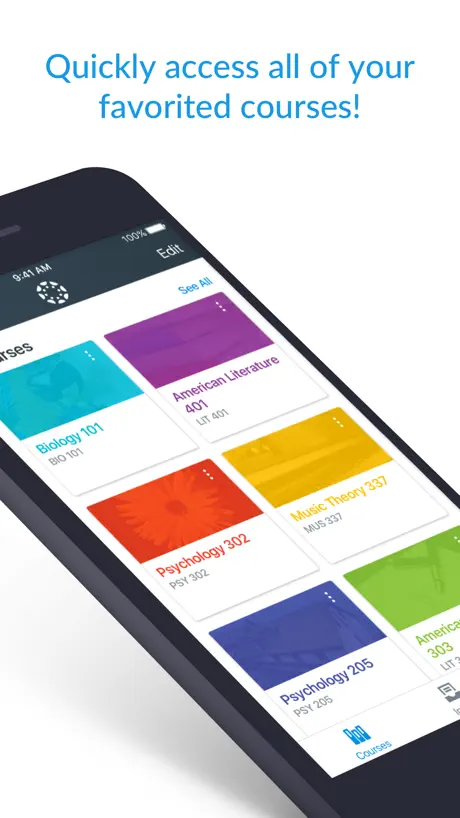
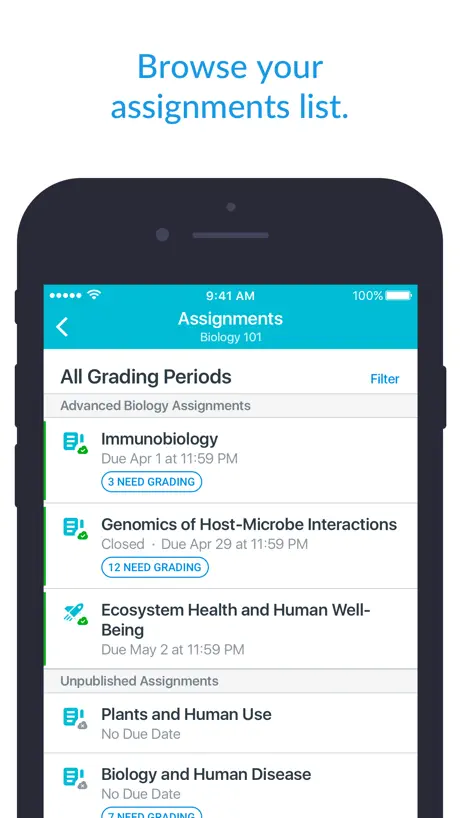
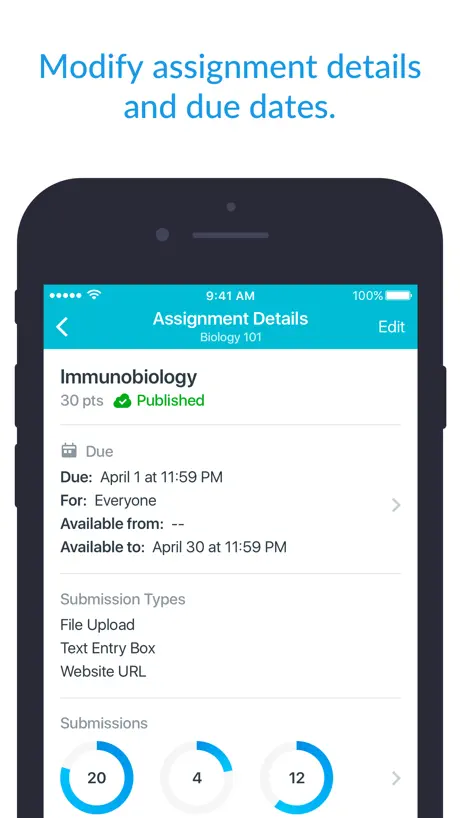
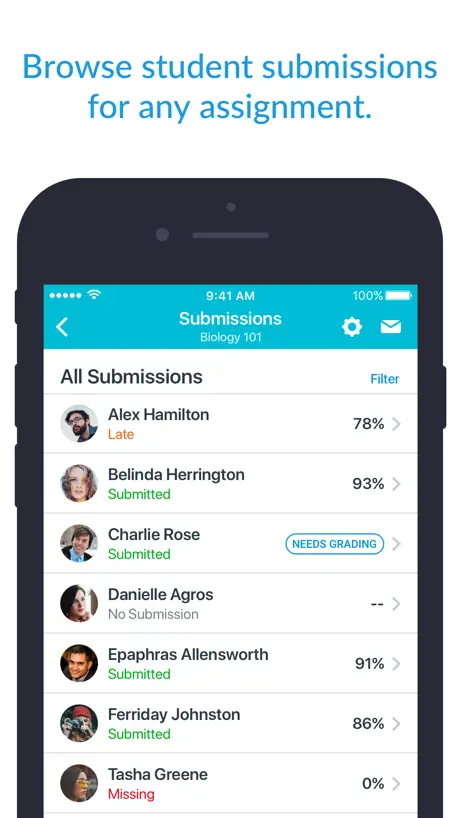
How much does Canvas Teacher cost?
Prices are current as of 13 Nov 2026.
Canvas Teacher has no in-app products on record in the United States.
10+ alternatives to Canvas Teacher
| Canvas Teacher |   Frontline Education |   ZipGrade |   Red Rover K12 |   Explain Everything Whiteboard |   Planbook Mobile |   TEACHERS | TalkingPoints |   Nearpod |   TPT (Teachers Pay Teachers) |   Raptor Alert |   PBIS Rewards Staff | |
|---|---|---|---|---|---|---|---|---|---|---|---|
| Rating / 5 | 4.6 | 4.7 | 4.9 | 4.7 | 4.5 | 4.8 | 4.8 | 3.4 | 2.7 | 2.6 | 2.5 |
| Reviews | 115K | 85K | 74K | 49K | 30K | 8.5K | 5.2K | 4.2K | 671 | 184 | 99 |
| Released | 2017 | 2017 | 2013 | 2020 | 2015 | 2021 | 2017 | 2012 | 2012 | 2020 | 2015 |
| Annual price | — | — | — | — | $89.99 | — | — | $159.99 | — | — | — |
| One-time price | — | — | $6.99 | — | — | $36.00 | — | $4.99 | — | — | — |
The going rate for each plan in United States, in its own currency, shaded from the cheapest price on the row to the dearest. Plans fewer than four in ten of the priced apps sell are left out.
Canvas Teacher reviews
4.6 out of 5, based on 114,764 reviews.
What people like
- Great for quick messaging and announcements.
- Makes collaboration with students seamless.
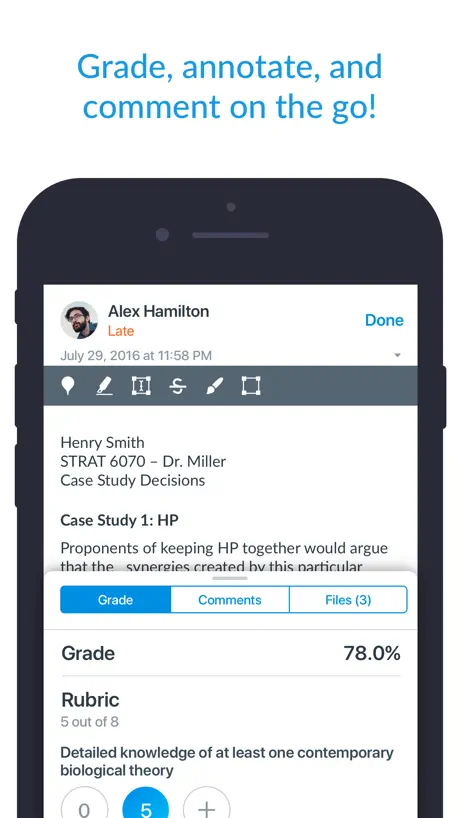
- Helpful for basic grading tasks.
What they complain about
- Crashes constantly while grading students.
- Modules are completely inaccessible on mobile.
- SpeedGrader loads assignments painfully slowly.
- PDFs fail to load properly.
Me funciona para mis cursos
Está bien y creo que cumple con lo que ptomete
No funciona para iOS
Desde que se actualizó el celular a iOS 14 no funciona la app, se queda “pensando” después de poner mis datos y de ahí no pasa
Calificaciones
En la última actualización no me permite dibujar el checkmark ✔️ y además se traba de un documento a otro cuando trabajo desde mi celular, lo cual es MUY impráctico.
Slow and buggy
It’s actually faster to download completed assignments on my computer, mark them on the notetaking software on my iPad, export them back to my computer, and individually re-upload them.
SpeedGrader
There should be an option to change the order of files when viewing multiple files attached by student. There is no option to reorder according to name or date modified and this is very inefficient. How the files are viewed on a computer is very different than how they are organized on the app but this should be kept consistent. Rotating files option is also missing! Add these features, I beg you. PLEASE!!!!
Easy to use
It helps me a lot with grading, it makes it super easy.
New Update is NOT User Friendly
The most recent update has made the app terrible to use. There are a number of issues that have made this app no longer user friendly. Most of the time it does not filter only the assignments that still need to be marked when you click on needs grading. It will randomly switch to a different student’s submission when trying to add an annotation. Sometime only some of the submissions will show up. It no longer changes the number of assignments that need marking unless you reload the page. I wish I could go back to the previous version.
Incompleto
Hay herramientas que se pueden ver desde la aplicación. Y por lo tanto como profesor no puedo modificar parámetros de una actividad si solo traigo mi iPad o celular
ok
Has its advantages but harder to use than the browser version. Documentation tedious to find. Does not render MathJax properly.
Mejoras
Tarda en actualizarse, el front debe mejorar, a veces muestra los mails y en otras ocasiones tarda aunque ya se recibieron
Not good enough
The app looks ok and it’s practical to reply messages and post announcements. But it doesn’t have the option at modules, edit modules, or create significant assignments using the phone! I would give it 5 starts if I could modify everything on my course using the app.
Latest update is absolute garbage
Can’t swipe between homework once it’s annotated. Unbelievable.
Buen, pero con pequeños detalles
La aplicación va bien en lo general, pero a veces falla. Por ejemplo, algunos cursos no me deja visualizarlos en mi celular.
Course Images Don’t Display
Course images do not automatically display on mobile app. How absurd is that! If there is an image in the course is should automatically display in the app, period! The app is unreliable. You think you know what your students are seeing but you don’t.
Read-only app
Unfortunately, this is a read-only app. I cannot update my page from here. For example, I tried to publish a module that was already created and I couldn’t. I had to do it via the browser.
Falta Calificaciones
Canvas Profesor es muy ágil y se maneja muy bien desde una iPad, desgraciadamente hasta ahora no he podido encontrar cómo activar el apartado Calificaciones, de modo que tengo que ver calificaciones desde Canvas PC.
Crashes every few minutes
A piece of junk. Crashes while grading every few minutes. Then have to swipe through dozens of students to come back to where it crashed. Too bad my institution uses this buggy junk.
Inicio de sesión
Hace falta un inicio de sesión más amigable para los maestros que no contamos con una escuela registrada
Problemas con comentarios
Hola. En archivos recibidos a través de tareas, la app se cierra al intentar hacer comentarios. Anotaciones con pluma, subrayado, tachado funcionan bien, pero al intentar añadir el comentario, la app se cierra.
Faltan funciones
No puedo calificar desde el speedgrader, tampoco se pueden editar fechas de entrega. Sirve como informativa solamente.
Good, not great yet.
Great app, I use it on my iPad. Two things 1. Discussion board is very difficult to use at a high level. There is an option to just show the original posts, but then you can’t click on one to go to it or download them all. The weakness in the discussion capability is why I will use another product next time. 2. Would love to be able to speed grade in Teacher.
NO ACCESO EN LA APP PERO SI EN NAVEGADOR
Descargue la app para que me llegaran las notificaciones a mi teléfono sin embargo no puedo iniciar sesión y si uso los mismos datos en el navegador acceso sin problema
No me permite acceder y no da opciones
Descargué la versión de profesores y la de estudiantes e hice logia en ambas y ahora ya no me deja entrar al de profesor, me manda a la de estudiante a fuerza
issues with gradebook and speedgrader
ok app but lacks functionality. On an ipad, the ipencil pushes the page around rather than writes on it, making speedgrading not only pointless, but actually nauseating.
So many new glitches
Started a month or two ago. courses keep disappearing from the homepage; the notifications are broken (I have “push” turned off for grading but still get push notifications for grading); etc. Not very helpful at all.
Wish this had group functionality
Works well, but lacks good interface for assignments grafing and can’t understand why the app distegards groups
PDFs speed grader
PDFs don’t load in speedgrader, they just show “open in”, making this pointless
No es sencillo
No carga rápido. Y no la puedo usar con facilidad para ver msjs y tareas.
Rubrics are not showing in Assignments?
Why won’t rubrics show in assignments? I have created numerous assignments and attached rubrics to them in Dell Windows System. Help
Modules
Big issue for me is that I cannot access modules on the app.
Notification for inbox does not work
I have teacher installed on my iPhone with all notifications enabled. However when I get a new mail within teacher none of the notifications come up and thus I have to continuously manually check the inbox and the app. Please fix.
Great app that requires few improvements
Folks at Canvas::::: Please, do us a favour and add (Submissions Comments) to this app. It’s incredibly crucial. The inbox has all main features except this one. Regards *******£££ This is a great app that makes collaboration with students seamless. However please consider adding the following to both the app and/or the website itself: Canvas Enhancements: 1- In the website, Under (Grades), We should be able to change the view from (Students) to (Groups) so we can see Group related assignments and grades There must be a specific tab for the (To-Do) in the browser, just similar to the one in the iOS App. 2-There must be a tab on both the iOS App and the Browser version where we have a consolidated views for all (Comments). Now, it is near possible to be able to trace and track where students made comments, on what assignments, and when on the app. One the website, you have to go to the inbox. 3-Abilities to arrange columns in the grade centre to match the fields on instructors portal-grading section Ability to add a (calculated column) in the grade centre. 4-(Submissions Comments) are missing from the iPhone App while we can see them online. Please add them.
Wastes a lot of time
It takes so long to load anything in speedgrader that I’m sure I’ve spent hours over this semester just waiting for the next assignment to load. I wish we hadn’t switched to canvas.
From no longer working to constantly crashing
After my latest update, the app stopped working on my phone. The courses no longer exist. The only two things remain available and functional are To Do and Inbox. The latest update fixed the issue I talked about above. But after a few days, the app no longer works on my phone. It simply crashes each time I try to use it.
Modules view
We need to see modules
Accessing modules
Unfortunately I can access Modules through this app. I can’t either have full benefits of the speed marking features as the app doesn’t allow me to highlight,etc. Thank you for your help. Iris
Significant problem
I have been using canvas as a teacher for a major Canadian university. The product is mostly well developed and feels like a mature product. However, there is a major problem when writing comments in grading rubrics for students. When writing if you touch outside the box or miss the small send button slightly you loose all text in the comments box and you must start over. I would suggest creating a confirmation button or a save feature or just keep the text field available when touching other parts of the screen. Then you can tap back into the field to complete the comment without loosing your previous text. Also related, I would like the option to save all comments and grades without publishing for view by the student. Publishing should be a separate activity. This could also be implemented on the web version of canvas as well. Sometime grading is done over several sessions and I would like the option to grade all students before releasing grades and comments to everyone at once.
Canvas Teacher FAQ
- Is Canvas Teacher free?
- Yes. The app is free, in all 175 countries it sells in, and it sells nothing inside it.
- Does Canvas Teacher have a free trial?
- No. None of its offers (US) come with a free trial.
- What are the best alternatives to Canvas Teacher?
- Frontline Education (4.7 from 85,415 reviews), ZipGrade (4.9 from 73,807 reviews, premium from $6.99) and Red Rover K12 (4.7 from 48,910 reviews).
Canvas Teacher download
Last updated 19 days ago.
Canvas Teacher sells in 175 countries. It was released 9 years and 4 months ago, on 21 Jul 2017. It holds a 4.6 rating from 114,764 reviews.
Supports 29 languages: English, Arabic, Catalan, Danish, Dutch, Finnish, French, German, Haitian Creole, Hindi, Icelandic, Indonesian, Irish, Italian, Japanese, Korean, Malay, Māori, Norwegian Bokmål, Polish, Portuguese, Russian, Chinese, Slovenian, Spanish, Swedish, Thai, Vietnamese, Welsh.
How much does Canvas Teacher make?
Third-party estimates for the last 30 days, worldwide — not the store's own figures, which Apple publishes for nobody.