
D-Link Wi-Fi
How much does D-Link Wi-Fi cost?
Prices are current as of 11 Sept 2026.
D-Link Wi-Fi has no in-app products on record in the United States.
10+ alternatives to D-Link Wi-Fi
| D-Link Wi-Fi | 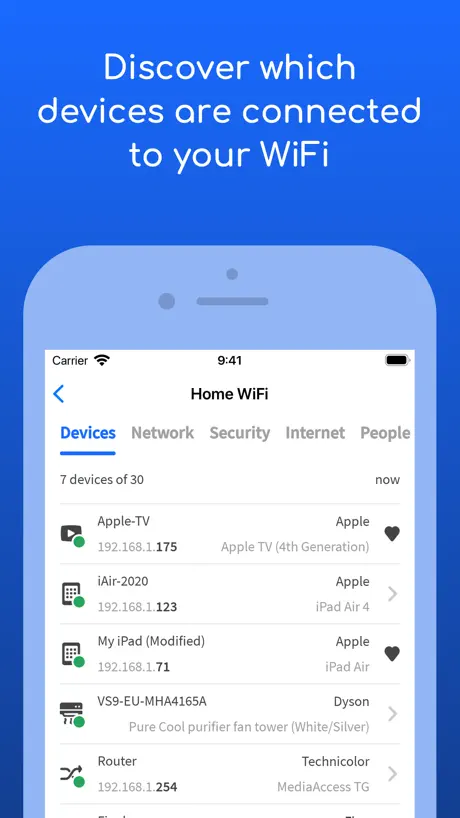  Fing - Network Scanner Fing - Network Scanner |   ASUS Router ASUS Router |   Mi Wi-Fi Mi Wi-Fi | 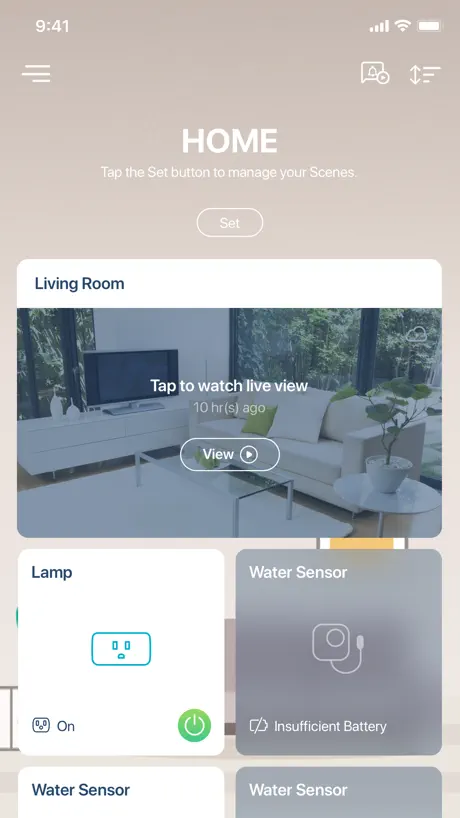  mydlink mydlink |   tpMiFi tpMiFi |   iNet - Network Scanner iNet - Network Scanner |   Router Keygen: WiFi Passwords Router Keygen: WiFi Passwords |   Network Toolbox Net security Network Toolbox Net security |   Wifi Password : Speed Analyzer Wifi Password : Speed Analyzer |   All Router Password Manager All Router Password Manager | |
|---|---|---|---|---|---|---|---|---|---|---|---|
| Rating / 5 | 4.1 | 4.6 | 4.6 | 4.4 | 4.5 | 4.7 | 4.5 | 2.7 | 4.6 | 4.1 | 4.2 |
| Reviews | 60K | 550K | 222K | 204K | 201K | 13K | 11K | 7.9K | 6.5K | 4.6K | 1.9K |
| Released | 2017 | 2011 | 2015 | 2014 | 2018 | 2015 | 2010 | 2016 | 2013 | 2024 | 2023 |
| Weekly price | — | — | — | — | — | — | — | — | $2.99 | $6.99 | $3.99 |
| Monthly price | — | $3.99 | — | — | $4.99 | — | — | — | $9.99 | $17.99 | $12.99 |
| Annual price | — | $39.99 | — | — | $24.99 | — | — | — | $29.99 | — | $39.99 |
| One-time price | — | — | — | — | — | — | $9.99 | $1.99 | — | $19.99 | $49.99 |
The going rate for each plan in United States, in its own currency, shaded from the cheapest price on the row to the dearest. Plans fewer than four in ten of the priced apps sell are left out.
D-Link Wi-Fi reviews
4.1 out of 5, based on 60,130 reviews.
What people like
- Simple setup takes about ten minutes
- Works well once it is running
- Good signal coverage for the price
What they complain about
- Requires constant reboots to stay connected
- Setup process is confusing and frustrating
- Frequent disconnections ruin the connection
Easy install
Took 10 minutes to install. Never had good internet downstairs, but now 4 devices and a TV working great.
So confusing to set up
No reason they make these steps so confusing and takes forever to setup!
Awesomeness
Awesomeness
Works but app is buggy
The app says network is down…repair now and nothing gets fixed after complete re install. I changed the ssid names to different same issue
緩慢
緩慢
Cove-X1862
Very annoying trying to get the two dlinks working together
Not working
I tried everything I can think of and it will not connect to my new wi-fi router
Password truncated
On the show password pop-up if the password is beyond a certain length it will be truncated and there is no way to copy it either.
.
Podria ser mas rapifo y mas facil de gestionar
Pete
Easy to setup, does what it says on the box. But every 2-3 weeks I have to reboot it to reconnect
Xtreme eventos
Mio
太烂了,绝对不应该买这个
时不时就掉线,受够了!
密碼怎麼輸都連不上
開機一段時間後,不管怎麼輸入密碼都連不上,即使密碼是正確的也一樣,需要重開機才能正常。 希望能有定時重開機的設定。
Device rxtender
Do not buy this piece of scrap wifi rxtender. You will be harast by configuring it very iften.
Not good quality as described
I am not able to connect after long time try and several resets
Great
Works well, simple to set up, range is good that this model offers
D-Link
On new device works right away on old stuff doesn’t want to load
測網速不見了?
之前可測網速現在怎麼不見了呢?
Just stopped working
It was great until it just wasn’t. Now nothing. No way to fix it. No one to speak to. Just errors everywhere. So I have internet. Well I have internet. Just no router. With no fixes. So yeah. Two stars. Broken. Stupid. Now totally worthless.
Confusing
It took me a few goes to get things sorted. I really started to think I was thick. It works well now and I’d give 5 stars if I could get those days back I wasted getting it right.
Works Prefect
Connect my DAP-1820 was easy. It works good.
Doesn’t work very well
I can’t get into the tools page as the app keeps directing me to set something up. It’s a frustrating app at best.
Comment
The router can Not be controlled when your phone is connecter to another network
Off and on
Off and on then extenders don’t extend
Not very good
Doesn’t have much of a range.
Super
Très bon router
Oversold and underdeveloped
Just don’t save yourself the time and money and don’t
4 stars
Overall it does what it’s designed to do. One change I like to see is : change the font color from light teal to black for better visibility .
Really slow and glitchy when setting up
Title says it all… i know extenders/repeats slow things down but this one’s absurd. My net gear one is about 1000 time better and don’t need an app. About this app. It took me about 20 cycle of trying and 5 different locations to connect with no avail and just sorta started over a bunch with no indication as to the problem.. and told me my phone wasn’t connect when it was and that I need to allow access to local network when I had allowed. End up connecting through WPS method. Currently I don’t see a use for the app and can do the same stuff through browser and the extenders IP address when connecting via WPS. The app design/navigation is nice for the 2nd star but that’s about it
Could be much better
A very confusing setup process. In order to make the unit act as an access point for an existing network, you have the first set it up as it's own independent Wi-Fi network and then change it to the wrongly named "Bridge Mode". It isn't Bridge Mode at all: it's actually Access Point mode. Frustrating that "Access Mode" as a setup option isn't provided. At one point, it stopped recognising the valid device password I had set and which worked for a while, and I had to log in via web interface to change it again. Very annoying, especially as there's no mechanism for resetting the device password if you've forgotten it or it stops accepting the right one. The only way is to do a complete hardware reset with a paper clip. Grrrrrr! Luckily, the multiple rejections of the valid password suddenly stopped and it accepted it again. Spent almost a whole day setting it up and making sure it was running properly. Should be far easier than that if all you want to do is connect it to an existing network to provide satellite wifi access.
Remarkable Router
does what it claims it does and does it brillianly
Changing wifi connection is over complicated and so far impossible
If you switch to a different wifi provider you must: 1. Deal with every sensor separately. 2. Delete each sensor and try to reinstall it rather than having an option just to change networks. 3. Have the patience of Job as the install fails again and again and again. The original installation was nothing like this. The need to do all of the above is absurd. So far, over an hour in I have precisely zero of eight or nine e sensors connected to the new wifi. This is progress?
Funciona bem
Mas poderia ser mais rápido para executar as operações
Reliable?
The device require constant reboots for config changes and each takes a few minutes. Stopped working after the first 24 hrs and required more troubleshooting. Upgrade of firmware may help but am keeping the packaging ready in case I need to return it.
D-Link DIR-822
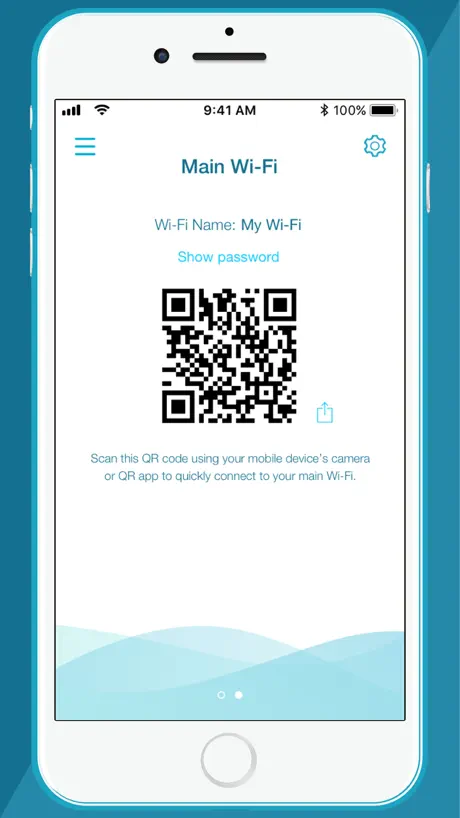
QR code instruction problem: Wi-Fi lights never turned green yet when I finally proceeded anyway it worked fine.
Setup easy
Really easy and quick. No problems with mine.
Too finicky
Its too finicky. Wish id never bought it.
設定
設定時連接太慢
Stabilité
Se déconnecte souvant
Streamer no wireless connect
Advance acoustic streamer would not connect
Works for me!
Haven't had an issue
Always on repair page
Never works with my WiFi extender
Good App, But need Improvement
App initialisation on iPhone takes too much time & several time doesn’t identify / show devices even on same network unless we kill the App & restart. Definitely need improvement on this. Few major improvement needed - 1. Internet Speed Check option. If it can be made available on main screen it will help a lot. 2. Device Restart option not available, please add. 3. Guest Network Usage Policy (Restriction on Number of Users Per Day and/or Data Usage)
Failure
Never extended a Wifi network without it being an ordeal (all of three times). After a recommended reset, the app isn’t ready when the device is to pair. It scans the QR code and won’t wait for user input on subsequent steps. Now it won’t follow its own steps to connect. Guess I’ll be buying a competitor’s extender tomorrow. Thought this one would be good as my home D-link works well.
Connection reliability
Disconnects often
Yo
Yo
Dumb problem that buyers can’t fix
It will tell you to connect to a network that doesn’t exist, meaning you literally can’t setup your box because there’s no network for the required part, also the loading times are fake. If you press the next button when it tells you to plug the box in and just don’t plug it in, it will start going up in percentage even though there’s no power in the box
Bra system för det priset.
Bra täckning men lite seg app. Lätt att installera. Köpte det på Kjell o Co på rea. Väldigt prisvärt.
My phone refuses to link with dlink
I tried everything closer-further Bluetooth on off but nothing seems to work it keeps repeating unable to join D-Link network. I am going to order a new one if I have to but I still want to keep this, please help me.
Wifi signal strength in other room
Wifi is not getting connected to device (TV) in other room.showing bad signal strength on connecting
D-Link Wi-Fi FAQ
- Is D-Link Wi-Fi free?
- Yes. The app is free, in all 175 countries it sells in, and it sells nothing inside it.
- Does D-Link Wi-Fi have a free trial?
- No. None of its offers (US) come with a free trial.
- What are the best alternatives to D-Link Wi-Fi?
- Fing - Network Scanner (4.6 from 549,831 reviews, premium from $0.99), ASUS Router (4.6 from 222,462 reviews) and Mi Wi-Fi (4.4 from 204,320 reviews).
D-Link Wi-Fi download
Last updated 3 years ago.
D-Link Wi-Fi sells in 175 countries. It was released 9 years and 3 months ago, on 7 Jul 2017. It holds a 4.1 rating from 60,130 reviews.
Supports 25 languages: English, Bulgarian, Croatian, Czech, Danish, Dutch, Finnish, French, German, Greek, Hungarian, Italian, Japanese, Korean, Norwegian Bokmål, Polish, Portuguese, Romanian, Russian, Chinese, Slovak, Slovenian, Spanish, Swedish, Turkish.
How much does D-Link Wi-Fi make?
Third-party estimates for the last 30 days, worldwide — not the store's own figures, which Apple publishes for nobody.