
Mi Wi-Fi
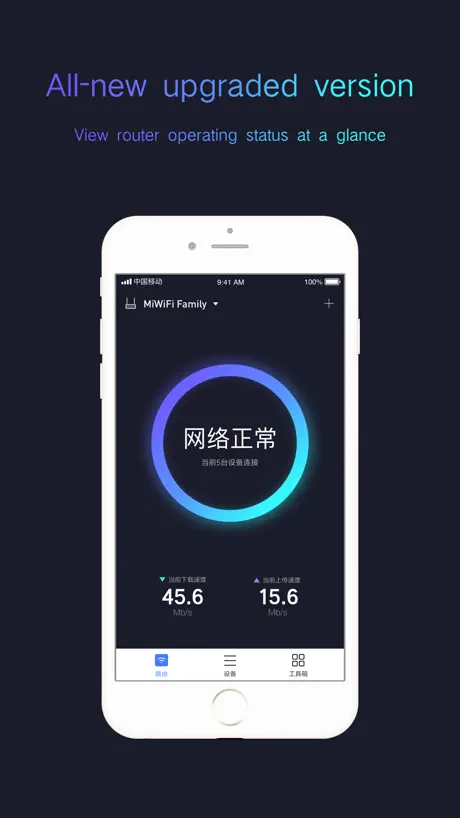
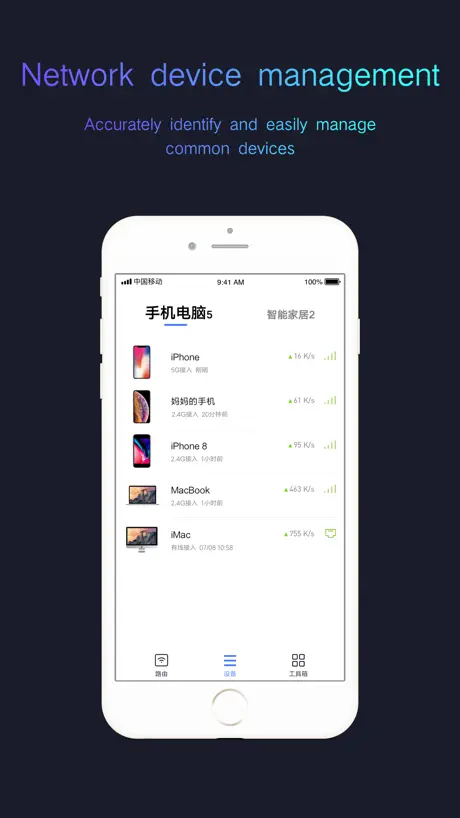

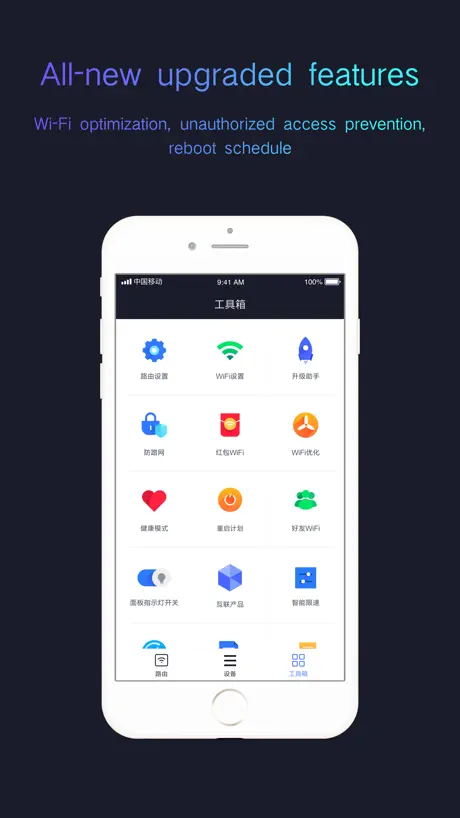
How much does Mi Wi-Fi cost?
Prices are current as of 8 Sept 2026.
Mi Wi-Fi has no in-app products on record in the United States.
10+ alternatives to Mi Wi-Fi
| Mi Wi-Fi |   拦截100-浏览器广告拦截油猴脚本 拦截100-浏览器广告拦截油猴脚本 |   天翼云盘-家庭云•相册共享•云回看 天翼云盘-家庭云•相册共享•云回看 |   天成账号管家 天成账号管家 |   小米打印 小米打印 |   Ctfile Ctfile | 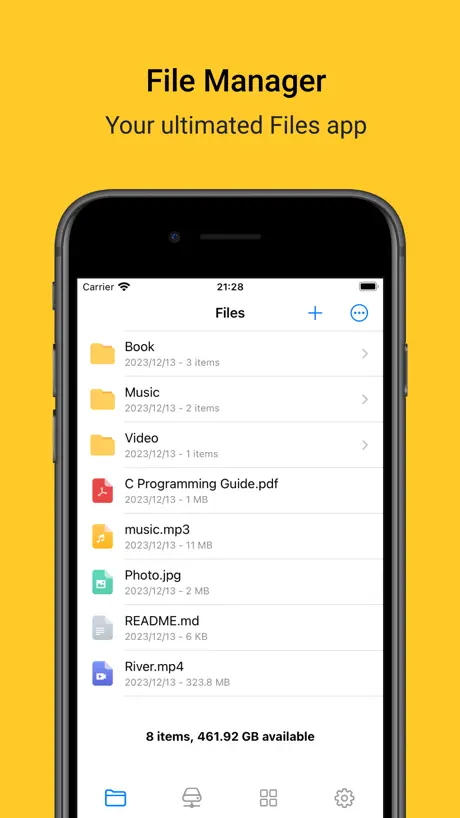  Filebar - media player Filebar - media player |   比特球网盘-宅磁力,链接下载,云端播放器 比特球网盘-宅磁力,链接下载,云端播放器 | 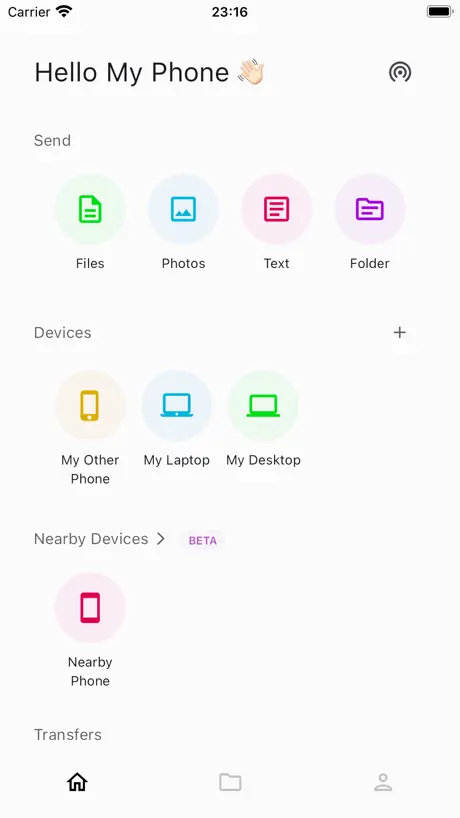  LANDrop LANDrop |   磁力宅智存-随意搜,智能存,流畅播 磁力宅智存-随意搜,智能存,流畅播 | |
|---|---|---|---|---|---|---|---|---|---|---|
| Rating / 5 | 4.4 | 4.5 | 3.9 | 2.1 | 3.8 | 1.7 | 4.3 | 3.0 | 4.2 | 2.4 |
| Reviews | 204K | 31K | 9.4K | 3K | 2.3K | 2.1K | 2K | 1.2K | 1.2K | 646 |
| Released | 2014 | 2021 | 2012 | 2014 | 2020 | 2018 | 2021 | 2018 | 2021 | 2023 |
| Monthly price | — | $1.99 | $0.99 | — | $2.99 | $3.99 | — | $4.99 | — | — |
| 3-month price | — | $0.99 | $7.99 | — | — | $8.99 | — | — | — | — |
| Annual price | — | $2.49 | $14.99 | — | — | $14.99 | — | $39.99 | — | — |
| One-time price | — | $14.99 | $3.99 | — | $8.99 | $1.49 | $9.99 | $8.99 | — | — |
The going rate for each plan in United States, in its own currency, shaded from the cheapest price on the row to the dearest. Plans fewer than four in ten of the priced apps sell are left out.
Mi Wi-Fi reviews
4.4 out of 5, based on 204,320 reviews.
What people like
- Great firewall and guest access
- Simple design and easy use
- Useful bandwidth control features
What they complain about
- App crashes constantly on launch
- Fails to detect your router
- Does not support newest devices
- Shows offline when router works
6
好用
Notifications Need to Upgrade
When Any device is connect to router it shows MAC Address instead of Device name please fix this to Device name Including Device info with latest models
Добре
Працює
打不开
打不开不好
Bad ui
Sometimes it’s unusable and confusing
可以
不错
I feel this app is dead now
This app doesn't work any more.
Не знаю что писать в заголовке
Не знаю почему у вас не находит устройство, но у меня все работает. Подключился давно, не помню как. Вот только после ваших таких комментов не хочу пробовать все делать заново). А так по приложению есть что исправить и последнее обновление было 1г назад. Походу забросили приложение разрабы.
搜索不到小米路由器
这个App存在一个非常严重的Bug,重装后搜不到路由器了。明明手机连着路由器的Wifi,却搜不到。明明你自家的设备却搜不到。而且没有任何问题说明,完全空白。如果有什么原因至少说明一下,而不是什么也不显示。为什么到今天还存在这么严重的Bug,我对小米的产品能力产生了怀疑。
Mi wi fi
Почему резко перестал работать интернет да все просто приложение не может связаться с правайдером так что вот так ребятушки 🫶
好
好
Very pathetic
App not sending notifications to phone. Also not able to assign the type and product from the view details as it is showing only empty..
4с
Не подключался. Сбросил роутер и подключился.
Crash
As i open the app …it crashes …how do i setup my wifi 😔
Не находит роутер
Не находит второй роутер
一群招笑玩意
所有路由器产品都并入米家了 还在这喷 有这功夫不如去下个米家 🤡
Crashing
Continuously Crashing on 13 pro max.
Please update the app to support the new device.
please update the app to support new devices. mihome app cannot be as good as this app, centralized management, not just wifi management like this separate app. mihome is much worse, i have a new be6500 pro device, it cannot mesh with 3 ax6000 devices on mihome app, have to set up mesh on the web. please update to support new devices, specifically BE6500 pro for example. Thanks!
QR scanner
There should be qr scanner to connect with wifi to make it repeater ,i am not able to use my hidden wifi nor add my network
Обновление
Где обновление? Добавьте новые версии устройств Apple
不错
不错
Mi wifi not opening in iPhone 13 pro max
I can’t open mi wifi apps . Please fix it no improvement
BE7000
Please support the BE7000 router.
Couldn’t connect to app
Router is connected to the app but it’s showing route is offline what should i do for it…
Не видит роутер
Я пробыл переустановить приложение, сбросить роутер. Всё равно не видит.
好
不错
Older
Kindly update. This is not work properly.
Doesn’t work with the new 6500Pro
It works great with my old RedMi AX5400 gaming router but it doesn’t support the newly BE6500pro router. Looking forward for the new update which can also support for the latest router
For me it’s crashing
Crashing
+
Не вистачає покажчика швидкості мережи.
小米路由器
很好
Disaster
I am using mi4c router and trying to login to my router from the app. But every time when I try to enter the app, the app crashes. Please fix it as soon as possible.
Fine app; would be better if clarify the update issue
App with fine and simple design. I saw a lot of comments on the update issue, which you can actually bypass by selecting the “auto-update while idle” function during router install. This, however, was not mentioned anywhere until you discover it yourself. Recommendation: Mi will be great if there’s like a youtube channel (just video clips for a few minutes) to show step-by-step installation. Nevertheless, a fine app with good design.
Nice app with few problems
I gave 3 stars but reducing it to 2 because some functionalities of the app just fail to perform sometimes. And the main reason for this rating is that I’m not able to use the Mi Router 3G in India while setting the region as India. And also there is no support for English language for that router! Even when the router is online and running, the app says router is currently offline.
Не зрозуміло
Додаток може й не поганий але доєднатися до існуючого роутера не можливо, нічього не працює
It’s better
Using it for a while. Enjoying. Features updated
Can’t even create an account
App does not let me set the password. Tried different combinations, but throw an invalid error. Also tried with sms login, still waiting for the otp. Waste of time !!
幾好用😀
😃😃😃
Not as good as...
As a user, Using it on both operating system from a long time am shocked that its quite buggy here. The connected device list feature doesnt seem to work properly most of the time. If i have to block someone on my network it struggles to show the list. Please improve this.
No New Devices in List
This app does not show the latest version of Any smartphone brand like iPhone XS Max is the only latest divices shown in this app and apple watch series is nit listed
Excellent
Excellent app
My MI router having issues after updating
so many bugs
Mi WiFi
Good App and easy to use
WiFi timer not working from long time
WiFi timer not working, it changes the time to AM instead of PM post setup and doesn’t turn off / restrict internet usage during selected time. Have sent this feedback through internal application to the support team many times earlier, it’s more than 5 months and the issue is still not resolved. This is one of the main feature of managed router and without this it’s useless to buy such devices. The similar option is not available when login to the router using web browser through PC, very inconvenient.
Special Characters In Password is Not Supported
It’s very ODD to experience that we cannot enter special characters in password section (Such as $ sign). I had my main router set with ($) character for more security purposes, but here when I try to use it, it SAYS NOT SUPPORTED. For this reason I am not able to use the 4C Router as an Repeater in wireless mode. I hope MI will fix this problem. Thanks
Wifi timer and speed cap
Awesome hardware and software. The eye-catching feature is wifi timer and speed capping. The app in itself has awesome features and firewall helps our network to be safe. Guest have separate credentials makes it a wow feature. See who is connected and control who gets what bandwidth. My 100% recommendation
Mi WiFi
I have 02 Mi WiFi and literally I am frustrated with every time need to change as this router easily get hacked by mi phone. Need something different and improvement in app as well.
Need a Daily Data usage limiter option
App is rated 3/5 but need a custom data usage limiter option that helps in restricting usage per day for all the connected devices.
Not working in IOS
Its not working. It always says Router offline. Restarted the router and completely configured again but no luck. App is not working.
使用旁白是無法同意用戶條款
無法同意用戶條款,導致無法使用應用程式
Mi Wi-Fi FAQ
- Is Mi Wi-Fi free?
- Yes. The app is free, in all 175 countries it sells in, and it sells nothing inside it.
- Does Mi Wi-Fi have a free trial?
- No. None of its offers (US) come with a free trial.
- What are the best alternatives to Mi Wi-Fi?
- 拦截100-浏览器广告拦截油猴脚本 (4.5 from 31,004 reviews, premium from $0.49), 天翼云盘-家庭云•相册共享•云回看 (3.9 from 9,446 reviews, premium from $0.99) and 天成账号管家 (2.1 from 3,016 reviews).
Mi Wi-Fi download
Last updated 2 years ago.
Mi Wi-Fi sells in 175 countries. It was released 12 years and 5 months ago, on 24 Apr 2014. It holds a 4.4 rating from 204,320 reviews.
Supports 32 languages: English, Arabic, Catalan, Croatian, Czech, Danish, Dutch, Finnish, French, German, Greek, Hebrew, Hindi, Hungarian, Indonesian, Italian, Japanese, Korean, Malay, Norwegian Bokmål, Polish, Portuguese, Romanian, Russian, Chinese, Slovak, Spanish, Swedish, Thai, Turkish, Ukrainian, Vietnamese.
How much does Mi Wi-Fi make?
Third-party estimates for the last 30 days, worldwide — not the store's own figures, which Apple publishes for nobody.