
AI Scanner : Image to Text
OCR Text Scanner, PDF Scanner
How much does AI Scanner : Image to Text cost?
Prices are current as of 5 Oct 2026.
3 subscriptions from $3.99
In the United States, AI Scanner : Image to Text has 3 subscriptions priced $3.99 – 59.99.
| Subscription | Period | Price |
|---|---|---|
| Premium Monthly Saver | Monthly | $3.99 |
| Unlimited Scans Monthly | Monthly | $7.99 |
| Unlimited Scans Yearly | Annual | $59.99 |
1 one-time purchase from $0.99
In the United States, AI Scanner : Image to Text has 1 one-time purchase priced $0.99.
| Product | Price |
|---|---|
| Extra Scans | $0.99 |
See what AI Scanner : Image to Text costs in all 175 countries →
10+ alternatives to AI Scanner : Image to Text
| AI Scanner : Image to Text |   Scan & Translate+ Text Grabber Scan & Translate+ Text Grabber |   Voice to Text - Dictate Speech Voice to Text - Dictate Speech |   QuickScan:PDF OCR Text Scanner QuickScan:PDF OCR Text Scanner |   Handwriting to Text PenToPrint Handwriting to Text PenToPrint |   Text Capture: Image to Text Text Capture: Image to Text |   Text Summary: TLDR Summarize Text Summary: TLDR Summarize |   Word to PDF Converter - Reader Word to PDF Converter - Reader |   Text Scanner OCR App: OCR Scan Text Scanner OCR App: OCR Scan |   Text Scanner & Image to Text Text Scanner & Image to Text |   Almighty Scanner-Picture2Text Almighty Scanner-Picture2Text | |
|---|---|---|---|---|---|---|---|---|---|---|---|
| Rating / 5 | 4.6 | 4.4 | 4.4 | 4.9 | 4.4 | 4.5 | 4.4 | 4.1 | 4.6 | 4.5 | 4.2 |
| Reviews | 39K | 138K | 42K | 33K | 14K | 8.3K | 3.8K | 3.6K | 3.2K | 2.4K | 1.9K |
| Released | 2017 | 2014 | 2016 | 2020 | 2017 | 2019 | 2021 | 2019 | 2021 | 2020 | 2019 |
| Weekly price | — | — | $4.99 | — | — | — | $1.99 | $4.99 | $2.99 | — | — |
| Monthly price | $3.99 | $7.49 | $4.99 | $4.99 | $4.99 | — | $3.99 | $9.99 | $8.99 | $3.99 | $4.99 |
| Annual price | $59.99 | $39.99 | $17.99 | $19.99 | $24.99 | — | — | $19.99 | $24.99 | $19.99 | $14.99 |
| One-time price | $0.99 | $1.99 | $69.99 | $24.99 | $4.99 | $3.99 | — | $4.99 | $49.99 | $39.99 | $19.99 |
The going rate for each plan in United States, in its own currency, shaded from the cheapest price on the row to the dearest. Plans fewer than four in ten of the priced apps sell are left out.
AI Scanner : Image to Text reviews
4.6 out of 5, based on 38,864 reviews.
What people like
- Printed text extraction works very well and accurately.
- Saves tons of time typing out contact lists manually.
- Simple, user-friendly interface that gets the job done.
What they complain about
- Ads pop up after every single scan.
- Free version limits you to just a few scans daily.
- Handwriting recognition is often inaccurate and frustrating.
- App crashes or fails on older devices like iPhone SE.
Perfect scanner
It’s awesome for handwriting
Ridiculous money grab
Don’t purchase this notebook. It’s a waste of money.
Cool notebook
This is so cool! Will definitely come in handy for school. 💗💗
A Lot of Steps
A lot of extra steps that are unnecessary. Ads in the way too. But it’s not forcing me into the paywall so far. Every few scans it makes the paragraphs like half pages. The first time I scanned it again and copied it again. Annoying that I had to redo it to get it to work. Unfortunately on the second time I can’t get it to stop formatting the txt like this. Too long of a process to fix manually for the volume I’m working with. I think it’s time to look for another app that functions more consistently.
Paid version not worth it
The only thing you really get for the paid version is (1) no adds, and (2) more scans per day. There’s no batch upload—you still have to add the scans one by one. It is tedious and boring and I can’t imagine anyone wanting to do more than five of these a day. Just use the free version.
Perfect
Efficient
Why need online?
The app net connection. But, I don’t want to expose my info to public!!! So, it’s useless to me!!!!
Text
Texted
NOT FREE
I don’t mind the usual adds on top or bottom of the screen, but only allowing 4 free scans per day unless you watch adds that are way too long: that’s not really free! It’s being held hostage.
Meh
Fairly accurate on French hand-writing, but FAR LESS than the claimed 99%. After correcting the errors, I knew that reading it into Dictation would have been faster. One of the errors was converting “mil huit cent quatre-vingt le vingt-un mars” to “mil huit cent quatre-vingt-un mars”
Amazing!
Get it!
To many ads
Every scan you have ads. Would pay for app if no ads
Outstanding aap
All the best for our best future Al Text Scanner aap your amazing .Do your best and like this is 🌸
Garbage
The text converter that comes with iPhone is way easier to use than this piece of cr*p, which can’t even highlight text well for extraction. Total waste of money.
Tedious and unreliable
Gave 3 only because for most part captured all writing. Tried to email several times and never went through.cancelled subscription
Excellent app
This app is excellent. It’s so easy and user friendly!
Ridiculous
Ads, Temu links, stupid games, and only captured one scan. Don’t waste your money
Helpful
This is a helpful app.
Ads are irritating
This app is good to work with but after every single click there is an ad. And it wastes a lots of time.
works fine
it works but spams you with ads i can understand they need to make money but its just a lot, half the time the ads bug and make me restart the app, just for the ads to not count and make me watch them again to keep scanning. good app but the ads gotta at least work correctly if you’re gonna spam so many in
The best
Used for years, by far the best
Awful app with lots of ads and incorrect OCR
It shows ads after every picture is loaded and shows incorrect OCR even for a clean picture
Rate
Good
Great pic to text
This is the only free app I’ve found that works for taking the text from a picture into a text document. You have to watch ads, which is a pain but understandable.
#1 in my book
So far so good .
Phenomenal
Does what it says it does, supports the full use case, minimal ads and tracking — just as a good app should.
It wasn't good
I downloaded it and took a picture of a paper I wrote and it just said gibberish. I tried it again and it still showed gibberish. My handwriting is not even that bad its just a little crooked but it mistaked the word "It" and said "15" I dont reccomend
Good interface, excellent results
This gets the job done perfectly. Lots of option to save or share ; or to select file or photo
Copying
First of all I had to use image Capture to copy the text then I copied into the text scanner, but can not copy out or Drag and drop?
User Occasional
Work done quickly. Good App. Thank you.
Great For Writing Lyrics
This app is perfect for me. As a producer and songwriter I’m able to covert my lyrics into a text file for my artist.
Don't bother
Don't bother to download this "Free user limited for 4scans/day. you should upgrade .............. to remove this limit........
It’s free.. and if you’re trying to copy text from 1 screenshot it’s great! I love it! BUT IF….
Like I was saying if it’s handwritten DONT DO IT!! It’s always incorrect and your spending more time trying to figure out what it’s supposed to be saying and your deleting most of it… and if your trying to do a couple different snap shots at a time… DONT!! I think you could get away W/ 2 in a row but after that it’s an ad in between so that’s why I haven’t been using it as much I’ve just been coping text in photos.., but ya ads are a real drag.. hope this helps
it is not working for me
it is not working for me
Me enganou
O app em si é ótimo, mas eu usei 3 imagens e já começou a me cobrar.
Best life savior
I’m so in love with this app, it has saved me so much time typing and a lot of pain.
can’t use pdf of image
Wanted to test this out. Fell for it twice. I have hand written notes I scanned onto my computer (Pdf). Tried to use that file but can’t upload. don’t see anything on what image file this tool will actually use. But it isn’t a pdf image
Performance
A good app that is responsive to user’s needs
لايدعم اللغة العربيه
لايدعم اللغه العربية
Limitado
É gratuito apenas para 5 textos por dia.
Better than expected
This does absolutely great for capturing text on paper or anything else. I use it for work all the time.
OCR scanner
Doesn’t work on iPhone SE
Great, but wish it kept the format layout of the text instead of a text dump.
Worthy of 4 stars.
bom
mas podia ter a opção de scanear mais vezes ao dia (só tem como scanear 5 vezes por dia) e as vezes ele scaneia algumas palavras erradas ou frases sem espaço entre as palavras (tipoassim)
SAVED ME HOURS OF TYPING
I’m a photographer and I received contact list that were handwritten from over 50 students with phone number name email classes they enrolled in and I needed to send an email to everybody so that meant typing out by hand every child contact form instead I uploaded all of them at the same time and it typed it up for me within seconds and I could just copy and paste it made my life so much easier. you can do it for free one at a time, but I paid for it so that I could do them in batches.
terrible handwritten to text conversion despite clear print
doesn’t do what i need it to do
Crashing on iOS 9.3.5
Great app. Used to work on iPad 3 before update. Now it crashes during launch.
Not for handwriting
Got this to scan Hand written notes. It doesn’t do this !
AI Scanner : Image to Text price by country
A monthly subscription costs $0.79 in Turkey and $6.01 in Colombia — 8× more for the same thing. Below is the going rate for each plan in every country that sells it — the middle price of what the app charges there, in the country's own currency with the dollar equivalent beneath it.
| Country | Monthly | Annual | One-time |
|---|---|---|---|
| Afghanistan | $3.99 | $59.99 | $0.99 |
| Albania | $4.99 | $69.99 | $0.99 |
| Algeria | $3.99 | $59.99 | $0.99 |
| Angola | $3.99 | $59.99 | $0.99 |
| Anguilla | $3.99 | $59.99 | $0.99 |
| Antigua And Barbuda | $3.99 | $59.99 | $0.99 |
| Argentina | $3.99 | $59.99 | $0.99 |
| Armenia | $4.99 | $69.99 | $0.99 |
| Australia | A$5.99$4.16 | A$99.99$69.44 | A$1.99$1.38 |
| Austria | €3.99$4.49 | €69.99$78.73 | €0.99$1.11 |
| Azerbaijan | $4.99 | $69.99 | $0.99 |
| Bahamas | $3.99 | $69.99 | $0.99 |
| Bahrain | $3.99 | $69.99 | $0.99 |
| Barbados | $4.99 | $69.99 | $0.99 |
| Belarus | $4.99 | $69.99 | $0.99 |
| Belgium | €3.99$4.49 | €69.99$78.73 | €0.99$1.11 |
| Belize | $3.99 | $59.99 | $0.99 |
| Benin | $4.99 | $69.99 | $0.99 |
| Bermuda | $3.99 | $59.99 | $0.99 |
| Bhutan | $3.99 | $59.99 | $0.99 |
| Bolivia | $3.99 | $59.99 | $0.99 |
| Bosnia & Herzegovina | €3.99$4.49 | €69.99$78.73 | €0.99$1.11 |
| Botswana | $3.99 | $59.99 | $0.99 |
| Brazil | R$24.90$4.77 | R$399.90$76.61 | R$6.90$1.32 |
| British Virgin Islands | $3.99 | $59.99 | $0.99 |
| Brunei Darussalam | $3.99 | $59.99 | $0.99 |
| Bulgaria | €3.99$4.49 | €69.99$78.73 | €0.99$1.11 |
| Burkina Faso | $3.99 | $59.99 | $0.99 |
| Cambodia | $3.99 | $69.99 | $0.99 |
| Cameroon | $4.99 | $69.99 | $0.99 |
| Canada | CA$4.99$3.51 | CA$79.99$56.33 | CA$0.99$0.70 |
| Cape Verde | $3.99 | $59.99 | $0.99 |
| Cayman Islands | $3.99 | $59.99 | $0.99 |
| Chad | $3.99 | $59.99 | $0.99 |
| Chile | CLP 4,900$4.96 | CLP 69,990$70.84 | CLP 990$1.00 |
| China | CN¥28.00$4.17 | CN¥398.00$59.31 | CN¥8.00$1.19 |
| Colombia | COP 19,900$6.01 | COP 299,900$90.64 | COP 4,900$1.48 |
| Congo | $3.99 | $59.99 | $0.99 |
| Congo, Democratic Republic | $3.99 | $59.99 | $0.99 |
| Costa Rica | $3.99 | $59.99 | $0.99 |
| Cote Divoire | $4.99 | $69.99 | $0.99 |
| Croatia | €3.99$4.49 | €69.99$78.73 | €0.99$1.11 |
| Cyprus | €3.99$4.49 | €69.99$78.73 | €0.99$1.11 |
| Czech Republic | CZK 99.00$4.56 | CZK 1,490.00$68.57 | CZK 29.00$1.33 |
| Denmark | DKK 39.00$5.86 | DKK 499.00$75.04 | DKK 9.00$1.35 |
| Dominica | $3.99 | $59.99 | $0.99 |
| Dominican Republic | $3.99 | $59.99 | $0.99 |
| Ecuador | $3.99 | $59.99 | $0.99 |
| Egypt | EGP 159.99$3.06 | EGP 2,999.99$57.42 | EGP 49.99$0.96 |
| El Salvador | $3.99 | $59.99 | $0.99 |
| Estonia | €3.99$4.49 | €69.99$78.73 | €0.99$1.11 |
| Fiji | $3.99 | $59.99 | $0.99 |
| Finland | €3.99$4.49 | €69.99$78.73 | €0.99$1.11 |
| France | €3.99$4.49 | €69.99$78.73 | €0.99$1.11 |
| Gabon | $3.99 | $59.99 | $0.99 |
| Gambia | $3.99 | $59.99 | $0.99 |
| Georgia | $4.99 | $69.99 | $0.99 |
| Germany | €3.99$4.64 | €69.99$81.38 | €0.99$1.15 |
| Ghana | $4.99 | $69.99 | $0.99 |
| Greece | €3.99$4.49 | €69.99$78.73 | €0.99$1.11 |
| Grenada | $3.99 | $59.99 | $0.99 |
| Guatemala | $3.99 | $59.99 | $0.99 |
| Guinea-bissau | $3.99 | $59.99 | $0.99 |
| Guyana | $3.99 | $59.99 | $0.99 |
| Honduras | $3.99 | $59.99 | $0.99 |
| Hong Kong | HK$32.00$4.08 | HK$488.00$62.17 | HK$8.00$1.02 |
| Hungary | HUF 1,790$5.46 | HUF 24,990$76.27 | HUF 499$1.52 |
| Iceland | $4.99 | $69.99 | $0.99 |
| India | ₹399.00$4.14 | ₹5,900.00$61.20 | ₹149.00$1.55 |
| Indonesia | IDR 69,000$3.91 | IDR 999,000$56.67 | IDR 19,000$1.08 |
| Iraq | $3.99 | $59.99 | $0.99 |
| Ireland | €3.99$4.49 | €69.99$78.73 | €0.99$1.11 |
| Israel | ₪14.90$4.90 | ₪199.90$65.76 | ₪2.90$0.95 |
| Italy | €3.99$4.49 | €69.99$78.73 | €0.99$1.11 |
| Jamaica | $3.99 | $59.99 | $0.99 |
| Japan | ¥600$3.80 | ¥10,000$63.40 | ¥150$0.95 |
| Jordan | $3.99 | $59.99 | $0.99 |
| Kazakhstan | KZT 2,490.00$5.55 | KZT 34,990.00$77.96 | KZT 499.00$1.11 |
| Kenya | $4.99 | $69.99 | $0.99 |
| Kosovo | €3.99$4.49 | €69.99$78.73 | €0.99$1.11 |
| Kuwait | $3.99 | $59.99 | $0.99 |
| Kyrgyzstan | $3.99 | $69.99 | $0.99 |
| Lao Peoples Democratic Republic | $3.99 | $69.99 | $0.99 |
| Latvia | €3.99$4.49 | €69.99$78.73 | €0.99$1.11 |
| Lebanon | $3.99 | $59.99 | $0.99 |
| Liberia | $3.99 | $59.99 | $0.99 |
| Libya | $3.99 | $59.99 | $0.99 |
| Lithuania | €3.99$4.49 | €69.99$78.73 | €0.99$1.11 |
| Luxembourg | €3.99$4.49 | €69.99$78.73 | €0.99$1.11 |
| Macao | $3.99 | $59.99 | $0.99 |
| Macedonia | $3.99 | $59.99 | $0.99 |
| Madagascar | $3.99 | $59.99 | $0.99 |
| Malawi | $3.99 | $59.99 | $0.99 |
| Malaysia | MYR 19.90$4.88 | MYR 299.90$73.50 | MYR 4.90$1.20 |
| Maldives | $3.99 | $59.99 | $0.99 |
| Mali | $3.99 | $59.99 | $0.99 |
| Malta | €3.99$4.49 | €69.99$78.73 | €0.99$1.11 |
| Mauritania | $3.99 | $59.99 | $0.99 |
| Mauritius | $4.99 | $69.99 | $0.99 |
| Mexico | MX$89.00$4.89 | MX$1,299.00$71.41 | MX$19.00$1.04 |
| Micronesia | $3.99 | $59.99 | $0.99 |
| Moldova | $4.99 | $69.99 | $0.99 |
| Mongolia | $3.99 | $59.99 | $0.99 |
| Montenegro | €3.99$4.49 | €59.99$67.48 | €0.99$1.11 |
| Montserrat | $3.99 | $59.99 | $0.99 |
| Morocco | $3.99 | $59.99 | $0.99 |
| Mozambique | $3.99 | $59.99 | $0.99 |
| Myanmar | $3.99 | $59.99 | $0.99 |
| Namibia | $3.99 | $59.99 | $0.99 |
| Nauru | $3.99 | $59.99 | $0.99 |
| Nepal | $4.99 | $69.99 | $0.99 |
| Netherlands | €3.99$4.49 | €69.99$78.73 | €0.99$1.11 |
| New Zealand | NZ$6.99$3.93 | NZ$99.99$56.17 | NZ$1.99$1.12 |
| Nicaragua | $3.99 | $59.99 | $0.99 |
| Niger | $3.99 | $59.99 | $0.99 |
| Nigeria | NGN 2,900.00$2.18 | NGN 99,900.00$75.04 | NGN 1,500.00$1.13 |
| Norway | NOK 49.00$5.09 | NOK 799.00$83.06 | NOK 9.00$0.94 |
| Oman | $3.99 | $59.99 | $0.99 |
| Pakistan | PKR 920$3.32 | PKR 14,900$53.70 | PKR 300$1.08 |
| Palau | $3.99 | $59.99 | $0.99 |
| Panama | $3.99 | $59.99 | $0.99 |
| Papua New Guinea | $3.99 | $59.99 | $0.99 |
| Paraguay | $3.99 | $59.99 | $0.99 |
| Peru | PEN 17.90$5.17 | PEN 249.90$72.23 | PEN 4.90$1.42 |
| Philippines | ₱249.00$4.04 | ₱3,990.00$64.69 | ₱49.00$0.79 |
| Poland | PLN 19.99$5.13 | PLN 299.99$76.92 | PLN 4.99$1.28 |
| Portugal | €3.99$4.49 | €69.99$78.73 | €0.99$1.11 |
| Qatar | QAR 14.99$4.12 | QAR 199.99$54.94 | QAR 2.99$0.82 |
| Romania | RON 19.99$4.21 | RON 299.99$63.16 | RON 4.99$1.05 |
| Russia | RUB 349.00$4.16 | RUB 4,990.00$59.53 | RUB 99.00$1.18 |
| Rwanda | $3.99 | $59.99 | $0.99 |
| Sao Tome & Principe | $3.99 | $59.99 | $0.99 |
| Saudi Arabia | SAR 17.99$4.80 | SAR 249.99$66.66 | SAR 4.99$1.33 |
| Senegal | $4.99 | $69.99 | $0.99 |
| Serbia | €3.99$4.49 | €69.99$78.73 | €0.99$1.11 |
| Seychelles | $3.99 | $59.99 | $0.99 |
| Sierra Leone | $3.99 | $59.99 | $0.99 |
| Singapore | SGD 5.98$4.67 | SGD 89.98$70.30 | SGD 0.98$0.77 |
| Slovakia | €3.99$4.49 | €69.99$78.73 | €0.99$1.11 |
| Slovenia | €3.99$4.49 | €69.99$78.73 | €0.99$1.11 |
| Solomon Islands | $3.99 | $59.99 | $0.99 |
| South Africa | ZAR 79.99$4.80 | ZAR 1,199.99$72.03 | ZAR 19.99$1.20 |
| South Korea | ₩6,600$4.91 | ₩99,000$73.63 | ₩1,100$0.82 |
| Spain | €3.99$4.49 | €69.99$78.73 | €0.99$1.11 |
| Sri Lanka | $3.99 | $59.99 | $0.99 |
| St. Kitts and Nevis | $3.99 | $59.99 | $0.99 |
| St. Lucia | $3.99 | $59.99 | $0.99 |
| St. Vincent & The Grenadines | $3.99 | $59.99 | $0.99 |
| Suriname | $3.99 | $69.99 | $0.99 |
| Swaziland | $3.99 | $59.99 | $0.99 |
| Sweden | SEK 49.00$4.88 | SEK 799.00$79.58 | SEK 9.00$0.90 |
| Switzerland | CHF 3.00$3.62 | CHF 50.00$60.39 | CHF 1.00$1.21 |
| Taiwan | NT$120.00$3.77 | NT$1,990.00$62.44 | NT$30.00$0.94 |
| Tajikistan | $3.99 | $69.99 | $0.99 |
| Tanzania | TZS 11,900.00$4.49 | TZS 179,900.00$67.95 | TZS 2,900.00$1.10 |
| Thailand | THB 149.00$4.44 | THB 1,990.00$59.28 | THB 29.00$0.86 |
| Tonga | $3.99 | $59.99 | $0.99 |
| Trinidad and Tobago | $3.99 | $59.99 | $0.99 |
| Tunisia | $3.99 | $59.99 | $0.99 |
| Turkey | TRY 38.99$0.79 | TRY 2,999.99$61.03 | TRY 49.99$1.02 |
| Turkmenistan | $3.99 | $59.99 | $0.99 |
| Turks and Caicos | $3.99 | $59.99 | $0.99 |
| Uganda | $4.99 | $69.99 | $0.99 |
| Ukraine | $4.99 | $69.99 | $0.99 |
| United Arab Emirates | AED 14.99$4.08 | AED 229.99$62.67 | AED 2.99$0.81 |
| United Kingdom | £3.99$5.28 | £59.99$79.35 | £0.99$1.31 |
| United States | $3.99 | $59.99 | $0.99 |
| Uruguay | $3.99 | $59.99 | $0.99 |
| Uzbekistan | $3.99 | $69.99 | $0.99 |
| Vanuatu | $3.99 | $59.99 | $0.99 |
| Venezuela | $3.99 | $59.99 | $0.99 |
| Vietnam | ₫119,000$4.59 | ₫1,999,000$77.04 | ₫29,000$1.12 |
| Yemen | $3.99 | $59.99 | $0.99 |
| Zambia | $4.99 | $69.99 | $0.99 |
| Zimbabwe | $4.99 | $69.99 | $0.99 |
AI Scanner : Image to Text FAQ
- Is AI Scanner : Image to Text free?
- Yes. The app and its basic features are free, in all 175 countries it sells in. Premium features are paid: they start from $3.99 (US), across 3 subscriptions and 1 one-time purchase.
- How much does AI Scanner : Image to Text cost per month?
- Premium Monthly Saver is $3.99 – 7.99 (US). The annual plan works out cheaper per month: $59.99 a year.
- Does AI Scanner : Image to Text have a free trial?
- No. None of its offers (US) come with a free trial.
- Where is AI Scanner : Image to Text cheapest?
- A monthly subscription costs TRY 38.99 (≈$0.79) in Turkey and COP 19,900 (≈$6.01) in Colombia, its cheapest and dearest countries.
- What are the best alternatives to AI Scanner : Image to Text?
- Scan & Translate+ Text Grabber (4.4 from 137,789 reviews, premium from $1.99), Voice to Text - Dictate Speech (4.4 from 41,531 reviews, premium from $4.99) and QuickScan:PDF OCR Text Scanner (4.9 from 33,170 reviews, premium from $4.99).
AI Scanner : Image to Text download
Last updated 4 days ago.
AI Scanner : Image to Text sells in 175 countries. It was released 9 years and 5 months ago, on 11 Apr 2017. It holds a 4.6 rating from 38,864 reviews.
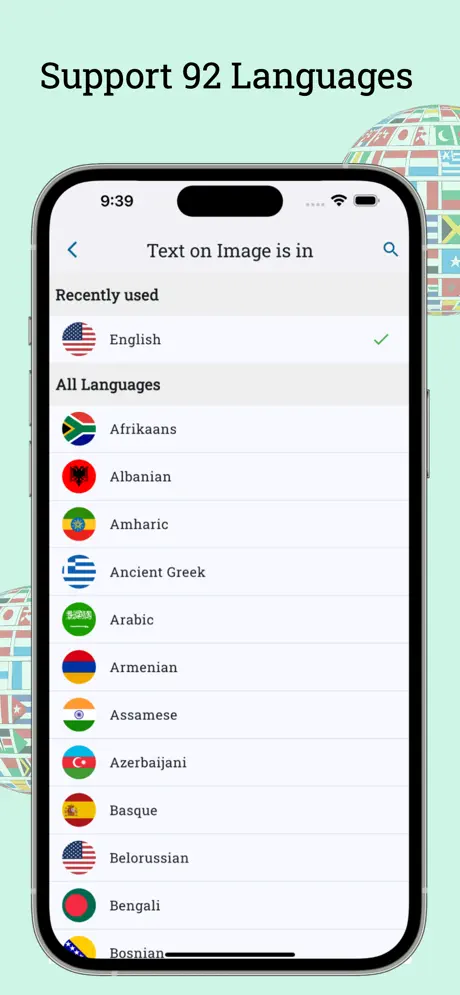
Supports 1 language: English.
How much does AI Scanner : Image to Text make?
Third-party estimates for the last 30 days, worldwide — not the store's own figures, which Apple publishes for nobody.
Revenue by plan
- Monthly 64%
- Annual 28%
- One-time 8%
Revenue by country
- Saudi Arabia 38%
- United States 34%
- United Arab Emirates 3%
- Germany 2%