
Fender Tone
Mustang GTX, GT & Rumble Amps
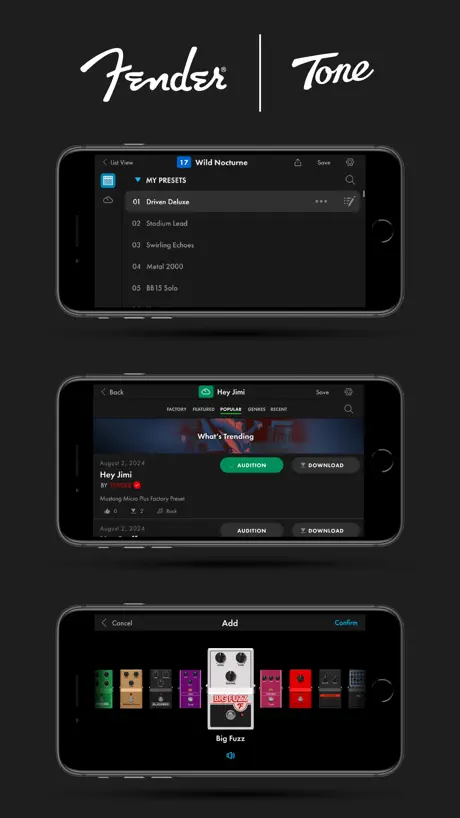
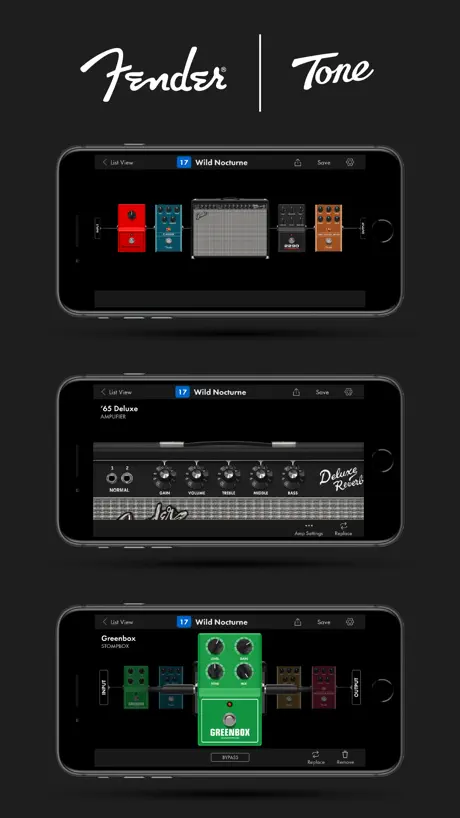
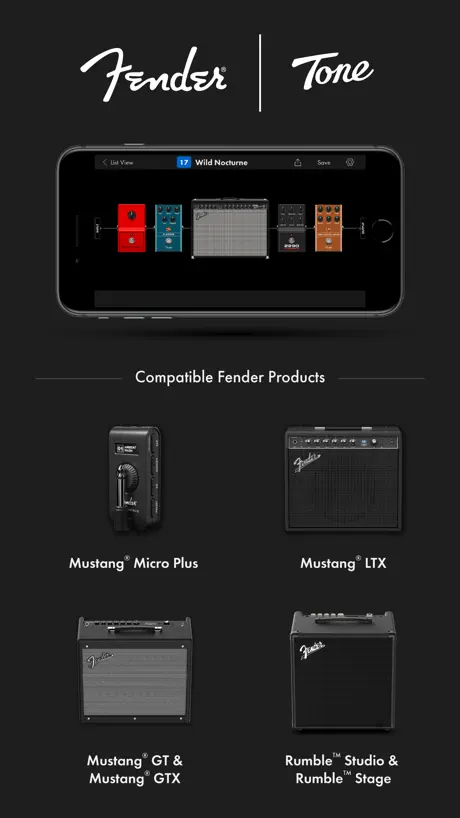
How much does Fender Tone cost?
Prices are current as of 6 Nov 2026.
Fender Tone has no in-app products on record in the United States.
10+ alternatives to Fender Tone
| Fender Tone |   Songsterr Tabs & Chords |   Guitar Center: Shop Music Gear |   Spark: Chords, Backing Tracks |   TONALY: Songs, Scales & Theory |   ToneAdapt - Guitar Tone Match |   BIAS FX 2 - #1 Guitar Tone App |   iRig Guitar Amp & FX · Deplike |   BTS for KATANA Gen 3 |   AmpliTube TONEX |   AmpliTube CS | |
|---|---|---|---|---|---|---|---|---|---|---|---|
| Rating / 5 | 4.6 | 4.7 | 4.8 | 4.8 | 4.7 | 4.7 | 4.4 | 4.6 | 2.0 | 3.2 | 3.3 |
| Reviews | 8.4K | 115K | 95K | 54K | 12K | 7K | 5.2K | 587 | 125 | 22 | 10 |
| Released | 2017 | 2010 | 2016 | 2020 | 2017 | 2026 | 2020 | 2017 | 2024 | 2022 | 2010 |
| Weekly price | — | — | — | — | $2.99 | $8.99 | — | $9.79 | — | — | — |
| Monthly price | — | $4.99 | — | — | — | $14.99 | — | $7.99 | — | — | — |
| Annual price | — | — | — | — | $29.99 | $49.99 | — | $49.99 | — | — | — |
| One-time price | — | — | — | $19.99 | $5.99 | — | $11.99 | $49.99 | — | — | — |
The going rate for each plan in United States, in its own currency, shaded from the cheapest price on the row to the dearest. Plans fewer than four in ten of the priced apps sell are left out.
Fender Tone reviews
4.6 out of 5, based on 8,392 reviews.
What people like
- Great sound quality for the price
- Easy to use interface
- Lots of free presets available
- Perfect for quiet home practice
What they complain about
- Forces landscape mode on phones
- Bluetooth connection is unreliable and frustrating
- Cannot reorder or rename your presets
- App crashes or fails to load
Super Good
It was really good I can play with my tabs while hearing in my earbuds and the guitar playing and the tone is just perfect but one thing is getting a foot switch to change between tones and sigh in is a hassle but other than that it’s just perfect
Fender proves again, sorry, not my problem.
This app was ok out of the gate, many moons ago. It even has updates every now and then but this app is horrible!!! If you have to open and close, then delete, enter all your info, again, and it’s still battling less than Uecker!!!
Can we have a metronome?
I love this app and using it with the fender mustang micro—it's my home practice go-to and pre-show warmup. That being said, I would adore a metronome feature for both instances. Would be a game changer for my practices.
Connection Issues Continue
Each time I want to connect, which is daily, I need to remove my devices from the amp and my device (I use an iPad and iPhone) and then reconnect. Can we get this corrected??
Can’t connect to amp
The app just isn’t compatible with my amp (Fender Mustang LT25). Hoping to see an update in the future where I can connect my amp.
Love it, But has anyone got a Hindu Times Preset?
Love this app, still pretty new to playing but it’s so easy to use. The ultimate would be to get the Hindu Times preset off someone.
Will not stay connected
The app almost never loads presets or connects to the amp. Have tried every troubleshoot posted. The app just doesn’t work
Good
I think this is a great app but the only con is that it takes sooooo long to connect to Bluetooth and although it is it still loading but otherwise good
Works sometimes
When that app connects to the amplifier, it works great. Most of the time when I try to connect I'll have to make the Bluetooth forget the amplifier and pair them again. That does not always work. It's really a pain to get the app connected to the amplifier. It might connect flawlessly 2% of the time. You'll be trying everything you can think of to try to connect.
Help
I love the amp and presets, just hot it. Can't find wifi in the app to set up and the password at my air Bnb is to long to put in the amp, it won't allow enough characters. Sure would love to find the wifi setting in settings in the tone app, but it's not there.
Updated
Guys they fixed it. The app works again and the UI is much better !
It just sucks
I’m not able to connect it to my mustang GT40
Good, but would like to add some things
A vibroverb amp would be very nice in this app, maybe some new pedals too. But decent overall app.
Difficult to Connect
The app is good but it often won’t connect to the amp, have to reboot amp numerous times. Very frustrating!
Kinda good
It’s good but you guys should support it on chromebook cause i don’t have a Mac
Cool app. Hate the landscape orientation.
Love the app. Totally great for all levels. Would like to choose vertical or horizontal view.
Will not Connect
The app refuses to connect to the device. I can find the device on my own iPhones, Bluetooth list and connect to it no problem, but in the app, it just continues scanning endlessly and will never find it. I’ve restarted both my phone as well as the device numerous times, I’ve tried uninstalling the app and reinstalling it, I’ve tried different orders in which sometimes I turn on the app first or I turn on the device first or I connect to it first. Nothing works.
Ease of use
Little things I think needed to be added like easily being able to reshuffle presets. If there is a way i still haven’t found it. Also being able to access the app without connecting to device. Say for example you see a set up you’d like to follow, you can open the app and make it there and then. Also i think add in the instructions into the app for the mini mustang.
Poor app
This app doesn’t work half the time, very confused about how Fender is still using this
Solid app with 2 big flaws
1. Need support for vertical phone orientation. Nobody holds their phone in landscape mode. 2. Why can’t I change the order (sort) the presets? This feels like such a basic missing feature. Otherwise the app is a joy to use with the Mustang Micro Plus
Great app AND the write release notes
Extra thanks for writing real release notes.
Slow and painful to use
If you’re looking for a quick connection so you can tune, title gonna have a bad time. The app does not connect to the speaker, and always connects to the speaker for audio, with a heavy delay and impressions.
Bastante Buena App
Me gusta, la interface y los parámetros son fáciles de editar usando el app, la conexión a Bluetooth es buena, anteriormente tenía el Mustang LT25, y luego cambié al Micro Plus, entiendo tiene unas pocas restricciones por el tamaño, ofrece mas opciones el LT25, pero el Micro Plus, es excelente opción para ensayos sin molestar a la familia, o muy portátil para cuando viajas con tu guitarra, tu púa, unos audífonos, y tu Micro…es todo lo que necesitas.
Fix Bugs
No search bar for looking at cloud presets and please add a erase all preset, dont want to erase 1 by 1
New update, Why Landscape.
Not sure why you have done this , but makes it so more difficult to use with a phone, well pretty pointless now in fact.
This app and series of amps rule
The haters can say what they want, but when it comes down to it, the app and the GT/GTX series are outstanding. At a back-saving 18lbs (GT100) and 34lbs (GT200), I can’t think of a better way to rehearse or gig. And, if you don’t want to load and unload and setup every pedal you own in front of a massive cab and head, this is the way to go. The app is great, although, the only landscape mode on iPhone can be a bit tricky, the features and customization it offers makes up for it in spades. When you can’t afford roadies or the latest and greatest high dollar amp /modeler/digital shoegaze special, these amps and this app are definitely a budget value!
Impossible to use
I’ve been trying to create my own tone on this app with my mustang gtx50 and it just simply cannot persist a Bluetooth connection. Once you’re connected (which is trial and error of turning the amp off/on and closing the app and reopening it) you get about 1-2 mins before the Bluetooth library this app uses just loses your phone. This is unusable and very frustrating since this is one of the big selling points for this type of amp. Also makes no sense that you cannot just plug this amp into your laptop/desktop via usb and edit presets that way. That’s only allowed for “Lt” model amps.
Used to work
Good app but unfortunately after some updates, the app no longer works with the fender mustang lt40s
Love It!!! But…
I absolutely love this app. It is by far the easiest of all the Amps with Bluetooth app compatibility. It has the best way to stack pedals and amps the way you want. But the app is stuck in landscape mode!!! I know to some that’s not a huge deal breaker. But for some reason it bothers me. I think it would be easy to move to portrait if the developers made it. Also the sound cloud is a little not user friendly. But over all great app.
New updates mate this app a lot worse
Used to be 5 star for me. Good app. I don’t know why’ve they have changed it now. I can’t go on the app without connecting to the amp now, and why can’t I turn it portriat mode on my phone? What’s the point in that. I had no trouble connecting my amp to the app, all I needed to do is go on it and connect Bluetooth. Now everytime I go on the app it has to find the amp and I spend ages switching off and om my amp and resetting the app until it finds it. Not sure what that update did to make the app better.
Pretty awesome
Nice layout and easy to add FX, pretty simple to get hooked up to your amp as well. The screen on the amp is pretty easy to use already but this is awesome
Latest update broke Logic
Not sure what happened. But the latest update broke the Mustang Micro Plus’ ability to natively work in Logic or any DAW I tried via USBC connection into a MacBook Pro M4. Seems like it stopped working with any drivers.
Almost 5 stars
This is a great app, looks great and works well. Coupled with the new Fender Mustang Micro Plus, it does everything you need for a quiet practice or even more. However, there is one thing that stops it being perfect. Why is it only possible to have 4 effects in the chain??.. and what if I want a “Green Box” AND a compressor??.. surely this is an easy update devs..? Got my fingers crossed.
Almost good
The App gives good access to amps and pedals. It makes it easy to configure and use your amp. A major issue is with the app itself. It only works in landscape mode on the iPhone, isn’t available for download/use on apple silicone Macs… those two things make this app almost unusable in my workflow…. Being able to hold my phone normally and use the app and not importantly being able to use it on my Mac would be the most ideal situation. It’s literally one compilation flag to enable Mac compatibility, sad…
Sept 24 version buggy
A massive change to the app and its bug ridden. Hopefully these will be squashed in the next few weeks. The basics still work but…
Anthony
Amazing app, works absolutely amazing with the mustang GTX 100. Very impressed and all free ! 🎸🤘🏻😎
App is junk
Amp sounds great but app hasn’t connected not even one time for me so I’m sending it back.
Love my app
I use my fender tone app to control all my settings at gigs. Now the latest update 4.0.0 has stopped me using it vertically which I preferred, hence, 4 stars. I use my lists to change the amps during performances when I tap on it, it brought up the amp with all the pre loaded sounds and description if I needed to turn an fx on or off I would scroll to it and tap the switch. The staying in landscape has taken away my option to use it vertically.
Flexible tones, terrible UI
I’ve just come to this app with my GTX100 as well as using the micro plus. I love the interactive ability to customize the signal chain and create different tones - lots of great options. However, the interface has some highly questionable/irritating design choices. As has been mentioned many times by others, the landscape mode-only on phones is terrible. A key value with an app like this is ability to grab your phone and make quick adjustments one-handed - not realistic with this mode. Cannot rename tones in the app… Cannot reorder tones in the app… Maybe I’m missing how to do some of the above, but even today searching on fender’s site it shows how to reorder tones, but only demonstrates on an older version of the app with options that are not present in the current 4.07 version. It’s really a shame - these are such basic things that significantly detract from the usefulness of the app.
Search Bug
Please please please fix the search bug in the download section, it’s driving me crazy having to reset the app… 1. Tap the download icon 2. Tap the search spyglass icon 3. Type search criteria (Minor bug 1. Typing not displayed) 4. Tap “search” Results displayed successfully but Search spyglass icon has now disappeared so another search cannot be done?!
Great amp
The sounds I am getting from the 209 built in setups are amazing
What happened?
What did you guys do? Nothing works!! Fix this
Great app
Some times it can be a bit confusing but once you get the hang of it you rock like mad 🎸🤘
Mostly works, interface is pretty clunky
The app mostly works for what it’s meant for, configuring presets. And it is definitely better than configuring directly on the amp. But there are some things I don’t love. And honestly I’m a bit salty that I can’t control my GTX 100 from my computer instead of a phone app… The app forces landscape mode so it’s a pain to navigate with one hand. When searching presets you can only see two at a time, there is so much wasted space on the screen. And you have to keep hitting “more” after a few presets, which is right where the little drag bar at the bottom of the screen is to go home so I constantly keep closing the app. Stuff like dragging the scroll bar to quickly go to the end of the list doesn’t work so instead you have to go scroll through all the presets to move around. I don’t see any way to search cloud presets and sort by likes, by date uploaded, number of downloads, etc. When the tuner is open it should show up on the app. It’s useless to allow _opening_ the tuner from the app, but still have to walk over to the amp to see it.
Good App & Amp but Bluetooth has stopped working
Really good amp and the app worked great until recently. App now won’t connect via Bluetooth to my amp it says I need to update my amp which I have done numerous times. When I check what software version my amp is (3.0.84) it says it’s on a higher version then what the app is telling me to update to (3.0.43). Unsure of how I am supposed to resolve this issue and had no response from the fender support email. Other than that still a great amp and app.
Thank you
I never leave reviews - don’t have time ! But thank you Fender , your app and Amps have sparked me on to play more and play better !
Fix this app fast
I’ve been using this app for three years and this update is an abject failure. Please provide me with instructions if I’m missing anything but here are my issues: 1) I cannot figure out how to reposition a tone within my 200 tone list. Your help page instructions seem to conform to earlier versions of the app, rather than this current update. Specifically, the ‘Edit’ icon. It used to appear at the top of the queue and on e activated, one could drag and drop a tone to any position within the 200 tone queue. Now, the ‘Edit’ icon appears alongside and to the right of a selected tone. On my iPhone 16 running iOS 18.6.2 the icon does nothing. When pressed, nothing happens. This leaves me hunched over my amp, spinning and spinning the dial to get to a preferred tone. Other than downloading new tones, this, to me, is the apps most important function when setting up setlists that can be accessed with my GTX7 pedal. Can you provide me with instructions for this? I have deleted and reloaded the app a couple of times now to no avail.
Problem with pedal display on app
The pedals on certain presets that i have downloaded look like a mess with all the pedals on the app showing up, this only occured when i opened the app a day after messing about on it for the first time. Really good app apart from this just annoying when i want to use certain presets.
Detail View
What happened to detail view? The 3 dots only allow "clear list". They do not provide detail view. Wanted to duplicate a preset but no detail view. :(
Mustang LT25
Please make the app compatible with the LT25 and a lightning to Mini USB cable. Recent update to LT25 firmware has made Fender Tone available with Mac and PC just need the App on iPhone / iPad to work now. Here’s hoping you can make it happen. UPDATE: thank you for the response ,nearly a year after my first comments, it doesn’t help though. I know Fender Tone works with a Mac or PC as I said in the initial comments. The point of the comment was to make it work with an iPad or iPhone through a cable as the Amp hasn’t got Bluetooth. It would then be totally portable and very practical as a practice Amp. Please if possible make it work if you can. Many thanks for the support and you have improved the App and fixed a lot of the bugs people seemed to be having with the Bluetooth connection side of things. I would give this App 5 stars if it worked with iPhone through a lightning to USB cable.
Fender Tone FAQ
- Is Fender Tone free?
- Yes. The app is free, in all 175 countries it sells in, and it sells nothing inside it.
- Does Fender Tone have a free trial?
- No. None of its offers (US) come with a free trial.
- What are the best alternatives to Fender Tone?
- Songsterr Tabs & Chords (4.7 from 114,986 reviews, premium from $4.99), Guitar Center: Shop Music Gear (4.8 from 95,078 reviews) and Spark: Chords, Backing Tracks (4.8 from 54,200 reviews, premium from $19.99).
Fender Tone download
Last updated 5 months ago.
Fender Tone sells in 175 countries. It was released 9 years and 6 months ago, on 4 May 2017. It holds a 4.6 rating from 8,392 reviews.
Supports 1 language: English.
How much does Fender Tone make?
Third-party estimates for the last 30 days, worldwide — not the store's own figures, which Apple publishes for nobody.