
iVCam Webcam
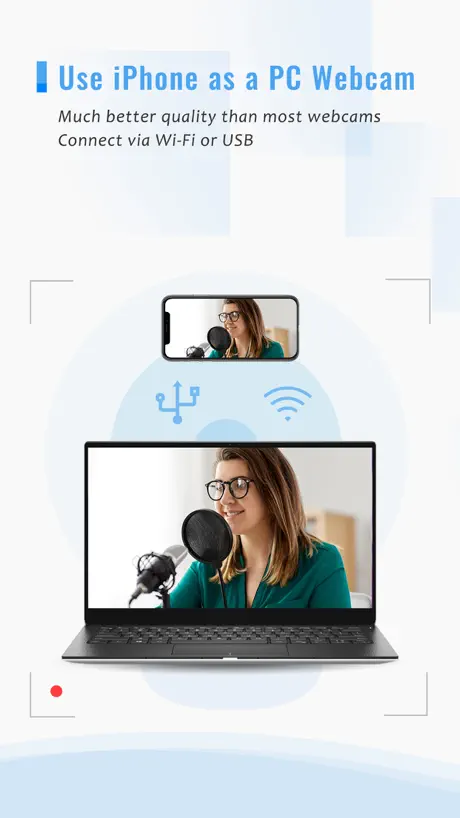
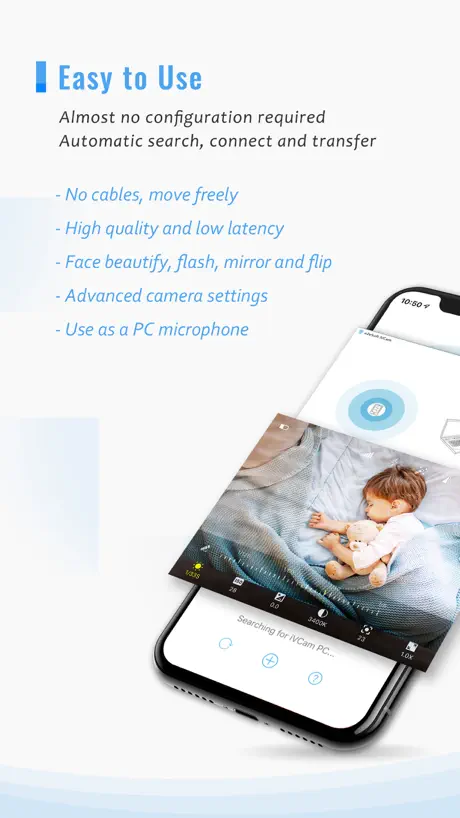
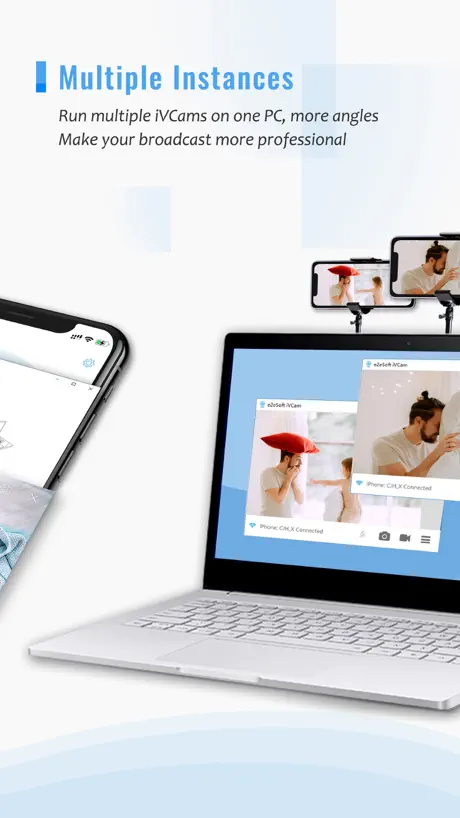
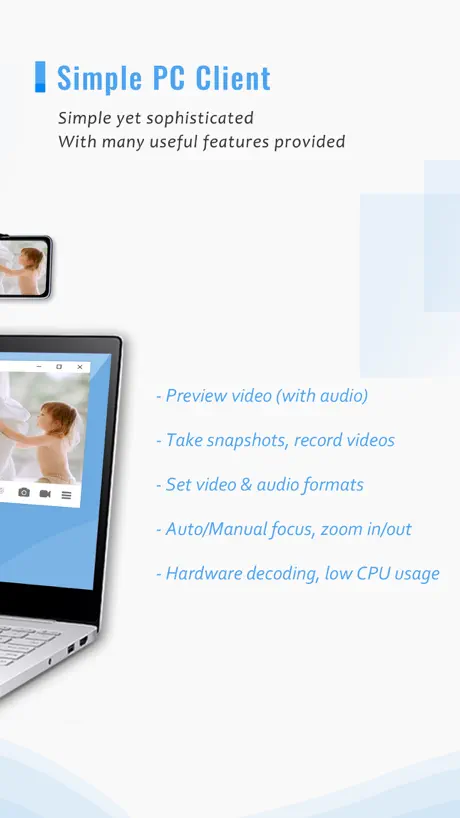
Use your phone as a PC webcam
How much does iVCam Webcam cost?
Prices are current as of 4 Oct 2026.
2 subscriptions from $7.99
In the United States, iVCam Webcam has 2 subscriptions priced $7.99 – 12.99.
| Subscription | Period | Price |
|---|---|---|
| BASIC ANNUAL | Annual | $7.99 |
| PREMIUM ANNUAL | Annual | $12.99 |
1 one-time purchase from $24.99
In the United States, iVCam Webcam has 1 one-time purchase priced $24.99.
| Product | Price |
|---|---|
| PERMANENT | $24.99 |
10+ alternatives to iVCam Webcam
| iVCam Webcam |   Remote Mouse Remote Mouse |   Camo Camera Camo Camera |   DroidCam Webcam & OBS Camera DroidCam Webcam & OBS Camera |   ApowerMirror- Screen Mirroring ApowerMirror- Screen Mirroring |   AirDroid Cast-screen mirroring AirDroid Cast-screen mirroring |   Wolow - Wake on LAN Wolow - Wake on LAN |   IP Camera Viewer - IPCams IP Camera Viewer - IPCams |   Mixing Station Mixing Station |   Screen Mirroring: LetsView Screen Mirroring: LetsView |   PC Remote PC Remote | |
|---|---|---|---|---|---|---|---|---|---|---|---|
| Rating / 5 | 4.5 | 4.6 | 4.6 | 4.6 | 3.0 | 4.6 | 4.4 | 4.2 | 4.4 | 2.9 | 3.1 |
| Reviews | 148K | 108K | 25K | 14K | 13K | 11K | 9.2K | 4.5K | 2.6K | 2.5K | 2.2K |
| Released | 2016 | 2010 | 2020 | 2020 | 2017 | 2021 | 2020 | 2015 | 2019 | 2019 | 2014 |
| Monthly price | — | $1.49 | — | — | $19.99 | $2.49 | — | $4.99 | $6.99 | $5.99 | $1.99 |
| Annual price | $7.99 | $13.99 | — | $4.99 | $39.99 | $19.99 | — | $59.99 | — | $29.99 | $14.99 |
| One-time price | $24.99 | $1.99 | — | $12.99 | $20.99 | — | $4.99 | $149.99 | $6.99 | $9.99 | $12.99 |
The going rate for each plan in United States, in its own currency, shaded from the cheapest price on the row to the dearest. Plans fewer than four in ten of the priced apps sell are left out.
iVCam Webcam reviews
4.5 out of 5, based on 147,796 reviews.
What people like
- Works well as a webcam
- Good quality if you pay
- Helpful for YouTube video makers
What they complain about
- Ads interrupt you constantly
- Video lags and stutters often
- Connection drops randomly during use
- Audio picks up echo badly
Great camera
Great camera experience
Son ladrones
Compré una lisencia de un año y a los 4 meses se me venció y me decía que tenia que renovar
Awesome!
It works great, but you have to be on the same Wi-Fi that the only issue
RANDOM CONNECTION ERA
Every 30 secs I’ve can will draw blank and I will get a “waiting for iVCam connection…” message. I pay for the premium. I have a the latest iPhone, it’s also updated. My internet connection is best of best. Video quality great. It just randomly leaves that message and shows the white screen, then comes back to normal. It’s a huge disruption!
有料にしたのに
1ヶ月、ちょっとだけ使わない期間があり、久々使ってみたら、全然映らなくなってしまったのは何故ですかー?
Rahma#456
Rahma#456
Garbage
Doesn’t always find the connection
Tuff
Tuff
Caro
Não dá pra usar sem anúncios..é caro
F
F
Great application WORKS GREAT
Awesome thank you for your excellent work in this application
Не советую
Через какое то время вылезает плашка, что нужна подписка и все перестает работать
Very good
This is a good camera app
Might be tolerable without ads
Frequent ads, no way I can see to turn screen off so front cam is bad, popup requests to use my mic
best i’ve found, but the bar isn’t very high
Context: I’ve been using this for a while to link my phones microphone to my PC Downsides: It does have a watermark if your using video (but not as big as others i’ve seen). It also has one full-screen advert soon after you open the app I also got prompted to buy the full version earlier today, when I rejected it, the app gave me a prompt to watch a 60-second advert in order to keep using the app (said ‘continue using full version’, so idk what that’s about) Upsides: Free, does the job for what I need it to do, but I don’t know if I could recommend it to anyone who Takeaway for me: If your okay with getting slightly annoyed and you don’t plan on using video too often (audio only), it’s a great app but i’m sure there is a better way of getting the same functionality whether it’s a different app or if it’s a manual way of doing it
Try
Ggg
It bad
I got it to record but it don’t connect to my ps5 you should really think before buying
Very Useful
I stream a lot and I don't have a good camera so I started using this. I paid $12 for a year of the good features but if you don't pay you just get the basic features which aren't too bad.
Always Troubleshooting
Caused so many delays and other issues while recording and the Help Page doesn’t help much! I’m very disappointed with this product.
使えていますが
広告のあと勝手に写真撮るのはどうかと思う
Msr022
Sharif
Sürekli reklam yazısı gelip canlı yayını maf ediyor donup dönüş duruyor
Canlı yayını kesiyor İvcam yazısı geliyor buna acil çözüm bulunmalı
7natow
Cool
Muito anúncio
Muito spam de anúncio e qualidade grátis muito baixo
30分以降からカクつく
ここ最近30分以上連続使用すると映像がカクついたり、映像が遅れたりします。 それ以外は問題ないのですが、対策はありますか?
G
G
Mini cam
Sucks can download it on my iPhone
Issues
Registered permanent subscription but am getting adds on the iPhone 13. Adds do not show on the pc image????
Irritante
Ele é bom te deixa gravar com boa resolução e tem algumas configurações legais pra começo mas te deixa muito na mão em stream por que vai muitas vezes fazendo com que você pare tudo para consertar isso é no pc ele buga e não abre tem que esperar muito pra ele dar um sinal de vida e voltar ao normal
Meh
App is ok but ads are really intrusive
Da
Nova
Попрошайки
Стали требовать деньги за использование
Also
Caca
音声
ディスプレイオーディオの音を拾ってしまうのか、こだまのように響いて聞き取りにくかった。
機能は申し分無いが・・
無料版を使ってみたが、広告が流れた後に毎回勝手にシャッターが起動して写真を撮るのが気持ち悪く感じた。 何とかならないのかコレ。
Top
Top
Too many ads
Too many ads! The user interface is not intuitive and makes simple tasks difficult. Very frustrating to navigate. I do not recommend this app.
Makes pc and iPhone camera talk thumbs up
Good but
Background replacement making the video looking choppy
I purchased this app to use the replacement of the background feature using my iPhone as a webcam. However, the motion of me with the background replaced showing in zoom or other meeting software is looking so choppy and lagging. What is the reason for the person’s movement being so choppy? I also used the hardware encoder but it didn’t help!
まあまあ使える
使えると思います
This really helps
This really helps me because I don’t know where to buy a webcam so this helps me with YT videos
Has ads that promote scams
Title says it all, there are ads that try to get you to visit sketchy websites
IVCam
It’s good and that but just a bit dodgy
Barely works so far
Been trying to make the free trial work and it disconnects after a minute or so, not gonna but it until i know it works
Udisce
Bdhdhs
Ok i rate u
Now stop spamming me to rate u okay
Scammy app
Was super suspicious app, could not figure out how to install the corresponding program on my computer
Worth the subscription
Very good app. I am using my iPad as a wireless webcam/mic on a daily basis. Plenty of settings to adjust quality depending on your wi fi speed and good controls both on the app and the windows client.
Restore purchase ?
I have bought this and it works on one of my PCs but when trying to use my phone with the other pc it won’t restore purchase.
Not for me, I’m afraid
I wanted this, to use my phone, to do up and close reviews on YouTube. Sadly the picture blurs when It’s up close. The free version is so full of ads, I didn’t get chance to use it properly before purchase. Ok for basic web cam function but not for what I wanted it for.
iVCam Webcam price by country
An annual subscription costs $1.12 in Turkey and $10.57 in the United Kingdom — 9× more for the same thing. Below is the going rate for each plan in every country that sells it — the middle price of what the app charges there, in the country's own currency with the dollar equivalent beneath it.
| Country | Annual | One-time |
|---|---|---|
| Afghanistan | $7.99 | $24.99 |
| Albania | $9.59 | $29.99 |
| Algeria | $7.99 | $24.99 |
| Angola | $7.99 | $24.99 |
| Anguilla | $7.99 | $24.99 |
| Antigua And Barbuda | $7.99 | $24.99 |
| Argentina | $7.99 | $24.99 |
| Armenia | $7.99 | $29.99 |
| Australia | A$12.99$9.02 | A$39.99$27.77 |
| Austria | €8.99$10.11 | €29.99$33.73 |
| Azerbaijan | $7.99 | $29.99 |
| Bahamas | $7.99 | $29.99 |
| Bahrain | $7.99 | $29.99 |
| Barbados | $7.99 | $29.99 |
| Belarus | $7.99 | $29.99 |
| Belgium | €8.99$10.11 | €29.99$33.73 |
| Belize | $7.99 | $24.99 |
| Benin | $7.99 | $29.99 |
| Bermuda | $7.99 | $24.99 |
| Bhutan | $7.99 | $24.99 |
| Bolivia | $7.99 | $24.99 |
| Bosnia & Herzegovina | €8.99$10.11 | €29.99$33.73 |
| Botswana | $7.99 | $24.99 |
| Brazil | R$39.90$7.64 | R$149.90$28.72 |
| British Virgin Islands | $7.99 | $24.99 |
| Brunei Darussalam | $7.99 | $24.99 |
| Bulgaria | €8.49$9.55 | €29.99$33.73 |
| Burkina Faso | $7.99 | $24.99 |
| Cambodia | $7.99 | $29.99 |
| Cameroon | $7.99 | $29.99 |
| Canada | CA$10.49$7.60 | CA$34.99$25.36 |
| Cape Verde | $7.99 | $24.99 |
| Cayman Islands | $7.99 | $24.99 |
| Chad | $7.99 | $24.99 |
| Chile | CLP 5,900$6.32 | CLP 29,990$32.13 |
| Colombia | COP 32,900$9.93 | COP 119,900$36.21 |
| Congo | $7.99 | $24.99 |
| Congo, Democratic Republic | $7.99 | $24.99 |
| Costa Rica | $7.99 | $24.99 |
| Cote Divoire | $7.99 | $29.99 |
| Croatia | €9.02$10.15 | €29.99$33.73 |
| Cyprus | €8.99$10.11 | €29.99$33.73 |
| Czech Republic | CZK 229.00$10.54 | CZK 699.00$32.17 |
| Denmark | DKK 69.00$10.38 | DKK 199.00$29.92 |
| Dominica | $7.99 | $24.99 |
| Dominican Republic | $7.99 | $24.99 |
| Ecuador | $7.99 | $24.99 |
| Egypt | EGP 129.99$2.49 | EGP 1,299.99$24.89 |
| El Salvador | $7.99 | $24.99 |
| Estonia | €8.99$10.11 | €29.99$33.73 |
| Fiji | $7.99 | $24.99 |
| Finland | €8.99$10.11 | €29.99$33.73 |
| France | €8.99$10.11 | €29.99$33.73 |
| Gabon | $7.99 | $24.99 |
| Gambia | $7.99 | $24.99 |
| Georgia | $7.99 | $29.99 |
| Germany | €8.99$10.11 | €29.99$33.73 |
| Ghana | $7.99 | $29.99 |
| Greece | €8.99$10.11 | €29.99$33.73 |
| Grenada | $7.99 | $24.99 |
| Guatemala | $7.99 | $24.99 |
| Guinea-bissau | $7.99 | $24.99 |
| Guyana | $7.99 | $24.99 |
| Honduras | $7.99 | $24.99 |
| Hong Kong | HK$63.00$8.03 | HK$188.00$23.95 |
| Hungary | HUF 3,090$9.44 | HUF 9,990$30.51 |
| Iceland | $9.91 | $29.99 |
| India | ₹599.00$6.22 | ₹2,499.00$25.94 |
| Indonesia | IDR 109,000$6.09 | IDR 499,000$27.89 |
| Iraq | $7.99 | $24.99 |
| Ireland | €8.99$10.11 | €29.99$33.73 |
| Israel | ₪27.90$9.15 | ₪79.90$26.20 |
| Italy | €8.99$10.11 | €29.99$33.73 |
| Jamaica | $7.99 | $24.99 |
| Japan | ¥850$5.39 | ¥4,000$25.35 |
| Jordan | $7.99 | $24.99 |
| Kazakhstan | KZT 3,090.00$6.80 | KZT 14,990.00$33.00 |
| Kenya | $7.99 | $29.99 |
| Kosovo | €8.99$10.11 | €29.99$33.73 |
| Kuwait | $7.99 | $24.99 |
| Kyrgyzstan | $7.99 | $29.99 |
| Lao Peoples Democratic Republic | $7.99 | $29.99 |
| Latvia | €8.99$10.11 | €29.99$33.73 |
| Lebanon | $7.99 | $24.99 |
| Liberia | $7.99 | $24.99 |
| Libya | $7.99 | $24.99 |
| Lithuania | €8.99$10.11 | €29.99$33.73 |
| Luxembourg | €8.99$10.11 | €29.99$33.73 |
| Macao | $7.99 | $24.99 |
| Macedonia | $7.99 | $24.99 |
| Madagascar | $7.99 | $24.99 |
| Malawi | $7.99 | $24.99 |
| Malaysia | MYR 34.90$8.55 | MYR 119.90$29.39 |
| Maldives | $7.99 | $24.99 |
| Mali | $7.99 | $24.99 |
| Malta | €8.99$10.11 | €29.99$33.73 |
| Mauritania | $7.99 | $24.99 |
| Mauritius | $7.99 | $29.99 |
| Mexico | MX$169.00$9.28 | MX$499.00$27.40 |
| Micronesia | $7.99 | $24.99 |
| Moldova | $7.99 | $29.99 |
| Mongolia | $7.99 | $24.99 |
| Montenegro | €8.99$10.11 | €22.99$25.86 |
| Montserrat | $7.99 | $24.99 |
| Morocco | $7.99 | $29.99 |
| Mozambique | $7.99 | $24.99 |
| Myanmar | $7.99 | $24.99 |
| Namibia | $7.99 | $24.99 |
| Nauru | $7.99 | $24.99 |
| Nepal | $7.99 | $29.99 |
| Netherlands | €8.99$10.11 | €29.99$33.73 |
| New Zealand | NZ$14.49$8.14 | NZ$49.99$28.08 |
| Nicaragua | $7.99 | $24.99 |
| Niger | $7.99 | $24.99 |
| Nigeria | NGN 2,900.00$2.18 | NGN 39,900.00$30.00 |
| Norway | NOK 89.00$9.25 | NOK 299.00$31.08 |
| Oman | $7.99 | $24.99 |
| Pakistan | PKR 990$3.58 | PKR 6,900$24.93 |
| Palau | $7.99 | $24.99 |
| Panama | $7.99 | $24.99 |
| Papua New Guinea | $7.99 | $24.99 |
| Paraguay | $7.99 | $24.99 |
| Peru | PEN 26.90$7.82 | PEN 99.90$29.04 |
| Philippines | ₱399.00$6.37 | ₱1,490.00$23.80 |
| Poland | PLN 39.99$10.28 | PLN 99.99$25.70 |
| Portugal | €8.99$10.11 | €29.99$33.73 |
| Qatar | QAR 29.99$8.24 | QAR 99.99$27.47 |
| Romania | RON 39.99$8.44 | RON 129.99$27.42 |
| Russia | RUB 649.00$7.77 | RUB 2,290.00$27.43 |
| Rwanda | $7.99 | $24.99 |
| Sao Tome & Principe | $7.99 | $24.99 |
| Saudi Arabia | SAR 32.99$8.80 | SAR 99.99$26.66 |
| Senegal | $7.99 | $29.99 |
| Serbia | €8.99$10.11 | €29.99$33.73 |
| Seychelles | $7.99 | $24.99 |
| Sierra Leone | $7.99 | $24.99 |
| Singapore | SGD 11.98$9.36 | SGD 34.98$27.33 |
| Slovakia | €8.99$10.11 | €29.99$33.73 |
| Slovenia | €8.99$10.11 | €29.99$33.73 |
| Solomon Islands | $7.99 | $24.99 |
| South Africa | ZAR 139.99$8.40 | ZAR 499.99$30.01 |
| South Korea | ₩10,500$7.79 | ₩44,000$32.63 |
| Spain | €8.99$10.11 | €29.99$33.73 |
| Sri Lanka | $7.99 | $24.99 |
| St. Kitts and Nevis | $7.99 | $24.99 |
| St. Lucia | $7.99 | $24.99 |
| St. Vincent & The Grenadines | $7.99 | $24.99 |
| Suriname | $7.99 | $29.99 |
| Swaziland | $7.99 | $24.99 |
| Sweden | SEK 99.00$9.86 | SEK 299.00$29.78 |
| Switzerland | CHF 8.50$10.25 | CHF 20.00$24.13 |
| Taiwan | NT$270.00$8.48 | NT$790.00$24.80 |
| Tajikistan | $7.99 | $29.99 |
| Tanzania | TZS 16,900.00$6.38 | TZS 69,900.00$26.39 |
| Thailand | THB 239.00$7.12 | THB 999.00$29.77 |
| Tonga | $7.99 | $24.99 |
| Trinidad and Tobago | $7.99 | $24.99 |
| Tunisia | $7.99 | $24.99 |
| Turkey | TRY 54.99$1.12 | TRY 1,299.99$26.45 |
| Turkmenistan | $7.99 | $24.99 |
| Turks and Caicos | $7.99 | $24.99 |
| Uganda | $7.99 | $29.99 |
| Ukraine | $7.99 | $29.99 |
| United Arab Emirates | AED 29.99$8.17 | AED 99.99$27.25 |
| United Kingdom | £7.99$10.57 | £24.99$33.06 |
| United States | $7.99 | $24.99 |
| Uruguay | $7.99 | $24.99 |
| Uzbekistan | $7.99 | $29.99 |
| Vanuatu | $7.99 | $24.99 |
| Venezuela | $7.99 | $24.99 |
| Vietnam | ₫169,000$6.52 | ₫799,000$30.80 |
| Yemen | $7.99 | $24.99 |
| Zambia | $7.99 | $29.99 |
| Zimbabwe | $7.99 | $29.99 |
iVCam Webcam FAQ
- Is iVCam Webcam free?
- Yes. The app and its basic features are free, in all 174 countries it sells in. Premium features are paid: they start from $7.99 (US), across 2 subscriptions and 1 one-time purchase.
- Does iVCam Webcam have a free trial?
- No. None of its offers (US) come with a free trial.
- Where is iVCam Webcam cheapest?
- An annual subscription costs TRY 54.99 (≈$1.12) in Turkey and £7.99 (≈$10.57) in the United Kingdom, its cheapest and dearest countries.
- What are the best alternatives to iVCam Webcam?
- Remote Mouse (4.6 from 108,331 reviews, premium from $0.99), Camo Camera (4.6 from 25,152 reviews) and DroidCam Webcam & OBS Camera (4.6 from 13,599 reviews, premium from $4.99).
iVCam Webcam download
Last updated 10 months ago.
iVCam Webcam sells in 174 countries. It was released 9 years and 10 months ago, on 15 Nov 2016. It holds a 4.5 rating from 147,796 reviews.
Supports 23 languages: English, Arabic, Bulgarian, Catalan, Dutch, Finnish, French, German, Hungarian, Indonesian, Italian, Japanese, Korean, Polish, Portuguese, Russian, Chinese, Slovak, Spanish, Swedish, Thai, Turkish, Vietnamese.
How much does iVCam Webcam make?
Third-party estimates for the last 30 days, worldwide — not the store's own figures, which Apple publishes for nobody.
Revenue by plan
- One-time 56%
- Annual 44%
Revenue by country
- United States 18%
- Japan 12%
- Brazil 7%
- Germany 6%