
AO Office Pro
How much does AO Office Pro cost?
Prices are current as of 26 Oct 2026.
AO Office Pro has no in-app products on record in the United States.
AO Office Pro download price by country
| Country | Price |
|---|---|
| Germany | €19.99 |
| United States | $19.99 |
| France | €19.99 |
| Italy | €19.99 |
| Switzerland | CHF 15.00 |
| United Kingdom | £19.99 |
| Netherlands | €19.99 |
| Belgium | €19.99 |
| Australia | A$29.99 |
| Spain | €19.99 |
| Poland | PLN 79.99 |
| Russia | RUB 1,490.00 |
| Austria | €19.99 |
| Canada | CA$24.99 |
| Japan | ¥3,000 |
| Denmark | DKK 149.00 |
| Sweden | SEK 229.00 |
| Czech Republic | CZK 499.00 |
| Brazil | R$119.90 |
| India | ₹1,999.00 |
| Hong Kong | HK$148.00 |
| Indonesia | IDR 349,000 |
| Mexico | MX$399.00 |
| Norway | NOK 229.00 |
| Turkey | TRY 999.99 |
| Taiwan | NT$590.00 |
| Ukraine | $19.99 |
| Chile | CLP 19,990 |
| Greece | €19.99 |
| Hungary | HUF 7,990 |
| Finland | €19.99 |
| Croatia | €19.99 |
| Ireland | €19.99 |
| South Korea | ₩29,000 |
| Luxembourg | €19.99 |
| Malaysia | MYR 79.90 |
| New Zealand | NZ$29.99 |
| Portugal | €19.99 |
| Romania | RON 99.99 |
| Singapore | SGD 24.98 |
| El Salvador | $17.99 |
| Uruguay | $17.99 |
| Vietnam | ₫499,000 |
| South Africa | ZAR 399.99 |
| United Arab Emirates | AED 69.99 |
| Afghanistan | $17.99 |
| Antigua And Barbuda | $17.99 |
| Anguilla | $17.99 |
| Albania | $19.99 |
| Armenia | $19.99 |
| Angola | $17.99 |
| Argentina | $17.99 |
| Azerbaijan | $19.99 |
| Bosnia & Herzegovina | €19.99 |
| Barbados | $19.99 |
| Burkina Faso | $17.99 |
| Bulgaria | €19.99 |
| Bahrain | $19.99 |
| Benin | $19.99 |
| Bermuda | $17.99 |
| Brunei Darussalam | $17.99 |
| Bolivia | $17.99 |
| Bahamas | $19.99 |
| Bhutan | $17.99 |
| Botswana | $17.99 |
| Belarus | $19.99 |
| Belize | $17.99 |
| Congo, Democratic Republic | $17.99 |
| Congo | $19.99 |
| Cote Divoire | $19.99 |
| Cameroon | $19.99 |
| China | CN¥128.00 |
| Colombia | COP 79,900 |
| Costa Rica | $17.99 |
| Cape Verde | $17.99 |
| Cyprus | €19.99 |
| Dominica | $17.99 |
| Dominican Republic | $17.99 |
| Algeria | $17.99 |
| Ecuador | $17.99 |
| Estonia | €19.99 |
| Egypt | EGP 999.99 |
| Fiji | $17.99 |
| Micronesia | $17.99 |
| Gabon | $17.99 |
| Grenada | $17.99 |
| Georgia | $19.99 |
| Ghana | $19.99 |
| Gambia | $17.99 |
| Guatemala | $17.99 |
| Guinea-bissau | $17.99 |
| Guyana | $17.99 |
| Honduras | $17.99 |
| Israel | ₪49.90 |
| Iraq | $17.99 |
| Iceland | $19.99 |
| Jamaica | $17.99 |
| Jordan | $17.99 |
| Kenya | $19.99 |
| Kyrgyzstan | $19.99 |
| Cambodia | $19.99 |
| St. Kitts and Nevis | $17.99 |
| Kuwait | $17.99 |
| Cayman Islands | $17.99 |
| Kazakhstan | KZT 9,990.00 |
| Lao Peoples Democratic Republic | $19.99 |
| Lebanon | $17.99 |
| St. Lucia | $17.99 |
| Sri Lanka | $17.99 |
| Liberia | $17.99 |
| Lithuania | €19.99 |
| Latvia | €19.99 |
| Libya | $17.99 |
| Morocco | $19.99 |
| Moldova | $19.99 |
| Montenegro | €17.99 |
| Madagascar | $17.99 |
| Macedonia | $17.99 |
| Mali | $17.99 |
| Myanmar | $17.99 |
| Mongolia | $17.99 |
| Macao | $17.99 |
| Mauritania | $17.99 |
| Montserrat | $17.99 |
| Malta | €19.99 |
| Mauritius | $19.99 |
| Maldives | $17.99 |
| Malawi | $17.99 |
| Mozambique | $17.99 |
| Namibia | $17.99 |
| Niger | $17.99 |
| Nigeria | NGN 29,900.00 |
| Nicaragua | $17.99 |
| Nepal | $19.99 |
| Nauru | $17.99 |
| Oman | $17.99 |
| Panama | $17.99 |
| Peru | PEN 79.90 |
| Papua New Guinea | $17.99 |
| Philippines | ₱999.00 |
| Pakistan | PKR 4,900 |
| Palau | $17.99 |
| Paraguay | $17.99 |
| Qatar | QAR 69.99 |
| Serbia | €19.99 |
| Rwanda | $17.99 |
| Saudi Arabia | SAR 79.99 |
| Solomon Islands | $17.99 |
| Seychelles | $17.99 |
| Slovenia | €19.99 |
| Slovakia | €19.99 |
| Sierra Leone | $17.99 |
| Senegal | $19.99 |
| Suriname | $19.99 |
| Sao Tome & Principe | $17.99 |
| Swaziland | $17.99 |
| Turks and Caicos | $17.99 |
| Chad | $17.99 |
| Thailand | THB 699.00 |
| Tajikistan | $19.99 |
| Turkmenistan | $17.99 |
| Tunisia | $17.99 |
| Tonga | $17.99 |
| Trinidad and Tobago | $17.99 |
| Tanzania | TZS 49,900.00 |
| Uganda | $19.99 |
| Uzbekistan | $19.99 |
| St. Vincent & The Grenadines | $17.99 |
| Venezuela | $17.99 |
| British Virgin Islands | $17.99 |
| Vanuatu | $17.99 |
| Kosovo | €19.99 |
| Yemen | $17.99 |
| Zambia | $19.99 |
| Zimbabwe | $19.99 |
10+ alternatives to AO Office Pro
| AO Office Pro |   TextMaker |   PlanMaker | 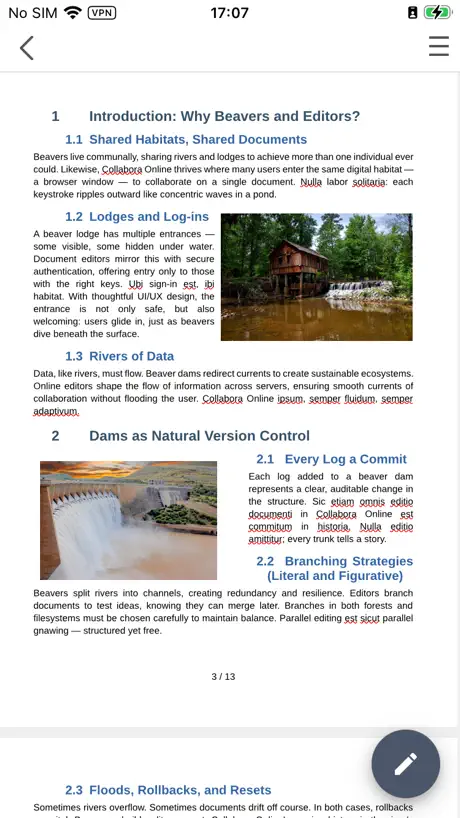  Collabora Office | 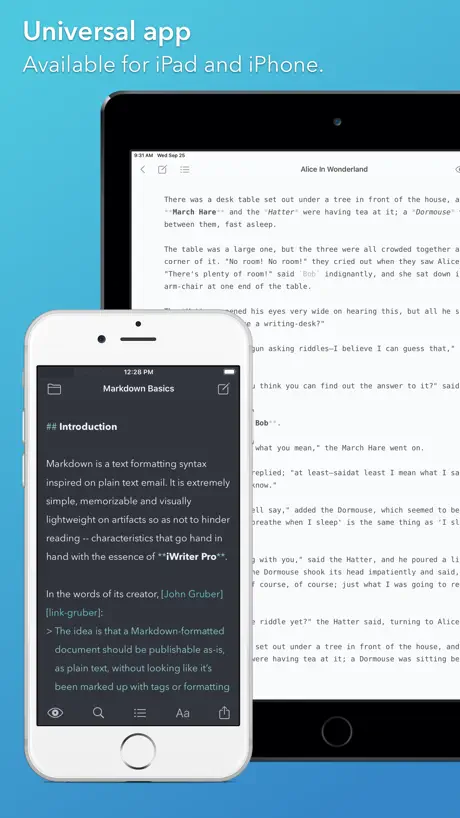  iWriter Pro | 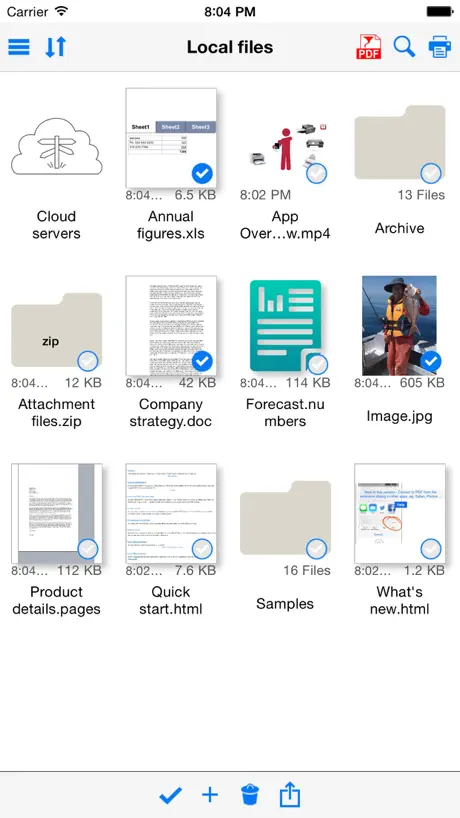  Save2PDF for iPhone |   VerbTeX Pro LaTeX Editor |   KnowledgeBase Builder |   RPN 28x Calc |   iPocket Draw |   PDF Signer app | |
|---|---|---|---|---|---|---|---|---|---|---|---|
| Rating / 5 | 4.2 | 4.6 | 4.7 | 3.6 | 4.6 | 4.5 | 4.3 | 4.5 | 4.9 | 4.1 | 4.5 |
| Reviews | 1.1K | 4.2K | 2.6K | 626 | 568 | 222 | 180 | 95 | 84 | 82 | 6 |
| Released | 2016 | 2022 | 2022 | 2019 | 2015 | 2010 | 2012 | 2019 | 2012 | 2009 | 2017 |
| Monthly price | — | $1.49 | $1.49 | — | — | — | — | — | — | — | — |
| Annual price | — | $13.49 | $13.49 | — | — | — | — | — | — | — | — |
The going rate for each plan in United States, in its own currency, shaded from the cheapest price on the row to the dearest.
AO Office Pro reviews
4.2 out of 5, based on 1,072 reviews.
What people like
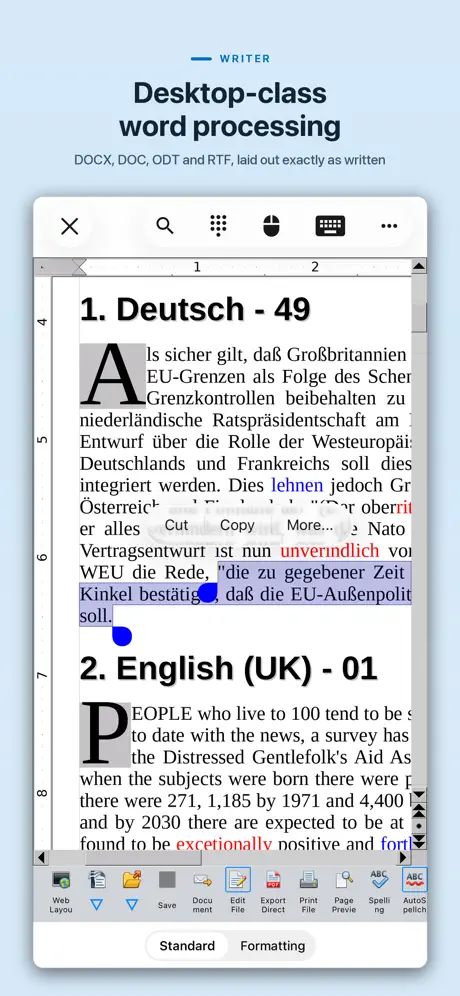
- Works well with Open Office files
- One-time fee instead of subscription
- Small app size saves storage space
What they complain about
- Interface ignores iOS design rules
- Crashes and freezes randomly
- Menus are cramped and hard to read
- Scrolling feels glitchy and unresponsive
Very good so far
I got this app for my iPad after having had Open Office on my PC for many years. The app is very much like my PC version in terms of functionality. I was able to create a folder on iPad called MyDocs that works as a save location on the iPad. I was then able to send the file in the “.odt” format to my PC via email attachment. I had to highlight the name of the file “Test.odt” and then right click and choose “save link as” and the file was downloaded to my PC’s desktop. I then created a file in Open Office on my PC as a test and sent that file to the iPad as email attachment. I was able then to download the file on my iPad as “attachment” into the MyDocs folder that I had created on iPad. I used the AO app on the iPad to then open the file sent from PC and it was successful. So, now the iPad can be used on the road to created and send files to PC whenever I want. Perfect.
Scrolling 5.2.5
The new scrolling on iPad of office pro is terrible I had column and row headers Now I get four screen scrolling all over the place and not lining up Completely unusable now
Im Vergleich zu Collabora Office…
… hat die App für mich zwei deutliche Vorteile: Ich kann erstellte Präsentationen editieren und abspielen. Ich kann einen brauchbaren Formelditor nutzen. Ich nutze die App zum Erstellen und Editieren einfacher Texte, Präsentationen und Tabellen Die Bedienung ist etwas hakelig. Nextcloud als Speicherort wäre wünschenswert. Im Vergleich zur Collabora-App ist sie die 4 Sterne allemal wert.
Unzuverlässig
Gestern musste ich unter Zeitdruck eine Word-Datei mit Gliederung, Tabelle, gestalteter Kopf- und Fußteile bearbeiten. Ich musste nur ein paar kleine Text- und Layout-Korrekturen vornehmen - eigentlich kein Ding. Eigentlich: Sobald ich Text-Passagen aus einer anderen Datei einfügen wollte, war der bisherige Text verschwunden, trotz wiederholtem Speicherns. Jedes Mal, wenn die Datei geschlossen wurde, waren Textteile nicht korrigiert oder ganz verschwunden. Die Tabelle wurde als Horrorversion übernommen. Nach dem 4. Neuanfang habe ich lieber abgetippt statt einzufügen und habe die Zwischenstände als pdf gespeichert. Irgendwann kam ich vorwärts, wenn auch sehr umständlich. Am Ende hatte ich eine akzeptable pdf-Version. Beim erneuten Öffnen der docx-Datei war das Layout zerhackt und nicht zu gebrauchen. Das werde ich sicher nicht noch einmal wiederholen!
Okay aber
Sorry ein klein wenig „isst“ das Auge schon mit. Die Oberfläche ist mal sowas von Windows 98..das ist mir zwei Sterne Abzug wert.
AO Office Pro
After using Excel for over 30 years, I now mainly use an iPad and recently discovered AO Office Pro which is excellent for my requirements as it does everything Excel did for me and is easy and straightforward to use on an iPad. The one off licence fee was certainly an attaction, and after using it for a few months I would recommend the app.
DG
This app does not work. It freezes every time
gute Umsetzung aber
Die Umsetzung von Open Office ist gelungen. Neue Dokumente lassen sich einfach erstellen. Allerdings können mit Libre Office erstellte Textdokumente nicht komplett übernommen werden. Die Formatierung ist abweichend. Auch die in Libre Office hinterlegten Feldbefehle funktionieren nicht. Beispielsweise habe ich in Libre Office die Kopfzeile eines Standardbriefes mit Name, Vorname, Telefonnummer und Adresse per Feldbefehl gestaltet. Diese Kopfzeile wird nicht übernommen. Es wäre schön, wenn das in einer der nächsten Versionen klappen könnte, damit man Dokumente, die auf dem Macbook in Libre Office erstellt wurden, am iPad weiter bearbeiten kann. Die 8,99 Euro ist das Programm allemal wert und ich empfehle es gerne weiter.
Auf plus gewechselt
Bin total enttäuscht. Daten können von AO Office nicht übernommen werden. Für 14,99 € was anderes erwartet , so kann ich auch bei der einfachen Variante bleiben. Hinzu kommt, App hängt auch ständig. Katastrophe!!!
Ergonomie
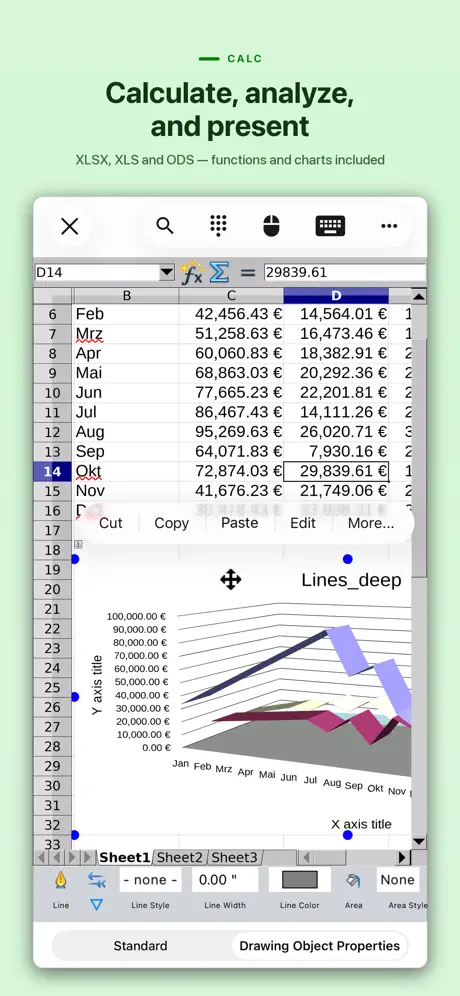
Ergonomisch ist anders. Vieles ist nur von hinten durch die Brust ins Auge zu bewerkstelligen. Einstellungen werden nach jedem Update, und die kommen laufend, zerstört. Beim Speichern kommen regelmäßig falsche Fehlermeldungen, die Bedienung ändert sich zu häufig. Komplexere sheets nur sehr mühsam zu erstellen. Einige MS Excel feature existieren nicht. Fazit: für einfache Erfassungen ganz brauchbar, mehr aber nicht. Vorteile sind m.E. der Preis und die Mühen, die dahinterstecken. Daher gibt es noch gute 3 *.
I use AO Office / 700, everyday!
I use the spreadsheets to keep track of my book, reading, movie lists. This Office Suite is great. I use the open document format offline in my phone’s storage.
Will not export current MS Office file
Has a good UI and if you just want a word processor and spread sheet it’s good. But if you want something to read and edit The latest MS Office files you’re out of luck. It’s only fully compatible with 10 yr old MS programs.
LOVE THE APP
5STARS
Passwort geschützte Tabellen
Passwort geschützte Tabellen können nicht geladen werden bricht immer mit Fehlercode ab. Allgemeiner Fehler: Allgemeiner Eingabe/ Ausgabe Fehler.
Needs a new menu view. Has potential
I really needed a program to open open office docs so looked in to this app. I paid for the app but would like to see a better menu view. I have a 11inch iPad Pro and the menu is still very cramped and icons are all squashed together. If this could be sorted it would make it a lot more functional and productive. At the moment I can’t really use it as it’s frustrating. The only way I can spread the menu icons out so I can see and use them if I go into settings and set the view to 70% so the menu icons shrink and spread out. It’s such a shame as otherwise it would be a great app
Great app for the price
Great app. I especially like ms word keyboard commands. Also, the menus are straight forward. I design a simple spreadsheet in no time. The price is a bargain considering what I spent on software years ago.
Office 700 is a waste of money.
Normally I would check review so I won’t mistakenly buy junk so buggy, but I made a mistake and didn’t. Still I’m going to see if I can retrieve my money back!
Prinzipiell gut.
Fehler zeigen sich erst im Detail. Die gebietsschemaabhängigen doppelten Anführungszeichen werden nicht in der Autokorrektur ersetzt, obwohl ich dies eingestellt habe.
Leider nicht ausgereift.
Auch kurze Texte von wenigen Seiten ruckeln beim Scrollen auf dem Ipad 12,9 (2020) furchtbar. Die positiven Bewertungen sind nicht nachvollziehbar. Die Software kann allenfalls eine Notlösung darstellen, bei der man beim Schreiben aber kaum hinsehen kann.
More pros and Cons - overall, not bad...
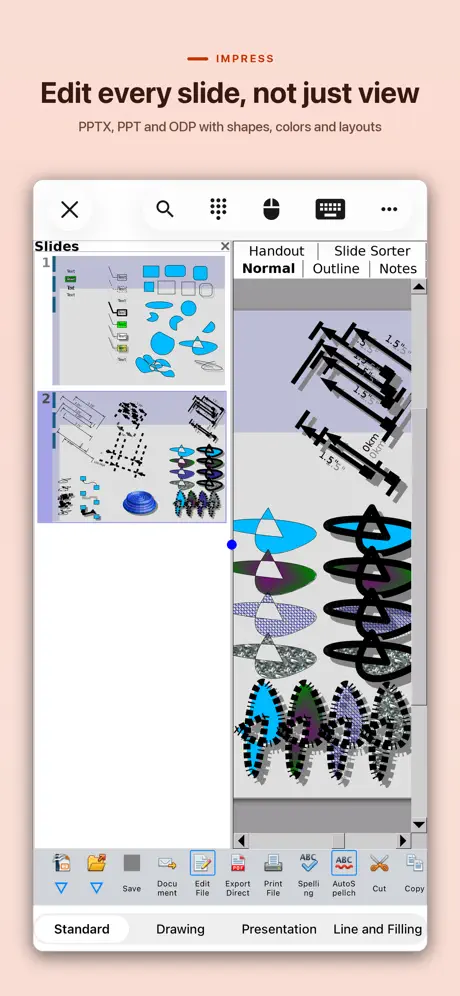
I loved the idea of this Office App, especially given the positive comments about the spreadsheet. But I then played with the Slideshow tool, and was initially disappointed. FInally I figured out how to link the last slide back to the first, and was impressed! It was of course not well documented but works (Need to save first, link to the doc’s _parent frame, choose from a list that pops up - slick!)... But there are only two templates and they are multiple pages long very specific (Introducing a new product; Recommending a new strategy), not suitable for general preparation, nor for demonstration to others, which is often how you get more users. Thirdly there were no fonts and the first thing to do is install them. Seems a bit technical for a tablet office app. FInally The WP tool was a problem - typing didnt work after the cursor appeared, had to press multiple times. Getting a window to close after opening say the Format options required repeating the same ‘open’ steps to close it. It was close to unusable for me. The menus (some icons, sometimes text, sometimes both) are either too small or abbreviated, and bunched up next to each other... a design decision probably based on trying to work on a plethora tablets and phone screen sizes. The triple dot menu led to a traditional multi-level File, Edit, Style... type of menu, many of which worked. But it lacks simplicity. Ok, so I am appreciate the attempt but getting ALL the OpenOffice features into a tablet might be too grand an aim. I don’t wish to rain on the developer’s parade, but is there some subset which would be worthwhile? 3 stars on the grounds that it will get better - preferably simpler. Sadly I know how to use gDocs and m$Word so much better than it will take some effort to progress.... its always the way with a new app, right?
I need to cancel
This appears to be a great app, but not what I can use. How do I cancel and get refund. I’ve had this two days.
Save your time
The developer had good intentions, but it is buggy. Tried to update in hopes that it would be better and the update wouldn’t complete. There are better apps that are ready to handle open document formats; without the issues.
Gutes Werkzeug
Eine wirklich gutes Programm auch für .rtf Dateien. Ich kann nicht klagen. Allerdings immer noch kein Splitview was mich sehr stört im alltäglichen Gebrauch. Ich sehe auch davon ab, dass es doch sehr alt wirkt wenn man damit arbeitet. Also Splitview und ein moderneres Design wären super.
Kann anscheinend nicht in xlsx-Format speichern
Jedenfalls nicht auf meinem Synology-NAS.
Glitchy
It took me a while to find this program. When I did, I ended up having to buy it. (Open office was free). I bit the bullet and paid. Now I find that this version is not smart enough to update the formulas in calc when you insert new rows.(open office did) Unless there is an option I am overlooking that is..
At last!
So glad to have a functional iOS app for ODS spreadsheets. Now the Open Document format works across the multiple platforms I use - Mac, Linux, Windows 10, and iOS, and I don’t need Office 365. While the menu system is taking some getting used to, it provides me with what I need.
I’m shocked this has over a 4 rating...
This is so buggy that it makes working on a document impossible. First problem I encountered was resizing the document on the screen. I pinched to make it smaller, nothing moved, so I pinched the screen again, still nothing. Repeated again. Still nothing. I thought the program had frozen. Then suddenly the screen jumped and all the pages in the document were tiny thumbnails. So I had to repeat this in the other direction. I never could get the page on the screen to be the size I wanted, because it doesn’t move with you. You have to make the motion and guess where might be good, then remove your fingers and wait for several seconds to see if it is right. Next problem was in scrolling. It operated much then same as the zoom in / out. Very glitchy and non responsive. Also, there was one page in my document that every time it scrolled to the bottom of that page, it would jump back to the top of it. It wouldn’t scroll past that page, even though there were more pages in the document. The layout is also very unfriendly. The icons in the ribbon are so squished together that they are all truncated and unlegible, even though there is plenty more space in the ribbon and they could be much larger. I used this for five minutes and knew that even with Pages’ limitations and the annoyance of not having Word on here, I’d go crazy trying to overcome the shortcomings of this program. Save yourself some coffee money and avoid this program!
Close enough
Close enough to perfect for me, for now.
office 700
So painful to use. I hoped this would have got easy peasy over the last two years. ALSO i cannot use direction arrows keys on ipad's external apple keyboard
Gutes Office-Paket, aber unzureichende Integration
Generell ist die App eine gute Office-Lösung. Leider sind aber einige Dialoge (noch?) nicht richtig in iPadOS integriert, z.B. der Dialog zur Auswahl der Vorlagen. Auch der Dialog zur Dropbox-Anmeldung wird nicht richtig dargestellt, ist aber gerade noch bedienbar.
It has a mouse function!
That is the best thing! It works like open office which I use and it is the first app that I have used on iOS with a mouse.
Not user friendly
This is absolutely not a user friendly. Not designed for ipad, you need a mouse because you need to constantly click on the keyboard icon to type, what a big LOL and a waste of money.
Clean Design & functional
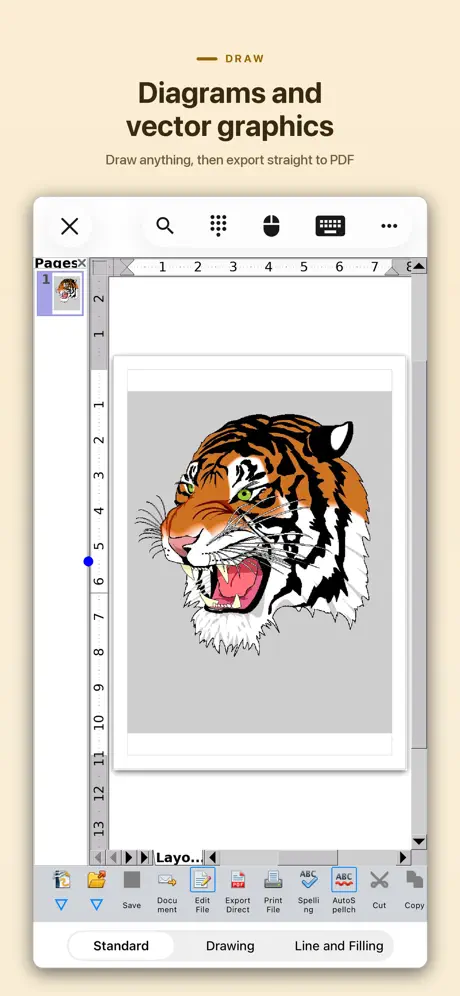
Really great to have this on iOS, so I can view and print OO files. I use the Android version ALOT, and this is just as handy. My only question: Why no draw module? I do a lot of page layout with it, and I’m missing that functionality. :-(
Office 700
I upgraded when I discovered not able to print from lite version and money has been taken from my account. Still cannot print and repeatedly asked to upgrade!!😡😡. Fedup 😡😡
Gute App aber
Die App funktioniert auf den IPhone super,aber auf meinen IPad mini 2 mit Os 3... Lässt es sich nicht installieren für dieses Gerät nicht geeignet lautet der Fehler obwohl das Gerät die Anforderungen erfüllt laut Beschreibung. Das ist Schade deswegen nur 3 Sterne sollte es sich doch noch installieren lasen dann 5 Sterne.
Another step in narrowing the gap
This app makes it a step closer to helping iPads replace laptops! Not going to say it is perfect, but it at least can get the job done! Also will probably only get better with time!
Stay away
The problems are simple: it won’t open files saved to it (except its own) and you can email files when done. So useless.
Quite Pleased
Immediately upon opening an ODS spreadsheet following purchase, I discovered the EDATE & YIELD functions don't work. Communication with the author has resulted in both functions now working just fine in release 2.9.0. Please now ignore review of August 16.
Gewöhnungsbedürftig
Die Installation verlief problemlos. Jedoch bekam ich die englische Version, die sich nicht auf die deutsche Version umstellen ließ. Die Hotline war gut erreichbar. Man bekam schnell eine Rückmeldung. Jedoch konnte das Problem nicht gelöst werden. Nach einigen Tagen war das Programm dann aus unerklärlichen Gründen in deutscher Version verfügbar. Die Symbole sind alle sehr eng angeordnet, man benötigt einige Zeit, um sich darin zurechtzufinden. Einfach schnell mal etwas zusammenzubasteln ist auf die Schnelle nicht wirklich möglich. Ist es gewöhnungsbedürftig, muss jedoch selber jeder für sich entscheiden.
Needs a “Help” guide.
Good app., but a bit vague on guidance. Not an easy program to work around intuitively, would really benefit from a how to section. Only good thing about this situation is that by the time I work it all out I will be very familiar with it! Learning by trial and error is not a comfortable way to go.
It works
I was running out of space on my iPad Pro 32gb but don't want the bloat of ms office or apples productivity apps. At under 200mb I get office compatible apps whilst the later software suites are over 1gb each. This is a direct port so isn't really iOS friendly but it works and I was able to import documents into it. I'm hoping it doesn't disappear from the App Store and is maintained. For the nominal use I have for editing documents I'm happy to purchase and support the developer.
Don’t waste your money
I have no idea how anyone could rate this above two stars. It doesn’t follow any of the UI guidelines for iOS. You open a text document and must use tap on the keyboard icon to type. Huh? Navigation through a document is a nightmare. It keeps changing the words I type, to random nonsense and I have to try three or four times to get the word correct. Eg. Tried to type “Word” and it insisted on “Wrod.” Huh? It crashes seemly randomly except when I want to send a word document from FileBrower to edit. Then it crashes every time. It would take pages of text to cover all the problems. I’d like to get my money back but it’s not worth the hassle. I’m going back to Pages.
Office 700, again a real achievement. The spreadsheet.
I have been trying to get my invoices onto my iPad for ages, reason being it would allow me to invoice customers of the charity I work for, anywhere I am and at any time. I’ve tried all the other offerings. I know this is only a port from the original, but that is good (all the options are there also It recognises many popular formats and it works for me, yes it is a little quirky on an iPad, but once you find out where everything is you will soon feel at home, especially if you are used to the original on the P.C. Right how does it work for me, well I can produce my invoices in the format I want, save them to my iCloud Drive and also save (export) them as PDF’s ready to email to clients, brilliant. You could even create your spreadsheets on your P.C if you find actual writing/creating a spreadsheet on an iPad awkward, then save it to your iCloud Drive in its native format and reload it directly into Office 700 for use, the saved file appears as a zip file but it still loads into Office 700 ok.
Unbrauchbar???
Leider kann ich nach dem Upgrade auf die Vollversion keine PDF und DXF Dateien öffnen ... bitte um Hilfe
Schade.
Nach dem einfügen von nur einem Bild in ein Textdokument hängt sich die App auf. Somit ist es nicht möglich einen schnellen Bericht zu schreiben und mit Bildern zu verdeutlichen. Vielleicht kann das Problem behoben werden. Tritt auf bei iPhone und iPad.
Real Format Compatibility!
For anyone who has used Apple computers for 20 years or more, being able to open PICT and Sylk files on an iPad and convert them is a Godsend and something I had never considered a possibility. This one application now means that I can use my iPad to convert OLD Database data on the fly... transferring those REALLY old graphic files to my iPad. And while I could already open psd files in other apps, here is another possibility. One other thing is that it has allowed me to show my coworkers that anything they can do on their desktop spreadsheet programs I can do on my iPad. With this app, I feel the gap has been bridged between the desktop and iPad.
Don’t Waste Money
The interface on this is NOT iOS. It is inconsistent when using a keyboard on iPad Pro. It doesn’t respond to Apple Pencil. It is inconsistent (at best) in responding to using your finger for using the interface.
A real achievement!
Creating an iOS version of Open Office is, by all accounts, quite a challenge. And this is well worth it - while there are a few rough edges and aspects that are peculiar to Open Office (so don't seem very iOS-like) the app works well. The whole Open Office suite is here, not just Writer, Impress and Calc - you can also create drawings, formulae, labels, business cards and HTML documents, just like in the desktop version of Open Office. if you work in Open Office document formats (e.g. .odt rather than .docx) rather than Microsoft Office formats then this is a good office suite. You will recognise the toolbars and be able to edit and create Open Office files easily. The main downside for me is that it only has a very limited number of fonts (DejaVu Sans and DejaVu Serif, essentially), and doesn't have access to the complete set already in iOS, but that's a small niggle for a first version of an app that must have been a labour of love.
Office 700 for ipad
Pros and cons of this program. PROS The ‘mouse’ function is useful, ...somewhat. CONS 1) Following backspacing of misspelling, the program insists on giving you capital letter. There is no way to continue in small letters unless the whole word is deleted.
Good but speed needs to fixed
Keyboard input speed and mouse speed have really slowed down. Currently almost impossible to type fluently or move mouse without lag or stutter. Using an IPhone 8 Plus 256GB not a slow phone so definitely speed needs to be fixed. Once that’s fixed a definite true alternative to other office apps. Keep up the great work this type of software is really appreciated by people who know what it is and how to use it.
AO Office Pro FAQ
- Is AO Office Pro free?
- No. AO Office Pro costs $19.99 (US) to download.
- Does AO Office Pro have a free trial?
- No. None of its offers (US) come with a free trial.
- What are the best alternatives to AO Office Pro?
- TextMaker (4.6 from 4,213 reviews, premium from $1.49), PlanMaker (4.7 from 2,590 reviews, premium from $1.49) and Collabora Office (3.6 from 626 reviews).
AO Office Pro download
Last updated 1 month ago.
AO Office Pro sells in 175 countries. It was released 10 years and 2 months ago, on 2 Sept 2016. It holds a 4.2 rating from 1,072 reviews.
Supports 40 languages: English, Arabic, Basque, Bangla, Bulgarian, Khmer, Catalan, Czech, Danish, Dutch, Finnish, French, Scottish Gaelic, Galician, German, Greek, Hebrew, Hindi, Hungarian, Indonesian, Italian, Japanese, Korean, Lithuanian, Norwegian Bokmål, Persian, Polish, Portuguese, Romanian, Russian, Serbian, Chinese, Slovak, Slovenian, Spanish, Swedish, Tamil, Thai, Turkish, Vietnamese.
How much does AO Office Pro make?
Third-party estimates for the last 30 days, worldwide — not the store's own figures, which Apple publishes for nobody.