
Desqueeze - Batch Resizer
Resize Photos & Videos | HDR

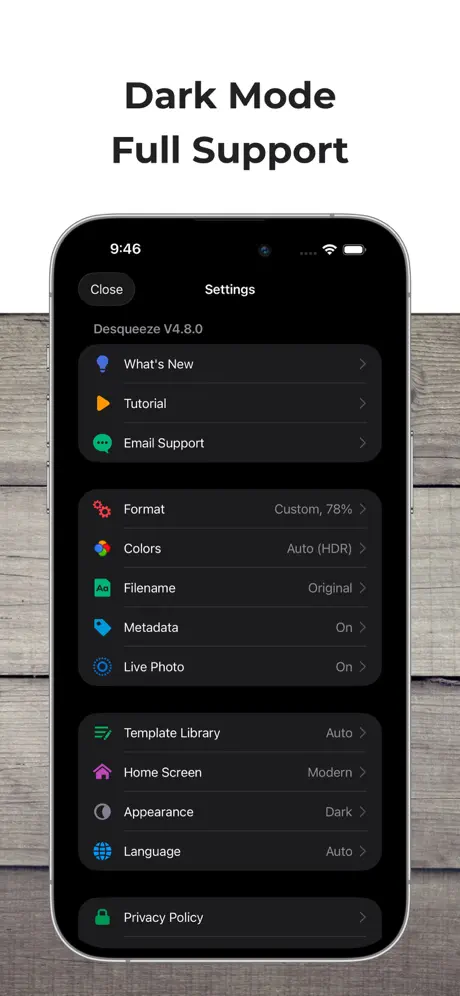
How much does Desqueeze - Batch Resizer cost?
Prices are current as of 4 Oct 2026.
2 subscriptions from $4.49
In the United States, Desqueeze - Batch Resizer has 2 subscriptions priced $4.49 – 34.99. It comes with a 7 days free trial.
| Subscription | Period | Price |
|---|---|---|
| PRO Monthly | MonthlyTrial: 7 days | $4.49 |
| PRO Annual | AnnualTrial: 7 days | $34.99 |
1 one-time purchase from $59.99
In the United States, Desqueeze - Batch Resizer has 1 one-time purchase priced $59.99.
| Product | Price |
|---|---|
| Lifetime Access to PRO Version | $59.99 |
See what Desqueeze - Batch Resizer costs in all 175 countries →
10+ alternatives to Desqueeze - Batch Resizer
| Desqueeze - Batch Resizer |   Ultralight: Photo Video Editor Ultralight: Photo Video Editor |   Cute CUT - Video Editor&Maker Cute CUT - Video Editor&Maker |   Node Video Node Video |   Time Cut: Smooth Slow Motion Time Cut: Smooth Slow Motion |   StreamChamp: Streaming App StreamChamp: Streaming App |   Presets & Filters - Koloro Presets & Filters - Koloro |   NeuralPix - AI Photo & Video NeuralPix - AI Photo & Video |   Resize: Photo Video Compress Resize: Photo Video Compress |   Resize it - compress any image Resize it - compress any image |   DPI - Dots per inch DPI - Dots per inch | |
|---|---|---|---|---|---|---|---|---|---|---|---|
| Rating / 5 | 4.7 | 4.7 | 4.3 | 4.7 | 4.7 | 4.6 | 4.6 | 4.5 | 4.3 | 4.7 | 4.6 |
| Reviews | 2.2K | 174K | 148K | 78K | 75K | 29K | 26K | 9.6K | 5.9K | 2.6K | 2.2K |
| Released | 2015 | 2015 | 2013 | 2020 | 2021 | 2019 | 2018 | 2023 | 2020 | 2020 | 2018 |
| Monthly price | $4.49 | $4.99 | — | $3.49 | — | $1.99 | $2.99 | — | $4.99 | — | — |
| Annual price | $34.99 | $24.99 | — | $19.99 | $5.99 | $17.99 | $17.99 | — | $19.99 | — | — |
| One-time price | $59.99 | $0.99 | $9.99 | $59.99 | $7.99 | — | $2.99 | $9.99 | — | — | $34.99 |
The going rate for each plan in United States, in its own currency, shaded from the cheapest price on the row to the dearest. Plans fewer than four in ten of the priced apps sell are left out.
Desqueeze - Batch Resizer reviews
4.7 out of 5, based on 2,187 reviews.
What people like
- Developers actually listen to feedback.
- Great for batch resizing photos.
- Fast and robust performance.
What they complain about
- Takes forever to start up.
- Crashes frequently during processing.
- Watermark ruins free exports.
- No easy way to delete files.
معرف
جميل
It used to be good
I have been using the app for 3 years consistently and it worked amazing. Recently I have noticed when using the app, I will click on the photos to compress and after clicking to the button the app freezes and then goes back to my Home Screen. Once I refresh it three times, then it starts to work. I would recommend fixing this bug.
Great,but the videos are rather 144p!
Im giving this a 4 star because ONCE it didn’t make my video quality 144p,but now it makes it 144p and you barely can see anything on the video!
Lossy Resizing
I was deeply enjoying this product, until I took my processed photos to a larger screen and noticed horrible image artifacts in the resized image. Very disappointed: I had to delete all of the desqueezed images and rescale them in Photoshop.
It’s does what it say
It’s a good app but they do not offer a 1.1 desqueeze for the DJI osmo pocket 3’s anamorphic lenses
ً
انني اريد التصميم على فيديو مدته 3 دقائق و عند تصديره يصبح 30 ثانية !!!
Cannot save to photos app
Cannot save to photos app confusing.
Best choice but missing file size limit
One of the main goal of resize is reduce the file size, not resolutions. This app is easy to use but I found the lowest file size this app can reduce to is 1.4MB consistently, even I choose jpeg compress 30% or 10%. If you can made a file size limit function like Lightroom, it will help iPad work more independent to macOS. Then 6 star for this function.
No delete.
Seriously? Theres no delete.
Good App, Bad Watermark
This is app is really good and does exactly what it advertises. However, in a recent(ish) update, there is now a watermark on exports for free users. Of course, the app has to make money, but would love if there was an option to watch ads to get rid of the watermark or something similar - for a lot of free users the added watermark removes most of the value from the app.
Great for its job!
Exactly what I was looking for, with the old interface being easy to use and very simple.
App no longer works
Just says Processing and never finishes anymore. Tried restarting phone. Tried deleting and reinstalling.
I really like it, long processing startup
It's the most robust app I've used, and almost the best of all I've tried. One annoying aspect of the app is the near 20 second startup time it takes to start processing the photos I choose. No idea why it takes that long.
Poco intuitiva
Davvero complicato ridimensionare una foto in pochi passaggi, si rischia sempre di sbagliare l'effetto e dover ripetere la cosa.
RAW
It doesn’t seem to keep the meta data when converting raw files.
Easy to use. Fast resizing. Lots of options.
This app has everything you need for resizing photos quickly and efficiently. It has a nice clean well laid-out user interface. One thing that would be nice would be to see the image file size on each image. It show the dimensions in pixels.
Desqueeze
I bought this to resize iPhone photos so I can email several at a time. It should be easy to select 20 photos and reduce the file sizes so I don’t exceed email limitations. Therapy gives several options and templates but every time I tried to resize it kept every previous attempt. My 20 photo grew to number. 140+. There is a “select all” but no “delete all”. This is my first day to use the ap. After a few weeks I will have hundreds of duplicate that O will have to weed through. Also, the Apple “live” photo mode is an additional pain. You have to delete the .mov files before resizing. This process is a disappointment!
Ottimo
Fa quello che deve bene e velocemente.
Suggerisco nuove funzioni
A livello di esperienza utente sarebbe utile poter selezionare formati di risoluzione preimpostati. Inoltre sarebbe utile poter abbassare la qualità di una foto per ridurne la grandezza in KB. Saluto
What happened?
I don’t like the new interface at all. I can’t get my photos to resize or use a template. I used this every day for fast resizing now I’m so frustrated. Why do developers try and fix a good thing? At least give an option to go back to the previous version as it is way too complex now, used to be my favorite but I will be looking for something more simple once again! EDIT It’s 5 stars again!! Thank you to the dev for updating to make it better than before!!
Screwed up
What happened to the pre-built templates? They’re all blank now ??
Possibilità di mettere watermark
L'app è fantastica un altra idea per migliorarla sarebbe quella di avere la possibilità di mettere i watermark o loghi su tutte le foto grazie
Lost Live Photos
Would be good if it desqueezes / resizes the Live Photos as well. Looses Live Photos otherwise
Wow your team is the best!
Just over two weeks ago (Oct 23 2024), they released the new 4.0 interface. I posted a review about that, with a request to provide a user setting to select the home page style as I preferred the original style. WOW, they added this feature in todays release (Nov 8 2024)! Thanks for listening to your customers and actually implementing this setting - your team is the best!
Does not work
I’ve tried desqueezing all kinds of video with different settings and it always crashes after processing 10 seconds of video. I’m on an iPhone 11 Pro Max so it’s not an issue with it being an old device I’ve had this app for long time and have never been able to get it to work. I don’t know what else to say. Idk where these 5 star reviews come from
12/2016 Update..
Udate - not free any more, or at least if you want it to be useful, you have to pay for PRO.. So, nothing amazing anymore as there are many paid apps that do re-sizing. ----- Great for re-sizing photos and videos, although I mainly use it for photos. Must have app - it's free and no ads 👍 Thank you so much !
Sam
Radmacher
Desqueeze Pro
Didn’t appear to actually desqueeze the files I tested. Also, the Pro version doesn’t appear to create .mov files that are compatible with iMovie. Lastly, there was no obvious way to delete either input videos or results video within the app.
Does What It Says
This app is just what I was looking for. The provided templates keep things simple and the folders for originals, photos, and videos in the Photos app keep your work organized. It’s well worth the price!
Not good
Not good Noooooott
Amazing
I have been using this app for years. It’s still the best resizing app I’ve ever used. Thanks
Just purchased pro, now nothing saves
Now whenever I resize it says “item not supported by device, will not save” 🤬🤬🤬🤯🤯🤯
Desqueeze
A very cool and fun application.👍💕 We wish you success and expect more from you 👋🏻🌹💕😍 Desqueeze is a very interesting and useful application that I recommend 👍 It works to change the resolution of the video and images and change their sizes... We thank the workers for developing this application 🙏🌹
Was slow before but good. Started crashing.
Just upgraded to Pro as the Desqueeze Template was making the app quit. Upgraded & it STILL crashes. iphoneX, please advise. Was my main app for desqueezing moment anamorphic lens & osmo2 rig footage. Now is worthless.
Desqueeze - Batch Resizer price by country
A monthly subscription costs $2.20 in Qatar and $5.86 in Denmark — 3× more for the same thing. Below is the going rate for each plan in every country that sells it — the middle price of what the app charges there, in the country's own currency with the dollar equivalent beneath it.
| Country | Monthly | Annual | One-time |
|---|---|---|---|
| Afghanistan | $3.99 | $29.99 | $59.99 |
| Albania | $4.99 | $34.99 | $69.99 |
| Algeria | $3.99 | $29.99 | $59.99 |
| Angola | $3.99 | $29.99 | $59.99 |
| Anguilla | $3.99 | $29.99 | $59.99 |
| Antigua And Barbuda | $3.99 | $29.99 | $59.99 |
| Argentina | $2.99 | $23.99 | $59.99 |
| Armenia | $4.99 | $34.99 | $69.99 |
| Australia | A$5.99$4.16 | A$49.99$34.72 | A$99.99$69.44 |
| Austria | €3.99$4.49 | €34.99$39.36 | €69.99$78.73 |
| Azerbaijan | $4.99 | $34.99 | $69.99 |
| Bahamas | $3.99 | $29.99 | $69.99 |
| Bahrain | $3.99 | $29.99 | $69.99 |
| Barbados | $4.99 | $34.99 | $69.99 |
| Belarus | $4.99 | $34.99 | $69.99 |
| Belgium | €3.99$4.49 | €34.99$39.36 | €69.99$78.73 |
| Belize | $3.99 | $29.99 | $59.99 |
| Benin | $4.99 | $34.99 | $69.99 |
| Bermuda | $3.99 | $29.99 | $59.99 |
| Bhutan | $3.99 | $29.99 | $59.99 |
| Bolivia | $3.99 | $29.99 | $59.99 |
| Bosnia & Herzegovina | €3.99$4.49 | €34.99$39.36 | €69.99$78.73 |
| Botswana | $3.99 | $29.99 | $59.99 |
| Brazil | R$17.99$3.45 | R$149.90$28.72 | R$399.90$76.61 |
| British Virgin Islands | $3.99 | $29.99 | $59.99 |
| Brunei Darussalam | $3.99 | $29.99 | $59.99 |
| Bulgaria | €3.99$4.49 | €34.99$39.36 | €69.99$78.73 |
| Burkina Faso | $3.99 | $29.99 | $59.99 |
| Cambodia | $3.99 | $29.99 | $69.99 |
| Cameroon | $4.99 | $34.99 | $69.99 |
| Canada | CA$4.99$3.51 | CA$39.99$28.16 | CA$79.99$56.33 |
| Cape Verde | $3.99 | $29.99 | $59.99 |
| Cayman Islands | $3.99 | $29.99 | $59.99 |
| Chad | $3.99 | $29.99 | $59.99 |
| Chile | CLP 4,990$5.08 | CLP 34,990$35.63 | CLP 69,990$71.27 |
| China | CN¥22.00$3.27 | CN¥148.00$21.99 | CN¥398.00$59.14 |
| Colombia | COP 14,900$4.50 | COP 99,900$30.16 | COP 299,900$90.55 |
| Congo | $4.99 | $34.99 | $69.99 |
| Congo, Democratic Republic | $3.99 | $29.99 | $59.99 |
| Costa Rica | $3.99 | $29.99 | $59.99 |
| Cote Divoire | $4.99 | $34.99 | $69.99 |
| Croatia | €3.99$4.49 | €34.99$39.36 | €69.99$78.73 |
| Cyprus | €3.99$4.49 | €34.99$39.36 | €69.99$78.73 |
| Czech Republic | CZK 99.00$4.56 | CZK 799.00$36.79 | CZK 1,490.00$68.60 |
| Denmark | DKK 39.00$5.86 | DKK 249.00$37.44 | DKK 499.00$75.04 |
| Dominica | $3.99 | $29.99 | $59.99 |
| Dominican Republic | $3.99 | $29.99 | $59.99 |
| Ecuador | $3.99 | $29.99 | $59.99 |
| Egypt | EGP 199.99$3.83 | EGP 1,499.99$28.69 | EGP 2,999.99$57.38 |
| El Salvador | $3.99 | $29.99 | $59.99 |
| Estonia | €3.99$4.49 | €34.99$39.36 | €69.99$78.73 |
| Fiji | $3.99 | $29.99 | $59.99 |
| Finland | €3.99$4.49 | €34.99$39.36 | €69.99$78.73 |
| France | €3.99$4.49 | €34.99$39.36 | €69.99$78.73 |
| Gabon | $3.99 | $29.99 | $59.99 |
| Gambia | $3.99 | $29.99 | $59.99 |
| Georgia | $4.99 | $34.99 | $69.99 |
| Germany | €3.99$4.49 | €34.99$39.36 | €69.99$78.73 |
| Ghana | $4.99 | $34.99 | $69.99 |
| Greece | €3.99$4.49 | €34.99$39.36 | €69.99$78.73 |
| Grenada | $3.99 | $29.99 | $59.99 |
| Guatemala | $3.99 | $29.99 | $59.99 |
| Guinea-bissau | $3.99 | $29.99 | $59.99 |
| Guyana | $3.99 | $29.99 | $59.99 |
| Honduras | $3.99 | $29.99 | $59.99 |
| Hong Kong | HK$32.00$4.08 | HK$228.00$29.04 | HK$488.00$62.17 |
| Hungary | HUF 1,790$5.47 | HUF 12,990$39.67 | HUF 24,990$76.31 |
| Iceland | $4.99 | $34.99 | $69.99 |
| India | ₹299.00$3.10 | ₹2,299.00$23.86 | ₹5,900.00$61.22 |
| Indonesia | IDR 59,000$3.30 | IDR 455,000$25.44 | IDR 1,199,000$67.05 |
| Iraq | $3.99 | $29.99 | $59.99 |
| Ireland | €3.99$4.49 | €34.99$39.36 | €69.99$78.73 |
| Israel | ₪12.90$4.23 | ₪99.90$32.75 | ₪199.90$65.54 |
| Italy | €3.99$4.49 | €34.99$39.36 | €69.99$78.73 |
| Jamaica | $3.99 | $29.99 | $59.99 |
| Japan | ¥600$3.80 | ¥5,000$31.68 | ¥10,000$63.36 |
| Jordan | $3.99 | $29.99 | $59.99 |
| Kazakhstan | KZT 2,490.00$5.61 | KZT 17,990.00$40.51 | KZT 34,990.00$78.79 |
| Kenya | $4.99 | $34.99 | $69.99 |
| Kosovo | €3.99$4.49 | €34.99$39.36 | €69.99$78.73 |
| Kuwait | $3.99 | $29.99 | $59.99 |
| Kyrgyzstan | $3.99 | $29.99 | $69.99 |
| Lao Peoples Democratic Republic | $3.99 | $29.99 | $69.99 |
| Latvia | €3.99$4.49 | €34.99$39.36 | €69.99$78.73 |
| Lebanon | $3.99 | $29.99 | $59.99 |
| Liberia | $3.99 | $29.99 | $59.99 |
| Libya | $3.99 | $29.99 | $59.99 |
| Lithuania | €3.99$4.49 | €34.99$39.36 | €69.99$78.73 |
| Luxembourg | €3.99$4.49 | €34.99$39.36 | €69.99$78.73 |
| Macao | $3.99 | $29.99 | $59.99 |
| Macedonia | $3.99 | $29.99 | $59.99 |
| Madagascar | $3.99 | $29.99 | $59.99 |
| Malawi | $3.99 | $29.99 | $59.99 |
| Malaysia | MYR 19.90$4.88 | MYR 129.90$31.84 | MYR 299.90$73.50 |
| Maldives | $3.99 | $29.99 | $59.99 |
| Mali | $3.99 | $29.99 | $59.99 |
| Malta | €3.99$4.49 | €34.99$39.36 | €69.99$78.73 |
| Mauritania | $3.99 | $29.99 | $59.99 |
| Mauritius | $4.99 | $34.99 | $69.99 |
| Mexico | MX$65.00$3.57 | MX$455.00$24.99 | MX$1,299.00$71.33 |
| Micronesia | $3.99 | $29.99 | $59.99 |
| Moldova | $4.99 | $34.99 | $69.99 |
| Mongolia | $3.99 | $29.99 | $59.99 |
| Montenegro | €3.99$4.49 | €29.99$33.73 | €59.99$67.48 |
| Montserrat | $3.99 | $29.99 | $59.99 |
| Morocco | $4.99 | $34.99 | $69.99 |
| Mozambique | $3.99 | $29.99 | $59.99 |
| Myanmar | $3.99 | $29.99 | $59.99 |
| Namibia | $3.99 | $29.99 | $59.99 |
| Nauru | $3.99 | $29.99 | $59.99 |
| Nepal | $4.99 | $34.99 | $69.99 |
| Netherlands | €3.99$4.49 | €34.99$39.36 | €69.99$78.73 |
| New Zealand | NZ$6.99$3.93 | NZ$49.99$28.08 | NZ$99.99$56.17 |
| Nicaragua | $3.99 | $29.99 | $59.99 |
| Niger | $3.99 | $29.99 | $59.99 |
| Nigeria | NGN 6,900.00$5.19 | NGN 49,900.00$37.50 | NGN 99,900.00$75.08 |
| Norway | NOK 49.00$5.09 | NOK 399.00$41.48 | NOK 799.00$83.06 |
| Oman | $3.99 | $29.99 | $59.99 |
| Pakistan | PKR 1,100$3.97 | PKR 7,900$28.54 | PKR 14,900$53.83 |
| Palau | $3.99 | $29.99 | $59.99 |
| Panama | $3.99 | $29.99 | $59.99 |
| Papua New Guinea | $3.99 | $29.99 | $59.99 |
| Paraguay | $3.99 | $29.99 | $59.99 |
| Peru | PEN 17.90$5.20 | PEN 129.90$37.76 | PEN 249.90$72.65 |
| Philippines | ₱199.00$3.18 | ₱1,490.00$23.80 | ₱3,990.00$63.73 |
| Poland | PLN 19.99$5.14 | PLN 129.99$33.42 | PLN 299.99$77.12 |
| Portugal | €3.99$4.49 | €34.99$39.36 | €69.99$78.73 |
| Qatar | QAR 7.99$2.20 | QAR 49.99$13.73 | QAR 199.99$54.94 |
| Romania | RON 19.99$4.22 | RON 149.99$31.64 | RON 299.99$63.29 |
| Russia | RUB 349.00$4.18 | RUB 2,490.00$29.82 | RUB 4,990.00$59.76 |
| Rwanda | $3.99 | $29.99 | $59.99 |
| Sao Tome & Principe | $3.99 | $29.99 | $59.99 |
| Saudi Arabia | SAR 17.99$4.80 | SAR 129.99$34.66 | SAR 249.99$66.66 |
| Senegal | $4.99 | $34.99 | $69.99 |
| Serbia | €3.99$4.49 | €34.99$39.36 | €69.99$78.73 |
| Seychelles | $3.99 | $29.99 | $59.99 |
| Sierra Leone | $3.99 | $29.99 | $59.99 |
| Singapore | SGD 5.98$4.67 | SGD 39.98$31.23 | SGD 89.98$70.30 |
| Slovakia | €3.99$4.49 | €34.99$39.36 | €69.99$78.73 |
| Slovenia | €3.99$4.49 | €34.99$39.36 | €69.99$78.73 |
| Solomon Islands | $3.99 | $29.99 | $59.99 |
| South Africa | ZAR 79.99$4.80 | ZAR 599.99$36.01 | ZAR 1,199.99$72.03 |
| South Korea | ₩6,600$4.90 | ₩49,000$36.37 | ₩99,000$73.48 |
| Spain | €3.99$4.49 | €34.99$39.36 | €69.99$78.73 |
| Sri Lanka | $3.99 | $29.99 | $59.99 |
| St. Kitts and Nevis | $3.99 | $29.99 | $59.99 |
| St. Lucia | $3.99 | $29.99 | $59.99 |
| St. Vincent & The Grenadines | $3.99 | $29.99 | $59.99 |
| Suriname | $3.99 | $29.99 | $69.99 |
| Swaziland | $3.99 | $29.99 | $59.99 |
| Sweden | SEK 49.00$4.88 | SEK 399.00$39.74 | SEK 799.00$79.58 |
| Switzerland | CHF 4.00$4.83 | CHF 30.00$36.19 | CHF 50.00$60.31 |
| Taiwan | NT$120.00$3.77 | NT$990.00$31.07 | NT$1,990.00$62.46 |
| Tajikistan | $3.99 | $29.99 | $69.99 |
| Tanzania | TZS 11,900.00$4.49 | TZS 89,900.00$33.95 | TZS 179,900.00$67.93 |
| Thailand | THB 99.00$2.95 | THB 759.00$22.62 | THB 1,990.00$59.30 |
| Tonga | $3.99 | $29.99 | $59.99 |
| Trinidad and Tobago | $3.99 | $29.99 | $59.99 |
| Tunisia | $3.99 | $29.99 | $59.99 |
| Turkey | TRY 149.99$3.05 | TRY 1,299.99$26.46 | TRY 2,999.99$61.06 |
| Turkmenistan | $3.99 | $29.99 | $59.99 |
| Turks and Caicos | $3.99 | $29.99 | $59.99 |
| Uganda | $4.99 | $34.99 | $69.99 |
| Ukraine | $4.99 | $34.99 | $69.99 |
| United Arab Emirates | AED 14.99$4.08 | AED 119.99$32.69 | AED 229.99$62.67 |
| United Kingdom | £3.99$5.28 | £29.99$39.67 | £59.99$79.35 |
| United States | $4.49 | $34.99 | $59.99 |
| Uruguay | $3.99 | $29.99 | $59.99 |
| Uzbekistan | $3.99 | $29.99 | $69.99 |
| Vanuatu | $3.99 | $29.99 | $59.99 |
| Venezuela | $3.99 | $29.99 | $59.99 |
| Vietnam | ₫79,000$3.04 | ₫759,000$29.24 | ₫1,999,000$77.02 |
| Yemen | $3.99 | $29.99 | $59.99 |
| Zambia | $4.99 | $34.99 | $69.99 |
| Zimbabwe | $4.99 | $34.99 | $69.99 |
Desqueeze - Batch Resizer FAQ
- Is Desqueeze - Batch Resizer free?
- Yes. The app and its basic features are free, in all 175 countries it sells in. Premium features are paid: they start from $4.49 (US), across 2 subscriptions and 1 one-time purchase.
- How much does Desqueeze - Batch Resizer cost per month?
- PRO Monthly is $4.49 (US). The annual plan works out cheaper per month: $34.99 a year.
- Does Desqueeze - Batch Resizer have a free trial?
- Yes — a 7 days free trial (US).
- Where is Desqueeze - Batch Resizer cheapest?
- A monthly subscription costs QAR 7.99 (≈$2.20) in Qatar and DKK 39.00 (≈$5.86) in Denmark, its cheapest and dearest countries.
- What are the best alternatives to Desqueeze - Batch Resizer?
- Ultralight: Photo Video Editor (4.7 from 173,979 reviews, premium from $0.99), Cute CUT - Video Editor&Maker (4.3 from 148,158 reviews, premium from $9.99) and Node Video (4.7 from 78,015 reviews, premium from $3.49).
Desqueeze - Batch Resizer download
Last updated 14 days ago.
Desqueeze - Batch Resizer sells in 175 countries. It was released 10 years and 9 months ago, on 19 Dec 2015. It holds a 4.7 rating from 2,187 reviews.
Supports 5 languages: English, French, German, Portuguese, Spanish.
How much does Desqueeze - Batch Resizer make?
Third-party estimates for the last 30 days, worldwide — not the store's own figures, which Apple publishes for nobody.
Revenue by plan
- Monthly 60%
- One-time 33%
- Annual 6%
Revenue by country
- United States 47%
- Spain 7%
- Saudi Arabia 6%
- Italy 6%