Adobe Capture: Illustrator, Ps
For Photoshop,Indesign,Fresco
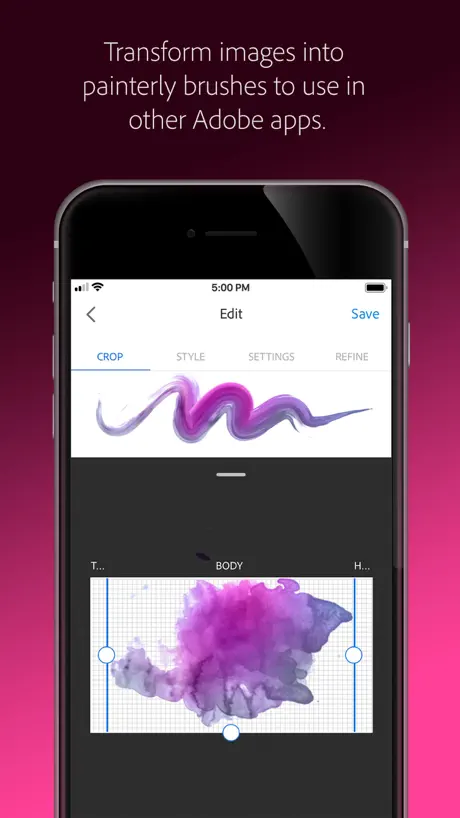
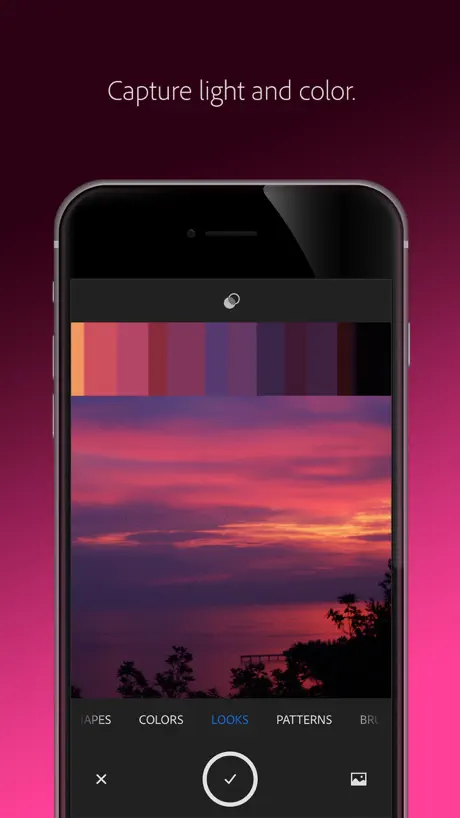
How much does Adobe Capture: Illustrator, Ps cost?
Prices are current as of 29 Sept 2026.
1 subscription from $1.99
In the United States, Adobe Capture: Illustrator, Ps has 1 subscription priced $1.99.
| Subscription | Period | Price |
|---|---|---|
| CC Storage (20 GB) | Monthly | $1.99 |
See what Adobe Capture: Illustrator, Ps costs in all 174 countries →
10+ alternatives to Adobe Capture: Illustrator, Ps
| Adobe Capture: Illustrator, Ps |   Concepts Concepts |   Wallpapers App for iPhone Wallpapers App for iPhone |   UNUM — Layout & Feed Preview UNUM — Layout & Feed Preview |   MediBang Paint for iPhone MediBang Paint for iPhone |   Linearity Curve Graphic Design Linearity Curve Graphic Design |   Brushes for Procreate Brushes for Procreate |   Nomad Sculpt Nomad Sculpt |   Vector & SVG Maker - Assembly Vector & SVG Maker - Assembly |   Procreate Pocket Procreate Pocket |   uMake: 3D CAD Modeling, Design uMake: 3D CAD Modeling, Design | |
|---|---|---|---|---|---|---|---|---|---|---|---|
| Rating / 5 | 4.8 | 4.7 | 4.6 | 4.5 | 4.5 | 4.6 | 4.7 | 4.8 | 4.5 | 3.9 | 4.3 |
| Reviews | 68K | 182K | 179K | 94K | 82K | 77K | 68K | 63K | 44K | 30K | 20K |
| Released | 2015 | 2012 | 2015 | 2016 | 2015 | 2017 | 2020 | 2020 | 2015 | 2014 | 2015 |
| Monthly price | $1.99 | $4.99 | $4.99 | $8.99 | $4.99 | $14.99 | $9.99 | — | $4.99 | — | $12.99 |
| Annual price | — | $29.99 | $29.99 | $59.99 | — | $74.99 | $29.99 | — | $29.99 | — | $59.99 |
| One-time price | — | $3.99 | $11.99 | — | $5.99 | — | — | $15.99 | $9.99 | — | — |
The going rate for each plan in United States, in its own currency, shaded from the cheapest price on the row to the dearest. Plans fewer than four in ten of the priced apps sell are left out.
Adobe Capture: Illustrator, Ps reviews
4.8 out of 5, based on 67,897 reviews.
What people like
- Capturing colors from photos works great.
- Turning hand drawings into vectors is easy.
- Creating custom brushes from real textures is fun.
- Syncing with other Adobe apps saves time.
What they complain about
- It crashes constantly when saving files.
- Exporting to SVG often fails silently.
- Background removal tool is frequently unavailable.
- You cannot export multiple items at once.
Back to iOS just for this app.
Very useful. Very functional. And you can’t find another app that image traces this well. You just. Simply. Cannot. Nine thumbs UP. The AstroGlide BackDoor DoubleDogg ThumbANDsaliva Uppp [ uppgrade ] two t’s included for a double dose of pimpin’. LUMPART new style alert google it for images Puts Basquiat, Harring, and picasso into REM sleep with this sleek new style from the CreativeSourceTechnology LeftyLoosyRightyTighty -MsLuhmp
Ridiculous
As soon as you open the app after installing a box tells you that by continuing to use the app you agree to sharing your activity with them for “training”. I closed the app and immediately uninstalled it. These companies already buy and sell our data & when it’s breached no one cares. I’m not sharing ish.
Great but crashes
Just takes longer
Could have been great
Not being updated any longer, integrations with PS only work sporadically. AI features don’t work.
Graphics horrid
It does not work it says backround removal is not available at this time please I have been trying for weeks I can’t do it still
Excellent app
Great work by Adobe. Please keep adding more features. 5 stars.
Doesn’t export the file
Cannot get this to export as svg. I press export then svg and nothing happens. Tried numerous times including uninstalling and reinstalling the app.
语言language
希望能支持简体中文,只有繁体中文很不方便。
Terrible Result
I don’t understand how anyone can get their sketch to transfer even close to accurately. It looks awful. It’s the equivalent of drawing with a mouse and then randomly erasing lines. Your time would be better spent using the pen tool.
Basic UI Improvements, please!
Adobe, love the app, except for these two basic requests: For the sake of being more user-friendly, please give users the option to darken the Capture UI. PLEASE. Otherwise, I’m unable to work in it for too long, because my poor eyes give out! In addition, I would like to be able to move items in bulk from one library to another, instead of having to select and move a item individually. It would save me a lot of time! Otherwise, Capture has been an invaluable app.
Best app
5 / 5 it’s the best app to convert PNG to SVG
So disappointed
TLDR: another trash app from Adobe that doesn’t work as described is basically just bloat ware to trick consumers into thinking there’s a benefit to over inflated subscription fees. The full review: Literally have an error for the most basic feature; remove background. Adobe says “Service error: Background removal tool is currently unavailable. Try again later.” Why am I paying for a subscription based app that doesn’t work on my phone, iPad or desktop (Windows or Mac) when they never work. I cancelled my subscription for a long time, and started using free apps, or open source apps that offer more features, better features, and more responsive easier to use images compared to this extremely expensive software that doesn’t do much of anything. All honesty, Adobe sponsored the graphic design degree at my local community college and I have also completed additional training. Adobe is all about those subscriptions not taking care of, or interested in the end user. They expect you to pay for it and struggle with it and challenge you to use their tools that don’t work. It’s the same as any game app you play without the ad wall. Don’t believe me, how many of you pay for Acrobat Pro to sign a document, or make edits. It’s a scam. Acrobat Pro is designed literally for the legal, finance, engineering and operations individuals that need to hold you accountable and hide a bunch of language from you. Trust me look for freeware, or open source. You deserve to work without paying for errors or add-ons.
Good app
It’s a good app however, it’s not sending my images to photoshop or Illustrator. Other then that it’s good
Adobe by name only.
Adobe by name only. App keeps crashing. Rather useless.
Great until it crashes!
The app constantly crashes when I attempt to save brushes, both on iPad and iPhone. It’s otherwise excellent for creating!
Excellent
Great for capturing graphics and shapes from things you’ve drawn on paper. The only AI in art I approve of is the one that helps me cut out backgrounds accurately down to the pixel. Scrap all that generative stuff.
App crashes!
The app crashes every time I try to use the free form grid. Downloaded the app to make a pattern, but it clearly doesn’t work!!!
Loving it
I love the I buy love how when I take a picture of old photos it seems to do much better than my camera. My feedback is that you should have a feature in it that can takes away reflection to make it easier then using a printer to scan old photos.
Missing something?
New phone, redownloaded app and found certain features missing. Also captures are great, but limited tools for editing. Black and white vectors are gone on images to vector, sorely missed. Please put back. Great product Adobe always delivers for design/art/labels, great team over there. Put back the b/w for images please!!!
Crashes
Crashes after capturing 3-5 shapes when trying to collect a series of them.
Adobe has me speechless.
Adobe above and beyond! There’s nothing that Adobe hasn’t done. I love Adobe!
Absolute Garbage
My recordings immediately disappear when I hit stop on the recorder. It worked once and never again. I’ve checked permissions, restarted both the app and my ipad, and uninstalled and reinstalled. Nothing works. I’m so tired of Adobe products being absolute garbage.
Good but one little thing
On the whole this is a great app and I use it all the time to get my little sketches looking neat. Just one thing that bothers me is that you don’t seem to be able to select multiple shapes and then share. When you are in selection mode it only allows you to delete the selected items and not anything else. This is frustrating because I often take a group of photos and then want to export them all at the same time but at the moment I have to go through one by one. This seems like it should be such a simple feature so I really don’t know why it doesn’t have it or maybe I’m just being stupid haha. (Although if it is already a feature in the app and I just haven’t found it, then it needs to be made far more intuitive)
Freezing
This app freezes every 4 or 5 imports. Frustrating! 😡👎
Crashing
I recently returned to using this after pausing Adobe a few years back and am shocked to find how buggy it is. I’ve had multiple crashes on pressing the button trying to capture “shapes”.
Amazing!
I love this app! I made my first stamp and a couple of brushes. And it’s just so much fun to play around with.
Bro…
HOW DO U COLOR!? I’m literally trying to color but I can’t color it does not even work like 1 star how do ppl even like this nothing works
amazing app
This is one of my favourite apps. I’ve been using it for almost 2 year now, however in recent times I believe ever since audio got added, I’m unable to use the app at all :( it crashes every time I open it. I’ve deleted and reinstalled it, restated my phone, my ram, closed apps everything and still encounter this issue. I have an iPhone 11 Pro
It’s great when it works.
This crashiest crashing app in all the lands. When it works, it’s pretty good.
It used to be a 5 star app
For some reason “looks” is missing from this app again. Please bring it back and you can have 5 stars again from me!
I'm happy to have discovered this app.
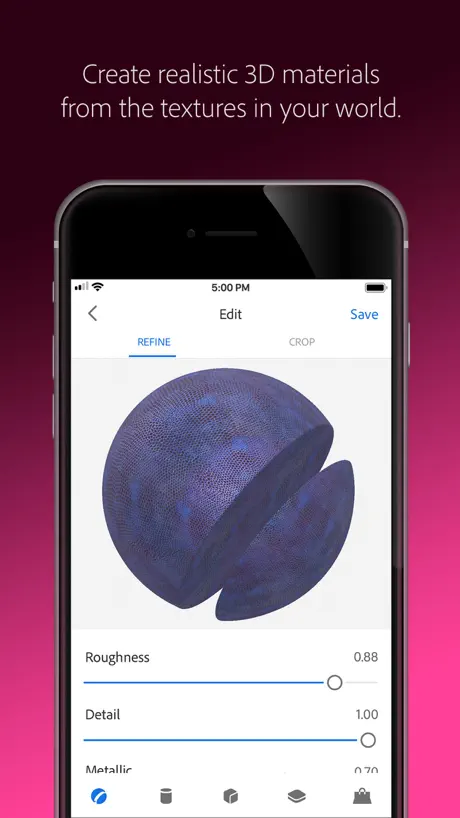
Costume material addition is a really useful tool to create original 3d material and brushes without having to spend a dime, thank you adobe
Update needed keeps crashing can’t save as SVG
App doesn’t work. Tried to convert a png (that I drew in Fresco) to a vector (svg) and there are no options to select which file-type to save in, file won’t save, and can’t edit image in the edit screen.
Manque de tutorial
Je veux me familiariser avec le concept d’harmonie de couleur. Il manque de tutoriel pour que j’y arrive.
images once exported are pixelated
Regardless of whether you export images from adobe capture as an svg or bitmap it produces blurry images. I’ve tried importing images from Adobe Illustrator, Draw and Procreate and all I’ve been creating is blurry patterns. I was having fun with the app until I saw the end result via export. It would also be great to have the ability to import extra shapes once a pattern has been created but apparently if you accidentally forget to add a shape then you have to discard the whole pattern project and start again? Image trace used to be a lot better. Hit and miss. But even if you do make a home run and produce a perfectly smooth vector , once that image is saved to shapes and imported into a pattern it suddenly pixelates even if you have vector pattern selected. Also when it comes to exporting a pattern it’s a rectangle not a square tile once opened in Adobe Illustrator? Selection tool hasn’t worked since using the app and I have a 2019 IPad Pro. So the big issue for me is the image resolution A link to Adobe draw would be great unless I’ve missed that feature. If the resolution was sorted then this would be a good app
Complex to use…
This dose a great effects, but new version is so complicated, hope to enhance it later.
Where have you been!?
Love- love- love being able to use hand drawn art on paper and digitize it
No longer working
Adobe Capture is no longer capturing shapes as of today There is a bug in your software It is no longer capturing a png (mabye a psd) with a transparent background Please fix
Crashing today
I love this app and use it a lot to stylise illustrations and create ‘wood cut’ type effects. But it is crashing today and I can’t work.... :(
Used to love this app so much
The newer updates however, taking away the shape and smooth features and replacing them, really annoying. Can we please get those back?? I do digital hand drawn designs, and I can’t always get perfect lines. Please bring back the old shapes feature
Very useful — but glitchy
I use Fresco constantly and was struggling with making circles. Enter Capture … five minutes later i had downloaded a png from the internet with a perfect circle, and uploaded it to shapes. After that my most commonly used icons and shapes got the same treatment. It’s a huge timesaver. The color schemes is also a great asset because that can go from Fresco to illustrator and InDesign. The main issue I have with this app is it’s glitchy. Really, really glitchy. It crashes after every other upload. It also takes forever to sync. The AI recognizing the shapes can be really off — so you need high-res images to make it work.
Love it
Love it! I’ve been looking for an app for line drawing
Simply Doesn’t Work
It would be nice if the files could be sent to Photoshop, but they can’t.
Great app but lacks a font capture ability
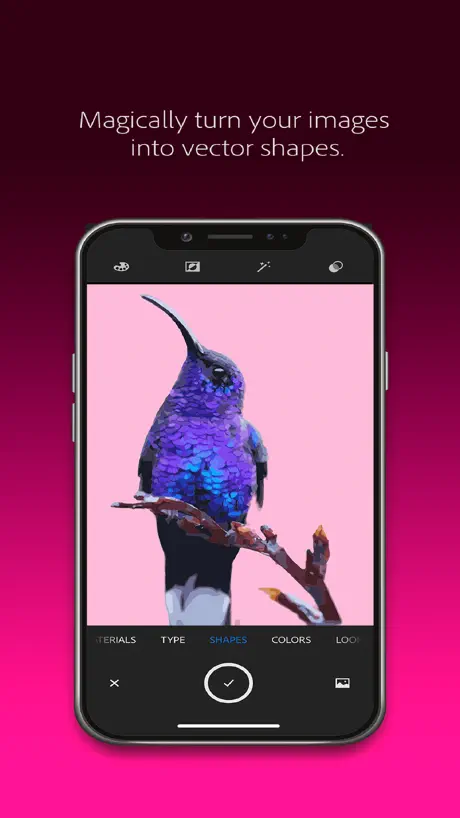
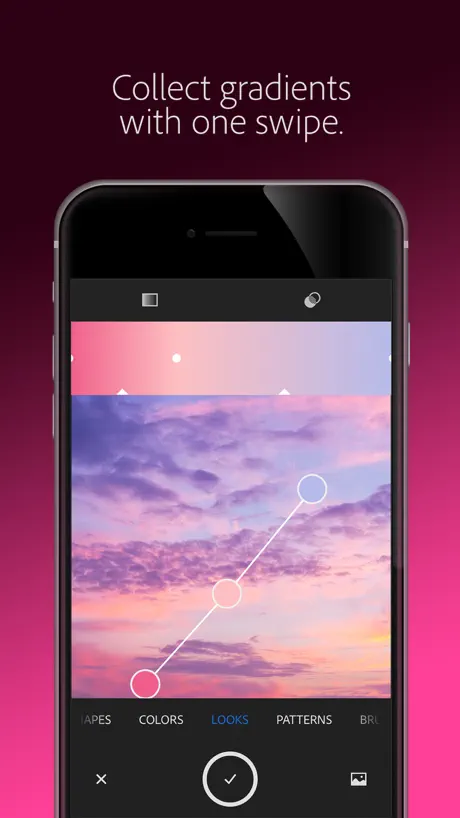
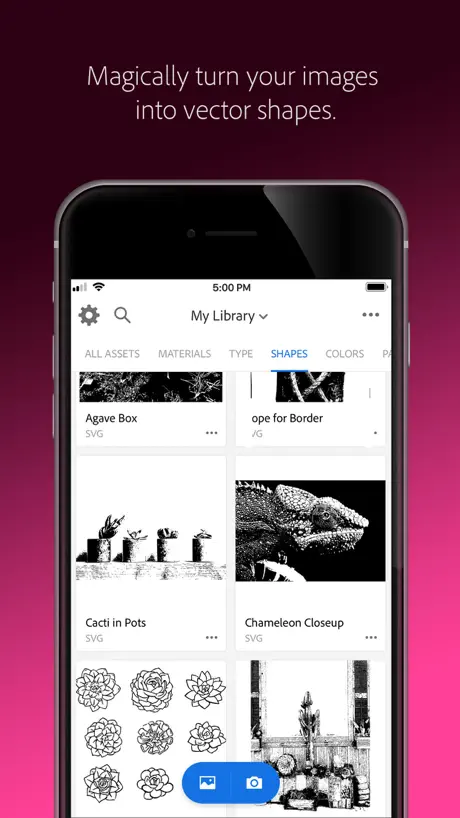
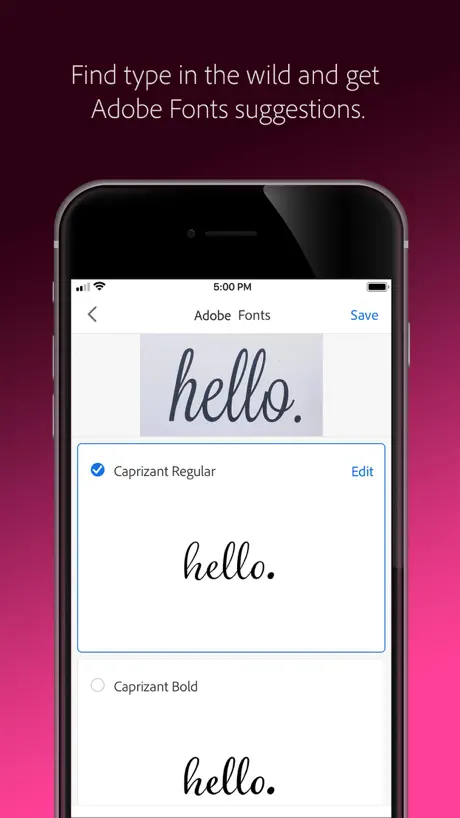
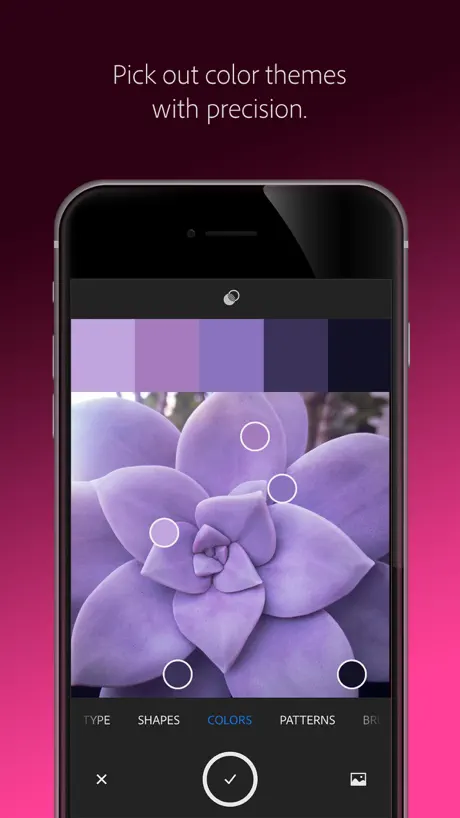
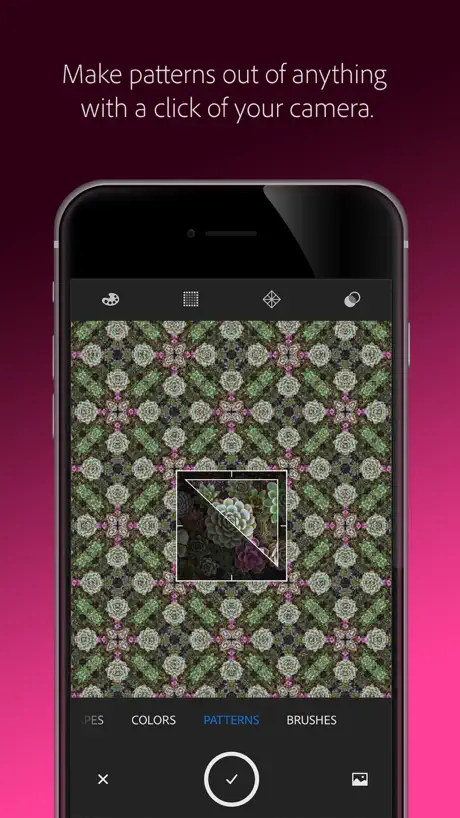
I would give this app 5 stars but... Let’s start off with listing the feature and and then we will get to why I gave it 4 stars. It create shapes that you can use in illustrator or illustrator draw on the iPad. There are settings to refine your shape and if you use it in conjunction with photoshop mix to first cut out your object and then create the shape, it can save you a lot of time that you would normally be spending on drawing that object. It syncs easily with the draw app. You can use it to grab colors from a picture. This is really useful and it provides complementary colors as well a selection of other color harmonies. You can save these colors to the cloud and use them in other apps. Great for graphic designers or illustrators. You can create fantastic brushes with this app. Say you wanted to use Adobe sketch or photoshop to draw a picture using specific words or images as the shading or the line work. You can take a picture of those words, make a brush and then use that brush to create what you want in photoshop or on the iPad using adobe sketch. It’s really quite a neat feature. There is a feature that lets you make patterns which I don’t use but I think it’s useful. There is a feature that lets you create textures and apply them onto a 3D object, which you can choose from. There are about 5. You can choose from a number of settings to adjust the texture such as: roughness, metallic, repeat, blend edges, refine and I think a few more. Lastly there is a type feature that lets you analyze words and then it will try and find a similar font. I think this isn’t useful. The problem I have with this app and why I didn’t give it 5 stars is because I think the app could have a fonts capture button. Adobe has no apps on the App Store, that I am aware of, that allow you to create fonts and if it were built into this app I think I would give it 5 stars.
Was working soo well.
That new update was unnecessary, it worked fine with the vector shapes. Now they will not save the shapes, just the original scan.
Gotta drop two stars I’m afraid
I have used this app for a very long time and loved it, I mainly used it for graphics and shapes, conveniently capturing silhouetted objects and having them ready and waiting in my cloud library I love to capture the hundreds of colour palettes I come across every day My only criticism and concern is the turn the text recognition system has taken. Not only is the suggested fonts very jittery but it barely recognises any font these days and before anyone says you need a less cluttered background I’ve used it for a few years with great success and tested this version on poster fonts for a while and it is now absolutely atrocious, it constantly fails to recognise clearly printed words on contrasting clear backgrounds. I have always given Adobe capture 5 stars because as a Multirole artist it is an invaluable tool, seriously I can’t praise it enough so this comes from a place of love for this app and sometimes features take wrong turns but that’s the whole point of app development and criticism. The pattern feature is also amazing and doesn’t get the credit it deserves but my favourite part of this app apart from the simplicity and close reach tools that aren’t 6 swipes and several yes/know boxes away is the palette tool! Damm it should be mandatory for all artists. I just really hope this tool is fixed. I will continue to use the app but I can’t give it 5 stars until this is resolved or removed.
Brilliant
Capture allows us to walk around a concept and visually consider endless options.
Used to love but keeps CRASHING
I use this app specifically to import my procreate files to create svgs. Whenever I attempt to save an import the app crashes after hitting the save button. This has been happening for the past 3 months and progressively getting worse. It used to happen every 3rd or 4th import, but I have to been able to save maybe 1 import out of every 20 attempts in the past week. I used to love this app, but this makes it non functional for me. Looking at the reviews it seems that this has been an ongoing issue and the developer hasn't even responded to reviews since November of last year. Who knows if this review will even lead to the bug being fixed. Very disappointed in Adobe.
Very handy
Great app to capture doodles and turn them into vectors. Just annoying that there’s a bug in CC that prevents all apps from connecting to CC Libraries so I have to airdrop every imagine to use it.
Overly Adoberly
Utterly locked within the adobe ecosystem—no google drive saving, no seeming support for any non adobe apps. In theory all fine, after all it’s an adobe product. However, what can adobe possibly offer the world in terms of mobile photo editing?! Where is the competition to Afinity Photo? Even their own mix and fix haven’t been updated in 6 months or so. I don’t think adobe realise That many people are stepping away from desktops and it’s now becoming viable to do everything from even ones phone nowadays. Hardware is there; software it seems is still wanting.
Half good.
I downloaded Adobe Capture for two reasons: Type and Colour. Type is not fully reliable, only half good. I printed 9 fonts from my PC, & used iPad camera to seek for similar fonts on Typekit. The app failed 4 of them, nowhere similar, miles apart. It did managed to find similar looking fonts for the other 4 fonts. Those were as near as it can get, of various degrees. It did however surprisingly found 1 full match. Colour is good. But I can’t be totally sure, I hope it is as good as it can get. I can see basic colours, but when it comes to the shades and tone of the colours, I can’t tell the difference. (For example I can see blue, but get confused with navy blue and purple.) I decided to test how good it is, by finding out the RGB values of WWII RAF colours on the Hawker Hurricane, as well as a Spitfire, by looking up for the information. Make notes of the RGB values of colours. I had the app scan pictures of different Hurricanes, pick one of the colours, then check the RGB values suggested by the app against the values listed. I know I can’t get an exact match due to light levels and light position, for example, one image shows the colours in strong sunlight, the other in overcast sky, but I would be willing to accept if the values or the position of the sliders were more or less in the same area. They were in roughly the same area. For example, RGB listed as 107/85/58, the app suggested something like 140/114/63, I may not be able to see if one is bit darker than other, and they look similar colours to me, but it’s better. It’s not like the values are in the wrong places or all over the place, like 255/0/255 or something. Sorry I can’t help with Shapes, Patterns, Materials and others as I don’t use them. I can only say that Type is half good, Colour is as good as it can for me.
Adobe Capture: Illustrator, Ps price by country
A monthly subscription costs $0.14 in Turkey and $2.59 in Israel — 18× more for the same thing. Below is the going rate for each plan in every country that sells it — the middle price of what the app charges there, in the country's own currency with the dollar equivalent beneath it.
| Country | Monthly |
|---|---|
| Afghanistan | $1.99 |
| Albania | $2.39 |
| Algeria | $1.99 |
| Angola | $1.99 |
| Anguilla | $1.99 |
| Antigua And Barbuda | $1.99 |
| Argentina | $1.99 |
| Armenia | $1.99 |
| Australia | A$2.99$2.09 |
| Austria | €1.99$2.27 |
| Azerbaijan | $1.99 |
| Bahamas | $1.99 |
| Bahrain | $1.99 |
| Barbados | $1.99 |
| Belarus | $1.99 |
| Belgium | €1.99$2.27 |
| Belize | $1.99 |
| Benin | $1.99 |
| Bermuda | $1.99 |
| Bhutan | $1.99 |
| Bolivia | $1.99 |
| Bosnia & Herzegovina | €1.99$2.27 |
| Botswana | $1.99 |
| Brazil | R$6.50$1.25 |
| British Virgin Islands | $1.99 |
| Brunei Darussalam | $1.99 |
| Bulgaria | €1.99$2.27 |
| Burkina Faso | $1.99 |
| Cambodia | $1.99 |
| Cameroon | $1.99 |
| Canada | CA$2.49$1.79 |
| Cape Verde | $1.99 |
| Cayman Islands | $1.99 |
| Chad | $1.99 |
| Chile | CLP 1,300$1.35 |
| Colombia | COP 5,900$1.77 |
| Congo | $1.99 |
| Congo, Democratic Republic | $1.99 |
| Costa Rica | $1.99 |
| Cote Divoire | $1.99 |
| Croatia | €2.12$2.41 |
| Cyprus | €1.99$2.27 |
| Czech Republic | CZK 49.00$2.29 |
| Denmark | DKK 16.00$2.44 |
| Dominica | $1.99 |
| Dominican Republic | $1.99 |
| Ecuador | $1.99 |
| Egypt | EGP 39.99$0.77 |
| El Salvador | $1.99 |
| Estonia | €1.99$2.27 |
| Fiji | $1.99 |
| Finland | €1.99$2.27 |
| France | €1.99$2.31 |
| Gabon | $1.99 |
| Gambia | $1.99 |
| Georgia | $1.99 |
| Germany | €1.99$2.27 |
| Ghana | $1.99 |
| Greece | €1.99$2.27 |
| Grenada | $1.99 |
| Guatemala | $1.99 |
| Guinea-bissau | $1.99 |
| Guyana | $1.99 |
| Honduras | $1.99 |
| Hong Kong | HK$15.00$1.91 |
| Hungary | HUF 699$2.18 |
| Iceland | $2.47 |
| India | ₹149.00$1.55 |
| Indonesia | IDR 25,000$1.41 |
| Iraq | $1.99 |
| Ireland | €1.99$2.27 |
| Israel | ₪7.90$2.59 |
| Italy | €1.99$2.31 |
| Jamaica | $1.99 |
| Japan | ¥240$1.52 |
| Jordan | $1.99 |
| Kazakhstan | KZT 649.00$1.47 |
| Kenya | $1.99 |
| Kosovo | €1.99$2.27 |
| Kuwait | $1.99 |
| Kyrgyzstan | $1.99 |
| Lao Peoples Democratic Republic | $1.99 |
| Latvia | €1.99$2.27 |
| Lebanon | $1.99 |
| Liberia | $1.99 |
| Libya | $1.99 |
| Lithuania | €1.99$2.27 |
| Luxembourg | €1.99$2.27 |
| Macao | $1.99 |
| Macedonia | $1.99 |
| Madagascar | $1.99 |
| Malawi | $1.99 |
| Malaysia | MYR 8.90$2.19 |
| Maldives | $1.99 |
| Mali | $1.99 |
| Malta | €1.99$2.27 |
| Mauritania | $1.99 |
| Mauritius | $1.99 |
| Mexico | MX$35.00$2.06 |
| Micronesia | $1.99 |
| Moldova | $1.99 |
| Mongolia | $1.99 |
| Montenegro | €1.99$2.27 |
| Montserrat | $1.99 |
| Morocco | $1.99 |
| Mozambique | $1.99 |
| Myanmar | $1.99 |
| Namibia | $1.99 |
| Nauru | $1.99 |
| Nepal | $1.99 |
| Netherlands | €1.99$2.27 |
| New Zealand | NZ$2.99$1.69 |
| Nicaragua | $1.99 |
| Niger | $1.99 |
| Nigeria | NGN 750.00$0.57 |
| Norway | NOK 20.00$2.10 |
| Oman | $1.99 |
| Pakistan | PKR 220$0.79 |
| Palau | $1.99 |
| Panama | $1.99 |
| Papua New Guinea | $1.99 |
| Paraguay | $1.99 |
| Peru | PEN 6.50$1.92 |
| Philippines | ₱99.00$1.59 |
| Poland | PLN 8.99$2.34 |
| Portugal | €1.99$2.31 |
| Qatar | QAR 7.29$2.00 |
| Romania | RON 8.99$1.94 |
| Russia | RUB 149.00$1.77 |
| Rwanda | $1.99 |
| Sao Tome & Principe | $1.99 |
| Saudi Arabia | SAR 7.29$1.94 |
| Senegal | $1.99 |
| Serbia | €1.99$2.27 |
| Seychelles | $1.99 |
| Sierra Leone | $1.99 |
| Singapore | SGD 2.48$1.94 |
| Slovakia | €1.99$2.27 |
| Slovenia | €1.99$2.31 |
| Solomon Islands | $1.99 |
| South Africa | ZAR 29.99$1.84 |
| South Korea | ₩2,000$1.47 |
| Spain | €1.99$2.27 |
| Sri Lanka | $1.99 |
| St. Kitts and Nevis | $1.99 |
| St. Lucia | $1.99 |
| St. Vincent & The Grenadines | $1.99 |
| Suriname | $1.99 |
| Swaziland | $1.99 |
| Sweden | SEK 20.00$2.02 |
| Switzerland | CHF 2.00$2.41 |
| Taiwan | NT$60.00$1.89 |
| Tajikistan | $1.99 |
| Tanzania | TZS 4,500.00$1.69 |
| Thailand | THB 69.00$2.06 |
| Tonga | $1.99 |
| Trinidad and Tobago | $1.99 |
| Tunisia | $1.99 |
| Turkey | TRY 6.99$0.14 |
| Turkmenistan | $1.99 |
| Turks and Caicos | $1.99 |
| Uganda | $1.99 |
| Ukraine | $1.99 |
| United Arab Emirates | AED 7.29$1.99 |
| United Kingdom | £1.79$2.37 |
| United States | $1.99 |
| Uruguay | $1.99 |
| Uzbekistan | $1.99 |
| Vanuatu | $1.99 |
| Venezuela | $1.99 |
| Vietnam | ₫45,000$1.74 |
| Yemen | $1.99 |
| Zambia | $1.99 |
| Zimbabwe | $1.99 |
Adobe Capture: Illustrator, Ps FAQ
- Is Adobe Capture: Illustrator, Ps free?
- Yes. The app and its basic features are free, in all 174 countries it sells in. Premium features are paid: they start from $1.99 (US), across 1 subscription.
- How much does Adobe Capture: Illustrator, Ps cost per month?
- CC Storage (20 GB) is $1.99 (US).
- Does Adobe Capture: Illustrator, Ps have a free trial?
- No. None of its offers (US) come with a free trial.
- Where is Adobe Capture: Illustrator, Ps cheapest?
- A monthly subscription costs TRY 6.99 (≈$0.14) in Turkey and ₪7.90 (≈$2.59) in Israel, its cheapest and dearest countries.
- What are the best alternatives to Adobe Capture: Illustrator, Ps?
- Concepts (4.7 from 181,890 reviews, premium from $1.99), Wallpapers App for iPhone (4.6 from 178,565 reviews, premium from $1.99) and UNUM — Layout & Feed Preview (4.5 from 94,381 reviews, premium from $6.99).
Adobe Capture: Illustrator, Ps download
Last updated 2 years ago.
Adobe Capture: Illustrator, Ps sells in 174 countries. It was released 11 years ago, on 4 Oct 2015. It holds a 4.8 rating from 67,897 reviews.
Supports 18 languages: English, Czech, Danish, Dutch, Finnish, French, German, Italian, Japanese, Korean, Norwegian Bokmål, Polish, Portuguese, Russian, Spanish, Swedish, Chinese, Turkish.
How much does Adobe Capture: Illustrator, Ps make?
Third-party estimates for the last 30 days, worldwide — not the store's own figures, which Apple publishes for nobody.
Revenue by plan
- Monthly 100%
Revenue by country
- United States 47%
- Japan 7%
- United Kingdom 6%
- Germany 5%