Shoot Pro Camera Source
Remote-control. Drawing tools.
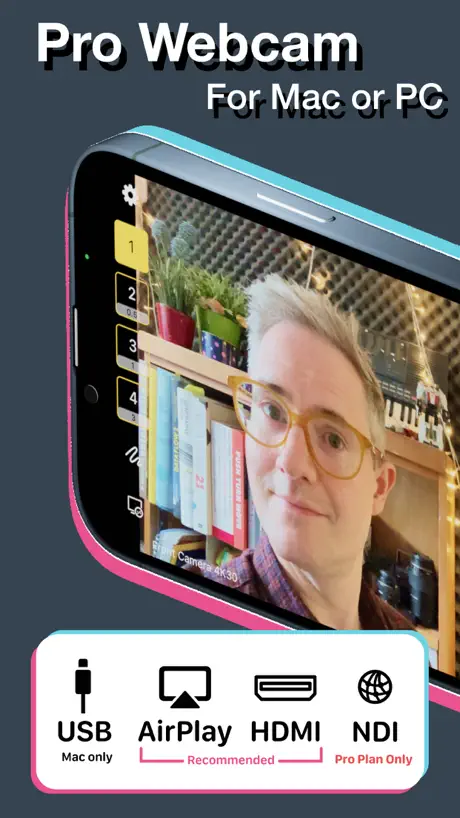
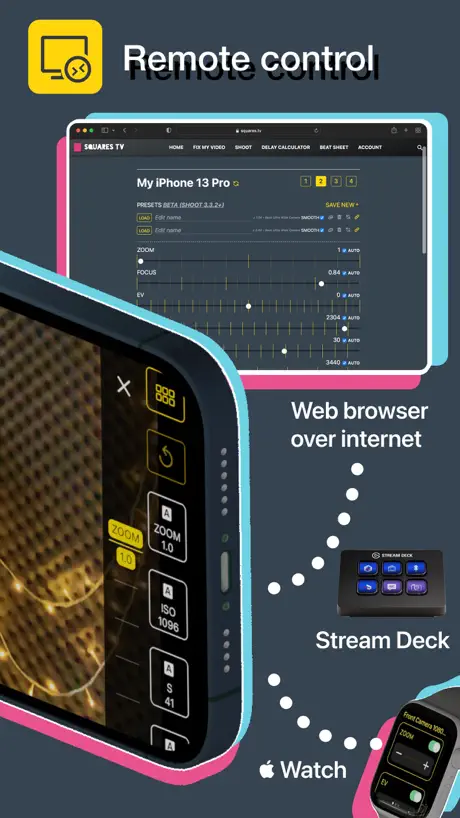
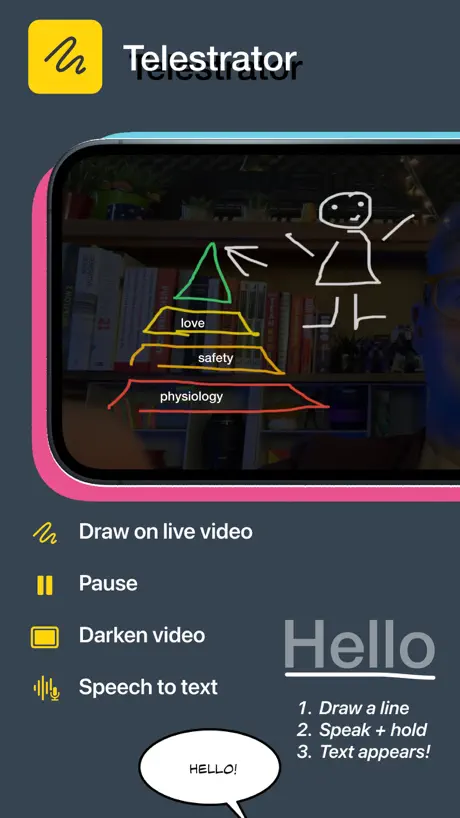
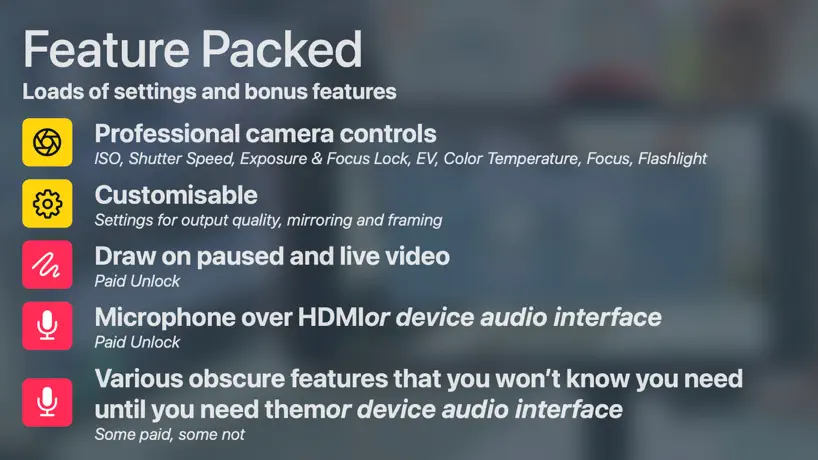
How much does Shoot Pro Camera Source cost?
Prices are current as of 6 Oct 2026.
7 one-time purchases from $8.99
In the United States, Shoot Pro Camera Source has 7 one-time purchases priced $8.99 – 99.99.
| Product | Price |
|---|---|
| Shoot Basic | $8.99 |
| In-App Recording | $12.99 |
| Telestrator | $14.99 |
| Pro Essentials | $17.99 |
| Pro Essentials Lifetime | $19.99 |
| Lifetime Updates Upgrade | $69.99 |
| Lifetime Updates | $99.99 |
See what Shoot Pro Camera Source costs in all 175 countries →
10+ alternatives to Shoot Pro Camera Source
| Shoot Pro Camera Source |   PhoneCam - Local Wifi Camera PhoneCam - Local Wifi Camera |   CamX - USB Camera CamX - USB Camera |   TopDirector (NDI,SRT,UVC,RTSP) TopDirector (NDI,SRT,UVC,RTSP) |   USB Camera to NDI USB Camera to NDI |   NDI Multiview NDI Multiview |   MixEffect (Trial & Pro Unlock) MixEffect (Trial & Pro Unlock) |   USB Camera for Detail on Mac USB Camera for Detail on Mac |   NDI Player NDI Player |   NDI Screen Capture NDI Screen Capture |   Stream Studio NDI OBS Camera Stream Studio NDI OBS Camera | |
|---|---|---|---|---|---|---|---|---|---|---|---|
| Rating / 5 | 4.6 | 4.3 | 4.5 | 4.3 | 3.9 | 4.1 | 4.6 | 4.0 | 4.2 | 3.0 | 4.1 |
| Reviews | 882 | 3.9K | 1.8K | 433 | 418 | 398 | 320 | 77 | 66 | 58 | 40 |
| Released | 2015 | 2021 | 2023 | 2021 | 2024 | 2022 | 2021 | 2021 | 2022 | 2024 | 2023 |
| Weekly price | — | $4.99 | — | — | — | — | — | — | — | — | — |
| Monthly price | — | $7.99 | — | — | — | — | — | — | — | — | — |
| Annual price | — | $11.99 | $2.99 | — | — | — | — | — | — | — | — |
| One-time price | $17.99 | $49.99 | $4.99 | — | — | — | — | — | — | — | — |
The going rate for each plan in United States, in its own currency, shaded from the cheapest price on the row to the dearest.
Shoot Pro Camera Source reviews
4.6 out of 5, based on 882 reviews.
What people like
- Developer responds quickly and helps you
- Clean HDMI output with no overlays
- Full manual control over camera settings
What they complain about
- Expensive to unlock basic features
- Camera feed freezes or shuts down
- Constantly asks for more money later
Great little app
I just needed something to display / magnify what I was doing on the table onto a smart tv overhead (how-to crafts, cooking) with better quality than casting. Nothing fancy, no social media posting, recording, etc. With Shoot app, an iPod touch, HDMI cable and a smart tv, I’m in business. Super intuitive, very easy to use and clean HDMI output (nothing shows up on the tv except what I’m doing, no controls, etc). Something I was dreading and Ithought would cost hundreds cost me nothing!
Nickel and Dime
This app is so compartmentalized behind various paywalls that I don’t bother to open it anymore. You need to pay to send signal to other device. Then you pay to record only your device. Then you have to subscribe to control it remotely. Really bad user experience.
The developers actually respond
I’m actually not reviewing this, but Yo it’s better if a real person responds on this stuf.
Zoom isn't seeing it
Unless I'm doing something wrong, Zoom is only giving me the option of Facetime camera or OBS virtual camera. OBS does see the iPhone and I can set Zoom to see that virtual camera, but that uses computer resources and I already have an app that can do that.
Cannot be used on iPhone16PM
It used to be available on iPhone13Pro. Recently, I have changed to iPhone16ProMax, and the autofocus cannot be used, there is a breathing effect, and it cannot be focused. I hope it will be repaired.
Phenomenal APP!!! Even Better Customer Service!!
This app is second-to-none to begin with, but if you do have an issue here or there, Michael is, w/o question, the most responsive, congenial, genuine & dedicated-to-YOU developer I've ever encountered (and that includes family - very close family!)! This is a must for any iPad user for with this gap to fill! 5* all day!
No funciona
No lo recomiendo
No option to send audio?
Very useful app, but was surprised they there’s no option to send audio, as seemed to be the case with recent YouTube reviews.
Doesn’t do what it says it does
The camera feed is great but on an iPhone 11 notifications etc still appear on screen and sound notifications find their way through too. In Ecamm you also can’t use the phone as a mic which, whilst not advertised, I would have assumed you could.
Advertised apple log footage for pro plan
Big downfall for not having an option to use apple log for better color grading. I bought the pro plan thinking i was going to have that feature because its listed in there but i didn't. Thats major for me but other than that its a pretty good app.
More value and functionality than any of its competitors I’ve tried
My go to app for features like WB (manual or auto) with calibration lock, ISO lock, Ev lock, SS lock, Focus lock, Zoom lock. Each individually, partially, or collectively selectable. Unlike its competitors, Shoot app gives me FULL control over each aspect of the camera’s behavior. A truly deserving 5 stars.
NDI
The entire reason I purchased this app, and the upgrade was to be able to use the NDI through my Yololiv Ultra. From the moment I made the purchase on the app it no longer worked on my streaming box. This is very frustrating.
Nice feature set.
Update - Attentive developer, he has lowered the price to 99. That is more palatable for an iPhone pro app. Thank you. If your going to spend this much money, you need Pro equipment. There are cheaper apps. EpocCamPro or Camo app. $349 for lifetime, wow.
More control?
I thought the app offered the ability to SET brightness level, now I’m bummed... :( Any suggestions?
画质问题
怎么强制4k
Doesn’t work on Catalina or Monterrey
Using an apple lightning to USBA cable. Can’t get this to work with either my old iMac running Catalina or my Mac mini running Monterrey. Update: I figured out how to make this work. It doesn’t present your phone’s camera just like a regular USB webcam. You need to use another piece of software on the Mac side. I used OBS Studio.
Freezes every time.
Can’t use it because I set it up with my computer and within minutes it freezes and I can’t unfreeze it.
Helpful app for using your phone as a camera for other apps
I paid for and use this app a bunch for lessons. If you’re looking for a helpful way to use your phone as a camera for Zoom, ecamm, and other apps, this is the best app I’ve found for that purpose so far.
Doesn’t work on zoom.
Really wish that info was clear before I purchased. i want a refund.
Was working
Now on my iPad Pro since update it doesn’t fit full screen. Or anywhere near, have to crop in quite a lot
Clean HDMI with Cinematic mode
I had searched and searched for an app that could give clean HDMI output to use iPhone as live video source for streaming. FilmicPro was the first I found that could do it, but not with cinematic mode. This app offers clean HDMI, USB, and Airplay modes. (Airplay at 4K!). With an $8 add-on, you can have Portrait "Cinematic mode" and can control the f-stop for level of blurred background, as well as manually focus. The only thing missing in it is ability to manually adjust exposure WHEN in Portrait mode. (It offers full control of ISO and Shutter outside of Portrait mode). Thanks to 'Good to Hear Ltd' for making this fantastic app!
Forced subscription for people who bought the old app
It doesn’t make any sense they charge for a subscription to unlock all the features inside the app since I already paid for the app. I guess you guys are about to get what you deserve for all the greed when apple releases continuity camera for iphone making this app useless
Just bought, but it’s not quite working
I was so hopeful to easily use my iPhone as a second camera in Zoom, but am not seeing the options to use the iPhone via lightning cable when I click in Share Screen in Zoom on the desktop. If it doesn’t work, I have no other use for the app that I can think of.
Frame rate is not quite right.
The default camera seems too laggy and slow (feels slower than even 24fps) but the “Prefer 60 FPS” setting is too fast. Where is the standard 30fps view? Otherwise app is alright. Please fix and I’ll change my rating.
Estaba muy bien pero...
Era justo lo que necesitaba, estaba trabajando muy bien pero después de esta última actualización la aplicación me muestra la imagen ya con zoom. Además de la molestia que significa tener que reajustar la distancia de la cámara al escenario, la imagen es obviamente de menor calidad por el zoom digital que le pusieron ahora. Lástima, me estaba acomodando muy bien, ojalá lo puedan dejar como estaba.
Packed with features
This is the app I’ve been looking for, literally for years. I just want a clean feed from my iPhone camera on another device. There are other apps that will do this, but to my knowledge this is the only one that can do it wirelessly and in 4K. In addition, this app is being continuously developed and improved in 2021, unlike other similar apps which have been left to slowly rot. If you’re only going to get one paid app like this, this is the one to get!
Ruined by water mark
The app updated and now it has a watermark mid-screen. What a blatant attempt to force users out of using it for free. Terrible business practice, removing features. Bait and switch much?
Good
Hi. A good app but there are a couple of small improvements/changes that would make this much app better for me - so as you know, I am using it for making screen recordings. 1) Allow swipe access to the Control Centre so that I can at least start screen recordings without having to leave the app. 2) Find a way to make it obvious that focus and exposure locks are on/off (temporary on screen indication). 3) When iPhone is in portrait mode and you view the list of running apps your app forces a landscape scrolling mode - for a number of reasons it would be much better if it did not do that! Hope the above helps!
Help
App not being recognised by MacBook Pro. Any drivers needed ?
Lacks lens choice on iPhone 11 otherwise great!
I assumed it would allow me to choose the lens on my iPhone 11 Pro. It just uses the 1x camera. :/ Would love to have ability to choose wide or telephoto!
Fantastic app
If you use a setup like an ATEM Mini or other HDMI capture, this app does exactly what you need. It also works with iOS 15’s new portrait effect provided that you limit output to 1080p. Great developer.
In app purchases doesnt work
I paid this app and now its asking me more money! Respect the first deal Its not my fault u are asking more money for this app !
Almost...
What it really needs to shine: - 16:9 output on iPhone 11 (not 21:9), at least as an option - audio output using iPhone mic Those features would make it really useful for me with HDMI output to an ATEM Mini Pro.
Not recognized by Zoom?
Zoom video setting does not show this app as camera. Am I missing something ? MAcBook pro Catelina 10.15.4 iPhone X zoom pro account
Not a clean feed maybe I missed it.
So it’s not a clean feed I’m still getting notifications and alerts through the “Clean feed” someone help?
Excellent customer service
I bought this app to use with ECamm but I’m not real tech-savvy so I couldn’t figure out how to make the camera display vertically. I watched hours of you tube videos, reached out in different Facebook groups, reached out to ECamm, blah blah blah. No help. Finally decided to reach out to the developer & no kidding-had a personal response & the solution in my inbox in less than half an hour! (Simple fix-choose “allow vertical video” in the app settings on my phone.) Thank you!!!
Very limited for PC’s
The only connection option for use with PC’s is to convert the lightning cable output to HDMI. Not a very good option for PC users and is usable for me.
Connect to iMac
Using with Ecamm Live but notifications are coming through. Stated that there would just be a camera feed and nothing else. Later saw must use Do Not Disturb mode. Good clean feed.
Now not functioning correctly
During livestream the image shuts down, very awkward. This used not to be an issue but now leaves Shoot unusable. Also, on the iPad there is now no full screen image and shows white bars around a cropped image. This used to work fine but now making the app again, unusable.
Mittel!
Etwas teuer und man kann nicht zoomen sonst passts
Essential app for educators
Best app for my use case, streaming a clean HDMI feed from my iPad Pro into a Blackmagic Design Atem Mini as a webcam in zoom meetings. Only app that can also turn off the display while streaming video through the USB port to save battery. Developer is super responsive and friendly!
Apple should be forced to have a easy return button
Apple should be forced to have a easy refund button to n all apps. It did not work on my new iPhone 12. Had to dispute the transaction. Junk get Camo it works and it’s free with software license for windows and mac
Useful App for streaming
Nice, clean of the camera. Great for streaming. However, it the update my iphone 11 goes dark then proceeds to lock. This never before...any chance we can get a fix soon?
Turns off
It was working perfect until now... What did you do with the update? The camera turns off after a couple of minutes. Unusable now...
No sirve el zoom
Es casi perfecta, pero para mi era importante el zoom. Estaría genial si la corrigen
Essential app!
I’ve been using Shoot off and on for the past year for live-streaming but it wasn’t until the developer added the option to output the camera feed via clean HDMI that I was completely sold. Special props to the developer for fixing an issue I had with output within a matter of a couple days. Now that is what I call costumer support! Highly recommended.
Only Worked Once
This app worked fine when first installed it on iphone X, then the following week it froze on two of the iPhone X we were using. The next week we tried it on the iPhone 11 Pro and it froze in the middle of our livestream Mass. I tried to explain this to the developer with all the OS, Ecamm versions but did not get another response after the initial reply. This is a waste of money. We are using the following versions: Ecamm v3.5.11 2020 MB Pro OS 10.15.7 iphone OS 13.6
James
Great app, but would love the option to view the front camera as well. Perhaps that option can be somewhere in the settings so to not mess up the clean UI the app has now.
Use to work fine
Use to work fine on iPhone8 , but with the latest update the camera turns off after couple of minutes , not usable anymore unfortunately
Almost perfect
If this app had manual control, it'd be 5 stars. Please add full control similar to the native camera app. (๑•́⌄•́)૭✧ almost perfect
Shoot Pro Camera Source price by country
A one-time purchase costs $4.68 in Pakistan and $24.78 in Norway — 5× more for the same thing. Below is the going rate for each plan in every country that sells it — the middle price of what the app charges there, in the country's own currency with the dollar equivalent beneath it.
| Country | One-time |
|---|---|
| Afghanistan | $5.99 |
| Albania | $14.99 |
| Algeria | $6.99 |
| Angola | $7.99 |
| Anguilla | $15.99 |
| Antigua And Barbuda | $13.99 |
| Argentina | $10.99 |
| Armenia | $12.99 |
| Australia | A$29.99$21.58 |
| Austria | €19.99$23.24 |
| Azerbaijan | $9.99 |
| Bahamas | $19.99 |
| Bahrain | $14.99 |
| Barbados | $17.99 |
| Belarus | $9.99 |
| Belgium | €19.99$23.24 |
| Belize | $11.99 |
| Benin | $7.99 |
| Bermuda | $18.99 |
| Bhutan | $5.99 |
| Bolivia | $6.99 |
| Bosnia & Herzegovina | €9.99$11.62 |
| Botswana | $7.99 |
| Brazil | R$49.90$9.78 |
| British Virgin Islands | $16.99 |
| Brunei Darussalam | $14.99 |
| Bulgaria | €11.99$13.94 |
| Burkina Faso | $5.99 |
| Cambodia | $9.99 |
| Cameroon | $9.99 |
| Canada | CA$22.99$16.66 |
| Cape Verde | $9.99 |
| Cayman Islands | $18.99 |
| Chad | $6.99 |
| Chile | CLP 11,990$12.83 |
| China | CN¥58.00$8.64 |
| Colombia | COP 39,900$12.76 |
| Congo | $9.99 |
| Congo, Democratic Republic | $5.99 |
| Costa Rica | $13.99 |
| Cote Divoire | $9.99 |
| Croatia | €14.99$17.43 |
| Cyprus | €14.99$17.43 |
| Czech Republic | CZK 399.00$19.16 |
| Denmark | DKK 149.00$23.17 |
| Dominica | $11.99 |
| Dominican Republic | $9.99 |
| Ecuador | $7.99 |
| Egypt | EGP 299.99$5.88 |
| El Salvador | $9.99 |
| Estonia | €17.99$20.92 |
| Fiji | $8.99 |
| Finland | €19.99$23.24 |
| France | €19.99$23.24 |
| Gabon | $9.99 |
| Gambia | $5.99 |
| Georgia | $9.99 |
| Germany | €19.99$23.24 |
| Ghana | $9.99 |
| Greece | €14.99$17.43 |
| Grenada | $8.99 |
| Guatemala | $10.99 |
| Guinea-bissau | $5.99 |
| Guyana | $12.99 |
| Honduras | $9.99 |
| Hong Kong | HK$148.00$18.88 |
| Hungary | HUF 4,990$15.95 |
| Iceland | $19.99 |
| India | ₹499.00$5.26 |
| Indonesia | IDR 119,000$6.75 |
| Iraq | $7.99 |
| Ireland | €19.99$23.24 |
| Israel | ₪59.90$19.83 |
| Italy | €17.99$20.92 |
| Jamaica | $12.99 |
| Japan | ¥2,500$16.25 |
| Jordan | $9.99 |
| Kazakhstan | KZT 4,990.00$10.99 |
| Kenya | $9.99 |
| Kosovo | €8.99$10.45 |
| Kuwait | $14.99 |
| Kyrgyzstan | $7.99 |
| Lao Peoples Democratic Republic | $7.99 |
| Latvia | €14.99$17.43 |
| Lebanon | $7.99 |
| Liberia | $5.99 |
| Libya | $4.99 |
| Lithuania | €14.99$17.43 |
| Luxembourg | €19.99$23.24 |
| Macao | $16.99 |
| Macedonia | $8.99 |
| Madagascar | $5.99 |
| Malawi | $5.99 |
| Malaysia | MYR 49.90$12.29 |
| Maldives | $13.99 |
| Mali | $6.99 |
| Malta | €14.99$17.43 |
| Mauritania | $6.99 |
| Mauritius | $14.99 |
| Mexico | MX$229.00$13.53 |
| Micronesia | $9.99 |
| Moldova | $9.99 |
| Mongolia | $7.99 |
| Montenegro | €9.99$11.62 |
| Montserrat | $13.99 |
| Morocco | $7.99 |
| Mozambique | $5.99 |
| Myanmar | $9.99 |
| Namibia | $8.99 |
| Nauru | $9.99 |
| Nepal | $6.99 |
| Netherlands | €19.99$23.24 |
| New Zealand | NZ$29.99$17.54 |
| Nicaragua | $8.99 |
| Niger | $6.99 |
| Nigeria | NGN 9,900.00$7.49 |
| Norway | NOK 229.00$24.78 |
| Oman | $13.99 |
| Pakistan | PKR 1,300$4.68 |
| Palau | $12.99 |
| Panama | $11.99 |
| Papua New Guinea | $7.99 |
| Paraguay | $6.99 |
| Peru | PEN 39.90$11.91 |
| Philippines | ₱499.00$7.98 |
| Poland | PLN 49.99$13.47 |
| Portugal | €14.99$17.43 |
| Qatar | QAR 59.99$16.48 |
| Romania | RON 59.99$13.27 |
| Russia | RUB 899.00$10.40 |
| Rwanda | $5.99 |
| Sao Tome & Principe | $7.99 |
| Saudi Arabia | SAR 59.99$16.00 |
| Senegal | $9.99 |
| Serbia | €11.99$13.94 |
| Seychelles | $14.99 |
| Sierra Leone | $5.99 |
| Singapore | SGD 29.98$23.79 |
| Slovakia | €14.99$17.43 |
| Slovenia | €14.99$17.43 |
| Solomon Islands | $6.99 |
| South Africa | ZAR 199.99$12.50 |
| South Korea | ₩19,000$14.17 |
| Spain | €14.99$17.43 |
| Sri Lanka | $8.99 |
| St. Kitts and Nevis | $13.99 |
| St. Lucia | $12.99 |
| St. Vincent & The Grenadines | $11.99 |
| Suriname | $9.99 |
| Swaziland | $7.99 |
| Sweden | SEK 229.00$23.88 |
| Switzerland | CHF 18.00$22.22 |
| Taiwan | NT$490.00$15.56 |
| Tajikistan | $7.99 |
| Tanzania | TZS 19,900.00$7.52 |
| Thailand | THB 399.00$12.13 |
| Tonga | $9.99 |
| Trinidad and Tobago | $12.99 |
| Tunisia | $7.99 |
| Turkey | TRY 499.99$10.32 |
| Turkmenistan | $7.99 |
| Turks and Caicos | $17.99 |
| Uganda | $7.99 |
| Ukraine | $7.99 |
| United Arab Emirates | AED 59.99$16.35 |
| United Kingdom | £17.99$24.38 |
| United States | $17.99 |
| Uruguay | $14.99 |
| Uzbekistan | $7.99 |
| Vanuatu | $10.99 |
| Venezuela | $9.99 |
| Vietnam | ₫199,000$7.67 |
| Yemen | $5.99 |
| Zambia | $9.99 |
| Zimbabwe | $6.99 |
Shoot Pro Camera Source FAQ
- Is Shoot Pro Camera Source free?
- Yes. The app and its basic features are free, in all 175 countries it sells in. Premium features are paid: they start from $8.99 (US), across 7 one-time purchases.
- Does Shoot Pro Camera Source have a free trial?
- No. None of its offers (US) come with a free trial.
- Where is Shoot Pro Camera Source cheapest?
- A one-time purchase costs PKR 1,300 (≈$4.68) in Pakistan and NOK 229.00 (≈$24.78) in Norway, its cheapest and dearest countries.
- What are the best alternatives to Shoot Pro Camera Source?
- PhoneCam - Local Wifi Camera (4.3 from 3,916 reviews, premium from $2.99), CamX - USB Camera (4.5 from 1,828 reviews, premium from $1.99) and TopDirector (NDI,SRT,UVC,RTSP) (4.3 from 433 reviews).
Shoot Pro Camera Source download
Last updated 3 months ago.
Shoot Pro Camera Source sells in 175 countries. It was released 11 years and 7 months ago, on 18 Feb 2015. It holds a 4.6 rating from 882 reviews.
Supports 6 languages: English, Japanese, Korean, Russian, Chinese, Spanish.
How much does Shoot Pro Camera Source make?
Third-party estimates for the last 30 days, worldwide — not the store's own figures, which Apple publishes for nobody.
Revenue by plan
- One-time 100%
Revenue by country
- United States 58%
- United Kingdom 5%
- Germany 4%
- Canada 4%