CamCarDer
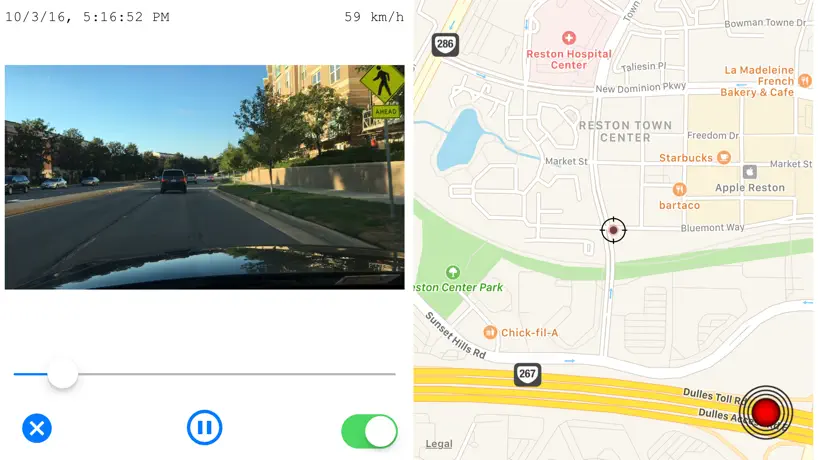
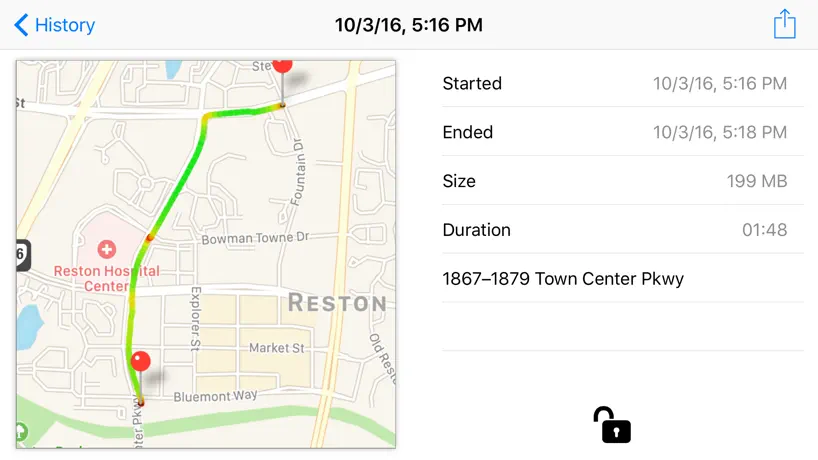
GPS car dash camera reсorder
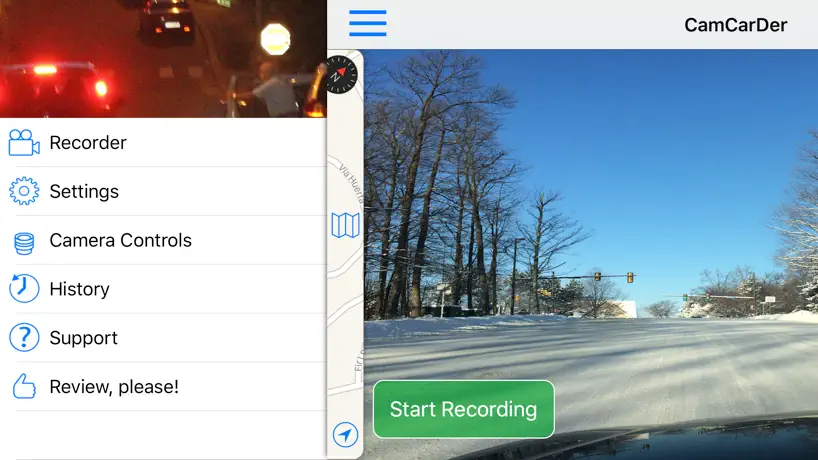
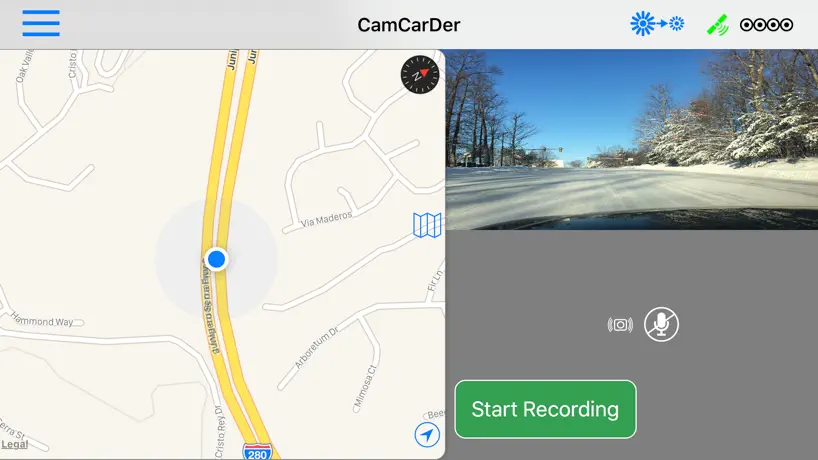
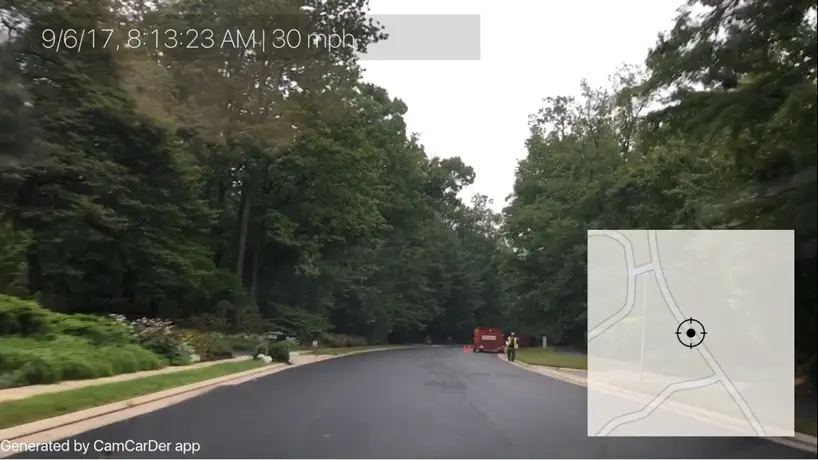
How much does CamCarDer cost?
Prices are current as of 12 Oct 2026.
CamCarDer has no in-app products on record in the United States.
CamCarDer download price by country
| Country | Price |
|---|---|
| United States | $14.99 |
| Germany | €17.99 |
| Brazil | R$99.90 |
| Russia | RUB 1,290.00 |
| Poland | PLN 69.99 |
| Mexico | MX$299.00 |
| Ukraine | $17.99 |
| Canada | CA$19.99 |
| Spain | €17.99 |
| Thailand | THB 499.00 |
| Czech Republic | CZK 399.00 |
| Australia | A$22.99 |
| France | €17.99 |
| United Kingdom | £14.99 |
| Hong Kong | HK$118.00 |
| Japan | ¥2,500 |
| Netherlands | €17.99 |
| Belgium | €17.99 |
| Colombia | COP 69,900 |
| Italy | €17.99 |
| Malaysia | MYR 69.90 |
| New Zealand | NZ$29.99 |
| Sweden | SEK 199.00 |
| Vietnam | ₫499,000 |
| United Arab Emirates | AED 59.99 |
| Azerbaijan | $17.99 |
| Bulgaria | €17.99 |
| Switzerland | CHF 14.00 |
| China | CN¥98.00 |
| Costa Rica | $14.99 |
| Denmark | DKK 129.00 |
| Estonia | €17.99 |
| Cambodia | $14.99 |
| South Korea | ₩25,000 |
| Lithuania | €17.99 |
| Latvia | €17.99 |
| Philippines | ₱999.00 |
| Portugal | €17.99 |
| Romania | RON 79.99 |
| Turkey | TRY 799.99 |
| Afghanistan | $14.99 |
| Antigua And Barbuda | $14.99 |
| Anguilla | $14.99 |
| Albania | $17.99 |
| Armenia | $17.99 |
| Angola | $14.99 |
| Argentina | $14.99 |
| Austria | €17.99 |
| Bosnia & Herzegovina | €17.99 |
| Barbados | $17.99 |
| Burkina Faso | $14.99 |
| Bahrain | $14.99 |
| Benin | $17.99 |
| Bermuda | $14.99 |
| Brunei Darussalam | $14.99 |
| Bolivia | $14.99 |
| Bahamas | $14.99 |
| Bhutan | $14.99 |
| Botswana | $14.99 |
| Belarus | $17.99 |
| Belize | $14.99 |
| Congo, Democratic Republic | $14.99 |
| Congo | $17.99 |
| Cote Divoire | $17.99 |
| Chile | CLP 17,990 |
| Cameroon | $17.99 |
| Cape Verde | $14.99 |
| Cyprus | €17.99 |
| Dominica | $14.99 |
| Dominican Republic | $14.99 |
| Algeria | $14.99 |
| Ecuador | $14.99 |
| Egypt | EGP 799.99 |
| Finland | €17.99 |
| Fiji | $14.99 |
| Micronesia | $14.99 |
| Gabon | $14.99 |
| Grenada | $14.99 |
| Georgia | $17.99 |
| Ghana | $17.99 |
| Gambia | $14.99 |
| Greece | €17.99 |
| Guatemala | $14.99 |
| Guinea-bissau | $14.99 |
| Guyana | $14.99 |
| Honduras | $14.99 |
| Croatia | €17.99 |
| Hungary | HUF 6,990 |
| Indonesia | IDR 299,000 |
| Ireland | €17.99 |
| Israel | ₪49.90 |
| India | ₹1,499.00 |
| Iraq | $14.99 |
| Iceland | $17.99 |
| Jamaica | $14.99 |
| Jordan | $14.99 |
| Kenya | $17.99 |
| Kyrgyzstan | $14.99 |
| St. Kitts and Nevis | $14.99 |
| Kuwait | $14.99 |
| Cayman Islands | $14.99 |
| Kazakhstan | KZT 8,990.00 |
| Lao Peoples Democratic Republic | $14.99 |
| Lebanon | $14.99 |
| St. Lucia | $14.99 |
| Sri Lanka | $14.99 |
| Liberia | $14.99 |
| Luxembourg | €17.99 |
| Libya | $14.99 |
| Morocco | $17.99 |
| Moldova | $17.99 |
| Montenegro | €12.99 |
| Madagascar | $14.99 |
| Macedonia | $14.99 |
| Mali | $14.99 |
| Myanmar | $14.99 |
| Mongolia | $14.99 |
| Macao | $14.99 |
| Mauritania | $14.99 |
| Montserrat | $14.99 |
| Malta | €17.99 |
| Mauritius | $17.99 |
| Maldives | $14.99 |
| Malawi | $14.99 |
| Mozambique | $14.99 |
| Namibia | $14.99 |
| Niger | $14.99 |
| Nigeria | NGN 24,900.00 |
| Nicaragua | $14.99 |
| Norway | NOK 199.00 |
| Nepal | $17.99 |
| Nauru | $14.99 |
| Oman | $14.99 |
| Panama | $14.99 |
| Peru | PEN 69.90 |
| Papua New Guinea | $14.99 |
| Pakistan | PKR 3,900 |
| Palau | $14.99 |
| Paraguay | $14.99 |
| Qatar | QAR 49.99 |
| Serbia | €17.99 |
| Rwanda | $14.99 |
| Saudi Arabia | SAR 59.99 |
| Solomon Islands | $14.99 |
| Seychelles | $14.99 |
| Singapore | SGD 19.98 |
| Slovenia | €17.99 |
| Slovakia | €17.99 |
| Sierra Leone | $14.99 |
| Senegal | $17.99 |
| Suriname | $14.99 |
| Sao Tome & Principe | $14.99 |
| El Salvador | $14.99 |
| Swaziland | $14.99 |
| Turks and Caicos | $14.99 |
| Chad | $14.99 |
| Tajikistan | $14.99 |
| Turkmenistan | $14.99 |
| Tunisia | $14.99 |
| Tonga | $14.99 |
| Trinidad and Tobago | $14.99 |
| Taiwan | NT$490.00 |
| Tanzania | TZS 39,900.00 |
| Uganda | $17.99 |
| Uruguay | $14.99 |
| Uzbekistan | $14.99 |
| St. Vincent & The Grenadines | $14.99 |
| Venezuela | $14.99 |
| British Virgin Islands | $14.99 |
| Vanuatu | $14.99 |
| Kosovo | €17.99 |
| Yemen | $14.99 |
| South Africa | ZAR 299.99 |
| Zambia | $17.99 |
| Zimbabwe | $17.99 |
10+ alternatives to CamCarDer
| CamCarDer | 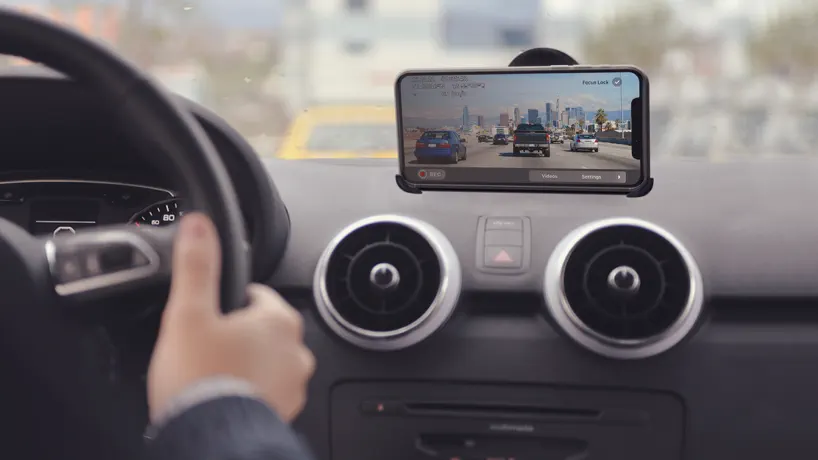  Car Camera DVR. PRO Car Camera DVR. PRO | 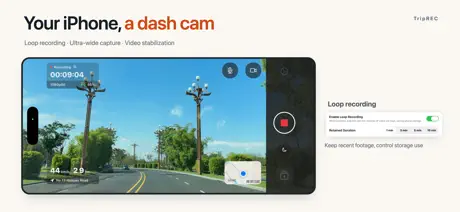  TripREC Dash Cam TripREC Dash Cam | 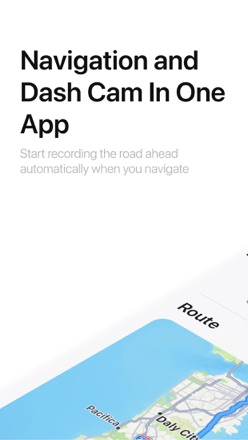  DashMap: Smart Dash Cam DashMap: Smart Dash Cam |   Campp Campp |   Auto Guard Tracking Auto Guard Tracking |   Aviation Altimeter Pro Aviation Altimeter Pro |   Hawk: Dashcam & Drive Recorder Hawk: Dashcam & Drive Recorder |   Taxiappz Taxiappz |   Taxiappz Driver Taxiappz Driver |   DriveCamX DriveCamX | |
|---|---|---|---|---|---|---|---|---|---|---|---|
| Rating / 5 | 4.1 | 4.4 | 4.3 | 4.4 | 5.0 | 2.5 | 4.7 | 1.5 | 5.0 | 5.0 | — |
| Reviews | 213 | 1.2K | 426 | 23 | 11 | 4 | 3 | 2 | 1 | 1 | — |
| Released | 2015 | 2012 | 2012 | 2022 | 2026 | 2020 | 2025 | 2026 | 2022 | 2022 | 2017 |
CamCarDer reviews
4.1 out of 5, based on 213 reviews.
What people like
- Works great with front and back cameras
- Battery drain seems very low
- Video quality options are customizable and good
- GPS tracks your route and speed
What they complain about
- Navigation map blocks the video view
- App freezes with CarPlay or music
- Paid version shows annoying branding on videos
- Exporting videos is slow and often fails
Mapa
El mapa aparece en todo momento y no logro quitarlo
Не рекомендую
Поддержка приложения не ведётся. Оно вылетает. Карта не масштабируется автоматически. В общем ерунда, не тратьте деньги
Update is awesome, but still some issues
By far the best dash cam app I’ve found, but some minor issues make use a little awkward. Pros: 1. Can customize how many clips to save/recycle 2. Fantastic customizable video quality 3. Can simultaneously record with front and back camera 4. Interface is simple to use 5. Exporting large clips is super fast Cons: 1. Can not listen to music while mic is recording 2. No way to close navigation which takes up half of the screen
App freezes
App works fine when used alone. The problem I’ve experienced is the app freezes if CarPlay is active or if a second app (Music) is activated. For me that makes the app unusable.
Не те
1 Не працює у фоновому режимі. 2 Блокує передачу музики з телефону по блютуз 3 Пише аудіо при відключенні. 4 Не може розширити на екран навігатор, чи реєстратор. 5 Немає звиклих налаштувань реєстратора. Перший раз кажу нажаль за те що купив про….
4,9 ⭐️
Lo único que cambiaría sería el poder grabar en vertical ( que aunque se puede, luego se reproduce doblado)
Ganoven
Bloß nicht kaufen. Es gibt keine Geschäftsbedingungen, keinen Vertrag, keine Möglichkeit zur kostenlosen Probezeit mit Rückgabe. Den Datenschutz und Netzagentur melden
Only for 2 issues
Only for 2 issues I would have given a 5 star ⭐️ rating, this is so far the BEST DASHCAM app that I have tried, you need to resolve only 2 issues which is the recordings stop 🛑 if you make a phone call and the interference with the GPS on Apple Car Play unless you figure out how to project the GPS on CarPlay because otherwise you can’t use the GPS from Google Maps or AppleMaps
Can’t turn phone in opposite positions.
Please write the code so that we can flip the camera upside down and view the video in an upright position.
H. White
I have an iPhone X. I’m not able to use the front camera. The app doesn’t allow me the option to use the front camera. I have a friend who has the iPhone 13 who is able to use the front camera. Any assistance in this situation will be appreciated. Thank you
Good
Very good app, I wish there would be option to mute navigation sounds.
I liked old version better
Happy for any bug fixes, thank you! I’ve used this new version for a few days now and I’m sad to say that I really hate that navigation takes up half the screen even when it is not being used. Prior version allowed navigation to be hidden and the dashcam was full screen. This change is awful. Allow the dashcam to be full screen. I DO like having the buttons on the grey background. Much easier to see them at a glance. I would also like the “dim” button down at the bottom in the grey area. Features I would like: An option to automatically dim the display after recording starts. Option to save rear facing video and map videos separately from the forward facing video, with important information on each (date, time, gps coordinates). When the map and rear facing video are enabled in the export they are superimposed over the main view, which blocks a lot of the view.
Careful, they think they own your videos…
So far this is the best iPhone DashCam app I’ve found but the interface is awkward and they use icons for their own meaning with little regard to what the rest of the world thinks they mean. My biggest complaint is their on screen branding of my trips in the version I paid for. I resent their using something I FREAKING PAID FOR to advertise their app!! Now I don’t care if they include their information in the meta tags, but if I bought the app, which I did, I don’t expect their branding on each and every freaking frame!!! At best they will remove the branding or a fair option would be to allow the user to decide if it is included! Will I use the app again? Nope, and as soon as it shows up as paid for I will go for a refund. I will also make a point of making sure others know about this tacky behavior!
Needs work
First of all this app has a lot of potential and could be one of the best dash cams if a few bugs are worked out. Good 1. Interface is decent once you familiarize yourself with the app 2. Overwriting old files is customizable 3. Video with GPS and map overlay is handy 4. Exporting video Bad 1. Audio recording does not work 2. In app settings do not always save 3. Speed limit sign detector seldom works correctly
Fast die beste Dashcam-App, aber...
Grundsätzlich eine sehr gute Dashcam App, mit allen wichtigen Funktionen, die eine Dashcam haben sollte. 4 Sterne der sonst 5 gibt es nur wegen kleineren Punktabzügen in der Bedienung. 🙃 Diese Punkte können mit Sicherheit noch abgestellt werden, damit es dann volle 5 Sterne gibt 😊😉 1. was verbirgt sich hinter den Videoqualitäten „High, Medium, Low“? Vielleicht eine Erläuterung in der App mit Angaben in „Mb/s“ 🙃. Bzw. eine Auflösung benennen, 1080p, 720p, 480p. 2. Es gibt leider das Problem, wenn keine GPS Daten zum aufgezeichneten Video verfügbar sind, das dieses Video dann leider nicht abspielbar ist. Man kann es leider auch nicht extern sichern. 😕 Unschöner Bug, wenn wichtige Daten in dem Video sind, diese aber dadurch verloren sind. 3. Eine Schnellwahltaste zum Schützen der laufenden Aufnahme wäre sehr schön. Damit man nicht umbedingt während der Fahrt im Menü rumklicken muss und das Videomaterial zu schützen vor dem Überschreiben. 💁♂️👍 4. Stereo Tonaufnahmen wären bestimmt auch möglich und Zeitgemäß bei aktuellen Smartphones. 🤭 Auch die Auswahlmöglichkeit der Videoqualität von bis zu 4k. Grüße, Roddy
Crashes on Export
This app fails to export. It crashes every time I attempt to export / share a saved recording. Once this serious bug is fixed, I will raise my star rating. iOS 15.7.1 on a iPhone 13 Pro.
First Impression
Like what I see. Would like to be able to delete history at history view. Also would prefer if the map would reflect the map application I’m running at the same time as this app. I need an app that runs gps map directions with voice AND is a dash cam at the same time.
A gravação fica muito boa.
Parabéns pelo app. A imagem é muito boa e ainda podemos deixa a rota gravada.
Overheats my iPhone 12 max pro after 20 minutes
Useless.
Best. Dash-cam. Period.
This is great! They must have read what the complaints were for all other apps, and made a superior dash cam. Works great with 9.2. Battery power does not seem to be a huge drain. Three size quality settings. Manual and auto focus. Mic that turns off. Gps shows your route. Can auto start. Archives. Can store between 5 and 100 before exporting. Records driving speed. Compass is helpful for driving. Pandora and bluetooth works in background. Calls come though and pause video. Audibly can hear a text comes through without interrupting recording. Only $3. A couple of wishes on the next update... That the speed and/or compass would export. Maybe data on your trip since it logs it. The ability to shut the screen off, with a red dot or something that shows it is still recording, or super low transparency. Maybe a direction indicator choice instead of a real compass. Great job coding!
Awful interface and not a lot of customization.
I'm really surprised that this is so bad. First you can't view the video in a full screen it's split with navigation in the app and very tiny. Second you have to export the video but it's gets about half way and then aborts. Export is also ridiculously slow. Third you shouldn't have to export the video it should just write the video to the gallery. Lastly, it's hard to even figure out how to enable the tiny export icon. Stupid me I bought this after looking at the video quality in the lite version. I shouldn't have assumed you could just view the video from the gallery without having to export. My recommendation is save your money and look elsewhere. This Dashcam app is poorly written and not user friendly.
No graba bien
No graba bien segun uno la prende y no esta grabando muchas grabaciones no estan de todo el recorrido que hace uno desde que segun prendes la grabación si corrigieran ese problema la aplicación seria buena pero imaginen que en el momento de esos que no graba hay un accidente de nada sirvió tener grabando pongo una estrella por que de plano tengo que poner una para poder publicar
Not worth the time or cost
The title says it all.
Just purchased crashes
I just purchased this app worked for all of about 2 minutes before it starting crashing and I was forced to uninstall and reinstall issue is continuing
Requires Location ALL The Time
Immediate removal for me. Okay App but only option for giving it Location Services is to Allow it even when App is not being used. No Way. Bye, Bye.
CamCarDer FAQ
- Is CamCarDer free?
- No. CamCarDer costs $14.99 (US) to download.
- Does CamCarDer have a free trial?
- No. None of its offers (US) come with a free trial.
- What are the best alternatives to CamCarDer?
- Car Camera DVR. PRO (4.4 from 1,170 reviews), TripREC Dash Cam (4.3 from 426 reviews) and DashMap: Smart Dash Cam (4.4 from 23 reviews).
CamCarDer download
Last updated 1 year ago.
CamCarDer sells in 175 countries. It was released 11 years and 4 months ago, on 25 May 2015. It holds a 4.1 rating from 213 reviews.
Supports 10 languages: English, French, German, Italian, Japanese, Korean, Portuguese, Russian, Chinese, Spanish.