
Avaya Workplace
How much does Avaya Workplace cost?
Prices are current as of 10 Sept 2026.
Avaya Workplace has no in-app products on record in the United States.
10+ alternatives to Avaya Workplace
| Avaya Workplace |   Web - Workspace ONE Web - Workspace ONE |   My Quickcharge My Quickcharge | 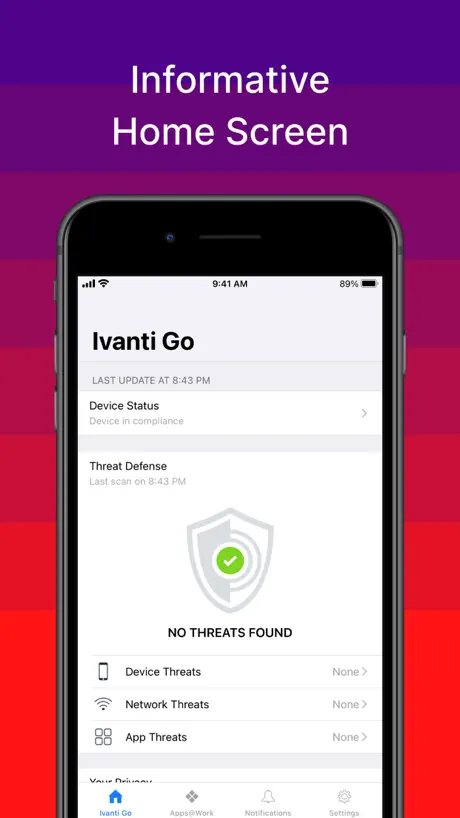  Ivanti Go Ivanti Go | 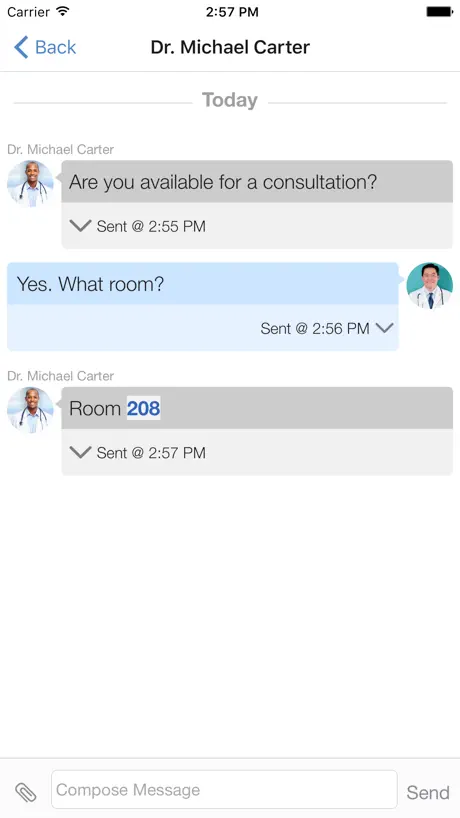  Spok Mobile Spok Mobile |   Avaya Cloud Office Avaya Cloud Office |   Intapp Time Legacy Intapp Time Legacy |   iManage Work 10 Mobility iManage Work 10 Mobility |   Hearsay Mobile by Yext Hearsay Mobile by Yext |   SwiftConnect Mobile SwiftConnect Mobile |   Intapp Legacy Intapp Legacy | |
|---|---|---|---|---|---|---|---|---|---|---|---|
| Rating / 5 | 2.5 | 4.4 | 4.8 | 2.2 | 1.7 | 4.3 | 2.0 | 3.4 | 2.0 | 3.8 | 4.0 |
| Reviews | 1.3K | 51K | 5.9K | 310 | 125 | 124 | 87 | 37 | 27 | 20 | 13 |
| Released | 2015 | 2012 | 2015 | 2013 | 2011 | 2020 | 2014 | 2017 | 2016 | 2022 | 2015 |
Avaya Workplace reviews
2.5 out of 5, based on 1,323 reviews.
What people like
- Setup is simple with just your email
- Interface looks modern and easy to use
- Voice quality is excellent for remote work
What they complain about
- Calls often fail when the phone is locked
- Battery drains very fast during work hours
- Volume control is too loud and annoying
Works great!
The app works perfectly fine for me. Despite seeing all the negative reviews, I have had no problem with the app
Could be awesome
This has potential but is the worst app ever. I log on and go back minutes later and have to log amount and back on into get it to work.
Сломали Push notifications in 3.26
На 3.25 все работает, а после обновления на 3.26 перестаёт работать в фоновом режиме. Проверял на нескольких устройствах.
In-coming calls
In-coming calls still go through even after logging off and not on wi-fi.
介面改善
通話介面異常不人性化
Great app
Great application. Only issue is since upgrading to IOS16 it does not appear to work when closed or the screen is locked. All notifications are blocked It is as thought the background app refresh is not working
Good idea, horrible execution
The app itself works properly 30-40% of time. The other 60-70% of time there are a plethora of issues that present themselves intermittently. For example, I will answer a call and the call screen will come up but it doesn’t connect me and my phone is still vibrating as if I didn’t answer the call. Another example is when a call comes in the phone will ring for sometimes 10-15 min even though the call was picked up after the 1st ring. There are many more random issues that happen sporadically. It’s just a janky app in general. I’ve never used the app and not had at least one thing inconvenience me. They can update and fix issues as they come up but it needs a serious, Top to bottom overhaul to make it function remotely properly. If this was a product meant for the average consumer this app would have went defunct YEARS ago.
Your Name field
Every time the app is restarted, name resets to Guest. It would be nice to keep it.
Eh
It’s okay. Glad I can use it to work from home, transfer calls but it is unreliable. Constantly have to login or out or even delete and reinstall to get it to work. Bummer you can’t set quiet hours.
Verbesserung!
Ich bitte um Verbesserung! Auf dem Iphone zu arbeiten ist es schon problematisch und mit dem Samsung ist es ein bisschen besser. Ansich ist das ein super App aber hängt oft
Solid Application
Totallly immersive application
No longer working
Lots of features on this app don’t work. You hit a selection and nothing happens or there is a spinning symbols that never goes away. It would also be nice to have a feature to block incoming calls.
Проблема при повторном запуске
Добрый день, при каждом запуске приложения сбрасывает «Ваше имя» на гость
Great concept, poor performance
Calls do not come through when iPhone is locked or app is running in the background. It worked properly when I first started using, then came the app update and it no longer worked. Coworkers who use Androids do not experience this problem. This has been a known issue for some time. Why hasn’t it been corrected so this app functions in iOS as intended? Are there any plans to correct this issue?
Eigentlich gut
Aber neuerdings werden keine Anrufe mehr angezeigt erst nach öffnen der App als verpasst . Schade sonst gutes Tool
Fantastic Application
This is perfect for homeworkers, very reliable with excellent voice quality.
Does not work
I have had this phone app for years for work. It used to work well, but I have recently been forced to “upgrade” (delete and re-add the app as per my employer) and now I cannot receive any calls from my forwarded office phone. Nothing I do works. My IT representative cannot get it to work. IT man says my phone isn’t staying connected. What has happened?! This used to be a decent app! Now it’s unusable.
Pas accès à l’annuaire de l’entreprise
Bonjour, j’envoie ce problème Comme une bouteille à la mer. Nous avons dans notre entreprise toute la téléphonie en Avaya avec des licences softphones afin de pouvoir fonctionner avec Workplace mac et Androïde. Sur androïde cela fonctionne très bien, nous avons la possibilité de téléphoner et être appelé comme si nous étions au bureau, nous avons aussi accès à l’annuaire de l’entreprise et de voir ainsi les personnes qui sont disponibles. Par contre avec le iPhone nous n’avons pas accès à l’annuaire de l’entreprise mais chose avec les mac. Pourquoi cela ne fonctionne pas avec les iPhone et les Mac, alors que ça fonctionne sous Windows et androïde ??? Une solution ??? Après intervention du revendeur Avaya et mises à jour du serveur de licences nous pouvons fonctionner maintenant avec les mac et iPhone.
Not running in background
I LOVE Avaya but not this app. We use this in a hospital setting and only on Apple iOS does the app not work in the background or when device screen is off. No one seems to care that the ED doctors can’t get calls.
Android versus iPhone
Using this application on an iPhone seems to give me issues when changes are made to my profile, such as a number change. I have no issues on an Android. It seems that iOS holds on to old data. I delete the application, turn the phone off, add the application back and reset and still not working with my new number. I have even tried resetting the iPhone itself.
Now stable and battery problems fixed
Working well over WiFi and no longer draining battery when not in use. Nice sharp video too.
Comically terrible app
Like oh my god
A solid contender
App is decent. Everyones issues (including our own) are due to backend configurations NOT the app. Interface could be a bit quicker to respond & organised better
Users can't login
I installed the app and ran auto configuration from a web address. Configuration settings look correct. However, when actually logging into the app, the Extension field is completely greyed out, the password field allows data to be entered, and connect button stays greyed out as well. Even when I tried to add something into the Extension field using autofill, I can see the extension in light grey font, but connect button is not clickable.
Probleme leider immer inactive.
Das Telefon klingelt nur wenn die App auf dem Bildschirm geöffnet ist. Gibt es da seit iOS15.5 Probleme ? Vorher war alles 100 prozentig
Desk phone functionality on the move
Great app allowing desk phone functionality on the move.
App stopped waking up for new calls
App has been working fine, but in the last couple weeks, the app will only ring on new calls if it is already open. If the app is asleep, a new call will not wake it up. 3 other iPhones have the same issue. All with the new version of the app 3.39.0, and all have the newest version of iOS 18.5. Seems like apple changed a push policy and the app hasn’t been updated to compensate
Small error
There is an error “visual mail voicemail failure”. This error can not be remove. The rest works.
When it works
The app is good when it works. We deploy the app to many staff and we frequently have issues with the app not ringing or showing incoming calls when the app is not actually opened. Frequently have to have staff delete and reconfigure the app. I’ve read the same comments from android users and iPhone users.
Apple Watch Ansteuern
Die App macht sich langsam aber sicher ganz gut 👍🏻 weiter so. Mir fehlte allerdings total die Anbindung an die Watch. Zumindest die Info, dass jemand anruft wäre klasse.
Conferencing made easier
I have used the app for a while now and it works well, I’m on the road a lot and jumping on calls is the push of a button makes things so easy for me. It makes me feel like business is personal when I message colleagues and join team calls
Issues with voip
For no known reason voip will stop working on my iPhone pro max. Says service unavailable yet it can be used on other phones for testing. 2nd time this has happened this year.
Well it wassss working!
Downloaded the app, since I’m hard of hearing on the desktop app. Was able to receive calls at first on here and then randomly stopped working. I’ve deleted the app and reinstalled, still does not receive notifications that anyone has called my work phone. 🙄
Keine Push-Benachrichtigung
Leider muss die App durchgehend auf dem Display zu sehen sein; zieht so natürlich sehr am Akku an einem 9 h Arbeitstag. Die Einrichtung von Push-Mitteilungen auf dem Sperrbildschirm wären sehr hilfreich!
A vast improvement.....
Avaya have done a good job with Equinox. You’d like to think they finally learnt from all the other softphone variants they’ve released, over the years. Let’s hope there’s only ever one Avaya Equinox on the App Store (unlike one-X Mobile) to keep things simple. It’s comprehensive and yet easy to use. And it works. Adding Equinox Conferencing and now Siri support is a bonus too. Keep the improvements and updates coming.
No option to turn off notifications
I only use this app for work. Nothing stops incoming calls, not turning off the notifications in settings, not Do Not Disturb, nothing. I hate that I have to undownload the app every time I’m not on the clock.
Can’t run in the background!
I see all of the comments saying that the app won’t work in the background, and YES I did try to contact your support team through the app and the website already. Calls don’t come through when I am using another app or the device is asleep. I see reviews from two years ago with this issue. Otherwise it’s a fine app, but this is a major problem when I can’t use my personal phone when I’m on call for work.
Calls not always received
Avaya why oh why do calls not always come through but instead up in my Voice mail? This needs sorting
SE
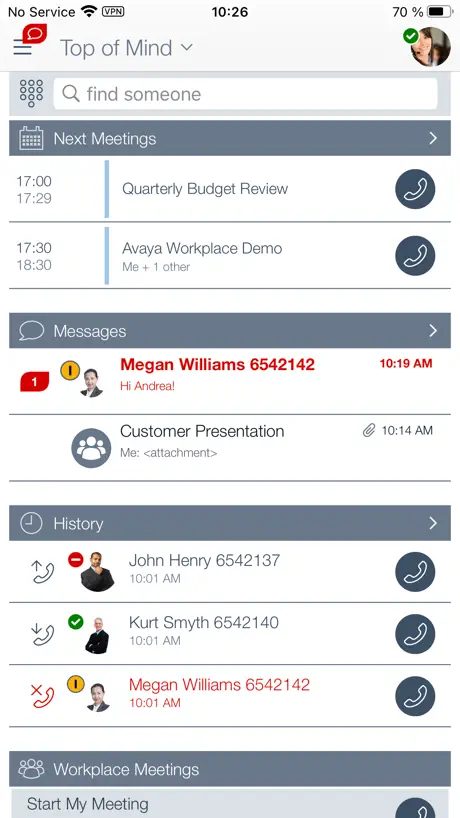
This is best UC client experience I have ever seen. The homepage lets you see at a glance what you need to know. The setup was really simple too, it just needed my email address !
Ouch my ears
Terrible volume control. Never use earbuds because the Avaya ringing will play 10x louder than anything else on your phone and blast your eardrums out. Can not understand how such a popular app has such terrible volume control. Would give zero stars if I could.
Missing key functionality
Can’t receive incoming calls unless the phone is unlocked with the app open and on-screen — which it looks like has been the main complaint for years.
XS MAX不能正常使用
在新的手機XS MAX上,來電會超過5-10分鍾才顯示在手機上,確認軟體有保留在後台了,原本舊有的IPHONE不會出現這個問題
Very good update!
Like the the agenda feature as well as the Microsoft Lync integration. The new app design is also very well done, in par with the best apps out there. Good job!
Terrible service
Calls are broken and sometimes missed. Sometimes get errors trying to make calls and voicemail works sometimes and then it doesn’t
Here we go again
Every time there is an iOS update, the phone app doesn’t work in the background, although background app refresh is on. Can SOMEONE at Avaya please be up-to-date on releases (which do and can have security implications, so saying not to update isn’t really an option) and figure out how to make the app work for a change? It is nice when it works. My co workers and customers are happy to be able to get in touch when that is the case, and are as frustrated as I am when it doesn’t. The latter seems to be much more the norm, unfortunately.
Apple Watch support
I can't see any alert from Apple Watch when my iPhone alert. When will support this function?
Avaya Workplace FAQ
- Is Avaya Workplace free?
- Yes. The app is free, in all 175 countries it sells in, and it sells nothing inside it.
- Does Avaya Workplace have a free trial?
- No. None of its offers (US) come with a free trial.
- What are the best alternatives to Avaya Workplace?
- Web - Workspace ONE (4.4 from 50,967 reviews), My Quickcharge (4.8 from 5,918 reviews) and Ivanti Go (2.2 from 310 reviews).
Avaya Workplace download
Last updated 6 months ago.
Avaya Workplace sells in 175 countries. It was released 11 years and 4 months ago, on 9 May 2015. It holds a 2.5 rating from 1,323 reviews.
Supports 22 languages: English, Czech, Danish, Dutch, French, German, Hebrew, Hungarian, Indonesian, Italian, Japanese, Korean, Malay, Norwegian Bokmål, Polish, Portuguese, Russian, Chinese, Spanish, Swedish, Thai, Turkish.
How much does Avaya Workplace make?
Third-party estimates for the last 30 days, worldwide — not the store's own figures, which Apple publishes for nobody.