
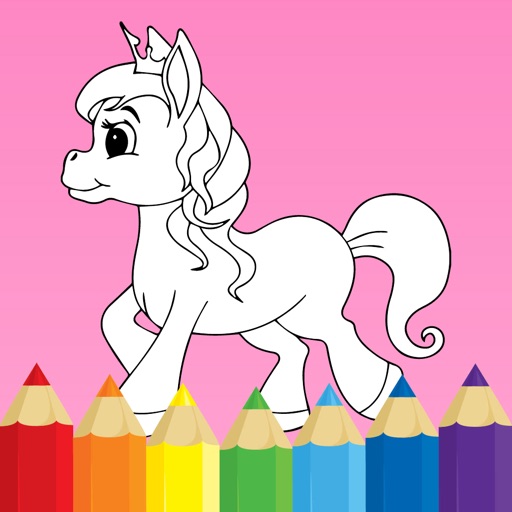
Unicorn Coloring Pony Games
Drawing Pages Color Paint Book
| Revenue % | ||||
|---|---|---|---|---|
| One-time purchase | 173 | $9.41 – $16.10 | ||
| One-time purchase | 173 | $3.62 – $6.42 | ||
| One-time purchase | 173 | $2.74 – $4.81 | ||
| One-time purchase | 173 | $2.74 – $4.81 | ||
| One-time purchase | 173 | $2.74 – $4.81 | ||
| One-time purchase | 173 | $2.74 – $4.81 | ||
| One-time purchase | 173 | $2.74 – $4.81 | ||
| One-time purchase | 173 | $2.74 – $4.81 | ||
| One-time purchase | 173 | $2.74 – $4.81 |
| Revenue % | Top products | |
|---|---|---|
| United States | ||
| United Kingdom | ||
| Russia | ||
| Canada | ||
| Philippines | ||
| Australia | ||
| Malaysia | ||
| Indonesia | ||
| Ukraine | ||
| United Arab Emirates |
Description
Pony Unicorn Coloring Book is an addictive coloring entertainment for all ages! Color easy and without stress inside the lines!
This simple and cute drawing app will help you to calm down and to improve your mood. Just download it now and enjoy a lot of amazing coloring pages!
HOW TO PLAY
There are 2 main modes you can use to colorise images:
1. With finger drawing mode, you can easily color the pages within the lines with your finger:
for this, select any coloring page you want and then select the "pen" tool from the top menu
then select the color you like from the bottom menu and then draw with your finger on the selected image
2. In 1-touch color mode, you can easily color image segments with just 1 touch:
to do this, select the "tube" tool from the top menu and then the color you like from the bottom menu.
after that, just tap anywhere on the coloring page and the corresponding image part will be filled with the selected color
3. When you finish your coloring page, feel free to share it with your friends and family on all available social networks by pressing the "photo" button.
4. If you want to clear the coloring page and start over, use the "reset" button to do so.
Major Features:
Huge collections of the unique coloring pages, designed specially for this app only
Simple an easy freehand drawing mode which never comes over the borders
Color fill mode just to to select and fill any part with desired color
Erase mode for fine erasing or complete coloring reset
Save, share and print your works on any connected devices
Slim and user friendly interface
Nice relaxing background music, or use your own background music if you like
Universal app which works on iPhone, iPod Touch and iPad
Your benefits:
Relax and anti-stress effect
Improves hand-eye coordination
Helps to develop creativity
*******************************
HOWTO RESTORE PURCHASES
If for whatever reason you accidentally get the app locked, you can easily restore in-app purchase back without paying again! To do this please follow these simple steps:
1. Start the app
2. In the main menu press setting button and then select "restore purchases" menu
3. Provide your iTunes login/password if required
4. Done :)
*******************************
Similar apps
 Unicorn Coloring Club Games 2+ Baby Drawing for Kids & Girls
  My Unicorn dress up for kids Pony makeover games for girls
  Coloring book Unicorn & Horses Drawing and painting
  Unicorn Cooking Christmas Game Cake, Cookie & Fun Food Games
  Rainbow Unicorn Candy Salon Makeup Spa & Makeover Games
  Rainbow Frozen Slushy Truck Ice Candy Slush Maker Games
  Slime Unicorn Games Lollipop , Gummy Bear Maker
  Mermaid Glitter Cupcake Chef Unicorn Mermaid Food Maker
  Pet Games: Rainbow Unicorn Animal Dress Up Game for Kids
  Pony Dolls Dress Up Games Fun Princess Unicorn Mini Game
  Magical Unicorn World Dress up Kids Games For Girls
  Cake Maker: Kids Cooking Game Fun Kid Games for Girls 3-5