IFR Flight Trainer Simulator
Aviation trainer for pilots
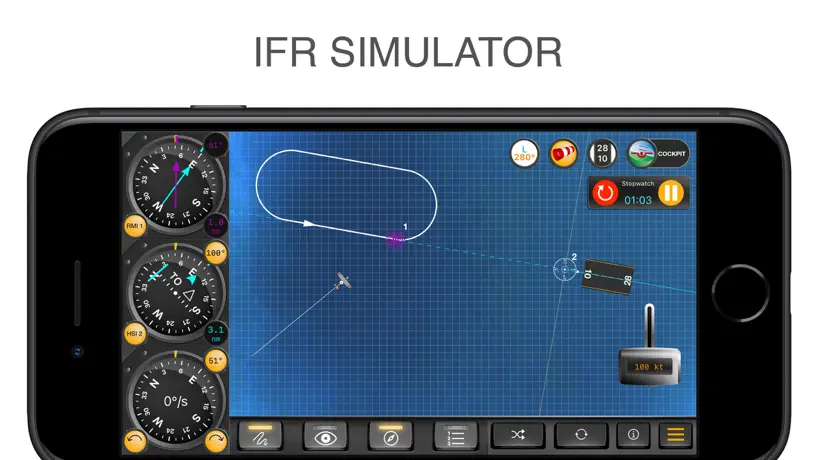
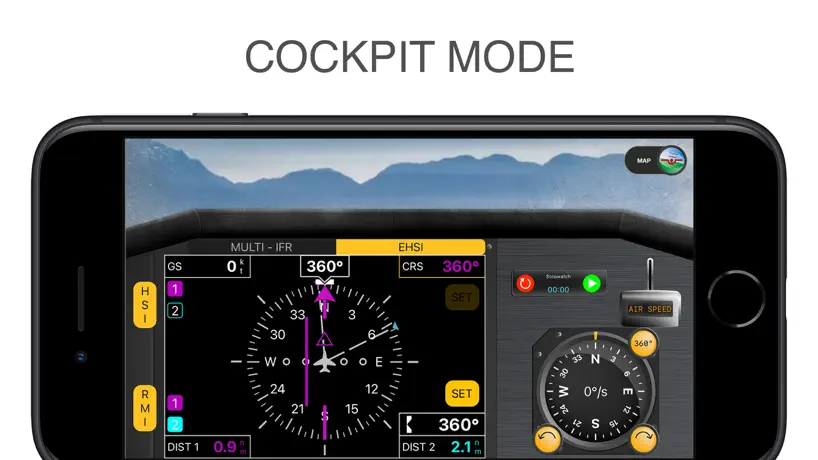
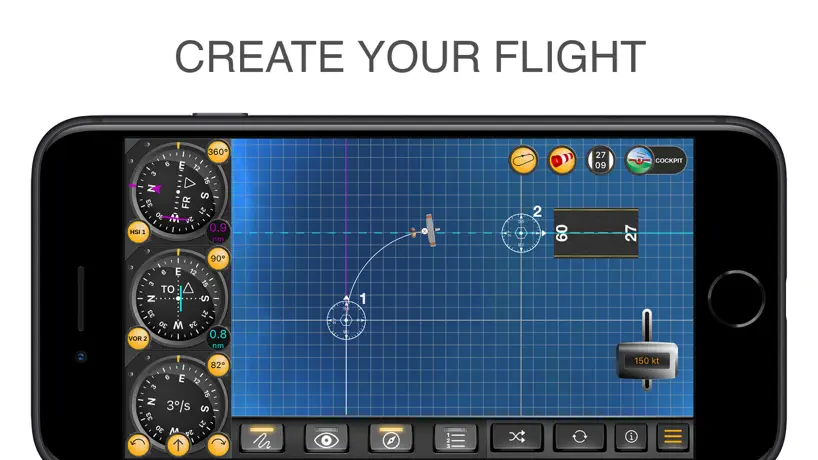
How much does IFR Flight Trainer Simulator cost?
Prices are current as of 16 Oct 2026.
2 one-time purchases from $11.99
In the United States, IFR Flight Trainer Simulator has 2 one-time purchases priced $11.99 – 24.99.
| Product | Price |
|---|---|
| IFR Simulator Half Price | $11.99 |
| IFR Simulator Unlock | $24.99 |
See what IFR Flight Trainer Simulator costs in all 175 countries →
10+ alternatives to IFR Flight Trainer Simulator
| IFR Flight Trainer Simulator |   Aviation Exam - EASA Aviation Exam - EASA |   Boldmethod Boldmethod |   Cockpit App Systems Cockpit App Systems |   Flight IFR Nav Trainer Flight IFR Nav Trainer | 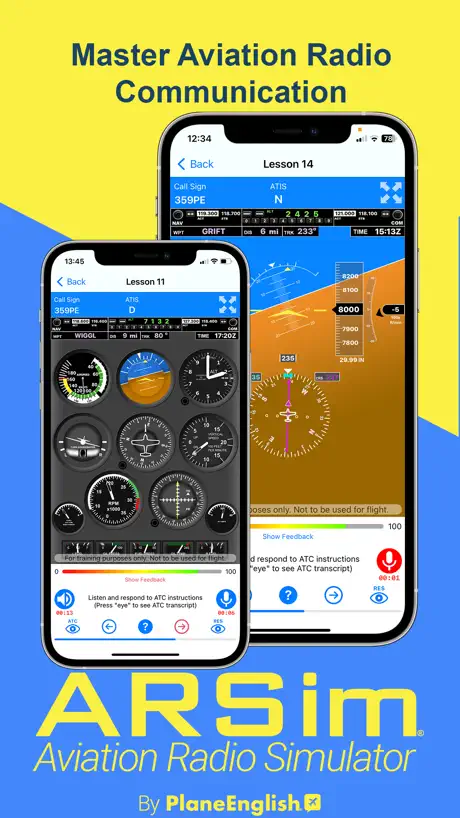  PlaneEnglish: ARSim PlaneEnglish: ARSim | 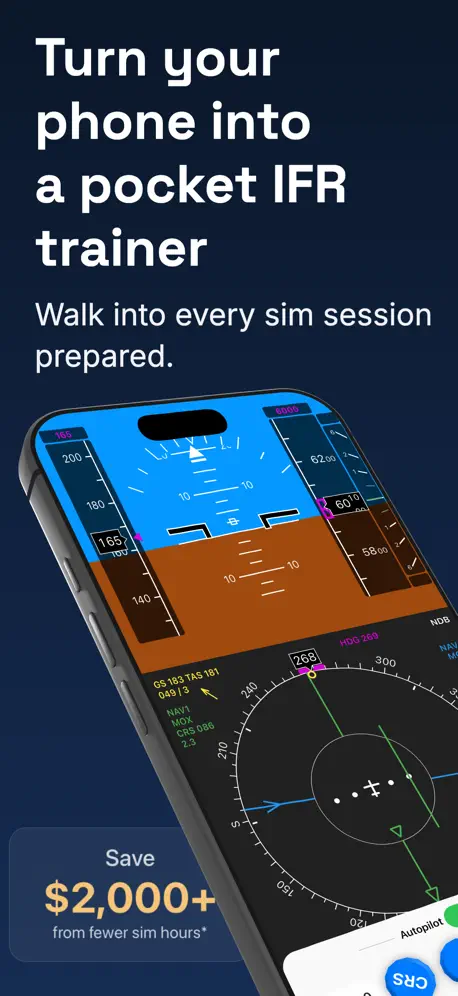  IFR Flight Simulator IFR Flight Simulator |  Flight Test X20 Flight Test X20 |  Garmin GTN Xi Trainer Garmin GTN Xi Trainer |  Garmin GPS Trainer Garmin GPS Trainer |   VOR Simulator Pro VOR Simulator Pro | |
|---|---|---|---|---|---|---|---|---|---|---|---|
| Rating / 5 | 4.1 | 4.7 | 4.9 | 4.6 | 4.6 | 4.0 | 4.4 | 4.0 | 2.6 | 2.3 | 4.8 |
| Reviews | 343 | 13K | 1.1K | 858 | 750 | 527 | 498 | 102 | 57 | 35 | 33 |
| Released | 2014 | 2011 | 2020 | 2017 | 2016 | 2019 | 2022 | 2020 | 2020 | 2019 | 2025 |
| One-time price | $11.99 | $44.49 | $24.99 | $49.99 | $10.99 | — | — | — | — | — | — |
The going rate for each plan in United States, in its own currency, shaded from the cheapest price on the row to the dearest. Plans fewer than four in ten of the priced apps sell are left out.
IFR Flight Trainer Simulator reviews
4.1 out of 5, based on 343 reviews.
What people like
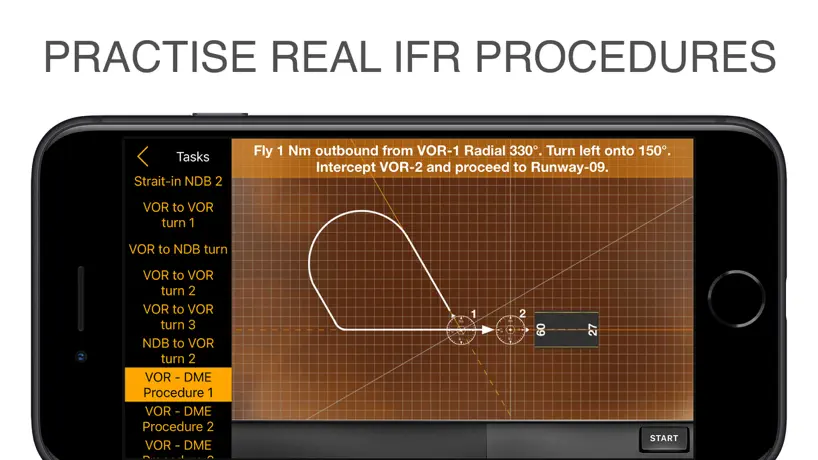
- Great for practicing instrument rating skills
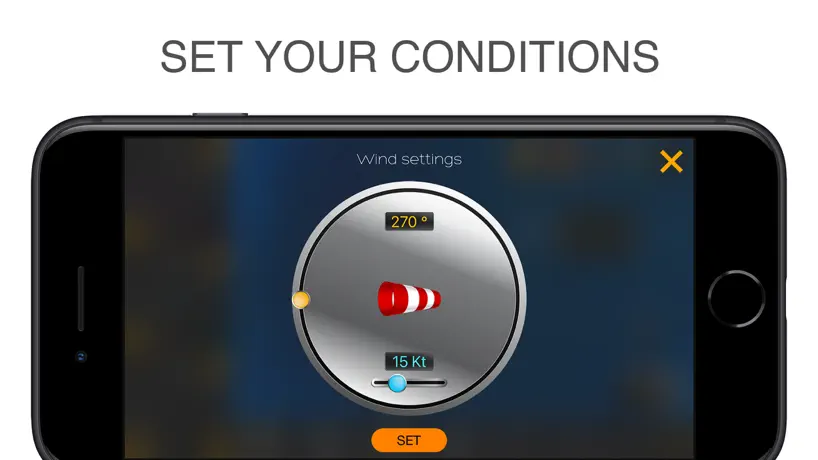
- You can customize wind and view options
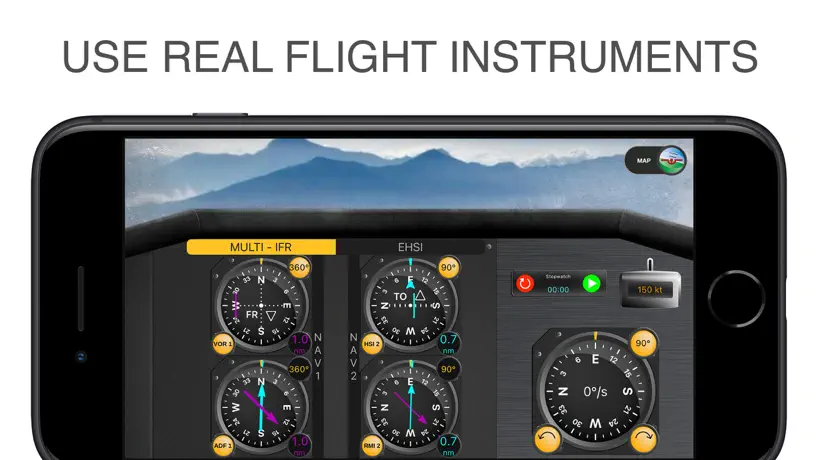
- Helpful cockpit mode creates realistic flying feel
What they complain about
- Three minute timer pressures you to buy
- Many features locked behind expensive extra payments
- Bugs cause instruments to stick or crash
Great app!
Preparing my girlfriend for her instrument rating. She was struggling with situational awareness, intercepts, & wind correction on VOR holding patterns. We bought this app, & she worked the DG while watching the simulated reaction of the airplane. Bingo! It all came together. Best $11.99 spent!
No time ...
You open the app and immediately hit with a countdown clock of like 3 minutes to buy at half price. On what planet can you look at the functionality of a brand new and extensive app in just 3 minutes to decide if you want to pay half price ... full price ... or any other discount? Cheesy marketing at its finest...!!!...
It's good for students start IR
It's really good for student. I got so much helped from this app. But I hope you guys have LOC option. Because you know HSI has not reverse sensing with VOR but LOC. I wanted to test how HSI is moving with LOC. If you guys offer LOC mode, I already knew your app will be the best choice for many students.
Limitata
Minimale. E questo forse può essere un aspetto positivo. Non capisco però perché deve arrivare solo a 5 nm di distanza che limita molto l esercitazione. Poi sarebbe interessante mettere la possibilità di esercizi dettati di intercettazioni ecc
No standard rate turns?
Seems HDG inputs result in an immediate course changes which is not realistic. Why not simulate a standard rate turn so we can practice intercepts and holdings with realistic wind correction and turns.
Very nicely done!
Fantastic tool for CFIs. Didn't even know that it also works on my phone, somehow I thought this was an iPad-only app.
Might’ve been a good tool too short of a time to commit to buying
Response:If Customers can’t test the full capabilities of the app there is no way most customers would pay $25 for unknown functionality or performance. I am still interested in the possibility of the app and it’s training potential but with the extremely limited free app it is impossible to justify without additional interaction with the full app capabilities. By the time I could even figure out the controls, and that half or more of the features were inaccessible without the paid version I had nowhere near enough time to decide whether the app was going to be worth the high cost of what I could do on my flight simulator. This unreasonable timeframe and trial obstacles just cost you a complete sale.
Great App to help PIC’s get their minds engaged.
This is a great app to help instrument rated pilots and instrument students practice navigation and tracking. Would give it 5 stars but Task 11 was completed while flying direct to VOR 1 to track the 150 radial outbound. I was still .6 DME inbound to the VOR and crossed over the airport. I received a message that the task was completed. Overall it’s a great app.
Gentlemen, Start Your Timers!
For the two minutes that you get to try this before it wants $25 to continue, nice layout and format. Didn’t get to try anything else so I deleted it. -UPDATE- It’s nice to see the company listen to the Feedback and adjust the timer accordingly.
Ne fonctionne plus
Problème depuis l upgrade. Ne s’ouvre plus sur mon iPhone 6plus grrrrr
Why are the VORs always reverse sensing?
I thought only localizers do that?
Terrible
This company is just out to scam you out of money. Tried to resell me this app again in another one of their apps. I still haven’t got what I wanted. Save your money!
It would be nice if you could adjust the turn rate.
I fly a Cessna, like 95% of people training to get their pp certificate or their ifr rating. Cessnas have a 2 min standard turn rate. This app has a 1 minute standard turn rate. I'd be nice if you could adjust the standard turn rate and, if not possible, to set it to 2 minutes.Just like the plane that most people that will buy this app are most likely flying.
Pas de virage au taux 1...
Impossible de régler le taux de virage. Ils se font au taux 2, ce qui rend impossible les entraînements aux attentes. Dommage.
Please show task errors
The app shows the flight path when I get it right, but I want to know what I did wrong and it doesn’t show erroneous flight paths, at least not so far as I can tell. That would be a great addition.
I’m glad I found this
I can randomly reposition the plane, it’s a real useful app!
Basic package for a premium price
The technical difficulty in building this app doesn’t even qualify for 10% of their asking purchase price. It’s like going to McDonalds and paying $20 for a 0.99 cent cheeseburger!!
Feels good
This game is different from the normal games that I play,the simulation way is quite good.
Heading indicator stuck
I bought the pro version since the HSI view would be helpful. Sadly the heading indicator sticks and now the plane doesn’t stop turning. Reinstalled it several times but it still didn’t fix itself. IT assistance would be appreciated
Almost there
Probably an update or two away from realizing its potential. Still a bit buggy. Tasks set up plane too close to waypoints. HSI radials seem to be off.
A lot of customizable conditions
You can set the wind, change the view, and perform different tasks. It contains everything you need.
Inapp purchase
They try to get you to upgrade. Cannot change the OBS without the upgrade.
Great simulation
I think this is great for new aviation enthusiasts like me.
Mistake
There should be 5 small bars between the markings instead of 4. That makes the instruments unreadable
Good way to practice the IFR procedures
It has a wind option too, very useful aviation app for pilots.
Save your money
You buy the app only to be told you need to spend double the money more. It has time clock saying buy to upgrade or it’ll cost you more ! Its really useless
Like the features here!
Flight controls are great and I can see it has created quite a buzz amongst newbie and future flyers. Fantastic simulators.
Helpful app for pilot students
It helps a lot for pilots to prepare for their IFR rating
Downloaded App Does Very Little
Free download has very little useful functionality. Be aware that purchasing the 'unlock'for this, is an in app purchase, and if as I was, you are disappointed with the 'purchased' version', as an in app purchase there is no recourse for a refund. There are better Apps available than this for IFR, some are free.
Good design
Well designed app for both professional and newbie flyers. The initial training is brilliant.
Best IFR simulator app
There are several options and tasks to learn and practice instrument flying. There is also a cockpit mode, that is one of the best feature to create a real situation.
Incorrect in many ways!
1. As of June 6, 2017, unless the algorithm is calculating slant range distance on the DME (which I doubt) the miniature airplane is still traveling too fast. E.g., place the airplane 2 NM from the station; tap a stopwatch and click the throttle simultaneously. At 150 knots the airplane should arrive at the station in approximately 48 seconds, right? Not 36! 2. Upon downloading to see if it works correctly, I see something new—a clock counting down from 3 minutes to purchase the app for half-price. Seriously, 3 min! 3. Cockpit instruments still on the incorrect side. Pilots don't fly the needles; they fly the HI/DG. Who designed this! Uninstalled again...in less than ten-minutes!
Great one
The app is well put together and all the information about radio navigation, beacons and instruments are accurately provided.
Great user interface
It let’s you to customize almost everything. The hide and track mode helps a lot to rely on instruments.
Not sure what you can do with this
The minute you open it- it's trying to sell you more crap. This app itself doesn't seem functional.
I love this.
This app is awesome for people who love to fly. My friends always kept talking about how awesome this app is, I could totally understand their feelings after actually downloading this app. Game modes are amazing.
Works great on iOS
It’s a good app with very useful simulator! Helps a lot if you want to practice and learn IFR flying.
Click bait
This app is bs. It lets you use the trial for five minutes then it wants you to pay 8-16 bucks.
Wow
This game has exceeded most of my expectations and I've spent a large amount of time looking for an app just like this. The graphics and general gameplay are over the top.
IFR Flight Trainer Simulator price by country
A one-time purchase costs $10.56 in Canada and $18.82 in Colombia — 1.8× more for the same thing. Below is the going rate for each plan in every country that sells it — the middle price of what the app charges there, in the country's own currency with the dollar equivalent beneath it.
| Country | One-time |
|---|---|
| Afghanistan | $11.99 |
| Albania | $14.99 |
| Algeria | $11.99 |
| Angola | $11.99 |
| Anguilla | $11.99 |
| Antigua And Barbuda | $11.99 |
| Argentina | $11.99 |
| Armenia | $14.99 |
| Australia | A$19.99$13.98 |
| Austria | €12.99$14.53 |
| Azerbaijan | $14.99 |
| Bahamas | $12.99 |
| Bahrain | $12.99 |
| Barbados | $14.99 |
| Belarus | $14.99 |
| Belgium | €12.99$14.53 |
| Belize | $11.99 |
| Benin | $14.99 |
| Bermuda | $11.99 |
| Bhutan | $11.99 |
| Bolivia | $11.99 |
| Bosnia & Herzegovina | €12.99$14.53 |
| Botswana | $11.99 |
| Brazil | R$79.90$15.85 |
| British Virgin Islands | $11.99 |
| Brunei Darussalam | $11.99 |
| Bulgaria | €12.99$14.53 |
| Burkina Faso | $11.99 |
| Cambodia | $12.99 |
| Cameroon | $14.99 |
| Canada | CA$14.99$10.56 |
| Cape Verde | $11.99 |
| Cayman Islands | $11.99 |
| Chad | $11.99 |
| Chile | CLP 12,990$13.23 |
| China | CN¥88.00$13.11 |
| Colombia | COP 59,900$18.82 |
| Congo | $14.99 |
| Congo, Democratic Republic | $11.99 |
| Costa Rica | $11.99 |
| Cote Divoire | $14.99 |
| Croatia | €12.99$14.53 |
| Cyprus | €12.99$14.53 |
| Czech Republic | CZK 299.00$13.73 |
| Denmark | DKK 99.00$14.82 |
| Dominica | $11.99 |
| Dominican Republic | $11.99 |
| Ecuador | $11.99 |
| Egypt | EGP 599.99$11.30 |
| El Salvador | $11.99 |
| Estonia | €12.99$14.53 |
| Fiji | $11.99 |
| Finland | €12.99$14.53 |
| France | €12.99$14.53 |
| Gabon | $11.99 |
| Gambia | $11.99 |
| Georgia | $14.99 |
| Germany | €12.99$14.53 |
| Ghana | $14.99 |
| Greece | €12.99$14.53 |
| Grenada | $11.99 |
| Guatemala | $11.99 |
| Guinea-bissau | $11.99 |
| Guyana | $11.99 |
| Honduras | $11.99 |
| Hong Kong | HK$88.00$11.21 |
| Hungary | HUF 4,990$15.33 |
| Iceland | $14.99 |
| India | ₹1,199.00$12.59 |
| Indonesia | IDR 229,000$12.79 |
| Iraq | $11.99 |
| Ireland | €12.99$14.53 |
| Israel | ₪39.90$12.87 |
| Italy | €12.99$14.53 |
| Jamaica | $11.99 |
| Japan | ¥2,000$12.63 |
| Jordan | $11.99 |
| Kazakhstan | KZT 6,990.00$15.52 |
| Kenya | $14.99 |
| Kosovo | €12.99$14.53 |
| Kuwait | $11.99 |
| Kyrgyzstan | $12.99 |
| Lao Peoples Democratic Republic | $12.99 |
| Latvia | €12.99$14.53 |
| Lebanon | $11.99 |
| Liberia | $11.99 |
| Libya | $11.99 |
| Lithuania | €12.99$14.53 |
| Luxembourg | €12.99$14.53 |
| Macao | $11.99 |
| Macedonia | $11.99 |
| Madagascar | $11.99 |
| Malawi | $11.99 |
| Malaysia | MYR 59.90$14.68 |
| Maldives | $11.99 |
| Mali | $11.99 |
| Malta | €12.99$14.53 |
| Mauritania | $11.99 |
| Mauritius | $14.99 |
| Mexico | MX$249.00$13.49 |
| Micronesia | $11.99 |
| Moldova | $14.99 |
| Mongolia | $11.99 |
| Montenegro | €9.99$11.17 |
| Montserrat | $11.99 |
| Morocco | $14.99 |
| Mozambique | $11.99 |
| Myanmar | $11.99 |
| Namibia | $11.99 |
| Nauru | $11.99 |
| Nepal | $14.99 |
| Netherlands | €12.99$14.53 |
| New Zealand | NZ$19.99$11.23 |
| Nicaragua | $11.99 |
| Niger | $11.99 |
| Nigeria | NGN 19,900.00$14.94 |
| Norway | NOK 149.00$15.68 |
| Oman | $11.99 |
| Pakistan | PKR 3,500$12.64 |
| Palau | $11.99 |
| Panama | $11.99 |
| Papua New Guinea | $11.99 |
| Paraguay | $11.99 |
| Peru | PEN 49.90$14.51 |
| Philippines | ₱799.00$12.70 |
| Poland | PLN 49.99$12.79 |
| Portugal | €12.99$14.53 |
| Qatar | QAR 39.99$10.99 |
| Romania | RON 69.99$14.67 |
| Russia | RUB 999.00$11.90 |
| Rwanda | $11.99 |
| Sao Tome & Principe | $11.99 |
| Saudi Arabia | SAR 49.99$13.33 |
| Senegal | $14.99 |
| Serbia | €12.99$14.53 |
| Seychelles | $11.99 |
| Sierra Leone | $11.99 |
| Singapore | SGD 17.98$14.05 |
| Slovakia | €12.99$14.53 |
| Slovenia | €12.99$14.53 |
| Solomon Islands | $11.99 |
| South Africa | ZAR 249.99$15.08 |
| South Korea | ₩19,000$14.18 |
| Spain | €12.99$14.53 |
| Sri Lanka | $11.99 |
| St. Kitts and Nevis | $11.99 |
| St. Lucia | $11.99 |
| St. Vincent & The Grenadines | $11.99 |
| Suriname | $12.99 |
| Swaziland | $11.99 |
| Sweden | SEK 149.00$14.91 |
| Switzerland | CHF 10.00$11.99 |
| Taiwan | NT$390.00$12.11 |
| Tajikistan | $12.99 |
| Tanzania | TZS 34,900.00$13.26 |
| Thailand | THB 399.00$11.86 |
| Tonga | $11.99 |
| Trinidad and Tobago | $11.99 |
| Tunisia | $11.99 |
| Turkey | TRY 599.99$12.13 |
| Turkmenistan | $11.99 |
| Turks and Caicos | $11.99 |
| Uganda | $14.99 |
| Ukraine | $14.99 |
| United Arab Emirates | AED 49.99$13.62 |
| United Kingdom | £11.99$15.86 |
| United States | $11.99 |
| Uruguay | $11.99 |
| Uzbekistan | $12.99 |
| Vanuatu | $11.99 |
| Venezuela | $11.99 |
| Vietnam | ₫399,000$15.41 |
| Yemen | $11.99 |
| Zambia | $14.99 |
| Zimbabwe | $14.99 |
IFR Flight Trainer Simulator FAQ
- Is IFR Flight Trainer Simulator free?
- Yes. The app and its basic features are free, in all 175 countries it sells in. Premium features are paid: they start from $11.99 (US), across 2 one-time purchases.
- Does IFR Flight Trainer Simulator have a free trial?
- No. None of its offers (US) come with a free trial.
- Where is IFR Flight Trainer Simulator cheapest?
- A one-time purchase costs CA$14.99 (≈$10.56) in Canada and COP 59,900 (≈$18.82) in Colombia, its cheapest and dearest countries.
- What are the best alternatives to IFR Flight Trainer Simulator?
- Aviation Exam - EASA (4.7 from 13,276 reviews, premium from $19.49), Boldmethod (4.9 from 1,115 reviews, premium from $19.99) and Cockpit App Systems (4.6 from 858 reviews, premium from $24.99).
IFR Flight Trainer Simulator download
Last updated 3 months ago.
IFR Flight Trainer Simulator sells in 175 countries. It was released 11 years and 10 months ago, on 11 Dec 2014. It holds a 4.1 rating from 343 reviews.
Supports 6 languages: English, French, German, Hungarian, Italian, Spanish.
How much does IFR Flight Trainer Simulator make?
Third-party estimates for the last 30 days, worldwide — not the store's own figures, which Apple publishes for nobody.
Revenue by plan
- One-time 100%
Revenue by country
- United States 34%
- Germany 12%
- Canada 8%
- France 5%