
Touch Notation
Musical score handwriting app
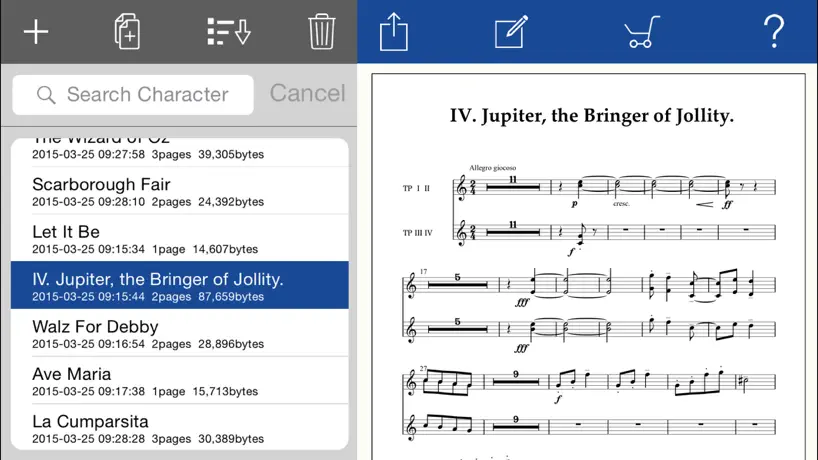
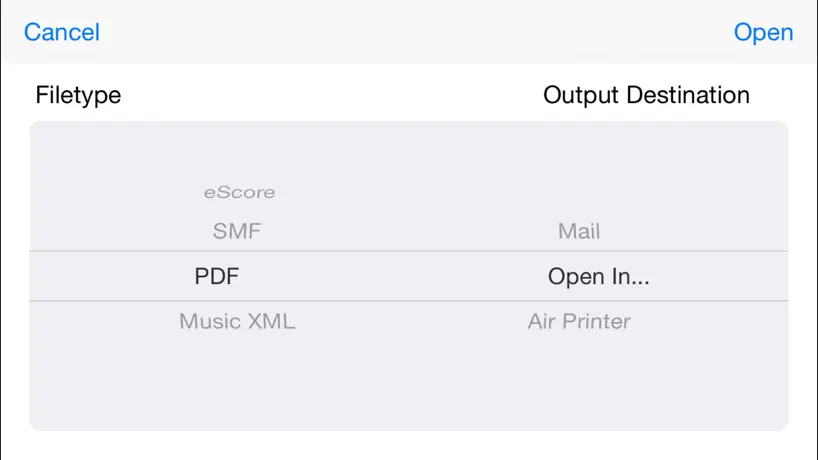
How much does Touch Notation cost?
Prices are current as of 18 Nov 2026.
10 one-time purchases from $0.49
In the United States, Touch Notation has 10 one-time purchases priced $0.49 – 3.99.
| Product | Price |
|---|---|
| Sound Set: Bell/Mallet | $0.49 |
| Sound Set: Brass/Woodwind | $0.49 |
| Sound Set: Guitar/Bass 1 | $0.49 |
| Sound Set: Piano | $0.49 |
| Sound Set: Strings | $0.49 |
| Sound Set: Vocal/Others | $0.49 |
| Core MIDI Output | $1.99 |
| Handwritten Font | $1.99 |
| Sound Set: Full | $2.99 |
| Chord Name & Automatic Accompaniment | $3.99 |
Touch Notation download price by country
| Country | Price |
|---|---|
| Japan | ¥1,500 |
| United States | $9.99 |
| France | €9.99 |
| Germany | €9.99 |
| Canada | CA$12.99 |
| Russia | RUB 899.00 |
| China | CN¥68.00 |
| United Kingdom | £9.99 |
| Hong Kong | HK$88.00 |
| South Korea | ₩17,000 |
| Taiwan | NT$320.00 |
| Philippines | ₱599.00 |
| Brazil | R$59.90 |
| Switzerland | CHF 9.00 |
| Spain | €9.99 |
| Italy | €9.99 |
| Sweden | SEK 129.00 |
| Australia | A$14.99 |
| India | ₹999.00 |
| Mexico | MX$199.00 |
| Netherlands | €9.99 |
| Turkey | TRY 499.99 |
| Austria | €9.99 |
| Chile | CLP 9,990 |
| Finland | €9.99 |
| Norway | NOK 129.00 |
| Portugal | €9.99 |
| Thailand | THB 399.00 |
| Ukraine | $11.99 |
| Argentina | $9.99 |
| Belgium | €9.99 |
| Czech Republic | CZK 249.00 |
| Denmark | DKK 89.00 |
| Greece | €9.99 |
| Croatia | €9.99 |
| Indonesia | IDR 199,000 |
| Lithuania | €9.99 |
| Poland | PLN 49.99 |
| Trinidad and Tobago | $9.99 |
| United Arab Emirates | AED 39.99 |
| Afghanistan | $9.99 |
| Antigua And Barbuda | $9.99 |
| Anguilla | $9.99 |
| Albania | $11.99 |
| Armenia | $11.99 |
| Angola | $9.99 |
| Azerbaijan | $11.99 |
| Bosnia & Herzegovina | €9.99 |
| Barbados | $11.99 |
| Burkina Faso | $9.99 |
| Bulgaria | €9.99 |
| Bahrain | $9.99 |
| Benin | $11.99 |
| Bermuda | $9.99 |
| Brunei Darussalam | $9.99 |
| Bolivia | $9.99 |
| Bahamas | $9.99 |
| Bhutan | $9.99 |
| Botswana | $9.99 |
| Belarus | $11.99 |
| Belize | $9.99 |
| Congo, Democratic Republic | $9.99 |
| Congo | $11.99 |
| Cote Divoire | $11.99 |
| Cameroon | $11.99 |
| Colombia | COP 49,900 |
| Costa Rica | $9.99 |
| Cape Verde | $9.99 |
| Cyprus | €9.99 |
| Dominica | $9.99 |
| Dominican Republic | $9.99 |
| Algeria | $9.99 |
| Ecuador | $9.99 |
| Estonia | €9.99 |
| Egypt | EGP 499.99 |
| Fiji | $9.99 |
| Micronesia | $9.99 |
| Gabon | $9.99 |
| Grenada | $9.99 |
| Georgia | $11.99 |
| Ghana | $11.99 |
| Gambia | $9.99 |
| Guatemala | $9.99 |
| Guinea-bissau | $9.99 |
| Guyana | $9.99 |
| Honduras | $9.99 |
| Hungary | HUF 4,490 |
| Ireland | €9.99 |
| Israel | ₪29.90 |
| Iraq | $9.99 |
| Iceland | $11.99 |
| Jamaica | $9.99 |
| Jordan | $9.99 |
| Kenya | $11.99 |
| Kyrgyzstan | $9.99 |
| Cambodia | $9.99 |
| St. Kitts and Nevis | $9.99 |
| Kuwait | $9.99 |
| Cayman Islands | $9.99 |
| Kazakhstan | KZT 5,990.00 |
| Lao Peoples Democratic Republic | $9.99 |
| Lebanon | $9.99 |
| St. Lucia | $9.99 |
| Sri Lanka | $9.99 |
| Liberia | $9.99 |
| Luxembourg | €9.99 |
| Latvia | €9.99 |
| Libya | $9.99 |
| Morocco | $11.99 |
| Moldova | $11.99 |
| Montenegro | €9.99 |
| Madagascar | $9.99 |
| Macedonia | $9.99 |
| Mali | $9.99 |
| Myanmar | $9.99 |
| Mongolia | $9.99 |
| Macao | $9.99 |
| Mauritania | $9.99 |
| Montserrat | $9.99 |
| Malta | €9.99 |
| Mauritius | $11.99 |
| Maldives | $9.99 |
| Malawi | $9.99 |
| Malaysia | MYR 49.90 |
| Mozambique | $9.99 |
| Namibia | $9.99 |
| Niger | $9.99 |
| Nigeria | NGN 14,900.00 |
| Nicaragua | $9.99 |
| Nepal | $11.99 |
| Nauru | $9.99 |
| New Zealand | NZ$19.99 |
| Oman | $9.99 |
| Panama | $9.99 |
| Peru | PEN 44.90 |
| Papua New Guinea | $9.99 |
| Pakistan | PKR 2,900 |
| Palau | $9.99 |
| Paraguay | $9.99 |
| Qatar | QAR 39.99 |
| Romania | RON 49.99 |
| Serbia | €9.99 |
| Rwanda | $9.99 |
| Saudi Arabia | SAR 39.99 |
| Solomon Islands | $9.99 |
| Seychelles | $9.99 |
| Singapore | SGD 14.98 |
| Slovenia | €9.99 |
| Slovakia | €9.99 |
| Sierra Leone | $9.99 |
| Senegal | $11.99 |
| Suriname | $9.99 |
| Sao Tome & Principe | $9.99 |
| El Salvador | $9.99 |
| Swaziland | $9.99 |
| Turks and Caicos | $9.99 |
| Chad | $9.99 |
| Tajikistan | $9.99 |
| Turkmenistan | $9.99 |
| Tunisia | $9.99 |
| Tonga | $9.99 |
| Tanzania | TZS 29,900.00 |
| Uganda | $11.99 |
| Uruguay | $9.99 |
| Uzbekistan | $9.99 |
| St. Vincent & The Grenadines | $9.99 |
| Venezuela | $9.99 |
| British Virgin Islands | $9.99 |
| Vietnam | ₫299,000 |
| Vanuatu | $9.99 |
| Kosovo | €9.99 |
| Yemen | $9.99 |
| South Africa | ZAR 199.99 |
| Zambia | $11.99 |
| Zimbabwe | $11.99 |
10+ alternatives to Touch Notation
| Touch Notation |  iWriteMusic Pro |   iWriteMusic SE |   Symphony Pro - Music Notation |  iWriteMusic Pro SE |   iWriteMusic |   Chord chart editor |   Score to Part Score |  MusicJot TryOut | |
|---|---|---|---|---|---|---|---|---|---|
| Rating / 5 | 3.2 | 4.6 | 4.3 | 3.8 | 4.3 | 4.5 | 3.9 | 4.2 | 2.5 |
| Reviews | 402 | 2.2K | 2.1K | 1.9K | 1.3K | 1.3K | 13 | 5 | 4 |
| Released | 2014 | 2011 | 2010 | 2011 | 2012 | 2010 | 2020 | 2024 | 2024 |
| One-time price | $0.49 | $0.99 | — | $9.99 | — | $0.99 | — | — | — |
The going rate for each plan in United States, in its own currency, shaded from the cheapest price on the row to the dearest.
Touch Notation reviews
3.2 out of 5, based on 402 reviews.
What people like
- Writes perfect notation directly from handwriting.
- Great for sketching quick musical ideas.
- Best chord symbols look among all apps.
- Reasonable price compared to expensive software.
What they complain about
- Handwriting recognition is unreliable and frustrating.
- Copy and paste often misplaces notes.
- Playback tool lacks basic rewind controls.
- No way to add lyrics to scores.
Incredible, the only one of its kind wit handwriting recognition to music notation AFAIK
This app is a sleeper, so useful, especially for leadsheets. the only one that I know of that you can write charts with your finger or a stylus and it will show up as perfect notation. NO DRAG AND DROP NOTES, which is tedious. Copying and pasting notes, bars, even whole sections of the song is so easy. It just takes a minute to get used to aligning your paste to the right note. So many things about this app are intuitive. Being able to resize bars and add an extra bar line is very helpful. I do have a few suggestions. The main one is to add a white ink pen color (like in ForScore) so that you can use that as an eraser for any pen markings that you might want to edit. The other suggestion is to be able to set a default font and size for text notes, which they call “musical expression”. Sizable D.S. And coda markings…..Rehearsal marks (A, B, C). Also, a single diagonal (1/4 note) slash for rhythm charts.
初代iPad Airで動かなくなった
1.2.6にアップデートしたら全く起動しなくなりました。
ここが惜しい....
有料追加コンテンツのコードネーム、自動伴奏の機能がありますが自動伴奏のデフォルトスタイルはドラムでメトロノームのような音が鳴ります。純粋なF♭などのコードの音と音符を聴きたいだけなのに!
今度は新規作成が開けない
アップデートされて反応は良くなったのですが 何と新規作成ボタンが全く見つからず💦 新しく追加された ×ボタンや画面の縮小ボタンなどと3つの赤と緑と黄色のボタンが新規作成の+ボタンの上に乗っかって見えないし、押せない という非常事態です。 新規作成が出来ないのは困りますので 早急に対応お願いいたします。 → これは改善ありがとうございます。 そうしたら今度は編集後に目次画面に戻るのが、アプリを閉じない限り元に戻れなくなりました。 なんか普通に簡単に出来るはずのことが 出来なくなる不思議。 ほんと困ります💦
動作が遅くなった
iPad アップデートしたら動作が遅くなってかなりストレスです!アプリ側のアップデートもお願いいたします。
A powerful tool if you take the time to learn how to use it
Very frustrating at times, but over all this app is very well worth the price for all the features it offers. Devs: please keep working on this! It has huge potential if the kinks can be sorted out. PROS: Easy to use Intuitive controls Convenient shortcuts Great playback function Works well with Apple Pencil Very flexible with what and how you write CONS: Gesture recognition is hit-or-miss Unable to format text Unable to erase handwriting In-app videos no longer work after a recent iOS update For those having trouble copying and pasting: you can copy entire measures by double tapping and dragging to select all the measures you want to copy. Then double tap and drag to highlight an equal number of empty measures where you want to paste your notes. The notation will copy exactly without having to move stuff around.
Horrible
This is easily the worst app I have over used in my life. The input is infuriating. I want my 12 dollars back. Whole notes are often confused for half notes and is is extremely difficult to fix.
Just What I Needed
Great for writing out your parts. App doesn’t collect your data, the price is reasonable and the learning curve isn’t that hard, especially if you’ve used other notation programs in the past. I still have to get the hang of key signatures and 1st/2nd endings, but I have high hopes, having recently left MS for an Apple iPad product.
練習記号(練習番号)を入力したい
このアプリで楽譜を入力してメンバーに渡しているのですが四角の中にA Bとか表示する練習記号(練習番号)を入力出来るようにして欲しいです。 合わせる時に、途中のどこから開始するかメンバーで共通して認識するのに使いたい。 なぜ機能がないのか疑問です。 強く強くお願いします。 2026年3月14日追記 画面を拡大して入力していて、入力ミスして一つ前に戻る矢印の操作などの上部サークルの操作を行うと入力画面が譜面の上部へ都度移動する挙動がする。今までこんな挙動はしなかった。ちゃんと動作確認してますか?直ぐ直して下さい。
価格の割に素晴らしいが...
確認の割には機能的に素晴らしいが、とにかく使い方が複雑で、視覚的に操作しにくい。まずマニュアルを一通り見て基本操作を覚えないと勘だけでスムーズにやりたいことができずイライラが募る。慣れればある程度の事はできるので返金までは求めないが、ちょっと残念。もう少し価格を上げても良いので視覚的に使いやすくした方が良い。あと、itunesじゃなくてicloudでもバックアップ出来るようにしてほしい。
Great App
Great app for putting down musical ideas in standard notation
Garbage
Poor interface. Notes disappear. This is a total ripoff.
Amazing musical notation app
This app is really amazing. It did everything I needed since I am using it (I started using it for several months now) and works greatly. The only feature I personally want to see coming, if possible, is to make swing feel so Jazz writing feels way better and more audible. A bunch of other features can be added aswell for a lot of needs and maybe some fixes aswell because sometimes the app crashes but not often. I am very pleased to use this app and I really would like to see you, the makers of this app, continu working on this to improve it and make it more viable for all kind of music writer in the world. Oh and I highly recommend this app to any musicians who would like to use a music writing app and that is easy to use. It is honestly the first app I bought and didn’t regretted at all.
再生するときタイの部分で詰まる。
再生するときタイの部分で詰まる。他にも詰まる部分があるかもしれない。まだ分からない。まずこれが使い始めの感想
I REALLY wish y’all would upgrade this app
Great music notation that got me through the years as a music student, the app was simple and not too complicated, but now it’s just glitchy. Kind of disappointing
Like the app for learning
I use the app to copy notes from paper. For learning and for then importing into Synthesia, for learning.
Hard to recognize
Hardly recognize my hand writing notes, and it cannot import PDF score into it, so un convenience
This is a great app ...so far
I am enjoying this app and the way it works. With the Apple Pencil, it’s really easy to use. I would even say fun! For writing parts and transposing, it’s a joy. The reason I didn’t give it 5 stars is due to things that haven’t happened yet that I’d like to see (hey Kawai, are you listening?? Support this app!!!): page customization (how many staves on a page can reduce having page tunes for just one line of music!) and rhythm notation. The ability to erase when writing on the page would be helpful too. Oh—- bracketed notes! Add those things and all other notation apps will be pretty much irrelevant!!
使いづらい
素直に記譜出来ない。チマチマ訂正が必要。有料でこのクオリティはガッカリ。
課金?
アプリ内課金となっていました。 取り込んですぐに、課金され払った所です。 それなら初めから課金表示をするべきです。 毎月ですか? 使えそうなので楽しみにはしてます♪
I love this app!!! A great compositional tool
It’s like the best thing that happened to my iPad after OnSong, Forescore and the new notes app. A simple app by Kawai, a great product. Unlike the Microsoft one this writes everything out straight away when you input it. Tips: - Use spacer tool (three 1/4 notes picture top left) to space out correctly - Set-up the double tap auto zoom to fit a bar more comfortably than the 800%, I have mine to a bar - Take time to play around learn how they want you to input symbols, there aren’t that many! - Backup regularly - Take your time to learn the quirks, there aren’t that many I can’t believe more people aren’t ranting and raving about this, Apple should promote it, for me it feels like it might be close to the new microsoft one but without the $$$ of buying a surface.
Request to developers
I would not normally try to contact developers through the review forum, but this app is without any customer service - when you send off the feedback form on the Kawai site, a message pops up to say that you will not receive a reply (having limited you to 140 characters - boy, do I get the impression that contact with the outside world is unwelcome!). So here's my enquiry. After repeated attempts, I have found that it is impossible to write a natural accidental on a note. The stroke is in in two parts. The first part opens a lyric window. The second half writes an eighth rest. You never get the natural. Many of the gestures are hit and mss. The stroke for a whole note, basically an open circle, delivers a half note or a quarter note more times than the correct one. So I was resigned to trying again and again for the natural - but not to being completely unsuccessful. I would guess that lyric writing is a later modification, and that no-one at Kawai has spotted the conflict.
Very pleased
This is a great app for all who compose, teach or arrange music. It provides lots of options for writing your music fast and accurately! The reason I get 4 stars is that it needs lots of improvements, but overall it is worth to buy for its relatively non-expensive price in comparison with other similar apps.
フォルダ分け
アップデートは恐らく今後無いだろうな…と思いつつ 後継が出る事を祈りつつ フォルダ分け機能をください…
Too Fiddly
I had this app for a few years. I thought it was pretty handy for jotting down short musical ideas. However it is a very fussy programme and frequently requires multiple attempts to get the notes or other annotation down. Sometimes I had to just give up trying to change time signatures, adding tests or accidentals. Which can be extremely irritating. So irritating in fact that I sadly had to delete the app altogether, life being too short.
#1 app
Awesome app I bought it and it really helps me understand with music, my concern the time signature is there another way instead of drawing the time signature.
Not impressed
The most unintuitive app in the universe. Very inflexible too. Absolute shocker
Almost Perfect!
Touch Notation is, without a doubt, the best handwriting music notation app I've tried! I understand that the app may not have been designed to replace expensive software like Finale or Sibelius, but it actually could do it, if some bugs and minor limitations were addressed. So far, I've found only a few limitations that, if they were solved, would make me ditch my Finale software all together: 1) no lyrics tool - I compose a lot for choir, so like the chord tool and accompaniment tool, I'd be willing to pay extra for the ability to input lyrics! It seems strange to me that this function is missing, given that the app already comes with various vocal templates (including SATB). What's the point in having these templates if you can't put lyrics underneath each voice part? 2) If I've already created a document and I want to change the time signature to 5-4, it doesn't recognise the top number 5! This is very strange given that I can create a new document in 5-4 time and the fact that I can create every other irregular time signature (like 11-16, 7-4, 13-8 etc.,)! This is probably just a bug. 3) Cross staff beaming - I need this, especially when writing music for piano! Besides these, and probably some other small faults that I've yet to find, it's a fantastic tool!
誰か教えて下さい。
以前にも書いてる人いますが、移調するとレイアウトが崩れてしまい 綺麗に揃えるのが大変です。お金払っているので ガッカリです😮💨 歌詞も2番3番と入れたいのですが、誰か知ってる人教えて下さい。 宜しくお願いします。 それが問題無くできるなら星5つ⭐️⭐️⭐️⭐️⭐️です。
XML Import
No Support for XML-Import.
So cool, I want to start writing again
I haven't been this excited about notation software since I started using Finale v1.0. Yes, it has it's quirks. Yes, it has it's flaws. I really don't care. It's still better (for me) than requiring me to do several different actions for each note, or rely on my not-so-good timing at a keyboard. I can just write it out with my hand and even better, edit it without destroying three erasers and the paper. Kawai's gestures are totally natural. They did a fantastic job designing a notation package that was willing to work with me instead of making me learn how to work with it. My only complaint: (beyond my fat fingers) they haven't hired me to help them make it even better, but I'm not sure that counts.
Potential to be phenomenal, but... Can no longer export
EXPORT FAILS - by any method. What kind of notating software allows one to use an SATB template but not enter lyrics? I’ve paid for the whole package, and no lyrics? Massive shortcoming. Other shortcomings: 1. Cannot search the help utility by keyword. Many sub-level menu items hidden under parent items but not listed in tree form in the table of contents. 2. Cannot export Midi ‘parts’. 3. Cannot export mp3 renderings of Midi. 4. Cannot specify beginning measure number. 5. Copy and paste an expression - THEN BE ABLE TO EDIT THE EXPRESSION, else have to create new every time and unify format, say, if one is creating measure numbers because program lacks item 4 above. 6. Do NOT link song listing to Title property. If I wish to maintain several revisions, I should not have to edit the Title in order to tell the difference between versions.
Best App for fake-book style Lead Sheets
Touch notation has an input method that might seem strange at first but once you get the hang of it, it actually works really well. On top of that this app has the best looking chord symbols (looks like fakebook, gives you lots of customization for how your symbols look) and most intuitive input method out of all of the notation apps. I'm surprised this app doesn't have more reviews and coverage online because it really is something special. The jazz handwriting font also looks excellent. Want an app for writing lead sheets that will actually look good when it's completed? Look no further. The only reason I didn't get this app five stars is because the formatting methods are still a little bit finicky but that is a minor annoyance for all the benefits this app provides.
やる気なし?
誤動作多すぎ。操作性悪い。逆V字アクセントいつまで経っても追加されない。 ほんとにやる気ありますのん?カワイさん
Great app - needs update for 2018 iPad Pros
Have been using this app for on the go composing. Very useful once you get comfortable with the input methods. However this needs an update for the new iPad Pros (2018) so the app will display edge to edge. Also with the iPad Pros now supporting midi keyboards, note input via an external midi keyboard would be game changing.
Finale killer! Theory class game changer!
I've always hated entering music in Finale. If I write out something for the music theory classes I teach, I often prefer to write it out by hand over Finale. In no time, I got to a point with this app, that I can teach music theory concepts while writing out examples real time on this app, while sending it to Apple TV, and then immediately play what we've notated for my students.
Crashes
Tried to input Dance of the Sugar Plum Fairy and encountered tons of problems. The most irritating were that the app kept crashing upon inputting on page 3, and the inability to have sfz stay on the score after input; it kept disappearing and only one (of about 4) remains on the completed score. Seeing how infrequent this app is updated, looking for another similar app.
There will be 5 stars if it supports the iPad pro...
See,this app is brilliant, it totally works, and works well, I really like the design of sliding buttons, I know it cost time, but guys I really can't wait to see how it will work with Apple pencil and iPad pro, anyway, buy it if you need some app to creat a piece of music on the go in the way you do on a paper, or if you'd like to modify ur sheets in a super convenient way. again, this thing is really designed to be used, good work!
Cannot download the app...
After successfully tested the free version of this app on my iPad I purchased it but now the App Store is telling me the app cannot be downloaded ! Thank you for your help please as I was enjoying it
Simple, quick, bad transpositions
I like the quick entry and ease of editing. Much more intuitive than many apps. But the transposition logic is simply wrong. A change from C Major to c minor does not mean shifting all pitches up 3 semi-tones. The tonic is still C!
Composer/Musician
If you are musician this little program provides a handy way to sketch ideas and if pressed, to turn out a quick composition, part, or lead sheet. It takes a few minutes to get the basic concept but once you have the general idea it is relatively intuitive. The in app purchases are handy and not terribly expensive. But really the nicest thing about it is that the darn thing actually works once you have it down and that can't be said for some of the other apps out there right now.
Does NOT work as advertised
The handwriting features don’t work as well as the videos show. It takes multiple tries to get any note to show correctly. The scores are hard to edit, and the gestures to edit things don’t even work. You can’t get a refund on this, so I don’t recommend buying it!!! It does not work well. I was hoping to have an easy tool to compose music, but it’s more trouble than it’s worth.
Excellent, waiting for updates
This is one of the greatest apps for notation/music writing. Excellent concept, pretty intuitive, mostly clear manual/help menu. My only wish that the app would develop further - I'd like to see a possibility of "human playback" (swing 8th notes), ability to transpose instruments without changing a pitch after writing them in concert key, support of slash and rhythmic notation. Keep it up!
Très bonne application au niveau visuel et graphisme.
Belle application mais ne fonctionne pas très bien sur iPad Air beaucoup de bug . Pour écrire une note il me faut me prendre à plusieurs fois un coup ça fonctionne un coup ça ne fonctionne pas. Peut-être une mise à jour serait-elle nécessaire. Un très bon point pour les sonorités qui sont magnifiques . bien à vous.
Disappointing
The idea is great, and Kawai attempted to include many useful symbols. But using both touch directly and an Apple Pencil on an iPad Pro, this app is completely unreliable. It enters the wrong symbol more often than the correct one, or enters no symbol at all despite repeated attempts. Erasing incorrect symbols also often takes multiple tries. Very frustrating.
👍🏻
Great!
Unresponsive
The program is really unresponsive. It looks great in the videos but you never get it to recognize a note on the first go. It might take three or six tries before a note is recognized – using either an Apple pen or a finger. When one is trying to enter a bar between two notes, one gets a tie once or twice (after several tries at each) before a bar is finally accepted. These problems occur with the most basic inputs. I'm giving up and going back to Notion – which isn't perfect either but is better than this piece of junk. I guess I'm out my $12 plus whatever I spent on some in-app purchases.
Good app
Kawai is heading in the right direction with this app - great sounding orchestral voices even at the entry level. The open ended sequencer is a great feature, along with the copy/paste functions. I hope their next rev includes better MIDI mapping, allowing 16 channel assignments for playing external synths, (both iPad and hardware versions). Currently, I'm using the Griffin dock which has MIDI in and out. I would use this app all the time for live performance if it had that output capability. In the meantime, I'll have to keep using my Yamaha QY100.
This could be really good but right now it’s not
The input is very intuitive, more so than another notation app I bought for iPad. Unfortunately, after paying for it I discovered too many bugs which have not yet been addressed. 1. Copy and paste function is terrible! When copying a bar to another bar it doesn’t put the notes where they were in the copied measure, they get transposed all differently depending on where you touch the screen, so you have to sort of guess where to tap the screen, and if you guessed wrong, which you probably will do most of the time, you have to copy all over again and try to paste in the right spot, which is ridiculous. PLEASE FIX THIS!!! 2. Playback tool is too limited. This should be more like a standard playback tool with rewind and fast-forward controls not just play and stop. Also there should be a way to have it play back in swing like other notation programs can. 3. The sound is buggy. Sometimes it just doesn’t work, and the only way to get it back is for me to restart my iPad. I shouldn’t have to do that, the sound should be more robust than that. 4. There are some basic articulation’s and phrase markings which don’t exist in this app, such as marcato, falls, and glissando. I would be happy to write a more positive review if these items could be addressed and if the maker or makers of this software would show more interest in supporting it with more frequent updates as these problems are brought to their attention by users like myself who actually paid for it.
Promising, but needs fixing
On the right path, but need to fix chord notation bugs: "sus" and "2" not displaying.
Touch Notation price by country
A one-time purchase costs $0.25 in Hong Kong and $0.75 in Denmark — 3× more for the same thing. Below is the going rate for each plan in every country that sells it — the middle price of what the app charges there, in the country's own currency with the dollar equivalent beneath it.
| Country | One-time |
|---|---|
| Afghanistan | $0.49 |
| Albania | $0.49 |
| Algeria | $0.49 |
| Angola | $0.49 |
| Anguilla | $0.49 |
| Antigua And Barbuda | $0.49 |
| Argentina | $0.49 |
| Armenia | $0.49 |
| Australia | A$0.99$0.69 |
| Austria | €0.49$0.55 |
| Azerbaijan | $0.49 |
| Bahamas | $0.49 |
| Bahrain | $0.49 |
| Barbados | $0.49 |
| Belarus | $0.49 |
| Belgium | €0.49$0.55 |
| Belize | $0.49 |
| Benin | $0.49 |
| Bermuda | $0.49 |
| Bhutan | $0.49 |
| Bolivia | $0.49 |
| Bosnia & Herzegovina | €0.49$0.55 |
| Botswana | $0.49 |
| Brazil | R$2.90$0.57 |
| British Virgin Islands | $0.49 |
| Brunei Darussalam | $0.49 |
| Bulgaria | €0.49$0.55 |
| Burkina Faso | $0.49 |
| Cambodia | $0.49 |
| Cameroon | $0.49 |
| Canada | CA$0.49$0.35 |
| Cape Verde | $0.49 |
| Cayman Islands | $0.49 |
| Chad | $0.49 |
| Chile | CLP 490$0.50 |
| China | CN¥3.00$0.45 |
| Colombia | COP 1,900$0.60 |
| Congo | $0.49 |
| Congo, Democratic Republic | $0.49 |
| Costa Rica | $0.49 |
| Cote Divoire | $0.49 |
| Croatia | €0.49$0.55 |
| Cyprus | €0.49$0.55 |
| Czech Republic | CZK 9.00$0.42 |
| Denmark | DKK 5.00$0.75 |
| Dominica | $0.49 |
| Dominican Republic | $0.49 |
| Ecuador | $0.49 |
| Egypt | EGP 29.99$0.56 |
| El Salvador | $0.49 |
| Estonia | €0.49$0.55 |
| Fiji | $0.49 |
| Finland | €0.49$0.55 |
| France | €0.49$0.55 |
| Gabon | $0.49 |
| Gambia | $0.49 |
| Georgia | $0.49 |
| Germany | €0.49$0.55 |
| Ghana | $0.49 |
| Greece | €0.49$0.55 |
| Grenada | $0.49 |
| Guatemala | $0.49 |
| Guinea-bissau | $0.49 |
| Guyana | $0.49 |
| Honduras | $0.49 |
| Hong Kong | HK$2.00$0.25 |
| Hungary | HUF 199$0.62 |
| Iceland | $0.49 |
| India | ₹49.00$0.52 |
| Indonesia | IDR 9,000$0.50 |
| Iraq | $0.49 |
| Ireland | €0.49$0.55 |
| Israel | ₪1.90$0.61 |
| Italy | €0.49$0.55 |
| Jamaica | $0.49 |
| Japan | ¥100$0.63 |
| Jordan | $0.49 |
| Kazakhstan | KZT 299.00$0.66 |
| Kenya | $0.49 |
| Kosovo | €0.49$0.55 |
| Kuwait | $0.49 |
| Kyrgyzstan | $0.49 |
| Lao Peoples Democratic Republic | $0.49 |
| Latvia | €0.49$0.55 |
| Lebanon | $0.49 |
| Liberia | $0.49 |
| Libya | $0.49 |
| Lithuania | €0.49$0.55 |
| Luxembourg | €0.49$0.55 |
| Macao | $0.49 |
| Macedonia | $0.49 |
| Madagascar | $0.49 |
| Malawi | $0.49 |
| Malaysia | MYR 1.90$0.47 |
| Maldives | $0.49 |
| Mali | $0.49 |
| Malta | €0.49$0.55 |
| Mauritania | $0.49 |
| Mauritius | $0.49 |
| Mexico | MX$9.00$0.49 |
| Micronesia | $0.49 |
| Moldova | $0.49 |
| Mongolia | $0.49 |
| Montenegro | €0.49$0.55 |
| Montserrat | $0.49 |
| Morocco | $0.49 |
| Mozambique | $0.49 |
| Myanmar | $0.49 |
| Namibia | $0.49 |
| Nauru | $0.49 |
| Nepal | $0.49 |
| Netherlands | €0.49$0.55 |
| New Zealand | NZ$0.99$0.56 |
| Nicaragua | $0.49 |
| Niger | $0.49 |
| Nigeria | NGN 900.00$0.68 |
| Norway | NOK 5.00$0.53 |
| Oman | $0.49 |
| Pakistan | PKR 100$0.36 |
| Palau | $0.49 |
| Panama | $0.49 |
| Papua New Guinea | $0.49 |
| Paraguay | $0.49 |
| Peru | PEN 1.90$0.55 |
| Philippines | ₱29.00$0.46 |
| Poland | PLN 1.99$0.51 |
| Portugal | €0.49$0.55 |
| Qatar | QAR 1.99$0.55 |
| Romania | RON 2.99$0.63 |
| Russia | RUB 49.00$0.59 |
| Rwanda | $0.49 |
| Sao Tome & Principe | $0.49 |
| Saudi Arabia | SAR 1.99$0.53 |
| Senegal | $0.49 |
| Serbia | €0.49$0.55 |
| Seychelles | $0.49 |
| Sierra Leone | $0.49 |
| Singapore | SGD 0.48$0.38 |
| Slovakia | €0.49$0.55 |
| Slovenia | €0.49$0.55 |
| Solomon Islands | $0.49 |
| South Africa | ZAR 9.99$0.61 |
| South Korea | ₩900$0.67 |
| Spain | €0.49$0.55 |
| Sri Lanka | $0.49 |
| St. Kitts and Nevis | $0.49 |
| St. Lucia | $0.49 |
| St. Vincent & The Grenadines | $0.49 |
| Suriname | $0.49 |
| Swaziland | $0.49 |
| Sweden | SEK 5.00$0.50 |
| Switzerland | CHF 0.50$0.61 |
| Taiwan | NT$20.00$0.61 |
| Tajikistan | $0.49 |
| Tanzania | TZS 1,900.00$0.72 |
| Thailand | THB 19.00$0.57 |
| Tonga | $0.49 |
| Trinidad and Tobago | $0.49 |
| Tunisia | $0.49 |
| Turkey | TRY 29.99$0.61 |
| Turkmenistan | $0.49 |
| Turks and Caicos | $0.49 |
| Uganda | $0.49 |
| Ukraine | $0.49 |
| United Arab Emirates | AED 1.99$0.54 |
| United Kingdom | £0.49$0.65 |
| United States | $0.49 |
| Uruguay | $0.49 |
| Uzbekistan | $0.49 |
| Vanuatu | $0.49 |
| Venezuela | $0.49 |
| Vietnam | ₫19,000$0.73 |
| Yemen | $0.49 |
| Zambia | $0.49 |
| Zimbabwe | $0.49 |
Touch Notation FAQ
- Is Touch Notation free?
- No. Touch Notation costs $9.99 (US) to download, and its premium features are extra: 10 one-time purchases starting from $0.49.
- Does Touch Notation have a free trial?
- No. None of its offers (US) come with a free trial.
- Where is Touch Notation cheapest?
- A one-time purchase costs HK$2.00 (≈$0.25) in Hong Kong and DKK 5.00 (≈$0.75) in Denmark, its cheapest and dearest countries.
- What are the best alternatives to Touch Notation?
- iWriteMusic Pro (4.6 from 2,206 reviews, premium from $0.99), iWriteMusic SE (4.3 from 2,122 reviews) and Symphony Pro - Music Notation (3.8 from 1,928 reviews, premium from $9.99).
Touch Notation download
Last updated 7 months ago.
Touch Notation sells in 175 countries. It was released 12 years and 2 months ago, on 10 Sept 2014. It holds a 3.2 rating from 402 reviews.
Supports 2 languages: English, Japanese.
How much does Touch Notation make?
Third-party estimates for the last 30 days, worldwide — not the store's own figures, which Apple publishes for nobody.
Revenue by plan
- One-time 100%
Revenue by country
- Japan 60%
- United States 8%
- France 4%
- Germany 3%