
FreeOTP Authenticator
How much does FreeOTP Authenticator cost?
Prices are current as of 12 Sept 2026.
FreeOTP Authenticator has no in-app products on record in the United States.
10+ alternatives to FreeOTP Authenticator
| FreeOTP Authenticator | 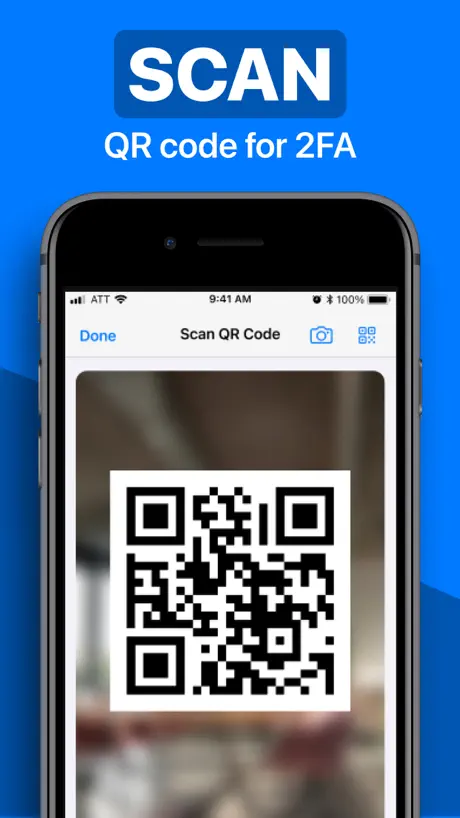  Authenticator · Authenticator · |   Avira Mobile Security Avira Mobile Security |   Yandex ID – 2FA Authenticator Yandex ID – 2FA Authenticator |   TOTP Authenticator TOTP Authenticator |   Authenticator App - Two Factor Authenticator App - Two Factor |   OTP Auth OTP Auth |   AGOV access AGOV access |   Raivo - 2FA Authenticator app Raivo - 2FA Authenticator app |   identity online identity online |   privacyIDEA Authenticator privacyIDEA Authenticator | |
|---|---|---|---|---|---|---|---|---|---|---|---|
| Rating / 5 | 2.9 | 4.6 | 4.3 | 4.7 | 4.6 | 4.6 | 4.6 | 1.6 | 4.6 | 1.7 | 3.3 |
| Reviews | 1.4K | 61K | 33K | 14K | 6.3K | 2.9K | 2.1K | 1.6K | 880 | 330 | 62 |
| Released | 2014 | 2022 | 2013 | 2015 | 2022 | 2023 | 2013 | 2023 | 2019 | 2022 | 2019 |
| Weekly price | — | $6.99 | — | — | $5.99 | $6.99 | — | — | — | — | — |
| Monthly price | — | $12.99 | $1.99 | — | $9.99 | $14.99 | — | — | — | — | — |
| Annual price | — | $59.99 | $14.99 | — | $59.99 | — | — | — | — | — | — |
| One-time price | — | — | — | — | $79.99 | — | $3.99 | — | — | — | — |
The going rate for each plan in United States, in its own currency, shaded from the cheapest price on the row to the dearest.
FreeOTP Authenticator reviews
2.9 out of 5, based on 1,366 reviews.
What people like
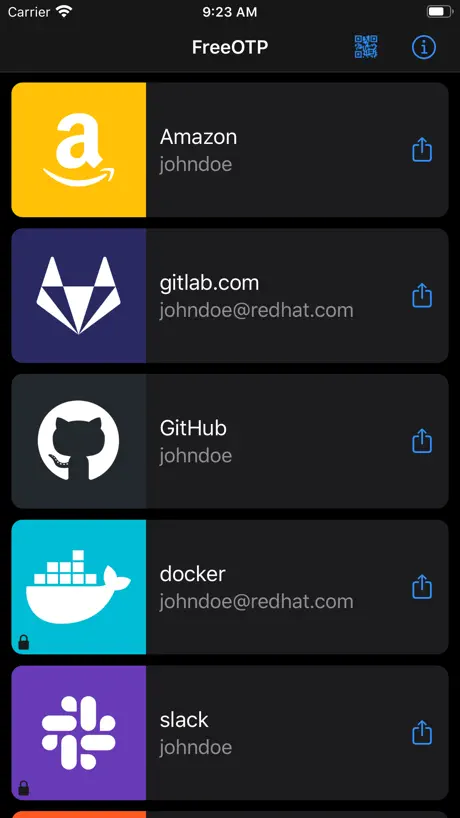
- Very lightweight and fast app
- Open source with no spyware
- Simple interface does the job
What they complain about
- No backup or export feature
- Cannot delete or edit tokens
- Manual entry option is missing
Chinese
加个中文呗 这也不难 这个工作量不大 这软件没啥别的功能 汉化不多 主要是简洁确实简洁 安卓版都是汉化 有中文 iOS顺道整下
not recommended
The app only allows you to add OTPs, but you won't allow you to transfer them to another app or device.
修改名称
名称一旦保存不能修改?
Nervig
Arbeitet nur unzuverlässig. Traurig, dass das Land diese App vorgibt.
hi
This is a great authentication program and I like it very much, but it would be more popular if it could support more UI languages such as: Traditional Chinese, French, Spanish, Japanese. I hope developers can consider this suggestion
Best Authenticator app
Approved by employees having difficulty with nonstandard Microsoft Authenticator disaster. All bad reviews likely by Microsoft bots
No edit or delete
No edit or delete. It kind of works if you create it right the first time, but out of luck if there is something wrong.
Works as intended
Works great as intended, but saved OTPs will not transfer during a phone upgrade. So if it is cumbersome to reset them for you then this can be annoying. I use FreeOTP for handling a OTP manager that houses the rest of OTPs which can be backed up. This is because I can’t rely on my manager as a main since it needs an OTP, which can cause me to being locked out. So freeOTP is used as my key for keys, so to speak.
Bad
Unable to delete
No way to backup
I’m planing on switching to another phone and this app doesn’t let me backup the 2fa settings. I will have to start from zero again once i get my new phone.
Going to try the app because I wasn’t to support RedHat
Full disclosure: I haven’t used the app very much l have 3 entries and after reading all the reviews there seems to be Maher dealbreakers. I have 5 stars for the benefit of the doubt but I will text it for a bit and come back for an edited proper review. How can RedHat have so many unfavorable reviews? Maybe I’m mistakin, is this the Ted Hat Enterprise Linux Brand we’re talking about here? If so it doesn’t make sense that the king of distros and security is not the favorite dominant OTP app. Time to dig this is concerning and not adding up.
g-d help you if you get a new phone
It works reasonably well till you get a new phone then the lack of a backup is a huge problem.
Nice app but no backup possible!?
I like the app very much. Works nice. But Why cant i backup my data?
Kein Kopieren möglich
Kopierfunktion der Zahlenkombi wäre sinnvoll und praktisch
No option to delete or backup entries
No option to delete or backup entries. No options to change GUI, doesn’t automatically pull favicons
Simple and basic
Pretty basic functionality, but it works smoothly, is easy to use, hardly takes up any space, and is not privacy-invasive like many other auth apps.
Can’t rename or change icons
I have to still with 1 icons for all and can’t rename my tokens. This is worthless compare to other free authenticators
Wonderful interface, great security, lacking one or two important features.
This is my go-to Authenticator app: the interface is clean, interaction is simple, and it’s easy to tell which key belongs to what service. However, I’ve noticed that there is no option to input a string of text to generate a key, which is all that some services offer. Because of this I’m forced to use another Authenticator for some services, one owned by an unnamed company with bad privacy practices. I’d appreciate if the aforementioned functionality was added, as that would allow me to rely less on the also aforementioned nosy corporation. Overall great app, would recommend to everyone, it’s just that one feature that’s missing.
FaceID protected code not opening up
Cant access one of my FaceID protected codes
add option to migrate accounts
I just noticed that currently you do bot have the option to export your account to a new device using freeotp. This is a major flaw of this app. Using Google Authenticator I can export the data between different devices using Google Authenticator. This would be very helpful to have the same option on freeotp. Also a goos upgrade would be to add password protected for mfa for items previously created. I can add a password to new mfas I add but can’t add to existing ones. Or add a general option to set a password to open the app itself.
FOSS!
Glad I can have this functionality on iOS without yet another proprietary spyware app.
Get Ente Authenticator, don’t waste your time with this
I used this app religiously on Android, and it is fantastic over there. Very disappointed to see how bare and nonfunctional the iOS version is. I can’t import my backups, and if I’m gonna have to redo all of my 2FA codes anyway, I’m gonna switch to Ente so I can actually switch between Devices when needed.
Missing Manual Add Toke Feature
Some URI in QR code’s identity as invalid. For this situation a manual add token feature is necessary. This feature is no longer available.
No option for manual secret entry
There’s no reason for this app to require the camera to function.
Lacking
... in features, can’t sync encrypted tokens etc
Does what I need it to do
Good app. Does exactly what it’s advertised to do and is open source. No import/export feature, but tokens look to be backed up when you back up your iPhone (as long as they passcode protected).
Not recommended
If you have locked tokens and you restore your phone from a backup (e.g. after a wipe) then you have no way to use those tokens again. This renders the app’s locked token feature 100% pointless and useless and it should be removed from the iOS altogether.
Good, but needs a tweak.
A+ for being free and open source. B+ on UI intuitiveness and ease of use: copy to clipboard is sort of hidden, hold to sort is a bit touchy / hard to arrange. C- on user customization: can’t even delete services you no longer use. All in all, better than most of the alternative OTP apps for iOS.
Bad usability design!
In my old iPhone 6+ (iOS v12.4.9), I can’t get close/exit its info screen. I have to kill to restart the app. Also, no copy and paste?! 😣
Crashing
Latest update crashes the app after scanning my fingerprint. Solid app, but this is a problem.
Latest update is great!
This app used to be pretty bland and basic, but this new update brings major UX improvements. Awesome job!
can not backup and expotr
can not backup and expotr
急求救
请问一下我是河南报考,用FreeOTP Authenticator扫过二维码之后,卸载了软件,无法得到动态密码了,登录不上,该怎么办啊?
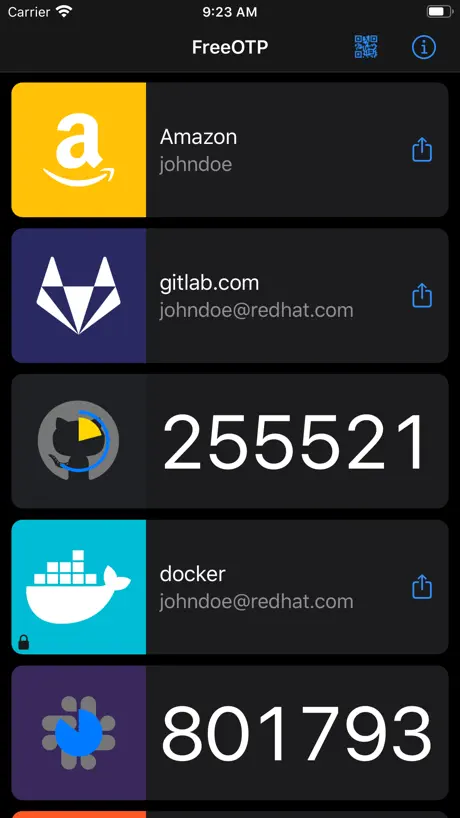
Copy to Clipboard
I don’t know why this feature was removed but tapping for a code used to also copy it to the clipboard very conveniently. Instead, now you have to tap the share icon perfectly and then hit copy. I would even be okay with it if the target for the share icon was a little bigger- every time I fat finger it and just tap for the code. First world problem ofc but it’s annoying if you do it a dozen times a day. I’d make it 5 stars if it was a customizable setting to keep that as the default if a user wishes.
App start crash
After upgrade application start crash on code unlock. IOS 11.3, freeotp 2.2
Love this app
I’ve used this app for a few years now, and it’s amazingly good. I also love that it’s not tied to Google. The new update looks great btw!
I’m lost
I can’t get it to work! It keeps asking for a code to scan, but I don’t have any codes, because I haven’t been given any.
2020届考生
app还可以 有没有中文版的
Broken
The qr scanner won’t scan the qr code on my computer screen, and I can’t find any options to manually enter stuff, used to be good is broken now
Can’t add codes manually
How to add manual codes without using QR codes? Also please improve the UI.
Excelent App
Easy use without any complication
No Apple Watch Version?
Sad.
Texts are too small
The last update fixed the issues with running on newer iOS, but it makes things so small that it’s hard to read.
Some changes
New design looks good but how to edit token info like token names ?
Can’t add manually
Super light and simple (0.5 MB vs 13 MB for Google Authenticator with same entries). But I cannot manually add an entry (iOS 12.4.4). I fill in all the fields but the Save button never activates.
Simple and easy - does what it says
I’ve chosen this as my daily Authenticator app mainly for it’s lightweight footprint and feature set. Blazing fast to open - it has all the codes hidden by default - no overwhelming permissions requests - many settings for manually adding new services. Unfortunately in iOS 12 the app cannot access to camera so the QR codes cannot be scanned within the app. The workaround is to scan the code from stock camera!
How can I uninstall this?
Seems impossible
Works as described. Simple and effective
A very bare bones MFA app that does the job. QR code scanning seems imperfect but worked for me on 2nd or 3rd attempt. No copy-paste of the code which could be annoying but not a big deal.
Great on Android! Not on iOS - iPad
My iPad had issues scanning QR codes. I was also unable to edit and delete tokens, when properly navigating the app menu. This app works beautifully on my android phone, but is very problematic on my iPad. It’s a shame because this is my favorite authenticator app.
Lack of fixes
It used to be better until they shipped an update which broke the size of the boxes, wasting half of your screen and making it harder to scan lists of accounts. Not fixing it for so long makes me fear it’s orphaned.
FreeOTP Authenticator FAQ
- Is FreeOTP Authenticator free?
- Yes. The app is free, in all 175 countries it sells in, and it sells nothing inside it.
- Does FreeOTP Authenticator have a free trial?
- No. None of its offers (US) come with a free trial.
- What are the best alternatives to FreeOTP Authenticator?
- Authenticator · (4.6 from 60,692 reviews, premium from $6.99), Avira Mobile Security (4.3 from 32,771 reviews, premium from $1.99) and Yandex ID – 2FA Authenticator (4.7 from 13,906 reviews).
FreeOTP Authenticator download
Last updated 10 months ago.
FreeOTP Authenticator sells in 175 countries. It was released 12 years and 4 months ago, on 13 May 2014. It holds a 2.9 rating from 1,366 reviews.
Supports 1 language: English.
How much does FreeOTP Authenticator make?
Third-party estimates for the last 30 days, worldwide — not the store's own figures, which Apple publishes for nobody.