OTP Auth
2-Factor Auth for Pros
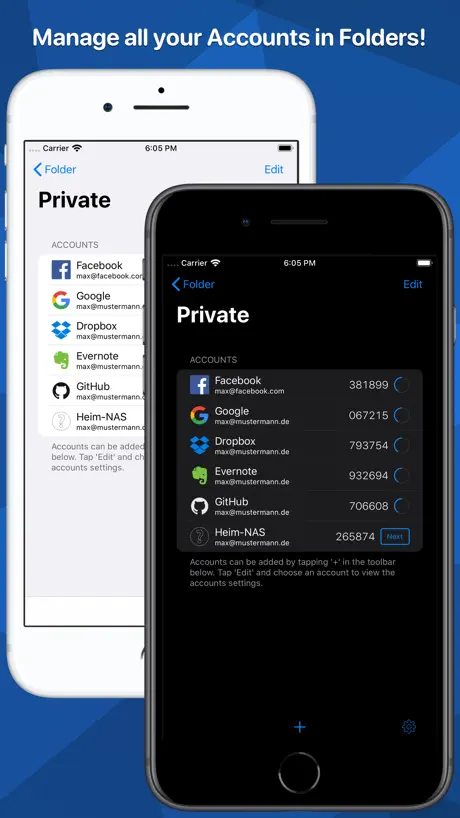
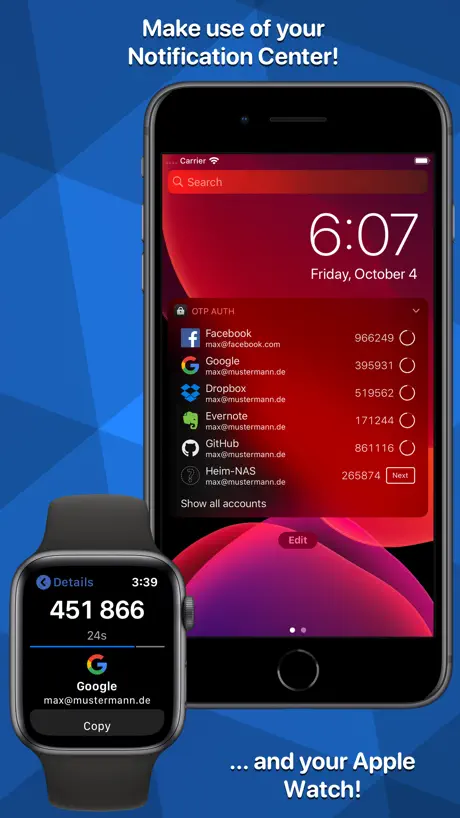
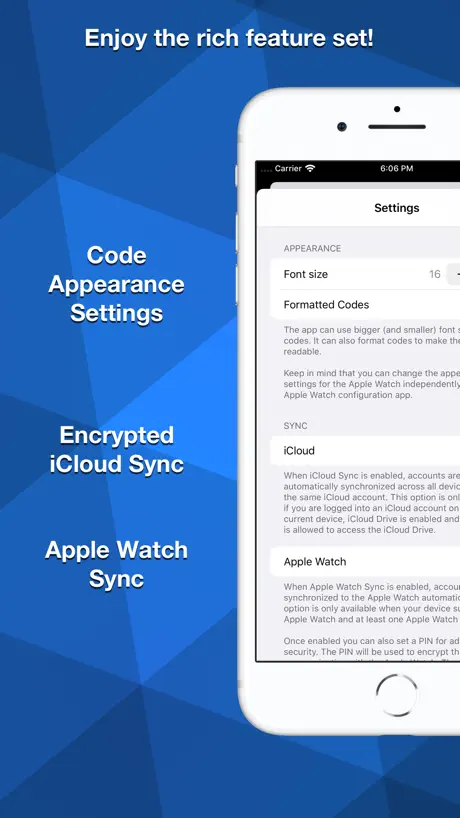
How much does OTP Auth cost?
Prices are current as of 1 Oct 2026.
1 one-time purchase from $3.99
In the United States, OTP Auth has 1 one-time purchase priced $3.99.
| Product | Price |
|---|---|
| OTP Auth Pro | $3.99 |
10+ alternatives to OTP Auth
| OTP Auth |   TOTP Authenticator – Fast 2FA TOTP Authenticator – Fast 2FA |   Yandex ID – 2FA Authenticator Yandex ID – 2FA Authenticator |   Authenticator app - 2FA, MFA Authenticator app - 2FA, MFA |   TOTP Authenticator TOTP Authenticator |   Authentication App - MFA, tOTP Authentication App - MFA, tOTP |   FreeOTP Authenticator FreeOTP Authenticator |   Ente Auth - 2FA Authenticator Ente Auth - 2FA Authenticator |   Raivo - 2FA Authenticator app Raivo - 2FA Authenticator app |   Step Two Step Two |   easyroam easyroam | |
|---|---|---|---|---|---|---|---|---|---|---|---|
| Rating / 5 | 4.6 | 4.7 | 4.7 | 4.6 | 4.6 | 4.5 | 2.9 | 4.8 | 4.6 | 4.6 | 1.9 |
| Reviews | 2.1K | 16K | 14K | 11K | 6.3K | 2.9K | 1.4K | 1.1K | 880 | 725 | 96 |
| Released | 2013 | 2018 | 2015 | 2022 | 2022 | 2023 | 2014 | 2022 | 2019 | 2018 | 2022 |
| Weekly price | — | — | — | $5.99 | $5.99 | — | — | — | — | — | — |
| Monthly price | — | — | — | $4.99 | $9.99 | $9.99 | — | — | — | — | — |
| Annual price | — | — | — | $49.99 | $59.99 | $39.99 | — | — | — | — | — |
| One-time price | $3.99 | $5.99 | — | $49.99 | $79.99 | — | — | — | — | — | — |
The going rate for each plan in United States, in its own currency, shaded from the cheapest price on the row to the dearest.
OTP Auth reviews
4.6 out of 5, based on 2,123 reviews.
What people like
- Easy to export data without hacks
- Great Apple Watch and Mac apps
- Clean interface with no annoying ads
- Simple setup and reliable performance
What they complain about
- Developer rarely responds to support requests
- App hasn't been updated in ages
- Widget copy feature is broken now
- Syncing causes duplicate entries on devices
This is the only otp auth for ios
Simple, has every feature you would need. Easy to use, can backup. Its perfect. This is the one to use, not some other limiting application from the usual suspects.
Stay Away
Watch complications are broken and the Mac app can’t pull your cloud sync effectively making it broken. If you’re only going to use this on your iPhone, you’ll be ok but you’re much better off finding another app. This dev is MIA
Wonderful app, but possibly abandoned?
This has been a fantastic app for many years. However, with the lack of updates, I am reluctant to use it. Is this app abandoned? I truly hope not, but understand if so. Thanks either way for making a great app!
Absturz der APP beim löschen
Nachdem ich nun die MAC Version der APP gekauft habe, sind nach der Synchronisation nicht nur Einträge doppelt, sondern jetzt auch nicht mehr zu löschen, da die APP dann immer abstürzt.
Worse since iOS 18
Been using this for years. Whilst I'd appreciate a bit of maintenance to shave off some rough edges, this is probably still the best OTP/2FA app. Example: since iOS 18 copying codes from the widget doesn't work reliably.
If Steve Gibson likes it
… so do I. Clean and functional. Sync across devices is great. I also like Face ID every time I open the app.
Passwords doesn’t work even though I put correct passwords.
Good job, now I couldn’t unlock it even after I change the passwords again and again AND again. Please fix and know better.
Easy to use, not easy to change password
The app is great, and easy to use but the process for changing the password needs improvement. Any security conscious user will likely be using a password manager with long, unique passwords. In order to change passwords in that case, it is necessary to switch apps briefly to after you paste the old password, in order to copy the new password. However, the moment you switch apps and return back to OTP, the UI resets to the main screen and the password change process is lost. This requires users to painstakingly type the entire new password manually from some other source (laptop or written) in order to complete the process. This is a design that discourages users from rotating passwords (I had to after a security breach of my password manager)
Better apps available
Rarely updated. Extremely basic. Even with paid version you get no response from the developer. There are better 2fa apps that are free, and actively developed, to choose from. You can also pay for them which helps keep the developer(s) advancing the app.
Decent
This app is only free for iPhone and iPad; Mac costs money. Has a limited amount of favicons available without paying. Other than those two big caveats, this app is great. But it’s 2025, and all functionality should be free. See Apple’s Passwords app, or Proton Authenticator.
It’s simply works. Export is my fav feature
What I look for in these security apps is how easy I can transfer my data out if things go wrong. I love that this saves the QR code from the MFA Suggestion: 1. Can you change name of the app it’s too generic? search engines can’t point me to FAQs or git pages. Barely found it on the App Store. 2. Can you add a button to manually refresh the widget faster? Mine takes a while to refresh. Thanks
Fix your widgets
It tells you that the 2FA code is copied once you click the widget but nothing is copied and there’s nothing in the clipboard to paste. So unbelievably ridiculous for an app that is paid. Latest update 11 months ago? What a thief.
Great but new update broke things
Used this for years with zero complaints. Most recent update added ability to copy from widget directly… but it doesn’t work. Additionally copying codes from a Shortcut no longer works either. Still can copy code from opening app, so that’s okay. Will update to 5 stars when bugs are fixed.
Unausgereift
Die Cloud-Syncronisation mit der MacOS Variante bereitet einige Probleme. Werden Einträge nachträglich in Ordner verschoben, wird statt dessen der Eintrag dupliziert. Wenn einer der Einträge dann gelöscht wird, stürzt die App ( sowohl iOS als auch MacOS) ab. Nach erneutem Start der App sind dann aber beide Einträge weg! Weder der Entwickler-Support noch der Apple-Support reagieren. Schade, der Funktionsumfang wäre genau das was ich suchte.
Widgets are broken
Generally quite a good app, unfortunately the widget refresh and copy to clipboard feature is broken in iOS 18
Suggestion
Love this app, been using it for years. Please add OTP autofill feature so we don’t have to hop back and forth between apps when logging in. iOS can see this app to set it as the default OTP app but I still have to copy the codes manually
horrible
the worst authenticator app yet, hacked my rblx account but then i got it back with everything on it. terrible
Just short of five stars
Great OTP app. The only improvement there could be is if the author would update the Watch app to display the entries in alphabetical order like they do on the Phone app. That is what’s unfortunately driving me into finding an alternative. Once you have several entries it become really frustrating scrolling through the list on Apple Watch without knowing where the entry your looking for is going to be.
iCloud Sync
iCloud Sync zwischen iOS und Mac OS funktioniert überhaupt nich
Okay except for annoying bug
It won’t sync across iCloud when you create an Auth code on your iPad. Deleting the app and signing back in doesn’t work either.
LOVE it!
Outstanding app!! Especially love that it supports the watch — no digging out the phone. And (on the watch), if you tap the entry you’re interested in, it’s magnified — great for old eyes!
Developer never responded
This app was abandoned by the developer. I wrote him an email and on twitter and he never responded. Don’t waste your money here.
Great watch app and import/export!
Looked through a bunch of authenticator options and settled on this one. Mainly because it has a good apple watch app, as well as a working import/export that allows encrypted backups as well as exporting the keys to other apps. Other authenticators like Duo and Authy lock you in, with no export options. My only complaint is that the icon import feature doesn’t support svg, and also doesn’t have a searchable list of default icons. It would be great if I could just import from aegis-icons or simpleicons.org.
Проблема
Перенёс данные со старого на новый аппарат теперь просит пароль..где его взять я хз, а главное через что и как восстанавливать!? Очень непонятное приложение
Update
J’utilise cette application depuis longtemps et j’en était satisfait jusqu’à aujourd’hui (je soutiens le développeur, j’ai payé l’application). Aujourd’hui je me rend compte que l’app ne prend pas en charge les nouveaux protocoles de sécurité. J’ai essayé de mettre la sécurité de Mastodon, cela ne fonctionne pas car ils n’ont pas de QR code. Une mise à jour serait le bienvenu. J’ai du passer à une autre application pour le moment. J’espère pouvoir revenir à celle ci très vite. Merci.
Simple and effective
Very simple and effective OTP app that just works without worry about vendor lock or data leakage.
DO NOT USE THIS FOR 2-FACTOR AUTHENTICATION
The backup feature DOES NOT WORK. I got a new phone and lost my authentication logins for over 5 accounts. Pretty much completely screwed on accessing those now.
almost
would be 5 stars all the way if the app didn't update and change how the widget works. you used to be able to copy the otp codes directly from the widget on the lock screen, home screen or notification center. now, tapping on a code opens the app and *then* copies it. this is slower and requires me to leave the app i'm currently in.
OTP Widget Update; not a fan
Not a fan of the new Widget update. I just want to tap on the code from Widgets, and now it has to launch the app, just to copy the code. Not a fan of that at all. If that is the case, then why even show the numbers? Why have the convenience to copying in the past, but now in order to copy, it has to launch the app. No sense.
Concerning
It works well, but the developer(s) haven’t updated the app in over a year. In fact, the most recent update was one done by Apple. I’m not looking for a bunch of new features or anything, but it shows the even minor bug fixes (or just simple iOS 16 support being added) aren’t even happening. Not very reassuring long term.
Simple and effective
Why can’t other devs make their apps simple to use and very effective like this dev did? This app does what it says it will do and does it well. And the dev isn’t trying to nickel and dime you with IAP. I truly like it.
Apple Watch Text Size/Format still broken
It’s been over six months and still no fix. Please fix the small text size and lack of formatting.
Great app, one thing though has never worked for me
I love the app, and have been using Pro for years. IMO, just a better interface than Authy, etc. The one thing though, that I would love, if it worked, is being able to use a screenshot for adding the TOTP info. I’ve tried on several occasions, and it just never figures out the image. (Most recent, tried with Facebook, today.) It would also be nice if the app could reference an image in the camera roll vs having to store it under Files. Other than that one thing (which is t a deal breaker), great app!
apple watch app needs work
i really like the authenticator itself. the apple watch app has been broken for some time. - it doesn’t support alternate icons for services when something has been selected on the phone after paying - it doesn’t respect settings that are selected in the watch app for otp auth fix the watch app and it’s five stars ✌️✌️
Watch Settings doesn’t work.
Changing font sizes and formats does not work on watch. Also i wish the complication icon was a bit less bold and ugly.
Excellent
I am thankful for the developer who thoughtfully built this app. I will be migrating everything off Authy and Google Auth. This survived an iPhone upgrade/migration to new phone with iCloud backup.
I forgot password to my app
I forgot password to my app
Default icon for twitch
Bummer still with the new update there is no default twitch icon. Hopefully next update.
iOS 14 widgets broken
Previously a great app but the most recent update has resulted in codes no longer showing on the widgets screen. I now have to go into the app every time I need a code rather than a quick swipe right to the grab the code from the widget.
Rough, but gets the job done
The app works well for what it is, but isn’t as convenient as the OTP feature in a couple password managers I’ve used. The biggest problem is that it can’t identify which site I’m on, so I have to pore over my list (or type in the name to filter it down) in order to get to that sites’s code. More so, it only works in Safari. My password managers are available in any app. It also doesn’t seem to be able to sort alphabetically. It’s rather random. THAT is odd. What I do like it for is that it can regenerate the QR code for each site, so this does serve a very useful purpose as a master list, of sorts, so if I need to set up a new authenticator, there’s no need to start from scratch.
Another gem found!
Clean, intuitive with Apple Watch support and widgets. Completely free but has one time purchase if you want to support the development. Amazing app! Thank you!
Seemed to be a good app
This Seemed to be a good app but I had a little trouble getting started. Sent a message to the dev but he couldn’t be bothered to respond. I’ll delete the app and keep on looking. Any app is only as good as the developer… enough said
Abandoned?
No update for nine months and no developer response. Looks like this app has been abandoned, which is unfortunate, because it’s one of the best! This won’t age well once iOS 15 is released and it becomes more and more obsolete. Update: updated today! Looks like it gets an update every year for the new version of iOS. Fingers crossed for some new features!
Semplicemente Perfetta.
Novembre 2020: 2 stelle L'app non viene aggiornata da un anno, l'app Mac è molto cara per quello che offre, lo sviluppatore non risponde. Esistono alternative migliori, disinstallata. 2019: 5 stelle Ottimo widget Mac, ottima app Apple Watch, sincronizzazione in cloud e aggiornamenti costanti. L'unico consiglio che mi sento di dare allo sviluppartore è quelli di diversificare un po' il design, magari aggiungendo delle possibilità di personalizzazione delle label e degli elementi della tableView; sarebbe un incentivo per molti ad acquistare la versione PRO.
One Touch Widget
I love this app, however since being updated I can no longer just tap on the widget on my Home Screen to copy the code. Tapping the widget then opens the app, so then I have to go back out of the app to paste my code. Little frustrating as this used to work great
This is the one you want.
Easy to set up, supports multiple authentication types, syncs and backs up, and is more convenient than going into Settings when iCloud Keychain autofill isn’t available. Just scan the QR code once with this app, once with Keychain and you’re good to go. More importantly, you can export your data without any ugly hacks like you need to do with, say, Authy. And there’s a Mac app for all of us who still have Intel Macs! Would be worth three times the Pro upgrade price, easy.
Poor instructions
When asked to enter a one time secret lock pass, no instructions for types of characters! Better just pick all numbers or all letters and no special characters or you are screwed out of the app. Brilliant!!!!
Great app, but iCloud sync issues
I’ve been using this for a long time on my phone, and was very happy. I like that you can group entries into folders and search. Also I like that I have the ability to see the QR code again and easily transfer to another device. I recently started to use it on me iPad too with iCloud sync, but now I have some duplicate entries. It’s not a major problem, but I have dropped one star from the review because of this.
Amazing App! (2 stars is temporary)
This app is truly wonderful, although it lacks one feature, one mostly important with iOS 14 : Widgets. Why is there no 2FA on my home screen yet? It’s been a month now. With that fixed, this app deserves its perfect score.
Fonts need to be bigger!
I’ve just started to use this app for 2 step verification signing into work devices. Before that, I was using another very popular 2STP app which displayed the numbers much larger in the app, the sidebar widget and the Watch interface. Please make the fonts larger 🙂
OTP Auth price by country
A one-time purchase costs $3.51 in Canada and $5.97 in Colombia — 1.7× more for the same thing. Below is the going rate for each plan in every country that sells it — the middle price of what the app charges there, in the country's own currency with the dollar equivalent beneath it.
| Country | One-time |
|---|---|
| Afghanistan | $3.99 |
| Albania | $4.99 |
| Algeria | $3.99 |
| Angola | $3.99 |
| Anguilla | $3.99 |
| Antigua And Barbuda | $3.99 |
| Argentina | $3.99 |
| Armenia | $4.99 |
| Australia | A$5.99$4.16 |
| Austria | €3.99$4.52 |
| Azerbaijan | $4.99 |
| Bahamas | $3.99 |
| Bahrain | $3.99 |
| Barbados | $4.99 |
| Belarus | $4.99 |
| Belgium | €3.99$4.52 |
| Belize | $3.99 |
| Benin | $4.99 |
| Bermuda | $3.99 |
| Bhutan | $3.99 |
| Bolivia | $3.99 |
| Bosnia & Herzegovina | €3.99$4.52 |
| Botswana | $3.99 |
| Brazil | R$24.90$4.79 |
| British Virgin Islands | $3.99 |
| Brunei Darussalam | $3.99 |
| Bulgaria | €3.99$4.52 |
| Burkina Faso | $3.99 |
| Cambodia | $3.99 |
| Cameroon | $4.99 |
| Canada | CA$4.99$3.51 |
| Cape Verde | $3.99 |
| Cayman Islands | $3.99 |
| Chad | $3.99 |
| Chile | CLP 4,990$5.13 |
| China | CN¥28.00$4.17 |
| Colombia | COP 19,900$5.97 |
| Congo | $4.99 |
| Congo, Democratic Republic | $3.99 |
| Costa Rica | $3.99 |
| Cote Divoire | $4.99 |
| Croatia | €3.99$4.52 |
| Cyprus | €3.99$4.52 |
| Czech Republic | CZK 99.00$4.59 |
| Denmark | DKK 39.00$5.92 |
| Dominica | $3.99 |
| Dominican Republic | $3.99 |
| Ecuador | $3.99 |
| Egypt | EGP 199.99$3.85 |
| El Salvador | $3.99 |
| Estonia | €3.99$4.52 |
| Fiji | $3.99 |
| Finland | €3.99$4.52 |
| France | €3.99$4.52 |
| Gabon | $3.99 |
| Gambia | $3.99 |
| Georgia | $4.99 |
| Germany | €3.99$4.52 |
| Ghana | $4.99 |
| Greece | €3.99$4.52 |
| Grenada | $3.99 |
| Guatemala | $3.99 |
| Guinea-bissau | $3.99 |
| Guyana | $3.99 |
| Honduras | $3.99 |
| Hong Kong | HK$32.00$4.08 |
| Hungary | HUF 1,790$5.54 |
| Iceland | $4.99 |
| India | ₹399.00$4.16 |
| Indonesia | IDR 79,000$4.41 |
| Iraq | $3.99 |
| Ireland | €3.99$4.52 |
| Israel | ₪12.90$4.20 |
| Italy | €3.99$4.52 |
| Jamaica | $3.99 |
| Japan | ¥600$3.81 |
| Jordan | $3.99 |
| Kazakhstan | KZT 2,490.00$5.66 |
| Kenya | $4.99 |
| Kosovo | €3.99$4.52 |
| Kuwait | $3.99 |
| Kyrgyzstan | $3.99 |
| Lao Peoples Democratic Republic | $3.99 |
| Latvia | €3.99$4.52 |
| Lebanon | $3.99 |
| Liberia | $3.99 |
| Libya | $3.99 |
| Lithuania | €3.99$4.52 |
| Luxembourg | €3.99$4.52 |
| Macao | $3.99 |
| Macedonia | $3.99 |
| Madagascar | $3.99 |
| Malawi | $3.99 |
| Malaysia | MYR 19.90$4.88 |
| Maldives | $3.99 |
| Mali | $3.99 |
| Malta | €3.99$4.52 |
| Mauritania | $3.99 |
| Mauritius | $4.99 |
| Mexico | MX$89.00$4.92 |
| Micronesia | $3.99 |
| Moldova | $4.99 |
| Mongolia | $3.99 |
| Montenegro | €3.99$4.52 |
| Montserrat | $3.99 |
| Morocco | $4.99 |
| Mozambique | $3.99 |
| Myanmar | $3.99 |
| Namibia | $3.99 |
| Nauru | $3.99 |
| Nepal | $4.99 |
| Netherlands | €3.99$4.52 |
| New Zealand | NZ$6.99$3.95 |
| Nicaragua | $3.99 |
| Niger | $3.99 |
| Nigeria | NGN 6,900.00$5.19 |
| Norway | NOK 49.00$5.10 |
| Oman | $3.99 |
| Pakistan | PKR 1,100$3.97 |
| Palau | $3.99 |
| Panama | $3.99 |
| Papua New Guinea | $3.99 |
| Paraguay | $3.99 |
| Peru | PEN 17.90$5.20 |
| Philippines | ₱249.00$3.97 |
| Poland | PLN 19.99$5.19 |
| Portugal | €3.99$4.52 |
| Qatar | QAR 14.99$4.12 |
| Romania | RON 19.99$4.30 |
| Russia | RUB 349.00$4.04 |
| Rwanda | $3.99 |
| Sao Tome & Principe | $3.99 |
| Saudi Arabia | SAR 17.99$4.80 |
| Senegal | $4.99 |
| Serbia | €3.99$4.52 |
| Seychelles | $3.99 |
| Sierra Leone | $3.99 |
| Singapore | SGD 5.98$4.67 |
| Slovakia | €3.99$4.52 |
| Slovenia | €3.99$4.52 |
| Solomon Islands | $3.99 |
| South Africa | ZAR 79.99$4.87 |
| South Korea | ₩6,600$4.82 |
| Spain | €3.99$4.52 |
| Sri Lanka | $3.99 |
| St. Kitts and Nevis | $3.99 |
| St. Lucia | $3.99 |
| St. Vincent & The Grenadines | $3.99 |
| Suriname | $3.99 |
| Swaziland | $3.99 |
| Sweden | SEK 49.00$4.90 |
| Switzerland | CHF 3.00$3.71 |
| Taiwan | NT$120.00$3.76 |
| Tajikistan | $3.99 |
| Tanzania | TZS 11,900.00$4.49 |
| Thailand | THB 149.00$4.44 |
| Tonga | $3.99 |
| Trinidad and Tobago | $3.99 |
| Tunisia | $3.99 |
| Turkey | TRY 199.99$4.08 |
| Turkmenistan | $3.99 |
| Turks and Caicos | $3.99 |
| Uganda | $4.99 |
| Ukraine | $4.99 |
| United Arab Emirates | AED 14.99$4.08 |
| United Kingdom | £3.99$5.29 |
| United States | $3.99 |
| Uruguay | $3.99 |
| Uzbekistan | $3.99 |
| Vanuatu | $3.99 |
| Venezuela | $3.99 |
| Vietnam | ₫119,000$4.59 |
| Yemen | $3.99 |
| Zambia | $4.99 |
| Zimbabwe | $4.99 |
OTP Auth FAQ
- Is OTP Auth free?
- Yes. The app and its basic features are free, in all 175 countries it sells in. Premium features are paid: they start from $3.99 (US), across 1 one-time purchase.
- Does OTP Auth have a free trial?
- No. None of its offers (US) come with a free trial.
- Where is OTP Auth cheapest?
- A one-time purchase costs CA$4.99 (≈$3.51) in Canada and COP 19,900 (≈$5.97) in Colombia, its cheapest and dearest countries.
- What are the best alternatives to OTP Auth?
- TOTP Authenticator – Fast 2FA (4.7 from 16,279 reviews, premium from $5.99), Yandex ID – 2FA Authenticator (4.7 from 13,906 reviews) and Authenticator app - 2FA, MFA (4.6 from 11,096 reviews, premium from $4.99).
OTP Auth download
Last updated 3 years ago.
OTP Auth sells in 175 countries. It was released 13 years and 3 months ago, on 18 Jun 2013. It holds a 4.6 rating from 2,123 reviews.
Supports 2 languages: English, German.
How much does OTP Auth make?
Third-party estimates for the last 30 days, worldwide — not the store's own figures, which Apple publishes for nobody.
Revenue by plan
- One-time 100%
Revenue by country
- Germany 32%
- United States 28%
- Switzerland 5%
- United Kingdom 4%