
Planit2d Lite
Floor plan blueprint creator
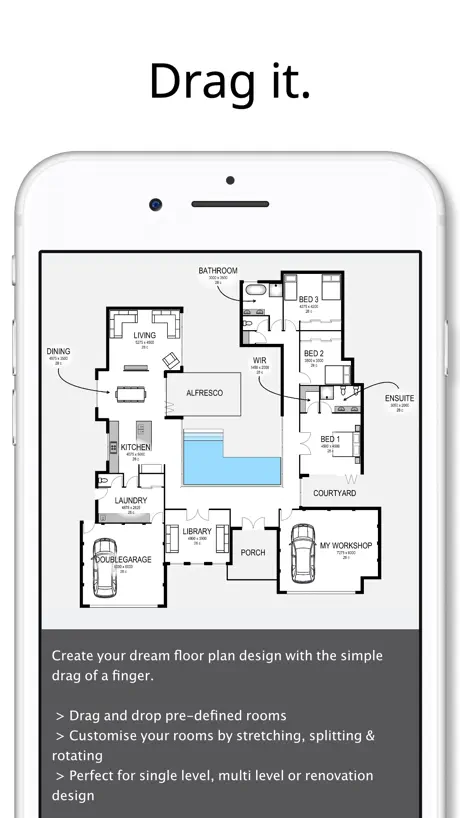
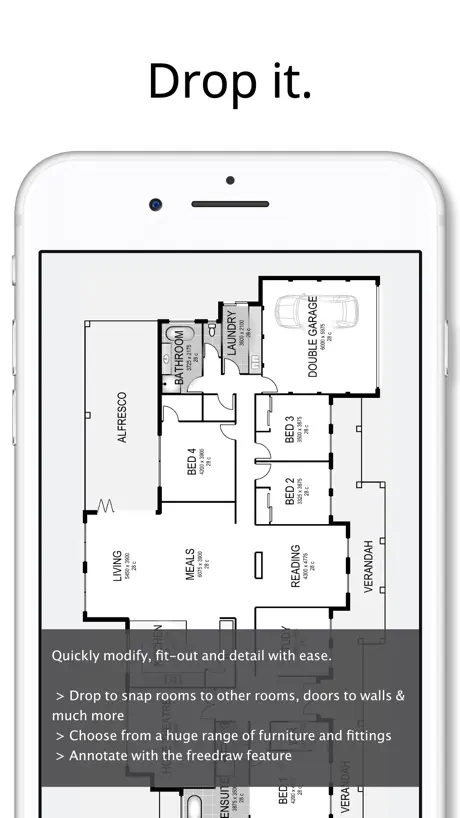
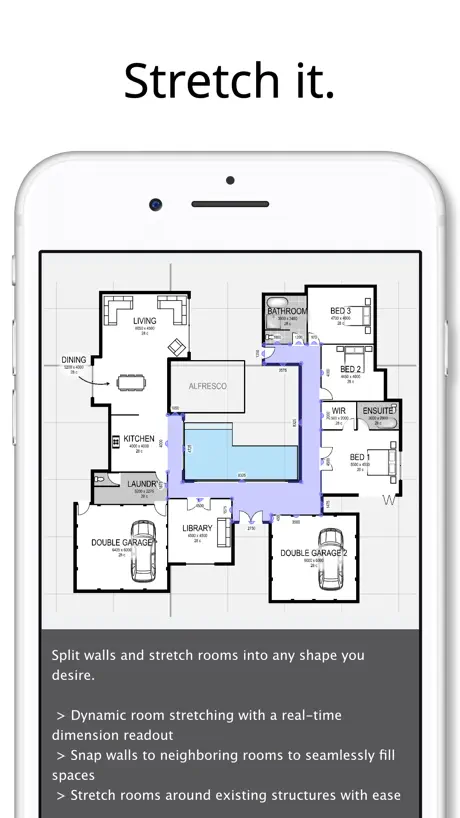
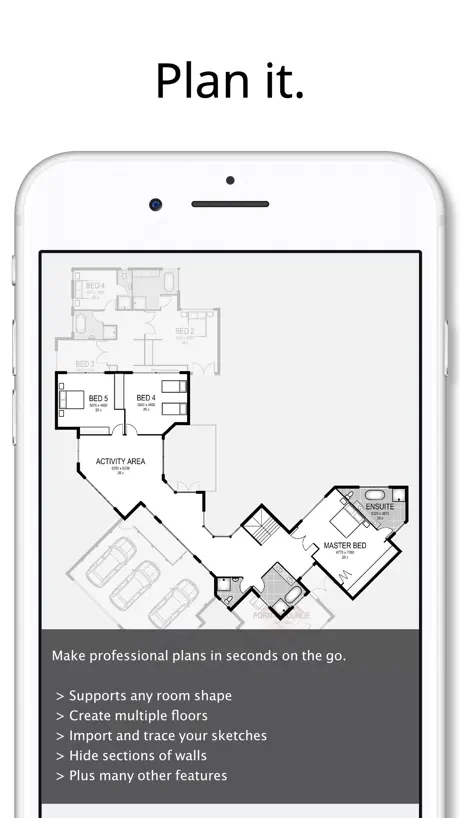
How much does Planit2d Lite cost?
Prices are current as of 13 Nov 2026.
Planit2d Lite has no in-app products on record in the United States.
10+ alternatives to Planit2d Lite
| Planit2d Lite |   Keyplan 3D Lite: Room Planner |   Draft Paper | 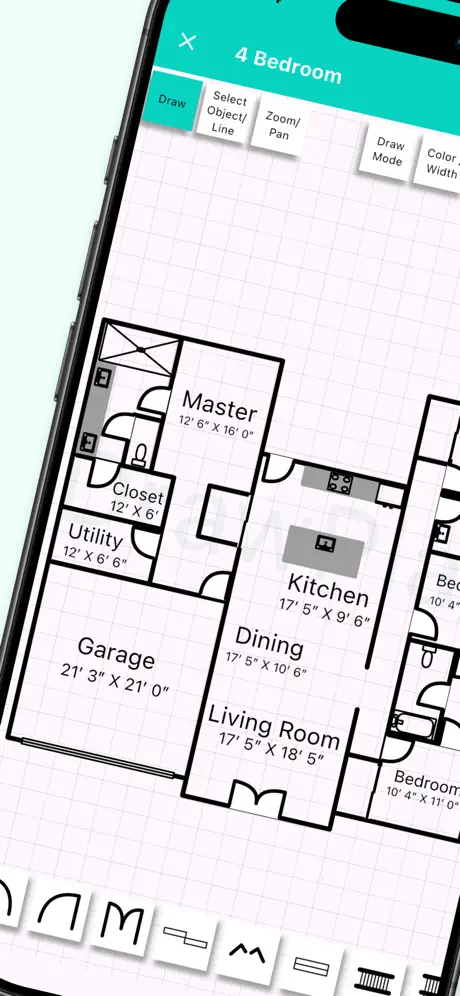  DrawPlan: Floor Plan Maker AI |  ArchiTouch 3D - Home Design | 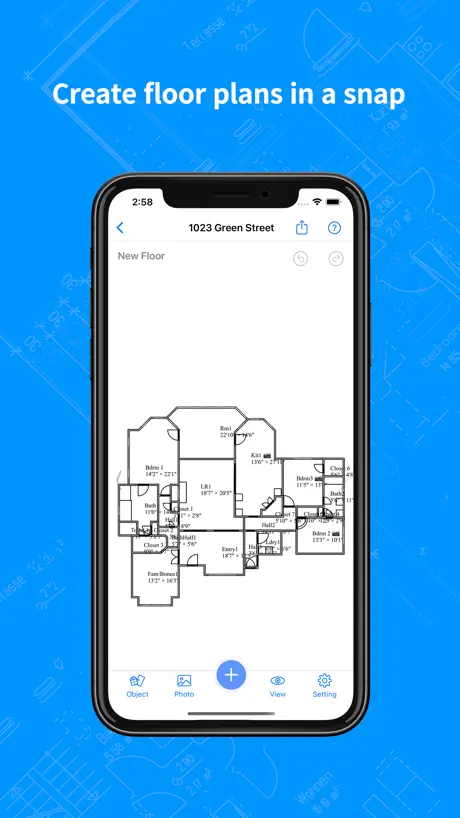  RenoPlan - Floor Plan Creator | 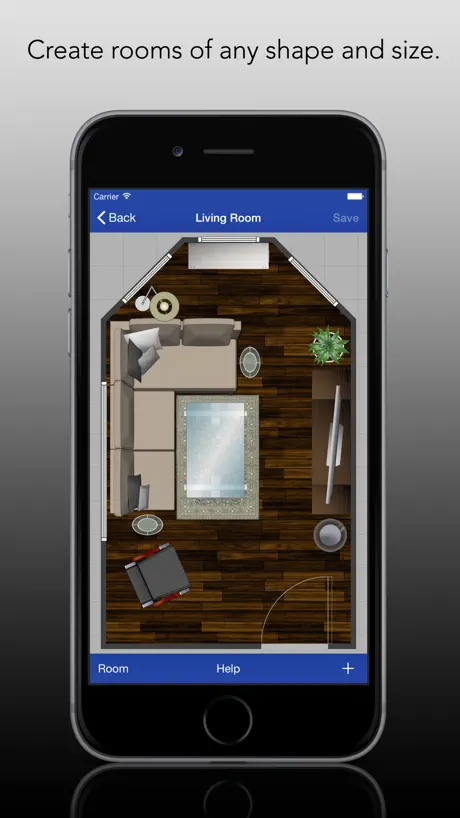  Rooms - Easy Layouts |  HomeCAD — Design your home |   OrthoGraph – Floor Plan |   SecondFloor |   Home Design : Draw Floor Plan | |
|---|---|---|---|---|---|---|---|---|---|---|---|
| Rating / 5 | 2.3 | 4.5 | 4.4 | 3.5 | 4.1 | 4.5 | 3.9 | 3.3 | 2.6 | 3.7 | 1.0 |
| Reviews | 505 | 188K | 23K | 8.7K | 2.1K | 1.4K | 646 | 269 | 93 | 21 | 1 |
| Released | 2014 | 2018 | 2014 | 2019 | 2014 | 2022 | 2015 | 2017 | 2017 | 2022 | 2023 |
| Monthly price | — | — | — | $4.99 | — | $9.99 | $1.99 | $12.99 | — | — | — |
| Annual price | — | — | — | $49.99 | — | $99.99 | $14.99 | $99.99 | — | — | — |
| One-time price | — | $1.99 | $9.99 | $9.99 | $49.99 | $9.99 | $34.99 | $0.99 | — | — | — |
The going rate for each plan in United States, in its own currency, shaded from the cheapest price on the row to the dearest.
Planit2d Lite reviews
2.3 out of 5, based on 505 reviews.
What people like
- Easy to use for basic layouts
- Great for quick creative sketches
- Good value for the price
What they complain about
- You lose all work if app closes
- Accidental screen gestures wipe your design
- No save option in free version
- App crashes or resets unexpectedly
Creative
It’s just so good it’s helped with my creativity for the the past 2 years
Useless
Beware that this app doesn’t save/keep a design if the app is closed. There is no way continue working on a design if the app closes or has to be relaunched!
Ok
Amazing I just wish you could your plans on the app.
Keeps force closing
While the concept is great, and the app itself is generally simple to figure out, it is impossible to finish a single plan, even for a small space, the app force closes and you have to start all over again. Rather annoying.
Lost work
Started with Lite to test. Easy. Takes a bit of playing around but once you figure out it does the job. Completed my project. Selected “upgrade now” to save and it installed the paid version. No sign of my work anywhere.
Looks good
Apps looks good but I suggest to give customers more time to explore the app. Few minutes later the drawing I made disappeared.
Pathetic
Horrible
A very good tool
It’s a very good tool for the home handy man to the new construction. I only wish I could transfer the plan to different devices old iPad to new ipad
It’s not that good
You can’t save it
Works as intended until ready to save
I designed what I wanted and not sure how to save. It closes out and you loose everything. Very frustrating. I know its the lite version but there has to be a save option.
Easy to use
Great product and easy to use But how do u put in on my iPad and phone without paying twice
Horrible and frustrating
This app could be so good, but unless you upgrade you cannot save the floor plan you make, which is all fine and dandy.... Unless you tap anywhere near the outermost edge of the screen or accidentally drag the notification menu down from the top (on an iphone) then it reloads and you lose EVERYTHING even though you didn't close out of the screen. After having to start over three times I have up and deleted the app. So pointless, would never pay for an app that can't even give a decent free version to try it out first. Outside of that, what I was able to try was pretty easy to use and figure out, but again, never got to finish a layout in even one room before it would reset and I'd lose everything.
Free but can’t save, however it gives you a taste I guess of the £5 app.
Okay I was looking for a simple quick to use app for doing quick sketches of house layouts. If the only difference between this and the £4.99 version, is you can’t save your work then I may buy it. Just it has a couple of issues. For: 1) quick to do basic house layouts, drag and drop rooms into approx. Location then stretch to size. Add doors, windows very easy if bit limited. Once you get used to the way it works I.e. took me a little while to figure out how the split option worked, as you need to the click back onto stretch to complete the split. 2) it’s cheap enough £4.99. If I knew it’d do what I want below then will prob buy. Against: 1) took a little while to figure out some functionality, I.e. the split option, he’s a development idea: if it started off as say a yellow dot you place on the wall, take your finger / pencil off then after 1/2 to 1 second it goes green, you can then drag it, think it’d easier to understand what to do. 2) no undo button hence takes ages to go back and start again 3) with loft conversions, it shows walls as external, when they are all internal. Would be useful to have option that toggles make wall internal/external click the button then click on which walls you want to changes thickness etc. 4) not interested in ceiling height, want room name and floor dimensions, “kitchen 4 x 4 m” but can’t remove it. Would be useful to have that option. 5) rooms snap size not accurate enough. I wanted 1 meter however it’d jump from 1100 to 900mm. In end had to create new room away from house make it 1m sq them move it into place, for built in wardrobe. 6) bay windows, difficult and timely to create, if you had say a 3 bay and a 5 bay drop in icon that’d have all the splits added symmetrical that’d be useful. 7) stairs, very basic. Useless for winder staircases. Ended up having to freedraw away from house then drag each step at a time into house. Would be useful to have a group, ungroup option using a drag box etc. For when you have to draw them 8) small room labels couldn’t see an option to change size so it doesn’t stretch beyond the room. 9) no idea ref, how to save and what format etc. How does it deal with saving different floors etc. Can you save pdf, jpgs, dxf.? 10) no compass sign to add which way is approx north. Hope you found this useful. Bart.
Command centre closes it
I get that you can’t save without paying. That’s fine. Though I frequently would accidentally drag down from the top of the phone which pulls the command centre. And even if you only drag it half a cm there is nothing you can do to prevent it wiping your draft…. Gave up trying to play with the app. Though it does show potential… couldn’t find a merge rooms feature which would be good for L-shaped spaces.
Ok
Have to pay to save so annoying. Need better furniture!
Cool as...!!!
This app is sensational....for a cost of $zip, there is nothing else like it.... Definately worth spending the $5.00 bucks to upgrade if this is anything to go by.... Well done
Trial version
I know it says you can’t save anything. But seriously, you step away to take care of something & you computer goes to sleep. You wake it back up & your stuff is gone.
Nice and easy to use
Nice because anyone with some brain can use it. Not a rocket science. I didn't like that I can't save the floor plan. Maybe with the pro version, saving is an option.
Good features, bad app saving
I like the app for making blue prints for the most part, it has many options….. however you cannot save anything. I get that it’s the free version so I can understand that you can save plans long term; but it completely restarts you even if you accidentally pull down your notification screen partially by accident. Which really sucks when you’ve been working on the blue print for an extended amount of time.
Meh.
I love using it and it really boosts my creativity but if i go out to check something and I go back on it just deletes all my progress. Please fix this it’s so annoying
Fantastic!
This app is easily the best tool on the market. At the very least you should give it a test run!
Does not work
Anything you create will disappear within minutes, or less, and the APP restarts. Forces you to purchase in order to save anything. Rude.
Impossible to finish the floor plan!
I gave this app 2 stars because while the idea is great, I was unable to finish a single floor plan because it would disappear while in the middle of designing it. I tried several times and the same thing would keep happening, so I just gave up. I understand that there is a version of this app that can be purchased that allows you to save your floor plans. And that is completely understandable. I wouldn’t expect to be able to save designs with the free version. However, the problem is that it is difficult to play around long enough to decide if you want to upgrade to the paid version because it is impossible to finish a design without losing your work! Again, I am fine with paying to save a design. However, I wish that the creators would allow your ongoing work to be saved for a temporary amount of time. 30 minutes, 15 minutes, anything at all so that you don’t lose all your work in the middle of a design. That would be incredibly helpful and I would likely give the app 5 stars. The way it is set up now, if someone texts or calls while you are in the middle of the design, you lose all your work. If the app accidentally closes, your work is gone. Heck, for me.. I would just click something the wrong way inside of the app, and all of sudden the app would re-fresh, thus losing all my work.
Good app but needs more features
Disappointing that you can’t add your own pictures or clip art, would definitely buy the full version and spend more if this option was available. My partner works as a fire and security engineer and this app would be perfect to create floor plans, the issue is he needs to add cameras and detectors to the plan which you can’t do with this app. Such a shame as it’s a great app and very easy to use.
Disappointing
So when I first got this app it was good! But when you get a call or anything your plan doesn't save and goes! And I’m not gonna pay $5 just for saving a plan!
Can’t able to save what we designed 😠
Can’t able to save what we designed 😠
It’s not the best
It’s good like you can be very creative with it and it works very well but your progress does not save at all. I don’t know if you need to pay to have it working but I don’t want to waste my money on a app that might scam me so I do not recommend....do not get this app
Horrible just horrible
Bad... first of all when I am making a floor plan it’s just kicks me out and I can’t save it. Like it’s just bad it’s impossible to save your floor plane don’t recommend it at all.
Ehh
I like the blue print and all but when I try to stretch my room and I touch the top of my phone and it pulls down the menu it resets and you have to start agin and you can’t save it so if you have to use it for work screen shot it
WHYYYYYY
I was almost done then my phone said it was at 20%. When I clicked out it refreshed everything... That took me a hour... 😞If u have the five dollars to buy the ability to save this app would be so much more enjoyable...
SCAM
Don’t bother, this app tries to force you to buy the expensive version. BETTER free versions available. SCAM! You’ve been warned.
Crash crash crash
Really cool but keeps crashing. I hope they can fix the bug
NEED TO SAVE
Don’t have much money and need easy ways to make floor plans, this app is perfect but we can’t save our sketches... please add saving to this edition!
TERRIBLE
THIS APP IS THE WORST I WAS DOING A DESIGN PLAN AND IT LOST ALL OF IT AND BROUGHT ME BACK TO THE FRONT PAGE! NOT ONLY THAT BUT IT WANTS YOU TO PAY MORE TO HAVE DESIGNS SAVED! I WAS SO EXITED ABOUT THIS APP, I LOST AT LEAST 10 DESIGNS!
Meh
Unless you pay for it it’s almost useless. If you accidentally pull the screen down everything you’ve made is lost and you have to start over again. If you didn’t have to buy it to save your work it’d be cool
Need full app
This app is good, but to fully utilise everything it offers you need the full app. You can make house plans but can’t save them. Every time you go out of the app anything created is lost. I can’t fault the free version though. Easy to use app.
Waste of time
This app is useless! Unless you’re planning to buy it, don’t bother using the free version. Even if you just temporarily switch to another app or to iPhone’s Home Screen, the app will restart and your progress will be removed. My progress was completely erased, even though I only accidentally pulled iPhone’s Control Center from the top right corner.
Easy to use but... can’t save
The app itself work really fine, it complicated and easy to learn how to use. But after all that hard work, there’s no way to save your work, so you can’t take a pause or anything. You have to pay to be able to save. I would much rather have ads and being able to save my work then having to pay to be able to save.
Good but also bad.
I really like it but you should at least be able to save your work. Even just save 2 or 3 designs spoiled be nice. I really don’t want to pay the £4.99! Please just make it so we are able to save a few.
Planit2d Lite FAQ
- Is Planit2d Lite free?
- Yes. The app is free, in all 175 countries it sells in, and it sells nothing inside it.
- Does Planit2d Lite have a free trial?
- No. None of its offers (US) come with a free trial.
- What are the best alternatives to Planit2d Lite?
- Keyplan 3D Lite: Room Planner (4.5 from 187,895 reviews, premium from $1.99), Draft Paper (4.4 from 22,835 reviews, premium from $9.99) and DrawPlan: Floor Plan Maker AI (3.5 from 8,690 reviews, premium from $2.99).
Planit2d Lite download
Last updated 10 months ago.
Planit2d Lite sells in 175 countries. It was released 12 years and 8 months ago, on 26 Feb 2014. It holds a 2.3 rating from 505 reviews.
Supports 29 languages: English, Arabic, Catalan, Czech, Danish, Dutch, Finnish, French, German, Greek, Hebrew, Hungarian, Indonesian, Italian, Japanese, Korean, Malay, Norwegian Bokmål, Polish, Portuguese, Romanian, Russian, Chinese, Slovak, Spanish, Swedish, Thai, Turkish, Vietnamese.
How much does Planit2d Lite make?
Third-party estimates for the last 30 days, worldwide — not the store's own figures, which Apple publishes for nobody.