Symbol Keyboard-Character Pad
Unicode Symbols and Characters
How much does Symbol Keyboard-Character Pad cost?
Prices are current as of 18 Nov 2026.
Symbol Keyboard-Character Pad has no in-app products on record in the United States.
10+ alternatives to Symbol Keyboard-Character Pad
| Symbol Keyboard-Character Pad |   Fonts %: Keyboard & Emoji |   All Symbol Keyboard Text Fonts |   Cool Symbols Keyboard & Fonts |   Emoji Keyboard for Texting |   Symbol Keypad for Texting |   Symbol Keyboard for Message | 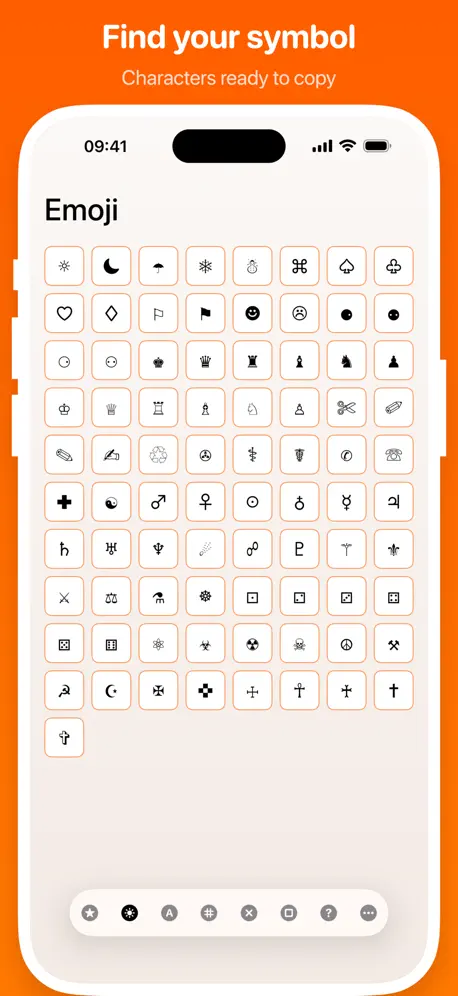  Character Pad |   xKeyboard - Custom Keyboard | 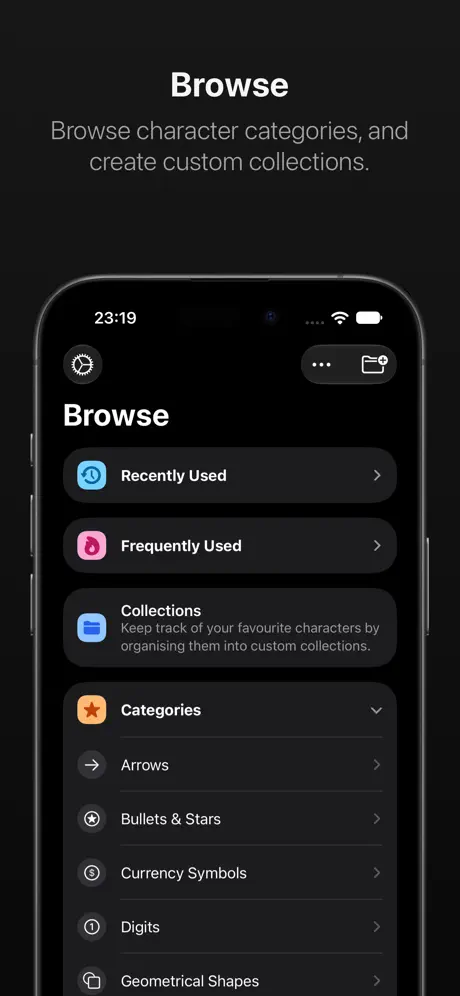  CharMap — Unicode Characters |   Symbols Keyboard & Fancy Fonts | |
|---|---|---|---|---|---|---|---|---|---|---|---|
| Rating / 5 | 4.6 | 4.8 | 4.5 | 4.5 | 4.5 | 4.6 | 4.5 | 4.5 | 3.3 | 4.2 | 4.6 |
| Reviews | 6.6K | 25K | 9.8K | 7K | 3.6K | 3.3K | 3.1K | 2.7K | 319 | 195 | 43 |
| Released | 2015 | 2019 | 2018 | 2015 | 2012 | 2015 | 2015 | 2011 | 2019 | 2010 | 2019 |
| Weekly price | — | $2.99 | $2.99 | — | — | — | — | — | — | — | — |
| Monthly price | — | — | $2.99 | $4.99 | — | — | — | — | $0.29 | — | — |
| Annual price | — | $19.99 | $22.99 | $9.99 | — | — | — | — | $2.99 | — | — |
| One-time price | — | — | $14.99 | $2.99 | — | — | — | $2.99 | $8.99 | — | — |
The going rate for each plan in United States, in its own currency, shaded from the cheapest price on the row to the dearest.
Symbol Keyboard-Character Pad reviews
4.6 out of 5, based on 6,638 reviews.
What people like
- Works without needing full system access
- Has rare symbols others don't include
- Completely free with no subscription needed
- Clean interface that looks nice
What they complain about
- Ads block access and can't be closed
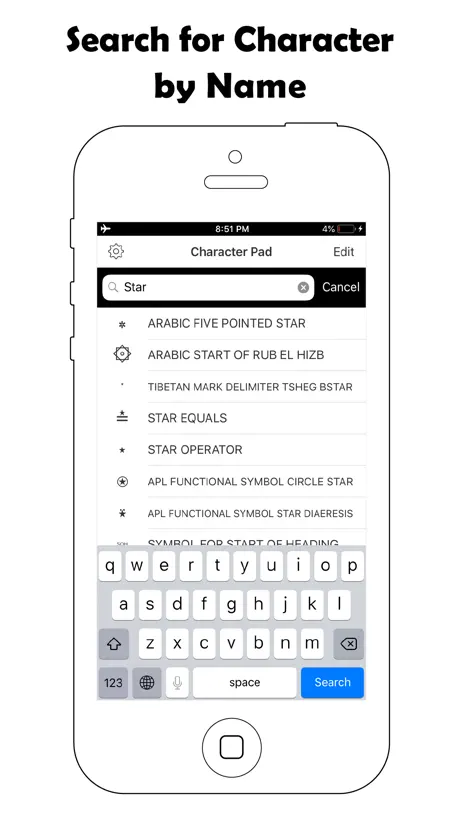
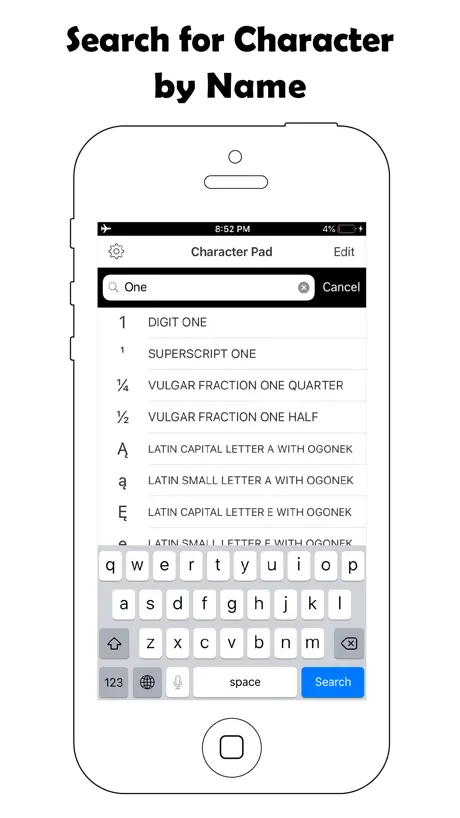
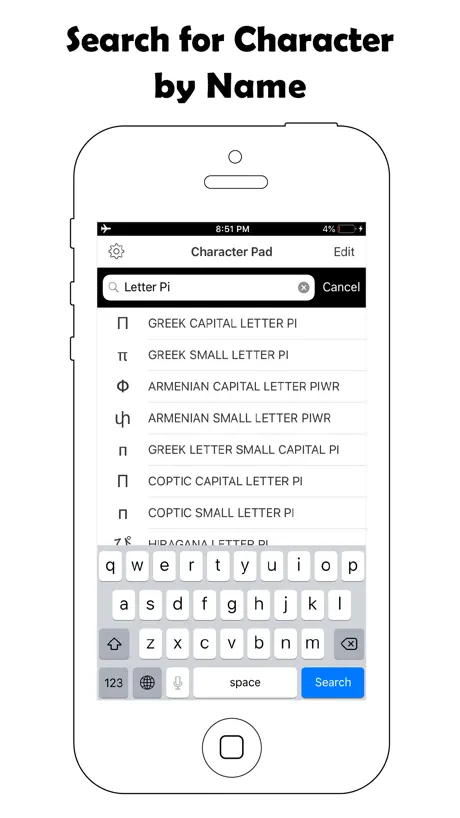
- Search only filters categories, not actual symbols
- Hard to find symbols in messy lists
- Missing a space bar on the keyboard
After 4 years..
After literally 4 years of trying to find random symbols i can easily copy paste, i finally found this. You can use EVERY symbol in the list, not just the first line. No subscription, hardly any ads, lots to choose from, a way to organize them, and you can access the WHOLE list on a keyboard, and type the symbols. I absolutely LOVE this. I do have a few suggestions: 1: As much as i do love that you can organize the symbols, i do wish there was a preset organizer, (e. A-Z.) so we don’t have to organize it a-z ourselves, but this can be added whenever. 2: An actual settings menu, like to change it to a dark mode or something. 2.5: The ability to make a custom little folder with your favorite ones (the Frequently Used menu is great, but what if we want to revisit an old one and forgot where it was) Other than those suggestions, this app is a really useful for using unique symbols.
Bro…
Yeah right. Going to the app again and again just to type one symbol over and over again like bro, I can't make a paragraph!
Good App
I like the app, there’s a wide range of symbols and you can pick and choose which categories of symbols will be available on your keyboard so it isn’t too cluttered. My only gripe is that there doesn’t seem to be the regular male and female gender/Mars and Venus symbols. There are other gender marking symbols and every other planetary symbol, but not those two which I type a lot and have to go and copy and paste from elsewhere.
Keeps getting loaded
I can’t install th3 font sorry it tak3 too long
Useful but not pleasant to use
I love having all of Unicode available when I’m typing, however it can be challenging to find a specific symbol when it’s hidden at the bottom of the list inside one of countless categories. I would love a search feature where you type in the name of the character you’re looking for, if such a thing is possible. It would also be nice if the categories were arranged more intuitively, because it takes a lot of niche knowledge to understand the default categories.
Great
I love it, and l love having a bunch of little symbols on a keyboard! But can you please add different variations of the pi symbol because I could not find the certain one that I wanted
Almost does what you want it to!
Why can’t this app just be a Unicode keyboard? It almost is, but some elements are removed, moved elsewhere, etc. It has the potential to be great, but right now it’s just ok. Finding the character you need is mostly like searching for a literal needle in a haystack, unfortunately.
Excellent! Just ONE fix…
Update to below comment 4 months later: Any chance of updating the emojis !!?? ————— This keyboard is excellent: It’s the only one I could find that has Symbols and Color Emojis — but stays simple/clean. Also, unlike most others, it doesn’t require Full Access. And, layout + organization of Symbols nicely arranged. I’ve been using this for a few years now. There’s just one thing during that time I’ve really been hoping for: Emoji update ( ! ) Thank you!
why
when i try opening up symbol it crashes no matter what.
Good for the most part but….
Would really like to see support of all the Unicode characters like Tai Xuan Jing, or the mathematical alphanumeric characters, and the alchemical symbols.
👍👍👍👍👍
SOLID UNICODE KEYBOARD ❕
No zero star option
Unusable: goes right to an ad when I open the app and even once the ad is over I can’t get to the actual app. Just a play for ad revenue.
Fontastic
Like the app. because of the keyboard and typing the variety of fonts directly into documents. It would be even better if you could include Anatolian Hieroglyphs.
⚠️ Foreign Language Ads
You need to warn people about ads that are written in a language other English. It looks like Chinese, but I don’t know. If I want to use this app, I have no option but to engage the add and click on a button, hoping I’m not sent to a fraudulent website in a language I don’t understand. Apple needs to do something about this unacceptable nonsense. Other issues: • The search feature is useless. • It doesn’t have all of the symbols that I use. • And if I want to remove/delete a symbol from favorites, there is no option to do so.
Still works
Rate nagged after updating the app.
If it just broke for you, read this, please
Previous title & post: "Was amazing, *literally* unusable after last update ★★☆☆☆ Same as the reviewer before me. I can't even access the keyboard. I also don't have the option to give it full access in settings. If this is fixed, I'll change my rating back to five stars, but at the moment the app is entirely broken." Turns out, either updating to the newest iOS or restarting my phone fixed it, and now it's back to working great! The only things I would change are: - The fact that some characters aren't included, ex: cursive font letters - Needing to open the app to use the search function. It would be nice to be able to search from within the keyboard, though this one is a minor complaint - The biggest thing I would like to see is the ability to create a custom section. I think this would solve a lot of people's complaints. Maybe it could function sort of like an "On The Go" playlist on an iPod, where you can save all or some of your recently used as a new section, and then add and remove from there? Alternatively, there could just be an "add/edit symbols" option that brings up a text field containing what's already in the custom section, and you can just type in whatever characters you would like to add. However, even without these features, I can't recommend this app enough. Literally the only even remotely decent one like it I've found.
Useless
The search function only filters the list of alphabets/categories — it does not actually return a selection of symbols.
Need symbol "SQUARE ERA NAME REIWA" (U+32FF)
The category "CJK Compatibility" needs the symbol U+32FF SQUARE ERA NAME REIWA, placed after the existing U+337B SQUARE ERA NAME HEISEI. It's the third year of Reiwa already.
Angeblich Englisch...
... aber praktisch ist es wohl Mandarin und Japanisch. Man kann die App auch damit bedienen, denn sie hat nicht viele Funktionen, die man mittels try and error ermitteln kann. Es ist jedoch sehr unpraktisch und schwierig, zwischen den verschiedenen Zeichentabellen zu navigieren, da auch deren Bezeichnungen nicht auf Englisch sind. Es lässt sich die Bediensprache leider nicht ändern, und es gibt hier im Store auch kein erklärendes Demovideo. Es ist schade, so eine praktische und simple kleine App an so etwas scheitern zu lassen.
good app but..
it's a great app but after the most recent update, i can't use it. it just won't let me pull it up as a keyboard anymore.
Awesome but I have a suggestion!
This has lots of cool symbols and it’s all organized, but I don’t fully agree with HOW it’s organized. I can tell a lot of work went into this so I don’t mean to be rude but please keep reading! I think it would be better if you could see all the symbols at once, or if there were less categories. The search option is super helpful as well, but there’s lots of cool symbols you wouldn’t even think to search for. My suggestion is that you don’t have to scroll and scroll and scroll, just have all the symbols available to see, or have less categories. It would make the app easier to navigate. Thank you for reading and please take my suggestion into consideration!
Big Ad, cannot close it
I opened this app following an extended absence, and was presented with a full screen advertisement that I could not close.
Amazing keyboard, one glitch though
So i bought this app and was gonna use it on discord, so when i got to the keyboard it went the the apple emoji keyboard instead.
Viele Symbole sind für andere nicht zu sehen!
Das andere nur Kästchen sehen, statt den jeweiligen Symbolen, dafür lohnt sich kein €...
Annoying ads on launch, otherwise excellent app.
Great app. Only drawback is the annoying ads every time you launch it.
Great app
Wonderful app. Like the variety of symbols I can not get elsewhere
Unusable now
I’ve been using this app for over a year and now all of the sudden when I open it there’s always a full page ad in Chinese. I clicked on the ad once to see if it went away and it didn’t. I don’t want to keep clicking on an ad in a language I can’t read so I can’t get the ad to go away. I deleted this app and found a new one.
Wonderful
I love this app so much! All of the misc and 'dingbat' symbols are super hard to come by anywhere else and they look stunning. The keyboard itself is pretty simple to use even if it does take a while to navigate and find what you're looking for. I definitely reccomend the app to anyone.
Almost good...
The lack of a space bar makes this much less useful than it could be.
A somewhat useful collection
I love the variety and beyond their necessary use – I prefer adding visual appeal to a missive with this collection, opposed to the juvenile emojis. I just wish there was a way to reorganize the groups. As, unless one is quite multilingual, I don’t imagine many of the groups have any value to a general American writer. But thanks for offering them.
This app is great but the reviews are not
This app is amazing, and I’ve used it so much and the fact that it doesn’t needs full access And is 100% free makes it perfect, but it is hilarious seeing the reviewers being mad that they didn’t get all the different modern cringeworthy fonts, and Thats not what this app is for. Amazing app, you have everything you could ever have!
Used to be my favorite Symbols app
Initially I would’ve rated this app 5 stars. it was simple, had every symbol and wing ding you could think of and the main reason the integrated iOS keyboard extension. Previously under keyboards you had to assign it full access to be used within the keyboard when used in apps, etc. Now that’s no longer there to grant access and it crashes upon trying to enable it on the KB extension. So thus making it totally useless to me. Using UniChar atm but its not 100% free nor has a space bar option when its enabled. If the dev of this app fixes the issue I will be happy to redownload and update my review.
symbol
𖧸 𖧸 𖧸
Not a Keyboard
If you make it an actual in-app useable keyboard, the rest of the stars may be yours!
Amazing app!
It’s got almost all the symbols I want and need, and it’s great decor when writing for fun! Although it may be a bit difficult to navigate, it’s worth it when you figure it out! Well done! And to those who don’t know how to activate it, go to keyboard settings in settings, go to keyboards, then add keyboard, and then fonts, and then click it and allow it full access!✌︎✿❤︎
Sluggish
When I opened my app, the buttons wouldn’t respond for 15 seconds. Then this review dialogue popped up after that negative experience. Therefore, negative review.
Nice Symbols
Nice symbols to add that are not available when you need add something extra to your chats
About keyboard hasn't 'space' key.
I installed them. I like them, but keyboard hasn't a 'space' key. Please add 'space' key on the keyboard. Thanks.
rate
i love this app it’s super easy to use i had no problems and i love how it looks
G
⥤keeps screwing up and NOT going back to regular keyboard
Very useful
I really don’t leave these reviews, but I use this app so much it’s only fair. It’s very easy to use and compatible with most apps. It would be nice if the updated it or added new symbols, but other than that... love it.
ธรรมดา
Symbols เยอะดีนะแต่ว่าใช้งานไม่สะดวกเท่าไหร่ กว่าจะสลับหน้า กว่าจะมาก๊อป
ehh doing this so i get the symbols
hi
Won’t work after update
Won’t work after update. Can you please fix?
❤️👌
the app functions well and the keyboard is clean and nice to look at. it's easy if a bit cumbersome to navigate. the only problem is that if one of the categories of characters is deleted from the app, the app has to be redownloaded for those characters to be used again.
Bom!!
Gostei, mas nada de demais
Symbol Keyboard-Character Pad FAQ
- Is Symbol Keyboard-Character Pad free?
- Yes. The app is free, in all 174 countries it sells in, and it sells nothing inside it.
- Does Symbol Keyboard-Character Pad have a free trial?
- No. None of its offers (US) come with a free trial.
- What are the best alternatives to Symbol Keyboard-Character Pad?
- Fonts %: Keyboard & Emoji (4.8 from 25,439 reviews, premium from $2.99), All Symbol Keyboard Text Fonts (4.5 from 9,829 reviews, premium from $2.99) and Cool Symbols Keyboard & Fonts (4.5 from 6,989 reviews, premium from $2.99).
Symbol Keyboard-Character Pad download
Last updated 1 year ago.
Symbol Keyboard-Character Pad sells in 174 countries. It was released 11 years and 7 months ago, on 20 Apr 2015. It holds a 4.6 rating from 6,638 reviews.
Supports 3 languages: English, Japanese, Chinese.
How much does Symbol Keyboard-Character Pad make?
Third-party estimates for the last 30 days, worldwide — not the store's own figures, which Apple publishes for nobody.