
Videocraft: Video Maker
Multitrack, Music Sync Editor
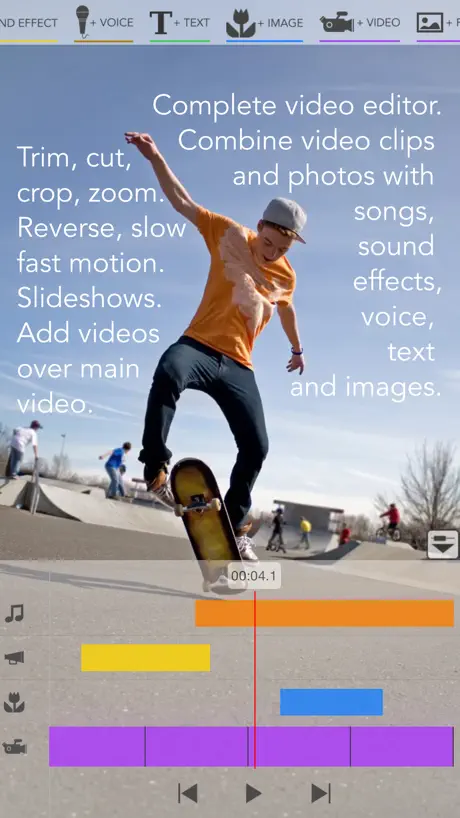
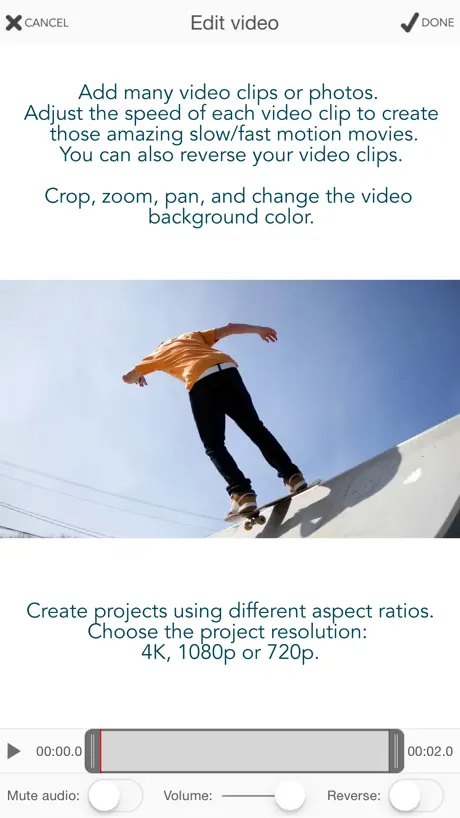
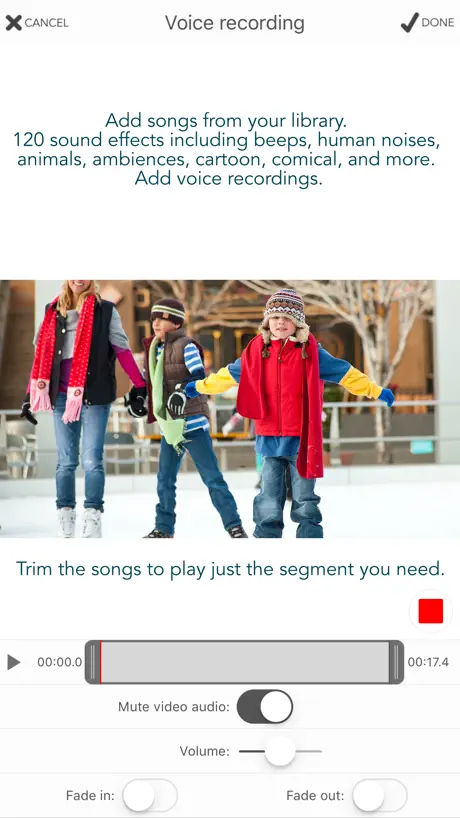
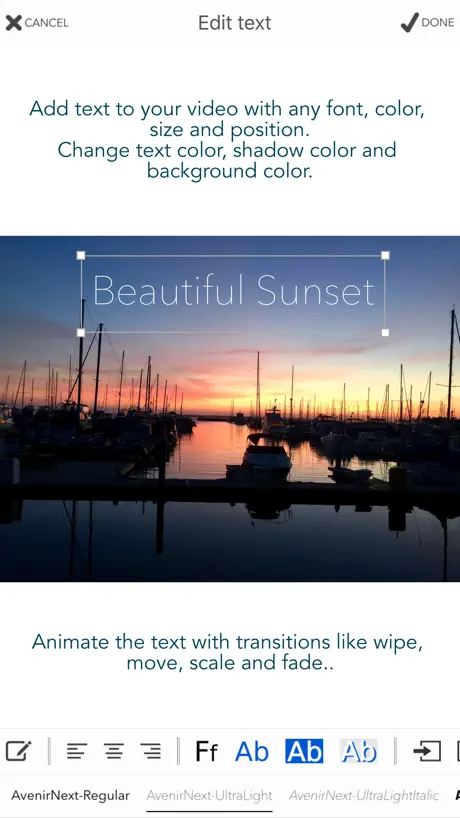
How much does Videocraft: Video Maker cost?
Prices are current as of 10 Sept 2026.
Videocraft: Video Maker has no in-app products on record in the United States.
Videocraft: Video Maker download price by country
| Country | Price |
|---|---|
| United States | $0.99 |
| Canada | CA$0.99 |
| France | €0.99 |
| United Kingdom | £0.99 |
| Saudi Arabia | SAR 4.99 |
| Italy | €0.99 |
| Brazil | R$6.90 |
| China | CN¥8.00 |
| Mexico | MX$19.00 |
| Indonesia | IDR 19,000 |
| Germany | €0.99 |
| India | ₹99.00 |
| Vietnam | ₫29,000 |
| Australia | A$1.99 |
| Thailand | THB 29.00 |
| Egypt | EGP 49.99 |
| Spain | €0.99 |
| Malaysia | MYR 4.90 |
| Russia | RUB 99.00 |
| Sweden | SEK 9.00 |
| Hong Kong | HK$8.00 |
| Japan | ¥150 |
| Netherlands | €0.99 |
| Portugal | €0.99 |
| Turkey | TRY 49.99 |
| United Arab Emirates | AED 2.99 |
| Colombia | COP 4,900 |
| Greece | €0.99 |
| Poland | PLN 4.99 |
| Taiwan | NT$30.00 |
| South Africa | ZAR 19.99 |
| Austria | €0.99 |
| Belgium | €0.99 |
| Switzerland | CHF 1.00 |
| Denmark | DKK 9.00 |
| Finland | €0.99 |
| Kuwait | $0.99 |
| New Zealand | NZ$1.99 |
| Pakistan | PKR 300 |
| Singapore | SGD 0.98 |
| Chile | CLP 990 |
| Guatemala | $0.99 |
| Croatia | €0.99 |
| Hungary | HUF 499 |
| Ireland | €0.99 |
| South Korea | ₩1,100 |
| Lebanon | $0.99 |
| Nigeria | NGN 1,500.00 |
| Peru | PEN 4.90 |
| Philippines | ₱49.00 |
| Romania | RON 4.99 |
| Albania | $0.99 |
| Argentina | $0.99 |
| Bahrain | $0.99 |
| Costa Rica | $0.99 |
| Czech Republic | CZK 29.00 |
| Ecuador | $0.99 |
| Israel | ₪2.90 |
| Iceland | $0.99 |
| Sri Lanka | $0.99 |
| Morocco | $0.99 |
| Qatar | QAR 2.99 |
| Tajikistan | $0.99 |
| Tunisia | $0.99 |
| Ukraine | $0.99 |
| Uzbekistan | $0.99 |
| Afghanistan | $0.99 |
| Antigua And Barbuda | $0.99 |
| Anguilla | $0.99 |
| Armenia | $0.99 |
| Angola | $0.99 |
| Azerbaijan | $0.99 |
| Bosnia & Herzegovina | €0.99 |
| Barbados | $0.99 |
| Burkina Faso | $0.99 |
| Bulgaria | €0.99 |
| Benin | $0.99 |
| Bermuda | $0.99 |
| Brunei Darussalam | $0.99 |
| Bolivia | $0.99 |
| Bahamas | $0.99 |
| Bhutan | $0.99 |
| Botswana | $0.99 |
| Belarus | $0.99 |
| Belize | $0.99 |
| Congo, Democratic Republic | $0.99 |
| Congo | $0.99 |
| Cote Divoire | $0.99 |
| Cameroon | $0.99 |
| Cape Verde | $0.99 |
| Cyprus | €0.99 |
| Dominica | $0.99 |
| Dominican Republic | $0.99 |
| Algeria | $0.99 |
| Estonia | €0.99 |
| Fiji | $0.99 |
| Micronesia | $0.99 |
| Gabon | $0.99 |
| Grenada | $0.99 |
| Georgia | $0.99 |
| Ghana | $0.99 |
| Gambia | $0.99 |
| Guinea-bissau | $0.99 |
| Guyana | $0.99 |
| Honduras | $0.99 |
| Iraq | $0.99 |
| Jamaica | $0.99 |
| Jordan | $0.99 |
| Kenya | $0.99 |
| Kyrgyzstan | $0.99 |
| Cambodia | $0.99 |
| St. Kitts and Nevis | $0.99 |
| Cayman Islands | $0.99 |
| Kazakhstan | KZT 499.00 |
| Lao Peoples Democratic Republic | $0.99 |
| St. Lucia | $0.99 |
| Liberia | $0.99 |
| Lithuania | €0.99 |
| Luxembourg | €0.99 |
| Latvia | €0.99 |
| Libya | $0.99 |
| Moldova | $0.99 |
| Montenegro | €0.99 |
| Madagascar | $0.99 |
| Macedonia | $0.99 |
| Mali | $0.99 |
| Myanmar | $0.99 |
| Mongolia | $0.99 |
| Macao | $0.99 |
| Mauritania | $0.99 |
| Montserrat | $0.99 |
| Malta | €0.99 |
| Mauritius | $0.99 |
| Maldives | $0.99 |
| Malawi | $0.99 |
| Mozambique | $0.99 |
| Namibia | $0.99 |
| Niger | $0.99 |
| Nicaragua | $0.99 |
| Norway | NOK 9.00 |
| Nepal | $0.99 |
| Nauru | $0.99 |
| Oman | $0.99 |
| Panama | $0.99 |
| Papua New Guinea | $0.99 |
| Palau | $0.99 |
| Paraguay | $0.99 |
| Serbia | €0.99 |
| Rwanda | $0.99 |
| Solomon Islands | $0.99 |
| Seychelles | $0.99 |
| Slovenia | €0.99 |
| Slovakia | €0.99 |
| Sierra Leone | $0.99 |
| Senegal | $0.99 |
| Suriname | $0.99 |
| Sao Tome & Principe | $0.99 |
| El Salvador | $0.99 |
| Swaziland | $0.99 |
| Turks and Caicos | $0.99 |
| Chad | $0.99 |
| Turkmenistan | $0.99 |
| Tonga | $0.99 |
| Trinidad and Tobago | $0.99 |
| Tanzania | TZS 2,900.00 |
| Uganda | $0.99 |
| Uruguay | $0.99 |
| St. Vincent & The Grenadines | $0.99 |
| Venezuela | $0.99 |
| British Virgin Islands | $0.99 |
| Vanuatu | $0.99 |
| Kosovo | €0.99 |
| Yemen | $0.99 |
| Zambia | $0.99 |
| Zimbabwe | $0.99 |
10+ alternatives to Videocraft: Video Maker
| Videocraft: Video Maker |   Nizo Nizo |   SimpleCut Video SimpleCut Video |   Photo Albums and Widget Photo Albums and Widget |   InfiniteFilmCine InfiniteFilmCine |   Video Editor - Brain Rotter Video Editor - Brain Rotter |   VideoMuter - Remove Sound VideoMuter - Remove Sound |   Mask Video Recorder Mask Video Recorder |   FilMovie FilMovie |   Perfect Green Screen Perfect Green Screen |   AI Video Background AI Video Background | |
|---|---|---|---|---|---|---|---|---|---|---|---|
| Rating / 5 | 4.6 | 4.4 | 5.0 | 4.0 | 5.0 | 5.0 | 5.0 | 1.0 | — | — | — |
| Reviews | 826 | 390 | 9 | 4 | 2 | 2 | 1 | 1 | — | — | — |
| Released | 2013 | 2018 | 2026 | 2020 | 2020 | 2025 | 2023 | 2024 | 2016 | 2019 | 2025 |
Videocraft: Video Maker reviews
4.6 out of 5, based on 826 reviews.
There’s no better app for when you’re on the go!!!!
Great for editing movies on any mobile platform. I love it!!!!!
Doesn’t load
Can’t get past the splash screen.
आ.नरेन
बहुत उम्दा-कमाल पर थोड़ी स्लो
Tried using the camera feature to no avail
I used the camera feature to take a picture several times, but each time I chose settings to process it (whether the lowest setting at 700 or at the highest 4K, it just froze- nothing would happen. I would swipe out and restart to have the same problem happen. I am on iOS16 so perhaps that has something to do with it? I don’t dare giving access to my photo album to try that way, if a single photo I just snapped through the app can’t even process.
Love the app, but crashes too often
First, this is the simplest app I’ve used for video editing, and has amazing tools! The big problem is that it crashes frequently, and I lose my project and have to start over from scratch. Very frustrating! It would be nice to have option to automatically back up to the cloud, but I can’t locate the app in my iCloud settings. Please fix!
Music
Oldie but goodie!
App is broken
Randomly crashes and rarely exports videos
Does the trick...
I do not want a virtual video edit bay on my iPhone, and this app sure doesn't feel like one. But if you are deft of finger and quick with a creative workaround, this app could prove worthy of your study. For a small one-time license fee I have untethered, ad-free access to a functional little video editor. Reason for the fourth star... in my years of regular use, it has not crashed on me. Hat's off. Have another star.
Era bom
Parou de funcionar no iPhone 11
不支持简体中文
App很好,可惜不支持简体中文😮💨
Outstanding!
Fantastic app, I’m having a lot of fun with it. First rate app!
L’application ne démarre pas
J’ai acheté l’application mais lorsque je l’ouvre elle ne démarre même pas !! Je ne peux rien faire avec. Je l’ai supprimé et éteint et redémarrer le téléphone (iPhone 7) puis j’ai re-télécharger mais rien n’y fait. J’aimerais me faire rembourser s’il vous plaît.
Does a lot with no frills
Good video editor. Takes and makes videos in all orientations and 720 to 4K. Editing buttons are a little clunky. But I get stuff done!
App crashes and lacks features
App crashes and lacks features
Ne libère pas le cache
L’application est top. Mais quand on efface les anciens projets, le cache dans l’application n’est pas libéré, et ces projets occupe toujours de la place dans le stockage du téléphone. Il faut supprimer et réinstaller l’application. Pour cela je mets seulement 3 étoiles.
awesome
paid and absolutely satisfied with this app. simple easy small learning curve.
App never opens
Waste of time.. it never opened. It sits on the splash screen forever in my iphoneXS.
Great free app
Great! The app just gets overwhelmed when vids are longer than 9mins or so and your lips may not line up with your words lol
Only 100
Really annoying that you can only add 100 photos, lot of time wasted.
Needs updating
I’ve used this for years without issues but lately it will randomly close after spending 30+ minutes carefully selecting photos…also won’t show my full iTunes music library, only allowing me to choose songs that I added several years ago! It’s up to date so I’m not sure what is going on😑
Gets job done
For simple editing with placing B Roll over supporting video it gets the job done
If i could put 0 stars i would
I worked really hard on an edit and it will not export, i can't believe this you need to to something about this, i paid.
Top notch
My go-to video editor. Adjusting length of overlay effect could be easier. I need another app for cropping and rotating videos.
Something wrong
At 1st i really like this app, becoz the features almost complete for making video. But something happen when my project almost finish, i cannot open it.. what i can do ? Because this app not free, but i still cannot continuous my project
SoSo
SoSo
El mejor editor de video
Es muy útil y tiene una variedad de herramientas que logran hacer una buena edición de videos.
Terrible
Wasted money as I cannot even open a 44 second video on the app without it giving up and shutting me me out!!
Made my first sorta movies.
Used this to put together pics and music for video. I have little experience. It did an adequate to good job. Took a bit to figure out some of the tips etc. if I had more time I’m sure I’d better appreciate it.
Dissapointing
please fix it! it can't add videos from library. pls fix it as soon as possible.
More editing supplies
Good but what customization like simple shapes hey seems bizarre that they don’t have like say circles. Maybe options as it seems pretty simple but can we go but I want a bit more options
Absolutely terrific!
Very complete. I love ALL the features! it helps me edit in many ways all my vídeos. :-)
Crash
This sūck...never was able to actually edit one clip. Crash trying to import movie.
simple & effective
easy to use
It's
It keeps on crashing on me when you want to add in a photo and your video please fix this or I want my refund back!!😡
Linguagens
Falta tradução para português, favor adicionar esta linguagem, daí mudo para 5 estrelas. Desde já agradeço pela atenção..
Fav video editor
Used this app to make countless edits for years, simple easy way to combine multiple clips to one video
Waste of time downloading.
Crashes every time on load up. Specially after adding 5 videos onto one clip! 0/10 worst video app to date!
Awesome
I'm really enjoying this app. I make YouTube videos so being able to mash up my videos into one and upload it all from my phone is amazing! The only issue I've had was one of my older videos I made on the app got corrupted. Not too upset over it cause it was already uploaded haha. I'd like to see some intro and outtro shorts that can be added to the videos. It would add a nice touch to the video, and a little extra add length aswell.
Pants
Lasted five minutes before I deleted it . Doesn't work , doesn't let me do anything free apps will . Waste of money .
Bella, ma mancano le transizioni
Aggiungete le transizioni e sarà da cinque stelle
perfectttt
like it, so useful
Needs crash fixes!!
Great potential. Everytime I get into an edit with more than 5 videos in the edit it crashes, and then I can't open that project again. If I do, it crashes. Have to start new. So for that 1 star. Please fix the horrible crashes pleeeeease!
Awesome
I don't usually write reviews, but I gotta say I really enjoy using this app to make cool edits out of my photos and videos. Hopefully you guys add some more cool features!
1stable
Videocraft crash... Dommage...!!!
BIEN MAIS
Superbe mais j'aurais aimé pouvoir garder le son d'origine de mes film et que les voix s'adaptent au ralenti ou à l'accélération suivant notre choix dans une nouvelle MAJ peut être.
Must have video editing app!!
A simple yet powerful editing tool for creating videos!
Cannot save videos!!
This I thought was a great app until I realised you cannot save the videos you have made into your camera roll.. Really annoying!! Waste of time.
Good but crashes
It crashes every time I try to edit my videos
Good you good
برنامج مميز good
Videocraft: Video Maker FAQ
- Is Videocraft: Video Maker free?
- No. Videocraft: Video Maker costs $0.99 (US) to download.
- Does Videocraft: Video Maker have a free trial?
- No. None of its offers (US) come with a free trial.
- What are the best alternatives to Videocraft: Video Maker?
- Nizo (4.4 from 390 reviews), SimpleCut Video (5.0 from 9 reviews) and Photo Albums and Widget (4.0 from 4 reviews).
Videocraft: Video Maker download
Last updated 6 months ago.
Videocraft: Video Maker sells in 175 countries. It was released 12 years and 10 months ago, on 24 Nov 2013. It holds a 4.6 rating from 826 reviews.
Supports 1 language: English.
How much does Videocraft: Video Maker make?
Third-party estimates for the last 30 days, worldwide — not the store's own figures, which Apple publishes for nobody.