
Extra - Your life's inbox
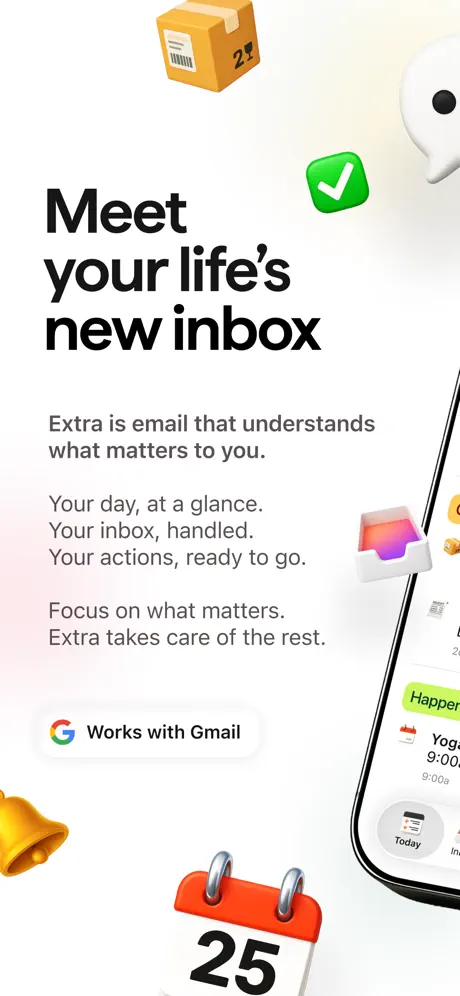
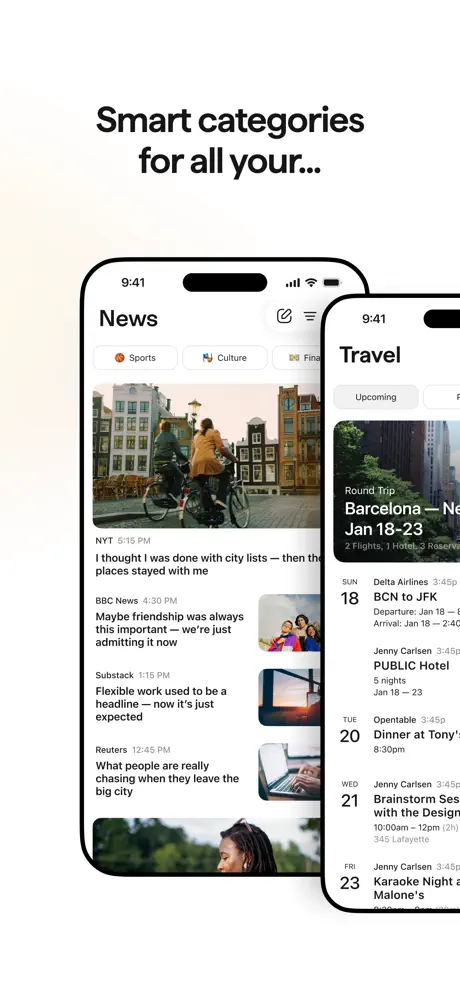
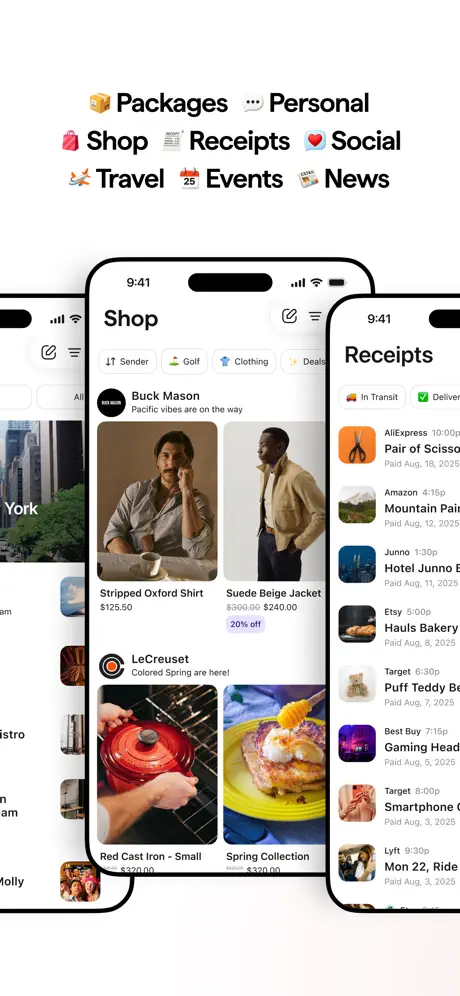
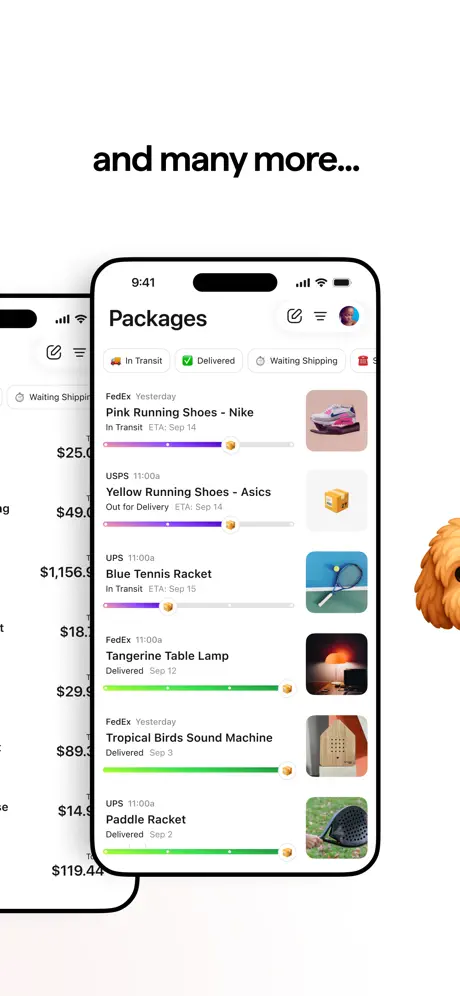
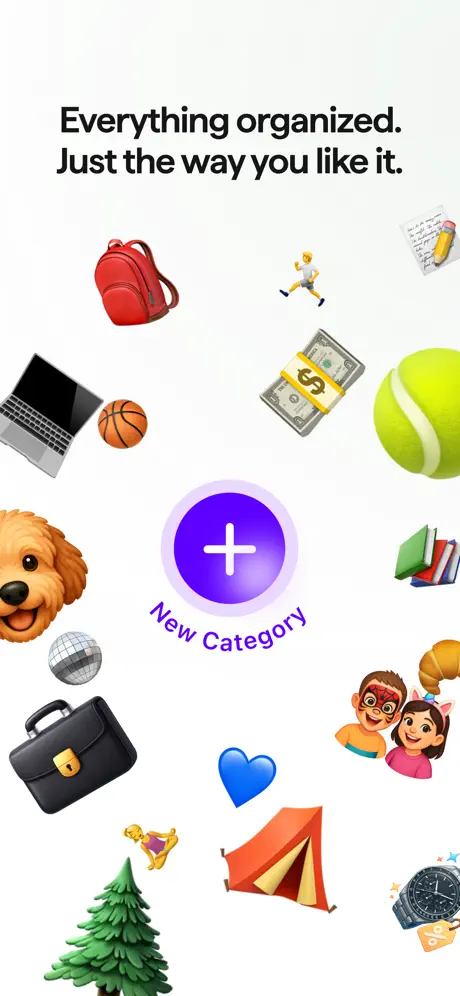
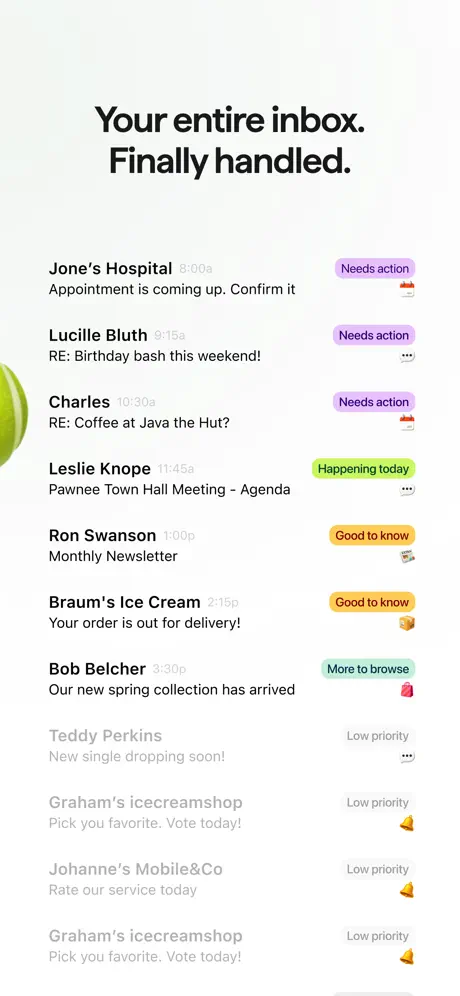
Email that knows what matters
How much does Extra - Your life's inbox cost?
Prices are current as of 7 Sept 2026.
Extra - Your life's inbox has no in-app products on record in the United States.
10+ alternatives to Extra - Your life's inbox
| Extra - Your life's inbox |   Monologue: Smart Dictation Monologue: Smart Dictation |   Avec - Clear your inbox in 60s Avec - Clear your inbox in 60s |   Memo AI - Voice Notes Taker Memo AI - Voice Notes Taker |   NewTwos: Quick Notes & Lists NewTwos: Quick Notes & Lists |   Pebble AI: To-Do & Focus Pebble AI: To-Do & Focus |   NoPlex NoPlex |   Duckbill Duckbill |   Beck: AI Calendar Assistant Beck: AI Calendar Assistant |   Thinkspan: AI Life Vault Thinkspan: AI Life Vault |   EmailZap: Smart inbox briefing EmailZap: Smart inbox briefing | |
|---|---|---|---|---|---|---|---|---|---|---|---|
| Rating / 5 | 4.8 | 4.8 | 5.0 | 4.8 | 4.3 | 4.2 | 4.5 | 4.3 | 4.7 | 3.9 | 4.7 |
| Reviews | 469 | 534 | 344 | 109 | 87 | 74 | 70 | 68 | 59 | 35 | 7 |
| Released | 2026 | 2026 | 2026 | 2026 | 2026 | 2025 | 2024 | 2023 | 2026 | 2017 | 2026 |
| Monthly price | — | $14.99 | — | — | — | — | — | — | — | — | — |
| Annual price | — | $143.99 | — | — | — | — | — | — | — | — | — |
The going rate for each plan in United States, in its own currency, shaded from the cheapest price on the row to the dearest.
Extra - Your life's inbox reviews
4.8 out of 5, based on 469 reviews.
What people like
- It cleans up a messy inbox perfectly.
- The design is clean and pleasing to look at.
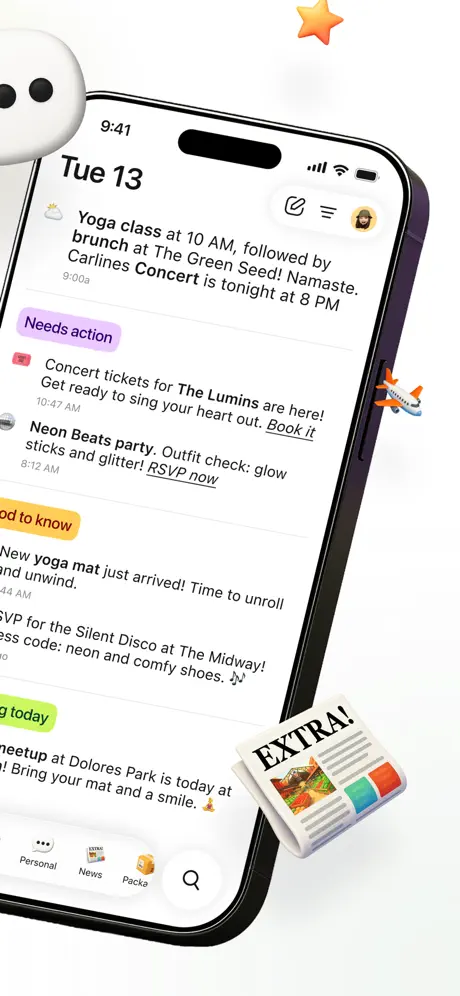
- AI summarizes your day and priorities well.
- It saves you time on daily tasks.
What they complain about
- It misses important emails like invoices.
- Bugs make features like folders fail.
- It only works with Gmail and Outlook.
- You must give it full access to your data.
UI is phenomenal, UX is *almost* there.
*Edit: email deletion issue seemed to be an issue on my end and has been remedied 👏🏽. Now I just need a way to use the AI features to look out for specific things/context/etc. without having to reprint each morning - job application status updates or interview requests, grad school acceptance emails, or emails from my mom which she rarely sends but might not be flagged as “notable” in the app. Since Extra provides a roundup of what it feels is most pressing, I get paranoid and still find myself pulling up the actual Gmail app to check to see if it missed anything in these categories, which is ultimately counterintuitive.* I absolutely love this take on a design- and function-first, AI enabled email wrapper. I found Extra on accident after signing up to a waitlist to learn more about the builders’ next planned project release. Did some digging into the company and found my way here. The only serious issue I have with the app is that I can’t actually delete the emails from their OG inbox when I hit the trash can from within Extra - it only removes it from the task list for the day on Extra’a side of things. So I end up having to open the Gmail app along side Extra and going back and forth between the two if I want to delete anything. That feels like a no-brainer that I can’t quite convince myself to even call a feature upgrade. I’ve only connected a couple Gmail inboxes, so I can’t say if this is possible with other account connections. If I could use this app to not only support my desire for neuroaesthetics in app design, but also to support my pipe dream of reaching ‘inbox zero’ one day, I’d say Extra could level up to a perfect 10/10.
Overwhelming than it needs to be.
The UI is so overwhelming with so much text on the Home Screen. Jeez.
Email app
I like what it does. But it doesn't clean up my google email or my outlook. As for some reason I have 2k plus emails and Google and outlook don't have a easy delete and button. I like the app
Bugs Bugs
Kindly address these issues. I have repeatedly checked a concert notification, at least ten times, but it continues to reappear as if I have not acknowledged it. Additionally, I have spent two days attempting to create a folder, but I consistently encounter an error message stating, "Something happened." I would appreciate your assistance in resolving these bugs.
Great concept - limited use for Apple users
Only for Gmail and Outlook users. It will not work for Apple users with iCloud email. This limits who can use it. Great concept but useless for me.
The BEST - and I have tried a lot
Really impressive ai email app - flawless categorization and a Today window with summaries and priority emails. I can finally stop using Gmail - this app is 10 times better.
Great App
This is a great app for email. After trying them all, this one seems truly innovative. Still missing Apple calendar integration, hopefully will come soon.
Erratic for me
I love the app, the Today is amazing. And so are categories, when they work, which is 1/10 for me. The Handle it feature has promise but I have to remind it daily to schedule my daily reminders. Junk mail handling is impossible. I really only use “Today” since it works and use Canary, for email
Great Potential, Buggy As Hell
This app shows an incredible amount of promise, but there are certain things holding it back enough that you wouldn’t want to rely on this app as your email client or AI assistant. First off, the app only works with Gmail or Microsoft Outlook right now. That includes calendars. It doesn’t interact with Apple Calendar or Apple Reminders. Being an iPhone app, that was very surprising and disappointing to me. The app has a lot of bugs in it still, but the developer team seems responsive and is constantly pushing out new versions with bug fixes. Unfortunately, there are many bugs they have yet to get to. I also have some concerns about privacy regarding this app. To use the app, you have to grant it full access to your Gmail or Microsoft Outlook email. I was shocked at the information it was able to put together about me, my family, and my home life just from my emails. This would be of particular concern if the company making this app was to be acquired, which I think is a likely scenario. I question whether this app will be necessary once Apple rolls out Siri AI in iOS 27. It seems to share a lot of the same features that Apple showed off in the forthcoming Siri AI. Still, for those people who aren’t primarily locked in the Apple ecosystem, this app is one to keep your eyes on. Once it matures, it could be a very useful AI assistant for your email and schedule.
Loving this app!
Great evolving app; participative community.
Great email concept!
Love the concept and how it visualizes priorities. The only issue I’m facing is that it doesn’t pick up on received Gmail/calendly email times. So I have to go back into Gmail to check the original email for the scheduled time.
J
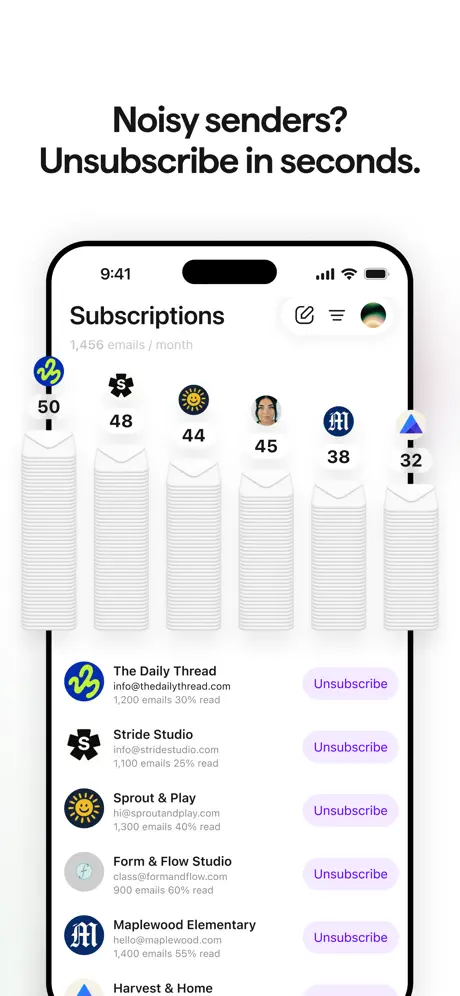
I’m having trouble getting the “unsubscribe in seconds “ feature to work. It says that it’s syncing, but it’s been 12 hours and still not done
Can’t Login in App
I just discovered this email app today and I absolutely love it, but I keep getting error messages whenever I try to login on iOS and iPadOS. It works perfectly fine in Safari but not the mobile apps for some reason. Please fix this soon as I’m probably not the only one experiencing this issue.
Great but slow
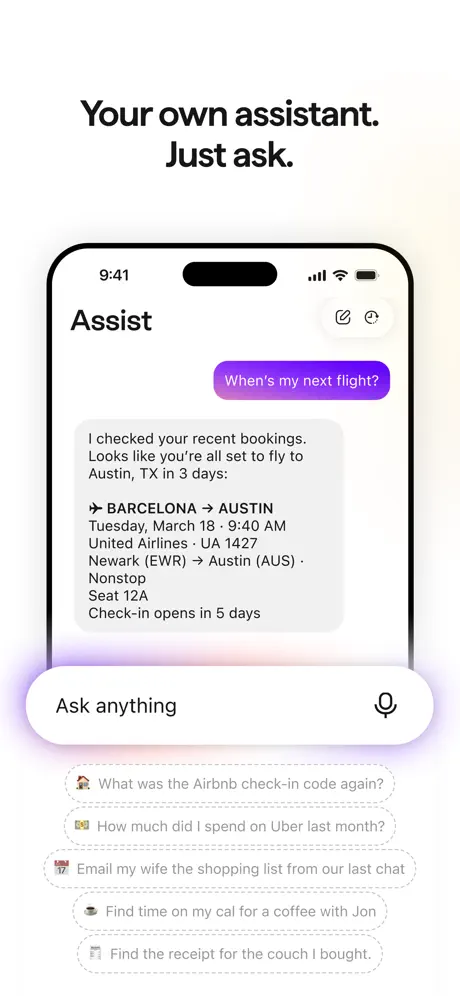
This app is really well designed and turns out to be the app I didn’t know I needed. It’s not a deal breaker but the assistant is very slow to engage with. Even with simple tasks. Overall great app.
Needs a Little Extra
The app is fantastic, but the lack of adding accounts other than a Gmail account is quite the deal breaker for me. Secondly, coming from a mail app that does this, the ability to group similar mail into clusters so that you can view by sender is amazing, but not found here.
No return flow after entering events
Every other tab has the tab at the bottom left but once I select ‘events’ which is the calendar. There is no way to return to mail. Not even left edge swipe. It’s a dead end. I have to kill the app to return.
Inbox organizers
My inbox is clean now!
Time saver
Extra has been saving me so much time! Auto-responses in my voice, reminders on what needs to be done. Also love the fresh and fun design.
organization
Very helpful!
Where are they at?
I just downloaded this app literally just now but I’m wondering if I made a mistake. If you have a problem who will answer that? Literally, where are the developers that answer your questions when you have a problem with this app, I cannot find any. Reviews that have someone answering their problems… To me this is very VERY important aspect of an app and there’s not any on here so did I make a mistake or not?? The fact only remains to be seen later, and that’s a shame.
A new approach
It took a day or two but got the hang of a new mindset with an AI agent on top of things 24/7. I have turned off Google email and calendar notifications and am now receiving everything via Extra. I like calendar integration where I tell Extra to create events
Hopefully extra will improve
I really wanted to love extra. Interface is nice/great , AI assistant is mid, and its ability to truly extract what’s important fails. I literally signed up for an event and was waiting on an invoice before the event was open to the public. The invoice never popped up and I thought I hadn’t received it. Hours before it went on sale to the public. I was searching through all my emails via the original Gmail app and found it. Extra just didn’t think it was important. This happened on other reservations I had made for a different trip as well. AI is awesome until it’s not. I unfortunately went back to the Gmail app. It’s good enough and is rock solid reliable, which at the end of the day is the most important thing for me.
Next generation of Email
completely blown away, the way Extra simplifies and organizes everything is absolutely amazing, i dont go out of my way to write reviews on many things but this app 100% deserves it, the UI is very pleasing to the eye and easy to understand, it does an amazing job managing your emails and getting rid of things that are simply no longer needed. this app has made dealing with my emails an enjoyable experience and i cant wait to see how this app evolves with future updates. revolutionary💯 (would love to see widgets get added in the future)
this very well might be the best consumer-grade email app
so good it has become an indispensable part of my daily email flow just waiting for them to add all inbox support on a single screen
Make Gmail usable
This app is so good. My Gmail had become an overwhelming mess, Extra has made it useable again, I highly recommend trying it out
Best email app out there
The best email app i’ve tried
Extra - Your life's inbox FAQ
- Is Extra - Your life's inbox free?
- Yes. The app is free, in all 25 countries it sells in, and it sells nothing inside it.
- Does Extra - Your life's inbox have a free trial?
- No. None of its offers (US) come with a free trial.
- What are the best alternatives to Extra - Your life's inbox?
- Monologue: Smart Dictation (4.8 from 534 reviews, premium from $14.99), Avec - Clear your inbox in 60s (5.0 from 344 reviews) and Memo AI - Voice Notes Taker (4.8 from 109 reviews).
Extra - Your life's inbox download
Last updated 1 month ago.
Extra - Your life's inbox sells in 25 countries. It was released 5 months ago, on 14 Apr 2026. It holds a 4.8 rating from 469 reviews.
Supports 1 language: English.
How much does Extra - Your life's inbox make?
Third-party estimates for the last 30 days, worldwide — not the store's own figures, which Apple publishes for nobody.