Cursively Handwriting Lessons
EducationReference

Cursively Handwriting Lessons

ASVETA · released 23 Oct 2024 · Open in App Store ↗

Revenue 30d not estimated
Downloads 30d not estimated
Rating 4.56 348 reviews

No in-app products collected for this app.

Rating
United States38%1314.37
Mexico17%604.87
Brazil10%354.77
Chile3%115.00
Russia3%114.64
United Kingdom3%104.90
Canada2%84.38
Peru2%84.63
Australia2%64.33
China2%64.33
India2%64.33
Argentina1%54.80
Colombia1%55.00
Germany1%54.40
France1%45.00
Japan1%44.75

The store shows a different set in every country

Description

This application allows you to practice both cursive and printed handwriting using tracing method. It includes uppercase and lowercase letters, as well as words from several languages.

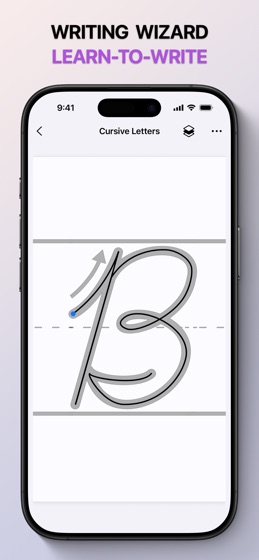
A worksheet is provided for each letter, offering a comprehensive learning tool. The worksheet displays an enlarged sample letter, arrows indicate the order in which the elements are written, and a dot marks the beginning of the letter. The process begins with tracing the outline, followed by independent writing, with the aim of accurately repeating the letter pattern.

There are two main methods of writing letters: printed letters, where each letter is separated from each other in a word, and cursive, where all the letters are connected in a flowing style. Currently, printed writing is more common than cursive, but this app allows you to learn both styles.

The application will assist you in memorising the letters of the alphabet and learning to write correctly and neatly. This process requires dedication and attention to detail. Avoid rushing, and strive to write neatly according to the provided pattern. Pay close attention to the oblique guides and dotted lines that delineate the boundaries of each letter.

You may follow the standard alphabetical order for handwriting, or you may choose to learn the letters in a manner that suits you best.

FEATURES:

Lots of activity worksheets: lines, shapes, letters, numbers and more

Step-by-step tutorials

Follow your progress

Fully supports finger, Apple Pencil, and third-party stylus inputs

---

Privacy Policy: https://asveta.cz/privacy

Terms of Use: https://asveta.cz/terms