Mister Keyboard
The Customizable Keyboard
How much does Mister Keyboard cost?
Prices are current as of 29 Sept 2026.
3 subscriptions from $1.99
In the United States, Mister Keyboard has 3 subscriptions priced $1.99 – 22.99. Free trials run 14 days or 1 month.
| Subscription | Period | Price |
|---|---|---|
| Mister Keyboard Pro | Weekly | $1.99 |
| Mister Keyboard Pro | Monthly | $5.99 |
| Mister Keyboard Pro | AnnualTrial: 14 days, 1 month | $16.99 – 22.99 |
1 one-time purchase from $99.99
In the United States, Mister Keyboard has 1 one-time purchase priced $99.99.
| Product | Price |
|---|---|
| Mister Keyboard Pro Lifetime | $99.99 |
10+ alternatives to Mister Keyboard
| Mister Keyboard |   Slyder Slyder |   Fonts Keyboard AI Fonts Keyboard AI |   Typewise Custom Keyboard Typewise Custom Keyboard |   Keyboard Font: Ai Stickers Keyboard Font: Ai Stickers |   NanoJet: Save & Organize Files NanoJet: Save & Organize Files |   xKeyboard - Custom Keyboard xKeyboard - Custom Keyboard |   MagicKit Pro: AI Smart Toolbox MagicKit Pro: AI Smart Toolbox |   KeyboardKit KeyboardKit |   Screen Recorder: Record Video Screen Recorder: Record Video |   Clink: Custom Keyboards Clink: Custom Keyboards | |
|---|---|---|---|---|---|---|---|---|---|---|---|
| Rating / 5 | 4.3 | 4.5 | 4.5 | 3.9 | 3.8 | 4.8 | 3.3 | 4.8 | 4.3 | 4.5 | 3.7 |
| Reviews | 284 | 58K | 10K | 3.2K | 599 | 508 | 313 | 152 | 147 | 124 | 58 |
| Released | 2025 | 2016 | 2016 | 2019 | 2021 | 2025 | 2019 | 2025 | 2021 | 2026 | 2026 |
| Weekly price | $1.99 | $3.99 | $3.99 | — | — | — | — | — | — | — | — |
| Monthly price | $5.99 | $0.99 | $4.99 | $1.99 | — | — | — | — | — | — | — |
| Annual price | $16.99 | $7.99 | $29.99 | $9.49 | — | — | — | — | — | — | — |
| One-time price | $99.99 | $2.99 | $2.99 | $24.99 | — | — | — | — | — | — | — |
The going rate for each plan in United States, in its own currency, shaded from the cheapest price on the row to the dearest.
Mister Keyboard reviews
4.3 out of 5, based on 284 reviews.
What people like
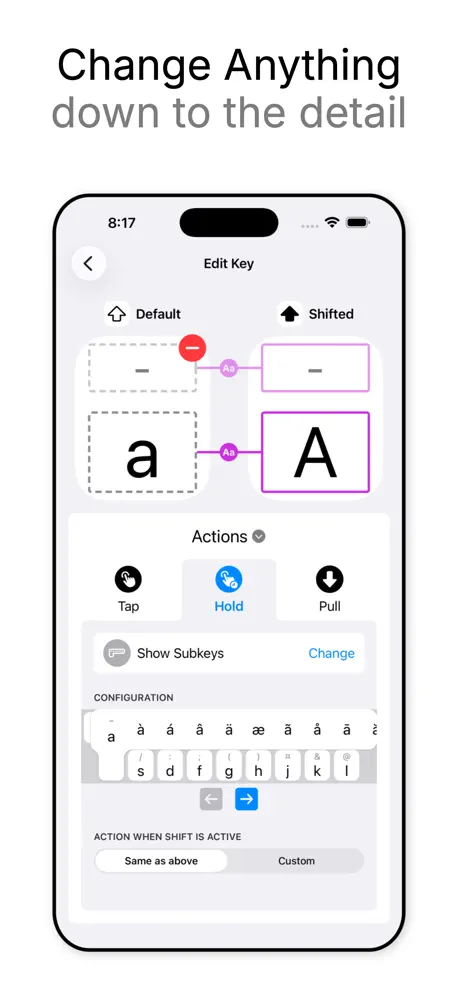
- You can customize the layout exactly how you want
- Developers are active and fix bugs quickly
- Great for boosting typing productivity
What they complain about
- Auto-correct is often wrong and janky
- Premium features cost way too much money
- App lags and misses key presses
Great App
Great app, just a shame iOS 26 makes it un-openable However! Airplane mode makes it work, edit on airplane mode, type on wifi 😎 (typed with mr keyboard)
Useless
Everything is behind a paywall in order to do anything to change the keyboard layout. The only thing you can do is change the color. Uninstalled!
Kinda Good
It’s kinda good but some of it just sucks like getting pro? NAH I AINT DOIN THAT
Pousse à la dépense d’argent et inutilisable.
(EN) Most features are blocked in the Pro version which requires a subscription, hence "P2W". I find a serious lack of basic explanations and logic in this application, which therefore makes it unusable. (FR) La plupart des fonctionnalités sont bloquées dans la version Pro qui nécessite un abonnement, d’où "P2W". Js trouve aussi un manque grave d’expliquations de base et de logique dans cette app, ce qui la rend donc inutilisable.
Clavier orthogonal
Quel dommage que l’on n’ait aucun moyen de contrôler la largeur des touches, pour pouvoir créer un véritable clavier orthogonal, donc où l’alignement des touches ne se fait pas par rangées, mais par colonnes ! Avec les contraintes de cette application, on reste donc coincé au modèle anti-ergonomique du XIXe siècle où les rangées étaient décalées pour laisser passer les marteaux de la machine à écrire. Mais où sont passés les marteaux ? Ils ont disparu, bien sûr, mais on continue de marcher sur la tête.
One of the best
This app single-handedly changed my whole workflow. I’m never going back to the stock keyboard.
Version gratuita no valida
A no ser que utilices la versión de pago, la versión gratuita no vale para nada, cada vez que escribes te aparece un cartel pidiéndote suscribirte, no es un pago único, sino una suscripción mensual
Auto Correct
I would love this app, but the auto correct quality is kinda janky for my use case and leaves more to be desired as of now
Médiocre
Quel dommage le clavier français en AZERTY ne fonctionne pas ! Erreurs multiples. Aucun service client pour le signaler. Je ne fais donc pas renouveler mon abonnement.
Ok, aber mit schwacher Autovervollständigung
Die App ist an sich gut durchdacht und gut anpassbar. Leider die Autovervollständigung sehr schwach. Gängige Vorhersagen sind selbst nach mehrfacher vorheriger Verwendung nicht akkurat und man kann sie auch nicht manuell hinzufügen. Auch werden häufig die vermeintlich richtigen Vorschläge angezeigt, jedoch nicht durchgängig, selbst wenn das betreffende Wort immer weiter ausgeschrieben wird. So wird zB das Wort nur nach dem zweiten oder dritten Buchstaben richtig antizipiert, verschwindet aber, selbst wenn es mit dem vierten oder mehr Buchstaben weiter ausgeschrieben wird. Auch klappt die Vorhersage deutlich schlechter, wenn deutsche Umlaute enthalten sind. Absolut unverständlich und bei der Konkurrenz deutlich besser gelöst. Eine Ergänzung bzw deutliche Verbesserung wäre wünschenswert, sonst werde ich das Jahresabo definitiv nicht verlängern.
Best custom keyboard maker (but buying pro is not worth it)
It is insanely customizable and very easy to use. It has many features that are free. You can definitely use without pro, but it restricts some features that I would love to have. Pro is far too expensive. Like $100 for a phone keyboard? Really? Otherwise I would definitely recommend downloading.
Subscription based slop
For the free version, you basically get no new features compared to the default keyboard. Everything is locked behind the pro plan, which costs $60/year. Until there is a one time payment option, this is not worth your money.
Awesome!
Found this app via test flight sub in Reddit. This keyboard has lots of customization. And it’s continually being updated. I look forward to this keyboard becoming even better.
Cost
I really like the app I just wish the lifetime and the stuff was like maybe 20 $
Useful, but swipe is awful
I’ve been looking for a keyboard that has tools similar to DockX and I’ve found nothing for years. Mister Keyboard is the first one that comes close, with a custom paste key and other tools. But the problem is this thing is just impossible to type on. It’s laggy, it misses key presses, and corrects things to words that just don’t make sense. When typing the word "just," it missed the "s” and corrected it to “nut.” I just had to switch back to the stock keyboard to type “’s’” because it autocorrected to “a” each time. When I type “keyboard” with swipe, it thinks I am typing “kisses.” When I type “any” with swipe, it auto-corrects to "SSD." There does not seem to be any logic to the text correction, but the missing key presses make it difficult to use without auto correct. I want to like it, and I would be happy to pay $22/yr if I could actually type on the darn thing. Butt i CAGR
Goated
Literally the best of all time. Apple's keyboard sucks, and this fixes everything. The devs are also amazing
huge disappointment
while many features and extreme modular setup are options, none of this works and the app is a frustrating waste of time. pulldown cannot be disabled and hold to show subkeys does not work like it does on swiftkey, if you can get it to show subkeys at all
Expensive
I just want a keyboard that I can add a few special characters to so that I don’t have to keep copy and pasting them. I don’t want anything else. Because of that, I cannot justify spending $99 for lifetime access. The most I’d spend is a dollar or two.
Great keyboard, but
Great keyboard. Would say it top 5 newest Keyboard. But a few minor quirks. It still has the typing bug when I click on the word at the top it clicks a number. Even when I click on the right letter it clicks on the wrong one. The arrow for getting out of the emoji section is to small. Just have the ABC icon like on the default keyboard. That’s all for now.
space bar and return don’t work anymore
As of today, just typing onto the space bar or return (not holding it, as it was the weeks before), fires up the “This is a pro feature” popup. Either this was intentional, then don’t say one can also use your app for free, or it wasn’t: How can you not have automated tests for this so that this doesn’t ever happen? Edit: Thanks for the quick fix! :)
je ne comprends pas
pourquoi avoir laissé tomber une génial application comme MyKeyboard pour ce truc complètement inutilisable
Where is emoji prediction?
Doesn’t matter what I type, there’s no emojis predicted. For all the customisation, this is ridiculous that it isn’t included. The auto correct is also bizarre. Doesn’t predict words that make any sense in the context they’re being written. Compared to the correction offered by Swiftkey and Gboard, this falls so far short. It also won’t auto correct punctuation when it's also being capitalised. If a sentence I’m typing starts with “it's“ it refuses to let me capitalise it even though it's the start of the sentence. Typing on this thing is a chore. Not worth a dime, let alone the subscription price.
Irreführend..
Entgegen der Beschreibung gibt es nur ein Abo und keinen Lifetime Kauf !! Wieder gelöscht, nicht noch ein Abo und schon gar nicht für eine Tastatur..
No keyboard stands a chance with this one…
Tried all other keyboards available on the app store. Like swiftkey, Gboard, grammarly, Y keyboard. Etc. Just buy the premium lifetime membership and be done with it. This one is on a whole other league. Kudos to the dev. Keep it coming 😍
The only option for custom layouts, needs floating keyboard on iPad
I’m used to using the floating, iPhone-sized keyboard option on the iPad but when I do that with Mister Keyboard, all the alphabet keys get smooshed. Not sure if it’s a glitch because the keys still function but it’s hard to use it while they’re compressed horizontally. Fixing this would make it an easy 5-star for me!
Good Latin Keyboard
My Latin Keyboard has a lot of letters, numbers, and symbols on it for both layouts like main, and symbols too to type on Kinemaster projects, and artistic alphabets too to make letters, symbols, and more too on the Kinemaster app to create.
Please add the ability to export your keyboards and layouts
I bought the pro version of your MyKeyboard iOS app and I like how you can export all of your saved layouts and settings but haven’t found anything similar in this app. Would love the feature
AMAZING
This is the keyboard I have been begging for since forever! It has improved my productivity, and it has many features that are great. I will recommend it to everyone, please keep going! 👏🏻👏🏻👏🏻
Its the best keyboard on ios
So fed up with the iOS keyboard... This is a breath of fresh air from the all the new AI keyboards popping up. Many options to personalise and themes are great. Right now swipetyping and autocorrect needs a bit of work but the development is very much active so I have high hopes it will get better.
Amazing Custom Keyboard Experience
I ’ve tried many keyboard customization apps, but Mister Keyboard stands out as one of the best! The ability to design and build my own keyboard layout is a game-changer, and the interface is super intuitive. I love how smooth and responsive typing feels, and the customization options allow me to create a layout that perfectly fits my needs. Whether you’re looking for a fun way to personalize your keyboard or need a more efficient typing experience, this app is a must-have. Highly recommended!
Mister Keyboard price by country
A weekly subscription costs $1.58 in the Philippines and $3.15 in Colombia — 2× more for the same thing. Below is the going rate for each plan in every country that sells it — the middle price of what the app charges there, in the country's own currency with the dollar equivalent beneath it.
| Country | Weekly | Monthly | Annual | One-time |
|---|---|---|---|---|
| Afghanistan | $1.99 | $2.99 | $9.99 | $68.99 |
| Albania | $1.99 | $3.99 | $9.99 | $69.99 |
| Algeria | $1.99 | $2.99 | $8.99 | $57.99 |
| Angola | $1.99 | $2.99 | $8.99 | $57.99 |
| Anguilla | $1.99 | $2.99 | $9.99 | $68.99 |
| Antigua And Barbuda | $1.99 | $2.99 | $8.99 | $57.99 |
| Argentina | $1.99 | $1.99 | $9.99 | $68.99 |
| Armenia | $1.99 | $5.99 | $16.99 | $115.99 |
| Australia | A$2.99$2.15 | A$6.99$5.03 | A$20.99$15.10 | A$136.99$98.55 |
| Austria | €1.99$2.31 | €5.99$6.96 | €14.99$17.41 | €99.99$116.13 |
| Azerbaijan | $1.99 | $5.99 | $16.99 | $115.99 |
| Bahamas | $1.99 | $2.99 | $9.99 | $68.99 |
| Bahrain | $1.99 | $2.99 | $8.99 | $57.99 |
| Barbados | $1.99 | $2.99 | $9.99 | $68.99 |
| Belarus | $1.99 | $2.99 | $9.99 | $62.99 |
| Belgium | €1.99$2.31 | €5.99$6.96 | €14.99$17.41 | €99.99$116.13 |
| Belize | $1.99 | $2.99 | $9.99 | $68.99 |
| Benin | $1.99 | $3.99 | $9.99 | $69.99 |
| Bermuda | $1.99 | $2.99 | $9.99 | $68.99 |
| Bhutan | $1.99 | $2.99 | $8.99 | $57.99 |
| Bolivia | $1.99 | $2.99 | $9.99 | $68.99 |
| Bosnia & Herzegovina | €1.99$2.31 | €2.99$3.47 | €9.99$11.60 | €69.99$81.29 |
| Botswana | $1.99 | $5.99 | $16.99 | $115.99 |
| Brazil | R$9.90$1.93 | R$11.99$2.34 | R$34.99$6.83 | R$229.90$44.90 |
| British Virgin Islands | $1.99 | $2.99 | $9.99 | $68.99 |
| Brunei Darussalam | $1.99 | $2.99 | $8.99 | $57.99 |
| Bulgaria | €1.99$2.31 | €4.99$5.80 | €14.99$17.41 | €55.99$65.03 |
| Burkina Faso | $1.99 | $2.99 | $8.99 | $57.99 |
| Cambodia | $1.99 | $2.99 | $9.99 | $59.99 |
| Cameroon | $1.99 | $5.99 | $16.99 | $115.99 |
| Canada | CA$2.99$2.17 | CA$5.99$4.34 | CA$16.99$12.31 | CA$99.99$72.46 |
| Cape Verde | $1.99 | $2.99 | $8.99 | $57.99 |
| Cayman Islands | $1.99 | $2.99 | $9.99 | $68.99 |
| Chad | $1.99 | $2.99 | $8.99 | $57.99 |
| Chile | CLP 1,990$2.13 | CLP 2,390$2.56 | CLP 7,190$7.71 | CLP 47,490$50.90 |
| China | CN¥15.00$2.23 | CN¥10.00$1.49 | CN¥34.80$5.18 | CN¥209.00$31.10 |
| Colombia | COP 9,900$3.15 | COP 8,900$2.83 | COP 26,900$8.56 | COP 177,900$56.64 |
| Congo | $1.99 | $2.99 | $8.99 | $57.99 |
| Congo, Democratic Republic | $1.99 | $2.99 | $8.99 | $57.99 |
| Costa Rica | $1.99 | $2.99 | $9.99 | $68.99 |
| Cote Divoire | $1.99 | $5.99 | $16.99 | $115.99 |
| Croatia | €1.99$2.31 | €4.99$5.80 | €14.99$17.41 | €99.99$116.13 |
| Cyprus | €1.99$2.31 | €2.99$3.47 | €9.99$11.60 | €69.99$81.29 |
| Czech Republic | CZK 49.00$2.35 | CZK 84.99$4.08 | CZK 249.99$12.00 | CZK 1,740.00$83.53 |
| Denmark | DKK 19.00$2.95 | DKK 49.00$7.62 | DKK 115.00$17.88 | DKK 749.00$116.49 |
| Dominica | $1.99 | $2.99 | $9.99 | $68.99 |
| Dominican Republic | $1.99 | $2.99 | $9.99 | $68.99 |
| Ecuador | $1.99 | $2.99 | $9.99 | $68.99 |
| Egypt | EGP 99.99$1.96 | EGP 69.99$1.38 | EGP 234.99$4.62 | EGP 1,419.99$27.90 |
| El Salvador | $1.99 | $2.99 | $9.99 | $68.99 |
| Estonia | €1.99$2.31 | €4.99$5.80 | €14.99$17.41 | €99.99$116.13 |
| Fiji | $1.99 | $2.99 | $8.99 | $57.99 |
| Finland | €1.99$2.31 | €5.99$6.96 | €14.99$17.41 | €99.99$116.13 |
| France | €1.99$2.31 | €5.99$6.96 | €14.99$17.41 | €99.99$116.13 |
| Gabon | $1.99 | $2.99 | $8.99 | $57.99 |
| Gambia | $1.99 | $2.99 | $8.99 | $57.99 |
| Georgia | $1.99 | $5.99 | $16.99 | $115.99 |
| Germany | €1.99$2.27 | €5.99$6.82 | €14.99$17.07 | €99.99$113.88 |
| Ghana | $1.99 | $3.99 | $9.99 | $69.99 |
| Greece | €1.99$2.31 | €4.99$5.80 | €14.99$17.41 | €99.99$116.13 |
| Grenada | $1.99 | $2.99 | $9.99 | $68.99 |
| Guatemala | $1.99 | $2.99 | $9.99 | $68.99 |
| Guinea-bissau | $1.99 | $5.99 | $16.99 | $115.99 |
| Guyana | $1.99 | $2.99 | $9.99 | $68.99 |
| Honduras | $1.99 | $2.99 | $9.99 | $68.99 |
| Hong Kong | HK$18.00$2.30 | HK$33.00$4.21 | HK$100.00$12.76 | HK$649.00$82.78 |
| Hungary | HUF 999$3.11 | HUF 949$2.96 | HUF 2,850$8.88 | HUF 18,890$58.86 |
| Iceland | $1.99 | $3.99 | $9.99 | $69.99 |
| India | ₹199.00$2.10 | ₹135.00$1.43 | ₹450.00$4.76 | ₹2,700.00$28.56 |
| Indonesia | IDR 29,000$1.64 | IDR 29,000$1.64 | IDR 88,000$4.98 | IDR 580,000$32.85 |
| Iraq | $1.99 | $2.99 | $8.99 | $57.99 |
| Ireland | €1.99$2.31 | €5.99$6.96 | €14.99$17.41 | €99.99$116.13 |
| Israel | ₪7.90$2.59 | ₪18.00$5.90 | ₪55.00$18.03 | ₪364.90$119.64 |
| Italy | €1.99$2.31 | €5.99$6.96 | €14.99$17.41 | €99.99$116.13 |
| Jamaica | $1.99 | $2.99 | $9.99 | $68.99 |
| Japan | ¥300$1.92 | ¥570$3.65 | ¥1,720$11.01 | ¥11,000$70.43 |
| Jordan | $1.99 | $2.99 | $8.99 | $57.99 |
| Kazakhstan | KZT 999.00$2.19 | KZT 1,790.00$3.93 | KZT 4,990.00$10.96 | KZT 34,990.00$76.85 |
| Kenya | $1.99 | $5.99 | $16.99 | $115.99 |
| Kosovo | €1.99$2.31 | €2.99$3.47 | €9.99$11.60 | €69.99$81.29 |
| Kuwait | $1.99 | $2.99 | $8.99 | $57.99 |
| Kyrgyzstan | $1.99 | $5.99 | $16.99 | $115.99 |
| Lao Peoples Democratic Republic | $1.99 | $2.99 | $9.99 | $68.99 |
| Latvia | €1.99$2.31 | €4.99$5.80 | €14.99$17.41 | €99.99$116.13 |
| Lebanon | $1.99 | $2.99 | $8.99 | $57.99 |
| Liberia | $1.99 | $2.99 | $8.99 | $57.99 |
| Libya | $1.99 | $2.99 | $8.99 | $57.99 |
| Lithuania | €1.99$2.31 | €4.99$5.80 | €14.99$17.41 | €99.99$116.13 |
| Luxembourg | €1.99$2.31 | €5.99$6.96 | €14.99$17.41 | €99.99$116.13 |
| Macao | $1.99 | $3.99 | $11.99 | $78.99 |
| Macedonia | $1.99 | $5.99 | $16.99 | $115.99 |
| Madagascar | $1.99 | $5.99 | $16.99 | $115.99 |
| Malawi | $1.99 | $2.99 | $8.99 | $57.99 |
| Malaysia | MYR 9.90$2.45 | MYR 8.99$2.23 | MYR 26.99$6.68 | MYR 178.00$44.06 |
| Maldives | $1.99 | $2.99 | $8.99 | $57.99 |
| Mali | $1.99 | $5.99 | $16.99 | $115.99 |
| Malta | €1.99$2.31 | €4.99$5.80 | €14.99$17.41 | €99.99$116.13 |
| Mauritania | $1.99 | $2.99 | $8.99 | $57.99 |
| Mauritius | $1.99 | $5.99 | $16.99 | $115.99 |
| Mexico | MX$39.00$2.31 | MX$68.00$4.03 | MX$205.00$12.14 | MX$1,360.00$80.52 |
| Micronesia | $1.99 | $2.99 | $8.99 | $57.99 |
| Moldova | $1.99 | $5.99 | $16.99 | $115.99 |
| Mongolia | $1.99 | $2.99 | $8.99 | $57.99 |
| Montenegro | €1.99$2.31 | €4.99$5.80 | €14.99$17.41 | €99.99$116.13 |
| Montserrat | $1.99 | $2.99 | $8.99 | $57.99 |
| Morocco | $1.99 | $5.99 | $16.99 | $115.99 |
| Mozambique | $1.99 | $5.99 | $16.99 | $115.99 |
| Myanmar | $1.99 | $2.99 | $8.99 | $57.99 |
| Namibia | $1.99 | $2.99 | $8.99 | $57.99 |
| Nauru | $1.99 | $2.99 | $8.99 | $57.99 |
| Nepal | $1.99 | $3.99 | $9.99 | $69.99 |
| Netherlands | €1.99$2.31 | €5.99$6.96 | €14.99$17.41 | €99.99$116.13 |
| New Zealand | NZ$3.99$2.35 | NZ$8.99$5.29 | NZ$26.99$15.88 | NZ$149.99$88.23 |
| Nicaragua | $1.99 | $2.99 | $9.99 | $68.99 |
| Niger | $1.99 | $5.99 | $16.99 | $115.99 |
| Nigeria | NGN 3,200.00$2.42 | NGN 4,900.00$3.71 | NGN 14,900.00$11.27 | NGN 99,900.00$75.57 |
| Norway | NOK 29.00$3.12 | NOK 69.00$7.42 | NOK 175.00$18.82 | NOK 1,170.00$125.81 |
| Oman | $1.99 | $2.99 | $8.99 | $57.99 |
| Pakistan | PKR 500$1.80 | PKR 900$3.24 | PKR 2,500$9.01 | PKR 14,900$53.67 |
| Palau | $1.99 | $2.99 | $8.99 | $57.99 |
| Panama | $1.99 | $2.99 | $9.99 | $68.99 |
| Papua New Guinea | $1.99 | $2.99 | $8.99 | $57.99 |
| Paraguay | $1.99 | $2.99 | $9.99 | $68.99 |
| Peru | PEN 9.90$2.95 | PEN 11.99$3.57 | PEN 34.99$10.41 | PEN 229.90$68.42 |
| Philippines | ₱99.00$1.58 | ₱89.00$1.42 | ₱295.00$4.70 | ₱1,780.00$28.37 |
| Poland | PLN 9.99$2.60 | PLN 11.99$3.12 | PLN 34.99$9.11 | PLN 229.99$59.89 |
| Portugal | €1.99$2.31 | €3.99$4.63 | €11.99$13.93 | €78.99$91.74 |
| Qatar | QAR 7.99$2.20 | QAR 10.99$3.02 | QAR 31.99$8.79 | QAR 209.99$57.69 |
| Romania | RON 9.99$2.21 | RON 24.99$5.53 | RON 76.99$17.03 | RON 409.99$90.71 |
| Russia | RUB 199.00$2.31 | RUB 249.00$2.89 | RUB 799.00$9.28 | RUB 4,990.00$57.97 |
| Rwanda | $1.99 | $2.99 | $8.99 | $57.99 |
| Sao Tome & Principe | $1.99 | $2.99 | $8.99 | $57.99 |
| Saudi Arabia | SAR 9.99$2.66 | SAR 11.99$3.20 | SAR 34.99$9.33 | SAR 229.99$61.33 |
| Senegal | $1.99 | $5.99 | $16.99 | $115.99 |
| Serbia | €1.99$2.31 | €2.99$3.47 | €9.99$11.60 | €69.99$81.29 |
| Seychelles | $1.99 | $2.99 | $8.99 | $57.99 |
| Sierra Leone | $1.99 | $2.99 | $8.99 | $57.99 |
| Singapore | SGD 2.98$2.35 | SGD 5.99$4.72 | SGD 17.48$13.76 | SGD 115.98$91.32 |
| Slovakia | €1.99$2.27 | €4.99$5.68 | €14.99$17.07 | €99.99$113.88 |
| Slovenia | €1.99$2.31 | €4.99$5.80 | €14.99$17.41 | €99.99$116.13 |
| Solomon Islands | $1.99 | $2.99 | $8.99 | $57.99 |
| South Africa | ZAR 39.99$2.51 | ZAR 59.99$3.76 | ZAR 199.99$12.53 | ZAR 1,199.99$75.19 |
| South Korea | ₩3,300$2.45 | ₩4,700$3.49 | ₩14,200$10.55 | ₩93,900$69.73 |
| Spain | €1.99$2.31 | €5.99$6.96 | €14.99$17.41 | €99.99$116.13 |
| Sri Lanka | $1.99 | $2.99 | $8.99 | $57.99 |
| St. Kitts and Nevis | $1.99 | $2.99 | $8.99 | $57.99 |
| St. Lucia | $1.99 | $2.99 | $8.99 | $57.99 |
| St. Vincent & The Grenadines | $1.99 | $2.99 | $9.99 | $68.99 |
| Suriname | $1.99 | $2.99 | $9.99 | $59.99 |
| Swaziland | $1.99 | $2.99 | $8.99 | $57.99 |
| Sweden | SEK 29.00$3.03 | SEK 65.00$6.79 | SEK 160.00$16.72 | SEK 999.00$104.39 |
| Switzerland | CHF 2.00$2.47 | CHF 7.30$9.01 | CHF 14.00$17.28 | CHF 99.00$122.22 |
| Taiwan | NT$60.00$1.90 | NT$88.00$2.78 | NT$265.00$8.38 | NT$1,740.00$55.01 |
| Tajikistan | $1.99 | $5.99 | $16.99 | $115.99 |
| Tanzania | TZS 5,900.00$2.23 | TZS 9,900.00$3.75 | TZS 24,900.00$9.42 | TZS 179,900.00$68.07 |
| Thailand | THB 79.00$2.40 | THB 75.00$2.28 | THB 220.00$6.68 | THB 1,470.00$44.65 |
| Tonga | $1.99 | $2.99 | $8.99 | $57.99 |
| Trinidad and Tobago | $1.99 | $2.99 | $9.99 | $68.99 |
| Tunisia | $1.99 | $5.99 | $16.99 | $115.99 |
| Turkey | TRY 99.99$2.06 | TRY 63.99$1.32 | TRY 214.99$4.44 | TRY 1,299.99$26.83 |
| Turkmenistan | $1.99 | $5.99 | $16.99 | $115.99 |
| Turks and Caicos | $1.99 | $2.99 | $8.99 | $57.99 |
| Uganda | $1.99 | $5.99 | $16.99 | $115.99 |
| Ukraine | $1.99 | $5.99 | $16.99 | $115.99 |
| United Arab Emirates | AED 7.99$2.18 | AED 11.99$3.27 | AED 34.99$9.53 | AED 229.99$62.67 |
| United Kingdom | £1.99$2.69 | £5.99$8.09 | £12.99$17.55 | £89.99$121.61 |
| United States | $1.99 | $5.99 | $16.99 | $99.99 |
| Uruguay | $1.99 | $2.99 | $9.99 | $68.99 |
| Uzbekistan | $1.99 | $5.99 | $16.99 | $115.99 |
| Vanuatu | $1.99 | $2.99 | $8.99 | $57.99 |
| Venezuela | $1.99 | $2.99 | $9.99 | $68.99 |
| Vietnam | ₫49,000$1.88 | ₫39,000$1.50 | ₫131,000$5.04 | ₫789,000$30.35 |
| Yemen | $1.99 | $2.99 | $8.99 | $57.99 |
| Zambia | $1.99 | $3.99 | $9.99 | $69.99 |
| Zimbabwe | $1.99 | $3.99 | $9.99 | $69.99 |
Mister Keyboard FAQ
- Is Mister Keyboard free?
- Yes. The app and its basic features are free, in all 175 countries it sells in. Premium features are paid: they start from $1.99 (US), across 3 subscriptions and 1 one-time purchase.
- How much does Mister Keyboard cost per month?
- Mister Keyboard Pro is $5.99 (US). The annual plan works out cheaper per month: $16.99 – 22.99 a year.
- Does Mister Keyboard have a free trial?
- Yes — free trials of 14 days or 1 month (US), depending on the plan.
- Where is Mister Keyboard cheapest?
- A weekly subscription costs ₱99.00 (≈$1.58) in the Philippines and COP 9,900 (≈$3.15) in Colombia, its cheapest and dearest countries.
- What are the best alternatives to Mister Keyboard?
- Slyder (4.5 from 57,698 reviews, premium from $0.99), Fonts Keyboard AI (4.5 from 10,177 reviews, premium from $2.99) and Typewise Custom Keyboard (3.9 from 3,168 reviews, premium from $1.99).
Mister Keyboard download
Last updated 14 days ago.
Mister Keyboard sells in 175 countries. It was released 1 year and 8 months ago, on 1 Feb 2025. It holds a 4.3 rating from 284 reviews.
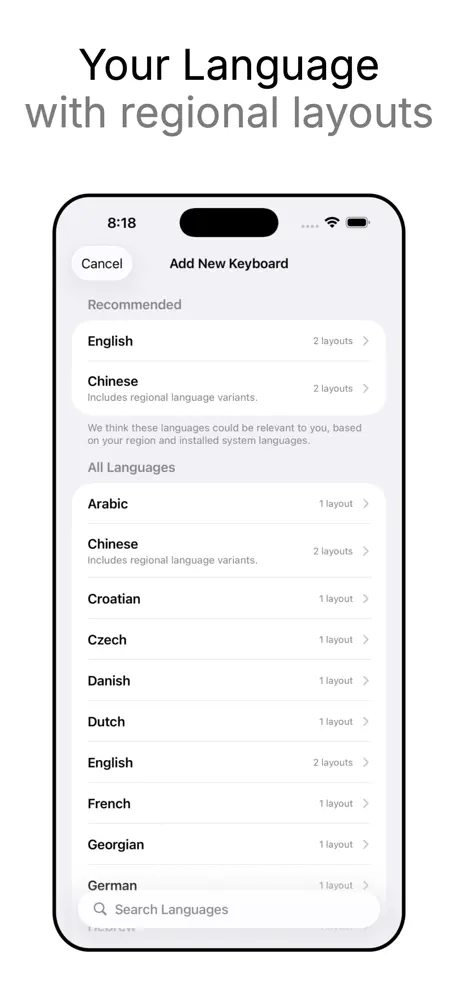
Supports 10 languages: English, Arabic, French, German, Hebrew, Hindi, Japanese, Portuguese, Spanish, Vietnamese.
How much does Mister Keyboard make?
Third-party estimates for the last 30 days, worldwide — not the store's own figures, which Apple publishes for nobody.
Revenue by plan
- Annual 52%
- Monthly 32%
- One-time 8%
- Weekly 8%
Revenue by country
- United States 45%
- Germany 9%
- France 5%
- United Kingdom 5%