
xBloom Coffee
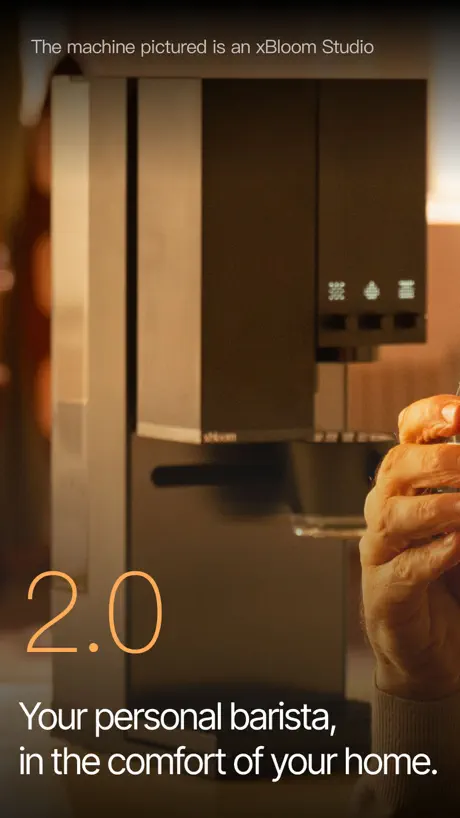

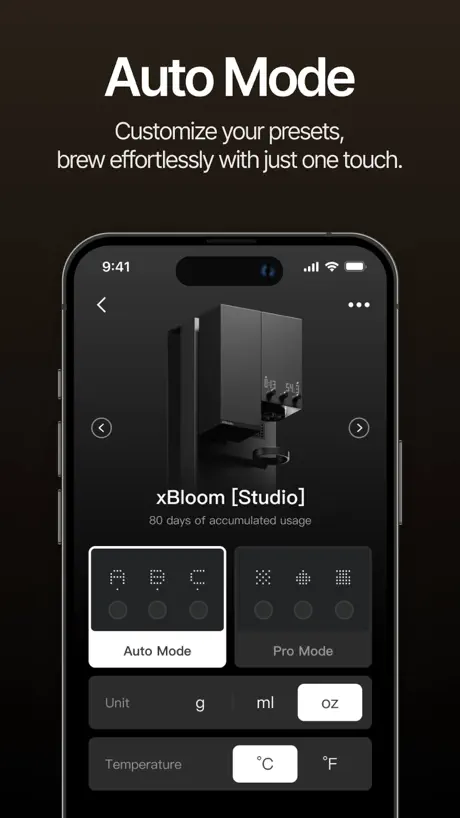
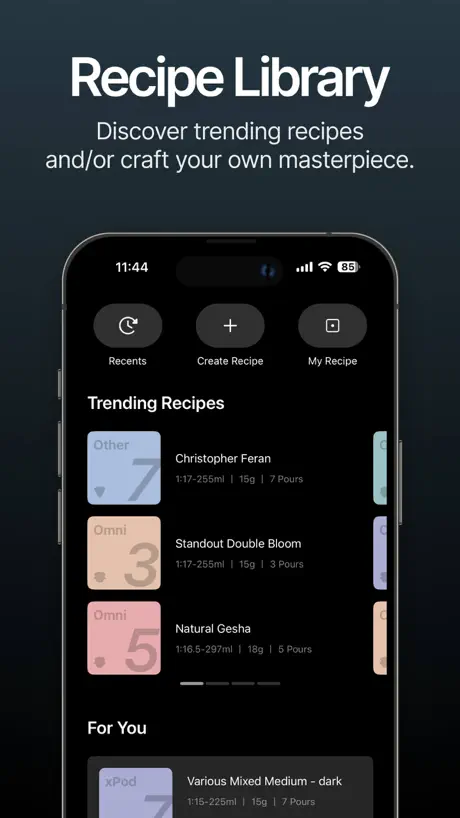
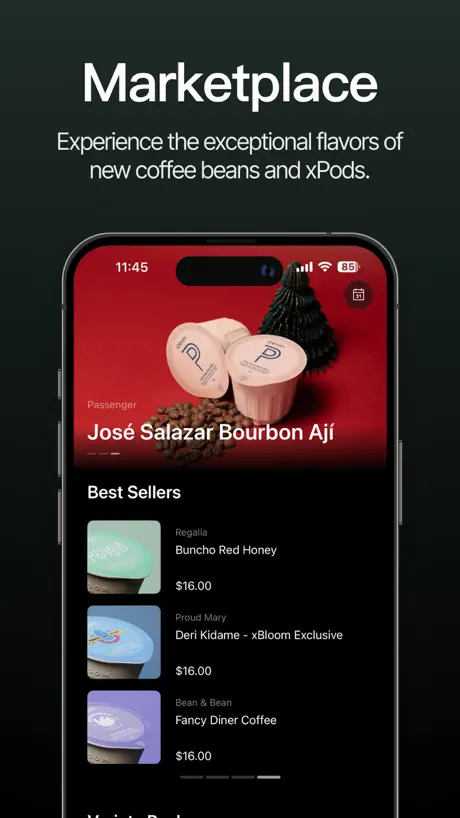
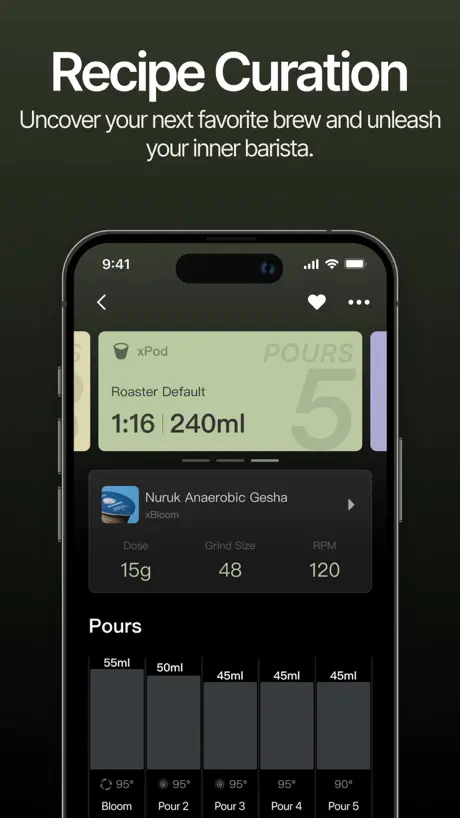
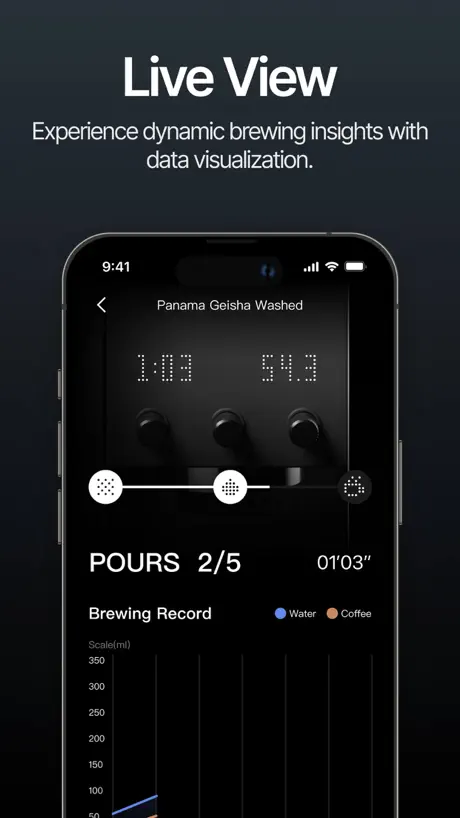
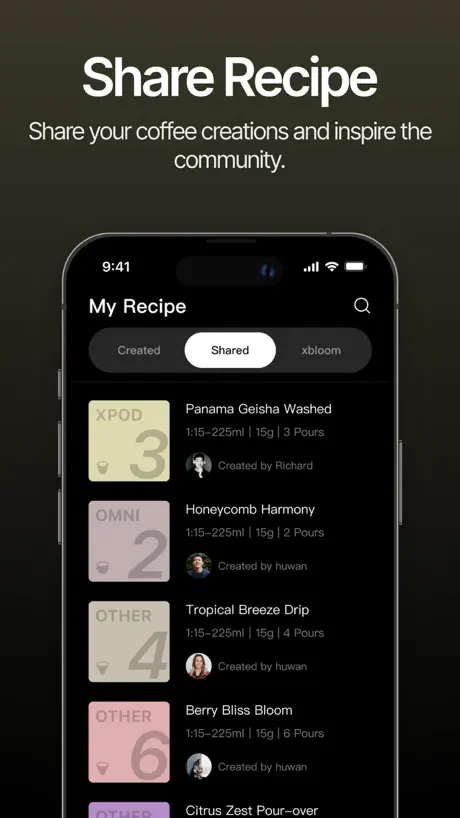
How much does xBloom Coffee cost?
Prices are current as of 9 Sept 2026.
xBloom Coffee has no in-app products on record in the United States.
10+ alternatives to xBloom Coffee
| xBloom Coffee |   justclean justclean |   Sweater | Car Wash Sweater | Car Wash |   Ozee Ozee |   Privilee Privilee |   qitaf qitaf | 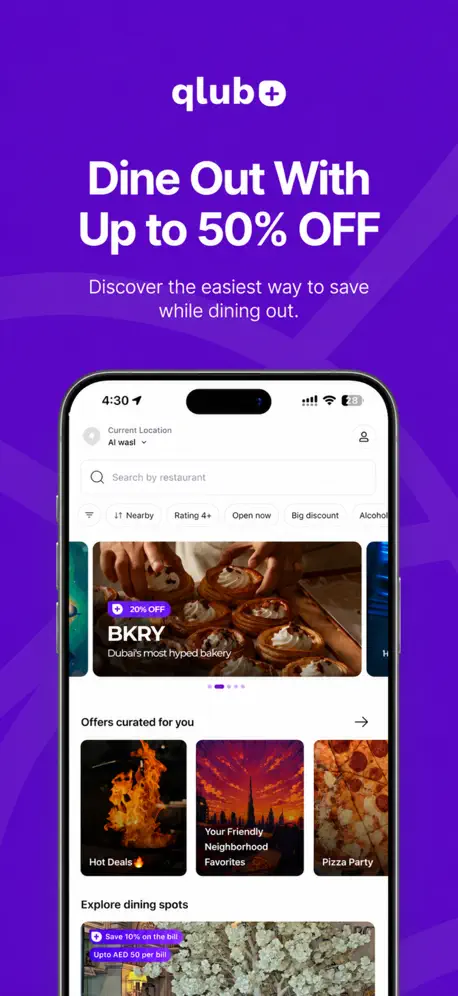  Qlub: Dining, Offers & Rewards Qlub: Dining, Offers & Rewards |   Motery - Buy, Sell & Finance Motery - Buy, Sell & Finance |   Waves: Stay, Sail & Ride Waves: Stay, Sail & Ride |   Fellow Fellow |   Bookpeep Bookpeep | |
|---|---|---|---|---|---|---|---|---|---|---|---|
| Rating / 5 | 3.3 | 4.5 | 4.2 | 4.6 | 4.8 | 4.0 | 3.1 | 4.4 | 3.6 | 1.9 | 4.0 |
| Reviews | 143 | 27K | 17K | 5.9K | 5.2K | 745 | 268 | 264 | 174 | 82 | 32 |
| Released | 2024 | 2017 | 2018 | 2023 | 2018 | 2025 | 2025 | 2019 | 2021 | 2024 | 2023 |
xBloom Coffee reviews
3.3 out of 5, based on 143 reviews.
What people like
- Makes perfect coffee every single time
- Very intuitive and smooth interface
- Developers actually listen and improve it
What they complain about
- App crashes and times out constantly
- UI is cluttered and hard to use
- No easy way to save your own recipes
Honestly Awesome
Love the app and xBloom!
One feature away from perfect
One star, why? Because the main idea people using the app is reaching the peak recipe of every coffee beans out there and I can’t search or share my beans recipe solely using the app. All around the world people are making coffee beans. There are so many and it is wonderful. Please add the ability to actually share and search the recipe through the app. And the ability to add picture to the recipe so I can confirm this is actually the coffee beans that I bought. Of course, it goes without saying, adding the ability to give likes to a recipe that I liked so it can reach its peak is also important. People who bought xbloom are making sites and discords because the app doesn’t have this feature. Xbloom idea is making specialty coffee convenient for everyone. You are one feature away from it.
Almost great
Firstly, it’s a great app to try and customize your brew recipe to perfection. So far I have the following issues/comments: 1. Coffee dosage should be in grams not ml in recipes. 2. There should a to duplicate a recipe in case you want to tweak something but keep the original recipe unchanged. 4. I want to be able to save my recipes to my own RFID tags.
Not great, too many ads
Breaks a lot. Also showing ads to me when I’m trying to make coffee is abusive and wrong.
ipad不能全屏
如题
Awesome
Awesome app, awesome machine
Definition of not user-friendly
I received the studio as a gift. It’s been over 3 weeks and worse than learning to be a barista!!! Terrible example of excessive technology when all you want is a cup of coffee The app connects smoothly and very quick, but it’s useless to get started. Bloom must address this issue as number one concern of new customers is ease of use!
Decent app
Took an hour to get it to connect but once it did, all is good.
Machine is great, App needs to be WAY more refined in 2025.
App is not intuitive, founders need to hire a good UI / UX designer for their website and app, it’s not up to snuff for the price of the machine. Current issue: Bluetooth says it’s connected but I can’t sync my updated recipes or start them with my phone.
Enhancement request! The app needs a clock or timer to run the xbloom in the morning automatically
I’m really enjoying the xBloom Coffee app—it’s easy to use, and the interface is sleek. My xBloom machine pairs perfectly, and the brewing recipes have turned out great every time. One feature I’d love to see is a built‐in scheduling or timer option so I could set my coffee to start automatically first thing in the morning especially when I have everything set. Or allow apple shortcuts so I can run my recipe right before I wake up! Thank you!
Why need ios14...
Why does an app like this need ios14?was going to use an old iPad for dedicated use on this machine but can not do that now
DISCONNECTING
This app keeps disconnecting and the machine isn’t user friendly at all
Great app + feature requests
Great app, very nice user experience. Couple feature requests: - allow to add some notes to the recipe - missing descaling feature in app
18g as max is not enough for ice coffee
I’m an exclusive ice V60 person just as many people out there. And since the usual coffee to water ratio is 1:10, 20 grams would be perfect since we would only pour 200ml of water which would almost never overflow. Make us happy with that update PLEASE!
Landscape support
Great machine! Please add landscape view and/or Split View support- this app is not very functional on an iPad!
ksa
مهتمين لمكينة اكسبلوم استيديو والاورجنال محد معطيها وجه نصيحه اخذ اكسبلوم استيديو لان كل المراجعات والوصفات تكون عليها ولنا الله ي مُلاك اكسبلوم اورجنال
ipad横屏模式下ui错乱
ipad横屏模式下ui错乱
Not working
Frustrating but can do a pour over so whatever.
Awesome machine, mediocre app
My xBloom studio is a revelation and has transformed my coffee enjoyment. The app, though, kinda stinks. The interface is decent enough, but there really should be a wizard for creating new recipes. Some middle ground between auto mode (or, in this context, reusing a generic recipe for different roasts) and dialing every. single. tiny. detail. Ease us into it. Meet us where we’re at re: granular controls. It should warn us when our recipe is liable to overflow the “Omni cup.” There should really be a recipe database/marketplace where folks can exchange recipes for particular roasts. And there should REALLY be live activity integration on iOS. Seriously I can’t think of an app that could make better practical use of that often-gimmicky feature on iOS. My 3 stars are perhaps harsh. If I’m reviewing both the machine and the app at once it’s 4.5 stars. Just the app, 3.5-4. But PLEASE consider these improvements and it’ll be an immediate 5 stars from me.
Transformative - the ultimate
Threw away my pour over equipment. Now my personal barista. Making an almost perfect brewed cup each time, Now I have my tea sommelier for my nightly tea.
App super frustrating
I keep getting “request times out” over and over again with different functions.
Buggy app
App is buggy. Sometimes you can’t make your coffee in the morning
Great Machine but the App ugh
I love my machine but the app is still glitchy especially for Recipes, I keep getting server error. I don’t understand why is it trying to reach a server when it’s using NFC & Bluetooth.
Best coffee machine app
Very intuitive UI, like the haptic feedback very satisfying.
App broken
App isn’t working. I just keep getting a message “request failed wrong parameters”
New update not working
Many errors trying to update the machine firmware, loading screens galore and “failed requests”. The hardware is cool but the software is overall weak. Please invest in your software significantly.
Very easy to use!
Super easy to use with the studio
Honestly regret it
Years ago I use to hand pour. Got a random urge to get a nice coffee maker and found this. Wasn’t too hard to figure the app out. Spent a week messing around with making my own “recipes”. Worst part so far was the baby cup size. This is not a normal American pour a cup out of your pot and go to work thing. They are teeny tiny cups. You can only use max 18g of beans and then you have to keep them rough grain and stretch the brew out to accommodate for a slightly bigger cup. But then the timing is too long and cup isn’t as good. Saturday morning comes around and my recipes are no where to be found. The app kept giving my wife and I different error messages. Even after uninstalling the app we couldn’t even sign back in because we had to pick our “region” but that wasn’t working either. So we were left to manually do it on the machine. That wasn’t too hard to figure out but hardly customizable and if you want to use a coffeee that is already ground you can’t use a preset. You have to sort there and press the water button like your hand pouring it.
Great machine, bad app
TLDR; Please xBloom, just sell blank RFID recipe cards that users can program using the app or machine. That would fix nearly all of my issues, but fix the bugginess/lagginess of the app too. First up, I love my xBloom Studio so much that I bought two; one at home and one for the office. The software does not support multiple xBlooms well, it takes 7-8 clicks to switch between them every day, if everything goes well. The current machine should be a persistent drop down at the top of the screen. With the latest software update the app is super buggy and laggy so switching between machines is even more of a pain lately. I was excited for Auto Mode initially because I share the xBlooms with several family members and coworkers, but you have to choose between Pro and Auto Mode using the app so I still have to get out my phone every time I brew because I like to pre-wet and “negotiate” my filters before brewing using the hot water function. If you share your xBloom with others who use the app you also have to remember to close the app every time you use it or they can’t pair. The app is super cluttered with junk I never use. I basically use the same three recipes, that I made, all the time. I modify the grind size of course, but even when I use the pods I prefer my recipes. The problem is in the recipe section xBloom puts their “Trending Recipes” front and center. Leave the community features to social media and let me have my recipes in the most prominent location. If there is a way to put my recipes in a more convenient place, I haven’t found it because the UI is poor and I can’t find any instructions for how to use the app.
Thank Yall
The app is amazing, but there is some functional issues in the app I hope you consider fixing it. Thanks for your efforts you did build a nice machine that will help all addicted clients for coffee 😋☕️
August 2025 is the worst experience yet
Normally love the apps despite the occasion issues but like once a month is fine. Now in August of 2025 it has always been having issues with the water tank not being full and now doesn’t work properly or lets me to log in. Once again I used an app for more than a year now and this is wild issues
New update bricked my machine
Love my machine but man this new update completely broke mine. Can’t load anything on my app.
Pretty good
This app, xbloom coffee, is extremely useful. It's highly user-friendly and simply perfect. The operation is very smooth. I highly recommend it to everyone who loves coffee and wants a convenient way to manage their coffee experiences.
App doesn’t work
The app says that I need to enable Bluetooth in my phone settings even though it’s enabled — can’t connect to my xBloom.
Glitchy and slow
The recipes portion of the app is really the issue here. Recent recipes never shows the ones I used last. sometimes the recipes page never even loads. Creating a new recipe is way down the page. No copying recipes still. And the fact the you pretty much have to use the app to use the machine makes this extra painful.
Great product, great app to match
In the weeks that I’ve owned the machine, the app continues to be best-in-class and just getting better. The most recent update included a little detail of displaying the machine color you own in the app. Since I own the white one, it bothered me a bit to see the black one displayed. Now it’s showing the exact machine I have! UI adjustments and navigation has improved as well. All in all, I’m really confident that the app & the actual xBloom will continue to get better and better.
App doesn’t work
When the app works, it’s great. After 3 days of use I got up to make coffee and every request is timed out. Machine is essentially bricked.
xBloom Coffee FAQ
- Is xBloom Coffee free?
- Yes. The app is free, in all 175 countries it sells in, and it sells nothing inside it.
- Does xBloom Coffee have a free trial?
- No. None of its offers (US) come with a free trial.
- What are the best alternatives to xBloom Coffee?
- justclean (4.5 from 26,865 reviews), Sweater | Car Wash (4.2 from 16,664 reviews) and Ozee (4.6 from 5,892 reviews).
xBloom Coffee download
Last updated 2 months ago.
xBloom Coffee sells in 175 countries. It was released 2 years and 5 months ago, on 14 Apr 2024. It holds a 3.3 rating from 143 reviews.
Supports 7 languages: English, Arabic, French, German, Japanese, Korean, Chinese.
How much does xBloom Coffee make?
Third-party estimates for the last 30 days, worldwide — not the store's own figures, which Apple publishes for nobody.