TV Cast for Smart TV +
UtilitiesPhoto & Video

TV Cast for Smart TV +

GIA QUANG PHAT JOINT STOCK COMPANY · released 10 Oct 2024 · Open in App Store ↗

Revenue 30d not estimated
Downloads 30d not estimated
Rating 3.99 780 reviews

No in-app products collected for this app.

Rating
Saudi Arabia24%1894.07
Taiwan22%1744.24
United States12%904.32
Spain7%584.05
Mexico6%463.28
Germany4%342.71
Hong Kong4%283.75
France3%273.93
Poland3%224.23
China2%194.00
Australia2%123.92
Netherlands1%113.00
Egypt1%83.88

The store shows a different set in every country

Description

Cast your videos, photos, and IPTV to any TV in seconds.

Control channels, volume, and apps directly from your phone — no setup, no cable, just connect and play.

Cast. Stream. Control. — All in one smart TV app.

Bring your entertainment to the big screen.

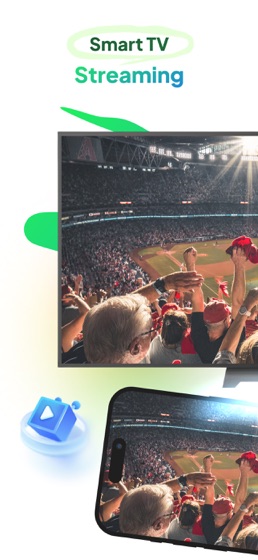
This app lets you cast videos, photos, IPTV, and web streams instantly from your iPhone to any smart TV.

Use your phone as a full-featured remote — change channels, adjust volume, open apps, and navigate menus with ease.

No setup. No cable. Just connect and play.

Key Features:

Cast videos, photos, and music from your phone to TV

Stream online videos directly from websites

Watch your favorite IPTV channels on a bigger screen

Full remote control – navigate apps, change channels, and adjust volume easily

Mirror your phone for live presentations or entertainment

Cast documents, slides, and sketches during meetings or classes

Why Users Love It:

Works with a wide range of smart TVs

Combines casting and remote control in one app

Fast connection and smooth playback

Simple interface, no extra hardware needed

Perfect For:

Watching family videos or sports on your TV

Streaming IPTV channels at home

Using your phone as your daily TV remote

Sharing photos, slides, or creative projects on a big screen

Subscription Information:

Free trial available

Payment will be charged to your iTunes Account upon confirmation of purchase

Subscription automatically renews unless auto-renew is turned off at least 24 hours before the end of the current period

Your account will be charged for renewal within 24 hours before the end of the current period

You can manage subscriptions and turn off auto-renew in Account Settings after purchase

Any unused portion of the free trial period will be forfeited when a subscription is purchased

Download now and enjoy a seamless smart TV experience — cast and control your entertainment in one tap.

Links:

Privacy Policy: https://legal.giaquangphat.work/privacy-policy/

Terms of Use: https://www.apple.com/legal/internet-services/itunes/dev/stdeula/