
COPIC Collection
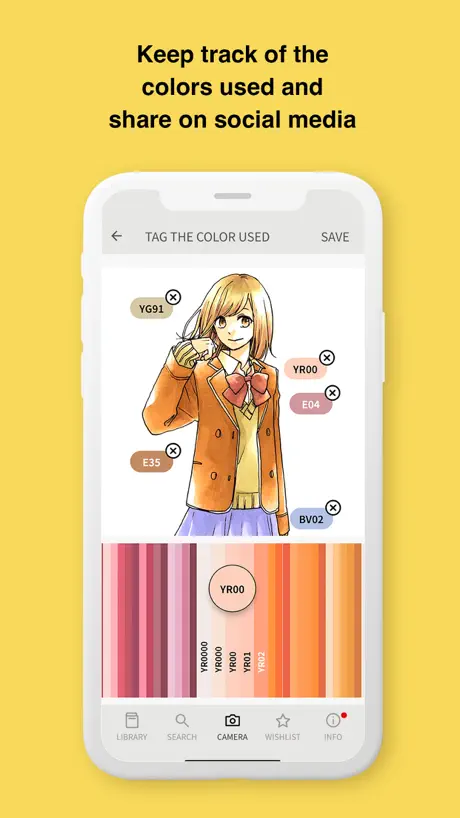
How much does COPIC Collection cost?
Prices are current as of 10 Sept 2026.
COPIC Collection has no in-app products on record in the United States.
10+ alternatives to COPIC Collection
| COPIC Collection | 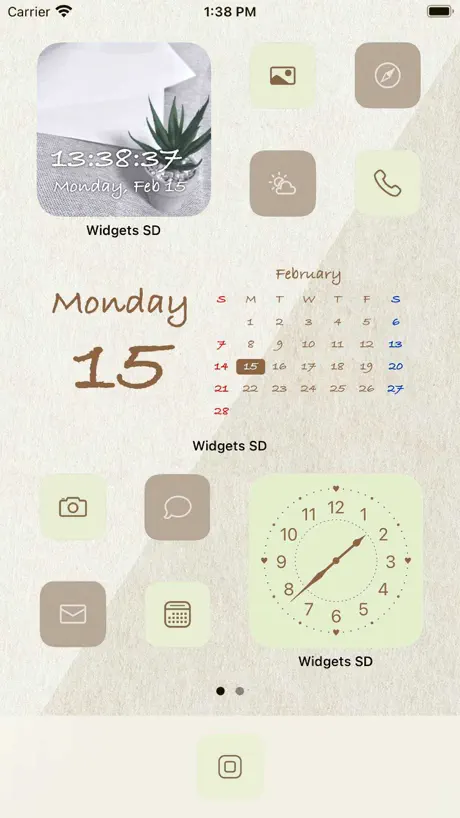  Widgets SD - Photo & Calendar Widgets SD - Photo & Calendar |   flick(フリック) flick(フリック) |   LETTY-Font change, cute text LETTY-Font change, cute text |   Easy Pose -Best Posing App Easy Pose -Best Posing App | 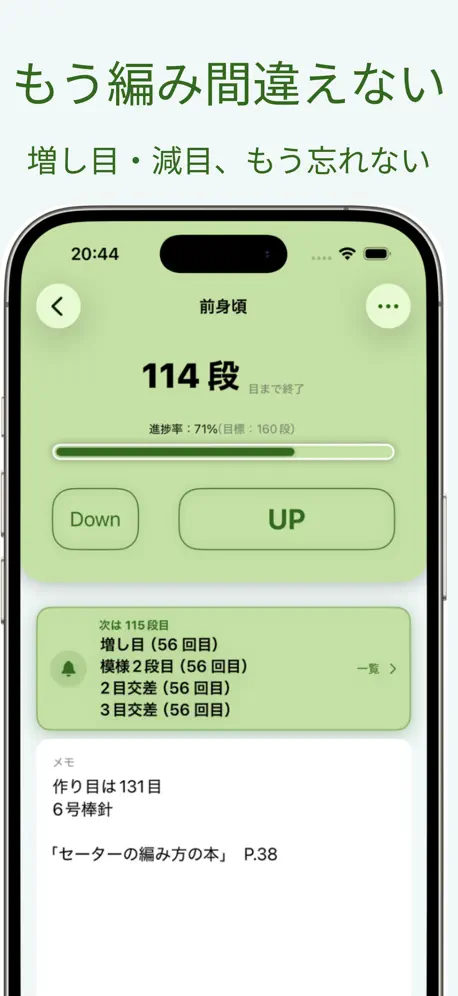  編み物カウンター2 編み物カウンター2 |   Linco Wallet Linco Wallet | 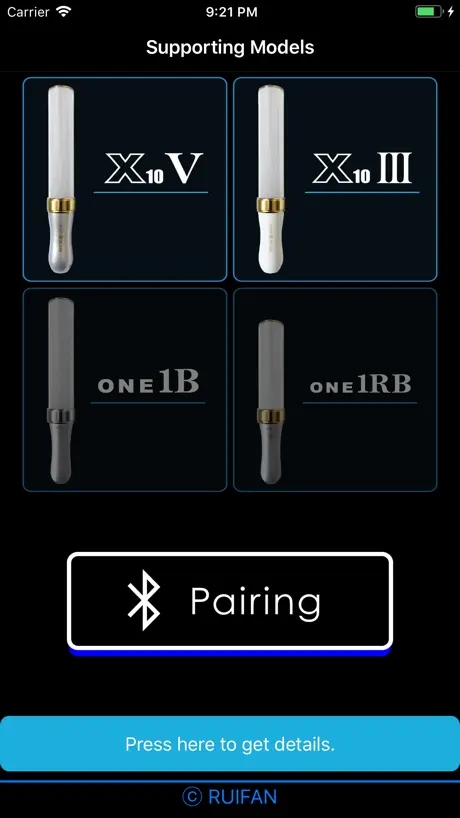  KingBladeBLE KingBladeBLE | 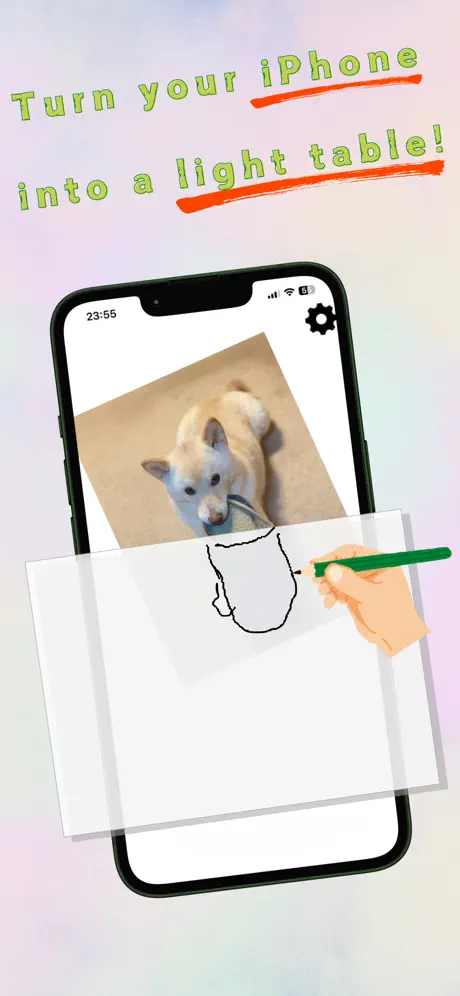  TracingMat TracingMat |   Color Analyzer - Color Lookup Color Analyzer - Color Lookup | |
|---|---|---|---|---|---|---|---|---|---|---|
| Rating / 5 | 3.9 | 4.3 | 4.4 | 4.5 | 4.0 | 4.7 | 1.8 | 1.9 | 4.1 | 4.0 |
| Reviews | 777 | 35K | 22K | 7K | 5K | 800 | 254 | 199 | 107 | 103 |
| Released | 2013 | 2020 | 2014 | 2019 | 2018 | 2021 | 2023 | 2019 | 2020 | 2016 |
| Monthly price | — | $2.99 | $2.99 | — | — | $1.99 | — | — | — | — |
| Annual price | — | $19.99 | $1.99 | — | — | $24.99 | — | — | — | — |
| One-time price | — | $24.99 | — | — | $2.99 | — | — | — | — | — |
The going rate for each plan in United States, in its own currency, shaded from the cheapest price on the row to the dearest. Plans fewer than four in ten of the priced apps sell are left out.
COPIC Collection reviews
3.9 out of 5, based on 777 reviews.
What people like
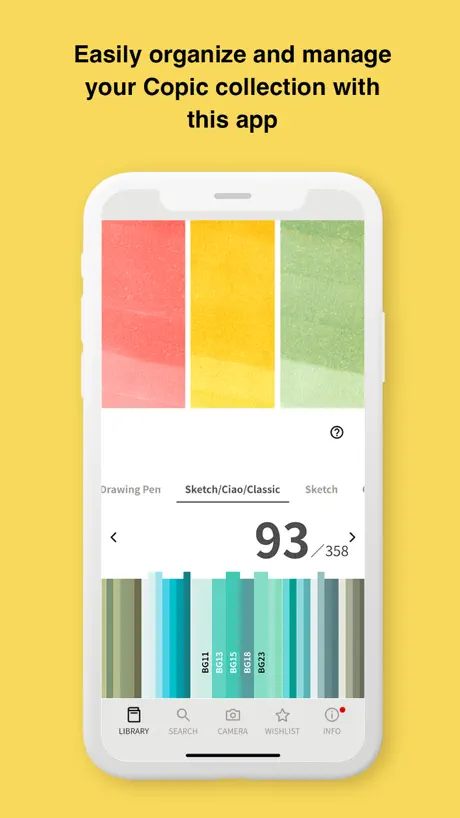
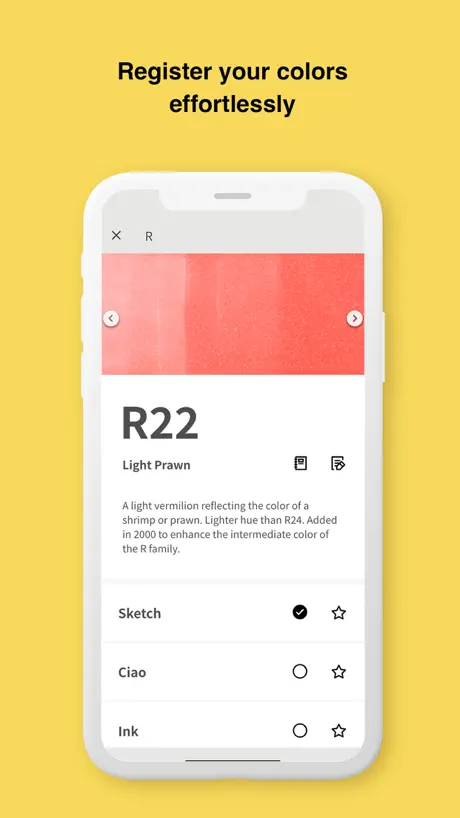
- Great for tracking owned markers and refills
- Helps avoid buying duplicate marker colors
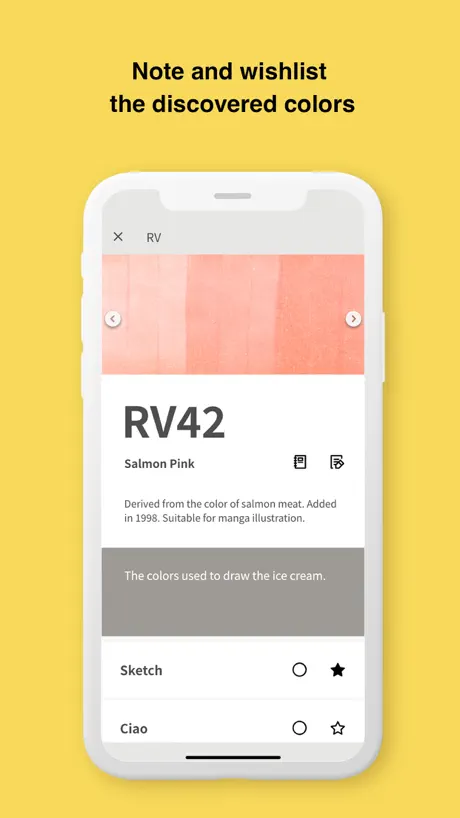
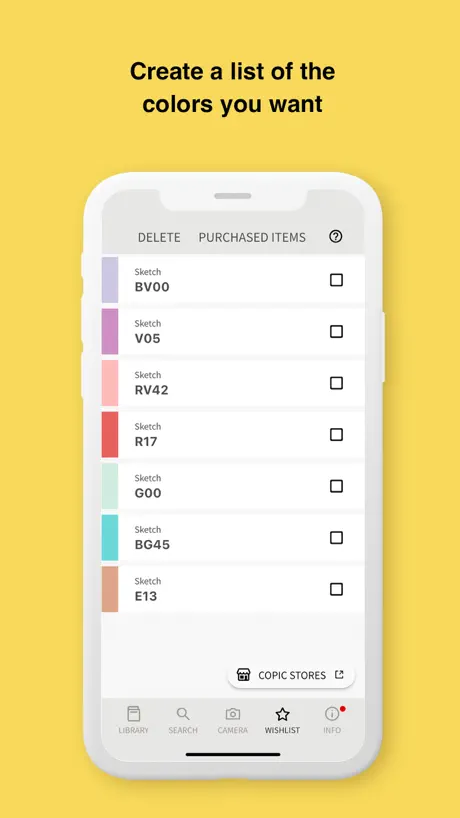
- Useful shopping list keeps you organized
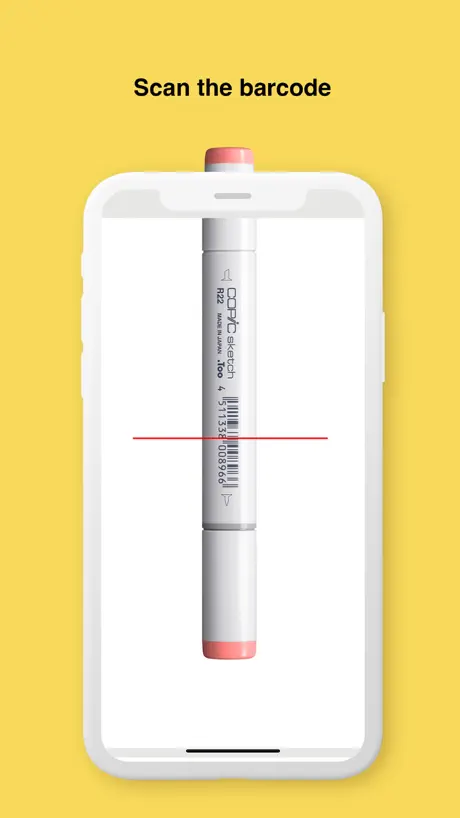
- Barcode scanner helps log new markers fast
What they complain about
- New interface is confusing and cluttered
- Many features are stuck in Japanese
- Hard to see missing colors at once
- Shopping list sorting does not work right
Create app for COPIC users
I love this app, it helps me keep track of a cop I own and what cope I need to own. It also helps me keep track of what refills I have and what refills are run out of. As far as I’m concerned, this is a must have app if you use COPIC markers.
Not user friendly!
This new interface is a nightmare. I used to be able to see what I had at a glance. Now it’s this convoluted scrolling of colors and products that I don’t use. It completely defeats the original purpose of the app.
Good app but..
Please have the app remember what library you were last on. I keep having to scroll from the “all markers” library to the Ciao only section.
A long way to go
I like that I can see all de colors that you have, but it is impossible to find what colors I miss and this is the principal reason ( for me) to get the app
Get old 2.1 version if you can
Loved this app until version 3.0, they cluttered it up with a bunch of functions I didn't need and the UI is both uglier and harder to use now. Since I can’t downgrade the version, I’ll probably go back to using a spreadsheet.
Love the app
App is almost perfect but a couple of features would help. The ability show low ink on a marker. Similar to the star maybe a water drop above the pen to signify the need to buy a refill. A lock feature something simple like hold down the pad lock for five seconds to unlock and make edits to your collection to prevent accidental edits. Love the star feature for the shopping list. Notes area for other needs like paper or bibs
Old App Interface Was Better
I’ve had this app since 2021. It used to be great. All I needed it for was inventory. It had a great toggle option where I could “select” the markers/ ink that I owned. (The entire series was dark but the ones you owned were light). It was super useful when I’d run out of ink, I’d just toggle it off. When I’d go to the art supplies store I’d know what’s missing. Now it’s just a display of every single COPIC color, which is fine. But I could just search the color directory online if I needed to see that. Bring back the old interface!
Very Helpful
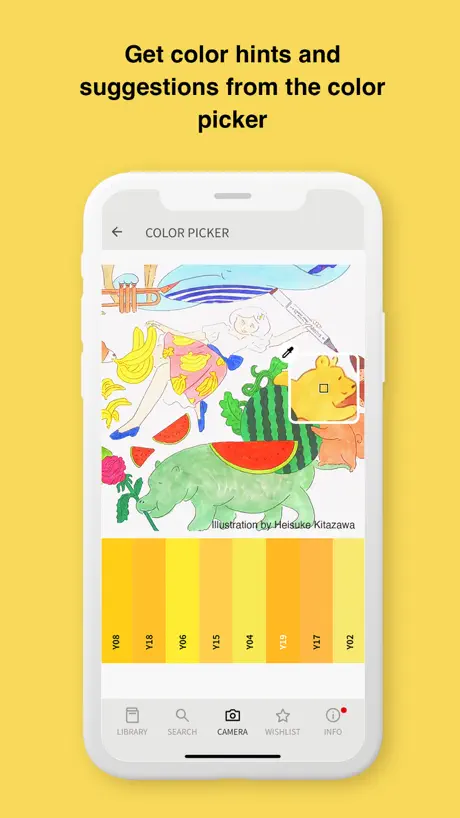
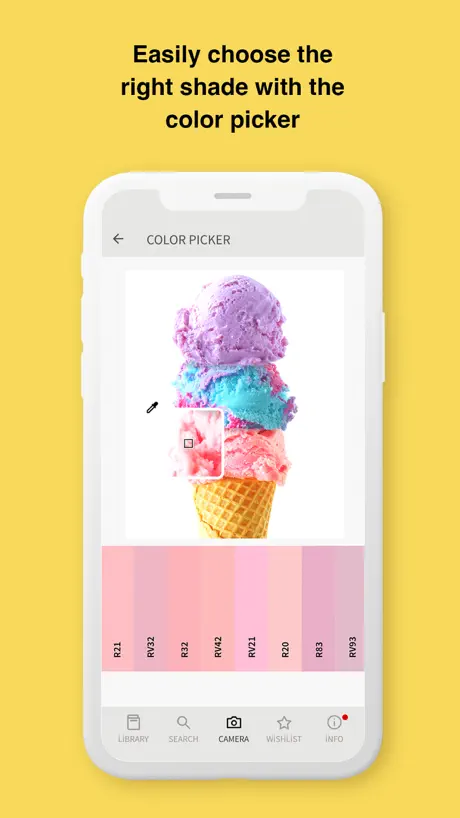
Very helpful but I must agree with the previous review from “Asharnanae” that the interface is cluttered. I am on a career change therefore new to Copics, so this is my first time using the app- the previous skeuomorphic UI that the reviewer mentioned sounds fantastic - being able to see my markers in a pen rack just seems more intuitive than fumbling around on small colour strips trying to see which ones I own. That said; it is not terrible, it is helpful in aiding me to not purchase duplicates and to have a list of colours I would like to purchase next. It would be nice if my wishlist pens could be automatically updated when I add a purchased pen from the list via scan. The colour picker and tag colours in image functions are great. Adding a Copic community forum or something to the app would be non-essential but nice too.
New Library Unhelpful
The app is useful to keep track of what markets I have and don’t have, but ever since they redesigned the app, the library is so hard to use. You can’t see an entire color family at once, the scrolling is finicky and hard to select the right color you want, and it’s more difficult to tell at a glance which colors you do or don’t have. Please please please bring back the old library, where you could expand the color families and switch between owned versus all and see the markers laid out individually instead of tiny little color strips
Do not like the new library function
The new library feature/function is not user friendly. Please go back to the previous version.
Question
I love the app! But I have difficulty counting how many are on my shopping list/wish list. But it does tell me how many I have if I bought them. If there was a way to add a tally counter to the wish list as well it would make it easier for me. All in all, awesome app! I just need to save up money to buy off my wish list!
Not a fan
I liked the previous app so much more! It’s hard to see my collection now. Not a fan of the update and new format
Great update, but…
There are so many wonderful things about the new update! All the camera features are awesome! Love the scan-to-log new markers feature as well as the color picking and project saving features! The white background is so much easier to read than the old gray/black background was. Two suggestions, though… First, can you make all the “purchased” checkmarks the same color? They eye can much more quickly see which colors are owned by scanning a list for all black dots vs. some black and some white. Second, can you put three indicators all on one screen — owned, wish list, and re-inker? That would show me everything I need to know in one place!
Update is not as visually appealing
Not as nice as before.
Useful BUT Could be better
I’m just starting my copic collection and this helps me keep track of what I have and what I need BUT it’s missing some basic features that would make life far easier Sorting colors/collection by marker sets would be huge! Save folks from doubling up on certain colors that have overlap.
Great app for knowing what markets you have when you at a store.
⬆️Read the top.⬆️ Didn’t even realize, but you can change the app icon!!!
0 Stars
The directions are barely that sadly, I’ve been waiting for an app to help me with what colors I’m missing, need refilled and of course. The ones I already own, this app is not straight forward, it is cumbersome and I’ve struggle and even asked friends to help figure it out and nope, I can’t even find where to add the markers I own, it’s just a giant library of inventor - the colors they have. But no sense to how the lay out works. This app has a long way to go before it can actually be helpful
i just got the app and...
ok so i just got this app and why is it 4+ it should be 20+ like are parents cant just let us have a whole customer account just to have it.i thought it was just an app where they give you this collection of copic markers and you mark them that you have it like we don't want to do that.
Such a waste
The barcode scanner doesn’t work and why don’t you guys have a option that lets you automatically add the whole collection if you own it to the library…
Shopping list feature
It doesn’t work.
I LOVE THIS APP SO MUCH💕😃💕😃💕😃💕😃💕
I love this app and is always sooo helpful when I need to organize my markers for a big project or piece of art and for my future set, I’m not a YouTube artist 👩🎨 I love doing art though, and I’m actually a noob to markers the too brand specifically.
Unusable with recent update
The app is too difficult to use now. The old app with the pen visuals was much more helpful. This was downloaded on a new iPad but I will be sticking with the old one that’s on my iPhone from now on.
Really good just needs duplicate marking
As someone who accidentally has a bunch of duplicate markers since I buy various sets and it tends to repeat a couple I would really appreciate the ability to mark owning more than one of a marker and colour. Other than that it’s a solid app
The Older Interface Was Much Better
Usually I appreciate more minimalist graphic design approach, but this recent design overhaul update for this app is such a huge downgrade. The page with all the pen caps is the biggest part I miss, because you could easily see at a glance what you own (Sketch, Ciao, Ink, Classic were all grouped and each had a unique visual representation) along with the full name and number. I also miss the page where you could see your entire collection as a color chart. There’s now no longer a way to do that. I’m glad they added a barcode scanner feature, that’s about the only improvement, everything else is massively disappointing.
Works, but needs some improvement!
The app does what’s its meant to do, track your market collection. But there’s a few suggestions that I think would make the app easier, and more pleasant to use. 1) add a “search” function. - I spent nearly an hour logging all of my markers, because there’s no way I could search the name, I had to go into each folder and scroll to find the exact marker ••• 2) add a “filter” option. - For example, I only typically like collecting the copic sketch markers. I wish there was an option to filter the types of markers instead of viewing them all. If I only want to view copic sketch markers, and not the other types of copics, there should be a filter to select “only sketch” or “only ciao” etc. ••• 3) add an option to colour match photos?? - I saw in the app images something where you can use a colour dropper on an image to view the matching copic color, but I cannot find a way to do this in the app if there is one?? It would be extremely helpful for me as I mainly draw characters, and my characters all have digital reference sheets, and matching them up to market colours is extremely difficult ••• 4) make it easier to see what colors will look like on paper. - I’m not to fond of having to scroll through a colour wheel to find a colour I want, it would be easier if it was on a grid and you could tap the colour instead! ••• Overall, the app is a little difficult to navigate, and could do with a lot of little improvements. It does however do what it’s supposed to do, so I’ll give them kudos for that of course. The app has great potential, but honestly just needs some improvements, and maybe an updated look?
I’m enjoying it!!
It’s very handy to have one place to “store” all my owned markers, as well as a list of markers that I want to buy. There’s a helpful list of all the COPIC maker colours (as well as a picture of the colour as it would look on paper). I can scroll through them easily - it makes it easier to understand what colours go well together, and helps me decide on which colour I’d like to buy next! A great app!
Old version was significantly better
The original version was infinitely better. I could easily see my library and add to it. All was displayed to see. The new layout is worthless. Please bring back the classic view!!!!
Please fix…
Please remove the Wide colors as they are old hat, and fix the names of E04, E13, E15, and the codes and names of all fluorescent colors.
Old UI was more user-friendly
It’s difficult to see what markers I don’t have with the new UI, and it’s much harder to navigate through the colors I do have. The app seems to also be harvesting more of my data.
Reading colors of pics
Love the app EXCEPT it does not work to take a picture and then app to tell you what colors to use. Please explain how to make this function work
Copic App
What an amazing app, so helpful to see what you have and what you want to buy on the go. No more carrying a chart with me or arriving at the Art Store and not knowing what you need. Love the shopping list too, now I just add in what I want to buy and go to the store with my phone 💖
Et .Too Copic
Another app gone bad due to bad decisions on the corporate side. Not a fan of this new version. I can’t see the markers I have unless I choose the color. I liked the GUI of the older version and where is the complimentary color chart? Am I just not seeing it?
Owned needs specified to subset selected
Overall recommend! Wish I could give 4.75 stars. Great app for seeing your markers and refills by category or everything together. Lots of great features but a big one is missing. If I select to show Stock only, and refills only, the Owned tallly should reflect that and only total how many refills I have in stock. Especially helpful as you try and build or account for your collection. Also, Something I haven't been able to find anywhere is a list of colors that ONLY come in sketch. Would really help those of us with both classic and sketch. The charts wi5h different shapes for what the color comes in doesn't cut it (Id explain but my review is crazy long already:) Thank you.
Bring back the old app
There are a couple of nice feature in the new version of the app, but I would give those up to have the old app back. With the new app, it is really hard to see what you have and don’t have, you cannot see the color families and their easily. I am back to using my paper color chart.
Could be really useful...
I really wish this app were as useful as it has the potential to be. Specifically, sorting your shopping list is available, but doesn’t work. When I try to move markers around to groups to help my prioritize my purchases, they sort of just go back to where they were when I started. The app would also be useful if it cross-referenced COPIC sets so you could easily tell what you already own in a set and if it’s worth buying. I started out my collection by buying all of the 6 marker sets, and now I’d like to buy a 72 marker set, but I’m too lazy to sit down and figure out which set has the least repeat markers from what I already own. As far as the actual color theory areas go, they’re cool, but in the end, for me, this is more of an “advanced shopping cart” instead of a tool to help me pick colors since I would never trust the screen to identify and choose hues—a self-made paper color chart works better for me.
Mrs kittykat5454
I love my COPIC collection tool box. It a marvellous tool to have with me on those days when I'm not purchasing and then do. All my Copic's are displayed at my fingertips and I NEVER double up on pens ever. Without my COPIC collection on my iPad I'm sure I would buy pens I already own. It happened before but not since I now have my COPIC collection on hand. Fantastic product keep up the great work.
New complicated redesign completely scraps old complicated design
The old design was visually appealing but expensive and complicated to program. So they went and spent more money on another expensive overtly complicated design but this time it’s ugly. THE PROBLEM Whoever is in charge of the app development has wasted a ton of money trying to solve an easy problem by over ambitiously complicating it, and now the app needs another redesign that isn’t going to happen anytime soon. SUGGESTIONS Go to a graph spreadsheet system that is fast and easy to add an item. Don’t overload the screen with a picture of every individual single item. Keep things simple. Prioritize a low number of steps to complete an action. FEATURE SUGGESTIONS Add a way to catalog a copic collection by taking a photo of it. The app should be able to see and find the numbers of each Copic pen visually. Keep and improve the bar code reader so that it can be used for more than just scanning the copic marker pens. Keep and improve the import photo color matching feature. GOODLUCK!
What does Comp. mean ??
Is that what other colors compare to what color you selected??
Used to be great
As a utility app it was great but then you removed the ability to track refills. I have all the markers & need an easy way to track refills I own whilst also making a separate list of refills I need at that moment. Defeats the purpose of the app & makes it less useful.
Copic collection
Nice little app but would be super if you could just scan the pens barcode to input your collection :)
So useful!
I like version 2.0, it looks very smooth and is faster. I like the marker count. Thank you! Overall, an extremely helpful app! But, some comments: (1) I do prefer the * (Shopping List) layout in version 1.4 - the shopping list in version 2.0 doesn't order properly, isn't as neat to read, and makes duplicates of pens if you try to rearrange the shopping list items. (2) Spelling - the word Neutral is still spelt incorrectly in the app, as well as the word Cancel in some places and in some buttons. Overall, an extremely helpful app!
Older version was better!
If you don’t want to return to the older version, where one could see the kind of pen and colors one had, at least make a page on this version where you can do that! Seeing the end caps was comparable to looking into my box and seeing what I had or needed. I do not like this version where you have to search the color and then what pen you have. It’s ok to see all the colors, but it would be nice to see a virtual pen as well.
Amazing
The app leaves little to be desired but what I think will improve it is a blending chart for markers you have and markers you plan on getting.
Lost all data
Upgraded IOS to latest version, will not open. Try to update and downloads new version. Lost all records of markers on prior app. Have to start over.
COPIC sketch markers
I have loaded the app but when I choose the sketch pen the total of pens cuts in half. I e - only 16 BV instead of 32. They are all the same.
Love it but ......
You might want to consider a translation for English. I love being able to keep track of my Copics but the rest of the app is useless to me because I can't read it and I would love to be able to use it !!
Horrible update!
I hate the new version. I liked seeing my markers displayed the way the old version had them. Please PLEASE fix. Just awful. I won’t use it anymore
Ok app
The only qualm I have with this app is all the information is in Japanese. If there was a choice of languages then this would improve the app
Deleting markers
App deletes owned markers randomly. Please fix.
Awesome, but unable to fully use
This app seems great. Unfortunately, all the instructions are written in japanese, which make it impossible for me to use for anything but the collection function, but that alone is great. Would love to be able to enjoy the other uses that it seems to be designed for.
COPIC Collection FAQ
- Is COPIC Collection free?
- Yes. The app is free, in all 174 countries it sells in, and it sells nothing inside it.
- Does COPIC Collection have a free trial?
- No. None of its offers (US) come with a free trial.
- What are the best alternatives to COPIC Collection?
- Widgets SD - Photo & Calendar (4.3 from 35,312 reviews, premium from $2.99), flick(フリック) (4.4 from 21,634 reviews, premium from $1.99) and LETTY-Font change, cute text (4.5 from 6,996 reviews).
COPIC Collection download
Last updated 2 months ago.
COPIC Collection sells in 174 countries. It was released 13 years and 5 months ago, on 23 Apr 2013. It holds a 3.9 rating from 777 reviews.
Supports 2 languages: English, Japanese.
How much does COPIC Collection make?
Third-party estimates for the last 30 days, worldwide — not the store's own figures, which Apple publishes for nobody.