
YACReader - Comic Reader
Read comics, manga & webtoons
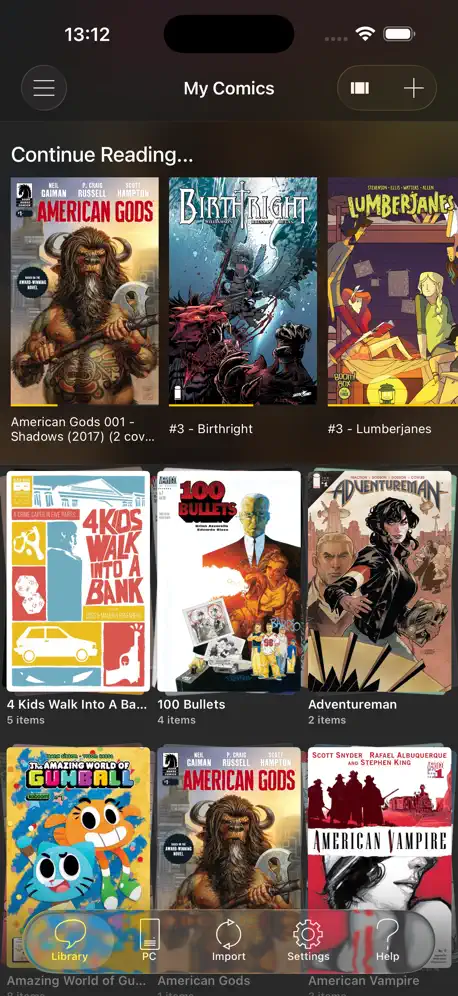
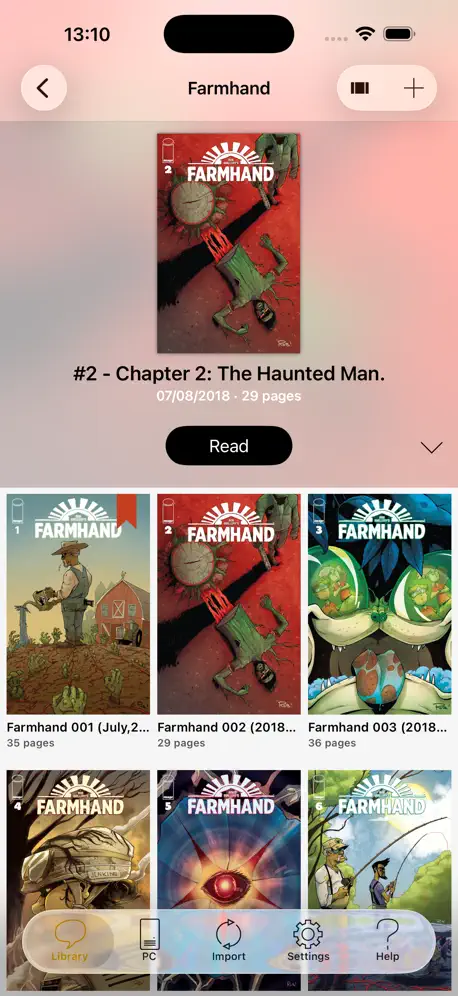
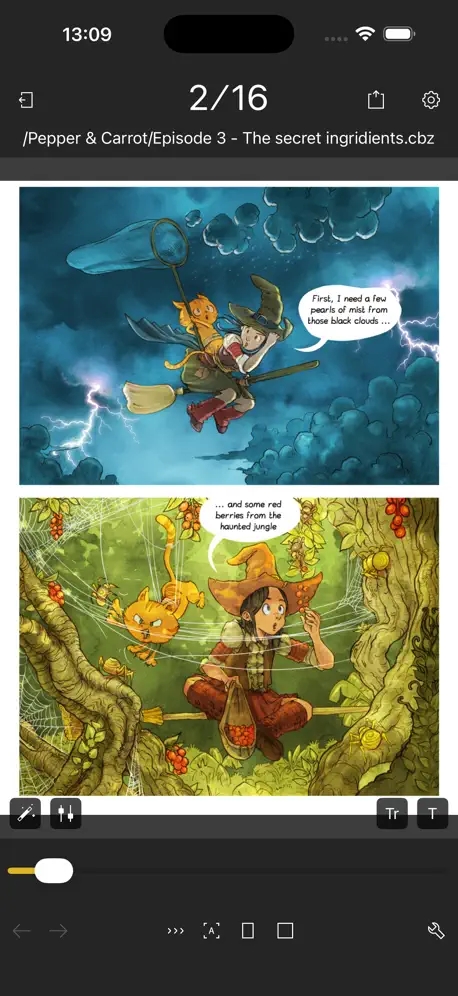
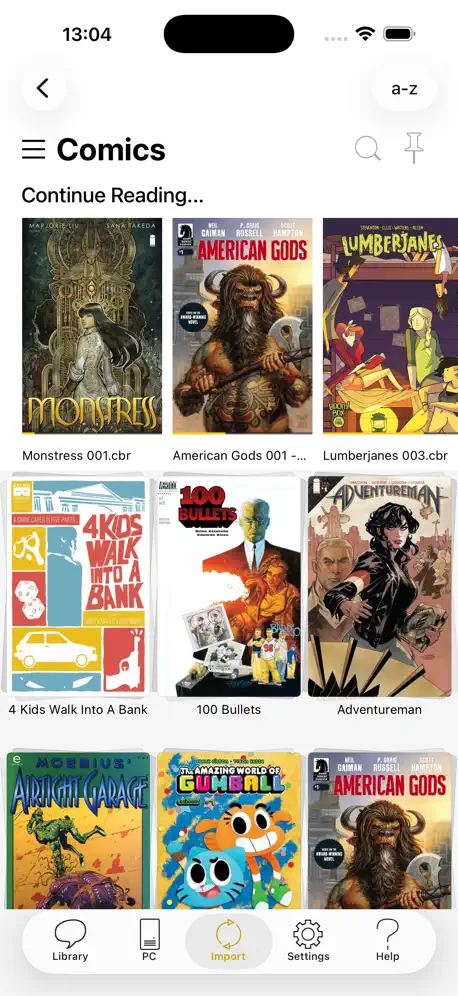
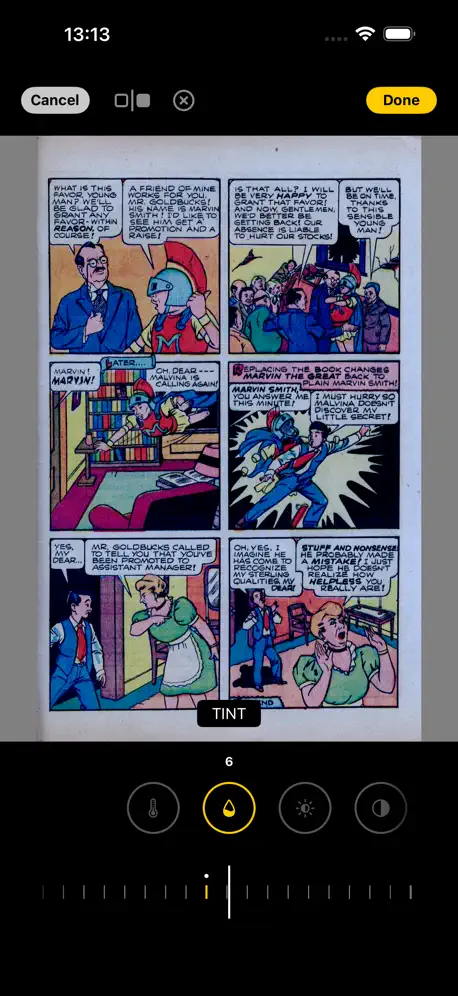
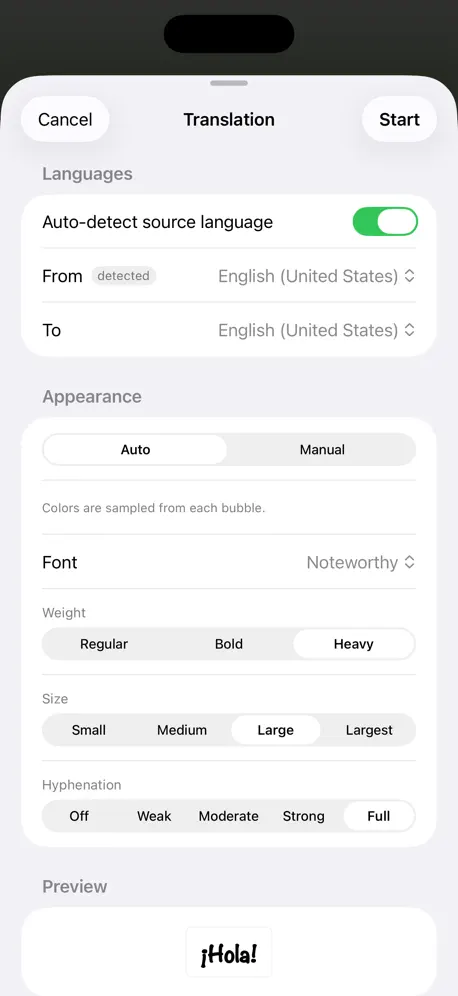
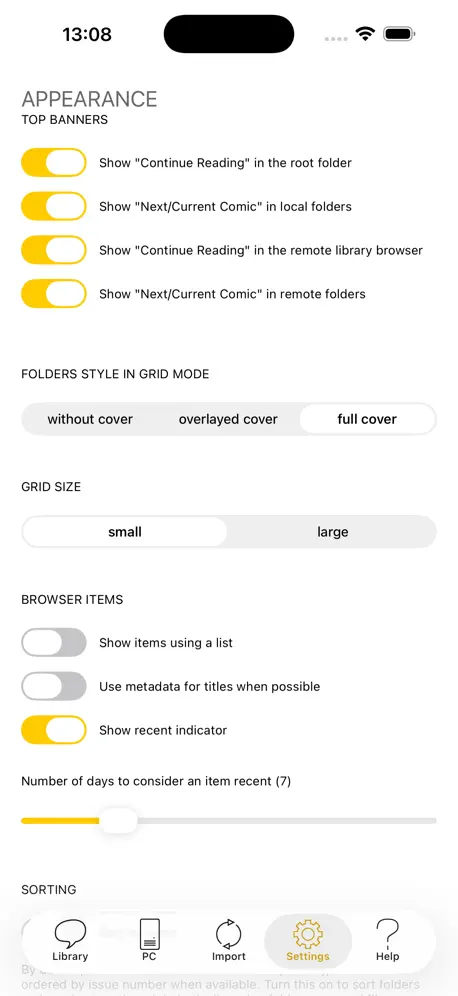
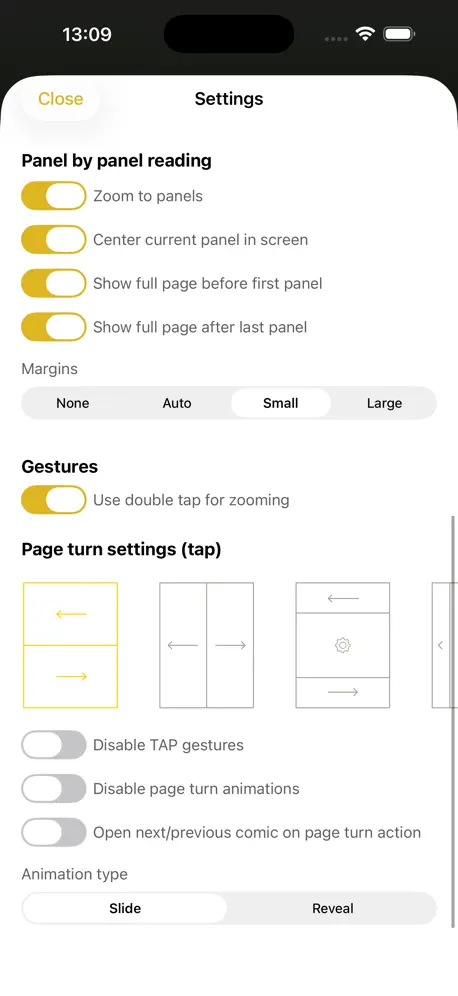
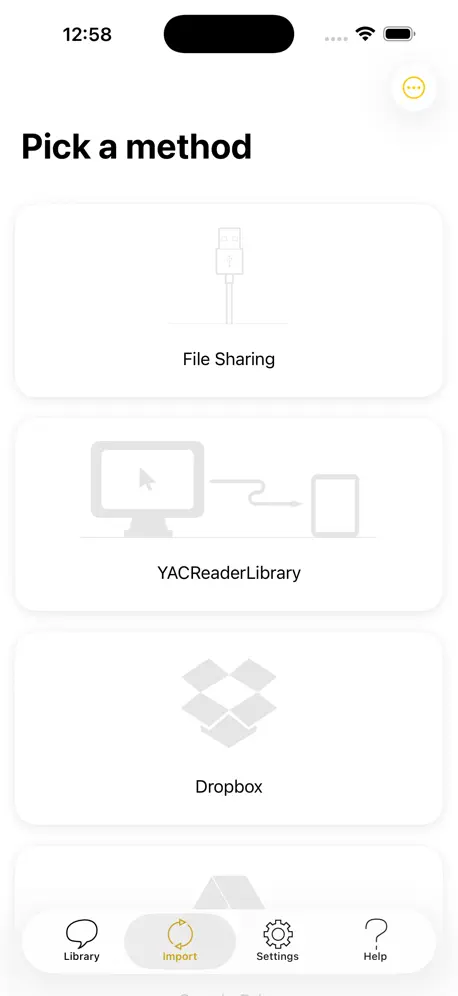
How much does YACReader - Comic Reader cost?
Prices are current as of 5 Nov 2026.
YACReader - Comic Reader has no in-app products on record in the United States.
YACReader - Comic Reader download price by country
| Country | Price |
|---|---|
| United States | $4.99 |
| Spain | €5.99 |
| France | €5.99 |
| United Kingdom | £4.99 |
| Canada | CA$6.99 |
| Italy | €5.99 |
| Germany | €5.99 |
| Mexico | MX$99.00 |
| Australia | A$7.99 |
| China | CN¥38.00 |
| Netherlands | €5.99 |
| Brazil | R$29.90 |
| Belgium | €5.99 |
| Russia | RUB 449.00 |
| Chile | CLP 5,990 |
| India | ₹499.00 |
| Poland | PLN 24.99 |
| Sweden | SEK 69.00 |
| Switzerland | CHF 4.00 |
| Portugal | €5.99 |
| Argentina | $4.99 |
| Japan | ¥800 |
| Austria | €5.99 |
| Philippines | ₱299.00 |
| New Zealand | NZ$9.99 |
| Turkey | TRY 249.99 |
| Denmark | DKK 39.00 |
| Ireland | €5.99 |
| Indonesia | IDR 99,000 |
| Peru | PEN 22.90 |
| Malaysia | MYR 22.90 |
| Colombia | COP 24,900 |
| Ukraine | $5.99 |
| Norway | NOK 59.00 |
| Romania | RON 29.99 |
| Czech Republic | CZK 129.00 |
| Singapore | SGD 6.98 |
| Finland | €5.99 |
| Thailand | THB 199.00 |
| Greece | €5.99 |
| Hong Kong | HK$38.00 |
| Costa Rica | $4.99 |
| Hungary | HUF 1,990 |
| United Arab Emirates | AED 19.99 |
| Vietnam | ₫149,000 |
| South Africa | ZAR 99.99 |
| Israel | ₪14.90 |
| South Korea | ₩7,700 |
| Taiwan | NT$150.00 |
| Bulgaria | €5.99 |
| Croatia | €5.99 |
| Ecuador | $4.99 |
| Dominican Republic | $4.99 |
| Saudi Arabia | SAR 19.99 |
| Slovakia | €5.99 |
| Guatemala | $4.99 |
| Slovenia | €5.99 |
| Luxembourg | €5.99 |
| Serbia | €5.99 |
| Kazakhstan | KZT 2,990.00 |
| Malta | €5.99 |
| Kenya | $5.99 |
| Bahrain | $4.99 |
| Belarus | $5.99 |
| Cyprus | €5.99 |
| Cambodia | $4.99 |
| Sri Lanka | $4.99 |
| Pakistan | PKR 1,300 |
| Bosnia & Herzegovina | €5.99 |
| Bolivia | $4.99 |
| Egypt | EGP 249.99 |
| Fiji | $4.99 |
| Georgia | $5.99 |
| Honduras | $4.99 |
| Jordan | $4.99 |
| Kuwait | $4.99 |
| Latvia | €5.99 |
| Panama | $4.99 |
| Paraguay | $4.99 |
| Qatar | QAR 19.99 |
| Uruguay | $4.99 |
| Armenia | $5.99 |
| Estonia | €5.99 |
| Ghana | $5.99 |
| Iceland | $5.99 |
| Myanmar | $4.99 |
| Nigeria | NGN 7,900.00 |
| Oman | $4.99 |
| El Salvador | $4.99 |
| Burkina Faso | $4.99 |
| Bahamas | $4.99 |
| Jamaica | $4.99 |
| Lithuania | €5.99 |
| Morocco | $5.99 |
| Moldova | $5.99 |
| Montenegro | €4.99 |
| Macedonia | $4.99 |
| Mongolia | $4.99 |
| Maldives | $4.99 |
| Mozambique | $4.99 |
| Nicaragua | $4.99 |
| Trinidad and Tobago | $4.99 |
| Venezuela | $4.99 |
| British Virgin Islands | $4.99 |
| Zimbabwe | $5.99 |
| Afghanistan | $4.99 |
| Antigua And Barbuda | $4.99 |
| Anguilla | $4.99 |
| Albania | $5.99 |
| Angola | $4.99 |
| Azerbaijan | $5.99 |
| Barbados | $5.99 |
| Benin | $5.99 |
| Bermuda | $4.99 |
| Brunei Darussalam | $4.99 |
| Bhutan | $4.99 |
| Botswana | $4.99 |
| Belize | $4.99 |
| Congo, Democratic Republic | $4.99 |
| Congo | $5.99 |
| Cote Divoire | $5.99 |
| Cameroon | $5.99 |
| Cape Verde | $4.99 |
| Dominica | $4.99 |
| Algeria | $4.99 |
| Micronesia | $4.99 |
| Gabon | $4.99 |
| Grenada | $4.99 |
| Gambia | $4.99 |
| Guinea-bissau | $4.99 |
| Guyana | $4.99 |
| Iraq | $4.99 |
| Kyrgyzstan | $4.99 |
| St. Kitts and Nevis | $4.99 |
| Cayman Islands | $4.99 |
| Lao Peoples Democratic Republic | $4.99 |
| Lebanon | $4.99 |
| St. Lucia | $4.99 |
| Liberia | $4.99 |
| Libya | $4.99 |
| Madagascar | $4.99 |
| Mali | $4.99 |
| Macao | $4.99 |
| Mauritania | $4.99 |
| Montserrat | $4.99 |
| Mauritius | $5.99 |
| Malawi | $4.99 |
| Namibia | $4.99 |
| Niger | $4.99 |
| Nepal | $5.99 |
| Nauru | $4.99 |
| Papua New Guinea | $4.99 |
| Palau | $4.99 |
| Rwanda | $4.99 |
| Solomon Islands | $4.99 |
| Seychelles | $4.99 |
| Sierra Leone | $4.99 |
| Senegal | $5.99 |
| Suriname | $4.99 |
| Sao Tome & Principe | $4.99 |
| Swaziland | $4.99 |
| Turks and Caicos | $4.99 |
| Chad | $4.99 |
| Tajikistan | $4.99 |
| Turkmenistan | $4.99 |
| Tunisia | $4.99 |
| Tonga | $4.99 |
| Tanzania | TZS 14,900.00 |
| Uganda | $5.99 |
| Uzbekistan | $4.99 |
| St. Vincent & The Grenadines | $4.99 |
| Vanuatu | $4.99 |
| Kosovo | €5.99 |
| Yemen | $4.99 |
| Zambia | $5.99 |
10+ alternatives to YACReader - Comic Reader
| YACReader - Comic Reader | 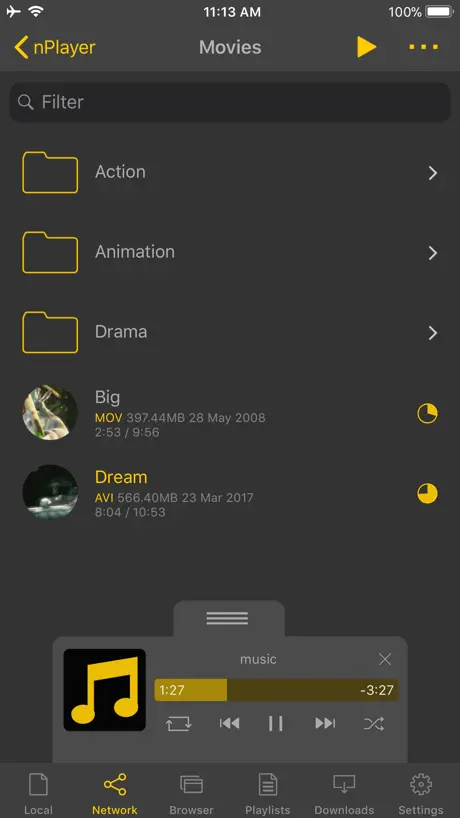  nPlayer | 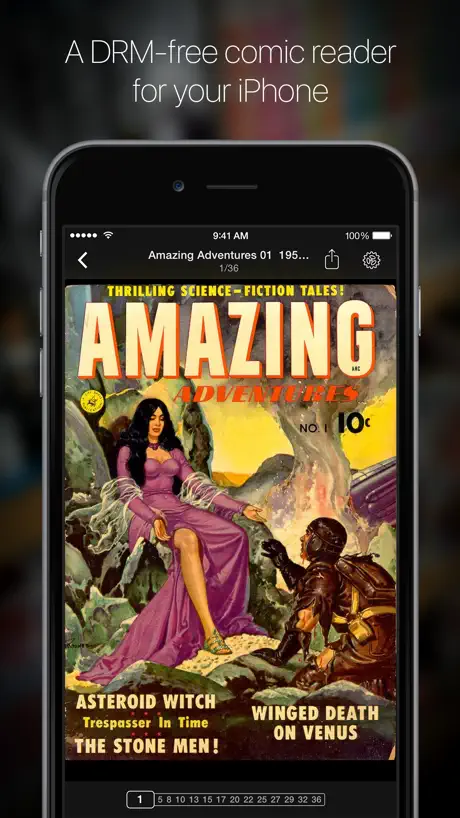  iComics |   Comic Geeks |   Ruddarr |   Paperback - Comic/Manga Reader |   Swiftfin |   iComix |   Plezy: Media Server Client |   Moonfin | |
|---|---|---|---|---|---|---|---|---|---|---|
| Rating / 5 | 4.8 | 4.7 | 4.8 | 4.8 | 4.9 | 4.4 | 4.1 | 3.6 | 4.6 | 4.4 |
| Reviews | 8.4K | 41K | 13K | 6.4K | 2.1K | 1.6K | 1.2K | 400 | 306 | 235 |
| Released | 2013 | 2016 | 2012 | 2014 | 2024 | 2022 | 2022 | 2012 | 2025 | 2026 |
| One-time price | — | — | $2.99 | — | — | — | — | $2.99 | $3.99 | — |
The going rate for each plan in United States, in its own currency, shaded from the cheapest price on the row to the dearest. Plans fewer than four in ten of the priced apps sell are left out.
YACReader - Comic Reader reviews
4.8 out of 5, based on 8,386 reviews.
What people like
- Developer is helpful and responsive.
- Easy to import comics from PC.
- Great image quality and color correction.
What they complain about
- Does not support popular epub files.
- User interface is confusing and unintuitive.
- App crashes frequently during use.
BEST phone app comic reader by far
Amazing auto-colors and white balance -- better than ANY other reader for phone or PC. But mysteriously, Windows PC version does not have these features, and is worse than 10-yr old programs like CDisplay reader for PC. I'm stuck enjoying the brilliance of YacReader on my iPhone only.....(sigh)
It’s great, but it freezes
If it didn’t freeze consistently while asking me to give it a review, I would’ve given it a good review. I don’t like being forced to do anything. I still like this app. I still recommend it. But you make it to where I can’t flip through my comic and I am forced to give her a review otherwise I get constant freezing? Yeah I don’t like that.
good
good
Lazy dev - incomplete and after so many years, the same.
Lots of things are not addressed: for example, you can’t save default settings for how comics will appear. I like to change brightness, sharpness gamma settings etc… as I have old scanned comics of not greatest quality. You can only do that for comic that you are reading and it won’t save your settings once you read another comic or reopen that same comic again. So you have to do it each time. Very annoying. Not all comics people import are of same “series” whatever that means…so no, we have to change image settings all the time. You can’t change the settings for blue light reading either. It’s set by developer and it’s awfully blue. If you want to use one-panel reading, each time you have to do it manually for each comic you open and it won’t remember for next time you are reading it. I don’t care that it is “easy to switch this one on”, I simply don’t wish to press this button each time. I paid for convenience and good comic reader and not to keep pressing that button which developer can easily fix if there was a desire on his part to make it better. So the biggest issue is that this software doesn’t remember most of your settings. It remembers some basic things but not those important better-image and custom view settings. For price charged, this should be part of basic service but developer is not improving it after sooooooo many years. Once this has been addressed, I will change my review and give more stars.
App crash
La app queda congelada y se cierra de golpe a mitad de una lectura demasiado a menudo.
THE BEST .CBZ AND .CBR VIEWER
11/10
Developer Lies Blatantly
The privacy “nutritional label” for this app mentions that it does not collect any information, but this is a lie! It sends data to Sentry and attempts to connect to a seemingly hard-coded localhost server (for some sort of sync functionality that I never enabled or opted into). If it were a free app, someone *might’ve* been able argue that this is maybe OK but for a paid app this is completely unacceptable. To make things worse, the “Files” or “Folders from Files app” options don’t actually work so it’s a broken app to boot. Stay far away from this app and developer as they are very comfortable lying and misrepresenting what they’re actually doing behind the scenes.
有待加强
导入功能是强大的,云端功能是很好的,但是漫画阅读功能还有欠缺,能不能加个自动翻页?
I wish this app accessed external flash drive
UPDATE: 2026 and no way of reading from an external SSD. With Apple lacking MicroSD convenience, Apps, especially one like this one that can go upwards of terabytes of content, can consider reading straight from a flash drive, because who can afford a 2 TB iPad.
Good but missing features
The app is pretty good, but basic features like sorting all your comics by publication date are missing
Perfect
Needs page curl animation though
Terrible app which freezes constantly
The free smart comics app is much easier to use. I paid money to use this useless app which has trouble importing comics and connecting to the library.
Google Drive blocked for trying to access sensitive info?
You’re no longer able to sync files using google drive. You get a message saying, the app tried to access sensitive information. It’s a bit concerning but I emailed the dev(s) and they said} they’re working on a fix. Hopefully this issue can be resolved because it’s a good app. I contacted the dev(s) for help with this and received a quick response with a detailed explanation.
Refund
This doesn’t open epub comics. How do I get a refund?
Confusing navigation
This reader app doesn't navigate with the same conventional, intuitive gestures as other apps.
Great Comic Book & PDF Reader
Does everything you would want it to and that it’s supposed to do, easily, reliably & stably.
Folder Imports Are Broken
Basically this, 5 quid into the ether for a broken app.
Inconsistent App, I Still Love It
Crash prone, freezes, updates can break the app. Good idea, good attitude and receptive to criticism but just a little jank. Partly because I do not report bugs, and that’s on me. Today it’s working and one of my issue we’re fixed in the latest update…really great team! Hoping the best for the app.
Excellent feature set and UI,but…
IMO, yac readers user interface and feature set are by far better than all the available comic readers out there. I have an extensive digital comic collection on my Mac, as well as I download weekly releases straight to the iPad. For some reason importing books wirelessly with this app seems to be hit or miss for me. Even when I download files straight to the iPad’s download folder. At times yac reader won’t import them. I read the support faq. It stated image files may be corrupted or file extensions may not be supported. The problem is other comic readers import the same files without issue . The file extensions I’m using are common and shouldn’t be a problem. The comic importing needs to be more seamless for me.
It’s a good app, clunky UI
The UI is rather clunky, but very usable. The major issue is a lack of sorting by file names. This might be OK on manga if you have corrected metadata but for reading or sorting through tons of documents like PDFs, it is not a good app. Sorting is basically random at that point and there doesn’t seem to be a way of forcing filename sort.
The best
I have long used this app and it has never disappointed. 10 out of 5 stars!!
No epub support
Actually surprised there is no epub support. Modern day epub is so popular yet lacks such feature. Hope dev can add it. I’ve seen people requesting it since 11 years ago.
Exactly what I paid for
If you *legally* torrent the manga/comic you want to read to your pc, this is the perfect app for reading it. Highly simple and customizable reading and downloading process. Works well on pc and syncs up with it too. UPDATE: The widget no longer displays the current reading comic & the zoom feature should be double tap to temporarily zoom and double tap again to zoom out UPDATE 2: Thank you for responding devs, tried both suggested methods and did not seem to work
Why is there no replacement for chunky yet?
I wanted to like this one, but it‘s just puzzling to me. How do you turn off the page tap gesture? Why does it open every page at the bottom when I go back a page, even with all the panel—to—panel transitions off? What do most of the weird icons at the bottom even do? It‘s not like there is text explaining it
Good, but needs some improvements
The biggest issue I’ve had is how confusing it is to use this app. It’s gesture based, which isn’t bad at all, but it can be very confusing to learn the gestures and navigate if you don’t know them. There is also the issue of buttons not being labeled, again making it difficult to know what they do. File management could also maybe be a bit easier Functionality of the app is great though, haven’t experienced any bugs
Best comic reading app on the App Store
This app is absolutely worth the price. It’s fantastic, the reading options are helpful, and I’m able to integrate with a variety of cloud storage services. The comic quality itself is great. Highly recommend it for sure!
“Fetching content error” Dropbox is not working
Not reliable app. Money wasted
Fantastic overall, but the auto-select background colour has stopped working...
I've been using it for a while and it's been, more or less, flawless, but it has stopped properly doing the background colours of the parts of the screen not occupied by the comic page for some manga but not others and I'd love to be able to put it back to the way it was.
Crash if you flip too quickly
I can consistently crash this app by flipping too quickly between the pages of a cbr file on a Samba share
For the things that it does do, the app performs well
I like all the options for importing methods, that’s very helpful. As long as your source file is high-quality, the images look nice and crisp (no weird hashing of screen tones in manga). Two things I REALLY wish this app supported: 1) Manga/comic ePUB files. I buy most of my manga as ePUBs, so the lack of ePUB support is probably my biggest complaint—this is what will keep me from using the app regularly. 2) Ability to change “pages-up” setting automatically upon rotation. It’s a pain to have to manually change the settings every time I want to quickly switch to a 2-page spread and back to 1-page portrait.
Look no further
Extremely solid comic reader. I am able to use tons of features without pesky ads or being constantly prodded to upgrade. I am able to “stream” and import comics from my PC which saves a lot of time as well. Overall you can’t find better value than this. The creator is also extremely cool, and very willing to try and help with any issues you have. Seriously, don’t be afraid to reach out. I highly recommend this comic reader.
Es imposible seleccionar cómics
La organización en carpetas es imposible, es imposible seleccionar varios cómics….
Feature Suggestion: Upload Via Browser
Moving over from ComicZeal; offers pretty much all of the same functionality! One thing I miss is the ability to import comics using my Mac/PC web browser. ComicZeal had an option to enable it’s internal web server which would then allow me to connect to the device IP and drag/drop my comics. Appreciate all of the various methods of uploading comics but some of the folks that I’ve just recommended this reader to, found browser drag/drop to be the simplest … with direct cable plugin an acceptable alternative - i.e. they prefer keeping their data off the cloud. Would be nice to see WebDAV integration in a future version. Otherwise, excellent replacement product!
I miss Comic Zeal.
This was my replacement for comic zeal, where this app has nice enough features like the recently comics bar at the top, how smooth it is to swipe through and reading the content you put on the app always looks crisp. The app is ok for what it is, but could be more user friendly not a learning curve to get use to. I am still bothered by the lack of “move” ability, where the manual says “how to move content”..there isn’t a way to move its a copy and paste method. I put content on the app to read and already have my folders created, and some back log its faster and easier to plug my ipad to my computer to move the content over with the the finder window to drag and drop. why should i have to keep editing the folder and upload the whole folder. These ridiculous icons that should be labeled and should not be the main tools on how you organize your content. having to triple check if you items were moved is not user friendly. 3 step importing is pretty unnecessary when it can be 2 steps, computer to iPad sharing - to App- then to go to another section to press a button to import - then copy and paste to a folder. why can’t i just drag and drop and it shows up in my content list, it can be done. Other apps have this feature. (yes you have another app for importing, why do i need another app to use with this app, should be easy, file share window drag and drop, content on main screen. Why am i seeing old folders on the app that were deleted prior in my finder/sync window on my mac. Also a lot of typing errors on your update prompt windows after an update is installed, are you proof reading and editing?. Theres been a lot of updates as of late and thats concerning.
Buena App
Aplicación muy útil. Hace exactamente lo que promete. El único pero es que la interfaz, aún siendo el desarrollo Español, está en inglés.
Spectacular comic reading app
One of the very few apps I've actually spent money on, and it's absolutely worth every cent. Uploading your comic/manga files is super easy with both a web browser or a YCR Library server at home. Plenty of customizable accessibility features, and a toggle between standard and right-to-left reading.
Problemas de sincronizacion
Hola He adquirido la App para leer la colección de cómics que tengo dentro de mi cuenta OneDrive corporativa. Parece ser que no se conecta e incluso no reconoce el email. Con Google Drive llegó hasta las credenciales pero una vez añadida no hace nada. ¿Como me pueden reembolsar el pago?
Lovely app but frustrating to organise
I want to import my comics from my iPad into the reader, but they import straight in without going into my designated folders, then I have to move them manually by hand which takes forever! Please could we have the option to import into folders?
Good. Issue with bigger images in pdf.
Issue with bigger images in PDF. Double pages for instance are blurry. Import is made by sync with yac reader library. iPad 12,9 latest PadOs.
Buena pero da problemas
Me encanta la interfaz y tiene todo muy buena pinta. Pero llevo dos días intentando conectar con mi PC y el Library para leer cómics desde el ordenador y no hay manera. Y que no esté en español es un punto en su contra aunque hables el idioma. A ver si consigo sincronizar y usarla por fin más allá del PC
Thank you! This is the app I wanted!
I was a loyal Panels user for quite some time, an avid subscriber who loved the app and its features. However, my loyalty quickly wavered when the developer insulted me without reason and shamelessly pushed his agenda of pushing subscriptions and providing non-justified excuses. It reached a point where I could no longer tolerate the disrespect and manipulation, despite my initial love for the app. Thankfully, I stumbled upon a better alternative and it has exceeded all my expectations. The transition was seamless and effortless, and I can confidently say that I will be a long-time user from now on. Goodbye Panels, hello better experience!
Not able to organize by published date
Coming over after previously using, comicrack for years. A few things for wish list. Being able to display all comics organized by published date. Being able to use The comic crack file info. I guess I’m just used to having a few more bells and whistle‘s.
Almost perfect
2 gripes. On my 11 pro the import tab frequently crashes: it just flashes when you click the 3 lines in the import tab (the button you’d press to select import method) the only cure is a force close of the app Second gripe is lack of split screen support for iPad. I rarely if ever use my iPad Pro 12.9 single app mode—it’s a waste of screen real estate and power. Tbbh I only came to yac as panels can’t seem to keep my place in my comics. That said, I’m sorry but panels is much superior in many ways.
Really unstable on ipad2
The app seems great at a first look, but after some usage crashes and needs to be reinstalled , losing all the comics imported. The problem seems to be connected to the download process using the Yac server, coping the comics using itunes seems to work. The crashes happens on my ipad2.
Need airdrop support
Fantastic app to read with but needs airdrop support so I can send my collection to my iPad from my phone
Get This!
I bought the app connected it to my pc and was reading within a minute of purchase! Extremely easy with a a fantastic UI. If you love reading comic and or manga get this now.
Refund please
This app keeps crashing like the US economy. Anything new and it gives up. Can you send me a refund please. I'm sure you can find me through the apple id this message will get tagged with, in not call the NSA I hear they record everything digital. Or fix it and I shall keep this app :)
Beautiful
This is a really well-organised app with a lovely presentation. Very different from another I've tried. I'd give this 5 stars readily except that it doesn't support pdf. However this has been promised for a future upgrade. Friendly prompt and helpful support. Altogether thoroughly recommended.
No filter
There are no filter like ComicGlass. (Automatic filter)
A Good Start
As a reader I think the App's great but what I'm really looking for is a decent organiser/library. I love how easy it is to add comics to my mac but just having folders on show is dull, what I was really hoping for is iTunes but for comics with a choice of publishers or titles to scroll through and easily browse with metadata and artwork right there on full display. Hopefully these changes are coming as this could potentially end up being the best comics App out there.
YACReader - Comic Reader FAQ
- Is YACReader - Comic Reader free?
- No. YACReader - Comic Reader costs $4.99 (US) to download.
- Does YACReader - Comic Reader have a free trial?
- No. None of its offers (US) come with a free trial.
- What are the best alternatives to YACReader - Comic Reader?
- nPlayer (4.7 from 41,104 reviews), iComics (4.8 from 12,795 reviews, premium from $0.99) and Comic Geeks (4.8 from 6,409 reviews).
YACReader - Comic Reader download
Last updated 23 days ago.
YACReader - Comic Reader sells in 175 countries. It was released 13 years and 6 months ago, on 27 Apr 2013. It holds a 4.8 rating from 8,386 reviews.
Supports 2 languages: English, Spanish.
How much does YACReader - Comic Reader make?
Third-party estimates for the last 30 days, worldwide — not the store's own figures, which Apple publishes for nobody.