
Vector Q by Imaengine
Vectorizer and Editor
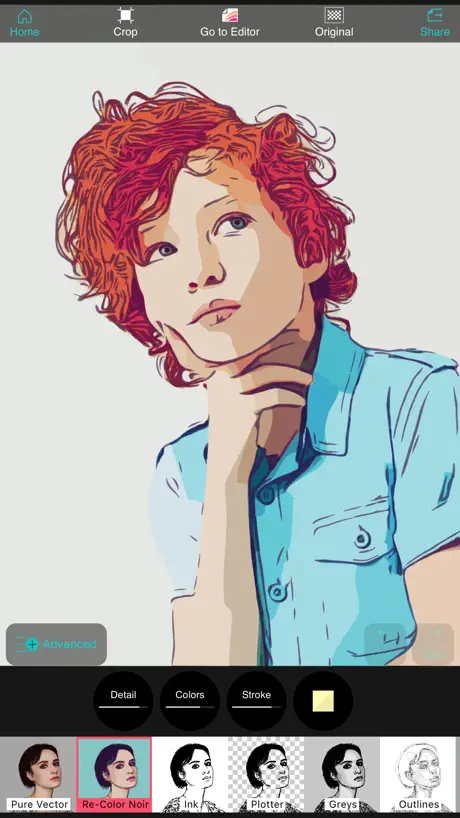
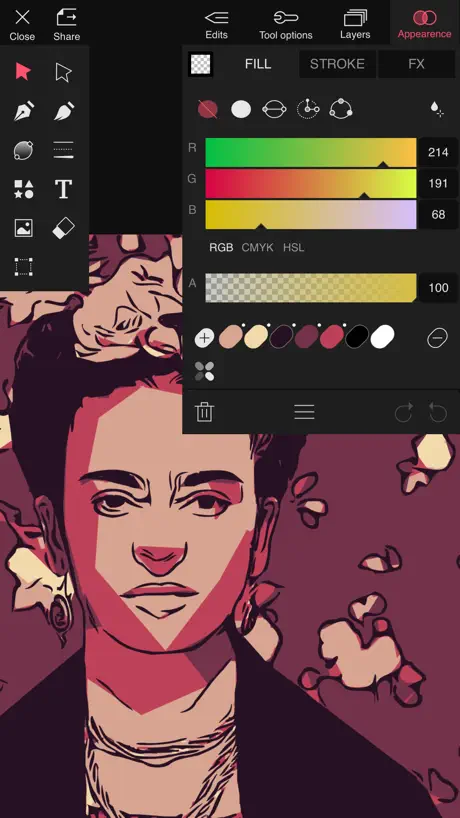
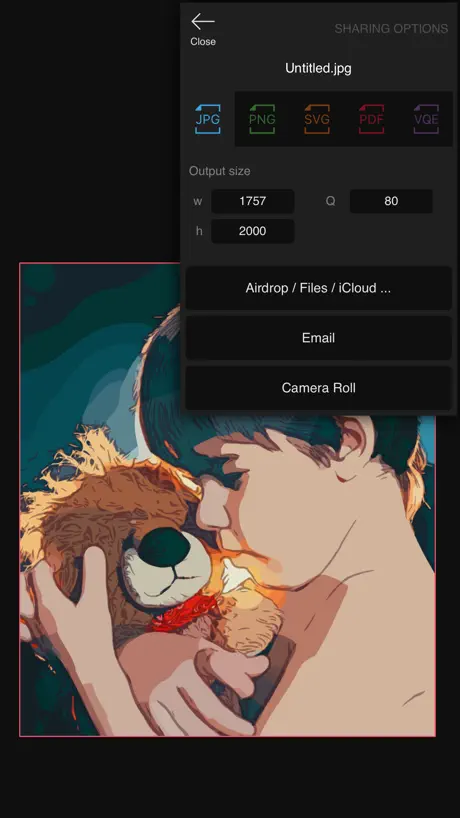
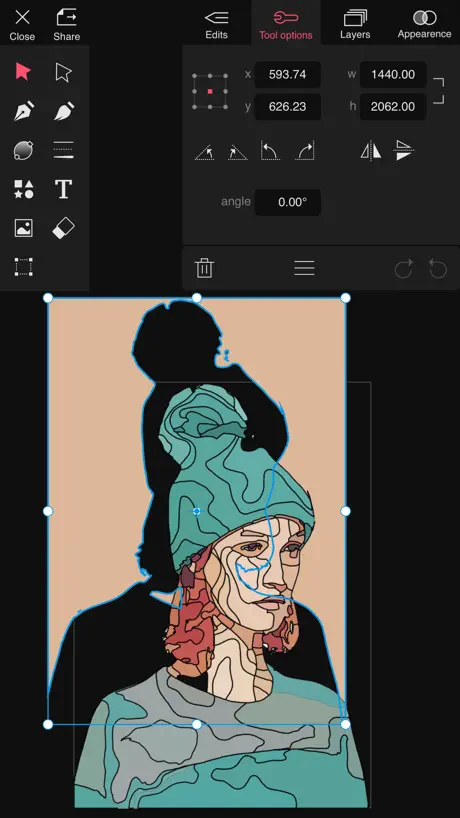
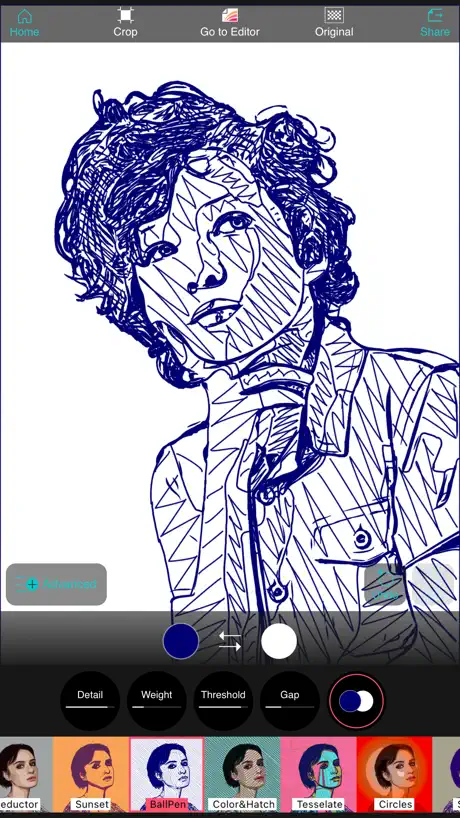
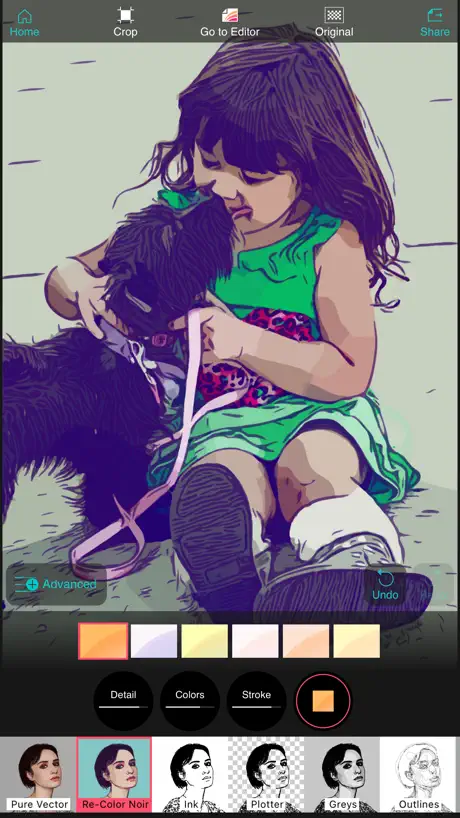
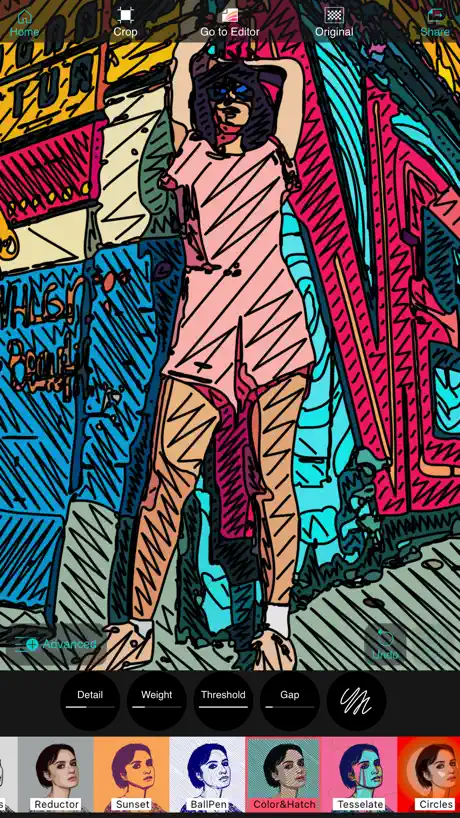
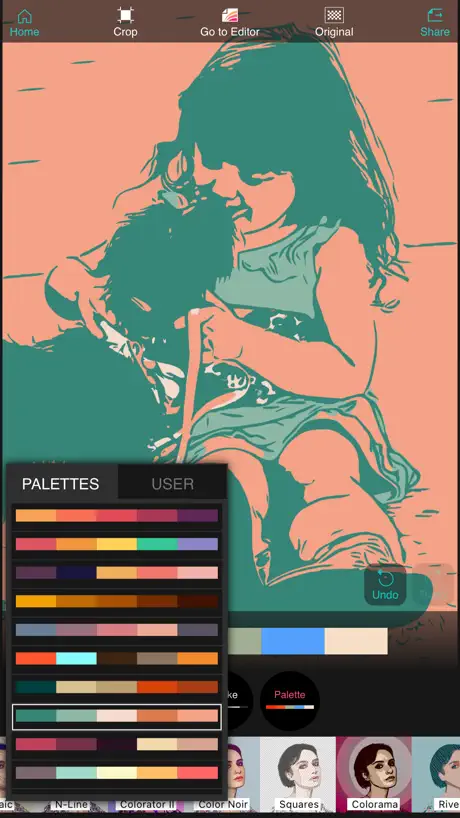
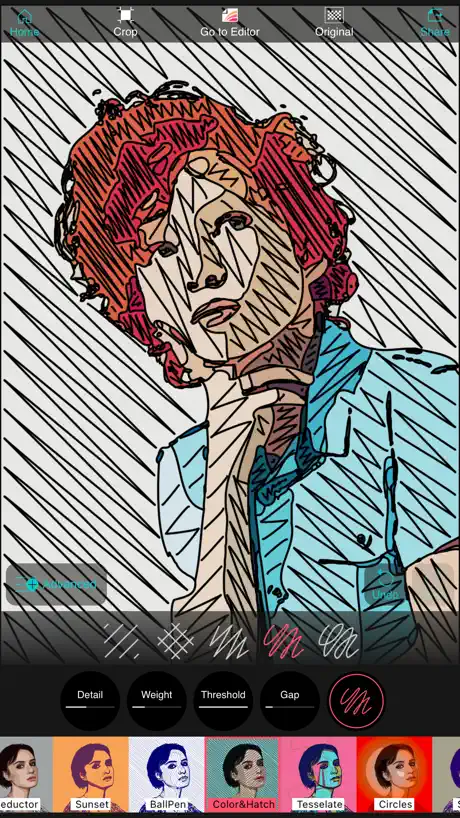
How much does Vector Q by Imaengine cost?
Prices are current as of 2 Oct 2026.
1 one-time purchase from $7.99
In the United States, Vector Q by Imaengine has 1 one-time purchase priced $7.99.
| Product | Price |
|---|---|
| Vector Q Upgrade | $7.99 |
10+ alternatives to Vector Q by Imaengine
| Vector Q by Imaengine |   Toon Photo Editor: Clip2Comic Toon Photo Editor: Clip2Comic |   Instant Toon: Cartoon Art Cam Instant Toon: Cartoon Art Cam |   Turn Photo to Sketch: Graphite Turn Photo to Sketch: Graphite |   Photo To Sketch - Drawing book Photo To Sketch - Drawing book |   Pencil Sketch Photo Editor + Pencil Sketch Photo Editor + |   BeCasso: Photo to Painting App BeCasso: Photo to Painting App |   Sketch Me! Sketch Me! |   Photo To Cartoon Yourself Edit Photo To Cartoon Yourself Edit |   Pencil Photo Sketch Editor Pencil Photo Sketch Editor |   ArtistA: Cartoon Photo Editor ArtistA: Cartoon Photo Editor | |
|---|---|---|---|---|---|---|---|---|---|---|---|
| Rating / 5 | 4.4 | 4.8 | 4.7 | 4.8 | 4.2 | 4.5 | 4.8 | 4.5 | 4.1 | 4.7 | 4.4 |
| Reviews | 4.2K | 121K | 58K | 39K | 37K | 31K | 17K | 15K | 14K | 10K | 5.2K |
| Released | 2013 | 2014 | 2018 | 2019 | 2011 | 2013 | 2016 | 2010 | 2013 | 2019 | 2019 |
| Weekly price | — | $1.99 | — | $1.99 | $3.99 | — | $3.99 | — | $3.99 | — | — |
| Monthly price | — | $3.99 | $7.99 | $3.99 | $6.99 | $0.99 | $7.99 | — | $6.99 | $4.99 | $9.99 |
| Annual price | — | $19.99 | $29.99 | $19.99 | $30.99 | $6.99 | $39.99 | — | $30.99 | $25.49 | $35.99 |
| One-time price | $7.99 | $29.99 | $49.99 | $74.99 | $10.99 | $14.99 | $149.99 | $1.99 | $4.99 | $4.99 | $0.99 |
The going rate for each plan in United States, in its own currency, shaded from the cheapest price on the row to the dearest. Plans fewer than four in ten of the priced apps sell are left out.
Vector Q by Imaengine reviews
4.4 out of 5, based on 4,217 reviews.
What people like
- One-time payment no subscription
- Auto-trace works great for crafts
- Easy to use for beginners
- Saves hours compared to Adobe
- Unique video vectorizing features
What they complain about
- Removes favorite tools without warning
- App crashes constantly during use
- Hidden paywall blocks saving work
- New update makes it confusing
- Support never actually helps users
Love this app
I use the app for fun projects including a Warhol-like print I made for my niece of an image from her wedding where she was smiling with her husband, repeated across the print in 60’s colors - just chose one vector design and kept easily recoloring - so cool. I also design sewing patterns, and use this app to easily convert photos of my pattern pieces to vector to illustrate my instructions pages. I am terrible at drawing, and rendering photos of my pieces took way too my time in Adobe Illustrator as I had to review so much to make all the pieces the look consistent. Now, I use two of the vectorizing designs to help creating my instructions in a consistent and efficient way. Love this app, worth the low price <3 !
This app it’s glitching badly. Keep charging you.
I’ve been charged three times now. Do not buy this app. I notified the developer and never responded. The restore purchase don’t work and keep charging even if you already paid. I’m tired of telling the developer.
Very good! Worth the one-off cost. Needs a few tweaks and can crash on opening some files.
You can't save unless you pay but it's a one-off charge not a subscription. It can vectorise existing photos or drawings into svg, open and create new svgs. Some issues I've noticed: 1. There's no save unless you close the file and you can't close without saving, combined with crashing this means you lose some work. 2. Layers aren't great - you can't add a layer from an external svg or by vectorizing a photo so basically you have to flip to a text editor to copy the code into a new layer. 3. Exporting test as a path on the save dialogue often gives a poor result especially if the text has outlining, you need to cobvert to path breakapart first 4. There's no move 4 way arrow button and dragging the numbers is really not intuitive. 5. IPhone version doesn't support hex colors (the user guide says it should). You can't do HSL either: RGB only so takes ages to set a particular color. 6. The layers don't expand so you can't visually see what the groups are and you can't name them. Makes it awkward to edit existing files and means I end up using layers when I want groups in a single layer. 7. The tools don't tell you what they do, so it's less intuitive than it could be. Options that don't apply aren't disabled so it makes ir impossible to see which options to try, eg move to back should be greyed out when the object is at the back. Currently my favourite app after a previous app suddenly went subscription only.
Was one of the best
Unknown error when trying to save a render. Every time.
Used to be my favorite…
I’ve used this app for years – it has been my go-to. Bought it on my iPad and Mac. But now I can’t do anything without it constantly crashing. I’ve deleted all my saved files and no help. I’m so disappointed and hate the thought of having to start and learn a new one.
My go-to creative vector editor.
Love this app - and the dev’s other apps - more than will fit in this tiny review space. Seriously. I use it to design art for music releases, but there’s a lot more it’s capable of.
Garbage
This app is garbage for the simple fact that you can’t export anything at all without paying, which is not disclosed until you actually go to export the image, AFTER you already spent your valuable time editing it.
Mostly great
Unfortunately, it can’t handle images with high detail. It will crash constantly until you open another image, and lower the settings to a lower resolution.
From TEN (Yes, 10!) STARS to TWO with the Most Recent Minor Updates
I REALLY LOVE VectorQ, and have been using it for over 5 years now. It's really fantastic, does what no other vector conversion app can do, all in a matter of seconds!—and has been working GREAT up until now. However, some very strange behavior has cropped up, starting with the last recent minor udates. After importing any PNG or JPG file, from either my PHOTOS or FILES app, into VectorQ for iPad... 1. A file use to first load in its HOME display screen as a raster previewed file before selecting the VECTORIZE icon at bottom right. Once selected, the file would still display in its original raster preview until selecting any of VectorQ's vector conversion result preview displays. VectorQ has also offered the option as well to recall that raster preview for comparing vector versions to the original graphic. Now it: — Bypasses the HOME raster preview screen and auto-loads into the VECTORIZE screen — Arbitrarily removes solid color backgrounds. Regardless of whether it's a PNG ( solid matte or transparent ) or a JPG, they disappear — Arbitrarily removes one or more elements in the original file with no rhyme or reason, varying with different subjects from file to file — Now renders no change from its initial import preview when selecting its ORIGINAL file display option. The same initial missing background and elements remain — Arbitrarily creates transparent holes in the corrupted preview — Now displays any remaining visible objects in B&W outlines, regardless of which conversion previews above PURE VECTOR that previously displayed vectorized colored versions are selected ( even when VectorQ's alternate b&w lined preview options are NOT chosen ) 2. I've tried importing numerous raster files saved from Affinity Photo, Affinity Designer, Photoshop, Illustrator, Lightroom & Retouch (all iOS version apps) in various resolutions and formats—they all yield the same result. 3. I've also tried both shutting down and restarting ( rebooting ) my iPad, as well as deleting the VectorQ app and then reinstalling it—to no effect. I'm using a 12.9" M1 iPad Pro running iOS 17.5.1—but this problem only started after installing the last few minor updates under 17.5—and using VectorQ v. 7.3.7. I own a total of four iPads, all of which have VectorQ on them...one is an early 12.9" 2nd generation iPad Pro running iOS 13 ( which is the oldest and therefore rarey used ) while the other three are all running iOS 17.5.1. The three running iOS 17.5.1 all exhibit the same behavior with VectorQ when importing either PNG or JPG files—no full previews, solid backgrounds are removed, objects are randomly removed, transparent holes, fill colors removed. All three have no other issues with any other apps, icluding those that create and edit graphics. However, the older build of VectorQ on my oldest 12.9" A10X Fussion processor iPad Pro running iOS 13 works just as it always has, with none of the current issues I am otherwise experiencing on my other three iPads. This is clearly a bug that's either recently been introduced in one of VectorQ's most recent minor updates OR a conflict between VectorQ's code and iOS 17.5. I've been really despondent since about not being able to use my all-time #1 favorite vector app, and have written the developer five emails over the past two weeks, desperately hoping for a fix announcement or at least an acknowledgement of these issues. I've received one automated support ticket creation reply and one boiler plate template response that offered basic solutions which were neither a direct response to my communications nor addressed any of the specific issues I've been citing about these problems with the latest VectorQ builds. PLEASE DO look at these serious corruption issues and release a patch that fixes them. If VectorQ deliberately decided to change the file import process..."If it ain't broken—dont go and 'fix it' unnecessarily." Until then, VectorQ is at present totally unusable. All my best, Pedro Antonio
Probably brilliant
I wanted to fall in love with this rather than expensive vector drawing platforms - but it is not as intuitive as others & the help is poor or non existent, could not find many tutorials on line either so I have needed up paying for a slicker program - however I hope to come back to this before having to renew in the home it has been polished
iOS Vectorization!
Thank you so much. I'm so glad that there is a stable vectorization app on iOS!!! Love that you can now create videos using the filters. Video import for post processing would a welcome addition.
basically unusable
spent 8 dollars on this only to be unable to figure out how to use any of the tools. there’s no description of what anything does, can’t rotate the canvas, no fill tool, etc. if there’s a way to get my money back i’d like to know.
Wow.
I've come across a few drawbacks like issues selecting very very small objects in the editor and I wish I had a little more control in the image vectorizing/conversion but this is a great iPhone app. Absolutely recommend.
I see what once was free is lock now 😡
I used this app to get ideas for art styles to make in adobe illustrator so I would use the filters but now I see everything is lock behind a paywall especially the random function. 😡 I do not like this. I would be willing to pay $7.99 if the app was available to use on a desktop Mac but not a mobile phone, especially the way developers are these days sneaking subscription models in a few years later or abandoning the pay version and creating a new one in the App Store. Sorry but have been burned too many times on iPhone apps which eventually fail to work a few phone versions later. No thanks. These developers have ALOT to learn about realistic expectations for their offerings. Will not pay $8 for an app I use every six months to get ideas. F orget that s tuff: 😡 GREED 💰💰🤑= Future Poverty 📉😭🪦 Learn from those that have come before you.
The latest update lost essential controls
The October 2023 update lost the essential controls for the SimpleVector preset: global 100, lines 79, weight 15 I need to match the preset for a client project, and IT CAN’T BE DONE. And where is the undo tool? The online documentation doesn’t contain the word undo. And my photo opens with background removed automatically without my asking for it. It took time to find the little button in the bottom left that turns off that useful (but unwelcome) feature. And the big buttons on the right are clownish. Big Failure happened to a formerly Great App. …. My previous review from a few years ago: I have used raster to vector converters for 20 years. This is mind-blowingly fast and elegant and beautiful. The interface is hard to read, the color of the text above the sliders is green and almost illegible, and the way the interface works is very quirky, but the results are astounding. The output options are amazing. Try it and buy it.
Get Mr Rivas’ three awesome apps
If you do mono-printing (gelli, vinyl, screen) or fabrication (3d printing, cnc, cricut) for $20 you get a specialized workflow that will save hours of trying to control illustrator, affinity, etc.). Just input image, vectorize with a long list of presets, tune the settings (very simple), do minor edits and export to SVG. You probably have seen these in other very heavy apps, but doing everything in a minute is what this is for. I just wish it also exported to DFX or DWG, but hey, not even I am perfect :). Excellent apps, productive workflow, even as toys they are great
Garbage
It’s essentially just an AI filter tool that exports as vector. I was looking for a half decent vectorization method independent from Adobe illustrator. This is a waste of money as is it isn’t even half decent.
The Best Out There-Brilliant & Affordable
I initially abandoned this app out of frustration because I found the UI complicated and difficult to navigate-well I guess it's my fault for being too lazy to read the manual as I'm used to just figuring out apps as I go along. However, I decided to give it another go after trying many other useless very basic vectorisation apps. Applying skills my Affinity Designer use, I patiently identified tools and figured my way around the UI and experimented, converting low res raster pattern swatch and was really impressed with the result and even more so with the variety of styles on offer. I know with patience to study the manual and practice I'll get much more out of this app. For now I use Affinity Designer but will use VectorQ to design my motifs and vectorise existing low res raster patterns from another app which I can then import into Affinity Designer for further editing and pattern designing. So far my only gripe though is when I "share" my result to export it, it doesn't give one the option to "Save Image" which automatically saves it to the photo gallery. Even the very basic vectoriser app called Image Converter:Vector File has this feature- please implement this feature it's very useful. Also if you could eventually add a proper export feature rather than "sharing" it would be 5 stars. Overall though it's a brilliant app and was more than happy to pay for the pro especially as it's subscription free! Looking forward to future developments. Great job, thanks.
Used to be excellent
I used to thoroughly enjoy this app. I even paid the one off time payment a few months ago because I loved it so much. I would recommend to many of my friends. If I had known that it would change to what it is just a few months later, I never would have purchased it. Why can’t it just stay the same and as simple as it was. Now it’s too complicated and I can’t edit my photos to the way it was before. No amount of adjusting the sliders work to how it was. Highly disappointed and will not be recommending this app anymore.
Stylized vectors are not my thing
I wish this tool had could do the a simple trace well. Styles change the artwork in very unpredictable ways. There does not seem to be a way to get clean straight lines and consistent fills.
Wow Wow Wow
Five stars for an app that provides so many useful filters that are superbly diverse and easy to use. The images I generate are fascinating and idea stimulating. This app is definitely worth the (very reasonable) purchase!
What has happened?
Used to be so easy and now I have no idea how to do things in the editor and you can’t do things easily like moving layers around. Useless now.
How do you export on transparent background?
I put my background as transprent but when exporting theres a white background pls help
New update is awful
Nice new update! I absolutely love when features like style setting are removed without warning (-:
Great but glitchy!
After two hours, I’ve been able to pick up the basics of using nodes to manipulate vector lines. However, this app is seriously glitchy! I’m on an iPhone, and so far I’ve encountered: 1. Being unable to click // having to click multiple times to get a tool to select 2. Went to rename a layer and the app zoomed in and froze 3. Undo and redo buttons work out of action history order I really hope that these issues get fixed soon, as the overall layout is very clean, and the menus are well organized. ♥️
Super Impressed!
Thpe amount of fine tuning options is great. Such a solid tool
Bait and switch
Can’t save without paying.
Bring back the color hatching filter
I got the app like 2 years ago and it was my favorite. I used the color hatching filter all the time. A while back they changed a lot of the filters and took out my favorite and added some new ones. The new ones are okay but I wished they would’ve kept the color hatching filter instead of the black and white hatching filter. Please bring it back 😭😭
Menu hides half the screen
How the hell do you hide that damn menu that takes up half the screen? And why does it add a brown background to everything I upload and how do I get rid of it? Really user unfriendly app now.
Love it but has BUGs Can’t rename Projects for example
Really really love this app but appears its not updated very often to fix bugs. I bought it cause its great. Saw some bugs but figured I’m sure its known about and will be fixed. Looking right now it says last update was 6 months ago. Wow not being able to rename something for 6 months is kind of bad. But besides that it is a great app. But hope bugs get fixed soon and sooner in future.
Best Vectorizing App
This is the best vectorizing app I have used. It’s even great for making simple vector art and for beginners. This saves me so much time, now I can spend my time on other details I would not have done. It’s easy to use and not super complicated.
Bro???
If you make me give you my email to save my images that I already made in your app where the service was already used I will simply screenshot what I made and use sketchbook express to clean it up. Thanks
App keeps crashing. Unusable.
Loved the app, now App keeps crashing. Unusable. How do I reach support? I have bought and installed Imagengine and Vector Q. App support tab takes me to html manual. Update 9/16/21, contacted developer, he responded immediately. I am able to use VectorQ in conjunction with Imaengine. App no longer crashing.
It's a different app now - not good
Why oh why oh why?! This last 'update' has made ImaEngine into a very different, complex and less user-friendly beast. Adobe Illustrator users might be able to get their heads around all the new vector controls, but I find them an overcomplicated nuisance. I want my money back as the product no longer meets my needs. Alternatively, split the app into old and new and let me have the old one back!
Great except for joining nodes
Almost everytime I try to join 2 nodes the app crashes, great otherwise
valuable functions
I had this app as a free version for a long time but finally paid for the full version and it was worth it for me. I love that it handles both images and video. Couple of notes or ideas: 1) could the dev add a better way to hide modals. Especially the kind that pop up over the working area with property value sliders on certain style modes. Like maybe a long press on the title could make it draggable or a swipe right makes it slide off the screen (hidden), or just a classic close /hide button. 2) could there maybe be a global undo/redo button to jump between previous or subsequent effect changes. Like if I have the first mode selected, then scroll way to the last mode and select it, but then want to see the first mode again it goes back to the first one after pressing undo. 3) the editor, particularly layers. it would be great if the mode buttons only operated on user-selected layers. For example, if i wanted to add the outline effect on the original image, i could add a new layer (from the original image) and select that layer, then select the outline mode, then when i go back to the layer it only updated that particular layer, keeping any other layers as they were before i selected outline for that layer. Like it only updates that selected layer. 4) support for different algorithms. This is just an example. The remove background function already works amazingly, but it only uses one default algorithm. Maybe there could be other object identifier algorithms or background removal algorithms to select from on these sorts of functions so the user can select the one best for them. Additionally, maybe the user can add an “anchor” pinpoint to the image and the function then attempts to find the object containing that point, then it removes everything but that object. But that idea is a little more extreme because i personally haven’t seen any background removal apps that do that. 5) better and more transparent rendering process. It hasn’t worked for me yet to export a video.
What the… happened to this app?
Was great and easy to use. I can’t figure out how to do anything on it anymore. Nothing.
Volume Purchasing
This seems like a really good educational app. We would have bought 50 licenses at £1.99 each if you were part of Apple School Manager volume purchasing.
What the.....!!!!
Why? Why would you go and spoil a perfectly good app? It was working fine prior to this so called “Update” But now, I come to tweak an image on the “Ink” setting, and most of the user flexibility has been removed!!! Very disappointed!!!
Yikes!
I'm a professional designer, didn't think of Imaengine as a serious tool but it was fun. Hadn't used it for a couple of years...new iPad & it had disappeared, got interested in similar effects in another artist's NFTs so downloaded the new version. Way too much to unpack tonight, but I suspect the stuff I liked is in there somewhere...
Definitely confusing * UPDATED REVIEW*
*April 2024- They have improved their version of the ‘auto-trace’ or ‘auto-vectorizing’ whatever it goes by.. it was always pretty good and unique but it has improved to be even better so if that’s one of your main reasons for wanting a vector app then I say hands down get this one because the price is perfect..a one time payment. Lots of different options to make unique SVG files from more complex images or photos and then turn them into vectors. Being able to customize settings like lines, thickness, colors, etc. in a simplified and more intuitive interface is worth the price alone. I will say this though- If you are planning on making a lot of art with different brushes & effects, wanting to go all in on an iPad app then I’d recommend something like Affinity Designer 2 bc it’s way more robust but also more complicated with a steeper learning curve & it doesn’t have an auto-trace function. But back to Vector-Q.. Once you have vectorized your image, you can then go into the ‘editor’ and start editing and play around with the nodes, add text, etc. or you can skip the auto-vector part and just go straight into the ‘editor’ and draw or paint from scratch to make your own art in the program. All in all I definitely recommend. *Updated Review: May 2022* Love it! ❤️👍🏼 - I have had this app for a couple months now and l’d say that I only use it on average about 15 times a month but it's not all that scary like it was in the beginning when I first got it, being new to the whole vector and digital art/graphic design scene in general but I have come to think its an awesome piece of vector/editing software. It’s more straightforward and less glitchy than others I’ve tried and I’ve tried a lot these past few months. I have been designing my own SVG’s for my Cricut projects. When converting images to vectors and drawing with the brush tool it doesn’t add so many nodes like other converting apps do. I would def try it out, it’s free to use so you can try it and then if you like what you’ve done and want to export then you pay like $5 or something small like that. Worth it.
What happened to the bottom editing menu?
It seems to have been replaced by a single slider with three settings. I’m an artist who uses Vector Q to make my digital collages and video pieces. These tools are essential to my process and without them the app is significantly less useful. Have they been moved? I absolutely love this program and have consistently recommended it to other artists and people in general. Really hoping this change is not permanent.
Wrong update
The app used to have the amorpho setting which was used by many crafters. It is very sad that we cannot use it again!
Choice?
Would have been really good to be offered the choice regarding this 'update'! A mandatory replacement of this app is not appreciated! As an artist, I use this app on a daily basis and many of the changes have screwed-up my workflow. The tools are now far too small to use easily on my iPad and the n-line, mosaic and various triangle preset tools are missing :(
What’s in the paid version?
I like the app but I already have a svg file and just want to edit portions of it. Can I get to the editor without revectorizing with the fancy filters?
Had this app for years
I absolutely love this unique & powerful app, the vectorized vids and images are pro level power tools. The reason I wasn’t be able to review it full-heartedly was the App calls for a powerful phone or overheating device will occur while converting videos (significant frame drops). That has intimidated me from exploring its potentiality. Thank you for the amazing app!
Options removed?
Options that I previously used are no longer available. Advanced tab gone?
Very good but crashes
This is an incredible free app best editor I’ve used but I use it on my iPhone XS Max and it crashes randomly so I will be in the middle of rendering a video and then it will go onto my home screen
Performance
Crashes a lot
Not sure about he changes
I am a designer/artist and have enjoyed the simplicity of the previous version (name) of this app… I would often take my vector conversion into other apps - such as Affinity or Adobe, but I’m really not sure about the ‘new’ complexity of this ‘update’ and whether it was ‘worth the effort’…
Vector Q by Imaengine price by country
A one-time purchase costs $4.17 in China and $11.97 in Colombia — 3× more for the same thing. Below is the going rate for each plan in every country that sells it — the middle price of what the app charges there, in the country's own currency with the dollar equivalent beneath it.
| Country | One-time |
|---|---|
| Afghanistan | $7.99 |
| Albania | $9.99 |
| Algeria | $7.99 |
| Angola | $7.99 |
| Anguilla | $7.99 |
| Antigua And Barbuda | $7.99 |
| Argentina | $7.99 |
| Armenia | $9.99 |
| Australia | A$12.99$9.02 |
| Austria | €8.99$10.19 |
| Azerbaijan | $9.99 |
| Bahamas | $8.99 |
| Bahrain | $8.99 |
| Barbados | $9.99 |
| Belarus | $9.99 |
| Belgium | €8.99$10.19 |
| Belize | $7.99 |
| Benin | $9.99 |
| Bermuda | $7.99 |
| Bhutan | $7.99 |
| Bolivia | $7.99 |
| Bosnia & Herzegovina | €8.99$10.19 |
| Botswana | $7.99 |
| Brazil | R$49.90$9.60 |
| British Virgin Islands | $7.99 |
| Brunei Darussalam | $7.99 |
| Bulgaria | €8.99$10.19 |
| Burkina Faso | $7.99 |
| Cambodia | $8.99 |
| Cameroon | $9.99 |
| Canada | CA$9.99$7.04 |
| Cape Verde | $7.99 |
| Cayman Islands | $7.99 |
| Chad | $7.99 |
| Chile | CLP 9,990$10.26 |
| China | CN¥28.00$4.17 |
| Colombia | COP 39,900$11.97 |
| Congo | $9.99 |
| Congo, Democratic Republic | $7.99 |
| Costa Rica | $7.99 |
| Cote Divoire | $9.99 |
| Croatia | €8.99$10.19 |
| Cyprus | €8.99$10.19 |
| Czech Republic | CZK 199.00$9.23 |
| Denmark | DKK 69.00$10.47 |
| Dominica | $7.99 |
| Dominican Republic | $7.99 |
| Ecuador | $7.99 |
| Egypt | EGP 399.99$7.70 |
| El Salvador | $7.99 |
| Estonia | €8.99$10.19 |
| Fiji | $7.99 |
| Finland | €8.99$10.19 |
| France | €8.99$10.19 |
| Gabon | $7.99 |
| Gambia | $7.99 |
| Georgia | $9.99 |
| Germany | €8.99$10.19 |
| Ghana | $9.99 |
| Greece | €8.99$10.19 |
| Grenada | $7.99 |
| Guatemala | $7.99 |
| Guinea-bissau | $7.99 |
| Guyana | $7.99 |
| Honduras | $7.99 |
| Hong Kong | HK$58.00$7.39 |
| Hungary | HUF 3,490$10.80 |
| Iceland | $9.99 |
| India | ₹799.00$8.32 |
| Indonesia | IDR 149,000$8.32 |
| Iraq | $7.99 |
| Ireland | €8.99$10.19 |
| Israel | ₪24.90$8.11 |
| Italy | €8.99$10.19 |
| Jamaica | $7.99 |
| Japan | ¥1,300$8.26 |
| Jordan | $7.99 |
| Kazakhstan | KZT 4,990.00$11.34 |
| Kenya | $9.99 |
| Kosovo | €8.99$10.19 |
| Kuwait | $7.99 |
| Kyrgyzstan | $8.99 |
| Lao Peoples Democratic Republic | $8.99 |
| Latvia | €8.99$10.19 |
| Lebanon | $7.99 |
| Liberia | $7.99 |
| Libya | $7.99 |
| Lithuania | €8.99$10.19 |
| Luxembourg | €8.99$10.19 |
| Macao | $7.99 |
| Macedonia | $7.99 |
| Madagascar | $7.99 |
| Malawi | $7.99 |
| Malaysia | MYR 39.90$9.78 |
| Maldives | $7.99 |
| Mali | $7.99 |
| Malta | €8.99$10.19 |
| Mauritania | $7.99 |
| Mauritius | $9.99 |
| Mexico | MX$179.00$9.90 |
| Micronesia | $7.99 |
| Moldova | $9.99 |
| Mongolia | $7.99 |
| Montenegro | €6.99$7.93 |
| Montserrat | $7.99 |
| Morocco | $9.99 |
| Mozambique | $7.99 |
| Myanmar | $7.99 |
| Namibia | $7.99 |
| Nauru | $7.99 |
| Nepal | $9.99 |
| Netherlands | €8.99$10.19 |
| New Zealand | NZ$14.99$8.47 |
| Nicaragua | $7.99 |
| Niger | $7.99 |
| Nigeria | NGN 12,900.00$9.71 |
| Norway | NOK 99.00$10.30 |
| Oman | $7.99 |
| Pakistan | PKR 2,200$7.94 |
| Palau | $7.99 |
| Panama | $7.99 |
| Papua New Guinea | $7.99 |
| Paraguay | $7.99 |
| Peru | PEN 34.90$10.15 |
| Philippines | ₱499.00$7.95 |
| Poland | PLN 39.99$10.39 |
| Portugal | €8.99$10.19 |
| Qatar | QAR 29.99$8.24 |
| Romania | RON 39.99$8.60 |
| Russia | RUB 699.00$8.35 |
| Rwanda | $7.99 |
| Sao Tome & Principe | $7.99 |
| Saudi Arabia | SAR 34.99$9.33 |
| Senegal | $9.99 |
| Serbia | €8.99$10.19 |
| Seychelles | $7.99 |
| Sierra Leone | $7.99 |
| Singapore | SGD 9.98$7.80 |
| Slovakia | €8.99$10.19 |
| Slovenia | €8.99$10.19 |
| Solomon Islands | $7.99 |
| South Africa | ZAR 149.99$9.13 |
| South Korea | ₩12,000$8.85 |
| Spain | €8.99$10.19 |
| Sri Lanka | $7.99 |
| St. Kitts and Nevis | $7.99 |
| St. Lucia | $7.99 |
| St. Vincent & The Grenadines | $7.99 |
| Suriname | $8.99 |
| Swaziland | $7.99 |
| Sweden | SEK 99.00$9.90 |
| Switzerland | CHF 7.00$8.38 |
| Taiwan | NT$290.00$9.09 |
| Tajikistan | $8.99 |
| Tanzania | TZS 22,900.00$8.64 |
| Thailand | THB 299.00$8.90 |
| Tonga | $7.99 |
| Trinidad and Tobago | $7.99 |
| Tunisia | $7.99 |
| Turkey | TRY 399.99$8.15 |
| Turkmenistan | $7.99 |
| Turks and Caicos | $7.99 |
| Uganda | $9.99 |
| Ukraine | $9.99 |
| United Arab Emirates | AED 29.99$8.17 |
| United Kingdom | £7.99$10.60 |
| United States | $7.99 |
| Uruguay | $7.99 |
| Uzbekistan | $8.99 |
| Vanuatu | $7.99 |
| Venezuela | $7.99 |
| Vietnam | ₫249,000$9.60 |
| Yemen | $7.99 |
| Zambia | $9.99 |
| Zimbabwe | $9.99 |
Vector Q by Imaengine FAQ
- Is Vector Q by Imaengine free?
- Yes. The app and its basic features are free, in all 175 countries it sells in. Premium features are paid: they start from $7.99 (US), across 1 one-time purchase.
- Does Vector Q by Imaengine have a free trial?
- No. None of its offers (US) come with a free trial.
- Where is Vector Q by Imaengine cheapest?
- A one-time purchase costs CN¥28.00 (≈$4.17) in China and COP 39,900 (≈$11.97) in Colombia, its cheapest and dearest countries.
- What are the best alternatives to Vector Q by Imaengine?
- Toon Photo Editor: Clip2Comic (4.8 from 120,522 reviews, premium from $1.99), Instant Toon: Cartoon Art Cam (4.7 from 58,322 reviews, premium from $7.99) and Turn Photo to Sketch: Graphite (4.8 from 39,332 reviews, premium from $1.99).
Vector Q by Imaengine download
Last updated 17 days ago.
Vector Q by Imaengine sells in 175 countries. It was released 13 years and 6 months ago, on 22 Mar 2013. It holds a 4.4 rating from 4,217 reviews.
Supports 3 languages: English, Japanese, Chinese.
How much does Vector Q by Imaengine make?
Third-party estimates for the last 30 days, worldwide — not the store's own figures, which Apple publishes for nobody.
Revenue by plan
- One-time 100%
Revenue by country
- United States 55%
- China 5%
- United Kingdom 5%
- Germany 4%