
Content - Workspace ONE
Omnissa Workspace ONE
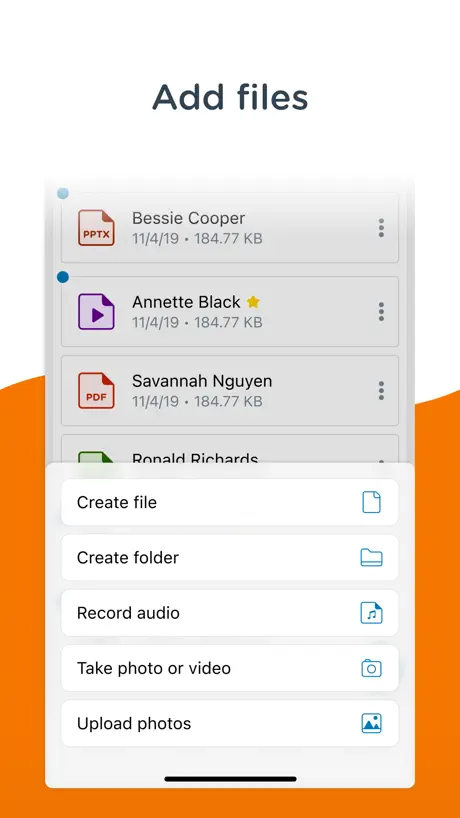
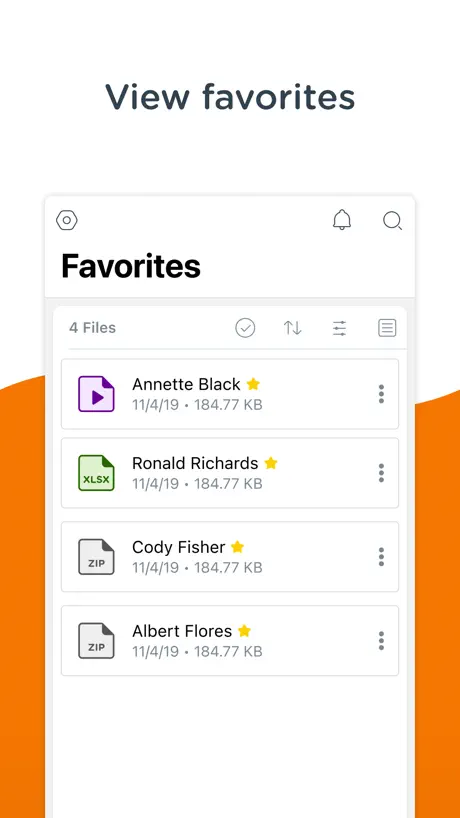
How much does Content - Workspace ONE cost?
Prices are current as of 11 Sept 2026.
Content - Workspace ONE has no in-app products on record in the United States.
10+ alternatives to Content - Workspace ONE
| Content - Workspace ONE |   Cisco Jabber Cisco Jabber |   Me@Campus Me@Campus | 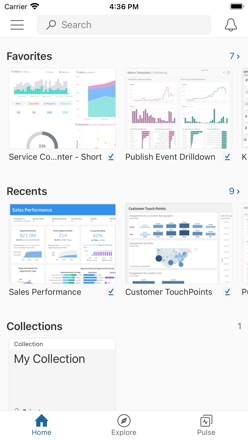  Tableau Mobile Tableau Mobile |   Freshservice Freshservice |   RSA Authenticator (SecurID) RSA Authenticator (SecurID) |  VIP Access for iPad VIP Access for iPad | 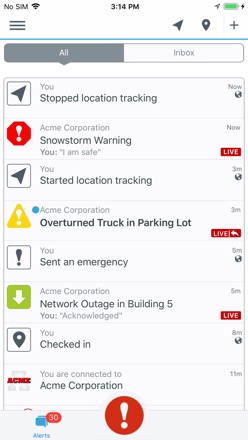  BlackBerry AtHoc BlackBerry AtHoc |   Seclore Seclore | 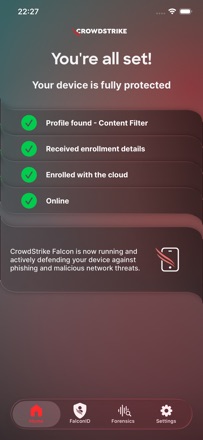  CrowdStrike Falcon CrowdStrike Falcon |   Unily Mobile Unily Mobile | |
|---|---|---|---|---|---|---|---|---|---|---|---|
| Rating / 5 | 4.3 | 4.5 | 4.7 | 4.6 | 4.5 | 2.6 | 2.0 | 2.8 | 2.1 | 3.1 | 3.1 |
| Reviews | 6K | 49K | 6.3K | 5.7K | 5.1K | 1K | 121 | 114 | 67 | 57 | 48 |
| Released | 2012 | 2011 | 2023 | 2011 | 2014 | 2009 | 2011 | 2013 | 2012 | 2019 | 2016 |
Content - Workspace ONE reviews
4.3 out of 5, based on 5,950 reviews.
What people like
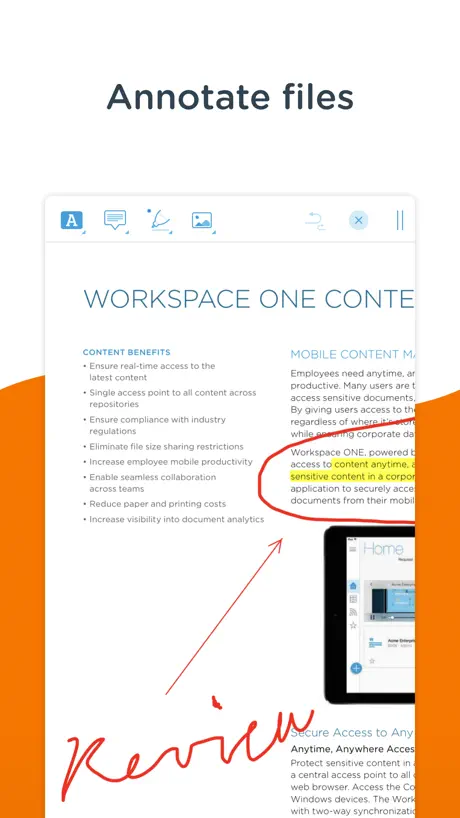
- Great for annotating and editing PDFs
- Lets you organize files in folders
- Easy to use for training modules
What they complain about
- Crashes constantly and freezes often
- Apple Pencil writing lags badly
- Bookmarks get deleted when files update
- Uploads fail even with good signal
10/10
Very useful application, nice and easy design.
مثير للشك
يطلب الصلاحية لجميع البيانات حتى البنكية و المحافظ الرحمية و البطاقات الائتمانية عند بداية تفعيل البرنامج مما يثير الشك و الريبه لذا امل حذف البرنامج من التطبيقات
Missing feature
Please add (save as PDF) feature to Word and Excel documents editor function.
Not a great app
I only use this app to upload files from and iPhone to a company OneDrive folder. When the app works, it does this job fine, but too often the upload fails for no apparent reason (eg I have good connectivity both via Wi-Fi and cell data, so upload shouldn’t fail). I know the OneDrive server is up in these cases since I can access previously uploaded files in the OneDrive folder using a PC.
استفسار
للاسف يطلب مني تحميل التطبيق بأستمرار لدرجه انه يأتي كشكل رساله من App Store ولا اعلم ماهو التطبيق بعد التنزل وهل هو مجاناً ام عليه رسوم نرجو توضيح ذلك ايضاً توضيح مهام التطبيق والفائده منه وشكرا
Rubbish
Rubbish keeps freezing
Not good
Limited photos by 5 ones
Problem
Latest version with latest iPadOS version some page of document flip or cannot read.
Astonishingly poor bookmark management
My company updates its policies and manuals regularly. Every time a manual is updated, all bookmarks are deleted. I realize a manual update could shift a bookmark to the wrong page, but I would much rather have bookmarks that lead me a page or two from the correct page than have a long list of bookmarks deleted with no trace they ever existed on a regular basis. This has led me to stop using bookmarks altogether, which dramatically reduces the functionality I get from the app.
Airdrop
Anyone else unable to airdrop manuals. Everything is configured to be able to do this.
Content locker
Easy to use
Does not work
What else to say. Asking for email then a server address and group? Cannot get past that.
Buena
Simple y practica… tarda en actualizar…
Crashes A LOT!
This app was installed in my phone through work for business but it crashes a lot which does not allow me to open files when I need to, specially the ones which come from emails, that defeats the whole purpose of having it. What is it good for if you can’t not open the files? Until these bugs are fixed and they come up with an update that works I do not recommend it.
Issues with Apple Pencil
I’ve been using this app for several months and I like that it allows me to access work on my iPad. Over the last several weeks, the functionality with Apple Pencil has deteriorated substantially. When writing with the pencil in pdf files, it is extremely laggy, to the point where I’m several words ahead of what is showing up on the screen. The pencil used to work pretty well but now it is tough to take notes when on a call. Please fix this functionality!!
Recenzja
Beznadziejna
Simplify layout
Current content locker is too cumbersome. Need to customize, or have the ability to personalize for individual pilot/fleet type. This would do two (2) key things. First, it would make the ease of viewing, updating, and searching for information easier and faster for each pilot. Second, this action would increase storage volume on each iPad thus allowing for better speed and efficiency. Please consider improving the iPad product for the customer (the pilot). Thank you
Update 4.13 Broke PDF Annotations
Airwatch is used by my work. In general it has been a workable tool until this latest update. It ostensibly introduces auto saving of PDF annotations. This would be great except it is so aggressive with this action you can’t write anything before it has “saved” the annotation resulting in significant distraction. Ticket has been submitted...
Needs to be updated to iPadOS 13.4
When using the new mouse features, menus disappear before you can select anything on them.
everything looks great But I ran into one small problem.
I wrote on a pdf file, found something wrong. What is written shows up slowly I have tested with more than 1 version of iPad and found the same abnormality. and tested writing using a finger and an apple pen also found this abnormality And I have reported this error to vmware support.
Not Intuitive
Shows offline. No way to reset app. Device is definitely online
Pushed by employer
Works well until it crashes. No way to reset app other than deleting and re-downloading. Total PITA
Cant open files
After updated new version, i cannot open any files in content locker 🙁🙁 fix it plese
Language
Please Thai language can use.
Horrible App
Unable to mark up anything.
Meh. Not very useful.
While this gives access to shared folders, it doesn't have great integration with other iOS apps. I use Microsoft OneNote regularly but this app doesn't even recognize it and allow me to open a OneNote notebook. Really, this app is only for read-only use and even then, it's barely average.
Too bloated!
This app does not have enough functionality to justify it's size. 193MB?!? Time to rein it in guys!
Massively improved
Content locker has been the bane of my life for the past two years but the improvements have been very clear to see over the past 6 months or so. Has a bad rep that needs fixing. This is not office but it does a good job of it.
Absolutely awful. Avoid this app.
This app crashes all the time. Much of the functionality (highlighting and annotating text) has never worked for me. If I did not have to use it for work, I would use a different app.
Not a great update-again
Clearly no one is listening as there has been no response to my post and further features are being removed. Most recently I've lost the ability to edit pdf pages and add colored boxes to block unimportant text and allow the important text to remain unaltered. I'm not sure what the feature is called but it simply disappeared. It was located just below the add photo feature in the selectable menu that allows highlighting, adding arrows, and writing on the page. I hope this was an oversight and the feature will be restored. Original review......I'm not pleased with the new structure of the update I received today. It feels very imposing and "in your face." There is significant on screen real estate wasted on folder contents. Large blocks or the entire width of the screen if you select list view? I'd like to see an ability to switch back to the previous view with folder son the left and tabbed docs on the right (landscape view). Also, I'm having difficulties finding pending transfers and optional downloads. My employer does not force all content and now it seems more difficult to find. I'm sure you added background features stabilizing the program and increasing security but don't change the face of an app for the end user. We rely on this for important time sensitive document retrieval and this update, while may be "better" for some, has decreased the user interface. Yeah, I've been playing with this for a bit. I want my folders back. Split screen. Folders on the left and docs on the right. Please! Sorry to be harsh...this update was a downgrade.
A lifesaver in my position
As a training manager for Walmart, I utilize computer based modules to facilitate the training of my participants. This app has all of the functionality of BINDER (a similar app) with some additional features and functionality. For example, I can highlight (in any color), underline, strikethrough, free-write, type text, or insert text boxes, insert audio notes, insert pictures, shapes, lines and arrows. I have never had this app crash, and I have used it for 6 months almost daily. I am using this on an iPad Pro 9.7, so maybe the other reviewer had an older machine (I cant speak to what I do not have). I love how easily I can organize my training modules in multiple folders, and that I can have 5 different modules open on the screen at the same time (with individual tabs). I have not run into any issues with utilizing my Apple Pencil with this app either, which was a constant problem with both Binder and PDF MAXpro (they often froze during the use of my pencil). If you are a business professional, educator or trainer, and need a simple to use app that will allow detailed note taking and editing of PDF files, this is the app for you. THANK YOU CONTENT LOCKER TEAM!!
Crashes
Crashes too much
Future of mobile working
This is by far the best Mobile Content Management application for the enterprise. The technology is far better than other MDM vendors and the personal content feature is as good as Box or Dropbox. The customisation options are also brilliant...our company has completely branded the app to look like an in-house app! Brilliant!
The Worst App on my iPad
This app is basically not much more than a document reader. I therefore expect it to offer at least the minimum features of a good reader app. But this falls way short. These shortcoming have long gone unaddressed by the developer. Specific gripes: 1. The open document tabs cannot be dragged to re-order. 2. The app doesn’t follow iPadOS developer guidelines and save its state. When launched after a period of non-use, I frequently have to reopen the documents I was using. 3. The scrub bar at the bottom of the app is too close to the iPad dock. Often, I will swipe up for the dock but Content will see that touch and jump to a new page.
login issues
I really don’t know if this is a setting issue on our side or general app issue. When I have to login, which is pretty much every time I view the app and every time I view a different folder, I cannot click ”DONE” on the keyboard; I have to remember to click “Login” on the top right corner of the screen. Is there really no way to make use the “DONE” button for logging in? Or, can the “DONE” button be hidden so as not to look like it should have a helpful funtion?
Content - Workspace ONE FAQ
- Is Content - Workspace ONE free?
- Yes. The app is free, in all 173 countries it sells in, and it sells nothing inside it.
- Does Content - Workspace ONE have a free trial?
- No. None of its offers (US) come with a free trial.
- What are the best alternatives to Content - Workspace ONE?
- Cisco Jabber (4.5 from 48,891 reviews), Me@Campus (4.7 from 6,286 reviews) and Tableau Mobile (4.6 from 5,692 reviews).
Content - Workspace ONE download
Last updated 0 months ago.
Content - Workspace ONE sells in 173 countries. It was released 14 years and 3 months ago, on 29 Jun 2012. It holds a 4.3 rating from 5,950 reviews.
Supports 17 languages: English, Arabic, Czech, Danish, Dutch, French, German, Hebrew, Italian, Japanese, Korean, Polish, Portuguese, Chinese, Spanish, Swedish, Turkish.
How much does Content - Workspace ONE make?
Third-party estimates for the last 30 days, worldwide — not the store's own figures, which Apple publishes for nobody.