
Reflow - Score Editor
Guitar Tab & Score Editor
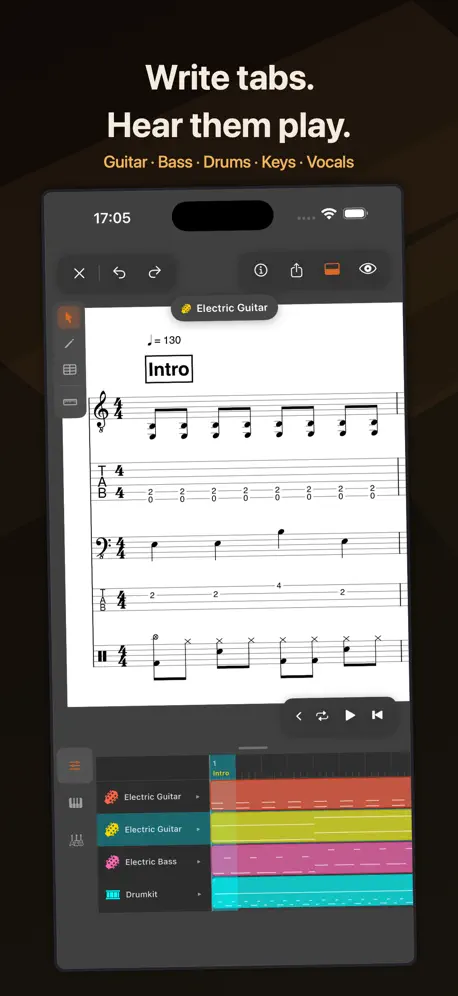
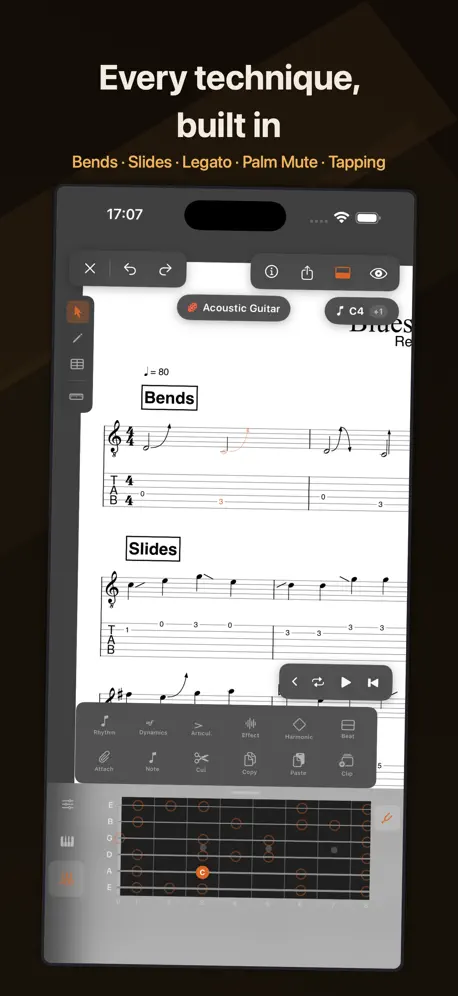
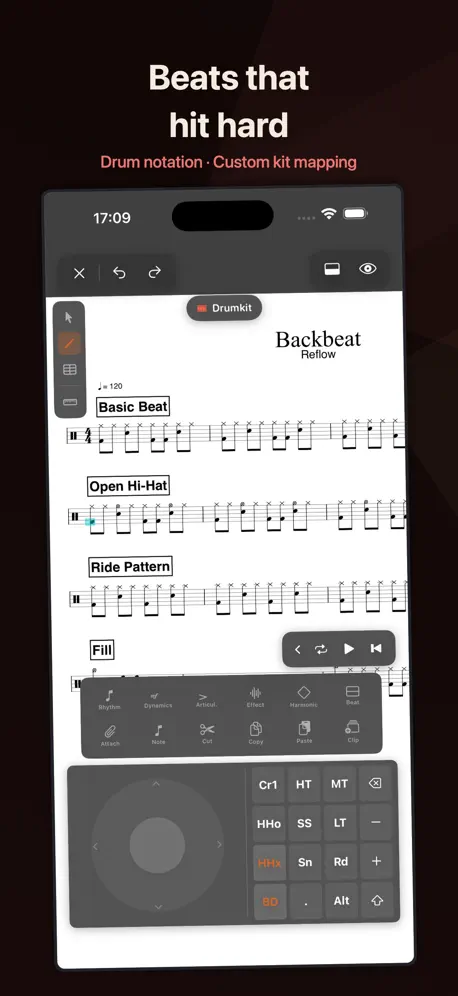
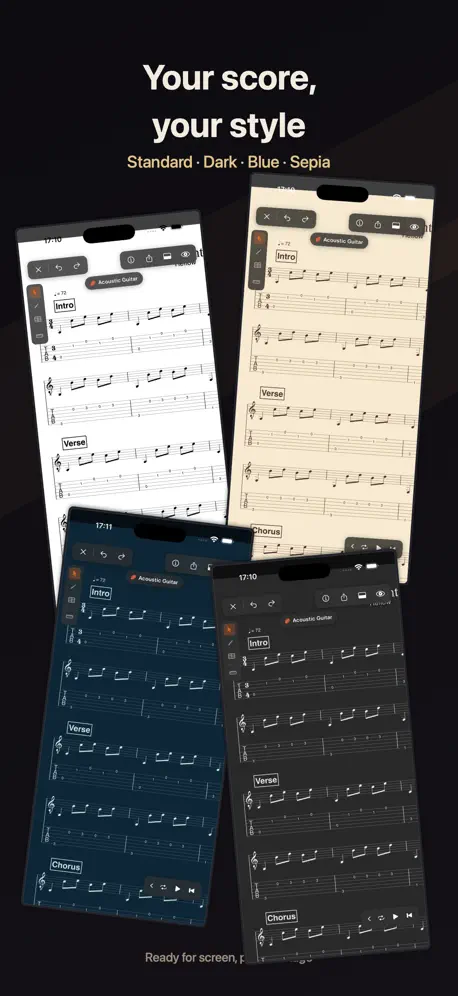
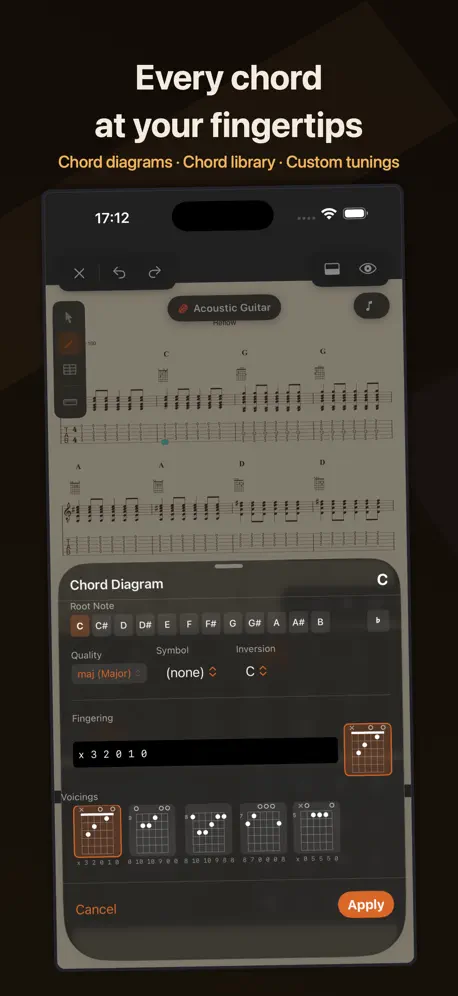
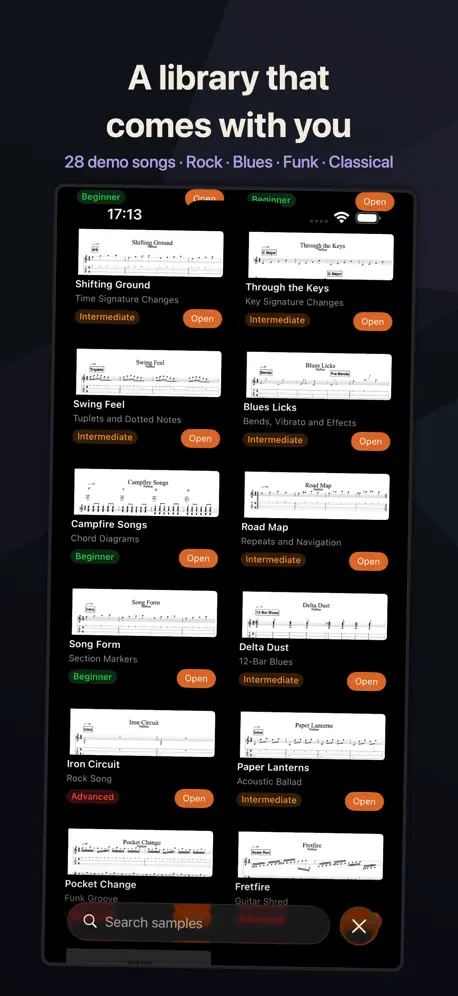
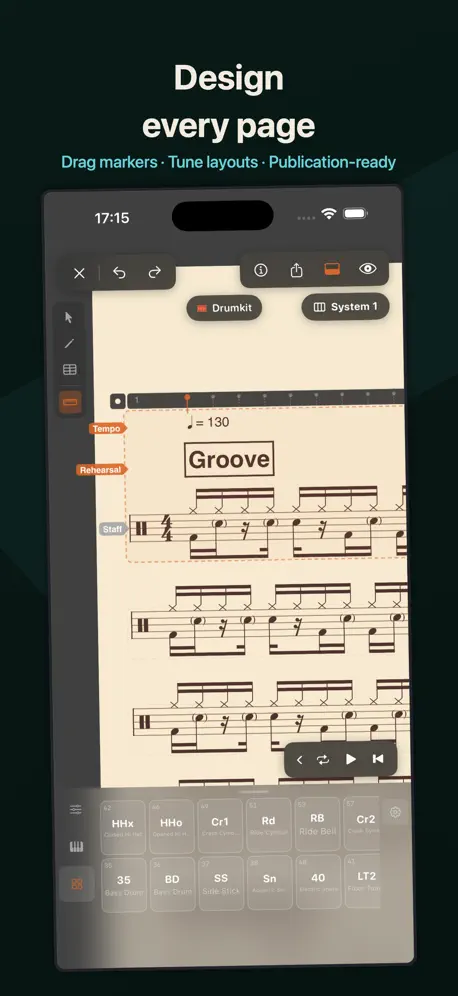
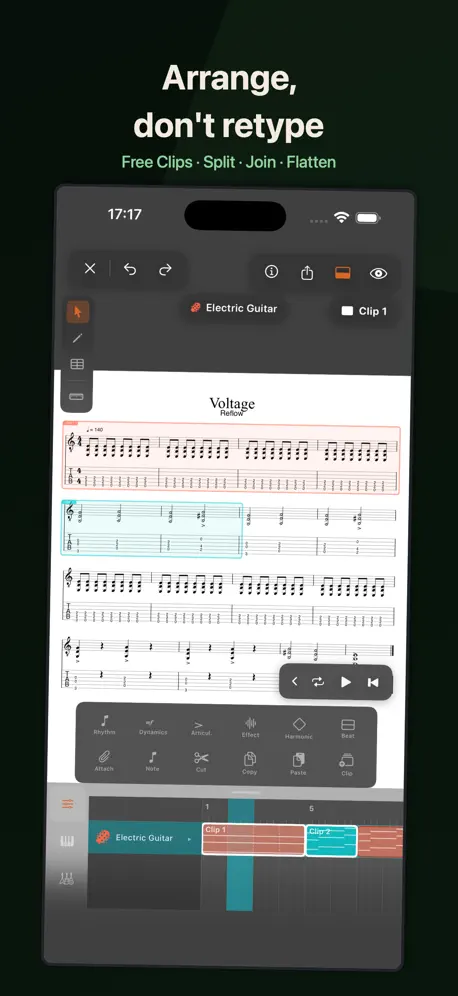
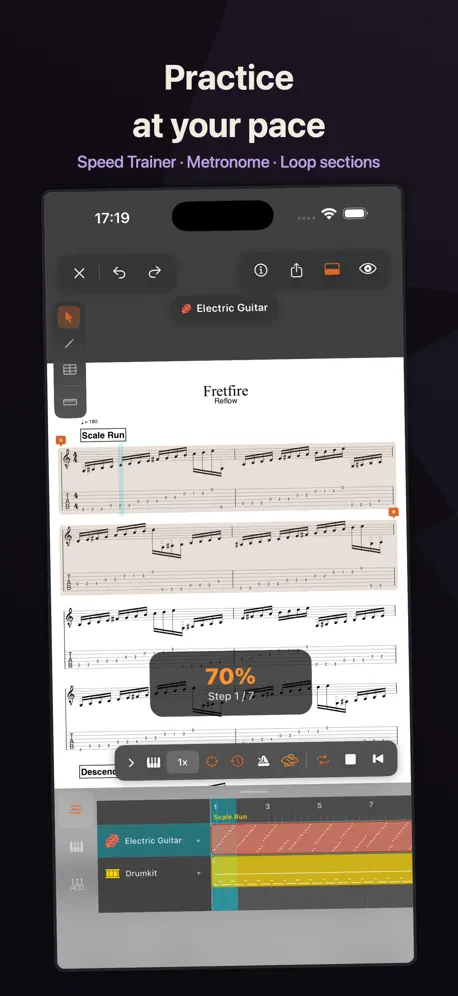
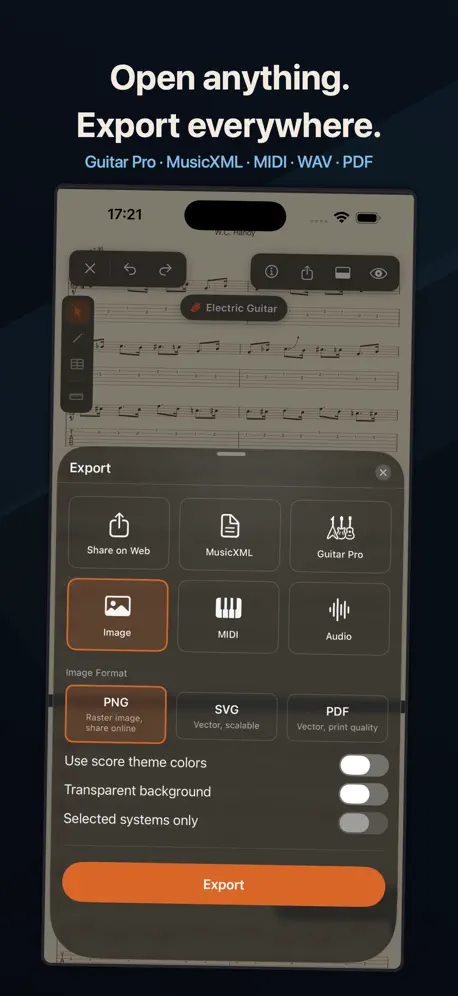
How much does Reflow - Score Editor cost?
Prices are current as of 18 Nov 2026.
1 one-time purchase from $14.99
In the United States, Reflow - Score Editor has 1 one-time purchase priced $14.99.
| Product | Price |
|---|---|
| Reflow — Full Version | $14.99 |
10+ alternatives to Reflow - Score Editor
| Reflow - Score Editor |   Guitar Notation - Tabs&Chords | 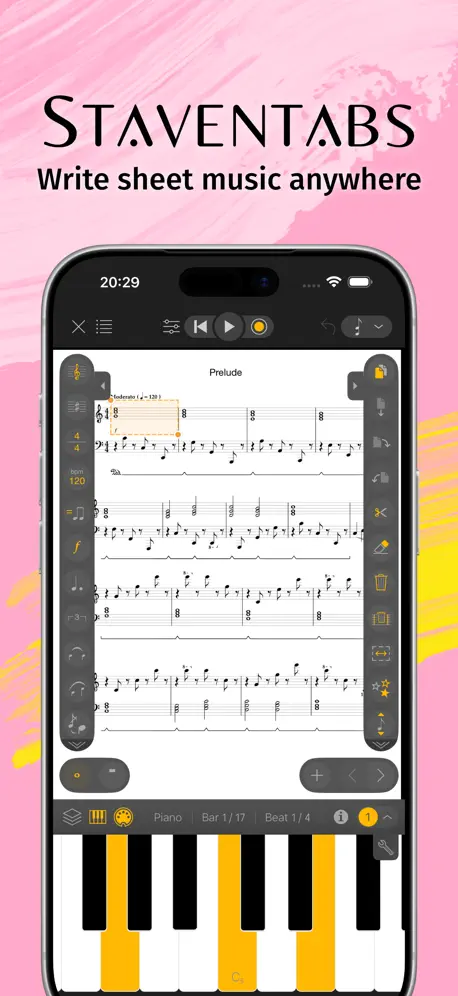  Staventabs: Compose & Notate | 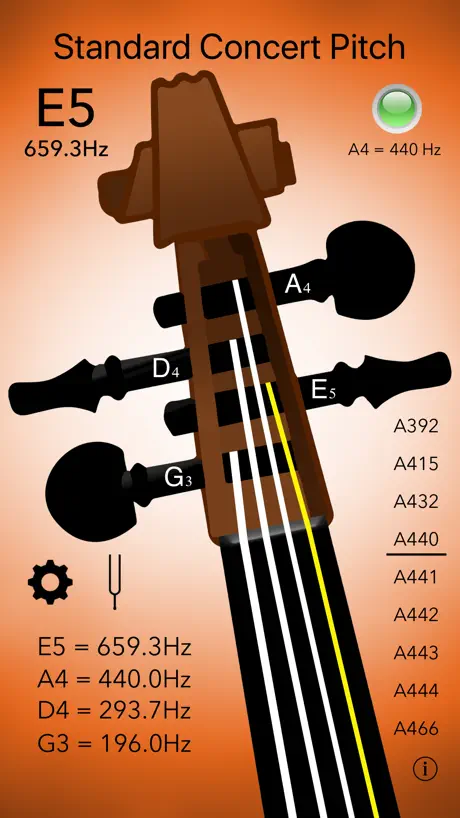  Violin Tuner Professional |  Calypso Score: Sheet Music | 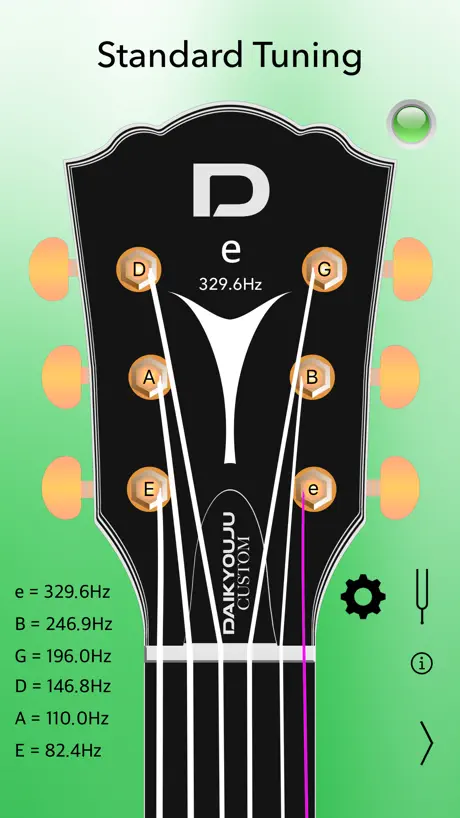  Acoustic Guitar Tuner Pro |   GTMaker - Sheet Music & Tabs |   Drum2Notes - Transcribe Drums |   Sheet Music Maker & Scanner |   Guitar Tab Visualizer & Editor |   Grid Music Player | |
|---|---|---|---|---|---|---|---|---|---|---|---|
| Rating / 5 | 3.4 | 4.1 | 4.1 | 4.4 | 4.3 | 4.5 | 4.1 | 3.8 | 2.2 | 4.6 | 4.4 |
| Reviews | 159 | 1.4K | 494 | 462 | 178 | 130 | 56 | 30 | 26 | 8 | 8 |
| Released | 2012 | 2016 | 2015 | 2014 | 2012 | 2013 | 2022 | 2024 | 2023 | 2020 | 2023 |
| Annual price | — | $49.99 | — | — | $11.99 | — | — | — | — | — | — |
| One-time price | $14.99 | $0.99 | $10.99 | — | $22.99 | — | — | — | — | — | — |
The going rate for each plan in United States, in its own currency, shaded from the cheapest price on the row to the dearest. Plans fewer than four in ten of the priced apps sell are left out.
Reflow - Score Editor reviews
3.4 out of 5, based on 159 reviews.
What people like
- Excellent, clear online instruction manual
- Syncs work across Mac and iOS
- Very affordable price for the features
What they complain about
- Updates broke the old intuitive interface
- App crashes constantly with large files
- Support ignores emails and messages
Still using Reflow after many years 🥇
Thanks for your response. I have a load of crash logs in the analytics that I going to email to you. But, as I was also preparing to send you my Reflow song file, I noticed a spelling mistake in my song title, but every time I pressed DONE after correcting the mistake it crashed time and time again, so this time I selected SUBTITLE before tapping DONE and Reflow has never crashed since🤔 THUR I purchased this app 10 years ago and it has been brilliant, but just recently I wrote some music into Reflow and it worked fine. I set up another instrument stave to start writing a second part, as soon as I re-selected the first instrument it crashed over and over again. I opened the same score in Reflow on my iPhone and all was well until I tried to select the other instrument- crash after crash!. Please can this be put right.
Reflow
I don’t know if you realize this app is missed up bad. I’ve use this Reflow for a long time and you guys finally working now it’s No longer works so I want a refund. It don’t work now.
iPad not saving my notations
Notations disappear after I make them. I don’t see a save button. Love the app otherwise
New user interface a step down
The new interface is far less intuitive than the previous one, making composing and editing on iOS so much more difficult. Saving and loading documents seems especially obscure, with it being far too easy to exit the a document without it being saved. So far I’m struggling to see any way in which this overhaul is an improvement at all - in fact just the opposite.
Disappointed
I purchased Reflow a few years ago through the App Store. It was never great but worked well enough to transcribe drum scores and be able to view them on a screen. Now, a few years later, I open the app to use it again and see that it has changed to a subscription model. Despite having purchased it already, not all of the previous functions are available to me anymore — unless I pay for a subscription. I understand why the change was made but I am still disappointed. I don’t use Reflow enough to justify paying for yet another subscription so I guess I am back to writing out drum scores with pencil and paper.
Needs some work
Love the app, but it’s frustrating that there’s no notation for effect cymbals, flams and double pedal
No website support
How do I contact developer? Website not working! Is this app only for guitar?? I was looking for drum set notation. I’ll change rating once I get answers.
Writing a score for Piano
It has been a few years since I have used Reflow. I used to use it a lot and am now getting reacquainted with it. There seems to have been quite a few changes. Using it on a grand staff is a bit more difficult, I’m sure I will get used to it, but there are changes that are not intuitive for someone writing a score for piano. Also, the button for sharps is not working. I hope you put out an update that fixes this soon.
The new update is frustrating
A lot of the new UI just straight up doesn’t work, or is more difficult to use. It’s harder to write tabs/notations as other things now get in the way of being able to hit the button I am trying to hit and there is no way for me to move it aside. I am unable to save my tempo changes as it’s just the numbers keyboard but nowhere to enter it. It’s also quite frustrating that features that used to be free are now locked behind a payed subscription rather than a one-time purchase or given at the beginning
Problème de notation
Bonjour depuis la dernière mise à jour les signes de reprise « segno »ainsi que les signes de coda se positionnent très mal, ils sont beaucoup trop haut, quasiment dans le texte se trouvant dans la ligne précédente, c’est fortement dérangeant, illisible et bien dommage car auparavant cela fonctionnait très bien.....
Exceptionally useful
There so many capabilities in this app that it significantly reduces the time and effort I must spend too learn or change a song. My only criticism is that I've not been able to find a way to reach them for help that's not covered in their quite thorough instruction guide. For example, creating repeat starts and stops are wonderful, but how can I create 1st, 2nd, and 3rd endings for a user of my songs? Nevertheless, I highly recommend this app!
Horrible App
It erases your work after you close it. It simply doesn’t save. There is no clear way to change tempo or set a loop. You will spend hours only to have it wasted. Avoid. The developers ruined this app.
On its way to being a great app
The more users, the more this will be developed. It’s somewhere between PowerTab and guitar pro, still needs to work - improvements to bending notation and functions, lacking a shifter and string shifter function, but honestly if all the notation apps for guitar with a tab based input, this is the best. I’m transcribing Jazz Metal álbum by Shaun Baxter and combinded with AnyTune Pro+ I’ve got away for the first time just using my iPhone.
plea from a 10-year Supporter
New Version is Not Good !!! spent hours trying figure it out the drum chart user panel shrunk tremendously and no longer intuitive, stems from bottom default does not make sense, spacing is worse than previous im an ambassador and evangelized many users to buy this... please give us back the old version or provide alternative retro product. Many thanks appreciate !!!
Lost Documents
Was working great but files have been lost. I know they exist because when I try to creat a new one the program renames it with a number at the end. Very frustrating
Hard to figure out
I had to spend like two hours trying to figure out the basic stuff. Add tutorial and I would like to be able to copy and past selected measures (make selecting thing easier?). If that's already something I can do then it just proves how confusing the app is. And me being me would like to have the vibraphone sounds 'fixed' (it don't sound good) and more drum set/ aux. percussion. Otherwise, the app is the best out there.
Recent update broken.
In the recent update, there is a issue with the app. Whether in edit mode or not, when zooming in or out, it will afterwards lock the view, not allowing for any movement, at the beginning of the piece. I've found that pressing the "measure details" button (the one that brings up details such as key, time signature, and others) will "unlock" the view, until zooming in or out again. This "lock" occurs on both sheet music mode, and whatever the other one is called. I am running IOS 9.1 on an IPhone 6. Please fix this
It’s improved, but it still has problems...
This is your long-time Reflow user again, back all the way from Version 2. Thanks a lot for fixing my problems with version 15.2, especially the ones dealing with volume dynamics! However, we still have these problems to deal with: – Text on a staff shows if you’re in page view, but it DOES NOT APPEAR if you’re in horizontal view, which I use all the time! – If you use an instrument with a grand staff and add some notes to the staff, or some dynamics, you get a RIDICULOUSLY large gap between the top staff and the bottom staff (even if none of the notes are on ledger lines) and there’ll also be more space than necessary between the bottom staff and the bottom of the page (in horizontal mode). – I increased the tempo of a section of measures, which started with two tied whole notes, to be DOUBLE of that of the previous section, and the tied note played for the length of two tied whole notes at the tempo BEFORE the actual tempo change instead of at the correct tempo! – If you’re in page mode and have a lot of stuff on the page at once (e.g. a full band’s worth of staves), the page content does NOT resize to fit the page (or vice versa), meaning that you can easily have parts that are clipped off or even removed entirely by the bottom of the page! – Occasionally, when I’m in Edit mode and go to the instruments panel and click on an instrument’s info button, the app will crash. Note that I’m currently using iOS 13.3 on an iPhone 6S+. – Having more variety of bends would be nice on the mobile version. – Could you note (if you haven’t already) how long a double-dotted note should be in relation to a normal note in the user manual? I think it should be the note length plus 3/4 of that note’s length, but I’m not certain. NOTE: Double-dotted quarter notes still render as a quarter note plus an eighth note PLUS a dotted sixteenth! – If you change a stringed instrument’s tuning (e.g. tune all the strings down by a half-step), it doesn’t automatically transpose the tablature notes to their original correct pitches. In case someone wants to keep the same fretting (with this new, different pitch), this should be an option. – We still can’t change the tempo marking midway through a measure; only at the start of it. The good news is that this time around, the number of problems are far fewer than in 15.2. However, they should still be checked out when you guys get the chance, particularly the first five I listed here. Thanks for your consideration and support!
Looks good but keeps crashing
Load a file (Dropbox supported) hit settings, turn off the score and scroll around for a couple seconds and it crashes every time. Hope to see this fixed as I love the way it looks.
Would be good
It works awesome until you get into songs with about 100 kb of data, then it turns into a glitchy, unusable app that crashes constantly. It would get 5 stars if it was fixed
Wonderful!
I wanted to write a review because if this app had more good reviews I would have saved a lot of time. Instead I bought Progression and Tabledit first. While they weren't bad, they were not as intuitive or easy to use as Reflow. This app has a really clean, modern and user friendly interface. The manual is truly excellent and very clear! If there's something you can't figure out how to do, it's very easy to look it up and find clear instruction. If you are looking for a way to tab out parts or document your songs, etc - I would highly recommend Reflow!
Doesn't work
Wanted something to jot down tunes on my iPad. Complete dud for anything other than guitar, and probably for that too. Deleted.
Retracted Bad Review - Beaming
I sincerely apologize for the bad review based on the beaming capabilities of Reflow. I have since figured out what I was doing incorrectly with the software. I do wish that the software was a bit more intuitive but it DOES do beaming by using the [+] or [-] keys. I used to be a software developer and I believe that software stands on the ease of use through its interface. I am still learning this app and had trouble even after reading the manual. Anyway, Reflow does create nice looking scores and with a little more manipulation and time I’m sure this software will train me how to use it more effectively. To the software developers... please accept my humble apologies for the previous bad review. You efforts are appreciated. My scores look juvenile at best without the ability to connect notes with beams. Every picture on your app page shows beautiful scores with nice tidy beams. I paid for this to do basic scores on drums for students right from my iPad. I will have to just find another solution. This looks horrible and I feel like you’ve misrepresented the product. Reflow has no business being in the Apple Store for iOS. Shame on you! Seriously. This is a pitiful effort bringing a half thought out effort to the market place. Please disclose your application’s limitations on your Apple Store page for iPad users. This app is of limited value to iOS users.
Partition perdue...
Après 4 jours d’écriture... je réouvre l’application et tout a disparu... dégoûté. Sinon bonne application pour rédiger et convertir. Mais convertissez rapidement.
Amazing in almost every way
This app is great once you get used to a new interface, as I used to use Finale 2008. It only took me a day or two to figure it out. It is so simple, but there is one problem. The instruments sound like garbage, the violin and viola sound like nails on a chalk board and the wood winds don't sound as they should. I compose for full orchestra and this is a major problem, as they are also not completely in tune and I can't hear the harmonies. But if this was fixed it would be the greatest notation app.
Very happy with this app
I do most of my composing while walking, working things out in my mind, and with Reflow I can stop anywhere and record it. It's easiest when I have my iPad, but depending on the circumstances, I can also use my iPhone or iPod Touch (they still support iOS 6!). I score things for piano only, so my experience is limited to that, but it has always worked for me. The interface takes some time to learn, but is well documented. I've had the app since a quite early version, and it has been improved and enhanced steadily. Bugs are a fact of life but the developers have moved quickly to fix them. Highly recommended!
Very Disappointed
I just wanted to create some fairly simple scores for piano that look better than my hard to read hand writing. Some of the reviews implied that this would be intuitive to use but that was not the case at all. Even after reading a user manual, the most basic features seem confusing and not things you will remember unless you use this all the time. Also, some features just did not seem to work at all as advertised. Luckily this did not cost very much since I consider it a waste of money (and time). Lesson learned.
Very promising
I have tried several apps for writing both tab and sheet music and have found this app to be one of the best options. Whilst updates are not as regular as I would like, and the app still has a few rough edges, I feel the basic tab editing is more intuitive and efficient than any other iOS app can offer. The app can be used simply for guitar tab or can be used to create full scores of tab and/or traditional music notation. The import and export options are plentiful, although I've not found all the exported files to be reliably compatible. The MIDI drum mapping has given good results, but other instruments have been unpredictable: I know development is continuing on this. I was very reluctant to bother reading the manual, but found it straightforward when I did so, which is just as well because doing so is pretty much essential: I struggled to work some details of the app out without reference to instructions, but always found in the end that it could do what I needed. Some other apps do offer better sounding instruments for 'playback' of scores, and better emulate nuances like hammer ons and slides during audio playback. Some are rather more stable, though they all seem somewhat crash prone. However few apps can create printable tabs and scores as well as this one: PDF exports, whilst not perfect, are really very good indeed and the tools for editing the scores are intuitive and powerful, including easy ways to add notes, duplicate notes, double and halve note durations, split notes and and line breaks, all of which are common requirements missing from some competing tab/score editors. A genuinely useful app that does have a lot to offer.
Many features no longer work
Reading the manual online it shows you should be able to copy and paste. Well, no dialog comes up giving you the option to copy or paste after selecting things. This isn’t the only feature I’ve found that doesn’t work
Drum score is Inaccurate
The drum score is inaccurate, I bought it tested it and found they named the tons is the wrong order, and worst of all they put the toms on the wrong places on the score. Other than this its a good app. PLEASE FIX THIS BECAUSE THEN THIS APP WILL BE AWESOME
Great App
This app is truly a great score writer. The updates have fixed most of the glitches. I hope to see more freedom with drum writing and maybe a Drumline type score (Snare line, tenor, bass midi, ect.) Great app over all, can't wait to see more updates in the future. For the price and convenience this app stands up to finale and the other score writers for the computer. Plus this is an on the go app. There is however a glitch to where if you have a flam/ grace note on the first beat of a measure it won't play it. Small issue. Nothing to make me think any less of the app. Keep up the great work.
Left in the dark...
I just purchased the app. Looking to make simple Drumset parts. It is not intuitive at all. Manual I found is from 2012. I've sent a message to there Facebook asking for help. No response. Don't waste your time or money.
Needs More Percussion
All you really have is the drum set, which isn't bad, but it's lacking. I mean, what if I wanted a tambourine or triangle? In addition to needing more percussion I'd like to suggest adjusting the voice for some of the instruments. For example, the concert bells sound way too low an octave than the actual instrument sounds. Functionality it good, just nitpicking.
Export
Depuis la dernière MAJ impossible d exporter en pdf midi et gp!vite une solution svp
Good app
I bought this app to add new features to my drumming instagram account called @quickdrumlessons I found this app very hard to use in the beginning but after a couple of hours of using it looks like it's becoming easier. I still can't figure out how to type Lefts and Rights sometimes. It seems like after you write the whole groove you can't add L/R you have to do it as you write it I think, I'll keep playing with the app and update this comment after a few weeks ;)
Recommendable Music Station App
This app is for serious and unassuming song writers and composers. 1. Price of the app is extremely affordably low. 2. This a 3-in-1 app, which is synchronizes one's work to the following: a. Mac computers, b. iPads, and c. iPhones. With other music apps, these needs separate purchase. 3. Precision is accurate. While other apps focuses on beauty of the app, reflow focus on production of your music. 4. Different places or machines to create, edit, play and store ones music. 5. Great customer responds for suggestions, creation and updates.
Junk
Don't waste your money. I couldn't get things to work. When I first got it, there were many options. I shut it down, intending to explore it later. Suddenly, everything was missing. I emailed support but got nothing back. It's crap as far as I can tell. Maybe if they'd get back to me, I'd change my mind.
Reflow
Good app overall, though when trying to speed up tempo, there are glitches.
Not good for drum scoring.
This software is not very good for creating drum charts. The interface is very clumsy and most of the special notation for percussion is missing. I was so looking forward to using this app for creating charts but I became very frustrated and finally gave up. If you are a drummer please stay away from this app. Stick to pencil and paper. Much more efficient and less of a pain.
Missing guitar effects
Where did the h.p. go for hammer on and pull offs? I bought this to write tabs. Did I make a mistake with IOS?
Pleasantly surprised
Very happy with this app so far. At first I was frustrated by a few things I was not able to do but I either figured out how to do it or found the answer in the documentation that I found online. I'm not an expert so I may not be exposing issues that a real musician would, but for the price (and my experience level), this seems like a pretty nifty app. I hope Gargant continues to enhance it.
Don't bother
It may look good, like sheet music, but lacks functionality. In edit mode, the keyboard doesn't work--either nothing shows up or it types something different. Did not even try midi input.
Easy and modern notation app
On the Mac, it supports Retina, but no 4" iPhone 5 support yet The iCloud integration is great For basic music notation this app and its Mac sibling are fine
Not so great for drums
The choice of symbology for drums is kind of antiquated. No formatting options as far as I can tell (so you're at the whim of the app as far as how many measures per line). No note barring options...it's a little weird that it doesn't bar eighth notes together into groups of four like other notation software. No way to control this as far as I can tell. Entering notes is easy once you figure it out, though...but cut and paste is not supported so it's a little tedious. App's help window is empty. Three toms, snare (and rim shot which sounds exactly the same as regular snare), kick, open/close hi hat, ride, crash. You're out of luck if you want to specify bell vs bow for the ride, cross-sticking, or if you have more than one crash. No ghost notes or double strokes. Playback is weird...even when it goes past the song, it keeps playing with a weird hissing. And for some reason, my drum track is called "guitar" and I can't figure out how to change it. Overall, I'm disappointed and wish I could get my money back. This is beta software at best. Giving it two stars because the other instruments might be better, but look elsewhere for drum notation.
Good but,..
If the dev add helpful hints, fix the ugly animation, and add auto arrangement feature like Band in a Box for PC,...this app will be a rock star and i'll give 5 stars!
Solid app, updated semi-frequently, sync is awesome
I've tried a few of the tab editors for iOS, and I like this one the most. It's a full-featured tab editor that works on a phone! Reflow for the Mac isn't the most powerful app editor around, but it syncs well with the iOS counterparts and gets the job done. This app works as a great scratch pad for my ideas. There are still some bugs that need to be squashed, but I expect them to be fixed in due time.
Work flow is terrible-for drums
The app is not user friendly. Clicked on the help tab and found no documentation. Not a smooth transaction from one group of note to another. Needs work!
Nice for the traveling composer
On my notebook computer, I use Finale. When I bought my iPad, I was attracted to the idea of being able to flesh out musical ideas anywhere. It's hard to expect Finale completeness in an iPad app, but Reflow hits the right notes, so to speak. The range of notation markings is more than I expected. Repeat marks, trills, accents. There are some limitations, like only two available clefs (bass and treble, of course), and a lack of fine-tunable beaming options, but that's par for the mobile course. There are a few key places where there could be improvement. It's tricky to put a note exactly where you want it. You first place a cursor on the staff with your finger, then push a button to place a note. If you're off by much, you can move the note up or down by half-steps. Another reviewer complained about how accidentals were handled, with some nonsense about flats not "ever" belonging in a piece with a sharp key signature. You don't need to look at too many scores to realize that's a ridiculous thing to say, and Reflow handles accidentals just fine. But there are some things they could do to make note entry a little easier. For example: (1) The ability to pinch-zoom would help make that initial placement a little more precise. (2) It would be fantastic if Reflow supported a Bluetooth keyboard, perhaps mapping notes to letters and durations to numbers. Additionally, the file system is a little clunky. Clunky in that I'm not exactly sure how it works. My stuff makes it out to iCloud okay, though, so it's probably just me not grokking this new-fangled storage system. The export options are nice. As far as I can tell, Reflow doesn't support AirPrint, which is a shame, but it's not hard to get your work out of the iPad. This team did a great job, really. I was going to buy Notion, which was about the same price, but I didn't feel like parting with an entire gigabyte. I'm very pleased with my choice.
Maîtrise
Pas facile à maîtriser, déconseiller pour les débutants, manque de souplesse dans l'ajout des annotations et définition des partitions, app. Pas très intuitive, dommage!
Could be great, feels unfinished.
It seems like developers of notation software, including Finale and Sibelius, just don't "get" software design. I have been hoping a developer with a innovative sense of style would come out of the woodwork and show the big players how it's done. The iPad is a potentially excellent notation tool for composers. Reflow could be great, but right now it is rough and feels unfinished. Some things are not intuitive, some functions are missing or relatively elaborate to implement (such as starting a measure with a rest), and simple (though non-critical) bugs exist. What I'd like to see is a greater elegance in the UI and precise control over the engraving.
Reflow - Score Editor price by country
A one-time purchase costs $13.73 in Qatar and $22.02 in Colombia — 1.6× more for the same thing. Below is the going rate for each plan in every country that sells it — the middle price of what the app charges there, in the country's own currency with the dollar equivalent beneath it.
| Country | One-time |
|---|---|
| Afghanistan | $14.99 |
| Albania | $17.99 |
| Algeria | $14.99 |
| Angola | $14.99 |
| Anguilla | $14.99 |
| Antigua And Barbuda | $14.99 |
| Argentina | $14.99 |
| Armenia | $17.99 |
| Australia | A$22.99$15.97 |
| Austria | €17.99$20.19 |
| Azerbaijan | $17.99 |
| Bahamas | $14.99 |
| Bahrain | $14.99 |
| Barbados | $17.99 |
| Belarus | $17.99 |
| Belgium | €17.99$20.19 |
| Belize | $14.99 |
| Benin | $17.99 |
| Bermuda | $14.99 |
| Bhutan | $14.99 |
| Bolivia | $14.99 |
| Bosnia & Herzegovina | €17.99$20.19 |
| Botswana | $14.99 |
| Brazil | R$99.90$19.70 |
| British Virgin Islands | $14.99 |
| Brunei Darussalam | $14.99 |
| Bulgaria | €17.99$20.19 |
| Burkina Faso | $14.99 |
| Cambodia | $14.99 |
| Cameroon | $17.99 |
| Canada | CA$19.99$14.18 |
| Cape Verde | $14.99 |
| Cayman Islands | $14.99 |
| Chad | $14.99 |
| Chile | CLP 17,990$18.33 |
| China | CN¥98.00$14.65 |
| Colombia | COP 69,900$22.02 |
| Congo | $17.99 |
| Congo, Democratic Republic | $14.99 |
| Costa Rica | $14.99 |
| Cote Divoire | $17.99 |
| Croatia | €17.99$20.19 |
| Cyprus | €17.99$20.19 |
| Czech Republic | CZK 399.00$18.40 |
| Denmark | DKK 129.00$19.40 |
| Dominica | $14.99 |
| Dominican Republic | $14.99 |
| Ecuador | $14.99 |
| Egypt | EGP 799.99$14.95 |
| El Salvador | $14.99 |
| Estonia | €17.99$20.19 |
| Fiji | $14.99 |
| Finland | €17.99$20.19 |
| France | €17.99$20.19 |
| Gabon | $14.99 |
| Gambia | $14.99 |
| Georgia | $17.99 |
| Germany | €17.99$20.15 |
| Ghana | $17.99 |
| Greece | €17.99$20.19 |
| Grenada | $14.99 |
| Guatemala | $14.99 |
| Guinea-bissau | $14.99 |
| Guyana | $14.99 |
| Honduras | $14.99 |
| Hong Kong | HK$118.00$15.03 |
| Hungary | HUF 6,990$21.61 |
| Iceland | $17.99 |
| India | ₹1,499.00$15.75 |
| Indonesia | IDR 299,000$16.56 |
| Iraq | $14.99 |
| Ireland | €17.99$20.19 |
| Israel | ₪49.90$16.05 |
| Italy | €17.99$20.19 |
| Jamaica | $14.99 |
| Japan | ¥2,500$15.83 |
| Jordan | $14.99 |
| Kazakhstan | KZT 8,990.00$19.88 |
| Kenya | $17.99 |
| Kosovo | €17.99$20.19 |
| Kuwait | $14.99 |
| Kyrgyzstan | $14.99 |
| Lao Peoples Democratic Republic | $14.99 |
| Latvia | €17.99$20.19 |
| Lebanon | $14.99 |
| Liberia | $14.99 |
| Libya | $14.99 |
| Lithuania | €17.99$20.19 |
| Luxembourg | €17.99$20.19 |
| Macao | $14.99 |
| Macedonia | $14.99 |
| Madagascar | $14.99 |
| Malawi | $14.99 |
| Malaysia | MYR 69.90$17.13 |
| Maldives | $14.99 |
| Mali | $14.99 |
| Malta | €17.99$20.19 |
| Mauritania | $14.99 |
| Mauritius | $17.99 |
| Mexico | MX$299.00$16.20 |
| Micronesia | $14.99 |
| Moldova | $17.99 |
| Mongolia | $14.99 |
| Montenegro | €12.99$14.58 |
| Montserrat | $14.99 |
| Morocco | $17.99 |
| Mozambique | $14.99 |
| Myanmar | $14.99 |
| Namibia | $14.99 |
| Nauru | $14.99 |
| Nepal | $17.99 |
| Netherlands | €17.99$20.19 |
| New Zealand | NZ$29.99$16.94 |
| Nicaragua | $14.99 |
| Niger | $14.99 |
| Nigeria | NGN 24,900.00$18.70 |
| Norway | NOK 199.00$21.08 |
| Oman | $14.99 |
| Pakistan | PKR 3,900$14.09 |
| Palau | $14.99 |
| Panama | $14.99 |
| Papua New Guinea | $14.99 |
| Paraguay | $14.99 |
| Peru | PEN 69.90$20.32 |
| Philippines | ₱999.00$15.84 |
| Poland | PLN 69.99$17.99 |
| Portugal | €17.99$20.19 |
| Qatar | QAR 49.99$13.73 |
| Romania | RON 79.99$16.88 |
| Russia | RUB 1,290.00$15.50 |
| Rwanda | $14.99 |
| Sao Tome & Principe | $14.99 |
| Saudi Arabia | SAR 59.99$16.00 |
| Senegal | $17.99 |
| Serbia | €17.99$20.19 |
| Seychelles | $14.99 |
| Sierra Leone | $14.99 |
| Singapore | SGD 19.98$15.61 |
| Slovakia | €17.99$20.19 |
| Slovenia | €17.99$20.19 |
| Solomon Islands | $14.99 |
| South Africa | ZAR 299.99$18.23 |
| South Korea | ₩25,000$18.75 |
| Spain | €17.99$20.19 |
| Sri Lanka | $14.99 |
| St. Kitts and Nevis | $14.99 |
| St. Lucia | $14.99 |
| St. Vincent & The Grenadines | $14.99 |
| Suriname | $14.99 |
| Swaziland | $14.99 |
| Sweden | SEK 199.00$20.06 |
| Switzerland | CHF 14.00$16.99 |
| Taiwan | NT$490.00$15.10 |
| Tajikistan | $14.99 |
| Tanzania | TZS 39,900.00$15.16 |
| Thailand | THB 499.00$14.93 |
| Tonga | $14.99 |
| Trinidad and Tobago | $14.99 |
| Tunisia | $14.99 |
| Turkey | TRY 799.99$16.15 |
| Turkmenistan | $14.99 |
| Turks and Caicos | $14.99 |
| Uganda | $17.99 |
| Ukraine | $17.99 |
| United Arab Emirates | AED 59.99$16.35 |
| United Kingdom | £14.99$19.99 |
| United States | $14.99 |
| Uruguay | $14.99 |
| Uzbekistan | $14.99 |
| Vanuatu | $14.99 |
| Venezuela | $14.99 |
| Vietnam | ₫499,000$19.29 |
| Yemen | $14.99 |
| Zambia | $17.99 |
| Zimbabwe | $17.99 |
Reflow - Score Editor FAQ
- Is Reflow - Score Editor free?
- Yes. The app and its basic features are free, in all 175 countries it sells in. Premium features are paid: they start from $14.99 (US), across 1 one-time purchase.
- Does Reflow - Score Editor have a free trial?
- No. None of its offers (US) come with a free trial.
- Where is Reflow - Score Editor cheapest?
- A one-time purchase costs QAR 49.99 (≈$13.73) in Qatar and COP 69,900 (≈$22.02) in Colombia, its cheapest and dearest countries.
- What are the best alternatives to Reflow - Score Editor?
- Guitar Notation - Tabs&Chords (4.1 from 1,405 reviews, premium from $0.99), Staventabs: Compose & Notate (4.1 from 494 reviews, premium from $9.99) and Violin Tuner Professional (4.4 from 462 reviews).
Reflow - Score Editor download
Last updated 13 days ago.
Reflow - Score Editor sells in 175 countries. It was released 14 years and 7 months ago, on 13 Apr 2012. It holds a 3.4 rating from 159 reviews.
Supports 10 languages: English, French, German, Italian, Japanese, Korean, Portuguese, Russian, Chinese, Spanish.
How much does Reflow - Score Editor make?
Third-party estimates for the last 30 days, worldwide — not the store's own figures, which Apple publishes for nobody.
Revenue by plan
- One-time 100%
Revenue by country
- United States 27%
- France 14%
- Singapore 11%
- Japan 8%