Yard Planner
DIY Landscape Design
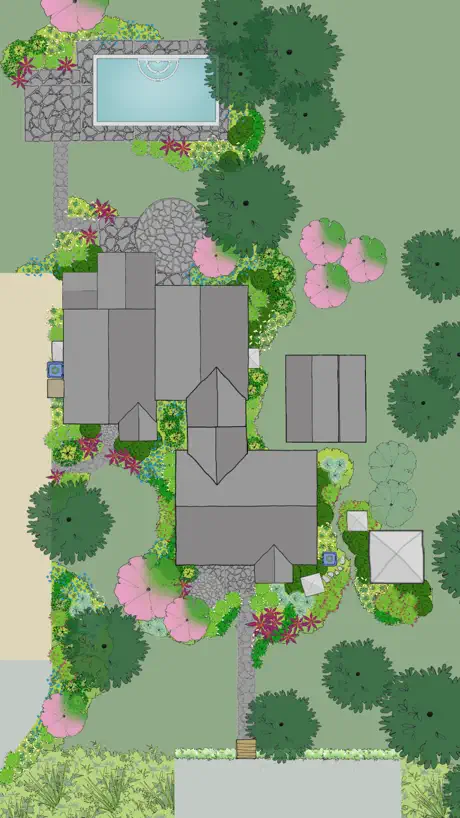
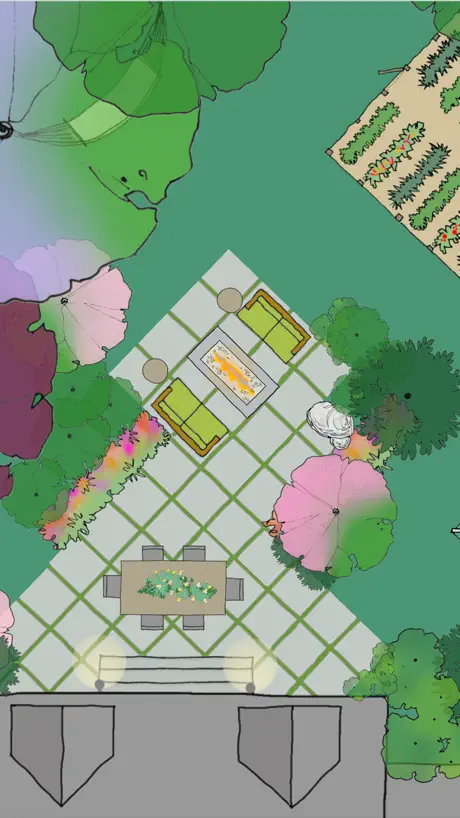
How much does Yard Planner cost?
Prices are current as of 6 Nov 2026.
Yard Planner has no in-app products on record in the United States.
Yard Planner download price by country
| Country | Price |
|---|---|
| United States | $3.99 |
| United Kingdom | £3.99 |
| Australia | A$5.99 |
| Canada | CA$4.99 |
| Russia | RUB 349.00 |
| New Zealand | NZ$6.99 |
| South Africa | ZAR 79.99 |
| France | €3.99 |
| Sweden | SEK 49.00 |
| Thailand | THB 149.00 |
| Argentina | $3.99 |
| Spain | €3.99 |
| Netherlands | €3.99 |
| Poland | PLN 19.99 |
| Ukraine | $4.99 |
| China | CN¥28.00 |
| Germany | €3.99 |
| Egypt | EGP 199.99 |
| Ireland | €3.99 |
| Norway | NOK 49.00 |
| Philippines | ₱249.00 |
| Turkey | TRY 199.99 |
| Austria | €3.99 |
| Chile | CLP 4,990 |
| Czech Republic | CZK 99.00 |
| Denmark | DKK 39.00 |
| Italy | €3.99 |
| Japan | ¥600 |
| Cambodia | $3.99 |
| Singapore | SGD 5.98 |
| United Arab Emirates | AED 14.99 |
| Belgium | €3.99 |
| Bermuda | $3.99 |
| Brazil | R$24.90 |
| Bahamas | $3.99 |
| Switzerland | CHF 3.00 |
| Colombia | COP 19,900 |
| Finland | €3.99 |
| Croatia | €3.99 |
| Hungary | HUF 1,790 |
| Israel | ₪12.90 |
| Kuwait | $3.99 |
| Kazakhstan | KZT 2,490.00 |
| St. Lucia | $3.99 |
| Mexico | MX$89.00 |
| Malaysia | MYR 19.90 |
| Paraguay | $3.99 |
| Romania | RON 19.99 |
| Saudi Arabia | SAR 17.99 |
| Slovenia | €3.99 |
| Slovakia | €3.99 |
| Uganda | $4.99 |
| Vietnam | ₫119,000 |
| Afghanistan | $3.99 |
| Antigua And Barbuda | $3.99 |
| Anguilla | $3.99 |
| Albania | $4.99 |
| Armenia | $4.99 |
| Angola | $3.99 |
| Azerbaijan | $4.99 |
| Bosnia & Herzegovina | €3.99 |
| Barbados | $4.99 |
| Burkina Faso | $3.99 |
| Bulgaria | €3.99 |
| Bahrain | $3.99 |
| Benin | $4.99 |
| Brunei Darussalam | $3.99 |
| Bolivia | $3.99 |
| Bhutan | $3.99 |
| Botswana | $3.99 |
| Belarus | $4.99 |
| Belize | $3.99 |
| Congo, Democratic Republic | $3.99 |
| Congo | $4.99 |
| Cote Divoire | $4.99 |
| Cameroon | $4.99 |
| Costa Rica | $3.99 |
| Cape Verde | $3.99 |
| Cyprus | €3.99 |
| Dominica | $3.99 |
| Dominican Republic | $3.99 |
| Algeria | $3.99 |
| Ecuador | $3.99 |
| Estonia | €3.99 |
| Fiji | $3.99 |
| Micronesia | $3.99 |
| Gabon | $3.99 |
| Grenada | $3.99 |
| Georgia | $4.99 |
| Ghana | $4.99 |
| Gambia | $3.99 |
| Greece | €3.99 |
| Guatemala | $3.99 |
| Guinea-bissau | $3.99 |
| Guyana | $3.99 |
| Hong Kong | HK$32.00 |
| Honduras | $3.99 |
| Indonesia | IDR 79,000 |
| India | ₹399.00 |
| Iraq | $3.99 |
| Iceland | $4.99 |
| Jamaica | $3.99 |
| Jordan | $3.99 |
| Kenya | $4.99 |
| Kyrgyzstan | $3.99 |
| St. Kitts and Nevis | $3.99 |
| South Korea | ₩6,600 |
| Cayman Islands | $3.99 |
| Lao Peoples Democratic Republic | $3.99 |
| Lebanon | $3.99 |
| Sri Lanka | $3.99 |
| Liberia | $3.99 |
| Lithuania | €3.99 |
| Luxembourg | €3.99 |
| Latvia | €3.99 |
| Libya | $3.99 |
| Morocco | $4.99 |
| Moldova | $4.99 |
| Montenegro | €3.99 |
| Madagascar | $3.99 |
| Macedonia | $3.99 |
| Mali | $3.99 |
| Myanmar | $3.99 |
| Mongolia | $3.99 |
| Macao | $3.99 |
| Mauritania | $3.99 |
| Montserrat | $3.99 |
| Malta | €3.99 |
| Mauritius | $4.99 |
| Maldives | $3.99 |
| Malawi | $3.99 |
| Mozambique | $3.99 |
| Namibia | $3.99 |
| Niger | $3.99 |
| Nigeria | NGN 6,900.00 |
| Nicaragua | $3.99 |
| Nepal | $4.99 |
| Nauru | $3.99 |
| Oman | $3.99 |
| Panama | $3.99 |
| Peru | PEN 17.90 |
| Papua New Guinea | $3.99 |
| Pakistan | PKR 1,100 |
| Portugal | €3.99 |
| Palau | $3.99 |
| Qatar | QAR 14.99 |
| Serbia | €3.99 |
| Rwanda | $3.99 |
| Solomon Islands | $3.99 |
| Seychelles | $3.99 |
| Sierra Leone | $3.99 |
| Senegal | $4.99 |
| Suriname | $3.99 |
| Sao Tome & Principe | $3.99 |
| El Salvador | $3.99 |
| Swaziland | $3.99 |
| Turks and Caicos | $3.99 |
| Chad | $3.99 |
| Tajikistan | $3.99 |
| Turkmenistan | $3.99 |
| Tunisia | $3.99 |
| Tonga | $3.99 |
| Trinidad and Tobago | $3.99 |
| Taiwan | NT$120.00 |
| Tanzania | TZS 11,900.00 |
| Uruguay | $3.99 |
| Uzbekistan | $3.99 |
| St. Vincent & The Grenadines | $3.99 |
| Venezuela | $3.99 |
| British Virgin Islands | $3.99 |
| Vanuatu | $3.99 |
| Kosovo | €3.99 |
| Yemen | $3.99 |
| Zambia | $4.99 |
| Zimbabwe | $4.99 |
10+ alternatives to Yard Planner
| Yard Planner |   iScape: Landscape Design |   Veggie Garden Planner |   GARDENIZE Plant Care Gardening |   Sow: Garden & Landscape Design |   YardFlip: AI Landscape Design |   GardenPuzzle - Plan a Garden |  Deck Planner |   Landscape Design: Vera |   Flourish Garden |   Landscape AI: Landscape Design | |
|---|---|---|---|---|---|---|---|---|---|---|---|
| Rating / 5 | 3.4 | 4.6 | 4.4 | 4.3 | 4.2 | 4.7 | 3.1 | 3.2 | 3.7 | 2.8 | 1.0 |
| Reviews | 664 | 34K | 9.6K | 1.3K | 428 | 81 | 28 | 17 | 15 | 13 | 6 |
| Released | 2011 | 2011 | 2018 | 2016 | 2025 | 2025 | 2016 | 2022 | 2025 | 2023 | 2025 |
| Weekly price | — | $7.99 | — | — | $7.99 | — | — | — | — | — | — |
| Monthly price | — | $29.99 | — | $6.99 | $9.99 | — | — | — | — | — | — |
| Annual price | — | $299.99 | $1.99 | $34.99 | $99.99 | — | — | — | — | — | — |
| One-time price | — | — | $1.99 | — | $8.99 | — | — | — | — | — | — |
The going rate for each plan in United States, in its own currency, shaded from the cheapest price on the row to the dearest. Plans fewer than four in ten of the priced apps sell are left out.
Yard Planner reviews
3.4 out of 5, based on 664 reviews.
What people like
- Very simple and easy to use.
- Great for quick visual planning.
- Helps show clients your ideas clearly.
- No annoying in-app purchases.
What they complain about
- You cannot resize items separately.
- No landscape mode for iPads.
- Exported images look very pixelated.
- Plant selection is too limited.
Nice!
I really like this app. I thought it would help me in positioning additional shrubbery in my cottage garden. It was perfect for that. I also put a few additions on the house and that worked well too. It’s nice to see the design I was planning from a different perspective. I’m sure I’ll get a lot of use out of this app.
Junk
It’s not the $4 you’ll regret, it’ll be all the time you waste trying to get worthwhile results out of it.
Only missing 1 feature!
This app is fantastic. If it had an option to adjust aspect ratios/ size of layout, it would be almost perfect. Everytime i start a new project, it’s locked at 144 x 244
Disappointing
Essentially this is a fancy yard doodle board, but isn’t accurate enough to use with good project outcome. The main problem is the lack of the ability to correctly scale a drawing. In settings, there is no way to see the adjustments that the slider bar is making, not even the draw line width. But the worst of it is that the grid and the scale don’t match at all, when total zoomed in, there are 6 lines between 0 and 14. Then when you add things there is no size indicators on the objects either. So, have fun, but don’t plan on accuracy being better than a couple of feet this way or that.
For what it is
I like this app for what it is. I wanted a simple app that allowed me to see the space I’m working with. I enjoy sketching out my own property for projects, gardening, playground, homesteading. This app is great for on the go and allows me to leave a sketch pad and ruler at the house. The reason for a 3 and not a 5 is for the limited varieties of plants and equipment. It is helping me visualize my goal, but I still need an active imagination to see the plans in my head. I like the 2d sketch and that part is enough for me. It’s an easy to use program and I do not regret the purchase. I don’t think this is the app for a landscaping business unless you are wanting to quickly map a worksite for a customer who lacks the ability to visualize your basic placement of objects.
Great app
This app is simple and easy to use. Very basic images and options but it helps give you an idea of what the space you are working with will look like. No in app purchases like all the other similar apps.
Terrible software
You can’t do anything.
Missing 1 thing
Just custom dimensions for houses, x and y or whatever, height and width, maybe depth, possibly just a isometric view, perhaps a dark mode, maybe even floors. This app has the ability to map out entire rust bases, 🔥🔥🔥 it is straight fire, I just want my driveway to be gravel
Ok but could be better…
This app could be great but there are drawbacks. Simple things such as changing the size of the item makes it frustrating to design. An item’s size can change but not the width and length separately. For instance putting in a fence is immensely time consuming. Individual small fence sections must be added to create the appropriate length. And they don’t link to each other. Trying to get everything lined up is ridiculous. I would love it if you clicked on the item (ie: fence) and a box pops up that you could add the correct measurement and it automatically created the fence to the appropriate length. Along with having certain items link would make the design process more efficient. I would enjoy more options for items. In trying to put a garden bed in there was no brown option for shapes. instead of having to scroll through many different shapes in multiple colors, it would be quicker to have many different shapes options then just choose the color from a color wheel. I also wish the paths and patios could adjust the shape as well… a free form type option. I appreciate the layer buttons and locking layers comes in handy but it would be helpful to set each individual item’s layer. The menu could be more efficient as well. It always takes you back to the main menu instead of where you left off. Or if you back out of a subheading you’re back at the main menu again. For instance if I’m in pathways and I back out it doesn’t take me to hardscapes it takes me to the main menu again. More item options would be nice, especially in hardscapes and structures. The app works fine it’s just not very efficient. A few changes would make it more user friendly.
Portrait mode only
One thing i am struggling with is the fact that I like to use apps like this in landscape mode, as its more practical to use with the apple keyboard connected. The app is for use in portrait mode only. I can still use it, but the measurement bar is completely upside down and the text buttons are sideways. I personally don’t understand how anybody would NOT prefer to use a LANDSCAPE app in LANDSCAPE MODE. It’s not practical to do it this way in the slightest if you have a keyboard mount or any kind of standard horizontal stand for your iPad case. I hope there is an update that gives me the option to view it horizontally.
Where has this app been my whole life
I love the way this app measures and gives a clear picture of what you have. I love the simplicity of it too, it is easy to navigate. Get it it’s worth it.
Waste of money
This thing is old and antiquated!
Garden design
Loving this little app and have been planning my garden for our new home. It has loads of features but I’d love it to get more additions for the garden. I’d like to be able to change the shape of the paving and lawns and shapes and maybe draw in some features myself. I’m having lots of fun though doing garden plans with this app and I’m looking forward to it becoming more popular and gaining more features. Metric measurements will be awesome. Thank you.
Not more useful than other tools
I bought this hoping for the squarespace of landscape design. I’m a graphic designer and I’ve used graph paper to draw to scale, I’ve used procreate, I’ve used illustrator…I wanted more pre-built options where I could adjust the shape of a flowerbed for example, enter actual dimensions and get something to drop plants etc into. This interface just felt like it wanted to sort of be like procreate but clunkier. Lots of steps. No useful tool tips or tutorial videos to get started. The FAQ kind of helped but not really. I can draw faster on my iPad or on paper than I can use this app so I regret spending the money and won’t be using it.
Not what I had hoped
I had high hopes for this design. It’s not that advanced and seems a bit basic at best. Have seen better apps that were free. Not really worth it.
Easy App
This app was so easy to use! It puts your thoughts and ideas Into perspective. Don G
Completely unusable
App does not function. Made some pretty picture and slapped. Price tag on it. Absolutely worthless. Spent an hour trying to figure out how to use it, then all of the work disappeared. Pencil and graph paper will save you the heartache.
See my vision
I have been in the landscape industry for over 30 years now. I have used many different design programs during this time. To include expensive cad based programs. This is a good basic and easy to use design app. Some clients can not see the vision of the landscape I’m trying to sell them. When this happens, I find this app very useful to share that vision. There is a little learning curve to be efficient using this design app. Some may not even experience this curve. I can complete a design in about 20 to 30 minutes and either print it out or email it to my client. I’m hoping they continue to add new objects as this will only make it that much better and easier to use. I would recommend this app to anyone who would be in a position to create new landscapes.
Not much use
So difficult to scale items and control shape dimensions makes it barely usable. Needs better controls of shape sizes and scales from the origin. Importing a photo is impossible to fit to a scale. Cheap product but limited use.
Outdated and not useful on a IPAD
The app only works in portrait mode. Graphics are old. Needs a refresh. But it’s only $3 so you get what you pay for. This is a iPhone app ported to a IPAD… and does not take advantage of the IPAD features
I have used this app SO MANY times!
I am a person that has to move furniture to see it/feel it. This app has really helped me to have that experience, without the back ache. Just saying. :)
Can’t do anything worthwhile
Can’t change rectangle aspect ratios. Can’t change house aspect ratios. Can’t import photo or use a map image (apply stays greyed out). Can’t change the size of the palette Too dumbed down to do anything useful..
Improve with 5x more shrub/tree variety!!!
I love this app! It’s easy to use and has helped me sell landscape jobs. However the shrub/tree pallet is extremely limited and needs to improve with 5x the current variety.
Disappointed
I wanted a way to redesign a concrete patio around a pool. The tools are very basic. You can create boxes or draw a rough outline with the pencil tool. You cannot make curves nor fill in a free form drawn shape with the hardscape material. Disappointed I spent the money when it just couldn’t offer what I needed. I used it for less than an hour and uninstalled it.
not great for iPad
This app would be a lot more useful if you could use it in horizontal on an ipad so you could design it properly.
Sweet for concept designs!
This is great for mapping out the basic areas of my property to get an idea across quickly. It’s NOT a super sophisticated design tool like CAD or similar desktop programs—it’s more like a colorful sandbox tool with remarkable functionality and agility for a small screen.
Totally unimpressed
I realize that this is a low cost graphics app BUT it is basically unusable. All work in in portrait mod because it does not rotate. Added items can be resized but they keep the XY proportions. All drawing is pencil and there is no straight line mode. Glad I did not spend much.
Great app!
I recently took a class that asked me to draw a plan of my property. I’m not an artist, so I tried this app. It took a little time to get the hang of it, but I eventually made a plan of my yard that I can use. The other students were very impressed! Taking off one star because it can use a few improvements, but overall it’s pretty great.
not meant for ipad
this app was clearly meant for an iphone and as such drawing with it on an ipad feels super clunky (for instance tilt for landscape view doesn't work)
So far,so good
Only been using the app for a few days but it’s super simple to use. The only drawbacks so far are that you can only enlarge things equally I.e. you can expand or contract a square but you can’t drag one side longer to make a rectangle. This is particularly weird when trying to place walls as they expand in width not just length which is a shame. There’s workarounds using multiple duplicates of smaller objects on single layers but that can get a bit hard to track objects. The other drawback is the sliders for grid size which have no measurements on the slider? You can zoom the grid but you won’t know if you’re looking at metres or cm, which is pretty important if you’re trying to get any of accurate measurements in your garden. On the plus side, the ability to grab a map photo as your basic layer is brilliantly helpful and there’s an interesting set of basic shapes and plants etc to use. There’s also a great notes feature that’s very easy and helpful to use. It could do with the developments above and more plant options (there’s no climbing plants for example), but so far I’m really pleased with this purchase.
Great design tool
I loved the simplicity of this app it really had though through what you might want to include in your garden design
Very limited
Easy to use, but almost cartoonish design library of plants and structures.
Fun to use
I’ve only hap this app for a few days and I’m having fun discovering what I can do with it. After hunting around the available items that can be placed on the plans and that things can be put on different levels. I find it a very useful planning tool.
Don’t buy
Not worth $2.99. This app is what I would expect out of something free. The ruler is a nice touch, but truly this app is not worth what I paid for it.
Ok for simplest of designs
Ok if you work in rectangles or circles. The free drawing colours and textures don’t match the the background or shapes. So, for instance, you can’t free draw grass or patio shapes or even earth/beds to match the standard items ready added.
What a fantastic app!
I was looking for an app to help me create a nice design for my front garden, and today I found it. I purchased this app this morning and I’ve created a detailed concept plan by tonight. Granted it doesn’t go so deep that you can specify individual real plants but as an overall guide this app is simply amazing. The Resource notes are very helpful and although very powerful the app is amazingly simple. I can’t recommend this enough!!
?
Downloaded the app checked it out didn’t do what I needed it to do deleted it then comes next month and they charged my card $3.17 why? I’m unsure and I would like my money back they took unauthorized
Useful for garden planning
This app is really useful for planning your summer planting. I spent about 25 mins mocking up a design of my front and back gardens. I saved them and then added notes of what summer planting I’m putting where. Then I can just edit it next year. It would be great if they added more pots and s wider variety of plants but it’s a great free app!
Missing feature
This is a fabulous app for the price, but buyer beware, it’s missing something extremely important. The photo export is a low res joke. There is no PDF or high quality export. So there’s so actual way to print a decent copy. The images look pixelated and choppy. If it had a decent export it would easily be a 5 star app.
King
The app is fairly easy to use, I like that u can find the port of the garden through search the map online. Definitely more option of objects needed. It has hardly any really shape for plants or furniture or flooring. The objects options doesn’t cater for irregular shapes garden. Also for example furnitures should be fixed size, so I can tell how much space needed for relevant furnitures. There also should be a 3D plan final view option to see after the 2D overview is completed, therefore I can see the whether the heights of plant or other setting sitting in good balance or not. Thank you
Great for simple garden design
This is exactly what I was looking for to produce a basic garden outline structure and it is intuitive for amateurs to use. In future versions, would be great to see different varieties and heights of plants. Please add more nature items including wildflower patch, ponds, bird feeders etc.
Scam!!!!
No art library
Great site
I've been using this app for a few weeks designing an extension/garden layout. My big breakthrough was when I read the help on using resources - i.e. Sizing and rotating objects. I had always been trying to move objects by putting my finger on the object (difficult to position accurately), I hadn't realised that an object, when highlighted, was moved by from anywhere on the plan. A greater range of objects, with colour choice, would be a big asset.
Scale measurements
Being unable to change the scale has made this impossible to use.
Not to bad at all
Very handy but can figure out if you can set yard dimensions in to make it easier to scale & I can adjust objects but can seem to adjust just the length or width of the object
Great for speedy designs
I have found the app very simple and easy to us, although when adding layers of items you can lose smaller items and have to rewind back to find them again, this is more down to the touchscreen than the app itself. It is a great app for carrying out designs very quickly when it is difficult to explain to a client exactly what you are proposing for a design. There is plenty of variety of stock items that also help when talking sizes of areas and the plant symbols varied and relevant enough to create realistic planting schemes. Would recommend to novices who want to plan their garden and for professionals who want to show clients something structural on the first stage of designing.
Not useful at all
Tried using this and it’s a joke. Very hard to change plant spacing and size. No plant data base.Just dumb
Easy to use
Much easier than other free design apps and more items to add which are relevant and easily resizeable and moveable. Good job.
Never got past step 1
Setting the dimensions you want to work with should be up front, obvious & in you face. I uninstalled after not being being able to get started. Shrug.
It's fun
I enjoyed this app, it gave me a platform to play around with ideas, though basic, it's fun, and really allowed my imagination to run free. The 1st I was able to visualise my future garden.
Yard Planner FAQ
- Is Yard Planner free?
- No. Yard Planner costs $3.99 (US) to download.
- Does Yard Planner have a free trial?
- No. None of its offers (US) come with a free trial.
- What are the best alternatives to Yard Planner?
- iScape: Landscape Design (4.6 from 34,168 reviews, premium from $7.99), Veggie Garden Planner (4.4 from 9,610 reviews, premium from $1.99) and GARDENIZE Plant Care Gardening (4.3 from 1,338 reviews, premium from $6.99).
Yard Planner download
Last updated 2 years ago.
Yard Planner sells in 175 countries. It was released 15 years and 5 months ago, on 1 Jun 2011. It holds a 3.4 rating from 664 reviews.
Supports 1 language: English.