
OPlayer HD - video player
classic media player
How much does OPlayer HD - video player cost?
Prices are current as of 1 Oct 2026.
6 one-time purchases from $0.99
In the United States, OPlayer HD - video player has 6 one-time purchases priced $0.99 – 4.99.
| Product | Price |
|---|---|
| Decompress file | $0.99 |
| DivX Video Decoder | $0.99 |
| Orange Theme | $0.99 |
| Photo Viewer | $0.99 |
| DTS Audio Decoder | $1.99 |
| Unlock all features | $4.99 |
See what OPlayer HD - video player costs in all 175 countries →
OPlayer HD - video player download price by country
| Country | Price |
|---|---|
| China | CN¥38.00 |
| United States | $4.99 |
| Japan | ¥800 |
| Russia | RUB 449.00 |
| France | €5.99 |
| Taiwan | NT$150.00 |
| Spain | €5.99 |
| Germany | €5.99 |
| Canada | CA$6.99 |
| Hong Kong | HK$38.00 |
| Thailand | THB 199.00 |
| Brazil | R$29.90 |
| United Kingdom | £4.99 |
| Australia | A$7.99 |
| Mexico | MX$99.00 |
| Switzerland | CHF 4.00 |
| South Korea | ₩7,700 |
| Belgium | €5.99 |
| Italy | €5.99 |
| Czech Republic | CZK 129.00 |
| Ukraine | $5.99 |
| Turkey | TRY 249.99 |
| Hungary | HUF 1,990 |
| Netherlands | €5.99 |
| Malaysia | MYR 22.90 |
| India | ₹499.00 |
| Saudi Arabia | SAR 19.99 |
| Singapore | SGD 6.98 |
| Bulgaria | €5.99 |
| Portugal | €5.99 |
| Poland | PLN 24.99 |
| Philippines | ₱299.00 |
| Greece | €5.99 |
| Israel | ₪14.90 |
| Austria | €5.99 |
| Chile | CLP 5,990 |
| Indonesia | IDR 99,000 |
| Sweden | SEK 69.00 |
| Ireland | €5.99 |
| Argentina | $4.99 |
| Denmark | DKK 39.00 |
| Vietnam | ₫149,000 |
| Croatia | €5.99 |
| Slovakia | €5.99 |
| Egypt | EGP 249.99 |
| New Zealand | NZ$9.99 |
| Romania | RON 29.99 |
| South Africa | ZAR 99.99 |
| United Arab Emirates | AED 19.99 |
| Colombia | COP 24,900 |
| Finland | €5.99 |
| Norway | NOK 59.00 |
| Peru | PEN 22.90 |
| Kuwait | $4.99 |
| Luxembourg | €5.99 |
| Macao | $4.99 |
| Slovenia | €5.99 |
| Ecuador | $4.99 |
| Estonia | €5.99 |
| Guatemala | $4.99 |
| Lithuania | €5.99 |
| Nigeria | NGN 7,900.00 |
| Dominican Republic | $4.99 |
| Latvia | €5.99 |
| Venezuela | $4.99 |
| Armenia | $5.99 |
| Bolivia | $4.99 |
| Belarus | $5.99 |
| Costa Rica | $4.99 |
| Cambodia | $4.99 |
| Kazakhstan | KZT 2,990.00 |
| Lebanon | $4.99 |
| Sri Lanka | $4.99 |
| Pakistan | PKR 1,300 |
| Qatar | QAR 19.99 |
| Angola | $4.99 |
| Bahrain | $4.99 |
| Honduras | $4.99 |
| Iceland | $5.99 |
| El Salvador | $4.99 |
| Trinidad and Tobago | $4.99 |
| Tanzania | TZS 14,900.00 |
| Uganda | $5.99 |
| Albania | $5.99 |
| Azerbaijan | $5.99 |
| Botswana | $4.99 |
| Cyprus | €5.99 |
| Algeria | $4.99 |
| Ghana | $5.99 |
| Jamaica | $4.99 |
| Jordan | $4.99 |
| Kenya | $5.99 |
| Kyrgyzstan | $4.99 |
| Cayman Islands | $4.99 |
| Moldova | $5.99 |
| Mali | $4.99 |
| Malta | €5.99 |
| Mauritius | $5.99 |
| Namibia | $4.99 |
| Nicaragua | $4.99 |
| Oman | $4.99 |
| Panama | $4.99 |
| Paraguay | $4.99 |
| Senegal | $5.99 |
| Tunisia | $4.99 |
| Uruguay | $4.99 |
| Uzbekistan | $4.99 |
| Yemen | $4.99 |
| Zimbabwe | $5.99 |
| Afghanistan | $4.99 |
| Antigua And Barbuda | $4.99 |
| Anguilla | $4.99 |
| Bosnia & Herzegovina | €5.99 |
| Barbados | $5.99 |
| Burkina Faso | $4.99 |
| Benin | $5.99 |
| Bermuda | $4.99 |
| Brunei Darussalam | $4.99 |
| Bahamas | $4.99 |
| Bhutan | $4.99 |
| Belize | $4.99 |
| Congo, Democratic Republic | $4.99 |
| Congo | $5.99 |
| Cote Divoire | $5.99 |
| Cameroon | $5.99 |
| Cape Verde | $4.99 |
| Dominica | $4.99 |
| Fiji | $4.99 |
| Micronesia | $4.99 |
| Gabon | $4.99 |
| Grenada | $4.99 |
| Georgia | $5.99 |
| Gambia | $4.99 |
| Guinea-bissau | $4.99 |
| Guyana | $4.99 |
| Iraq | $4.99 |
| St. Kitts and Nevis | $4.99 |
| Lao Peoples Democratic Republic | $4.99 |
| St. Lucia | $4.99 |
| Liberia | $4.99 |
| Libya | $4.99 |
| Morocco | $5.99 |
| Montenegro | €4.99 |
| Madagascar | $4.99 |
| Macedonia | $4.99 |
| Myanmar | $4.99 |
| Mongolia | $4.99 |
| Mauritania | $4.99 |
| Montserrat | $4.99 |
| Maldives | $4.99 |
| Malawi | $4.99 |
| Mozambique | $4.99 |
| Niger | $4.99 |
| Nepal | $5.99 |
| Nauru | $4.99 |
| Papua New Guinea | $4.99 |
| Palau | $4.99 |
| Serbia | €5.99 |
| Rwanda | $4.99 |
| Solomon Islands | $4.99 |
| Seychelles | $4.99 |
| Sierra Leone | $4.99 |
| Suriname | $4.99 |
| Sao Tome & Principe | $4.99 |
| Swaziland | $4.99 |
| Turks and Caicos | $4.99 |
| Chad | $4.99 |
| Tajikistan | $4.99 |
| Turkmenistan | $4.99 |
| Tonga | $4.99 |
| St. Vincent & The Grenadines | $4.99 |
| British Virgin Islands | $4.99 |
| Vanuatu | $4.99 |
| Kosovo | €5.99 |
| Zambia | $5.99 |
10+ alternatives to OPlayer HD - video player
| OPlayer HD - video player |   zFuse - Media Player zFuse - Media Player |   Fast Player - video player Fast Player - video player |   nPlayer nPlayer |   nPlayer Plus nPlayer Plus |   nPlayer Lite nPlayer Lite |   KMPlayer KMPlayer |   iComics iComics |   zFuse - Video Player zFuse - Video Player |   SenPlayer - Media Player SenPlayer - Media Player | 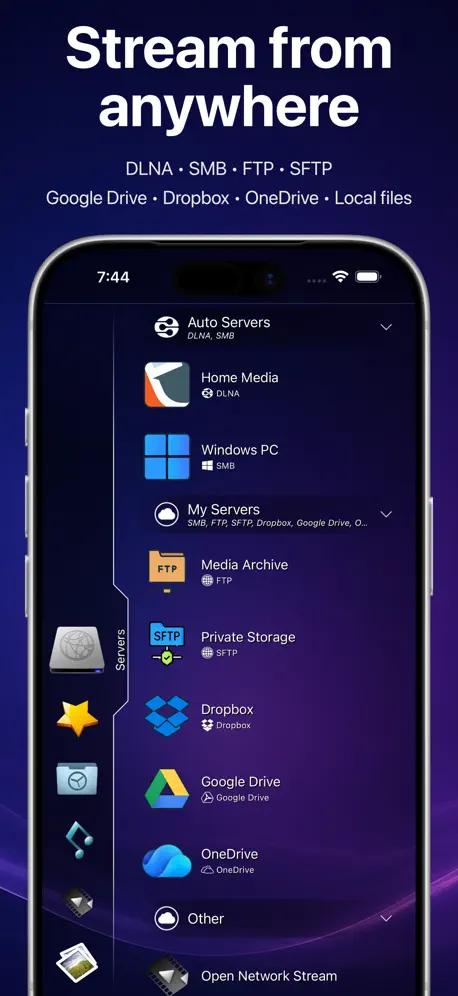  8player 8player | |
|---|---|---|---|---|---|---|---|---|---|---|---|
| Rating / 5 | 4.4 | 4.7 | 4.6 | 4.7 | 4.7 | 4.3 | 4.2 | 4.8 | 4.7 | 4.7 | 2.9 |
| Reviews | 6.1K | 65K | 60K | 41K | 31K | 27K | 14K | 13K | 11K | 8K | 1.2K |
| Released | 2010 | 2015 | 2017 | 2016 | 2012 | 2016 | 2014 | 2012 | 2015 | 2022 | 2010 |
| Annual price | — | — | $3.99 | — | — | — | — | — | — | — | $9.99 |
| One-time price | $0.99 | — | $0.99 | — | $2.99 | — | — | $2.99 | — | $9.99 | — |
The going rate for each plan in United States, in its own currency, shaded from the cheapest price on the row to the dearest.
OPlayer HD - video player reviews
4.4 out of 5, based on 6,141 reviews.
What people like
- Plays remote network files well
- Great file transfer features
- Supports many video formats
What they complain about
- Crashes or freezes during playback
- Samba network streaming is broken
- Annoying popups ask for ratings
- No video progress markers saved
Has many useful functions that others do not.
Play between AB two points. Easy navigation of files. Import play lists from other apps. File transfer between computers. And so on.
Video lags while playing
I purchased this cz i used to use the free version on my previous ipad (7th gen) and it used to work flawlessly just with ads. Now i got the m4 ipad pro and upgraded to paid version of this app to avoid ads and now the video plays in like 10 fps. Please fix this. I’m talking about locally stored videos and yes, I increased my cache size to max.
Why is there no screen flip?
Why?
Problem with samba
I don’t know why, samba share does not work. Other app works perfectly with the same share.
播放csf文件没有声音
播放csf文件没有声音。如何解决
The best app ever
I can’t start expressing my satisfaction with this amazing perfect app. So to make it short. It’s the best video player app I have ever come across period.
Some broken features (otherwise would be great)
Works great with *some* kinds of file/servers. CRITICALLY BROKEN: *** Streaming videos from my Synology NAS drive using "samba" (Windows file sharing files) is broken *** Streaming videos from my Synology NAS using FTP works, but video gets way out of sync (delayed) when playback speed is 1.25X *** Help Instructions to use Apple's approach to samba files are out of date and wrong *** Support and help redirects to a closed web site *** Etc. *** Very bummed about this great but broken app. *** I hope this comment gets the Developer's attention and they will direct me to proper support and solutions.
Videos freezing?
Every time I try to play a video, the video will often freeze and all you hear is the audio. Will rate five stars when looked at and fixed
playlists work for local files, unlike with VLC
I keep getting a message to put the files in “my documents”, but no such location exists on IpadPro. But at least i can watch a playlist of videos
如何恢复购买?
恢复购买的时候,现实此appleid没有内置购买记录,重复多次都无法恢复,需要怎么解决?
Very good tool for learning drum
I would consider this is a must for learning drum
We’ll, I can’t get it to work at all
Makes sense there is no free trial. I downloaded an mp4 file, click on it in the files section. Nothing. Doesn’t play, no way I can find to make it play. Big waste of five bucks.
Streaming to Chromecast not available yet
App tells me that it’ll work with Chromecast but it doesn’t work yet. Still a great player overall.
It was good
It was good when I streamed my video from FileBrowser, everything was fine until an upgrade. Loading more data haunts me, and I am so frustrated that I even worry to open it as it is a waste of time hoping that an update will solve the problem. this app on all my devices not work like before. Depressed.
播放smb在线视频闪退
播放smb在线视频闪退,仅ipad有此问题,同网络环境,安卓oplayer正常,使用ipad文件应用可以唤起oplayer进行播放,但总归是bug 体验不好
Support for DualShock control would be awesome
Would be nice to rewind using the thumb stick.
No pone títulos a los videos
Lo compre por que anteriormente dejaba ver los títulos de los videos y ya ni eso , no vale la pena .
Great program but unable to get support
Great program but there is a bug. The sound boost does not work for mp4 files. Tried reaching the site, and does not exist. Found a forum, but not getting access.. Hopefully the developer will read this. What flash icon
Hello, I need a srt. File support
To whom it may concern, I just saw your feature written about supporting srt. Subtitles, so I directly bought it just a few days ago. I need to say it is a failure. It didn’t offer that kind of function finally. I am so sad about my money. It wastes my time to try again and again. That would be great if you solve this problem. I may rate this again and change my comment. Besides, as a high rating 4.4 star app, I suggest you have this function that can just download subtitles from websites like "opensubtitles", an example, because there are a great deal of multimedia player have this, such as "infuse."
为什么查看jpg图片还弹窗要求二次付费?
38元购买的付费版,为什么查看jpg图片还弹窗要求付费?加了客服QQ不理我?
Audio minimizing
Hi dear developer, thanks for your amazing app, I just wanted to mention that for audio formats, the player cannot be minimized, it’s very well for videos, but not for audio (pop up mode), I really need that minimizing to stop or pause in minimized screen like video formats, and also multi subtitles features Thanks in advance
User manual missing file
How the #$&$# do I return the audio to normal speed?
Amazing app but missing an important feature
This app is amazing and has all the features I need But does not have the feature to add external audio
Crash and crash
This program crashed too often
播放时会自动停止没有声音了。是为什么?
播放时会自动停止没有声音了。是为什么?软件问题。我设置的是“单曲循坏”播放,好几次,放着放着不知什么时候它会自动没有声音了。iPad HD版、手机版,都有这样的情况。我都是付费专业版。
Satisfied
This app has been a great way to store and play videos, but all of its capabilities are truly amazing. I’ve owned this app for years, and it’s still surprises me with its many great features, and depth of quality.
Laggy
I immediately regret my decision purchasing the app. Super laggy on mkv formats on my 2021 12.9 inch ipad pro.
Almost perfect
I’ve been loving this app since purchasing (especially after the addons) but the one thing I am missing is thumbnail support. Any chance of adding that in the future?
Unreliable
I use OPlayer HD to play videos from my NAS on an SMB share. My iPad Pro has iOS 13.2.2. It works well for several months, but then for several weeks in a row it won’t show any content, just loading forever without any feedback or error message. When I go to my laptop, the NAS content shows up just fine without delay. Also I bought the application, but still it asks for more money, just to display images etc. I haven’t found anything better, but there is sure room for improvement.
播放mkv 4k视频木有声音
而且ipad9播放4k卡顿很严重,准备换infuse了
Simply the best
Loads and plays remotely located network files flawlessly. Fast seek function no matter where the file is located.
Uhhhh
Inserted usb to iPad, found the movie, no way I can stream to chromecast money back ?/// ok, second review, App Store doesn’t offer refund for crap,no Apple anymore.
Very useful media player
I have been searching for a media player app that meet my needs and have feature that support audio left/right channels. However, there are some small slight glitch on the toggle feature. Where, I would have to toggle on the audio left/right channel twice for it to actually switch to left or right channel.
Ruined by removing internal download functionality.
I bought this product to use with video transferred from other devices. This feature is now removed in the current version, I will be searching for an alternative.
Video thumbnails
App has great reviews and good playback. However I loaded tons of tv shows onto my kindergarteners iPad with this app and was disappointed to learn video list appears in a text file list only. I did not find an option to display video list with thumbnails like so many other apps do. Now it will be a challenge for my daughter to pick shows without the help of a parent. If there is a way to enable video thumbnails please share. Thanks!
一个小建议和一点疑问
非常好用的一款播放器,FTP等功能做的很赞! 一个小建议:希望能添加音乐播放的频谱功能,类似安卓上poweramp等音乐播放器。一个好处是播放音乐的背景不再是单纯的图片背景了;另外还能快速找到音乐的高潮部分,对听新音乐有很大帮助! 一点疑问:为什么iPad版本和iPhone版本是分开的呢?以后打算换苹果,好像得二次付费呢。。
syncing issues
i have used app for years--on ipad pro 12.9 i'm getting sync issues in audio with video. the developer's website is out-dated so i couldnt trouble-shoot.
FTP upload from OPlayer to a PC does not work.
Hello, FTP upload from OPlayer to a PC does not work. Can you please fix it ASAP as this is a very useful feature to migrate existing data to a new device. Thanks a lot for fixing samba 3. Thx.
Won't Download
Suddenly won't download from movies.me site. Haven't changed any default settings but it stops after downloading 5k. Trying to find any "official" help for this app is truly frustrating
Still can’t do pictures
I paid for pictures but the app still fails to show all in a folder. It has no problem with videos. Since other apps have no problem with jpg files, I find this puzzling....and annoying. I have the latest version. I should add that for videos it is excellent. If you don’t mind having to switch apps for pictures, get this one for videos.
My Favorite
Forever
I paid for this app and was chested
I have both versions of this app one is the lite and the second is the upgrade to pro I’ve been hitting the restore button hoping that my purchase would be acknowledge and they would unlock my app that I paid for but their doesn’t seem to be a recorded of it so watch out people buyer beware their theirs and nothing more
nagWare
keeps asking for rating. treat customers like morons and soon have only morons for customers. news flash. not everyone wants to be like you
Not always good
Sometimes it shuts down in the middle of a movie.
Good app, missing some basic features
Good:Plays most movies types. Easy to browse home network and media server. Bad: no marker to pickup movies where you've stopped. Always starts back at the beginning... also, if you put it on hold, starts back at the beginning... If you dont kill the app before closing, will run in the background until ipad is dead.
I Love it.
Great app. ❤️
ratings nag
Interrupts paid customers with solicitations for App Store ratings.
App can be better
Please add File transfer via external hard drive. With new update apple has allowed for external devices to be connected would be nice for file transfer via external hard drive or watch via external like the lite iPhone version. Thank you.
crash issues
I've had this app for a few months now, in the beginning it worked great, especially because apps like dropbox require internet connection to view files so i decided to pay for the 4.99 version. Now i have both apps (lite & paid ) and neither of them open files since the last update in April. Every time i opened the app with a .wmv file it closes automatically and some times closes the app all together. If this can be fixed it would continue to be a great app.
Great but...
Doesn't play sound on MKV files.
OPlayer HD - video player price by country
A one-time purchase costs $0.70 in Canada and $1.54 in Hungary — 2× more for the same thing. Below is the going rate for each plan in every country that sells it — the middle price of what the app charges there, in the country's own currency with the dollar equivalent beneath it.
| Country | One-time |
|---|---|
| Afghanistan | $0.99 |
| Albania | $0.99 |
| Algeria | $0.99 |
| Angola | $0.99 |
| Anguilla | $0.99 |
| Antigua And Barbuda | $0.99 |
| Argentina | $0.99 |
| Armenia | $0.99 |
| Australia | A$1.99$1.39 |
| Austria | €0.99$1.12 |
| Azerbaijan | $0.99 |
| Bahamas | $0.99 |
| Bahrain | $0.99 |
| Barbados | $0.99 |
| Belarus | $0.99 |
| Belgium | €0.99$1.12 |
| Belize | $0.99 |
| Benin | $0.99 |
| Bermuda | $0.99 |
| Bhutan | $0.99 |
| Bolivia | $0.99 |
| Bosnia & Herzegovina | €0.99$1.12 |
| Botswana | $0.99 |
| Brazil | R$6.90$1.32 |
| British Virgin Islands | $0.99 |
| Brunei Darussalam | $0.99 |
| Bulgaria | €0.99$1.12 |
| Burkina Faso | $0.99 |
| Cambodia | $0.99 |
| Cameroon | $0.99 |
| Canada | CA$0.99$0.70 |
| Cape Verde | $0.99 |
| Cayman Islands | $0.99 |
| Chad | $0.99 |
| Chile | CLP 990$1.02 |
| China | CN¥8.00$1.19 |
| Colombia | COP 4,900$1.46 |
| Congo | $0.99 |
| Congo, Democratic Republic | $0.99 |
| Costa Rica | $0.99 |
| Cote Divoire | $0.99 |
| Croatia | €0.99$1.12 |
| Cyprus | €0.99$1.12 |
| Czech Republic | CZK 29.00$1.35 |
| Denmark | DKK 9.00$1.37 |
| Dominica | $0.99 |
| Dominican Republic | $0.99 |
| Ecuador | $0.99 |
| Egypt | EGP 49.99$0.96 |
| El Salvador | $0.99 |
| Estonia | €0.99$1.12 |
| Fiji | $0.99 |
| Finland | €0.99$1.12 |
| France | €0.99$1.12 |
| Gabon | $0.99 |
| Gambia | $0.99 |
| Georgia | $0.99 |
| Germany | €0.99$1.12 |
| Ghana | $0.99 |
| Greece | €0.99$1.12 |
| Grenada | $0.99 |
| Guatemala | $0.99 |
| Guinea-bissau | $0.99 |
| Guyana | $0.99 |
| Honduras | $0.99 |
| Hong Kong | HK$8.00$1.02 |
| Hungary | HUF 499$1.54 |
| Iceland | $0.99 |
| India | ₹99.00$1.03 |
| Indonesia | IDR 19,000$1.06 |
| Iraq | $0.99 |
| Ireland | €0.99$1.12 |
| Israel | ₪2.90$0.94 |
| Italy | €0.99$1.12 |
| Jamaica | $0.99 |
| Japan | ¥150$0.95 |
| Jordan | $0.99 |
| Kazakhstan | KZT 499.00$1.14 |
| Kenya | $0.99 |
| Kosovo | €0.99$1.12 |
| Kuwait | $0.99 |
| Kyrgyzstan | $0.99 |
| Lao Peoples Democratic Republic | $0.99 |
| Latvia | €0.99$1.12 |
| Lebanon | $0.99 |
| Liberia | $0.99 |
| Libya | $0.99 |
| Lithuania | €0.99$1.12 |
| Luxembourg | €0.99$1.12 |
| Macao | $0.99 |
| Macedonia | $0.99 |
| Madagascar | $0.99 |
| Malawi | $0.99 |
| Malaysia | MYR 4.90$1.20 |
| Maldives | $0.99 |
| Mali | $0.99 |
| Malta | €0.99$1.12 |
| Mauritania | $0.99 |
| Mauritius | $0.99 |
| Mexico | MX$19.00$1.05 |
| Micronesia | $0.99 |
| Moldova | $0.99 |
| Mongolia | $0.99 |
| Montenegro | €0.99$1.12 |
| Montserrat | $0.99 |
| Morocco | $0.99 |
| Mozambique | $0.99 |
| Myanmar | $0.99 |
| Namibia | $0.99 |
| Nauru | $0.99 |
| Nepal | $0.99 |
| Netherlands | €0.99$1.12 |
| New Zealand | NZ$1.99$1.12 |
| Nicaragua | $0.99 |
| Niger | $0.99 |
| Nigeria | NGN 1,500.00$1.13 |
| Norway | NOK 9.00$0.94 |
| Oman | $0.99 |
| Pakistan | PKR 300$1.08 |
| Palau | $0.99 |
| Panama | $0.99 |
| Papua New Guinea | $0.99 |
| Paraguay | $0.99 |
| Peru | PEN 4.90$1.42 |
| Philippines | ₱49.00$0.78 |
| Poland | PLN 4.99$1.30 |
| Portugal | €0.99$1.12 |
| Qatar | QAR 2.99$0.82 |
| Romania | RON 4.99$1.07 |
| Russia | RUB 99.00$1.18 |
| Rwanda | $0.99 |
| Sao Tome & Principe | $0.99 |
| Saudi Arabia | SAR 4.99$1.33 |
| Senegal | $0.99 |
| Serbia | €0.99$1.12 |
| Seychelles | $0.99 |
| Sierra Leone | $0.99 |
| Singapore | SGD 0.98$0.77 |
| Slovakia | €0.99$1.12 |
| Slovenia | €0.99$1.12 |
| Solomon Islands | $0.99 |
| South Africa | ZAR 19.99$1.22 |
| South Korea | ₩1,100$0.81 |
| Spain | €0.99$1.15 |
| Sri Lanka | $0.99 |
| St. Kitts and Nevis | $0.99 |
| St. Lucia | $0.99 |
| St. Vincent & The Grenadines | $0.99 |
| Suriname | $0.99 |
| Swaziland | $0.99 |
| Sweden | SEK 9.00$0.90 |
| Switzerland | CHF 1.00$1.20 |
| Taiwan | NT$30.00$0.94 |
| Tajikistan | $0.99 |
| Tanzania | TZS 2,900.00$1.11 |
| Thailand | THB 29.00$0.86 |
| Tonga | $0.99 |
| Trinidad and Tobago | $0.99 |
| Tunisia | $0.99 |
| Turkey | TRY 49.99$1.02 |
| Turkmenistan | $0.99 |
| Turks and Caicos | $0.99 |
| Uganda | $0.99 |
| Ukraine | $0.99 |
| United Arab Emirates | AED 2.99$0.81 |
| United Kingdom | £0.99$1.31 |
| United States | $0.99 |
| Uruguay | $0.99 |
| Uzbekistan | $0.99 |
| Vanuatu | $0.99 |
| Venezuela | $0.99 |
| Vietnam | ₫29,000$1.12 |
| Yemen | $0.99 |
| Zambia | $0.99 |
| Zimbabwe | $0.99 |
OPlayer HD - video player FAQ
- Is OPlayer HD - video player free?
- No. OPlayer HD - video player costs $4.99 (US) to download, and its premium features are extra: 6 one-time purchases starting from $0.99.
- Does OPlayer HD - video player have a free trial?
- No. None of its offers (US) come with a free trial.
- Where is OPlayer HD - video player cheapest?
- A one-time purchase costs CA$0.99 (≈$0.70) in Canada and HUF 499 (≈$1.54) in Hungary, its cheapest and dearest countries.
- What are the best alternatives to OPlayer HD - video player?
- zFuse - Media Player (4.7 from 64,907 reviews), Fast Player - video player (4.6 from 59,791 reviews, premium from $0.99) and nPlayer (4.7 from 41,054 reviews).
OPlayer HD - video player download
Last updated 3 years ago.
OPlayer HD - video player sells in 175 countries. It was released 16 years and 3 months ago, on 18 Jun 2010. It holds a 4.4 rating from 6,141 reviews.
Supports 28 languages: English, Arabic, Breton, Catalan, Czech, Danish, Dutch, Finnish, French, German, Hebrew, Hindi, Hungarian, Indonesian, Italian, Japanese, Korean, Polish, Portuguese, Romanian, Russian, Chinese, Slovak, Spanish, Swedish, Turkish, Ukrainian, Vietnamese.
How much does OPlayer HD - video player make?
Third-party estimates for the last 30 days, worldwide — not the store's own figures, which Apple publishes for nobody.
Revenue by plan
- One-time 100%
Revenue by country
- China 24%
- United States 17%
- Japan 6%
- France 5%