
iBunkoHD
How much does iBunkoHD cost?
Prices are current as of 12 Sept 2026.
iBunkoHD has no in-app products on record in the United States.
iBunkoHD download price by country
| Country | Price |
|---|---|
| Japan | ¥1,100 |
| South Korea | ₩11,000 |
| Taiwan | NT$220.00 |
| United States | $6.99 |
| Thailand | THB 249.00 |
| Canada | CA$9.99 |
| Saudi Arabia | SAR 29.99 |
| Australia | A$9.99 |
| Spain | €7.99 |
| Hong Kong | HK$58.00 |
| Kuwait | $6.99 |
| Russia | RUB 599.00 |
| United Arab Emirates | AED 24.99 |
| Belgium | €7.99 |
| Chile | CLP 7,990 |
| Germany | €7.99 |
| Egypt | EGP 399.99 |
| France | €7.99 |
| United Kingdom | £6.99 |
| Greece | €7.99 |
| Hungary | HUF 2,990 |
| Italy | €7.99 |
| Macao | $6.99 |
| Mexico | MX$149.00 |
| Netherlands | €7.99 |
| Norway | NOK 89.00 |
| New Zealand | NZ$12.99 |
| Philippines | ₱449.00 |
| Singapore | SGD 9.98 |
| Slovenia | €7.99 |
| Turkey | TRY 399.99 |
| Afghanistan | $6.99 |
| Antigua And Barbuda | $6.99 |
| Anguilla | $6.99 |
| Albania | $7.99 |
| Armenia | $7.99 |
| Angola | $6.99 |
| Argentina | $6.99 |
| Austria | €7.99 |
| Azerbaijan | $7.99 |
| Bosnia & Herzegovina | €7.99 |
| Barbados | $7.99 |
| Burkina Faso | $6.99 |
| Bulgaria | €7.99 |
| Bahrain | $7.99 |
| Benin | $7.99 |
| Bermuda | $6.99 |
| Brunei Darussalam | $6.99 |
| Bolivia | $6.99 |
| Brazil | R$49.90 |
| Bahamas | $7.99 |
| Bhutan | $6.99 |
| Botswana | $6.99 |
| Belarus | $7.99 |
| Belize | $6.99 |
| Congo, Democratic Republic | $6.99 |
| Congo | $6.99 |
| Switzerland | CHF 6.00 |
| Cote Divoire | $7.99 |
| Cameroon | $7.99 |
| Colombia | COP 29,900 |
| Costa Rica | $6.99 |
| Cape Verde | $6.99 |
| Cyprus | €7.99 |
| Czech Republic | CZK 199.00 |
| Denmark | DKK 59.00 |
| Dominica | $6.99 |
| Dominican Republic | $6.99 |
| Algeria | $6.99 |
| Ecuador | $6.99 |
| Estonia | €7.99 |
| Finland | €7.99 |
| Fiji | $6.99 |
| Micronesia | $6.99 |
| Gabon | $6.99 |
| Grenada | $6.99 |
| Georgia | $7.99 |
| Ghana | $7.99 |
| Gambia | $6.99 |
| Guatemala | $6.99 |
| Guinea-bissau | $6.99 |
| Guyana | $6.99 |
| Honduras | $6.99 |
| Croatia | €7.99 |
| Indonesia | IDR 119,000 |
| Ireland | €7.99 |
| Israel | ₪24.90 |
| India | ₹699.00 |
| Iraq | $6.99 |
| Iceland | $7.99 |
| Jamaica | $6.99 |
| Jordan | $6.99 |
| Kenya | $7.99 |
| Kyrgyzstan | $7.99 |
| Cambodia | $7.99 |
| St. Kitts and Nevis | $6.99 |
| Cayman Islands | $6.99 |
| Kazakhstan | KZT 3,990.00 |
| Lao Peoples Democratic Republic | $7.99 |
| Lebanon | $6.99 |
| St. Lucia | $6.99 |
| Sri Lanka | $6.99 |
| Liberia | $6.99 |
| Lithuania | €7.99 |
| Luxembourg | €7.99 |
| Latvia | €7.99 |
| Libya | $6.99 |
| Morocco | $6.99 |
| Moldova | $7.99 |
| Montenegro | €6.99 |
| Madagascar | $6.99 |
| Macedonia | $6.99 |
| Mali | $6.99 |
| Myanmar | $6.99 |
| Mongolia | $6.99 |
| Mauritania | $6.99 |
| Montserrat | $6.99 |
| Malta | €7.99 |
| Mauritius | $7.99 |
| Maldives | $6.99 |
| Malawi | $6.99 |
| Malaysia | MYR 29.90 |
| Mozambique | $6.99 |
| Namibia | $6.99 |
| Niger | $6.99 |
| Nigeria | NGN 9,900.00 |
| Nicaragua | $6.99 |
| Nepal | $7.99 |
| Nauru | $6.99 |
| Oman | $6.99 |
| Panama | $6.99 |
| Peru | PEN 29.90 |
| Papua New Guinea | $6.99 |
| Pakistan | PKR 1,900 |
| Poland | PLN 29.99 |
| Portugal | €7.99 |
| Palau | $6.99 |
| Paraguay | $6.99 |
| Qatar | QAR 24.99 |
| Romania | RON 39.99 |
| Serbia | €7.99 |
| Rwanda | $6.99 |
| Solomon Islands | $6.99 |
| Seychelles | $6.99 |
| Sweden | SEK 99.00 |
| Slovakia | €7.99 |
| Sierra Leone | $6.99 |
| Senegal | $7.99 |
| Suriname | $7.99 |
| Sao Tome & Principe | $6.99 |
| El Salvador | $6.99 |
| Swaziland | $6.99 |
| Turks and Caicos | $6.99 |
| Chad | $6.99 |
| Tajikistan | $7.99 |
| Turkmenistan | $6.99 |
| Tunisia | $6.99 |
| Tonga | $6.99 |
| Trinidad and Tobago | $6.99 |
| Tanzania | TZS 19,900.00 |
| Ukraine | $7.99 |
| Uganda | $7.99 |
| Uruguay | $6.99 |
| Uzbekistan | $7.99 |
| St. Vincent & The Grenadines | $6.99 |
| Venezuela | $6.99 |
| British Virgin Islands | $6.99 |
| Vietnam | ₫199,000 |
| Vanuatu | $6.99 |
| Kosovo | €7.99 |
| Yemen | $6.99 |
| South Africa | ZAR 149.99 |
| Zambia | $7.99 |
| Zimbabwe | $7.99 |
10+ alternatives to iBunkoHD
| iBunkoHD |   Booklover - eBook Reader Booklover - eBook Reader | 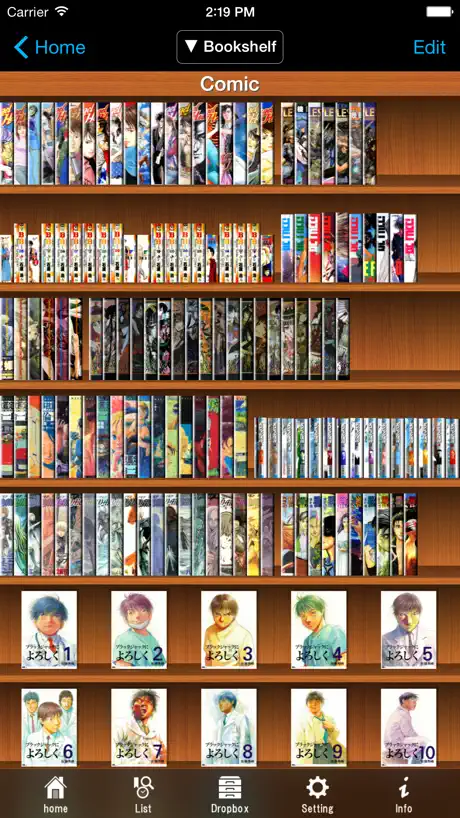  SideBooks SideBooks | 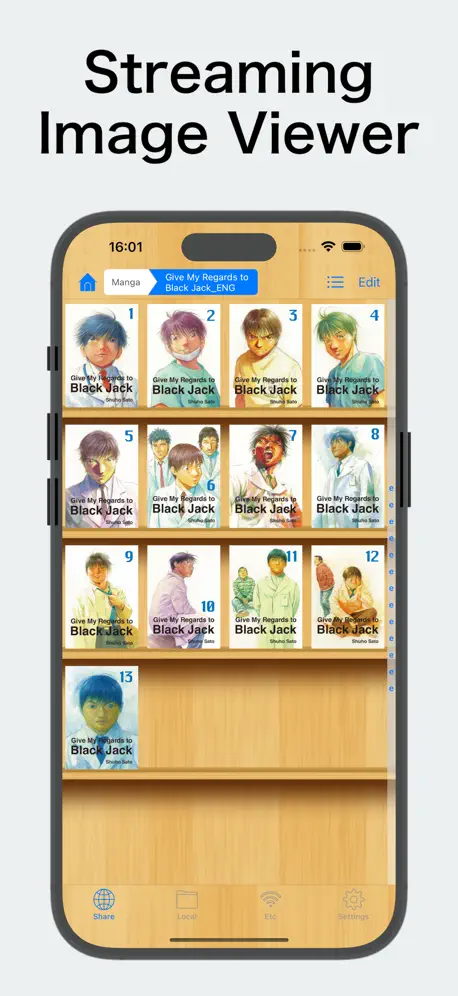  ComicShare - Streaming Reader ComicShare - Streaming Reader |   Book Notion|notes reviews memo Book Notion|notes reviews memo |   ボイス オブ デイジー 5 ボイス オブ デイジー 5 |   青空本棚 - 青空文庫リーダー 青空本棚 - 青空文庫リーダー |   読書尚友 - 青空文庫ビューア 読書尚友 - 青空文庫ビューア |   WhiteBook* WhiteBook* |  BOOKSCAN for iPad BOOKSCAN for iPad |   Namo eBook Reader Namo eBook Reader | |
|---|---|---|---|---|---|---|---|---|---|---|---|
| Rating / 5 | 3.3 | 4.6 | 3.9 | 4.3 | 4.6 | 3.4 | 4.1 | 3.7 | 3.3 | 2.5 | 2.9 |
| Reviews | 320 | 2K | 1.8K | 1.2K | 730 | 71 | 57 | 30 | 17 | 17 | 8 |
| Released | 2010 | 2015 | 2010 | 2013 | 2022 | 2018 | 2022 | 2021 | 2022 | 2011 | 2020 |
| One-time price | — | — | $0.99 | $5.99 | — | — | — | — | — | — | — |
The going rate for each plan in United States, in its own currency, shaded from the cheapest price on the row to the dearest. Plans fewer than four in ten of the priced apps sell are left out.
iBunkoHD reviews
3.3 out of 5, based on 320 reviews.
What people like
- Handles manga right-side binding perfectly
- Supports two-page spread viewing mode
- Works with many cloud services
- Beautiful page curl animation
What they complain about
- Crashes often with large PDF files
- Lost access to NAS and SMB servers
- Google Drive connection no longer works
- Books disappear after restarting the app
Could you put this app on Chinese App Store?
Hello, i am Chinese, i want to buy this HD version on Chinese app store, but i can't find it, could you put this app on Chinese app store, thank you very much
本棚一括登録ができなくなった
2013年のiPad3から使いつ続けてきたけど、 突然本棚の一括登録ができなくなって 泣く泣くアプリを変えることにした Comicglassにした 13年使ってきたから慣れ親しんでたから 使えなくなったの辛い
読み上げ機能について
便利に使わせていただいておりますが、読み上げ機能を試したいと思って設定等を確認しましたがわかりませんでした。kindleの方法を試してみましたがダメでした。読み上げ機能を使う方法を教えていただきたい。よろしくお願いします。
回転ロック
最近OS、iPad ProM4を使っていますが、ついにブックが一括登録できない不具合が発生しました。このアプリの意味がない… 至急不具合修正をお願いしたいです。 あと、アプリから、不具合報告できなくなっていますね。ページが表示されません。
Magic Keyboardトラブル
左右キーで移動しない、スペースキーでも動かない Keyboad買い替えするのも面倒
Great for comics and manga
This is the only app I’ve found that can handle manga PDFs with right-side binding properly. But the minimal UI and nice two-page spread support make it great for American comics too. Switching from GoodReader, for comics at least.
FTP接続でログイン後即ログアウトされる
本日iPadを買い替えて最新verにてQNAPNASにFTPでログインしたところ、ログイン後にフォルダが表示されませんでした。サーバーログを確認するとログイン後に即ログアウトしているログが残っていました。 他のFTPクライアントを使うとちゃんと表示されるため、このアプリに原因があると考えられます。 本を読むにはやはりこのアプリでなくてはと思っていますので、ぜひ修正をお願いします。
本棚登録出来なくなった
SMB経由でダウンロードは出来るが、複数登録処理を行っても本棚に表示されない 修正リリースされてるが、直ってない
NASがエラー
NAS格納ファイルを追加しようとしても、error cannot log in とでます。なおPCからはアクセスできるのに、iPadの読書アプリi文庫HDから入れません
NASにアクセス出来ない
今までアクセス出来ていたNASにアクセス出来なくなった
Great PDF Reader for Scanned Books
Pros: Page curl animation. Perfectly works with various cloud drives such as FTP, WebDAV, SMB, Google Drive, Dropbox, etc. Nice design of book shelfs (it is same as those in iBooks, though) Cons: Confusing layout or option menu. There are still Japanese only menu or features that may be not good to English users’ experience. It might be better if there are any manuals or explanations about them in English.
Google Drive
Google Drive との接続ができなくなっていますが、回復の見込みはないのでしょうか? 長いこと愛用してきただけに、残念です。
落ちる
便利なアプリでPDFの閲覧など重宝していますがピンチで拡大すると頻繁にアプリが落ちます。
有料なのに微妙
SideBooksからこちらに移行しようとしたが、iCloudから一括で本棚登録出来ない。 無料のSideBooksより優れている点は読取スムーズなだけ。 態々、課金して損した。 無料のSideBooksお勧めです。
画面回転ロック廃止されたのか
画面の回転を止めるにはどうしたらいいのか。 本棚からの設定に「よくある質問」があるので,見ると,読書中の本の設定から回転を止めることができるとある。 しかし個別の本の設定をいくら探しても回転を止める設定が見つからない。 困ってApp Storeのレビューを見ると,7年前の投稿に回転ロックが廃止されたとある。 なんと言うことだ。それなら「よくある質問」の回答にそれを反映させて欲しいし,やっぱり回転ロック機能は必要だ。
great app
faster and soother than many others apps like goodreader. I hope to make ( copy ) option in the front beside ( search, bookmark, more..., google, define, and tweet) it is more important and i need to use many frequent.
Googleドライブ接続廃止
撤回してください!
PDF資料などにも最高に良い
以前から使っているが無料でココまで使えるのはいい。 iPad標準のBookなどでは片ページ表示しか出来なくてもこのアプリだと両開き表示が出来る。 無理なお願いかもしれないが、PDFに書き込みできると参考書などを読み込んで勉強など幅広く使えるアプリになると感じている。 何とか書き込み機能を追加して欲しい。
アプリ共有出来なくなった?
ダウンロードしたファイルを開こうとしたら、候補の中から消えてしまいました。。
挙動が不定な目次
どこをどう探しても目次自動作成の解析アルゴリズムがわからないのですが、なぜ仕様を開示してくれないのでしょうか? しかもSとHDで全く同じテキストファイルの結果が異なる始末。
Nice app
最好的看漫画的软件!阅读体验最好!就是看中国文字的txt好像需要转码
素晴らしいアプリですが…
Windows/Nasへのログインができなくなりました。かなり致命的です、修正を強く希望します。
消えたソート
以前まで外部ストレージサービスのリンクで、アップロード順にソート出来たのがいつのまにか消えてるのですが、復活しませんかね?
表紙のタイトルが入力出来ない
タイトルを変更して入力しようとしても、キーボードが出てこない
もう少し改善を
概ね問題なく使用できていると思うが、いくつか簡単に対応 できそうなのに放置されているのが残念。 1.WebP形式画像対応 最近はWebP形式の画像も増えている。実は拡張子がjpgになって いれば表示はできる。要するにWebPの拡張子を除外しているだけ。 拡張子サポートしてほしい。 2.上書き移動のサポート フォルダを作って管理していると、iTunesからはフォルダ内に アクセスできない。そのため、ルートフォルダ内にファイルを置き それを移動させるという操作になるが、同名のファイルがある場合 いったんフォルダ内のファイルを削除してから移動する必要がある。 ファイルが多数ある場合、上書き移動ができればかなり楽になる。 上書き確認ダイアログの追加ぐらいで実現は簡単のはず。 iTunesで直接フォルダ内にアクセスできるならそちらでも構わない。 動作自体は安定しているので、使い勝手の進化を求めたい。
One of the best PDF readers
I like it for many features unavailable to other readers including the shelf and the ability to change page direction from left to right. The speed is very good.
余白カットが機能しない
iPadOS18.3.1とアプリ最新の環境で、余白カットが機能しない。余白カットを手動にして完了しても自動に戻る。
Googleドライブへの接続廃止が残念
最近、Googleの仕様変更によりGoogleドライブへの接続ができなくなっていた。対応を期待していたが、最新のアプデでGoogleドライブへの接続が正式に廃止されてしまった。愛用していただけにガッカリ。元々繋いでいたアカウントのドライブは接続できるものの、新規アカウントは繋げなかった。長年利用させていただき、ありがとうございました。
文字入力
iPadOS18.3にしたところソフトウェアキーボードが表示されず文字入力が出来なくなりました。
余白カット
見開きの画像を縦で1pずつ読む場合 余白カットを設定しても効かないようです 対応いただけると嬉しいです 画像zipです
Great app~
Like it~
iPadOS18.3未対応
DropBoxからダウンロード出来なくなった。 キーボードが表示されなくなった。 有料アプリなんだから対応はよ。
AVIF Webp対応!
私が出した要望だけではないと思いますが、圧縮ファイル内のavifに対応してもらえました。これでavifなのにjpg拡張子という気持ちの悪い状態から脱出し、心置きなくストレージサイズの圧縮に勤しむことができます。
もう乗り換えないとダメかも...
SMB1.0でしかアクセス出来ないのは前からだけど、気づいたらFTPサーバにアクセス出来なくなってた。 iPhoneのi文庫Sの方はFTPサーバにアクセスできるんだけど。 Dropboxはアクセスできるので、仕方ないのでDropbox経由で転送してるけど、自宅にいてもこれなので面倒。いい加減換え時か...
iCloudに対応して欲しい
iCloud に格納したドキュメントを読めるようにして頂きたい。お願いをいたします。
Love it
love it ,but hope I can download the pdf articles to this software by e -mail and mark on them .
使えない…
ダウンロードした本がアプリの起動の度に消え、再ダウンロードの表示が出る。 問い合わせをしたが、トラブルの解決に熱意が感じられずやむなく削除した。お金をドブに捨てました。
スピリットビュー対応求む!!
紙のように捲れるのが好きで使わせていただいていますが、スピリットビューが使えないことがとても不便です!そこさえ改善していただければ、何も言うことなしなので至急改善していただきたいです。お願いします!!
Needs better support for iPad Pro
Here are my main grievances with the app as of May 2021: 1. It CANNOT be used in Split View on the iPad Pro in any way. Want to have a dedicated Dictionary app on 1/4 of the screen while iBunkoHD takes the other 3/4 of the screen? Too bad, iBunkoHD will simply cut off 1/4 of the pages you are trying to read. 2. No touchpad support: if you use the Magic Keyboard and want to use the trackpad cursor to select a word or sentence - too bad, the only thing it can do is to flip the pages, you have to use your figure to touch the screen to select anything. 3. No “Copy” option in the context (long press/double click) menu: this one is the absolute worst for any language learner. If you have a word highlighted, you can’t just choose a “Copy” open so you can paste it into another dictionary app. Oh no, you have to click “more option” (forget exactly how it’s called), and then a slow and unresponsive pop-up appears covering the entire screen, and in the center you can find “copy” among some of the other options. If you click it, it’s as if nothing happened, and maybe the word is copied after a few seconds., I could have forgiven all the other misses, but I do not understand the (lack of) logic of a text reader making it so tedious to just copy a word. It is very obvious that, despite calling this an “HD” version that cost extra, the developer spent minimal efforts and just took the the iPhone version and increased the resolution (and deliberately make the iPhone version not work on the big screen) and hasn’t been keeping this app updated to the latest iPad models and iPadOS firmware. It should not be charging money at the current state but rather taken off the store until it has been improved. And I just checked the update history, besides bug fixes it hasn’t received a major update or overhaul in years. I have resigned to having wasted my money. Do not make the same mistake I did.
layout issue
settings - Landscape layout - autoで 2ページScanファイルを読み取るとき。 横モードでみると、 裏まで認識しても、4ページが表示されます。 その後、本ごとにレイアウトを別々に設定する必要がして 不便です。 layoutがautoに設定の場合、Scanされたページが1ページ、2ページに関係なく、自動的に認識されるようにしてください。 修正ちょっとしてください。
Great!
Accesses and formats aozora texts beautifully.
I like previous versons
Prvious vesons ther is choice you can increase the size by prcentage as exsample:105,110 .. etc. Now that choice not available !!!!
All-in-one!
Great app. The interface is simply beautiful although it's completely in Japanese. I do read Japanese but this would be a serious problem for Non-Japanese speakers especially when it comes to settings. It has almost everything that Goodreader, Cloud Reader or iBooks are missing. What I especially like about this app: 1. Built-in dictionary (Yahoo!辞書, 大辞林, Wiki etc). Not sure how useful this is for other people though since they are mostly in Japanese. But very neat function for Japanese speakers. 2. You can set up multiple bookshelves(本棚) on your own (It's different from Folders. The app supports folders too) 3. You can customize bookcovers with pictures from Photo Album 4. IT DOES SUPPORT .ZIP files (The developer did not specify in the description...) What could have been better: 1. PDF does crash quite often. 2. Adding books to bookshelves from folders could have been more intuitive. Cannot add multiple files at one time. 3. Again please add English interface - this is such a great app. It's a shame if the language becomes a barrier.
Crippled functionality
As of the most recent update the app has lost the functionality to read in zip files- this worked without issue before. Please fix this, as users can only import text files this way.
برنامج ممتاز
ياليت تحذف من البرنامج اللغة الصينية ويبقى على اللغة الانجليزية لوحدها ايضا الكتب الصينية مالها داعي
Waiting english ver
This is very good to store and read Arabic books also Hope to see Arabic & English ver
do not purchase
Can not be applied there is even worse than this I advise everyone not to purchase there is a lot of applications, cheap and non-complex and provide the same services as this application like PDFreader
Awesome app better than iBooks, but still needs to work on more language interface.
I love how this app flip the page and display, it totally better apple's iBooks app. But please put english interface on it, it said it has English language, but I couldn't find the option to turn on the English menu at all, and it crashed quite often with large PDF files too, so please update and fix these bugs asap.
beautiful but not stable for pdf
very beautiful app but when I read some pdfs it crashes. please make it more stable!!
good app but
the Japanese language have not totally change to english. the performance was very poor when open PDF file that large than 50M.crash,crash,crash! 1.03 version.
iBunkoHD FAQ
- Is iBunkoHD free?
- No. iBunkoHD costs $6.99 (US) to download.
- Does iBunkoHD have a free trial?
- No. None of its offers (US) come with a free trial.
- What are the best alternatives to iBunkoHD?
- Booklover - eBook Reader (4.6 from 1,972 reviews), SideBooks (3.9 from 1,825 reviews, premium from $0.99) and ComicShare - Streaming Reader (4.3 from 1,238 reviews, premium from $2.99).
iBunkoHD download
Last updated 1 month ago.
iBunkoHD sells in 174 countries. It was released 16 years and 5 months ago, on 9 May 2010. It holds a 3.3 rating from 320 reviews.
Supports 3 languages: English, Japanese, Chinese.
How much does iBunkoHD make?
Third-party estimates for the last 30 days, worldwide — not the store's own figures, which Apple publishes for nobody.