RemoteBoot WOL
How much does RemoteBoot WOL cost?
Prices are current as of 11 Nov 2026.
RemoteBoot WOL has no in-app products on record in the United States.
10+ alternatives to RemoteBoot WOL
| RemoteBoot WOL |   Off - Shutdown and Wake On Lan |   BeiRui PeanutHull Management |   SSTP Connect |   Magic Packet: WOL Wake-on-LAN |   Wake Me Up - Wake-on-LAN |   ServerBox |   Awake — Wake On Lan |   Swol - Legacy |   Aprox - a Proxmox VE client |  PadDisplay | |
|---|---|---|---|---|---|---|---|---|---|---|---|
| Rating / 5 | 3.8 | 4.5 | 4.4 | 4.7 | 4.3 | 4.4 | 4.7 | 4.6 | 4.5 | 4.8 | 4.5 |
| Reviews | 215 | 2.6K | 2.3K | 1.9K | 1.1K | 1K | 301 | 193 | 66 | 29 | 11 |
| Released | 2009 | 2012 | 2016 | 2021 | 2019 | 2019 | 2022 | 2021 | 2020 | 2021 | 2023 |
| One-time price | — | $49.99 | $74.99 | — | $2.99 | — | — | $9.99 | — | — | — |
The going rate for each plan in United States, in its own currency, shaded from the cheapest price on the row to the dearest. Plans fewer than four in ten of the priced apps sell are left out.
RemoteBoot WOL reviews
3.8 out of 5, based on 215 reviews.
What people like
- Works perfectly every single time.
- Very simple setup and easy to use.
- Great Apple Watch support included.
- Zero fluff, straight to the point.
What they complain about
- App crashes repeatedly when entering details.
- No confirmation that packet was sent.
- User interface is cluttered and unclear.
- Ads appear below the main button.
Works really well and simply
Out of the box works perfect. Zero complaints. It even moved over my config from the free to the paid automatically!!
Failed to send wake-up singal
It just appears no matters what, it cannot and thats all.
Easy to use, Apple Watch app broken though
The app is easy to setup and use but the Apple Watch version is now broken. Hopefully it’s fixed soon. Love to WOL right from my Apple Watch.
URLスキームがうまくいかない
今更ですが、UIが刷新されてからURLスキームが使えなくなってしまいました… ヘルプも無くなってしまいどうしたらいいのか分からないです。廃止されてしまったのでしょうか? 便利だったのでとても残念です…
iPhone works great, 🍏watch not anymore
Used to work great via both iPhone app and AppleWatch app, however now AppleWatch only ever says ‘unreachable’.
Awsome
I was able to wake on wan my computer. Thank you.
App is broken from v4
It used to work great, now no matter what IP that I type in it always sends to 255.255.255.255 broadcast address and this won't wake up my PC unfortunately. Downgraded back to v3 and it works again.
Good enough
It’s a good free app for Wake on LAN when properly configured but I haven’t been able to make it work over the WAN. I don’t know if I didn’t set my router’s settings correctly or if it is just the app but otherwise works well. Recommended for those who are ok with only being able to wake from local network. Can’t give an opinion for WAN for I don’t know enough about networking to make it work (I also love at my parents’ house so I can’t swap the router).
Not Working
Set it up and double checked all the settings on Windows 10 PC. Not a bean. Nada.
クリップボードの監視あり!
シンプルで機能も不足は無いですが、起動時にクリップボードを自動的に読み取っている事が確認できるので不自然なアプリです。
It works great, easy to setup
Just enable port forwarding in your router in both protocols TCP/UDP (actually the 9) then enable wake on lan on Bios (wake by PCIe) and finally mark wake only magic packet from ethernet adapter.
シンプルで便利だがclipboardを収集している
iOS14になってからclipboardからペーストされた時に通知が出るようになって分かったが、 このアプリは起動時に何故かclipboardからペーストしているので要注意。
Works...but needs this feature!
Tested it out at home, works fine. Have yet to test it when I’m away from home. Would love if there was a feature that tells you weather the PC has successfully turned on or not. Pressing a button without no indication that it turned on successfully is quite annoying. Will update to 5 stars if this is added!
起動信号を送信できない
たまに起動信号を送信できませんでしたと出てきて使えません
広告が...
見た目もよく、使いやすい! しかしBOOTボタンの下に広告が表示されており、使いづらさが際立つ。 せめて有料でもいいから、非表示にして頂きたいものです。
Does exactly what it says
Easy to set up Quick to run Does things perfect every time.
使えない
クズプログラムだと思います。
Works well, but one suggestion
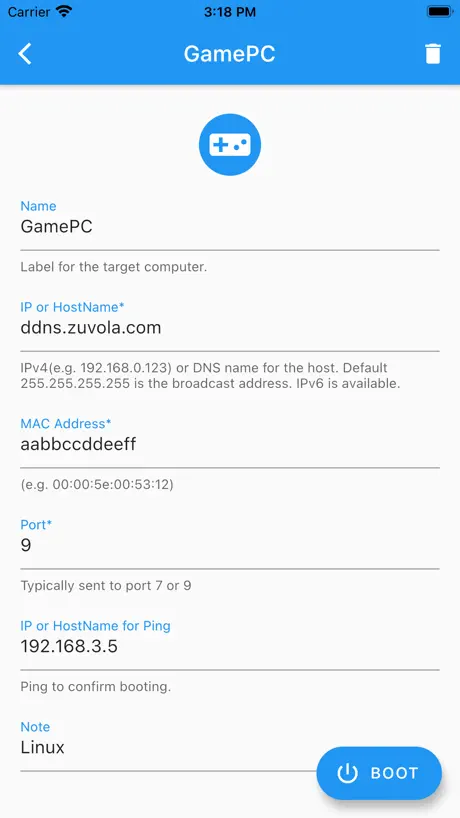
I’ve been using this app for years and happy with it, until I hit a snag. My ISP updated my external IP, my DDNS updated accordingly, but this app ‘broke’ until I discovered the problem and found and updated my new external IP in the configured WOL entry. Had there been an option to specify a DNS name instead of IP, in the WOL entry then this app would have resolved the Dynamic DNS specified and automatically found the new IP address without my interaction. This would have saved me the time involved with the on-site visit required to troubleshoot. Ultimately a simple fix, but only after it was determined that the remote computer was not getting the WOL packet.
なぜコピー?
アプリ起動時にクリップボードからコピーと表示される。どうしてクリップボードからコピーする必要があるのか疑問です。コピーしたデータを何に使っているのか説明するべきです。
睡眠无法唤醒
正常关机可以唤醒,睡眠状态无法唤醒…
Perfect app
- easy to setup - works perfectly with no problem - simple and straightforward design that gets the job done This app is the perfect tool to unlock wake-on-LAN control from your iPhone. Now I can wake up my media server without going downstairs or getting up from the couch. 10/10
Rubbish
Closes and removes settings, sometimes before you finish entering them, wish I could give it 0 stars.
Almost perfect..
Love the app and use it almost daily. However, it really needs an automatic ping feature to check for online/offline staus then it would be perfect!
Doesn’t send broadcast packets
I tried to send broadcast WOL packets with this app but only regular nonbroadcast packets were sent. I verified this behavior with wireshark on the target machine running Windows 10. So basically this app will only work with targets that respond to ARP requests when they are sleeping. My network interface doesn’t so this app won’t work.
Only one that works outside of LAN.
Which is sad, because it also crashes repeatedly when trying to configure it.
Works
Zero fluff and straight to the point. If you know what you’re doing it works. Great app!
App crashes all the time
I can't finish inputting the data. The app crashed every single time I tried.
Nice simple app that does what it’s supposed to
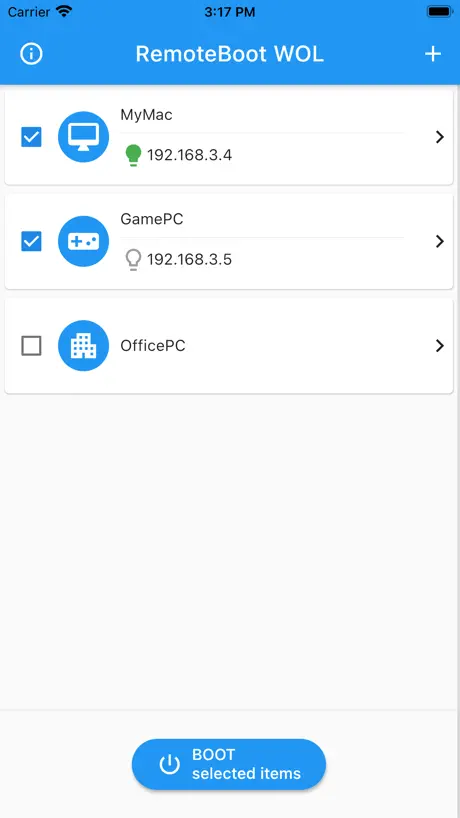
Setting up a network and computers for WOL can be frustrating but I already had mine setup and working. All I needed was a way to send the WOL magic packet from my iPhone. This app does that. It’s not fancy but it does the job. All you need to do is add each device to wakeup to a list, entering a name and it’s MAC (physical) address. Select the device, press BOOT and voila, the packet is sent. I gave four stars because the app lacks two things: (1) It does not provide any confirmation that the WOL packet was sent. There is no indication of any kind that anything was done. (2) You cannot rearrange the list. Each new device you add is put at the top of the list. If order in the list is important, you must delete items and add them again to get the order you want. These two things don’t prevent the app from going its job. But five stars means perfect and because of the two things I mentioned, I’d say this app is good but not perfect.
Does not work completely
When manually put in sleep mode, it wakes up the computer. When the computer automatically goes into sleep mode, it does not wake up the computer. Limited usefulness.
구매목록삭제해 주세요
구매목록삭제해 주세요
Simple and it always works!
Great little app with Apple Watch support. Kudos to the developer for making such a simple app that consistently works well.
Want to like this app but
Simple layout, works as it should, but... Every time I edit or try to add servers it force closes. Managed to get it to boot my NAS once before it closed and deleted my settings for the fifth time. Gave up sorry.
Works as intended iPhone 6 10.0.2
Make sure you set up your router properly. Crashes when typing in your IP/Hostname. Type it in a text, copy, then paste it into the app to get it to work. Other than that, it works great.
電源ONだけ出来なくなった。
Windows Vista/iPad3で使用していました。 問題なくスリープ解除、電源ON出来ていたのですが、 Windows 8にアップデートしてから、 スリープ解除は出来るのですが、電源ON出来ません。 アプリもPCも以前と同じ設定になっています。 スリープ解除は出来ているので設定は問題ないと思うのですが、 電源ONだけ出来ません。 便利で毎日使っていたアプリだけにとても残念です・・・
Ok if you are in the same room
It works perfectly if you are connected to the same LAN. I cannot get it to work through a VPN connection though.
Exactly what I needed
I have two laptops - one running windows and one running linux. Initially I used the Windows ubuntu Bash shell the wake my linux laptop without raising its lid (there’s a reason for wanting the laptop lid to remain closed). Many times I wound up having to wake or boot the windows laptop to do so. RemoteBoot WOL has simplified the process. Simple to set up. Simple and effective to use. It has worked flawlessly for my needs.
Crashes
Crashes every time I enter an IP address
Doesn't always work
Tried to test the signal when computer is on, works. Tried to test the signal when computer is standby, works. Tried to test the signal when computer is off, doesn't work. Tried another wake-on-lan iphone apps and works even the computer is off, so it should not be the computer's problem. For some reason even with the computer is on, sometimes it doesn't work at all, has to reboot the iphone 4 to get it work.
Missing crucial option
Needs Dyndns option to be useful via Wan.
時間が経つと起動出来なくなる件
ルータが保持しているARPテーブル(IPアドレスとMACアドレスの対応表)は、大抵の製品は300秒で消去されます。 つまり、ルータのポートマッピング設定にて「192.168.0.2」と設定しても、時間が経過するとルータはパケットの転送先が分からなくなるのです。 よって、アドレスをユニキャスト(個別指定)アドレスにするのではなく、ブロードキャスト(全体指定)アドレスにする必要があります。 個々の環境によって異なるとは思いますが、大抵は 「192.168.0.255」 で良いと思います。 なお、プロトコルの種別は「UDP」にするのを忘れずに!!
PERFECT!
Quick, simple, flawless. I NEVER write reviews (first one!) - but this app worked perfectly the first time, and made everything so easy, I had to to post how great it is. THANK YOU (and yes, I can now wake up my Plex Server!) 👍
Crashes on boot for IPad Pro
Works great on my iPhone but can't even open the app on my iPad Pro. If it would work anything like it does on the iPhone, it would be perfect though
Great little app.
The interface can use a little work. I can see how some folks may get confused I'd they're not very familiar with WoL. Otherwise this app does exactly what is described both consistently and easily.
Doesn't work over 3G for me
It's a cool setup but failed to work over 3G for me thus only allowing me to wake the pc while on my network
Works
GUI could be improved, like an option to hide the details once entered and make boot button more prominent. Icon could also be designed better but works well.
Perfect companion to Remote Desktop.
Works every time. I use it several times a day. Thank you for updating to work with future iOS builds.
Consistancy Needed
Does not yield consistant results for me.
Works like a charm
No complaints; works as described and it's free.
初歩的かもですいません
BIOSの設定て、どうやるんですか?
Free wol
It works, ui is unclear and cluttered, needs schedule option for OS 4, but needs a ui rework badly
RemoteBoot WOL FAQ
- Is RemoteBoot WOL free?
- Yes. The app is free, in all 148 countries it sells in, and it sells nothing inside it.
- Does RemoteBoot WOL have a free trial?
- No. None of its offers (US) come with a free trial.
- What are the best alternatives to RemoteBoot WOL?
- Off - Shutdown and Wake On Lan (4.5 from 2,618 reviews, premium from $2.99), BeiRui PeanutHull Management (4.4 from 2,303 reviews, premium from $45.99) and SSTP Connect (4.7 from 1,944 reviews).
RemoteBoot WOL download
Last updated 1 year ago.
RemoteBoot WOL sells in 148 countries. It was released 17 years and 7 months ago, on 4 Apr 2009. It holds a 3.8 rating from 215 reviews.
Supports 2 languages: English, Japanese.
How much does RemoteBoot WOL make?
Third-party estimates for the last 30 days, worldwide — not the store's own figures, which Apple publishes for nobody.