
Cardman
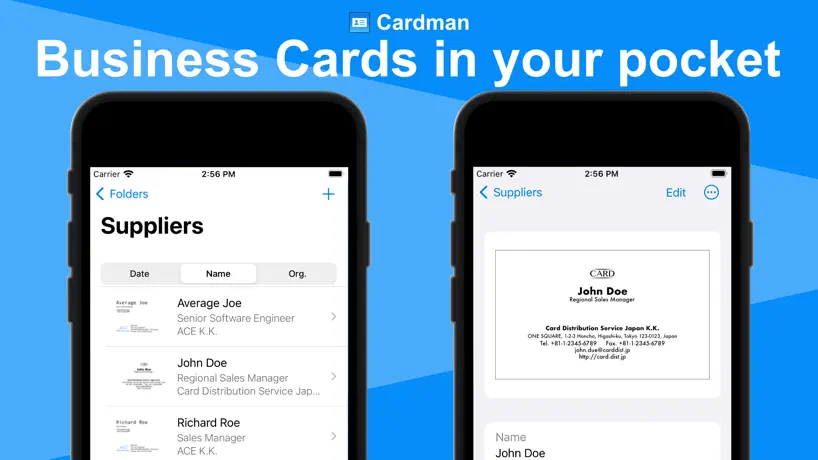
Business card management app
How much does Cardman cost?
Prices are current as of 28 Sept 2026.
2 subscriptions from $2.99
In the United States, Cardman has 2 subscriptions priced $2.99 – 29.99.
| Subscription | Period | Price |
|---|---|---|
| Pro (1 month) | Monthly | $2.99 |
| Pro (1 year) | Annual | $29.99 |
1 one-time purchase from $149.99
In the United States, Cardman has 1 one-time purchase priced $149.99.
| Product | Price |
|---|---|
| Pro (one-time purchase) | $149.99 |
10+ alternatives to Cardman
| Cardman |   CamCard AI Business Assistant CamCard AI Business Assistant |   samcard- business card scanner samcard- business card scanner |   Eight: Business Card Manager Eight: Business Card Manager |   BusinessCards by snapAddy BusinessCards by snapAddy |   Business Card Scanner - vCard Business Card Scanner - vCard |   Business Card Scanner + Reader Business Card Scanner + Reader |   Sansan Sansan |   Visty: Business Card Scanner Visty: Business Card Scanner | |
|---|---|---|---|---|---|---|---|---|---|
| Rating / 5 | 4.5 | 4.8 | 4.5 | 4.3 | 4.8 | 4.4 | 4.5 | 3.4 | 4.7 |
| Reviews | 2.4K | 594K | 45K | 36K | 7.8K | 1.6K | 1.4K | 562 | 409 |
| Released | 2022 | 2010 | 2011 | 2011 | 2016 | 2020 | 2021 | 2014 | 2019 |
| Monthly price | $2.99 | $4.49 | $4.99 | $3.99 | $7.99 | — | $9.99 | — | $7.99 |
| Annual price | $29.99 | $49.99 | $29.99 | $39.99 | $79.99 | $24.99 | $47.99 | — | $39.99 |
| One-time price | $149.99 | — | — | — | — | $9.99 | $99.99 | — | $39.99 |
The going rate for each plan in United States, in its own currency, shaded from the cheapest price on the row to the dearest. Plans fewer than four in ten of the priced apps sell are left out.
Cardman reviews
4.5 out of 5, based on 2,408 reviews.
What I Needed
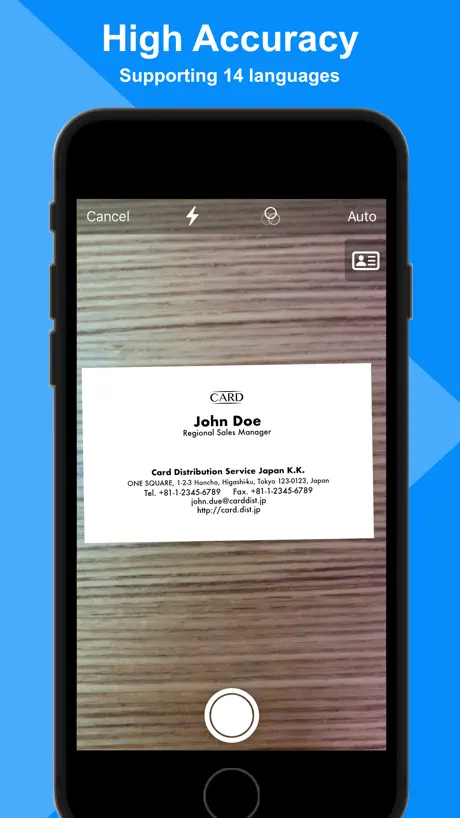
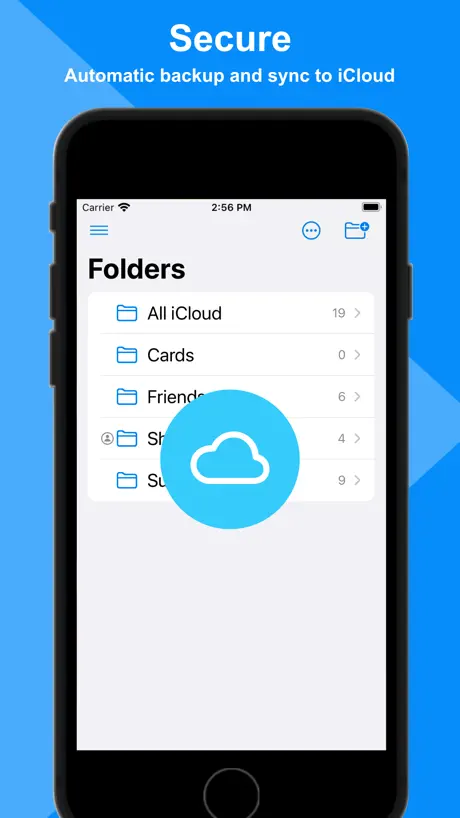
I know people complain about this app having difficulty scanning but I need it for different reasons. I have already digitized all of my cards and just need an app to save them all in and easily search them when I need them. This app allows me to pull from my photo library (as well as having the option to scan). I have only found a handful of apps that do this. The last one I used felt the need to “optimize” my cards without allowing me to choose and messed them completely up every single time. This app pulled mine in and actually read the data correctly most of the time. The only thing I had problems with was a few oddly shaped European business cards that were saved as .png for transparency (but I worked around that with a quick photoshop adjustment and now they display perfectly). The only things I don’t like are the facts that when I initially open the app, my cards don’t show. “All” should be a default view. And next, while iCloud is cool and all that, too many apps use it causing my space to fill up too quickly. So I would prefer to have a “backup and restore” function so I can save my data elsewhere when I need to. I also wouldn’t mind having a “sheet” display view under the “all” category to help me scroll through my voluminous bank of cards quickly by alphabet. The “list” display view is okay but I feel like I will be scrolling for awhile to get to what I’m searching for, wasting valuable time. And finally, where’s my “share” functionality? I want the ability to airdrop any one of my cards to someone else when needed. Fix that and I think this app would be everything!
Expensive
If you want to save any more than 10 business cards you have to pay $149. Not specified when downloading the app, you find out after you start downloading cards.
Scan and export troubles
This Pro is better than many other scan apps I’ve used but only saves 30%-50% of your time compared to manual data entry. Has difficulties with every single card scan. You have to correct about 50%-70% info on literally every scan. Name capture is the FULL NAME and not FIRST NAME then LAST NAME as unique fields which breaks import data on other contact apps. So you have to modify columns on spreadsheet then hightlight/cut/paste LAST NAME into proper column before it is usable. I’ve had mixed results with non-US phone number formats. Does not detect differences between office, fax, and mobile numbers as labeled on the card. Even with clear labels. This means your export data is difficult to work with. Again, this is better than many scan apps out there but still needs improvements. I’m very hopeful they can build it. Results may vary. Good luck.
Best Card reader
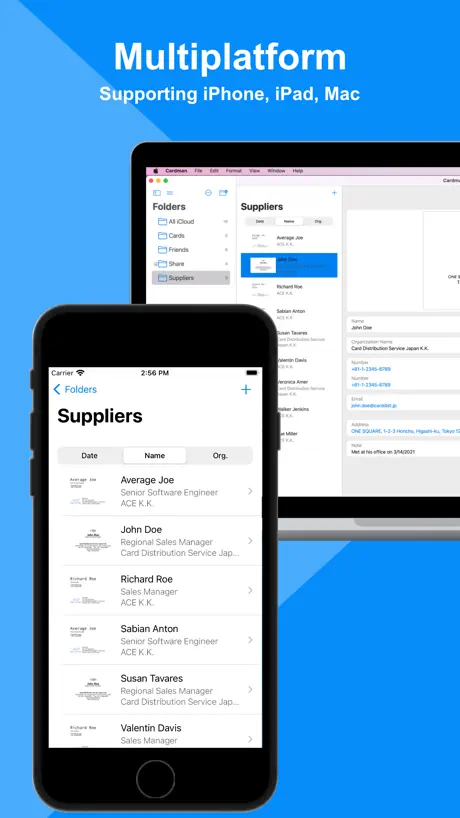
I have used business card readers for over 15 years. Today I downloaded 3 of the top iPhone card readers & stumbled on this for my mac. Get both the iPhone & the mac version of this app. They automatically link & WOW. This is the leader. It has rapid scanning of the fronts then you can add backs if you want later. Its recognition is just as good as all of the other apps. Yes I had to manually tell it the fax versus mobile but I had to on some others as well. this is the BEST!!!!
Cardman price by country
A monthly subscription costs $0.98 in Nigeria and $4.16 in Poland — 4× more for the same thing. Below is the going rate for each plan in every country that sells it — the middle price of what the app charges there, in the country's own currency with the dollar equivalent beneath it.
| Country | Monthly | Annual | One-time |
|---|---|---|---|
| Afghanistan | $2.99 | $29.99 | $149.99 |
| Albania | $3.59 | $35.99 | $179.99 |
| Algeria | $2.99 | $29.99 | $149.99 |
| Angola | $2.99 | $29.99 | $149.99 |
| Anguilla | $2.99 | $29.99 | $149.99 |
| Antigua And Barbuda | $2.99 | $29.99 | $149.99 |
| Argentina | $2.99 | $29.99 | $149.99 |
| Armenia | $3.49 | $35.99 | $179.99 |
| Australia | A$4.49$3.16 | A$43.99$30.98 | A$229.99$161.96 |
| Austria | €3.49$3.97 | €32.99$37.57 | €179.99$205.00 |
| Azerbaijan | $2.99 | $29.99 | $179.99 |
| Bahamas | $3.49 | $32.99 | $149.99 |
| Bahrain | $3.49 | $32.99 | $149.99 |
| Barbados | $3.49 | $34.99 | $179.99 |
| Belarus | $3.49 | $35.99 | $179.99 |
| Belgium | €3.49$3.97 | €32.99$37.57 | €179.99$205.00 |
| Belize | $2.99 | $29.99 | $149.99 |
| Benin | $2.99 | $29.99 | $179.99 |
| Bermuda | $2.99 | $29.99 | $149.99 |
| Bhutan | $2.99 | $29.99 | $149.99 |
| Bolivia | $2.99 | $29.99 | $149.99 |
| Bosnia & Herzegovina | €2.99$3.41 | €31.99$36.44 | €179.99$205.00 |
| Botswana | $2.99 | $29.99 | $149.99 |
| Brazil | R$14.90$2.87 | R$147.90$28.50 | R$999.90$192.66 |
| British Virgin Islands | $2.99 | $29.99 | $149.99 |
| Brunei Darussalam | $2.99 | $29.99 | $149.99 |
| Bulgaria | €3.29$3.75 | €31.99$36.44 | €179.99$205.00 |
| Burkina Faso | $2.99 | $29.99 | $149.99 |
| Cambodia | $3.49 | $32.99 | $149.99 |
| Cameroon | $3.49 | $35.99 | $179.99 |
| Canada | CA$3.99$2.83 | CA$37.99$26.94 | CA$199.99$141.84 |
| Cape Verde | $2.99 | $29.99 | $149.99 |
| Cayman Islands | $2.99 | $29.99 | $149.99 |
| Chad | $2.99 | $29.99 | $149.99 |
| Chile | CLP 2,900$3.01 | CLP 28,500$29.59 | CLP 179,990$186.90 |
| China | CN¥19.00$2.82 | CN¥193.00$28.68 | CN¥998.00$148.29 |
| Colombia | COP 12,900$3.96 | COP 132,900$40.80 | COP 699,900$214.88 |
| Congo | $2.99 | $29.99 | $179.99 |
| Congo, Democratic Republic | $2.99 | $29.99 | $149.99 |
| Costa Rica | $2.99 | $29.99 | $149.99 |
| Cote Divoire | $2.99 | $29.99 | $179.99 |
| Croatia | €3.32$3.78 | €34.51$39.31 | €179.99$205.00 |
| Cyprus | €2.99$3.41 | €31.99$36.44 | €179.99$205.00 |
| Czech Republic | CZK 79.00$3.70 | CZK 819.00$38.31 | CZK 3,990.00$186.62 |
| Denmark | DKK 25.00$3.81 | DKK 255.00$38.87 | DKK 1,299.00$198.02 |
| Dominica | $2.99 | $29.99 | $149.99 |
| Dominican Republic | $2.99 | $29.99 | $149.99 |
| Ecuador | $2.99 | $29.99 | $149.99 |
| Egypt | EGP 54.99$1.06 | EGP 549.99$10.63 | EGP 7,999.99$154.59 |
| El Salvador | $2.99 | $29.99 | $149.99 |
| Estonia | €3.49$3.97 | €32.99$37.57 | €179.99$205.00 |
| Fiji | $2.99 | $29.99 | $149.99 |
| Finland | €3.49$3.97 | €33.99$38.71 | €179.99$205.00 |
| France | €3.49$3.97 | €32.99$37.57 | €179.99$205.00 |
| Gabon | $2.99 | $29.99 | $149.99 |
| Gambia | $2.99 | $29.99 | $149.99 |
| Georgia | $3.49 | $34.99 | $179.99 |
| Germany | €2.99$3.41 | €31.99$36.44 | €179.99$205.00 |
| Ghana | $2.99 | $29.99 | $179.99 |
| Greece | €3.49$3.97 | €33.99$38.71 | €179.99$205.00 |
| Grenada | $2.99 | $29.99 | $149.99 |
| Guatemala | $2.99 | $29.99 | $149.99 |
| Guinea-bissau | $2.99 | $29.99 | $149.99 |
| Guyana | $2.99 | $29.99 | $149.99 |
| Honduras | $2.99 | $29.99 | $149.99 |
| Hong Kong | HK$23.00$2.93 | HK$233.00$29.72 | HK$1,188.00$151.53 |
| Hungary | HUF 1,290$4.02 | HUF 12,990$40.53 | HUF 69,990$218.36 |
| Iceland | $3.71 | $37.19 | $179.99 |
| India | ₹269.00$2.81 | ₹2,749.00$28.67 | ₹14,900.00$155.40 |
| Indonesia | IDR 49,000$2.74 | IDR 479,000$26.76 | IDR 2,999,000$167.56 |
| Iraq | $2.99 | $29.99 | $149.99 |
| Ireland | €3.49$3.97 | €32.99$37.57 | €179.99$205.00 |
| Israel | ₪9.90$3.26 | ₪95.90$31.55 | ₪499.90$164.44 |
| Italy | €3.49$3.97 | €32.99$37.57 | €179.99$205.00 |
| Jamaica | $2.99 | $29.99 | $149.99 |
| Japan | ¥300$1.91 | ¥3,000$19.05 | ¥19,980$126.90 |
| Jordan | $2.99 | $29.99 | $149.99 |
| Kazakhstan | KZT 1,690.00$3.81 | KZT 16,990.00$38.34 | KZT 89,990.00$203.09 |
| Kenya | $3.49 | $34.99 | $179.99 |
| Kosovo | €2.99$3.41 | €31.99$36.44 | €179.99$205.00 |
| Kuwait | $2.99 | $29.99 | $149.99 |
| Kyrgyzstan | $3.49 | $33.99 | $149.99 |
| Lao Peoples Democratic Republic | $2.99 | $29.99 | $149.99 |
| Latvia | €3.49$3.97 | €32.99$37.57 | €179.99$205.00 |
| Lebanon | $2.99 | $29.99 | $149.99 |
| Liberia | $2.99 | $29.99 | $149.99 |
| Libya | $2.99 | $29.99 | $149.99 |
| Lithuania | €3.49$3.97 | €32.99$37.57 | €179.99$205.00 |
| Luxembourg | €2.99$3.41 | €31.99$36.44 | €179.99$205.00 |
| Macao | $2.99 | $29.99 | $149.99 |
| Macedonia | $2.99 | $29.99 | $149.99 |
| Madagascar | $2.99 | $29.99 | $149.99 |
| Malawi | $2.99 | $29.99 | $149.99 |
| Malaysia | MYR 12.90$3.16 | MYR 134.90$33.06 | MYR 699.90$171.54 |
| Maldives | $2.99 | $29.99 | $149.99 |
| Mali | $2.99 | $29.99 | $149.99 |
| Malta | €2.99$3.41 | €31.99$36.44 | €179.99$205.00 |
| Mauritania | $2.99 | $29.99 | $149.99 |
| Mauritius | $2.99 | $29.99 | $179.99 |
| Mexico | MX$69.00$3.90 | MX$699.00$39.51 | MX$2,999.00$169.53 |
| Micronesia | $2.99 | $29.99 | $149.99 |
| Moldova | $3.49 | $35.99 | $179.99 |
| Mongolia | $2.99 | $29.99 | $149.99 |
| Montenegro | €2.49$2.84 | €26.99$30.74 | €129.99$148.05 |
| Montserrat | $2.99 | $29.99 | $149.99 |
| Morocco | $2.99 | $29.99 | $179.99 |
| Mozambique | $2.99 | $29.99 | $149.99 |
| Myanmar | $2.99 | $29.99 | $149.99 |
| Namibia | $2.99 | $29.99 | $149.99 |
| Nauru | $2.99 | $29.99 | $149.99 |
| Nepal | $2.99 | $29.99 | $179.99 |
| Netherlands | €3.49$3.97 | €32.99$37.57 | €179.99$205.00 |
| New Zealand | NZ$4.99$2.82 | NZ$49.99$28.24 | NZ$299.99$169.49 |
| Nicaragua | $2.99 | $29.99 | $149.99 |
| Niger | $2.99 | $29.99 | $149.99 |
| Nigeria | NGN 1,300.00$0.98 | NGN 13,500.00$10.16 | NGN 249,900.00$188.07 |
| Norway | NOK 33.00$3.47 | NOK 329.00$34.60 | NOK 1,990.00$209.25 |
| Oman | $2.99 | $30.99 | $149.99 |
| Pakistan | PKR 550$1.99 | PKR 5,500$19.86 | PKR 39,900$144.04 |
| Palau | $2.99 | $29.99 | $149.99 |
| Panama | $2.99 | $29.99 | $149.99 |
| Papua New Guinea | $2.99 | $29.99 | $149.99 |
| Paraguay | $2.99 | $29.99 | $149.99 |
| Peru | PEN 10.90$3.21 | PEN 112.90$33.21 | PEN 699.90$205.85 |
| Philippines | ₱155.00$2.48 | ₱1,590.00$25.44 | ₱9,990.00$159.81 |
| Poland | PLN 15.99$4.16 | PLN 157.99$41.14 | PLN 699.99$182.29 |
| Portugal | €3.49$3.97 | €32.99$37.57 | €179.99$205.00 |
| Qatar | QAR 10.99$3.02 | QAR 109.99$30.22 | QAR 499.99$137.36 |
| Romania | RON 15.99$3.45 | RON 159.99$34.56 | RON 799.99$172.78 |
| Russia | RUB 349.00$4.14 | RUB 3,550.00$42.13 | RUB 12,990.00$154.15 |
| Rwanda | $2.99 | $29.99 | $149.99 |
| Sao Tome & Principe | $2.99 | $29.99 | $149.99 |
| Saudi Arabia | SAR 12.99$3.46 | SAR 129.99$34.66 | SAR 599.99$160.00 |
| Senegal | $2.99 | $29.99 | $179.99 |
| Serbia | €3.49$3.97 | €32.99$37.57 | €179.99$205.00 |
| Seychelles | $2.99 | $29.99 | $149.99 |
| Sierra Leone | $2.99 | $29.99 | $149.99 |
| Singapore | SGD 4.48$3.50 | SGD 43.98$34.36 | SGD 199.98$156.23 |
| Slovakia | €3.49$3.97 | €32.99$37.57 | €179.99$205.00 |
| Slovenia | €3.49$3.97 | €32.99$37.57 | €179.99$205.00 |
| Solomon Islands | $2.99 | $29.99 | $149.99 |
| South Africa | ZAR 49.99$3.06 | ZAR 509.99$31.27 | ZAR 2,999.99$183.94 |
| South Korea | ₩4,000$2.95 | ₩40,000$29.48 | ₩229,000$168.75 |
| Spain | €3.49$3.97 | €32.99$37.57 | €179.99$205.00 |
| Sri Lanka | $2.99 | $29.99 | $149.99 |
| St. Kitts and Nevis | $2.99 | $29.99 | $149.99 |
| St. Lucia | $2.99 | $29.99 | $149.99 |
| St. Vincent & The Grenadines | $2.99 | $29.99 | $149.99 |
| Suriname | $2.99 | $29.99 | $149.99 |
| Swaziland | $2.99 | $29.99 | $149.99 |
| Sweden | SEK 35.00$3.53 | SEK 355.00$35.82 | SEK 1,995.00$201.31 |
| Switzerland | CHF 3.00$3.62 | CHF 30.00$36.19 | CHF 140.00$168.88 |
| Taiwan | NT$90.00$2.83 | NT$930.00$29.28 | NT$4,990.00$157.12 |
| Tajikistan | $3.49 | $34.99 | $149.99 |
| Tanzania | TZS 6,900.00$2.60 | TZS 69,900.00$26.31 | TZS 399,900.00$150.54 |
| Thailand | THB 109.00$3.26 | THB 1,050.00$31.45 | THB 4,990.00$149.45 |
| Tonga | $2.99 | $29.99 | $149.99 |
| Trinidad and Tobago | $2.99 | $29.99 | $149.99 |
| Tunisia | $2.99 | $29.99 | $149.99 |
| Turkey | TRY 56.99$1.17 | TRY 579.99$11.86 | TRY 7,999.99$163.57 |
| Turkmenistan | $2.99 | $29.99 | $149.99 |
| Turks and Caicos | $2.99 | $29.99 | $149.99 |
| Uganda | $3.49 | $34.99 | $179.99 |
| Ukraine | $3.49 | $35.99 | $179.99 |
| United Arab Emirates | AED 11.99$3.27 | AED 114.99$31.33 | AED 599.99$163.49 |
| United Kingdom | £2.79$3.70 | £26.99$35.75 | £149.99$198.66 |
| United States | $2.99 | $29.99 | $149.99 |
| Uruguay | $2.99 | $29.99 | $149.99 |
| Uzbekistan | $3.49 | $34.99 | $149.99 |
| Vanuatu | $2.99 | $29.99 | $149.99 |
| Venezuela | $2.99 | $29.99 | $149.99 |
| Vietnam | ₫69,000$2.66 | ₫689,000$26.55 | ₫4,999,000$192.62 |
| Yemen | $2.99 | $29.99 | $149.99 |
| Zambia | $2.99 | $29.99 | $179.99 |
| Zimbabwe | $3.49 | $35.99 | $179.99 |
Cardman FAQ
- Is Cardman free?
- Yes. The app and its basic features are free, in all 175 countries it sells in. Premium features are paid: they start from $2.99 (US), across 2 subscriptions and 1 one-time purchase.
- How much does Cardman cost per month?
- Pro (1 month) is $2.99 (US). The annual plan works out cheaper per month: $29.99 a year.
- Does Cardman have a free trial?
- No. None of its offers (US) come with a free trial.
- Where is Cardman cheapest?
- A monthly subscription costs NGN 1,300.00 (≈$0.98) in Nigeria and PLN 15.99 (≈$4.16) in Poland, its cheapest and dearest countries.
- What are the best alternatives to Cardman?
- CamCard AI Business Assistant (4.8 from 594,246 reviews, premium from $4.49), samcard- business card scanner (4.5 from 45,428 reviews, premium from $4.99) and Eight: Business Card Manager (4.3 from 36,430 reviews, premium from $3.99).
Cardman download
Last updated 2 months ago.
Cardman sells in 175 countries. It was released 4 years and 5 months ago, on 18 Apr 2022. It holds a 4.5 rating from 2,408 reviews.
Supports 3 languages: English, Japanese, Chinese.
How much does Cardman make?
Third-party estimates for the last 30 days, worldwide — not the store's own figures, which Apple publishes for nobody.
Revenue by plan
- Monthly 70%
- Annual 25%
- One-time 5%
Revenue by country
- Japan 98%
- United States 1%
- Singapore 0%
- China 0%