
Mapper for Safari
Google Maps to Apple Maps
How much does Mapper for Safari cost?
Prices are current as of 11 Sept 2026.
Mapper for Safari has no in-app products on record in the United States.
Mapper for Safari download price by country
| Country | Price |
|---|---|
| United States | $1.99 |
| Canada | CA$2.99 |
| United Kingdom | £1.99 |
| Japan | ¥300 |
| Brazil | R$12.90 |
| India | ₹199.00 |
| Mexico | MX$39.00 |
| New Zealand | NZ$3.99 |
| Saudi Arabia | SAR 9.99 |
| Hong Kong | HK$18.00 |
| Israel | ₪7.90 |
| Malaysia | MYR 9.90 |
| Thailand | THB 79.00 |
| Vietnam | ₫59,000 |
| South Africa | ZAR 39.99 |
| United Arab Emirates | AED 7.99 |
| Afghanistan | $1.99 |
| Philippines | ₱129.00 |
| Qatar | QAR 7.99 |
| Singapore | SGD 2.98 |
| Taiwan | NT$60.00 |
| Antigua And Barbuda | $1.99 |
| Anguilla | $1.99 |
| Armenia | $1.99 |
| Angola | $1.99 |
| Argentina | $1.99 |
| Azerbaijan | $1.99 |
| Barbados | $1.99 |
| Burkina Faso | $1.99 |
| Bahrain | $1.99 |
| Benin | $1.99 |
| Bermuda | $1.99 |
| Brunei Darussalam | $1.99 |
| Bolivia | $1.99 |
| Bahamas | $1.99 |
| Bhutan | $1.99 |
| Botswana | $1.99 |
| Belize | $1.99 |
| Congo, Democratic Republic | $1.99 |
| Congo | $1.99 |
| Cote Divoire | $1.99 |
| Chile | CLP 1,990 |
| Cameroon | $1.99 |
| Colombia | COP 9,900 |
| Costa Rica | $1.99 |
| Cape Verde | $1.99 |
| Dominica | $1.99 |
| Dominican Republic | $1.99 |
| Algeria | $1.99 |
| Ecuador | $1.99 |
| Egypt | EGP 99.99 |
| Fiji | $1.99 |
| Micronesia | $1.99 |
| Gabon | $1.99 |
| Grenada | $1.99 |
| Georgia | $1.99 |
| Ghana | $1.99 |
| Gambia | $1.99 |
| Guatemala | $1.99 |
| Guinea-bissau | $1.99 |
| Guyana | $1.99 |
| Honduras | $1.99 |
| Indonesia | IDR 29,000 |
| Iraq | $1.99 |
| Jamaica | $1.99 |
| Jordan | $1.99 |
| Kenya | $1.99 |
| Kyrgyzstan | $1.99 |
| Cambodia | $1.99 |
| St. Kitts and Nevis | $1.99 |
| South Korea | ₩3,300 |
| Kuwait | $1.99 |
| Cayman Islands | $1.99 |
| Kazakhstan | KZT 999.00 |
| Lao Peoples Democratic Republic | $1.99 |
| Lebanon | $1.99 |
| St. Lucia | $1.99 |
| Sri Lanka | $1.99 |
| Liberia | $1.99 |
| Libya | $1.99 |
| Morocco | $1.99 |
| Madagascar | $1.99 |
| Mali | $1.99 |
| Myanmar | $1.99 |
| Mongolia | $1.99 |
| Macao | $1.99 |
| Mauritania | $1.99 |
| Montserrat | $1.99 |
| Mauritius | $1.99 |
| Maldives | $1.99 |
| Malawi | $1.99 |
| Mozambique | $1.99 |
| Namibia | $1.99 |
| Niger | $1.99 |
| Nigeria | NGN 3,200.00 |
| Nicaragua | $1.99 |
| Nepal | $1.99 |
| Nauru | $1.99 |
| Oman | $1.99 |
| Panama | $1.99 |
| Peru | PEN 9.90 |
| Papua New Guinea | $1.99 |
| Pakistan | PKR 500 |
| Palau | $1.99 |
| Paraguay | $1.99 |
| Rwanda | $1.99 |
| Solomon Islands | $1.99 |
| Seychelles | $1.99 |
| Sierra Leone | $1.99 |
| Senegal | $1.99 |
| Suriname | $1.99 |
| Sao Tome & Principe | $1.99 |
| El Salvador | $1.99 |
| Swaziland | $1.99 |
| Turks and Caicos | $1.99 |
| Chad | $1.99 |
| Tajikistan | $1.99 |
| Turkmenistan | $1.99 |
| Tunisia | $1.99 |
| Tonga | $1.99 |
| Trinidad and Tobago | $1.99 |
| Tanzania | TZS 5,900.00 |
| Uganda | $1.99 |
| Uruguay | $1.99 |
| Uzbekistan | $1.99 |
| St. Vincent & The Grenadines | $1.99 |
| Venezuela | $1.99 |
| British Virgin Islands | $1.99 |
| Vanuatu | $1.99 |
| Yemen | $1.99 |
| Zambia | $1.99 |
| Zimbabwe | $1.99 |
10+ alternatives to Mapper for Safari
| Mapper for Safari |   AdGuard Pro: Safari Ad Blocker AdGuard Pro: Safari Ad Blocker |   Super Agent for Safari Super Agent for Safari |   Hush Nag Blocker Hush Nag Blocker |   Noir - Dark Mode for Safari Noir - Dark Mode for Safari |   Wipr 2 Wipr 2 |   Opener ‒ open links in apps Opener ‒ open links in apps |   Vinegar - Tube Cleaner Vinegar - Tube Cleaner |   Banish - Block 'Open in App' Banish - Block 'Open in App' |   Vidimote for Safari Vidimote for Safari |   Total Refresh for Safari Total Refresh for Safari | |
|---|---|---|---|---|---|---|---|---|---|---|---|
| Rating / 5 | 4.1 | 4.4 | 4.2 | 4.3 | 4.6 | 4.7 | 4.6 | 4.3 | 3.7 | 4.0 | 2.7 |
| Reviews | 732 | 17K | 6.3K | 4.8K | 4.2K | 3.4K | 3.1K | 2.9K | 571 | 208 | 7 |
| Released | 2021 | 2016 | 2021 | 2020 | 2021 | 2024 | 2015 | 2021 | 2022 | 2021 | 2021 |
| Monthly price | — | — | $1.19 | — | — | $1.99 | — | — | — | — | — |
| Annual price | — | — | $11.99 | — | — | $4.99 | — | — | — | — | — |
| One-time price | — | — | $39.99 | — | — | $19.99 | — | — | — | — | — |
The going rate for each plan in United States, in its own currency, shaded from the cheapest price on the row to the dearest.
Mapper for Safari reviews
4.1 out of 5, based on 732 reviews.
What people like
- Stops Google Maps from opening automatically
- Simple to use once you get it
- Very cheap for what it does
What they complain about
- Directions often land at the wrong spot
- It stops working after iOS updates
- Setup instructions are confusing and outdated
Mapper
Apple Maps excellent
Cayce
Horrible
Needs an update to instructions on usage with iOS devices
With newer versions of iOS, such as iOS 26 you don’t get the address bar to take you to the Extensions settings. I eventually had to log into Google.com and adjust the extensions there. There may be other ways to fix this, but I haven’t tested them.
Does not work now
Does not work .
Oman
Demon9922
Keep going with upgrading this app is amazing!do not cancel the Waze
Amazing app it is make the job as it should be
Does not work
Followed instructions and it would not work. Was also charged more than the $1.99 that was indicated.
Shows banner ads in app settings for dev’s other apps
It seems to work alright, but 4 stars for showing banner ads for the developer’s other apps in the app settings. I don’t mind the list of the other apps at the bottom of the settings screen, but banner ads for a paid app are annoying, even if it’s for your own apps.
More transparency would be nice.
“Developer doesn’t collect any data from this app” is a lie. If you go to the developer’s website he says log data will be collected when using his services when an error occurs.
No longer working
Links now continue to open in Google Maps rather than on Apple Maps in webpages or search
Being an avid iOS user, I rely on Google for almost nothing.
This app makes it possible to reroute your map link to Apple Maps rather than Google Maps. It’s incredibly helpful and smooth to navigate. I
You
None
T
G
Incompatible
Did not know it only works if u use Waze, doesn't have the ability to just take u to normal maps. Not everyone uses waze
Sort of works
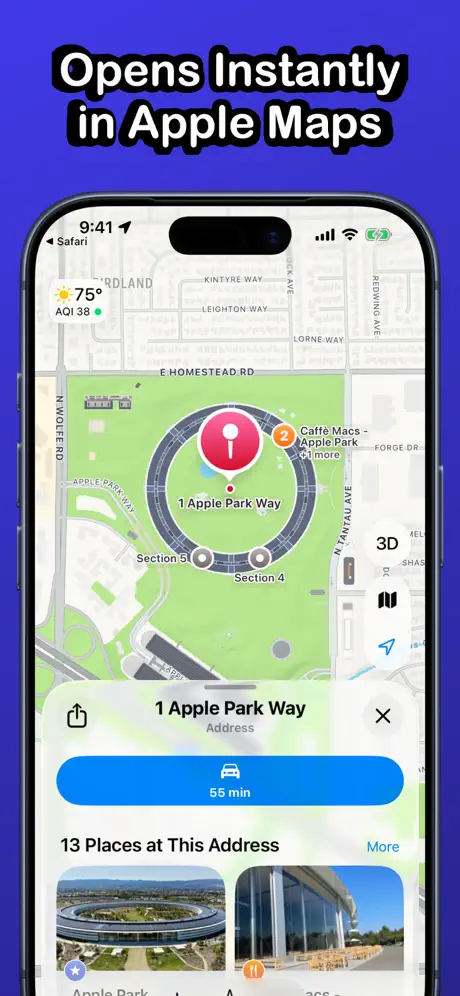
My issue is that it doesn’t actually open the location in Apple Maps. It’ll open the ADDRESS of the location, not the business itself. It’s a minor inconvenience, but also sort of defeats the point. I want to be able to click on a Google link and have it open the details page of the link on Apple Maps, not just pinpoint the raw address. It works for Apple headquarters, but not anywhere else. It also seems like the dev has spotted supporting this app, only a minor update in 11 months…
Greatest
***********
Scam
Does not work any review on here that says it does is fake I tried every option and nothing worked do not waste 2 bucks on it
Open the web version on Mac ?
Works great on iOS. But on Mac, it could have the option to use the web version of Apple Maps : maps.apple.com It would be simpler.
Broken
It’s been 8 months since the last update. When I open a google map link I now have to click to open it in Apple Maps. The address in Apple Maps is then broken and not usable. Used to love this app, but it seems it might be dead.
It’s okay
It works, it allows you to use your preferred maps. However, I find that when I press directions on safari, and takes me to Apple Maps it isn’t pinpoint accurate… it kind of does an address slightly off from pinpointed. For £1.99 it’s okay but not great considering
Hollywolly303
2026
Will not work on safari iPhone no matter what the directions say
I have tried every way possible on my iPhone to get this to work on Safari. The directions say tap here to go to Google. Tap the menu bar for Settings. There is no menu bar for settings. I’ve tried setting extensions on the iPhone to turn it on. Still doesn’t work. Don’t waste your money. They don’t respond to customer request for help either!
使えます!
iOS18のiPhone13miniを使用しておりますが、Safariの Google検索で所在地を検索する場合に純正マップに移動して地図表示することができました。
Not taking to the exact coordinates
If I am searching a place on Google Maps on Safari, it takes me to different coordinates on Apple Maps. Maybe need to correct that. Possibly can be a problem in India Region.
Yes!!!!
Works great.
It just works
Read the title. Worth it.
Freezes safari when clicking on map
Whenever I click on a map link on safari it just freezes and crashes. After deleting mapper everything went back to normal.
Good App
This app works really well with location links included by Google in search results. It's a bit buggy when opening links embedded on websites by their creators. Really worth installing if you like Google search and Apple maps.
Gossipy goo
Tax ID
Rip Off - Do Not Buy!
First, “installation” is basically written directions to manually alter settings on your iphone which are wrong. Clicking on the first link in those directions takes you to google app, or google web page in safari, not Safari settings. You don’t get “manage extensions” for google within the browser. Second, if you go to settings/apps/safari and turn on the mapper for safari extension, clicking any “get directions” link that normally takes you to browser based google maps directions or google maps ap, still takes you to google maps, not apple maps. I want my buck+ back. Maybe I should write an app that charges people a dollar and delivers nothing.
Awesome
My only disappointment is that this app is not called mapple
Should be standard!
Apple, you should pay this man!
Not Worth It
Doesn’t work across various websites
Works well. Get google’s hands off your map data
Nice simple and effective. Make sure you give it permission in the settings/safari/extensions. I had no luck with ‘ask’ but it definitely worked with ‘allow’. Click a link in safari: apple maps. Pick a little mini map in your safari search: apple maps. Al, while still using google search (if you still want google to have your search data but not your map data). Oh and all those people wanting to know why using safari (with google search) auto opens google maps? ‘cause google pays apple $1B+ for the privilege. Get Mapper. Only $1 and it tracks/collects absolutely no data! Support the dev for that reason alone!
Goes to Apple
It’s simple and easy. Follow the instructions one time and then you are set! Thanks for the instructions!
No good
Please help
Amazing
You need this app if you get tired of copy and pasting addresses from google to Apple Maps Game changer !
Fails to open locations in maps
Fails to open goog.le/maps addresses. Many sites are using this link and mapper fails to work with it.
Mapper for Safari FAQ
- Is Mapper for Safari free?
- No. Mapper for Safari costs $1.99 (US) to download.
- Does Mapper for Safari have a free trial?
- No. None of its offers (US) come with a free trial.
- What are the best alternatives to Mapper for Safari?
- AdGuard Pro: Safari Ad Blocker (4.4 from 16,606 reviews), Super Agent for Safari (4.2 from 6,270 reviews, premium from $1.19) and Hush Nag Blocker (4.3 from 4,770 reviews).
Mapper for Safari download
Last updated 4 months ago.
Mapper for Safari sells in 132 countries. It was released 4 years and 11 months ago, on 14 Oct 2021. It holds a 4.1 rating from 732 reviews.
Supports 1 language: English.
How much does Mapper for Safari make?
Third-party estimates for the last 30 days, worldwide — not the store's own figures, which Apple publishes for nobody.